Zoho Lens
Zoho Lens
ダウンロード: App Store

このページはアプリまたはその開発者の公式ページではなく、情報提供および論評を目的として作成された独立した編集出版物です。明示的に別段の記載がない限り、アプリおよびその開発者は、MWM、Apple、Google Play、アプリのパブリッシャー、またはアプリの開発者と提携、承認、後援、認可、またはその他の公式的な関係はなく、このページのいかなる内容も、アプリがMWMのサービスを使用して開発されたことを意味するものではありません。すべての商標、ロゴ、スクリーンショット、その他のコンテンツはそれぞれの所有者の財産です。


ロゴ: Zoho Lens
ダウンロード: App Store

Zoho Lens

リアルタイムの拡張現実アシスタンスでフィールド技術者の能力を強化しましょう。インタラクティブなAR注釈とHDビデオストリーミングを使用して複雑な修理をガイドすることで、ダウンタイムを削減し、出張費用をなくします。

主要数値

ダウンロード

1K+

ユーザー評価

4.8/5

評価数

0

開発元

Zoho Corporation

カテゴリ

Business

対応言語

11

最新バージョン

2.16.1

サイズ

37.5 MB

リリース日

2019年9月6日
機能

フィールドオペレーションの能力を強化

専門知識と現場実行のギャップを、ダウンタイムを大幅に削減し出張費用をなくすために設計されたリアルタイムARアシスタンスで埋めましょう。

精密AR注釈

デジタル指示を描画して通信エラーをなくし、現実世界のオブジェクトに固定することで、技術者が正確に何を修理すべきかを確実に把握できるようにします。

インスタント専門家コラボレーション

最も経験豊富なエンジニアを仮想的にあらゆる現場に連れて行き、1人のスペシャリストが中央ダッシュボードから複数のフィールドチームをサポートできるようにします。

以下のスクリーンショットと説明は、アプリの公式ストアリスティングから直接取得されたものであり、アプリ開発者の所有物です。

アプリストア

スクリーンショット
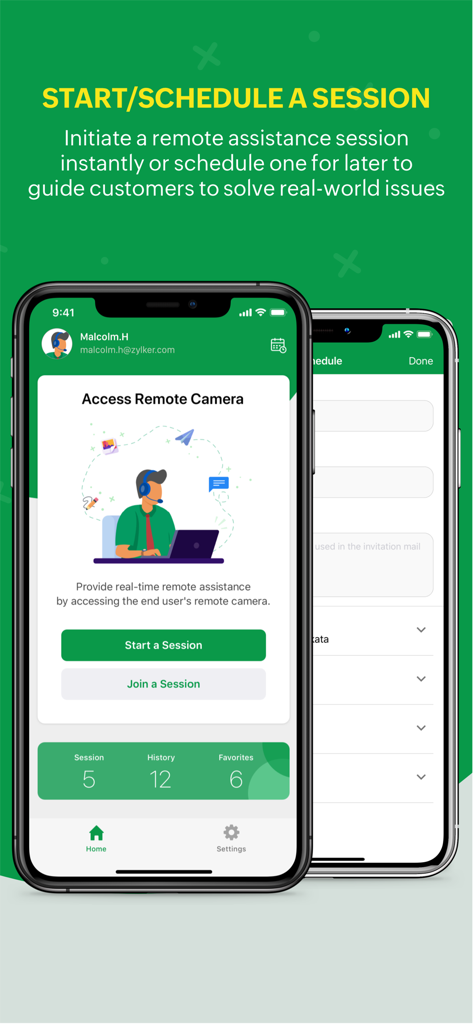
Zoho Lens - Zoho Lensアプリ画面、リモートサポートのためのセッション開始とスケジュールオプションを表示
Zoho Lensアプリ画面、リモートサポートのためのセッション開始とスケジュールオプションを表示

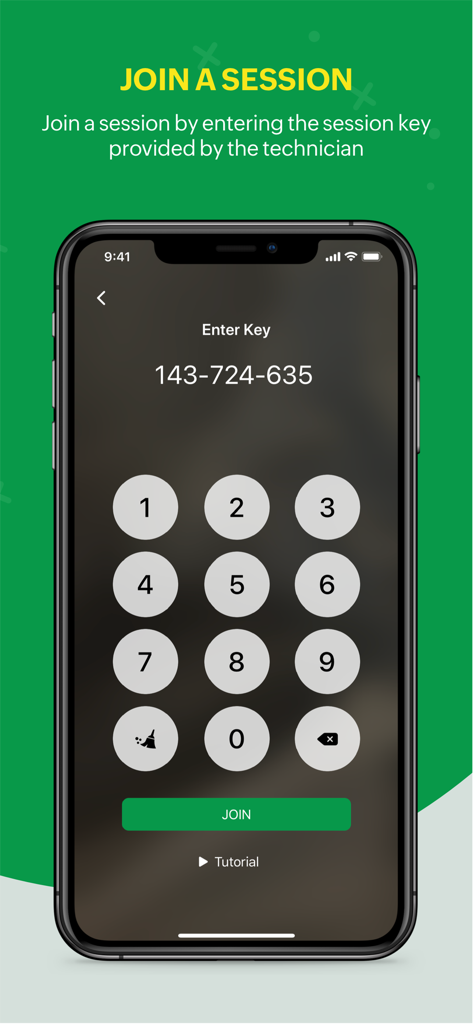
Zoho Lens - Zoho Lensモバイルアプリ画面、セッションキーを入力してリモートアシスタンスセッションに参加するための数字キーパッドを表示
Zoho Lensモバイルアプリ画面、セッションキーを入力してリモートアシスタンスセッションに参加するための数字キーパッドを表示

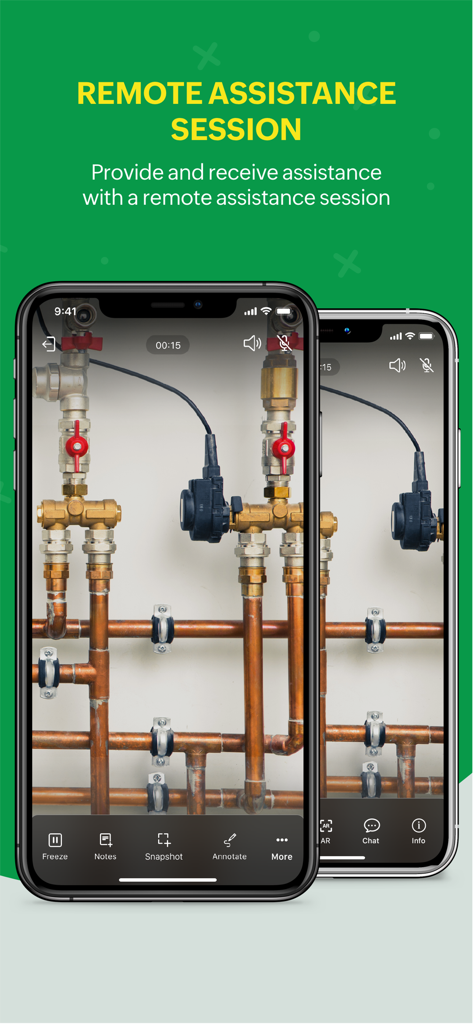
Zoho Lens - Zoho Lensモバイルアプリインターフェース、リモートアシスタンスセッションを表示
Zoho Lensモバイルアプリインターフェース、リモートアシスタンスセッションを表示

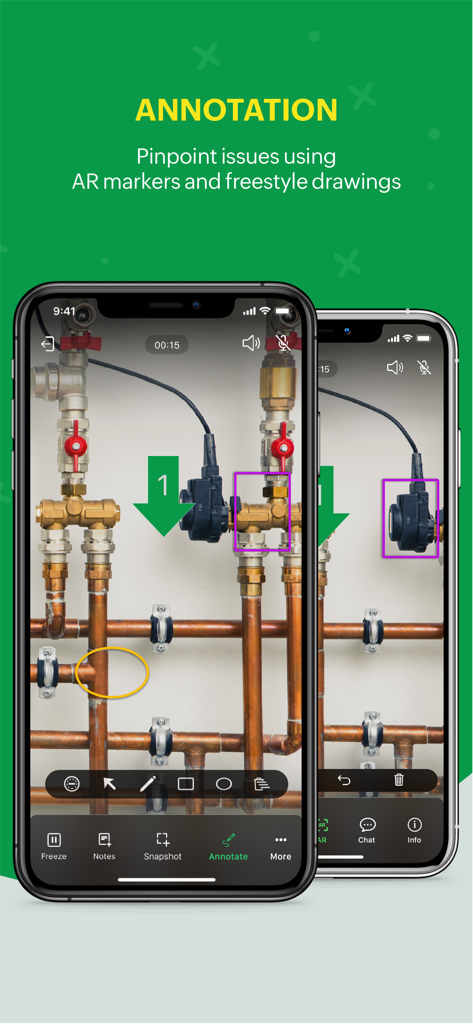
Zoho Lens - 2台のスマートフォン、Zoho Lensアプリを表示、AR注釈と産業用パイプのマーカーでリモートテクニカルサポート用
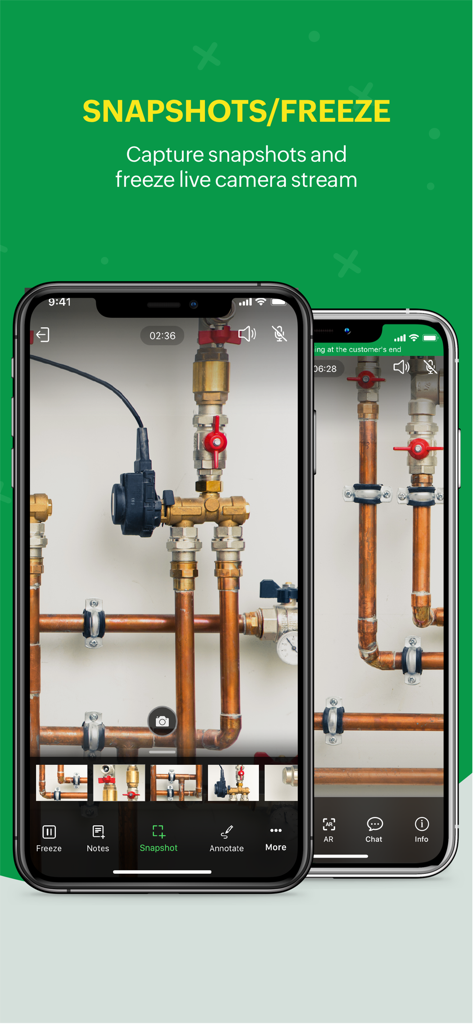
2台のスマートフォン、Zoho Lensアプリを表示、AR注釈と産業用パイプのマーカーでリモートテクニカルサポート用

Zoho Lens - Zoho Lensモバイルインターフェース、産業用パイプでのリモートテクニカルサポートのためのスナップショットとライブカメラストリームフリーズ機能を表示
Zoho Lensモバイルインターフェース、産業用パイプでのリモートテクニカルサポートのためのスナップショットとライブカメラストリームフリーズ機能を表示

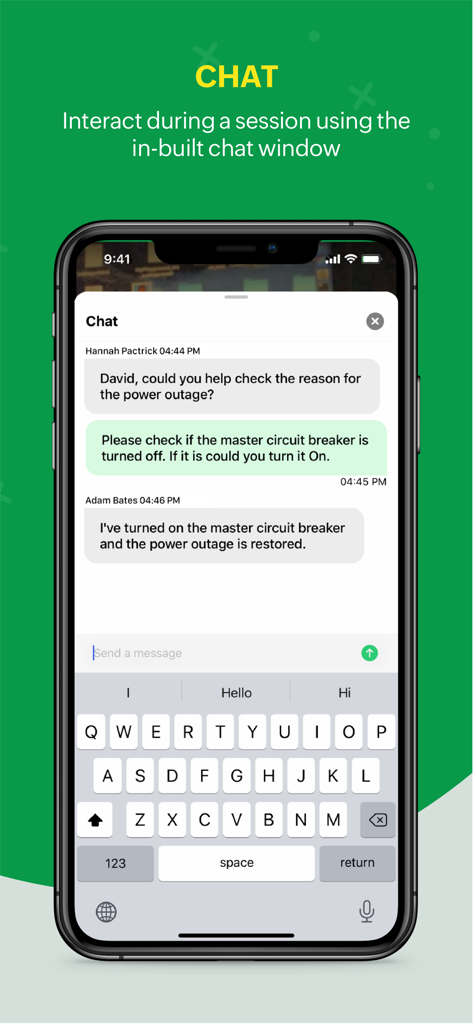
Zoho Lens - Zoho Lensのアプリ内チャットインターフェース、リモートセッション中の技術者と専門家の間の通信を表示
Zoho Lensのアプリ内チャットインターフェース、リモートセッション中の技術者と専門家の間の通信を表示

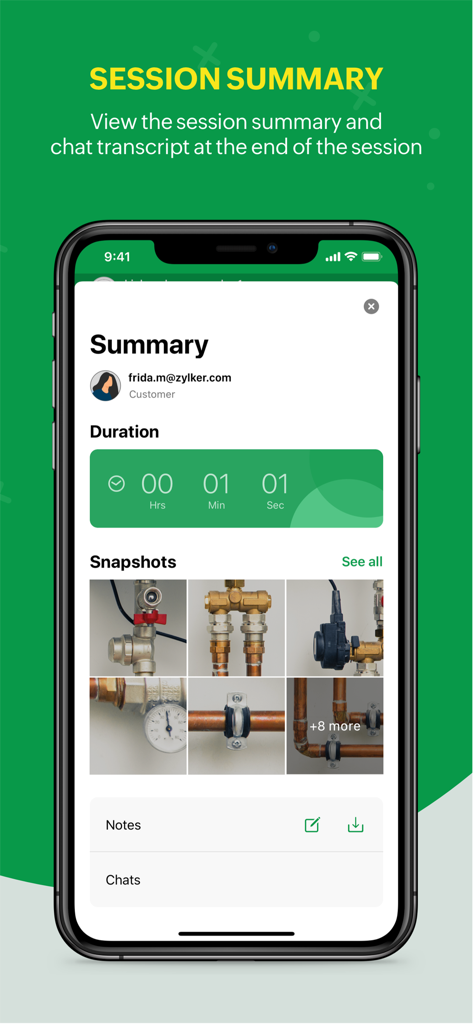
Zoho Lens - Zoho Lensアプリセッションサマリー画面、パイプとメモの期間スナップショットを表示
Zoho Lensアプリセッションサマリー画面、パイプとメモの期間スナップショットを表示

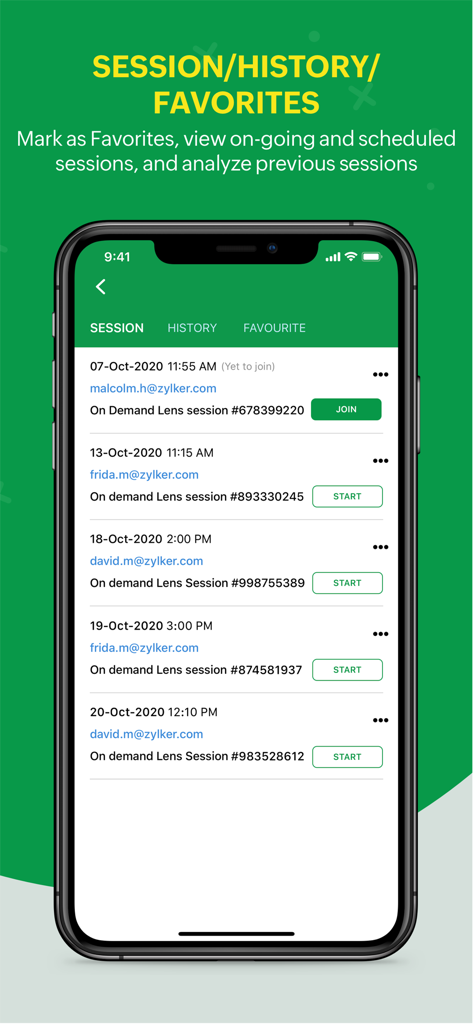
Zoho Lens - Zoho Lensアプリインターフェース、履歴と「お気に入り」タブ付きのリモートアシスタンスセッションのリストを表示

Zoho Lensアプリインターフェース、履歴と「お気に入り」タブ付きのリモートアシスタンスセッションのリストを表示

説明

Zoho Lens - Remote assistance through augmented reality! Ease the means to get expert visual support from the agents, using Zoho Lens. Zoho Lens allows support agents to provide expert work instructions to customers or field agents by initiating a session and accessing their smartphone. The efficient remote assistance tool with both HD video and audio lets you annotate live objects in need for problem solving. Zoho Lens entails the following features: Live stream View high definition real-time video from the customer's smartphone to the agent's desk. Initiate a Zoho Lens session and quickly access the live footage of the issue demanding a solution. AR annotation Add AR annotations to the video stream for extra virtual information. Easily add arrows, or even point to the parts that need technical aid. Chat and communicate Reduce response time by interacting with your customer through voice support or initiate an in-app chat session. Zoom, freeze and screenshot Pinch the screen to zoom into the video feed to get a closer look at the real world objects. Additionally, freeze the screen to access more intricate issues within a particular screen. Capture a screenshot, share with the customer to analyse the issue further or document the screenshots for offline appraisal. Session Notes Jot down notes and thoughts during the session which you can reference back later. Initiate and schedule sessions Agents can initiate a quick session and share the Join Now link to the customer. Sessions can also be scheduled based on convenience. Join a session Customers can simply tap the shared join link or enter Name & Session Key and tap 'Join'. Multi-participant Session Experts can invite secondary technicians with different skill sets to help them out during a session. Camera Switch End-users can switch between the front-facing and rear-facing camera during a session to communicate better with the Expert. In App Purchases in Zoho Lens allows users to subscribe to Zoho Lens which enables these features for them: AR Annotations AR Comments AR Measure QR/Barcode/Live Text scanning Advanced Chat & File Transfer Session Recording Rebranding For further comments, suggestions, and questions, please write to us at support@zoholens.com Privacy Policy and Terms & Conditions: -https://www.zoho.com/privacy.html -https://www.zoho.com/terms.html

Download

ダウンロード: App Store

このページはアプリまたはその開発者の公式ページではなく、情報提供および論評を目的として作成された独立した編集出版物です。明示的に別段の記載がない限り、アプリおよびその開発者は、MWM、Apple、Google Play、アプリのパブリッシャー、またはアプリの開発者と提携、承認、後援、認可、またはその他の公式的な関係はなく、このページのいかなる内容も、アプリがMWMのサービスを使用して開発されたことを意味するものではありません。すべての商標、ロゴ、スクリーンショット、その他のコンテンツはそれぞれの所有者の財産です。








