
このページはアプリまたはその開発者の公式ページではなく、情報提供および論評を目的として作成された独立した編集出版物です。明示的に別段の記載がない限り、アプリおよびその開発者は、MWM、Apple、Google Play、アプリのパブリッシャー、またはアプリの開発者と提携、承認、後援、認可、またはその他の公式的な関係はなく、このページのいかなる内容も、アプリがMWMのサービスを使用して開発されたことを意味するものではありません。すべての商標、ロゴ、スクリーンショット、その他のコンテンツはそれぞれの所有者の財産です。


ダウンロード
1M+ユーザー評価
評価数
5.6K開発元
カテゴリ
Business対応言語
39最新バージョン
1.8.1サイズ
138.1 MBリリース日
2017年10月2日プロフェッショナルなコミュニケーションとコラボレーションを強化する主要機能
Zoho Meeting - Online Meetings アプリの分析
セキュアなオンライン会議
パスワード保護や参加者管理により、プライベートで中断のない会議環境を確保できます。
リアルタイムコラボレーション
高品質なオーディオとビデオ、および画面共有により、効果的なコミュニケーションと意思決定が促進されます。
包括的なウェビナー機能
大規模な視聴者とのエンゲージメントを可能にし、質疑応答、投票、挙手などの機能を通じて双方向性を高めます。
堅牢なモデレーション
会議の流れをコントロールし、中断を防ぎ、集中力を維持することで、議論の質を高めます。
柔軟な会議管理
迅速な意思決定とアドホックなコラボレーションをサポートし、参加の障壁を低減します。
コンテンツ共有と記録
関連情報の共有を容易にし、会議の重要な内容を後で確認できるよう記録を残します。
よくある質問
について知っておくべきこと Zoho Meeting - Online Meetings
How many participants can join a Zoho Meeting?
Zoho Meeting allows up to 250 participants to join a secure online meeting or webinar. This feature ensures large-scale collaboration and communication for all users.
Can I share my mobile screen during a Zoho Meeting?
Yes, Zoho Meeting allows you to share your mobile screen during a meeting. This enables contextual collaboration with other participants.
Is an account required for participants to join a Zoho Meeting?
No, participants do not require an account to join Zoho Meeting. They can easily join a meeting using the invitation link or the meeting ID.
Does Zoho Meeting support recording of meetings?
Yes, the meeting host can record the screen, audio, and video from a computer or mobile device. Recorded videos are playable online and sharable.
Can Zoho Meeting participants engage in polls during webinars?
Yes, participants can interact by participating in polls during live webinars within Zoho Meeting. This allows for gathering opinions and feedback.
How does Zoho Meeting ensure secure online meetings?
Zoho Meeting secures online meetings using password protection. It also allows hosts to mute individuals or all participants and remove unwanted attendees to maintain privacy.
Can I host unlimited meetings with Zoho Meeting?
Yes, Zoho Meeting allows users to host unlimited meetings. This enables flexible and frequent online collaboration without restrictions.
Does Zoho Meeting offer a Q&A feature for webinars?
Yes, Zoho Meeting provides a Q&A feature for webinars. Attendees can interact with organizers by asking questions and receiving responses.
Can I chat with other participants during a Zoho Meeting?
Yes, Zoho Meeting includes a chat feature. You can send messages, emojis, images, and files to other participants during the meeting for contextual conversations.
Can co-organizers manage webinars from a mobile device using Zoho Meeting?
Yes, co-organizers can join webinars on the go with Zoho Meeting. They can engage attendees through audio and video directly from their mobile device.
以下のスクリーンショットと説明は、アプリの公式ストアリスティングから直接取得されたものであり、アプリ開発者の所有物です。
アプリストア
スクリーンショット
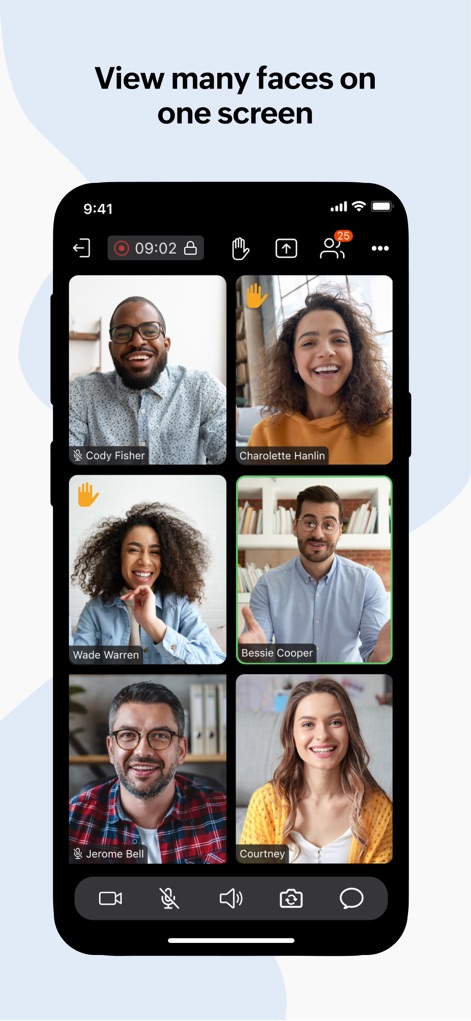
このアプリでは、複数の参加者のビデオフィードを一度に表示し、各ユーザーの顔と名前(例:Cody Fisher、Charolette Hanlin)を明確に確認することで、チームの存在感を高めることができます。
複数人を一画面で表示
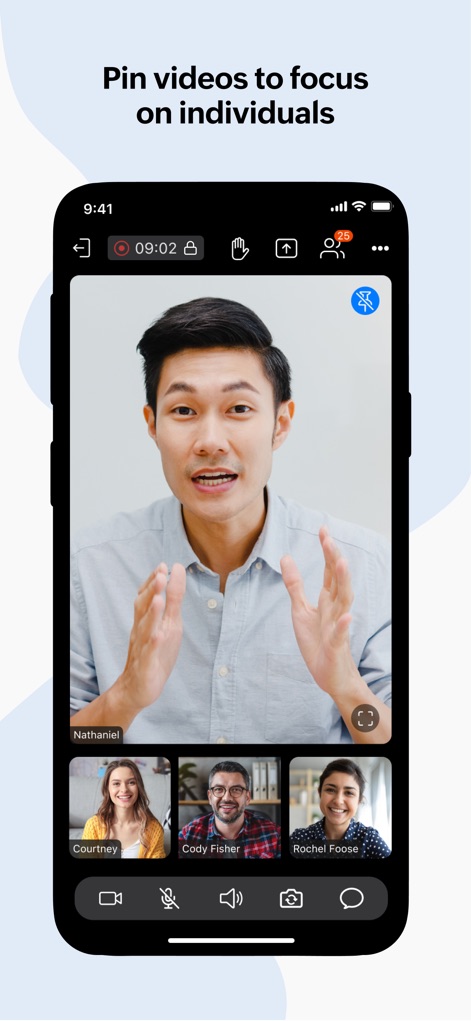
特定の発表者に焦点を当てる際、ユーザーは主要なスピーカーのビデオフィードを大きくピン留めし、他の参加者の小さなサムネイル表示(例:Courtney、Cody Fisher)を画面下部に配置して、集中力を維持できます。
特定ビデオに焦点を当てる
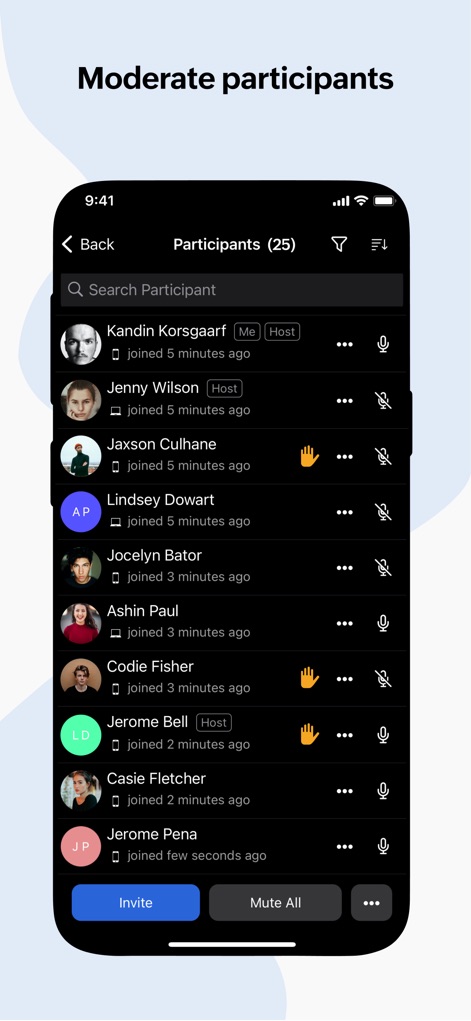
会議の秩序を保つため、このツールは参加者の一覧(例:Kandin Korsgaarf、Jenny Wilson)を表示し、ホストが各ユーザーを個別にミュートしたり(マイクアイコン)、会議から削除したりするなどの強力なモデレーション機能を提供します。
参加者管理機能
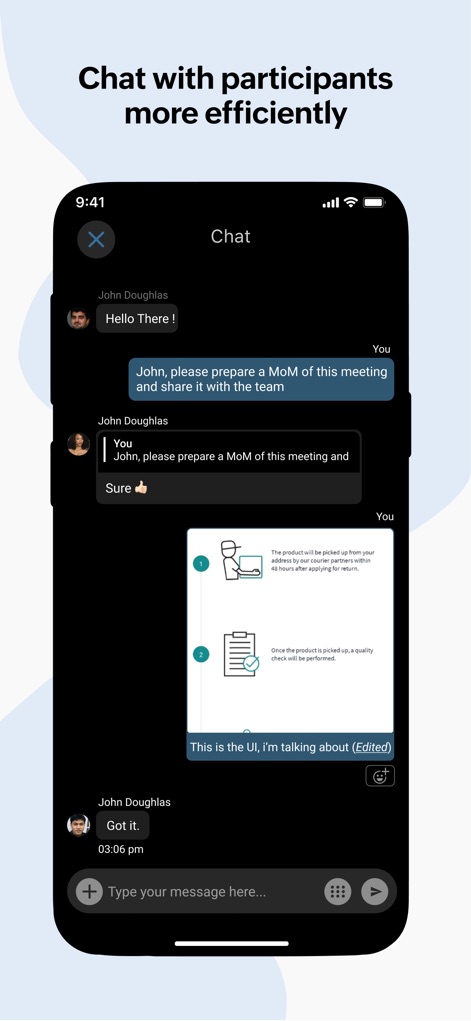
会議中に効率的なコミュニケーションを図るため、ユーザーはチャット機能でテキストメッセージを送信し、関連する画像やドキュメントを直接共有(例:商品のUI画像)することで、議論の文脈を豊かにできます。
効率的なチャット交流
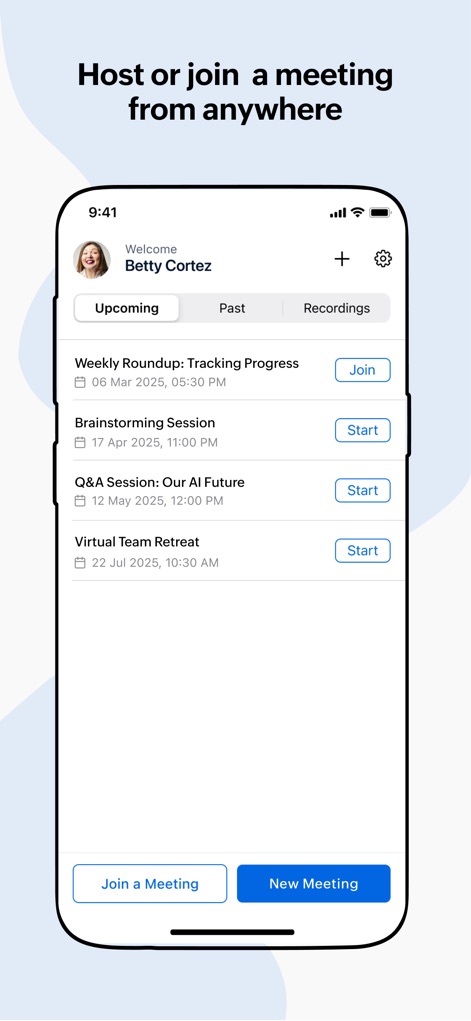
どこからでも会議を主催または参加できるこのアプリでは、「Upcoming(今後の会議)」タブにスケジュールされた会議が一覧表示され(例:Weekly Roundup)、ユーザーは「Join(参加)」または「Start(開始)」ボタンをタップして瞬時にアクセスできます。
どこからでも会議参加
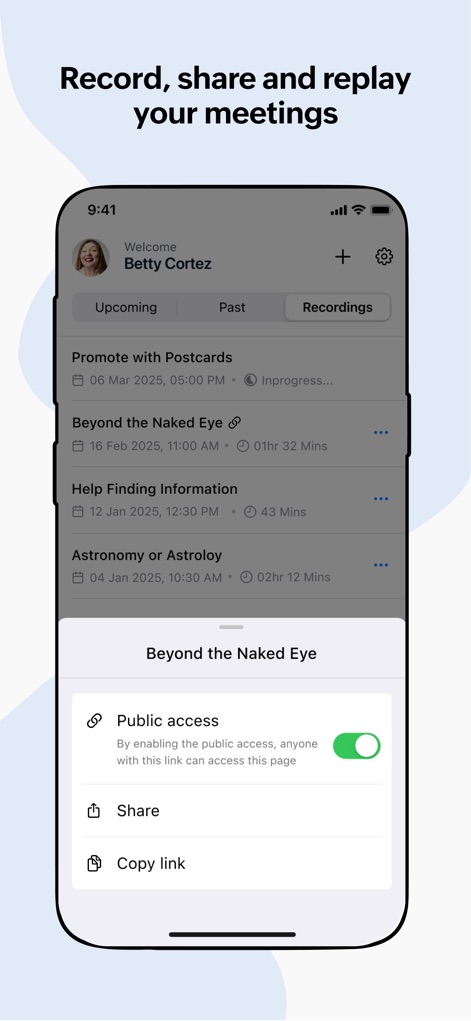
重要な会議の瞬間を逃さないよう、本アプリは「Recordings(録画)」タブに過去の会議録画を一覧表示し、各録画に対して「Public access(公開アクセス)」設定や「Share(共有)」リンク発行のオプションを提供します。
会議録画、共有、再生
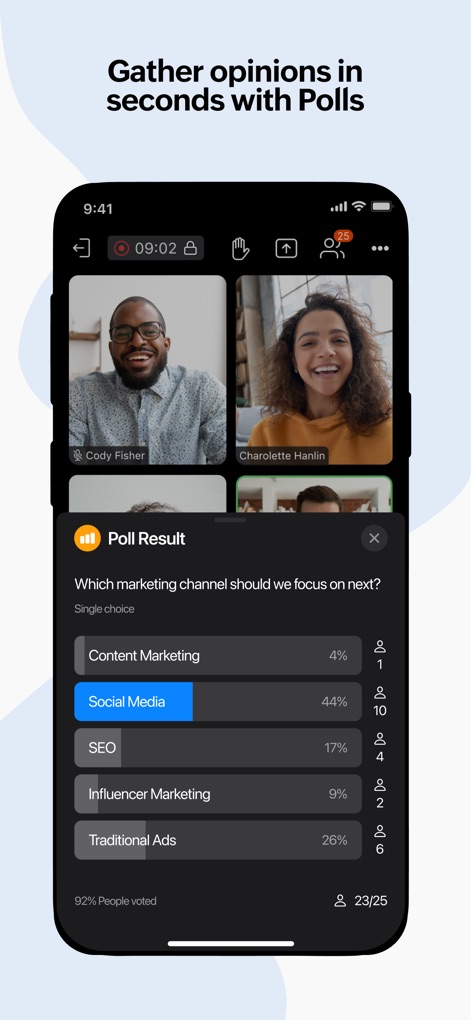
インタラクティブな意見収集のために、このアプリは会議中にリアルタイムでポール(投票)を実施でき、その「Poll Result(投票結果)」をグラフ形式(例:Social Mediaが44%)と投票者数で瞬時に共有します。
ポールで意見収集
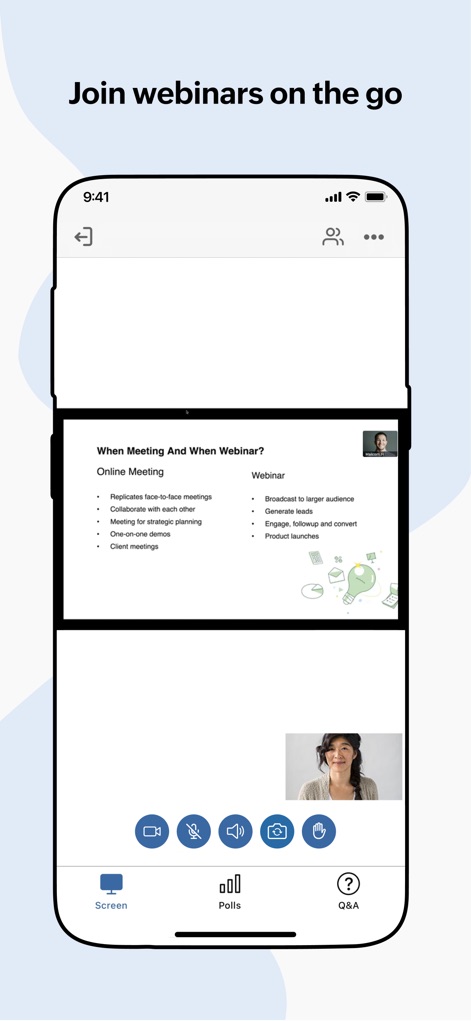
外出先でもウェビナーに参加できる本アプリは、共有された画面コンテンツ(例:オンラインミーティングとウェビナーの比較スライド)を鮮明に表示し、発表者のビデオフィードと同時に視聴できます。
移動中にウェビナー参加
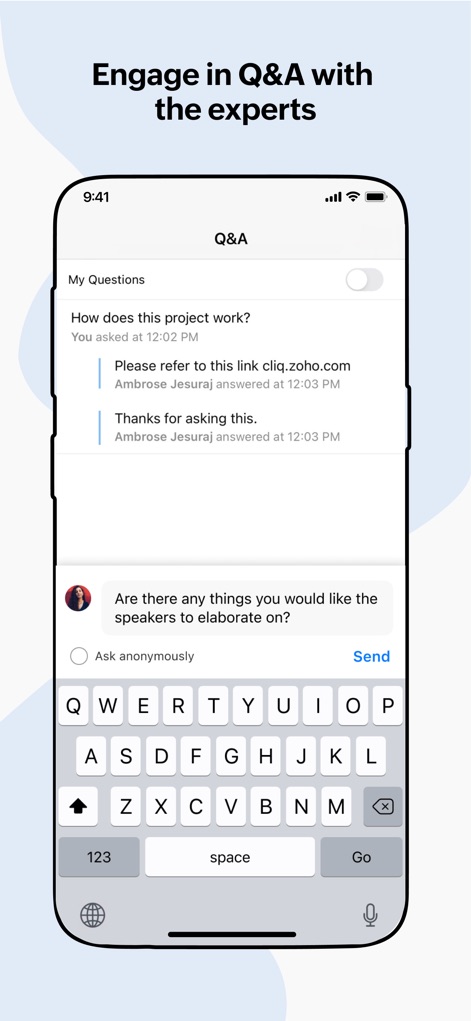
専門家とのエンゲージメントを深めるため、ユーザーはQ&Aセッションを通じて質問を直接入力できるテキストフィールドを利用し、過去の質問と回答(例:How does this project work?)を一覧で確認できます。
専門家とQ&A
説明
Download
類似アプリ
似た機能とユーザー体験を持つアプリ

GoTo
GoTo Group, Inc.

Lark - Team Collaboration
LARK TECHNOLOGIES PTE. LTD.

RingCentral
RingCentral, Inc

MTS Link
VEBINAR TEKHNOLOGII, OOO

Pronto Team Communication
Hit Labs, Inc.

Zoho Cliq - Team Communication
Zoho Corporation

Microsoft Teams
Microsoft Corporation

Zoom Workplace
Zoom Communications, Inc.

Google Meet
Google LLC
このページはアプリまたはその開発者の公式ページではなく、情報提供および論評を目的として作成された独立した編集出版物です。明示的に別段の記載がない限り、アプリおよびその開発者は、MWM、Apple、Google Play、アプリのパブリッシャー、またはアプリの開発者と提携、承認、後援、認可、またはその他の公式的な関係はなく、このページのいかなる内容も、アプリがMWMのサービスを使用して開発されたことを意味するものではありません。すべての商標、ロゴ、スクリーンショット、その他のコンテンツはそれぞれの所有者の財産です。