100VJ
100VJ
다운로드: App Store

이 페이지는 앱이나 개발자의 공식 페이지가 아니며, 정보 제공 및 논평을 목적으로 작성된 독립 편집 간행물입니다. 명시적으로 달리 언급되지 않는 한, 해당 앱이나 개발자는 MWM, Apple, Google Play, 앱 퍼블리셔 또는 앱 개발자와 제휴, 보증, 후원, 승인 또는 공식적으로 연결되어 있지 않으며, 이 페이지의 어떤 내용도 해당 앱이 MWM의 서비스를 사용하여 개발되었음을 의미하지 않습니다. 모든 상표, 로고, 스크린샷 및 기타 콘텐츠는 해당 소유자의 자산입니다.

로고: 100VJ
다운로드: App Store

100VJ

무거운 노트북은 던져버리고 iPad 또는 iPhone에서 전문가 수준의 실시간 비주얼로 무대를 장악하세요. Apple의 Metal API로 구동되는 100VJ는 4K 출력, NDI 지원 및 ArtNet DMX 제어를 제공하여 가방에 쏙 들어가는 전문가급 스튜디오를 구현합니다.

주요 수치

다운로드

30K+

사용자 평점

4.1/5

총 평가 수

100

개발사

Narumi Inada

카테고리

Photo & Video

지원 언어

1

최신 버전

6.0.0

크기

28.8 MB

출시일

2018년 6월 25일
기능

전문적인 비주얼, 모바일의 단순함

iPad 또는 iPhone을 고성능 VJ 장비로 바꿔보세요. 100VJ는 데스크톱급 성능과 직관적인 터치 인터페이스를 결합하여 언더그라운드 클럽부터 미술관까지 어디서든 몰입감 넘치는 비주얼 경험을 만들 수 있습니다.

실시간 오디오 & BPM 동기화

음악에 완벽하게 맞춰 비주얼을 유지하세요. 자동 마이크 감지 또는 MIDI 클럭을 사용하여 모든 비트에 따라 반응하고 진화하는 효과를 트리거하세요.

전문적인 연결성 & 4K 출력

HDMI, AirPlay 또는 NDI®를 통해 선명한 4K 비주얼을 출력하세요. ArtNet DMX 지원으로 비디오를 넘어 앱에서 직접 전문 조명 장비를 제어하세요.

다음 스크린샷과 설명은 앱의 공식 스토어 목록에서 직접 가져온 것이며 앱 개발자의 자산입니다.

앱 스토어

스크린샷
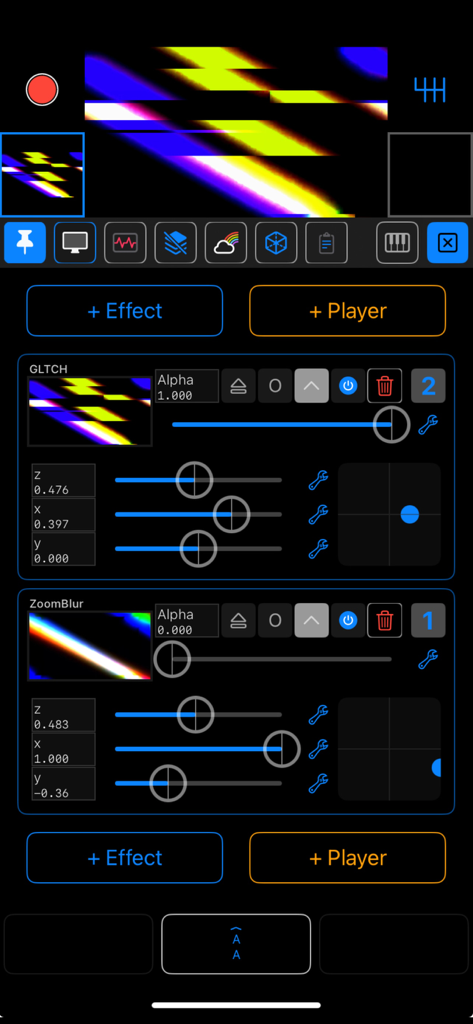
100VJ - 100VJ 모바일 앱 인터페이스로, 라이브 비디오 미리 보기와 함께 글리치 및 줌 블러 효과 컨트롤을 보여줍니다.
100VJ 모바일 앱 인터페이스로, 라이브 비디오 미리 보기와 함께 글리치 및 줌 블러 효과 컨트롤을 보여줍니다.

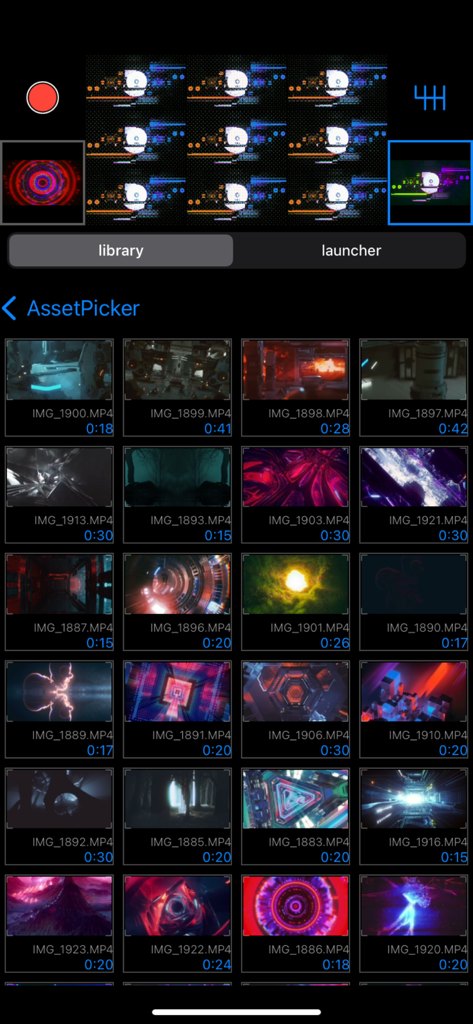
100VJ - 100VJ 앱 애셋 피커 인터페이스로, 라이브 비주얼 퍼포먼스를 위한 비디오 루프 그리드를 표시합니다.
100VJ 앱 애셋 피커 인터페이스로, 라이브 비주얼 퍼포먼스를 위한 비디오 루프 그리드를 표시합니다.

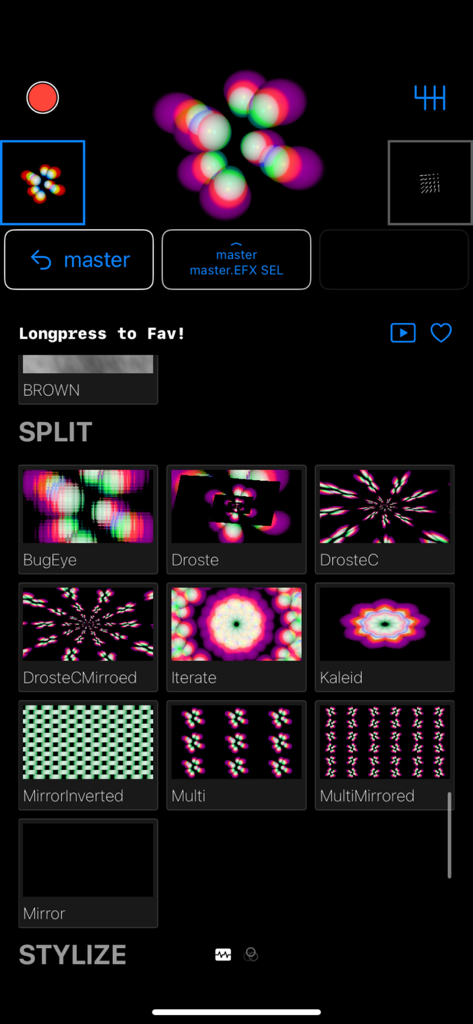
100VJ - 100VJ 앱 인터페이스로, VJ를 위한 실시간 비주얼 효과 선택 사항을 보여줍니다.
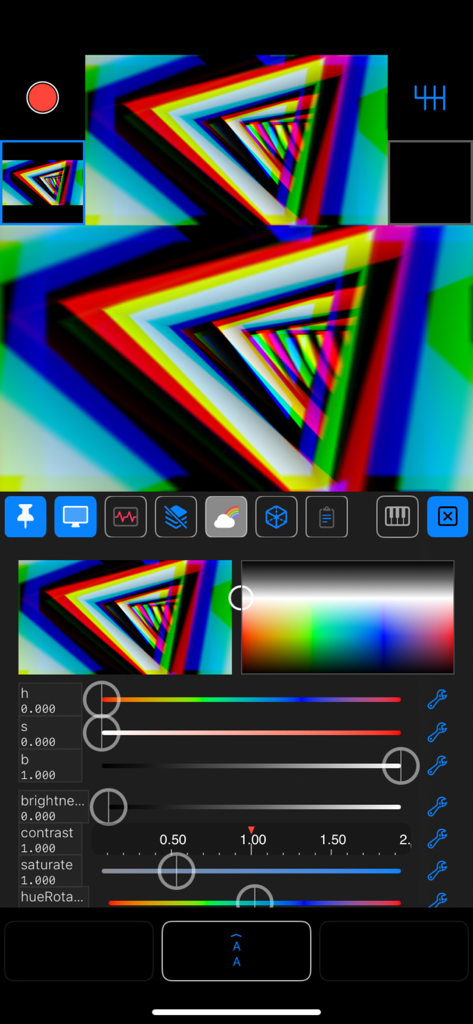
100VJ 앱 인터페이스로, VJ를 위한 실시간 비주얼 효과 선택 사항을 보여줍니다.

100VJ - 100VJ 앱 인터페이스로, 화려한 글리치 비주얼과 실시간 조정 슬라이더를 보여줍니다.
100VJ 앱 인터페이스로, 화려한 글리치 비주얼과 실시간 조정 슬라이더를 보여줍니다.

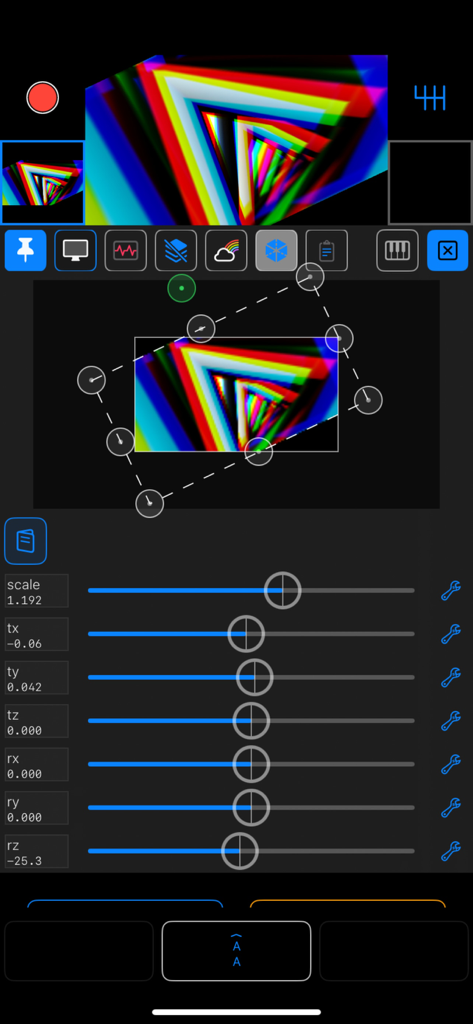
100VJ - 100VJ 앱 인터페이스로, 라이브 비주얼 변환 슬라이더와 원근 매핑 컨트롤을 보여줍니다.
100VJ 앱 인터페이스로, 라이브 비주얼 변환 슬라이더와 원근 매핑 컨트롤을 보여줍니다.

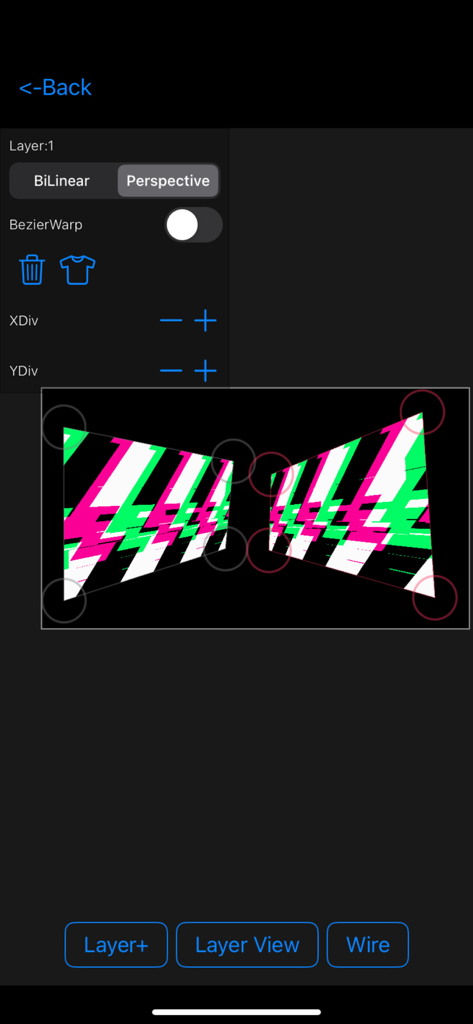
100VJ - 100VJ 모바일 앱 프로젝션 매핑 및 원근 변환 인터페이스

100VJ 모바일 앱 프로젝션 매핑 및 원근 변환 인터페이스

설명

100VJ is a VJ app for beginners and advanced users. You can immediately output video from HDMI or AirPlay. Connect to a projector or monitor and start VJing. <~Features~> -Smooth synchronization with OS built-in photo albums •Import from file apps is also possible •iCloud Synced asset launcher -Chain effects that can be layered on top of each other •Parametric effects •Audio sync effects •BPM sync effects •Core image filters -Channels •Video, image, GIF and other file assets, real-time assets, effects and filter players •per-channel blend/colorize/transform functions •Post multi-layer channel slots with compute resource limit •Drag-and-drop reordering and saving to asset launcher •Tap to select, long press to lift, drag & drop per-channel previews. •Load from library or launcher to selected channel by tapping. -Animatable sliders •Generic sliders controllable by MIDI, LFO, audio, device motion, etc. -Input sources other than common assets such as photos, videos, GIFs, etc. ( Playables ) •Camera input •Aether client to use other 100VJ in the local network as input source •Text display •Countdown -Projection mapping functionality •Perspective transform to external output (AirPlay & external output adapter) -Other useful features •4K resolution (output requires equivalent external output capability, via AirPlay or USB-C) •Real-time output recording function •Automatic BPM detection from automatic switcher and microphone input •Transition effects, slideshows •Resolution, frame rate, and other settings (long press or twice on the gear icon to display the settings screen) •Control from MIDI, NetworkMIDI -Premium Plan •ArtNet DMX Controller. LED bars and par lights can be controlled via the network. -Wireless output •NDI® Server •Aether H.264 codec real-time server (can send to other 100VJ) •Connect to Syphon (requires a Mac with Aether Syphon installed) •High speed send/receive via USB or LAN. (Please configure detectable by Bonjour/mDNS) -Multi-threading and async/await, modern and fast rendering with full Metal render pipeline •Metal is Apple's next-generation GraphicAPI, which delivers amazing performance in synergy with the A/M series chips' unified memory. •Independent render system is not affected by screen operations, ensuring smooth rendering. All channel updates and rendering are done async/await, so rendering is atomic while maintaining per-process priority with other processes, such as animatable slider updates, while leveraging the advantages of multi-cores. •By using async/await, the CPU usage is reduced by half compared to version 4, even with the increased complexity of version 5's UI, video processing, and animatable sliders. ---- (*! The previous version ~ver4) Instructions are available on the support page. We have also set up a forum, which we hope you will actively use. -> https://sites.google.com/view/100vj/home The AppStore screenshot uses Beeple's VJ loop. (CC license) -> https://www.beeple-crap.com 100VJ does not hold any copyright on any content created using 100VJ. Please use any assets with discretion. You can use the recording, playback and effects functions to create original videos. Please try it a few times and if you like it, please rate it. We have added a Tip/Donate function to Misc in the settings. This will contribute to future development. Terms of service https://www.apple.com/legal/internet-services/itunes/dev/stdeula/ Privacy Policy https://sites.google.com/view/100vj/privacy-policy

Download

다운로드: App Store

이 페이지는 앱이나 개발자의 공식 페이지가 아니며, 정보 제공 및 논평을 목적으로 작성된 독립 편집 간행물입니다. 명시적으로 달리 언급되지 않는 한, 해당 앱이나 개발자는 MWM, Apple, Google Play, 앱 퍼블리셔 또는 앱 개발자와 제휴, 보증, 후원, 승인 또는 공식적으로 연결되어 있지 않으며, 이 페이지의 어떤 내용도 해당 앱이 MWM의 서비스를 사용하여 개발되었음을 의미하지 않습니다. 모든 상표, 로고, 스크린샷 및 기타 콘텐츠는 해당 소유자의 자산입니다.








