3D Mappa - GIS & Topo Analysis
다운로드: App Store

이 페이지는 앱이나 개발자의 공식 페이지가 아니며, 정보 제공 및 논평을 목적으로 작성된 독립 편집 간행물입니다. 명시적으로 달리 언급되지 않는 한, 해당 앱이나 개발자는 MWM, Apple, Google Play, 앱 퍼블리셔 또는 앱 개발자와 제휴, 보증, 후원, 승인 또는 공식적으로 연결되어 있지 않으며, 이 페이지의 어떤 내용도 해당 앱이 MWM의 서비스를 사용하여 개발되었음을 의미하지 않습니다. 모든 상표, 로고, 스크린샷 및 기타 콘텐츠는 해당 소유자의 자산입니다.


로고: 3D Mappa - GIS & Topo Analysis
다운로드: App Store

3D Mappa - GIS & Topo Analysis

iPhone 또는 iPad를 강력한 지리공간 워크스테이션으로 전환하세요. 등고선, 경사 및 흐름 패턴을 실시간으로 시각화하고 현장에서 바로 AutoCAD 및 GIS 소프트웨어로 정밀 데이터를 내보냅니다.

주요 수치

다운로드

7K+

사용자 평점

5.0/5

총 평가 수

0

개발사

Andres Narvaez

카테고리

Navigation

지원 언어

1

최신 버전

1.5.0

크기

232.3 MB

출시일

2024년 4월 11일
기능

현장 준비 GIS 분석

사무실을 기다리지 마세요. iPhone 또는 iPad에서 직접 지형을 분석하고, 흐름 패턴을 시뮬레이션하고, 전문가 수준의 데이터를 내보냅니다.

현장 데스크톱 성능

경사, 방위, 흐름 분석을 현장에서 직접 수행하여 비용이 많이 드는 재방문을 줄이고 현장 효율성을 높입니다.

원활한 CAD 통합

DXF, SHP 및 CSV와 같은 업계 표준 형식으로 결과를 내보내 현장 데이터를 AutoCAD 또는 ArcGIS 프로젝트로 바로 이동하세요.

다음 스크린샷과 설명은 앱의 공식 스토어 목록에서 직접 가져온 것이며 앱 개발자의 자산입니다.

앱 스토어

스크린샷
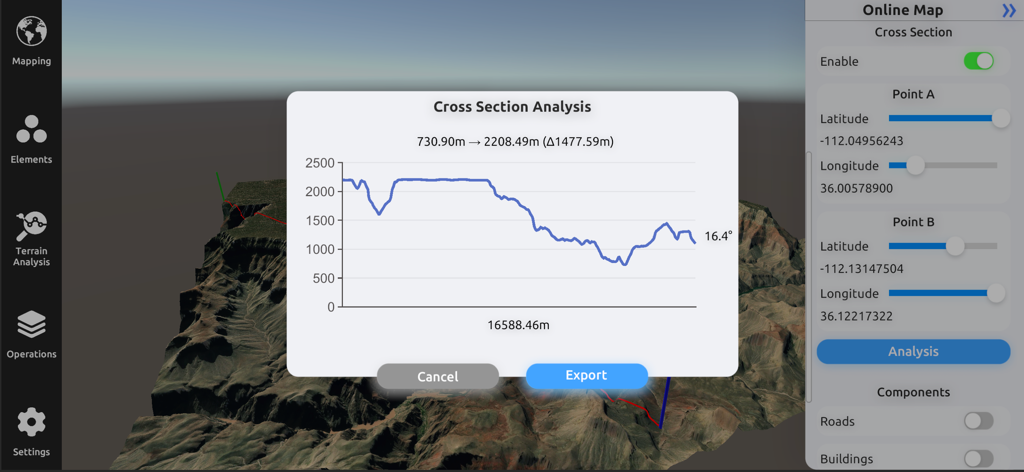
3D Mappa - GIS & Topo Analysis - 3D 지형 모델 위에 고도 프로필이 있는 단면 분석 그래프를 보여주는 3D Mappa 인터페이스
3D 지형 모델 위에 고도 프로필이 있는 단면 분석 그래프를 보여주는 3D Mappa 인터페이스

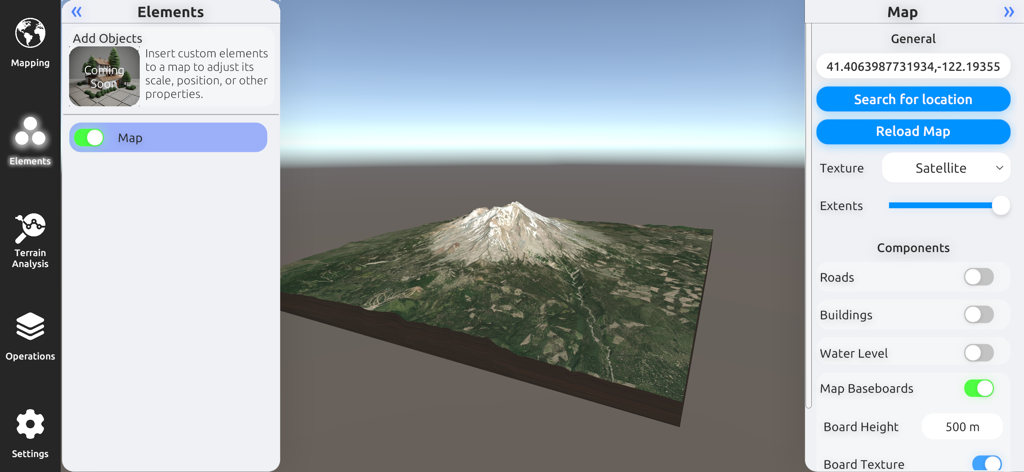
3D Mappa - GIS & Topo Analysis - 3D Mappa GIS 앱에서 위성 이미지와 맵 구성 설정이 있는 산의 3D 지형 모델.
3D Mappa GIS 앱에서 위성 이미지와 맵 구성 설정이 있는 산의 3D 지형 모델.

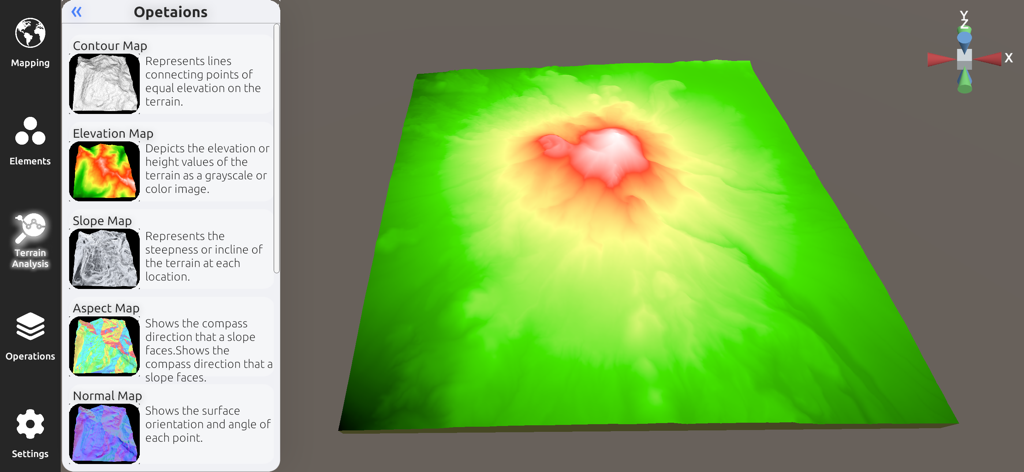
3D Mappa - GIS & Topo Analysis - 3D Mappa 앱의 3D 고도 모델 및 지형 분석 사이드바

3D Mappa 앱의 3D 고도 모델 및 지형 분석 사이드바

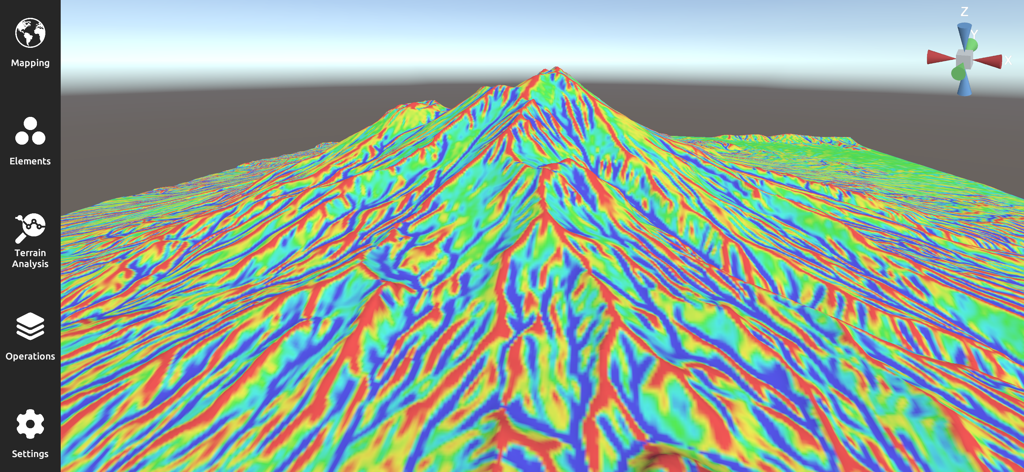
3D Mappa - GIS & Topo Analysis - 3D Mappa 앱의 산악 풍경에 여러 색상의 경사 맵을 보여주는 3D 지형 시각화
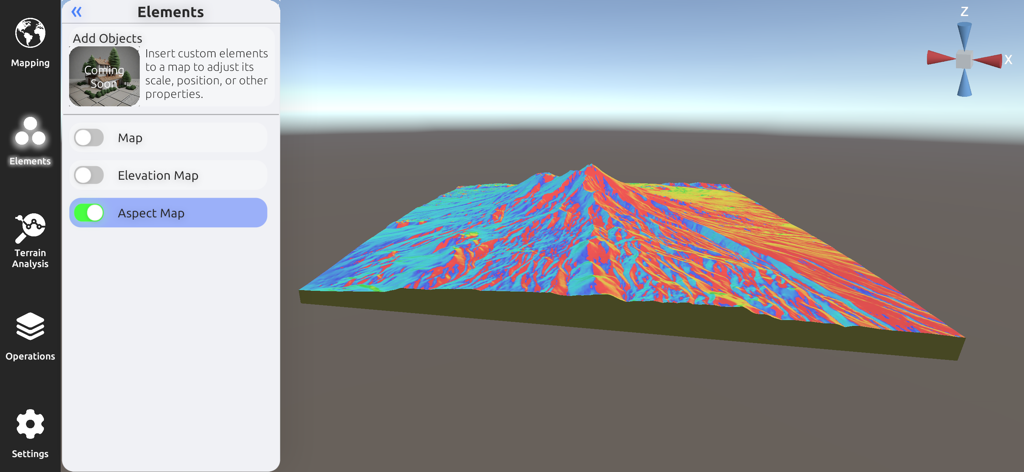
3D Mappa 앱의 산악 풍경에 여러 색상의 경사 맵을 보여주는 3D 지형 시각화

3D Mappa - GIS & Topo Analysis - 지형 분석을 위한 상세한 다채로운 3D 방위 맵을 표시하는 3D Mappa 모바일 인터페이스.
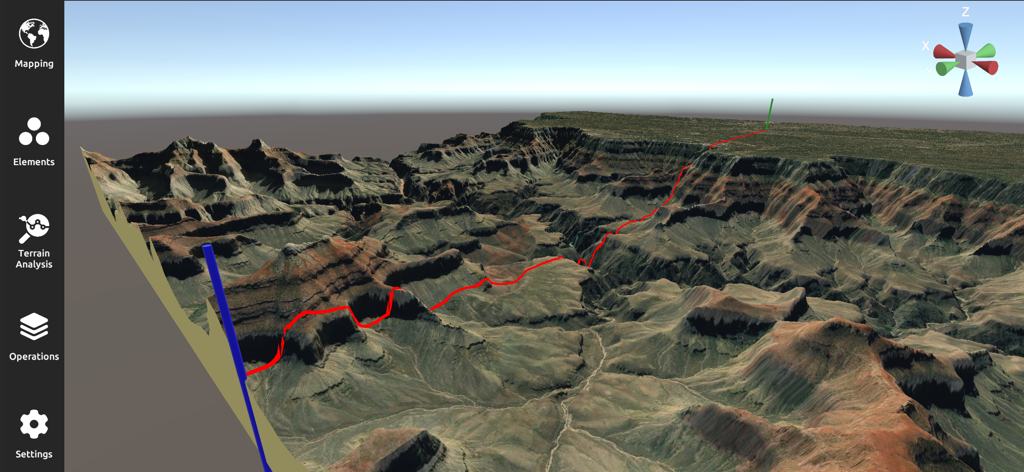
지형 분석을 위한 상세한 다채로운 3D 방위 맵을 표시하는 3D Mappa 모바일 인터페이스.

3D Mappa - GIS & Topo Analysis - 붉은색 경로가 있는 험준한 협곡 풍경을 보여주는 전문적인 3D 지형 분석 및 매핑 인터페이스
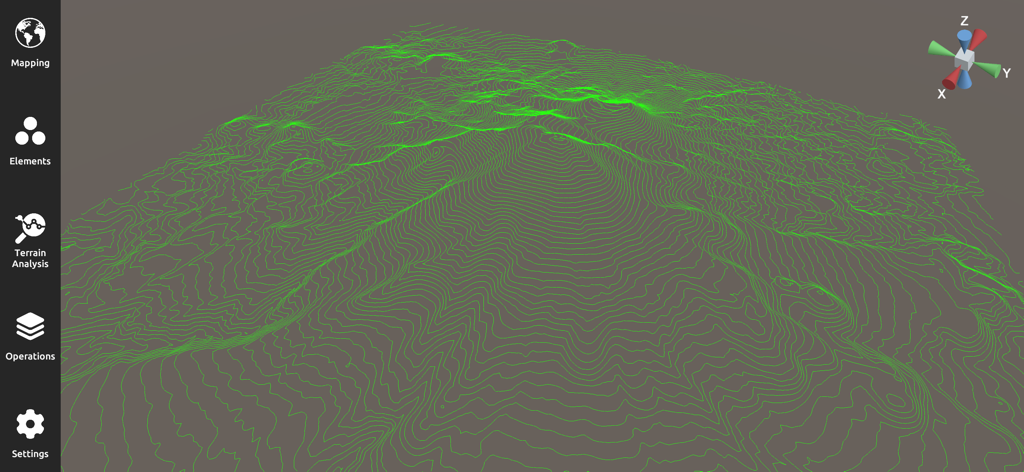
붉은색 경로가 있는 험준한 협곡 풍경을 보여주는 전문적인 3D 지형 분석 및 매핑 인터페이스

3D Mappa - GIS & Topo Analysis - GIS 지형 분석을 위한 녹색 등고선이 있는 3D 지형도

GIS 지형 분석을 위한 녹색 등고선이 있는 3D 지형도

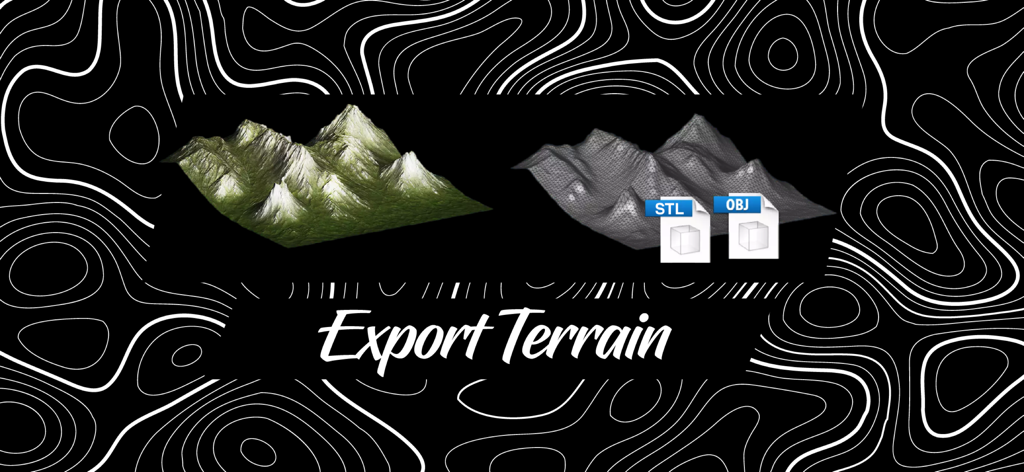
3D Mappa - GIS & Topo Analysis - 3D Mappa를 사용하여 STL 및 OBJ 형식으로 3D 지형 모델 내보내기.
3D Mappa를 사용하여 STL 및 OBJ 형식으로 3D 지형 모델 내보내기.

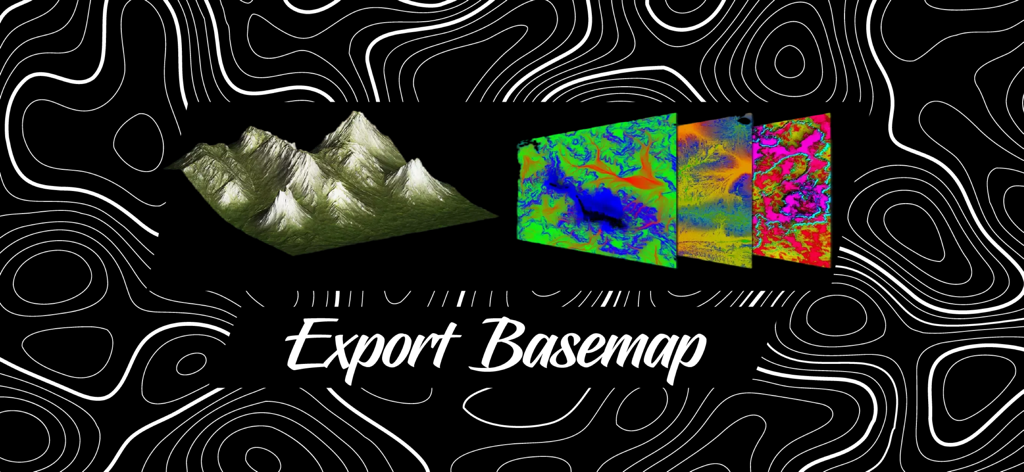
3D Mappa - GIS & Topo Analysis - 내보내기 기본 맵이라는 텍스트가 있는 3D 지형 모델 및 색상 지형 기본 맵 레이어

내보내기 기본 맵이라는 텍스트가 있는 3D 지형 모델 및 색상 지형 기본 맵 레이어

설명

3D Mappa revolutionizes GIS on mobile. Our app puts powerful terrain analysis tools in the palm of your hand, making complex tasks effortless. Instantly visualize elevation, slope, contours, and more. Simplify workflows with intuitive features designed for speed and efficiency. Export data in seconds to industry-standard formats like DXF, SHP, CSV, OBJ, glTIF, and STL, ensuring compatibility with AutoCAD, and GIS software. Say goodbye to cumbersome processes and hello to streamlined GIS on mobile. KEY FEATURES: - Cross Section: Visualize changes in elevation and other terrain characteristics in a 2D plot. - Contour Map: Represents lines connecting points of equal elevation on the terrain. - Elevation Map: Depicts the elevation or height values of the terrain as a grayscale or color image. - Slope Map: Represents the steepness or incline of the terrain at each location. - Aspect Map: Shows the compass direction that a slope faces. - Normal Map: Shows the surface orientation and angle of each point. - Flow Map: Illustrates the direction of water flow or drainage patterns across the landscape. - Landform Map: Depicts the different types of landforms or land features present in the area. - Curvature Map: Indicates the amount and direction of curvature of the terrain. - Residual Map: Highlights variations or deviations from a baseline, often used in geological analysis. ADDITIONAL FUNCTIONALITIES: - Digital Elevation Models from Data Servers: Create digital elevation models (DEMs) directly from data servers like Google Maps and Mapbox. This functionality allows you to seamlessly integrate high-resolution elevation data from popular map services into your projects, enhancing your analysis with up-to-date and accurate terrain information. - Import Custom XYZ Files: Import your own XYZ files to create digital elevation models using Delaunay triangulation. This feature allows you to bring your own data into the app, providing flexibility and precision in modeling terrain. The Delaunay triangulation method ensures that your elevation models are accurate and well-formed, making it easier to analyze and visualize complex landscapes. UPCOMING FEATURES: - Import LiDAR Files: Display LiDAR data in 2D and 3D for geospatial analysis. This feature will allow you to represent high-precision data obtained by LiDAR technology, providing a detailed view of the terrain and its vegetation. - Add Objects: Insert custom elements into a map to adjust its scale, position, or other properties. This functionality will facilitate the customization and enhancement of your maps with specific objects according to your needs. - Buffer: Create buffer zones around points, lines, or areas for spatial analysis. This tool will be useful for evaluating impacts and conducting proximity studies. - Clipping and Intersect Tools: Perform clipping and intersection operations on your maps to analyze and manipulate spatial data precisely. These tools will allow you to extract and combine specific areas of interest. - Flood Simulation: Simulate flood scenarios to assess risks and plan mitigation measures. This feature will enable the prediction of water behavior under various conditions and help plan appropriate responses. Terms of Use: https://www.apple.com/legal/internet-services/itunes/dev/stdeula/

Download

다운로드: App Store

이 페이지는 앱이나 개발자의 공식 페이지가 아니며, 정보 제공 및 논평을 목적으로 작성된 독립 편집 간행물입니다. 명시적으로 달리 언급되지 않는 한, 해당 앱이나 개발자는 MWM, Apple, Google Play, 앱 퍼블리셔 또는 앱 개발자와 제휴, 보증, 후원, 승인 또는 공식적으로 연결되어 있지 않으며, 이 페이지의 어떤 내용도 해당 앱이 MWM의 서비스를 사용하여 개발되었음을 의미하지 않습니다. 모든 상표, 로고, 스크린샷 및 기타 콘텐츠는 해당 소유자의 자산입니다.