3D Scanner Lite
3D Scanner Lite
다운로드: App Store

이 페이지는 앱이나 개발자의 공식 페이지가 아니며, 정보 제공 및 논평을 목적으로 작성된 독립 편집 간행물입니다. 명시적으로 달리 언급되지 않는 한, 해당 앱이나 개발자는 MWM, Apple, Google Play, 앱 퍼블리셔 또는 앱 개발자와 제휴, 보증, 후원, 승인 또는 공식적으로 연결되어 있지 않으며, 이 페이지의 어떤 내용도 해당 앱이 MWM의 서비스를 사용하여 개발되었음을 의미하지 않습니다. 모든 상표, 로고, 스크린샷 및 기타 콘텐츠는 해당 소유자의 자산입니다.

로고: 3D Scanner Lite
다운로드: App Store

3D Scanner Lite

방과 사물을 즉시 고품질 3D 모델로 변환하세요. 정확한 치수를 캡처하고 .obj 또는 .gltf 파일로 전문가 워크플로우에 내보내세요. 안전한 온디바이스 처리 기능이 모두 제공됩니다.

주요 수치

다운로드

200

사용자 평점

1.0/5

총 평가 수

0

개발사

秀银 林

카테고리

Graphics & Design

지원 언어

2

최신 버전

1.1.1

크기

3.9 MB

출시일

2025년 10월 14일
기능

간소화된 전문가 수준의 스캔

iPhone Pro의 LiDAR 센서를 활용하여 전례 없는 정확성, 속도 및 개인 정보 보호로 물리적 세계를 디지털화하세요.

즉각적인 공간 캡처

물리적 공간을 몇 초 안에 정확한 디지털 트윈으로 변환하세요. 빠르고 신뢰할 수 있는 현장 조사가 필요한 건축가 및 디자이너에게 완벽합니다.

원활한 내보내기 파이프라인

.obj 및 .gltf 파일을 즉시 생성하세요. 번거로움 없이 에셋을 Blender, Unity 또는 3D 프린팅 소프트웨어로 바로 이동하세요.

다음 스크린샷과 설명은 앱의 공식 스토어 목록에서 직접 가져온 것이며 앱 개발자의 자산입니다.

앱 스토어

스크린샷
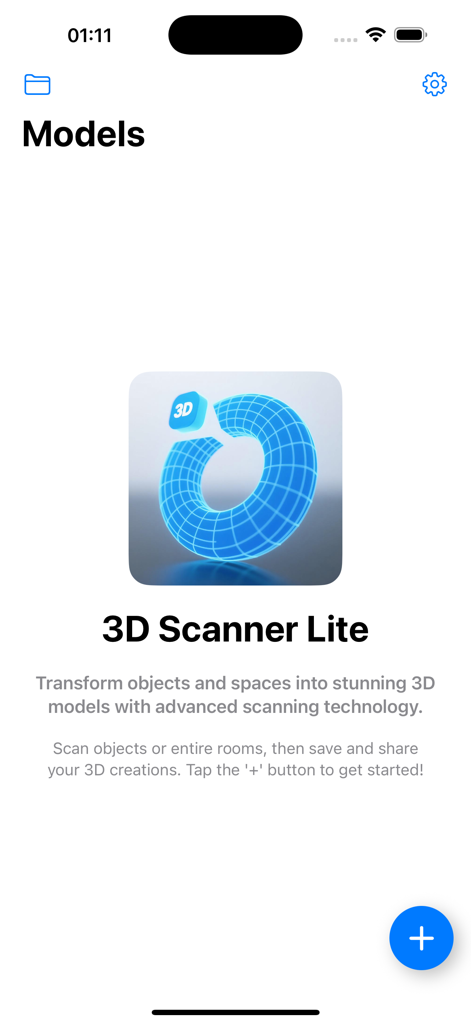
3D Scanner Lite - 3D 스캐너 Lite 앱의 환영 화면으로, 로고와 새 3D 스캔 시작 지침이 표시됩니다.
3D 스캐너 Lite 앱의 환영 화면으로, 로고와 새 3D 스캔 시작 지침이 표시됩니다.

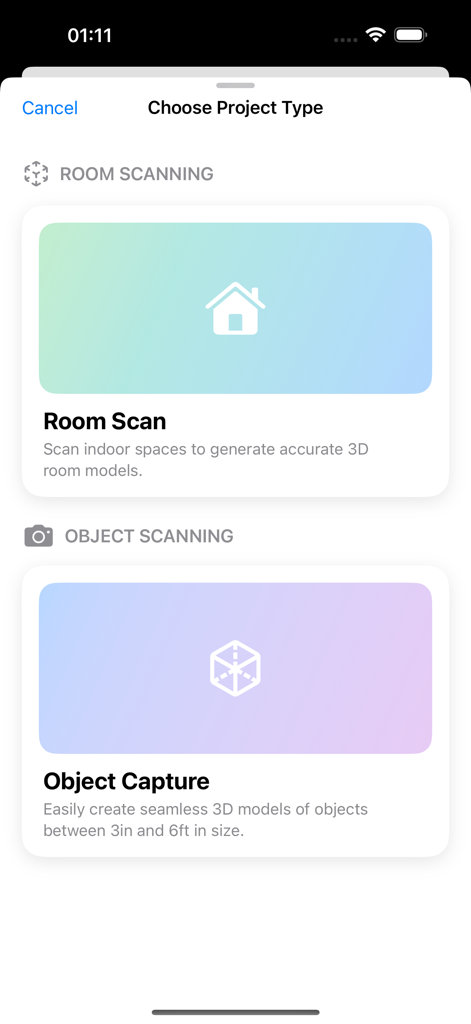
3D Scanner Lite - 3D 스캐너 Lite 앱 인터페이스에 방 스캔 및 객체 캡처 옵션이 표시됩니다.
3D 스캐너 Lite 앱 인터페이스에 방 스캔 및 객체 캡처 옵션이 표시됩니다.

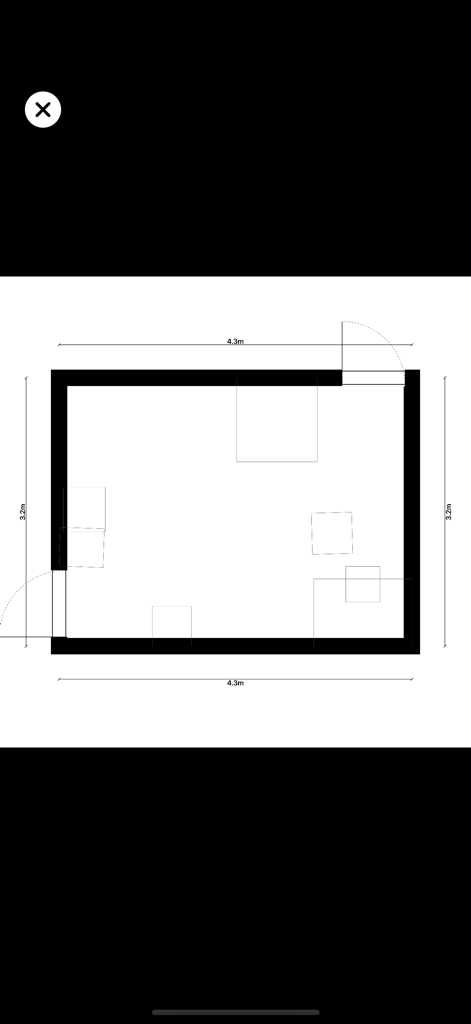
3D Scanner Lite - 3D 스캐너 앱으로 캡처한 방 치수 및 레이아웃을 보여주는 2D 평면도.

3D 스캐너 앱으로 캡처한 방 치수 및 레이아웃을 보여주는 2D 평면도.

설명

Important: This app is only compatible with iPhone Pro devices equipped with a LiDAR Scanner. Please confirm your device model before downloading. Overview Turn your iPhone into a professional 3D scanner! This app leverages the powerful LiDAR technology on your Apple device to easily capture real-world objects, scenes, and even entire indoor spaces, transforming them into high-fidelity 3D models. Whether for architectural design, AR applications, or 3D printing, this app provides an unprecedentedly convenient experience. Key Features One-Touch 3D Scanning: No expertise needed. Just open the app, point your camera at an object or a room, and create a realistic 3D model in real time. High-Fidelity Capture: Utilizing LiDAR depth-sensing technology, the app precisely measures object dimensions and shapes, especially suitable for rooms and indoor layouts, ensuring rich detail and accurate proportions. Multi-Format Export: Supports exporting 3D models in various industry-standard formats (e.g., .obj, .gltf), making them compatible with professional software like Blender, Maya, and Unity. On-Device Processing: All scanning and model processing is done on your device, ensuring your privacy and data security without relying on an internet connection. Intuitive User Interface: Designed for everyone, the clean and fluid interface allows you to focus on your creations. How It Works Open the app and select "Start Scan." Point your device at the object, scene, or entire room you wish to scan. The app will automatically capture depth data and textures, building a 3D model on your screen in real time. After the scan, you can preview the model and save it to your device. Choose your export options to share your creations with other platforms or software. Designed For Architects & Interior Designers: Easily scan room layouts to quickly create accurate digital twins for design or presentation. 3D Artists & Designers: Quickly acquire real-world assets for concept design or environment modeling. 3D Printing Enthusiasts: Instantly transform everyday objects and spaces into printable models. AR/VR Content Creators: Add real-world objects and interior environments to your augmented reality apps and virtual worlds. Download now and start your 3D creative journey!

Download

다운로드: App Store

이 페이지는 앱이나 개발자의 공식 페이지가 아니며, 정보 제공 및 논평을 목적으로 작성된 독립 편집 간행물입니다. 명시적으로 달리 언급되지 않는 한, 해당 앱이나 개발자는 MWM, Apple, Google Play, 앱 퍼블리셔 또는 앱 개발자와 제휴, 보증, 후원, 승인 또는 공식적으로 연결되어 있지 않으며, 이 페이지의 어떤 내용도 해당 앱이 MWM의 서비스를 사용하여 개발되었음을 의미하지 않습니다. 모든 상표, 로고, 스크린샷 및 기타 콘텐츠는 해당 소유자의 자산입니다.







