3D Video-Converter

3D Video-Converter

다운로드: App Store
로고: 3D Video-Converter

3D 비디오 변환기: 공간 및 VR 미디어를 위한 궁극의 프로 유틸리티

iPhone 공간 비디오, GoPro 영상 및 2D 클립을 전문 3D SBS, 아나글리프 또는 VR180 형식으로 원활하게 변환하세요. 8K 내보내기를 잠금 해제하고 Vision Pro, Meta Quest 및 YouTube 3D 전반에 걸쳐 몰입형 콘텐츠를 공유하세요.

다운로드: App Store

개발사

Kai Bruchmann

카테고리

Photo & Video

다운로드

2K+

사용자 평점

1.0/5

총 평가 수

0

지원 언어

2

시각화된 공간 마스터리

이 인터페이스를 사용하는 2K+ 명의 사용자.

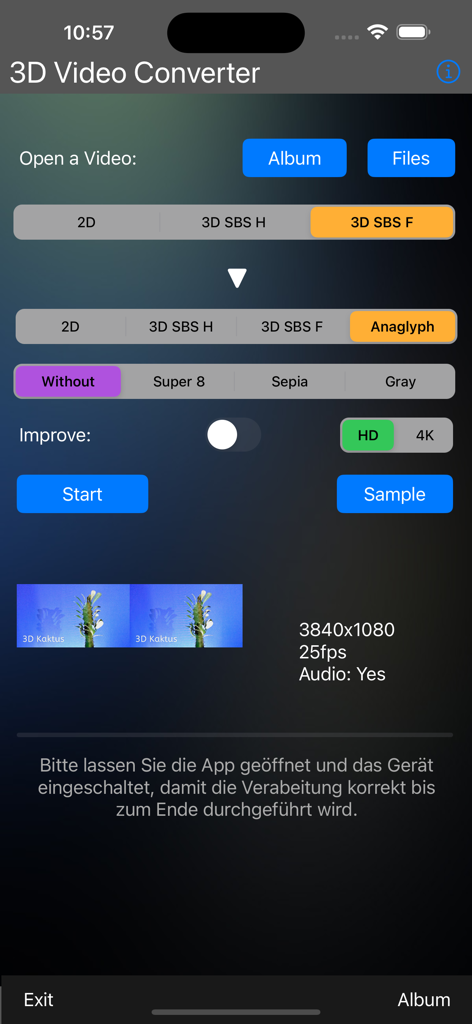
3D 비디오 변환기 앱의 사용자 인터페이스로, 3D SBS에서 아나글리프 형식으로 비디오 변환 설정을 보여줍니다.
3D 비디오 변환기 앱의 사용자 인터페이스로, 3D SBS에서 아나글리프 형식으로 비디오 변환 설정을 보여줍니다.

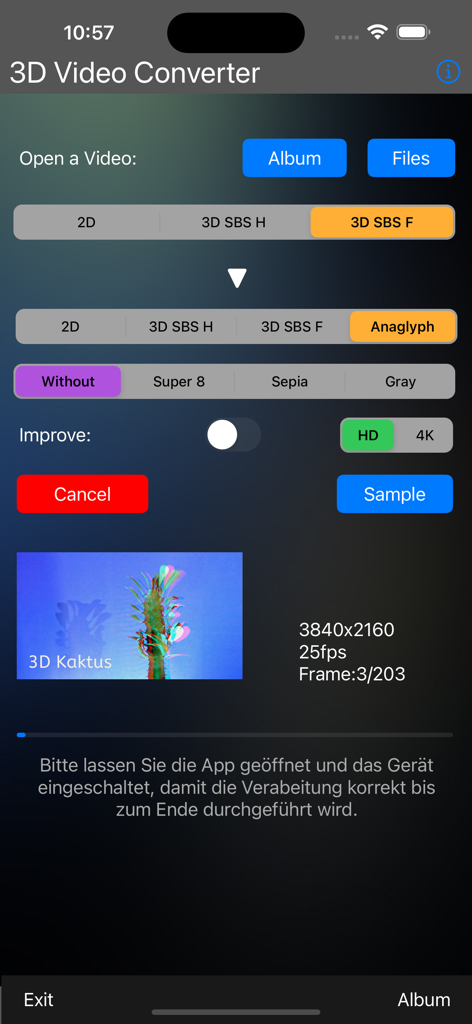
3D 비디오 변환기 앱의 인터페이스로, 해상도 및 필터 설정을 사용하여 SBS 비디오를 아나글리프로 변환하는 옵션을 보여줍니다.
3D 비디오 변환기 앱의 인터페이스로, 해상도 및 필터 설정을 사용하여 SBS 비디오를 아나글리프로 변환하는 옵션을 보여줍니다.

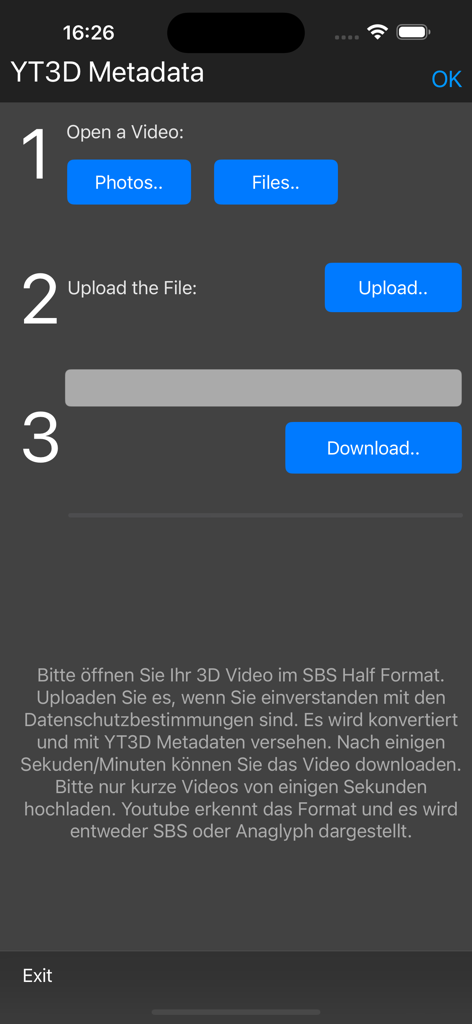
3D 비디오 변환기 앱의 인터페이스로, YouTube용 비디오에 YT3D 메타데이터를 추가하는 3단계 프로세스를 보여줍니다.
3D 비디오 변환기 앱의 인터페이스로, YouTube용 비디오에 YT3D 메타데이터를 추가하는 3단계 프로세스를 보여줍니다.

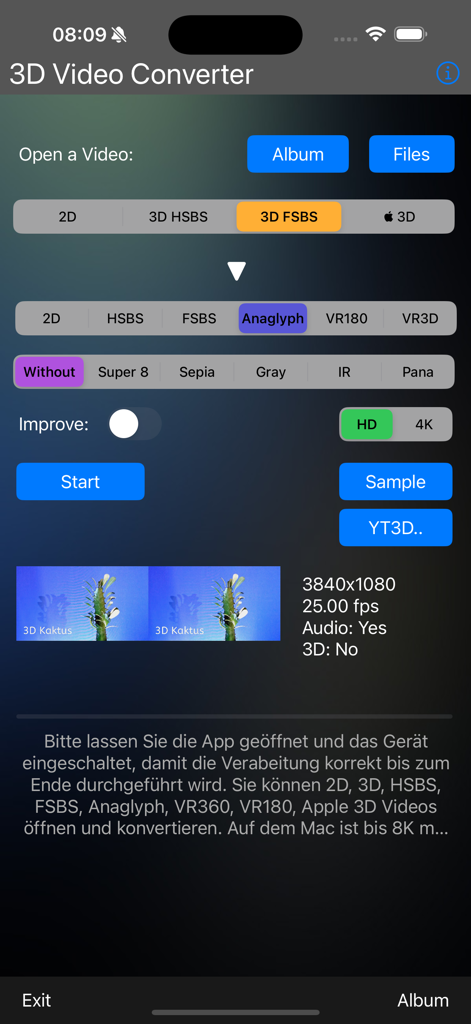
공간 비디오 및 필터 설정을 갖춘 3D 비디오 변환기 앱의 사용자 인터페이스
공간 비디오 및 필터 설정을 갖춘 3D 비디오 변환기 앱의 사용자 인터페이스

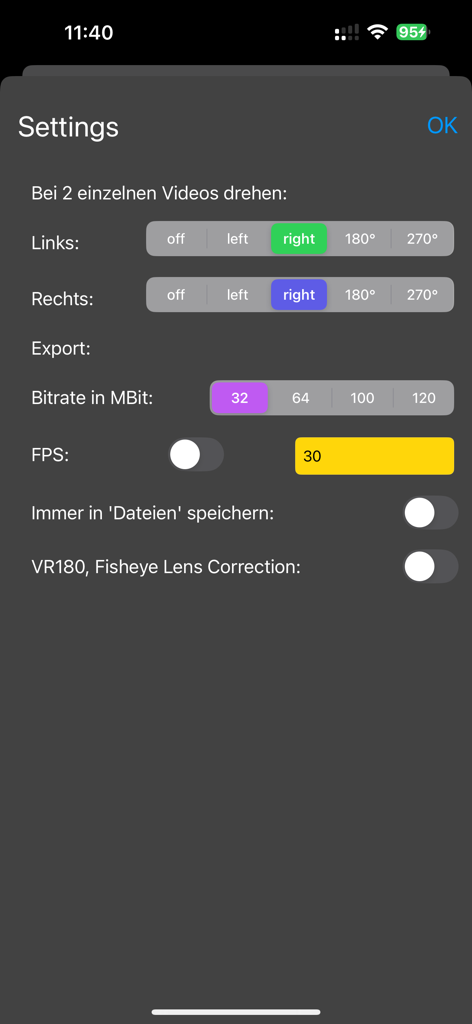
비디오 회전 및 내보내기 비트 전송률 옵션을 보여주는 3D 비디오 변환기 앱의 설정 메뉴

비디오 회전 및 내보내기 비트 전송률 옵션을 보여주는 3D 비디오 변환기 앱의 설정 메뉴

전문 3D 변환 도구

이 앱을 돋보이게 하는 도구, 2K+ 명의 사용자가 선택.

🥽

공간 비디오 및 VR 자유

iPhone의 공간 비디오를 잠금 해제하세요. 몰입형 영상을 Meta Quest, YouTube 3D 또는 모든 VR 헤드셋용 SBS 또는 VR180 형식으로 손쉽게 변환하세요.

🎥

전문가 수준의 8K 마스터링

데스크톱급 성능을 경험하세요. HD를 4K로 업스케일하고 최대 8K로 내보내며 iPhone 또는 외부 SSD에서 직접 최대 120MBit의 비트 전송률을 관리하세요.

🕶️

보편적 3D 호환성

형식 간의 격차를 해소하세요. 280개 이상의 조합으로 2D, SBS 및 아나글리프 간에 변환하여 고급 디스플레이부터 클래식 3D 안경까지 모든 기기에서 콘텐츠를 시청하세요.

앱 소개

에 대해 알아야 할 모든 것 3D Video-Converter.

설명

The 3D Video Converter converts video in 2D or 3D format (SBS half/full) to 3D SBS (half/full) or Anaglyph. You record the 3D videos with the iPhone 15 Pro / Max or any other 3D camera. You open the videos from the photo album or from the “Files” or from an externally connected SSD or stick. Before converting, select the target format, if it is in HD you can convert it to 4K. A switch to improve the video is built in. the most common application is converting 3D SBS (half) to 3D Anaglyph. You can view the finished video with red/cyan glasses. You can also select different filters, e.g. Super 8 Retro Effect, Sepia, Grayscale. An example video for testing is included. New: Conversion from 2D to 3D (all formats) New: VR180 Export New: YT3D (Youtube 3D) metadata for 3D videos in SBS Half format New: Infrared video conversion (red/blue channel is swapped) New: Importing Apple 3D Spatial Videos made with iPhone 15 or 16 New: Support for VR360 and VR180 videos New: Importing 2 videos (left, right) e.g. from GoPro (landscape or portrait) New: Settings: Rotate video, FPS, Bitrate 32-120 MBit New: Writing the Apple 3D Spatial Video format is now possible New: Change aspect ratio: 16:9,4:3,1:1,1.33,1.55(Anamorphic),2:1 New: Capture from internal or external cameras, webcams, capture cards New: Stabilization when creating videos and when Join > Timelapse from individual images A total of 280 combinations are possible, and you can also export to 5K, 6K, 7K, 8K on a Mac Features: - open from photo album or "Files" - Convert with many options, optimize, sharpen - from 2D, 3D, SBS, Apple 3D to 2D, 3D, SBS, Anaglyph - Filters: None, Super 8, Sepia, Grayscale, IR, CineVision - Sound is included in the finished video from the original video, if available pocketkai.de

최신 버전

2.8

크기

22.7 MB

출시일

2024년 1월 9일

공간 비디오 마스터링 준비되셨나요?

iPhone 15/16 Pro 캡처를 고품질 3D 형식으로 변환하는 수천 명의 프로슈머와 함께하세요. 지금 바로 8K 내보내기 및 보편적 호환성을 잠금 해제하세요.

다운로드: App Store

App information, icons, screenshots, and descriptions displayed on this page are sourced from the Apple App Store and are the property of their respective developers. Download estimates and rankings are based on MWM's proprietary models and may not reflect actual figures. This page is provided for informational and analytical purposes only.

Believe this page infringes your intellectual property? File a dispute