a-Shell mini

a-Shell mini

다운로드: App Store
로고: a-Shell mini

a-Shell mini: 모바일 파워 유저를 위한 네이티브 Unix 터미널

Python, Vim, FFmpeg를 iOS 기기에서 네이티브로 실행하세요. 미니멀한 설치 공간으로 Pro 도구를 필요로 하는 개발자를 위해 제작된 경량 고성능 명령줄 환경입니다.

개발사

Nicolas Holzschuch

카테고리

Developer Tools

다운로드

303K+

사용자 평점

3.2/5

총 평가 수

100

지원 언어

7

프롬프트의 힘

이 인터페이스를 사용하는 303K+ 명의 사용자.

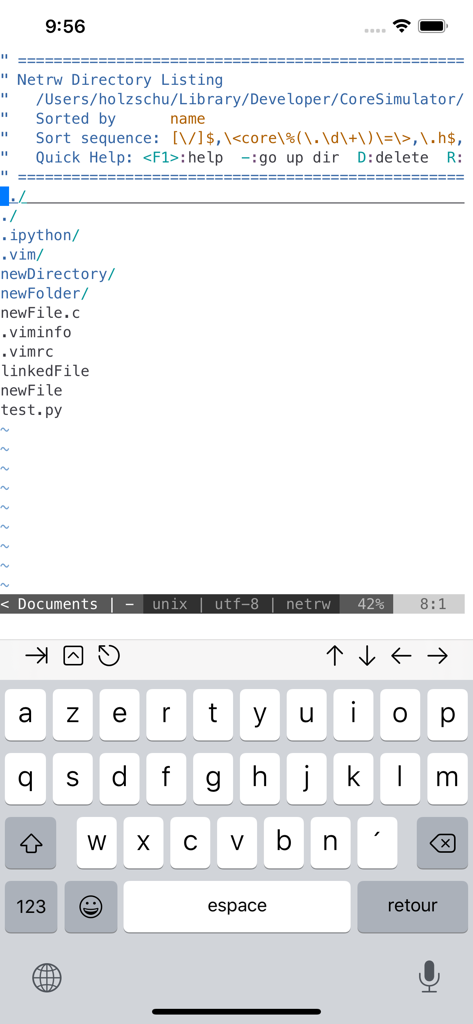
a-Shell mini 터미널 인터페이스가 iPhone에서 python 및 vim과 같은 파일을 보여주는 디렉토리 목록을 표시하고 있습니다.
a-Shell mini 터미널 인터페이스가 iPhone에서 python 및 vim과 같은 파일을 보여주는 디렉토리 목록을 표시하고 있습니다.

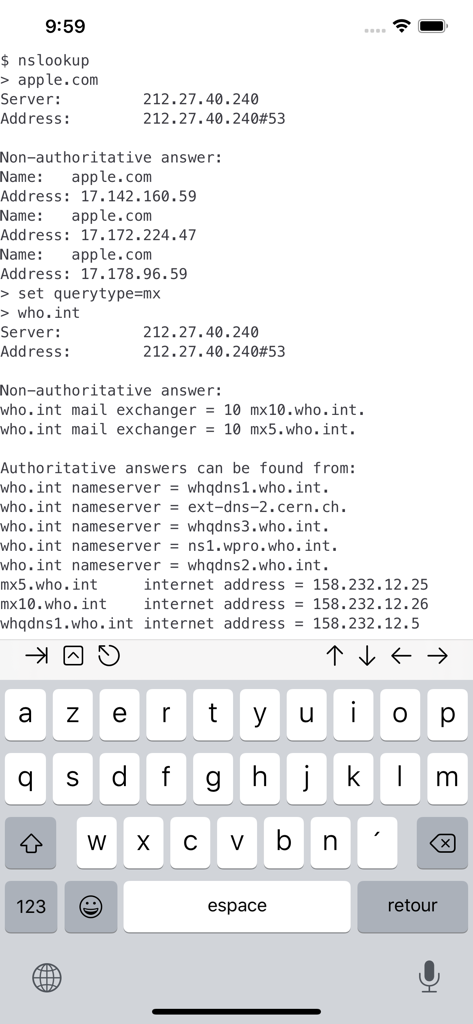
iPhone에서 DNS 쿼리에 대한 nslookup 명령을 실행하는 a-Shell mini 터미널 앱
iPhone에서 DNS 쿼리에 대한 nslookup 명령을 실행하는 a-Shell mini 터미널 앱

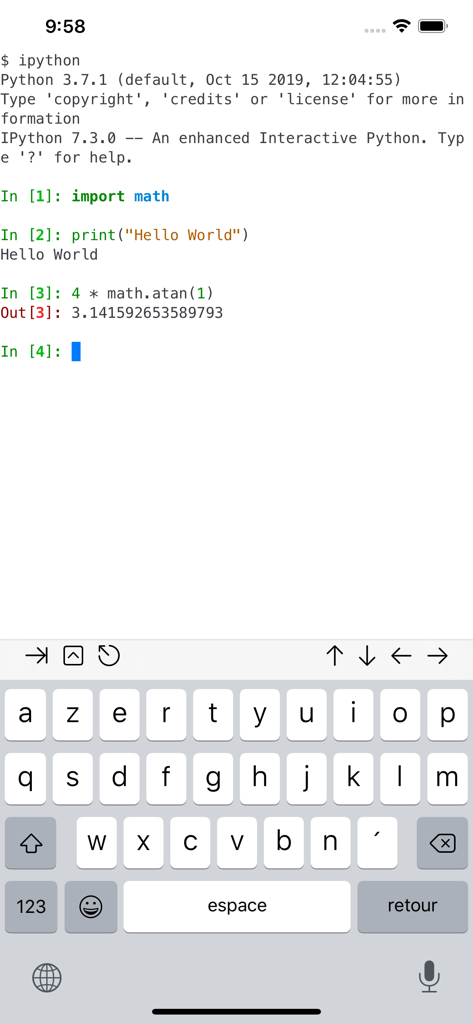
a-Shell mini 터미널 에뮬레이터 인터페이스가 iPhone에서 Python 코드로 대화형 IPython 세션을 실행하고 있습니다.
a-Shell mini 터미널 에뮬레이터 인터페이스가 iPhone에서 Python 코드로 대화형 IPython 세션을 실행하고 있습니다.

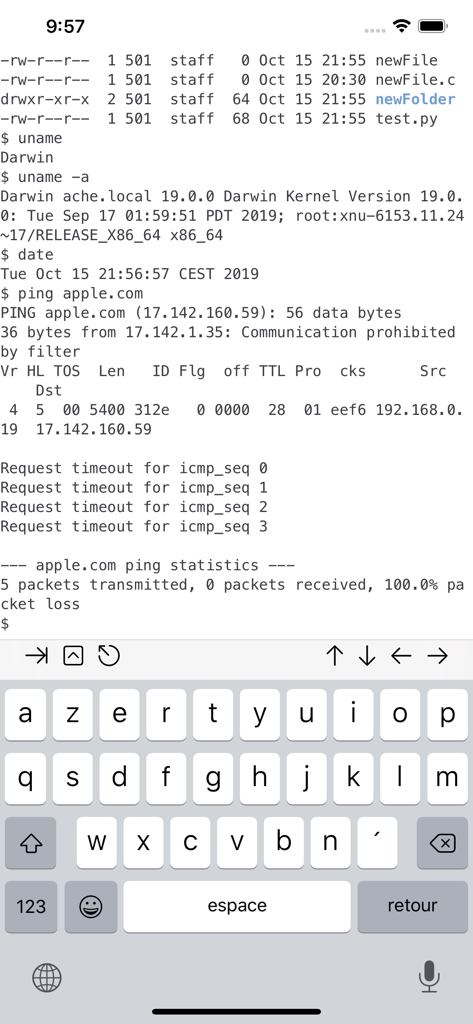
a-Shell mini 터미널 인터페이스가 iPhone에서 uname 및 ping과 같은 Unix 명령을 표시하고 있습니다.
a-Shell mini 터미널 인터페이스가 iPhone에서 uname 및 ping과 같은 Unix 명령을 표시하고 있습니다.

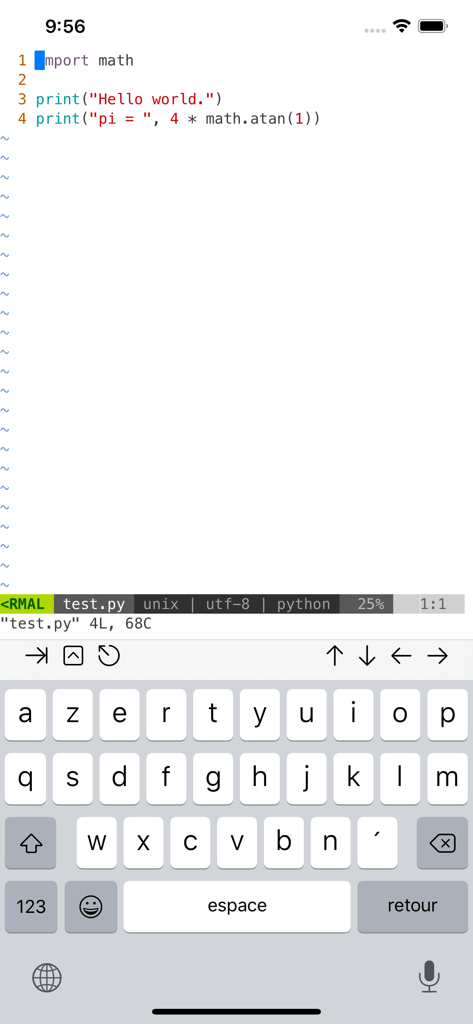
iOS용 a-Shell mini에서 Vim으로 Python 코드 편집 중

iOS용 a-Shell mini에서 Vim으로 Python 코드 편집 중

주머니 속 데스크톱급 개발 도구

이 앱을 돋보이게 하는 도구, 303K+ 명의 사용자가 선택.

💻

네이티브 Arm64 실행

Python, JavaScript, 쉘 명령을 네이티브 속도로 실행하세요. 서버 지연 없이 awk, sed, grep을 사용하여 파일을 로컬에서 처리하세요.

🔗

강력한 iOS 통합

CLI와 모바일의 간극을 연결하세요. 단축키를 통해 복잡한 워크플로우를 실행하고 scp, curl, git을 사용하여 앱 간 파일을 관리하세요.

🪶

미니멀한 설치 공간

250MB 미만의 공간으로 필요한 필수 도구를 확보하세요. 저장 공간 효율성과 멀티 윈도우 멀티태스킹을 중요하게 생각하는 파워 유저를 위해 설계되었습니다.

앱 소개

에 대해 알아야 할 모든 것 a-Shell mini.

설명

a-Shell mini is a complete local terminal emulator, allowing to run most Unix commands on you iOS device. You can transfer files using scp and curl, edit them with vim and ed, process them using grep, awk and sed. Work with git repositories using lg2. Most commands are compiled for iOS native Arm64 format, making them fast and well integrated with iOS underlying BSD Unix. a-Shell mini includes Python, Lua, JavaScript and webAssembly for programming and scripting. It also includes native ffmpeg and convert for fast image and video conversion. There are also multiple network utilities: nslookup, ping, whois, ifconfig... Type help for help, help -l to get the full list of commands. a-Shell mini can be controlled from Shortcuts: run commands in order, process files in a-Shell, get the results as text or files, transfer files to other apps... a-Shell mini uses iPadOS 13+ “multiple windows” ability, so you can run multiple shells at the same time, with different commands, in different directories. You can edit a file in one window with vim and process it in the other with python. a-Shell mini is a minimalist terminal, designed to have a very small footprint (less than 250 MB). If you need more commands, please consider a-Shell, which has more Python packages, more JavaScript modules, Perl, make, a C and C++ compiler and TeX.

최신 버전

1.17.4

크기

345.9 MB

출시일

2020년 12월 9일

네이티브 터미널로 iPad의 성능을 향상시키세요

a-Shell mini를 다운로드하여 고성능 Unix 명령, Python 스크립팅, 강력한 자동화를 경험하세요. 모두 경량의 로컬 우선 설치 공간으로 제공됩니다.

다운로드: App Store
추천

비슷한 앱

유사한 기능과 사용자 경험을 가진 앱

App information, icons, screenshots, and descriptions displayed on this page are sourced from the Apple App Store and are the property of their respective developers. Download estimates and rankings are based on MWM's proprietary models and may not reflect actual figures. This page is provided for informational and analytical purposes only.

Believe this page infringes your intellectual property? File a dispute