
이 페이지는 앱이나 개발자의 공식 페이지가 아니며, 정보 제공 및 논평을 목적으로 작성된 독립 편집 간행물입니다. 명시적으로 달리 언급되지 않는 한, 해당 앱이나 개발자는 MWM, Apple, Google Play, 앱 퍼블리셔 또는 앱 개발자와 제휴, 보증, 후원, 승인 또는 공식적으로 연결되어 있지 않으며, 이 페이지의 어떤 내용도 해당 앱이 MWM의 서비스를 사용하여 개발되었음을 의미하지 않습니다. 모든 상표, 로고, 스크린샷 및 기타 콘텐츠는 해당 소유자의 자산입니다.


a-Shell
iPad를 고성능 워크스테이션으로 바꿔보세요. 개발자 및 파워 유저를 위해 설계된 전문 등급 터미널로 Python을 실행하고, C++를 컴파일하고, TeX를 로컬에서 처리하세요.
다운로드
290K+사용자 평점
총 평가 수
300개발사
카테고리
Developer Tools지원 언어
7최신 버전
1.17.4크기
1.9 GB출시일
2019년 10월 25일주머니 속 데스크톱 성능
파워 유저를 위해 설계된 완전한 Unix 스타일 터미널로 iPad 또는 iPhone을 고성능 로컬 개발 환경으로 바꿔보세요.
네이티브 Unix 성능
최대 속도로 Arm64에서 Unix 명령을 네이티브로 실행하세요. 원격 서버나 클라우드 연결 없이 grep, awk, sed와 같은 도구를 사용하세요.
궁극의 개발자 도구 키트
Python, C, C++ 스크립트를 로컬에서 작성하고 실행하세요. 이동 중에 전문적인 코딩 및 연구를 위한 완전한 TeX 엔진과 WebAssembly SDK를 포함합니다.
자주 묻는 질문
에 대해 알아야 할 모든 것 a-Shell
a-Shell이란 무엇인가요?
a-Shell은 iOS 기기용 완전한 로컬 터미널 에뮬레이터로, 사용자가 대부분의 Unix 명령과 다양한 프로그래밍 언어를 기기에서 직접 실행할 수 있도록 합니다.
a-Shell은 iOS에서 Unix 명령을 실행할 수 있나요?
네, a-Shell은 대부분의 표준 Unix 명령을 iOS 기기에서 직접 실행할 수 있습니다. 로컬 터미널 에뮬레이터로 작동하며 최적의 성능을 위해 네이티브 Arm64용으로 컴파일되었습니다.
a-Shell은 어떤 프로그래밍 언어를 지원하나요?
a-Shell은 프로그래밍을 위해 Python, Lua, Perl, JavaScript, C, C++를 포함합니다. 또한 텍스트 처리를 위한 TeX와 완전한 WebAssembly SDK도 제공합니다.
a-Shell은 iOS에서 파일 전송을 허용하나요?
네, a-Shell은 scp 및 curl 명령을 사용하여 파일 전송을 허용합니다. 사용자는 vim 및 ed로 파일을 편집하고 grep, awk, sed와 같은 유틸리티를 사용하여 처리할 수도 있습니다.
a-Shell과 Git을 사용할 수 있나요?
네, a-Shell을 사용하면 Git 저장소를 사용할 수 있습니다. 터미널 환경 내에서 Git 작업을 용이하게 하기 위해 lg2 유틸리티를 통합합니다.
a-Shell에는 어떤 네트워크 유틸리티가 포함되어 있나요?
a-Shell은 nslookup, ping, whois, ifconfig를 포함한 여러 네트워크 유틸리티를 제공합니다. 이러한 도구는 네트워크 진단 및 정보 검색에 사용할 수 있습니다.
a-Shell은 iOS 단축키와 어떻게 통합되나요?
a-Shell은 iOS 단축키와 통합되어 사용자가 작업을 자동화할 수 있습니다. 명령을 실행하고, 파일을 처리하고, 텍스트 또는 파일로 결과를 얻고, 다른 앱으로 데이터를 전송할 수 있습니다.
a-Shell은 여러 터미널 창을 실행할 수 있나요?
네, a-Shell은 iOS 13 이상 "다중 창" 기능을 지원합니다. 이를 통해 사용자는 서로 다른 명령을 실행하거나 다른 디렉터리에서 작업하는 여러 셸을 동시에 실행할 수 있습니다.
a-Shell은 WebAssembly 컴파일을 지원하나요?
네, a-Shell은 clang 또는 clang++를 사용하여 C 또는 C++ 프로그램을 WebAssembly로 컴파일하는 것을 지원합니다. 이 기능을 위해 완전한 WebAssembly SDK(WASI-libc)를 포함합니다.
a-Shell과 a-Shell mini의 차이점은 무엇인가요?
a-Shell은 전체 버전이고 a-Shell mini는 더 작은 대안입니다. a-Shell mini는 C 컴파일러, TeX 엔진, numpy 및 matplotlib과 같은 라이브러리를 제외합니다.
다음 스크린샷과 설명은 앱의 공식 스토어 목록에서 직접 가져온 것이며 앱 개발자의 자산입니다.
앱 스토어
스크린샷
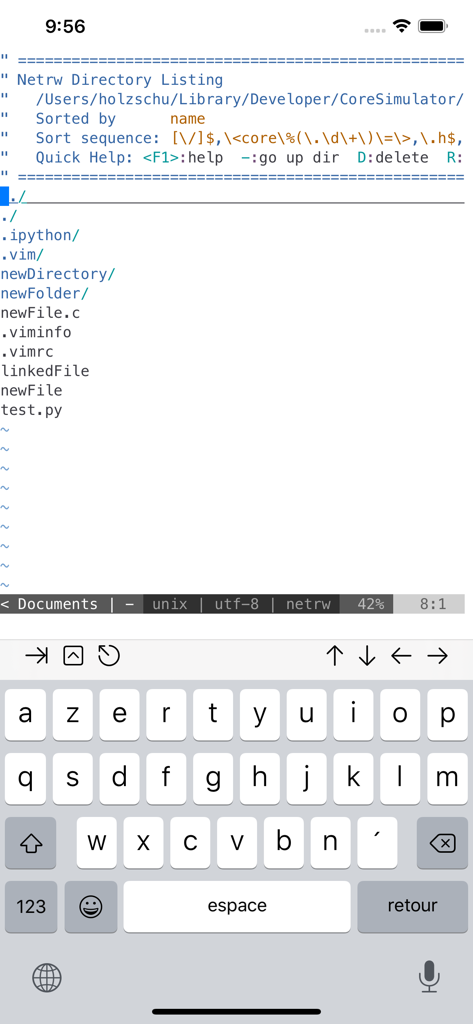
a-Shell 앱 인터페이스에 Unix 디렉토리 목록과 가상 키보드가 표시됩니다.
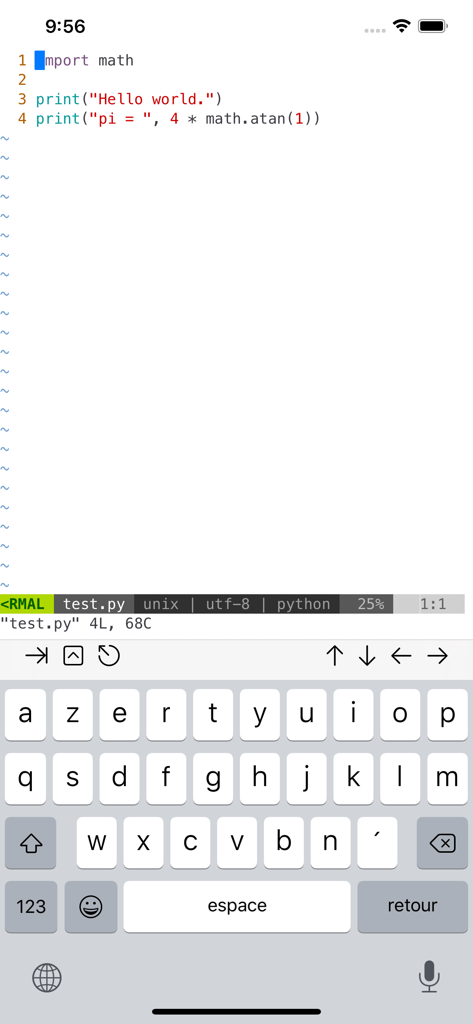
iPhone의 a-Shell 터미널 에뮬레이터에서 Vim 편집기를 사용하여 Python 스크립트를 편집합니다.
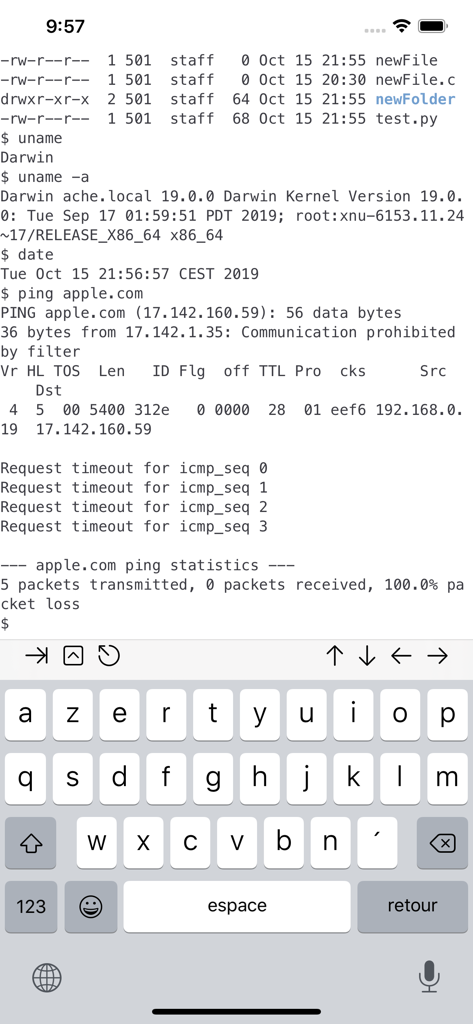
a-Shell 앱 인터페이스에 iOS 기기의 Unix 터미널 명령이 표시됩니다.
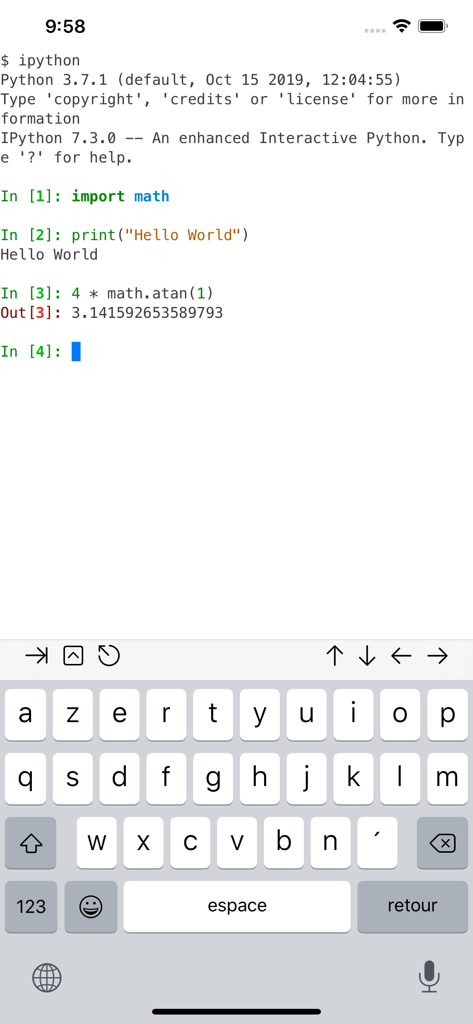
a-Shell 모바일 앱에 iOS에서 Python 코드를 실행하는 대화형 IPython 터미널 세션이 표시됩니다.
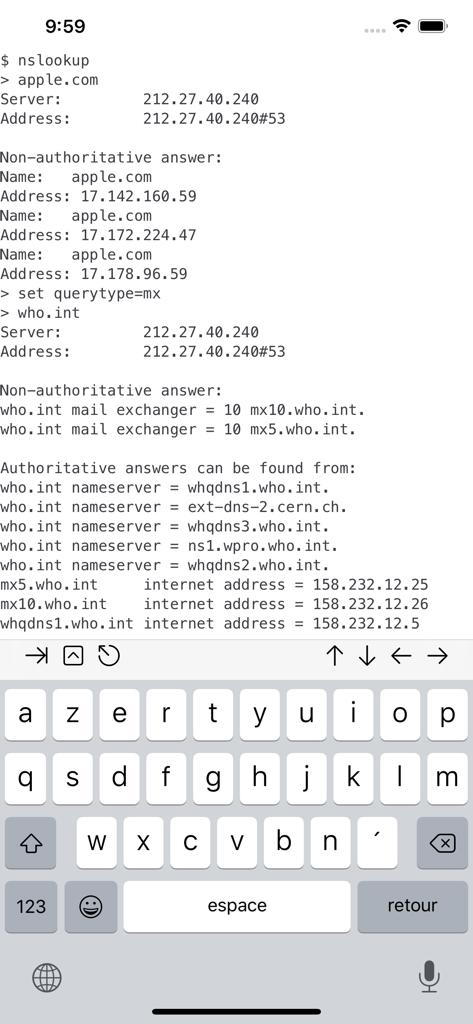
a-Shell 터미널 인터페이스에 iOS의 nslookup 명령 출력이 표시됩니다.
설명
Download
비슷한 앱
유사한 기능과 사용자 경험을 가진 앱


이 페이지는 앱이나 개발자의 공식 페이지가 아니며, 정보 제공 및 논평을 목적으로 작성된 독립 편집 간행물입니다. 명시적으로 달리 언급되지 않는 한, 해당 앱이나 개발자는 MWM, Apple, Google Play, 앱 퍼블리셔 또는 앱 개발자와 제휴, 보증, 후원, 승인 또는 공식적으로 연결되어 있지 않으며, 이 페이지의 어떤 내용도 해당 앱이 MWM의 서비스를 사용하여 개발되었음을 의미하지 않습니다. 모든 상표, 로고, 스크린샷 및 기타 콘텐츠는 해당 소유자의 자산입니다.