
이 페이지는 앱이나 개발자의 공식 페이지가 아니며, 정보 제공 및 논평을 목적으로 작성된 독립 편집 간행물입니다. 명시적으로 달리 언급되지 않는 한, 해당 앱이나 개발자는 MWM, Apple, Google Play, 앱 퍼블리셔 또는 앱 개발자와 제휴, 보증, 후원, 승인 또는 공식적으로 연결되어 있지 않으며, 이 페이지의 어떤 내용도 해당 앱이 MWM의 서비스를 사용하여 개발되었음을 의미하지 않습니다. 모든 상표, 로고, 스크린샷 및 기타 콘텐츠는 해당 소유자의 자산입니다.


Acapella from PicPlayPost
이 앱은 당신의 솔로 연주를 가상 앙상블로 변신시키며, 전 세계를 당신의 공연장으로 바꿉니다. 당신의 음악적 야망은 더 이상 물리적 한계에 갇히지 않습니다. 한 명의 예술가가 여러 트랙을 정밀하게 쌓아 올리고, 마치 하나의 밴드처럼 들리게 만들 수 있음을 확인합니다.
다운로드
5M+사용자 평점
총 평가 수
60.1K개발사
카테고리
Music지원 언어
11최신 버전
4.46크기
119.2 MB출시일
2015년 9월 15일앱 'Acapella from PicPlayPost'에 대한 심층 분석
주요 기능 평가
다중 트랙 음악 및 비디오 제작
이 앱은 사용자가 여러 트랙을 녹음하여 복합적인 음악 작품과 비디오를 만들 수 있게 해줍니다.
글로벌 협업 기능
이 도구는 사용자가 전 세계의 다른 음악가들과 함께 음악을 만들고 공동 작업을 할 수 있도록 지원합니다.
고급 오디오 편집 기능
사용자는 EQ, 노이즈 게이트 및 프로세서를 활용하여 오디오를 최적화하고 고품질 사운드를 생성할 수 있습니다.
고음질 오디오 내보내기
이 앱은 Apple 무손실(ALAC) 오디오 파일 및 CD 음질 비디오를 포함한 고품질 오디오 내보내기를 제공하여 전문가 수준의 결과물을 보장합니다.
간편한 소셜 공유
사용자는 완성된 작품을 Instagram, Facebook, Twitter 등 즐겨 사용하는 소셜 플랫폼에 쉽게 공유할 수 있습니다.
내장형 메트로놈
음악가에게 필수적인 내장 메트로놈은 정확한 타이밍과 리듬 연습을 돕습니다.
비디오 가져오기 지원
사용자는 첫 번째 비디오를 가져와 아카펠라 제작의 기초로 활용할 수 있습니다.
로고 워터마크 추가
이 도구는 사용자가 자신의 로고를 워터마크로 추가하여 브랜드 인지도를 높일 수 있게 합니다.
최대 10분 녹음
이 앱은 최대 10분 길이의 곡을 녹음할 수 있는 기능을 제공하여 충분한 창작 공간을 보장합니다.
오디오 좌우 패닝
사용자는 오디오를 왼쪽 또는 오른쪽으로 패닝하여 공간감을 조절하고 사운드 믹스를 개선할 수 있습니다.
자주 묻는 질문
에 대해 알아야 할 모든 것 Acapella from PicPlayPost
What is Acapella from PicPlayPost?
Acapella from PicPlayPost is a music maker app that enables users to create multi-frame music videos and collaborate with musicians globally. It functions as a multitrack tool for recording and editing music.
Can I collaborate with other musicians using Acapella?
Yes, Acapella allows users to collaborate with musicians worldwide. You can find artists through the discover tab or make music with friends directly.
What is the maximum video recording length in Acapella?
Acapella allows users to record songs and create videos up to 10 minutes long. This feature supports extended musical performances and compositions within the app.
Does Acapella from PicPlayPost include audio editing tools?
Yes, Acapella from PicPlayPost includes full-featured music editing tools. These include an EQ (music equalizer), noise gate, and processor to optimize sound quality.
What audio export formats does Acapella support?
Acapella supports exporting audio in Apple Lossless (ALAC) and normal .m4a formats. Users can download these files or share videos with CD quality audio.
Can I add a watermark to my Acapella videos?
Yes, Acapella enables users to add their own logo as a watermark to videos. The app supports both PNG and JPEG image formats for watermarks.
How do I manage my Acapella subscription?
Users manage their Acapella subscription and turn off auto-renewal through their iTunes Account Settings after purchase. Subscriptions auto-renew unless cancelled 24 hours prior.
Does Acapella provide refunds for subscriptions?
No, Acapella does not provide refunds for any unused portion of the term once a subscription is purchased. This policy aligns with Apple's guidelines.
Where can I find the Acapella app's privacy policy?
The Acapella app's privacy policy is available on the Mixcord website. The direct link is https://www.mixcord.co/privacy-policy.html.
Does Acapella from PicPlayPost include a metronome?
Yes, Acapella from PicPlayPost features a built-in metronome. This tool assists music creators in maintaining precise timing and rhythm during recording sessions.
다음 스크린샷과 설명은 앱의 공식 스토어 목록에서 직접 가져온 것이며 앱 개발자의 자산입니다.
앱 스토어
스크린샷
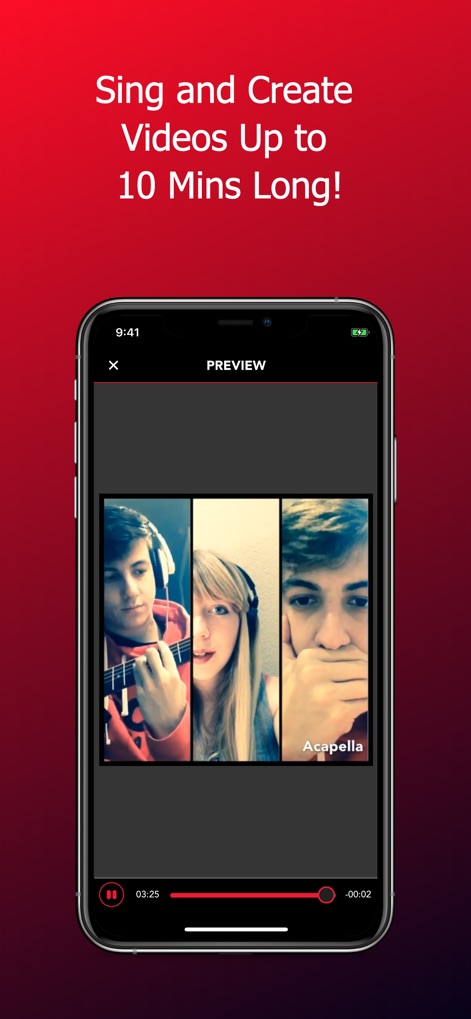
이 앱은 최대 10분 길이의 비디오 제작을 지원합니다. 이 화면은 다중 프레임 비디오 레이아웃과 비디오 타임라인 컨트롤을 선명하게 보여줍니다.
다중 프레임 비디오
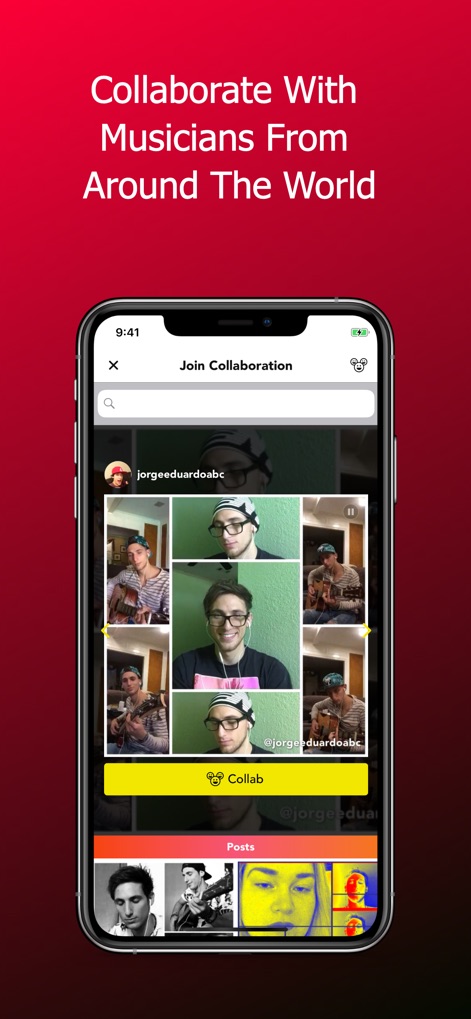
사용자는 전 세계의 음악가들과 협업할 수 있습니다. 이 스크린샷은 '협업 참여' 인터페이스와 다양한 아티스트 프로필 썸네일을 강조합니다.
글로벌 협업 시작
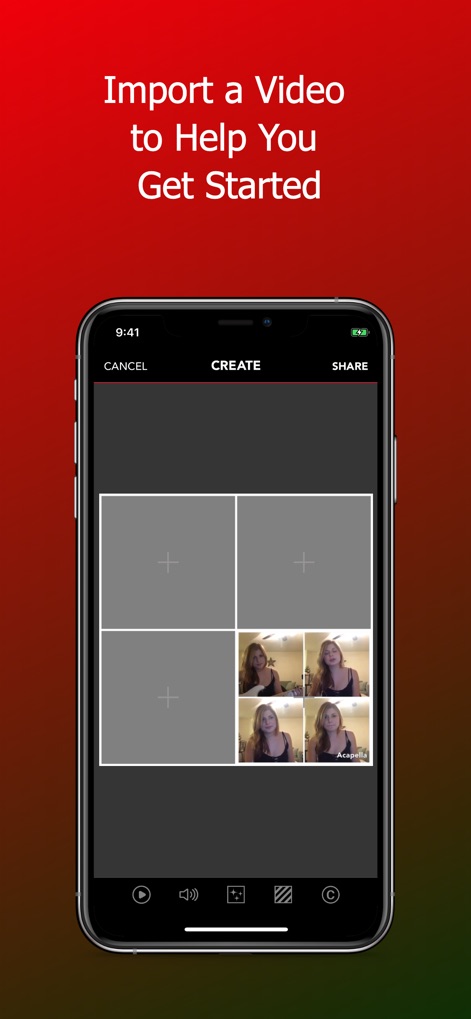
새로운 프로젝트를 시작하기 위해 기존 비디오를 쉽게 가져올 수 있습니다. 이 화면은 비디오 가져오기 옵션과 여러 프레임 레이아웃 플레이스홀더를 보여줍니다.
영상 쉽게 가져오기
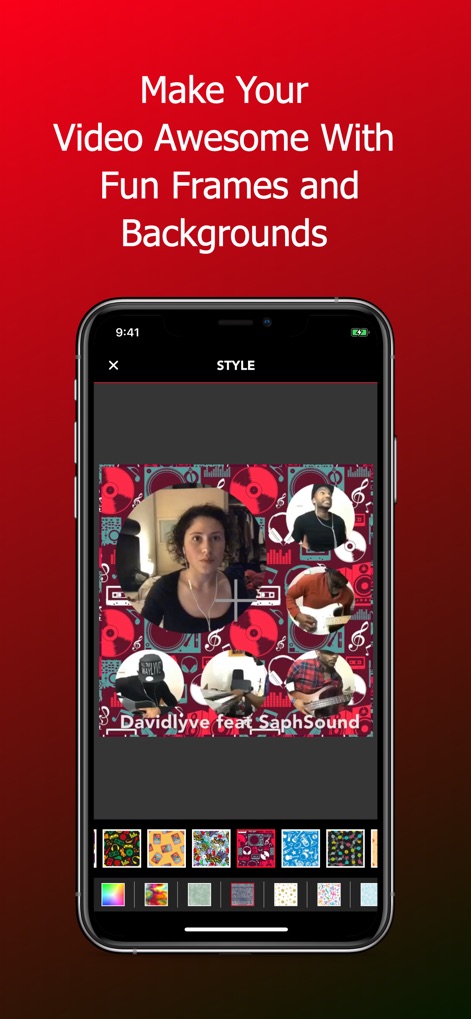
이 앱은 비디오를 위한 다양한 스타일 옵션을 제공합니다. 스크린샷은 사용자 지정 가능한 배경과 다양한 프레임 스타일 및 패턴을 통해 개성을 표현할 수 있음을 보여줍니다.
스타일리시한 배경
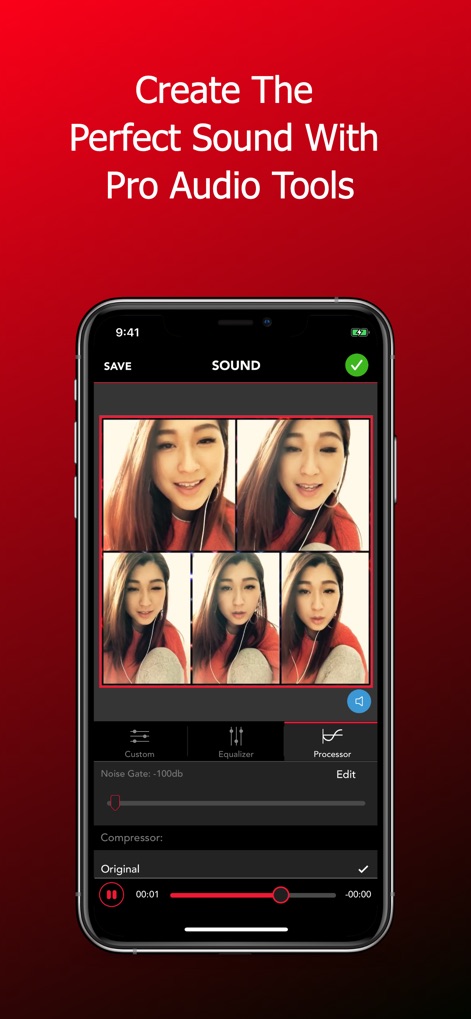
사용자는 이 도구의 전문가용 오디오 편집 기능을 활용하여 완벽한 사운드를 만들 수 있습니다. 스크린샷은 노이즈 게이트와 컴프레서 같은 미세 조정 컨트롤을 제공합니다.
전문가용 사운드
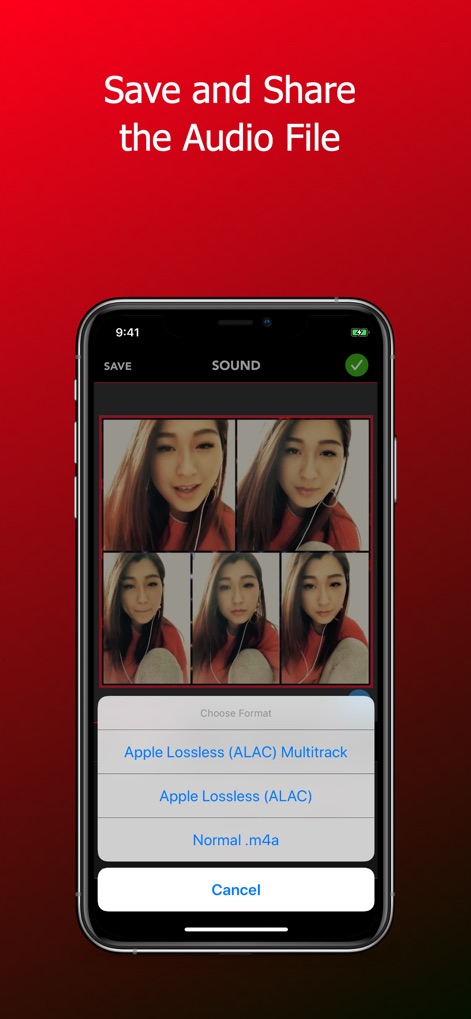
완성된 오디오 파일을 다양한 형식으로 저장하고 공유할 수 있습니다. 스크린샷은 여러 오디오 내보내기 형식과 Apple Lossless (ALAC) 옵션을 보여줍니다.
고품질 파일 내보내기
설명
Download
비슷한 앱
유사한 기능과 사용자 경험을 가진 앱

Rap Fame - Rap Music Studio
Rap Tech Studios Ltd

Spire: Music Recorder & Studio
iZotope, Inc.

Voloco: Vocal Recording Studio
Resonant Cavity, LLC

Rapchat - Music Maker & Beats
Rapchat, Inc.

Vocal Tune: Recording Studio
Axora IT Soft LLC

Volmix | Music Maker & Beats
ZED UK Limited

nana - Record your music, sing
nana music Inc.
Voice Tuner — AI Vocal Changer
Music Breath, OOO

AutoRap: Music Maker by Smule
Smule
이 페이지는 앱이나 개발자의 공식 페이지가 아니며, 정보 제공 및 논평을 목적으로 작성된 독립 편집 간행물입니다. 명시적으로 달리 언급되지 않는 한, 해당 앱이나 개발자는 MWM, Apple, Google Play, 앱 퍼블리셔 또는 앱 개발자와 제휴, 보증, 후원, 승인 또는 공식적으로 연결되어 있지 않으며, 이 페이지의 어떤 내용도 해당 앱이 MWM의 서비스를 사용하여 개발되었음을 의미하지 않습니다. 모든 상표, 로고, 스크린샷 및 기타 콘텐츠는 해당 소유자의 자산입니다.