Add Audio to Video Mix

Add Audio to Video Mix

다운로드: App Store
로고: Add Audio to Video Mix

동영상 믹스에 오디오 추가: 몇 초 만에 동영상을 위한 완벽한 사운드

방해가 되는 배경 소음을 좋아하는 트랙으로 바꿔 클립을 변환하세요. 속도와 단순성을 위해 설계된 직관적인 편집기는 전문 소프트웨어의 복잡함 없이 완성도 높은 Reels와 TikTok을 만들 수 있도록 도와줍니다.

다운로드: App Store

개발사

out thinking private limited

카테고리

Photo & Video

다운로드

20K+

사용자 평점

4.4/5

총 평가 수

300

지원 언어

1

단순함을 경험하세요

이 인터페이스를 사용하는 20K+ 명의 사용자.

로드 트립 중인 여성의 특징적인, 동영상에 좋아하는 음악을 추가하는 첫 화면

로드 트립 중인 여성의 특징적인, 동영상에 좋아하는 음악을 추가하는 첫 화면

편집할 동영상을 선택하기 위한 갤러리 선택 화면을 보여주는 모바일 앱 인터페이스
편집할 동영상을 선택하기 위한 갤러리 선택 화면을 보여주는 모바일 앱 인터페이스

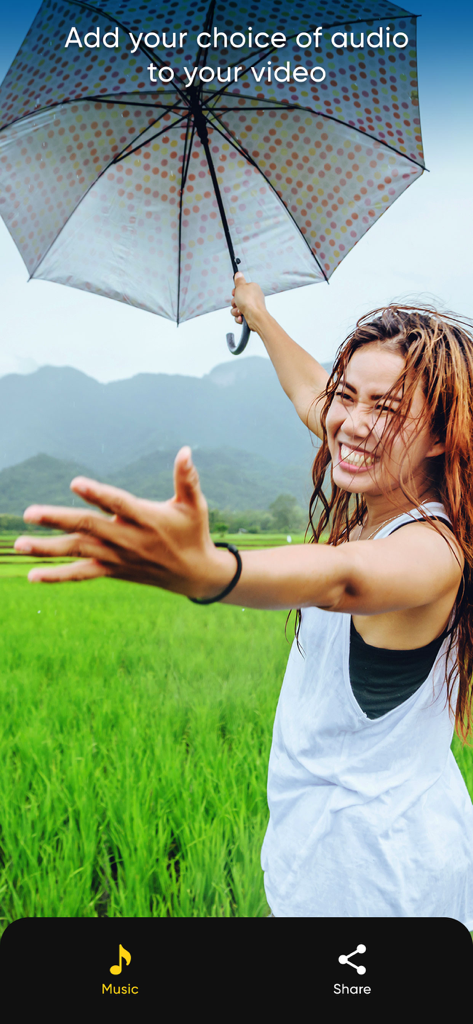
음악 및 공유 옵션을 보여주는 동영상에서 우산과 함께 웃고 있는 여성.
음악 및 공유 옵션을 보여주는 동영상에서 우산과 함께 웃고 있는 여성.

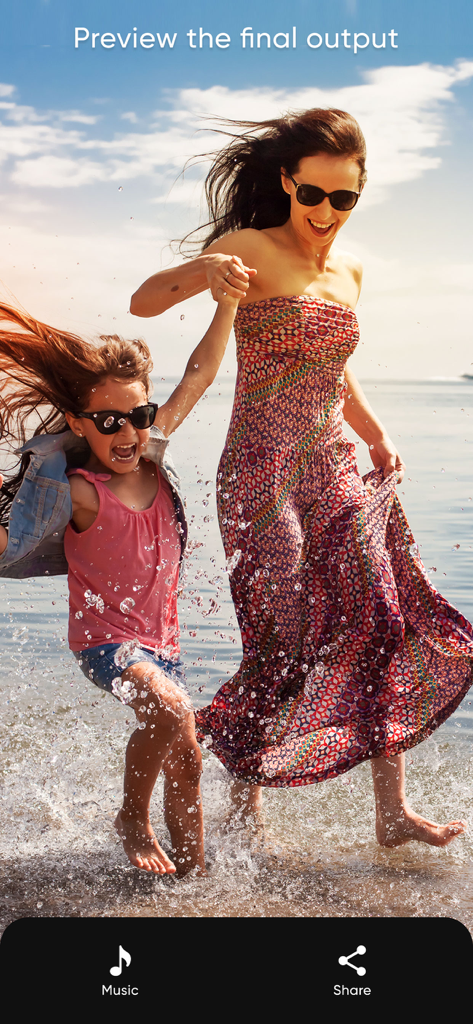
음악과 공유 옵션이 있는 바다에서 놀고 있는 엄마와 딸의 동영상 미리 보기를 보여주는 앱 화면

음악과 공유 옵션이 있는 바다에서 놀고 있는 엄마와 딸의 동영상 미리 보기를 보여주는 앱 화면

동영상을 갤러리에 저장하거나 소셜 미디어에 공유하는 옵션을 보여주는 모바일 앱 인터페이스

동영상을 갤러리에 저장하거나 소셜 미디어에 공유하는 옵션을 보여주는 모바일 앱 인터페이스

스케이트보드를 들고 웃고 있는 친구들과 동영상을 저장하거나 공유하는 버튼을 보여주는 모바일 앱 인터페이스

스케이트보드를 들고 웃고 있는 친구들과 동영상을 저장하거나 공유하는 버튼을 보여주는 모바일 앱 인터페이스

완벽한 사운드, 제로 노력

이 앱을 돋보이게 하는 도구, 20K+ 명의 사용자가 선택.

🎵

원탭 오디오 교체

바람 소리와 교통 소음을 없애세요. 좋아하는 트랙을 선택하면 앱이 즉시 오디오를 교체해 줍니다.

⏱️

스마트 자동 트리밍

더 이상 슬라이더를 만지작거리지 마세요. 선택한 음악은 동영상의 정확한 길이에 자동으로 맞춰집니다.

빠른 공유를 위해 제작됨

복잡한 도구 없이 전문가 수준의 결과를 얻으세요. Instagram Reels, TikTok, YouTube Shorts에 완벽합니다.

앱 소개

에 대해 알아야 할 모든 것 Add Audio to Video Mix.

설명

Looking to change background audio of your video? then download our AudioVideo Mix app. This app perfectly removes the audio which is present in the video and replaces it with newly selected sound. This app is exclusively designed to add music to your videos. This best thing about this app is, You’ll get awesome UI and very fast in adding or replacing audio to the video. Key Features of Audio Video Mix App: 1. Simple and best UI (User Interface) design 2 . Within few seconds you can change the audio of the video 3. In the next screen you can view the preview of the video and sound which you added 4. Save the video to your device 5. Easily share on social media sites with our social share options 6. App is exclusively designed for adding audio to your video so you won’t get extra confusing options Note: If Audio length is bigger than video, then audio will automatically trimmed to video length. Subscription Terms - Subscribe to get unlimited video collage app access to all features. - Upon confirmation of purchase, the payment will be charged to the iTunes account. - Until you turn off the auto-renew at least 24 hours before the end of the current. period it will be automatically renewed. - If you decide to turn off auto-renewal, you can turn it off maybe by going to account settings after purchase. -The renewal amount will be charged from the account within 24 hours before the end of the current period. -As per the policy, cancellation of the current subscription is not allowed during the active subscription period. Once purchased, refunds will not be returned for any unused portion of the subscription period. Terms of use - https://www.outthinkingindia.com/terms-of-use/ Privacy policy - https://www.outthinkingindia.com/privacy-policy/

최신 버전

1.9

크기

77.8 MB

출시일

2014년 5월 29일

몇 초 만에 동영상에 완벽한 사운드트랙 추가하기

배경 소음 때문에 최고의 순간을 망치지 마세요. 오디오를 교체하고 멋진 동영상을 소셜 미디어에 직접 공유할 수 있는 가장 간단한 도구를 다운로드하세요.

다운로드: App Store

App information, icons, screenshots, and descriptions displayed on this page are sourced from the Apple App Store and are the property of their respective developers. Download estimates and rankings are based on MWM's proprietary models and may not reflect actual figures. This page is provided for informational and analytical purposes only.

Believe this page infringes your intellectual property? File a dispute