Add Logo Watermark on Photos

Add Logo Watermark on Photos

다운로드: App Store
로고: Add Logo Watermark on Photos

사진에 로고 워터마크 추가: 브랜드를 자동 스탬핑하고 작업을 보호하세요

마이크로 기업가 및 크리에이터를 위한 필수 도구로 이미지를 즉시 보호하세요. 로고를 한 번 설정하면 자동 스탬핑 기술이 촬영하거나 업로드하는 모든 사진에 적용됩니다.

개발사

Chirag Gabani

카테고리

Photo & Video

다운로드

54K+

사용자 평점

4.6/5

총 평가 수

100

지원 언어

1

귀하의 브랜드, 보호됨

이 인터페이스를 사용하는 54K+ 명의 사용자.

로고 및 텍스트 사용자 정의 설정이 있는 카메라 및 갤러리 옵션을 보여주는 워터마크 앱 인터페이스

로고 및 텍스트 사용자 정의 설정이 있는 카메라 및 갤러리 옵션을 보여주는 워터마크 앱 인터페이스

메이크업과 사진 로고 워터마크가 있는 여성의 전문 초상화

메이크업과 사진 로고 워터마크가 있는 여성의 전문 초상화

다양한 전문 및 개인 이미지에 적용된 다양한 로고 및 텍스트 워터마크를 보여주는 콜라주

다양한 전문 및 개인 이미지에 적용된 다양한 로고 및 텍스트 워터마크를 보여주는 콜라주

사진 워터마킹을 위한 로고 옵션 그리드를 보여주는 모바일 앱 인터페이스

사진 워터마킹을 위한 로고 옵션 그리드를 보여주는 모바일 앱 인터페이스

이발소 사진에 흰색 로고 워터마크가 있고 여행 사진에 주황색 텍스트 워터마크가 있는 두 개의 사진을 보여줍니다.
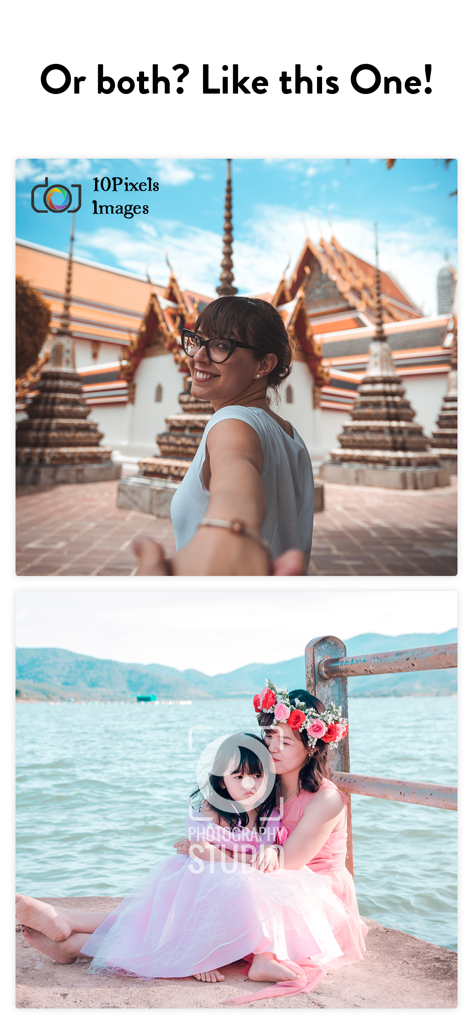
이발소 사진에 흰색 로고 워터마크가 있고 여행 사진에 주황색 텍스트 워터마크가 있는 두 개의 사진을 보여줍니다.

이미지 브랜딩을 위해 결합된 로고 및 텍스트 워터마크 사용을 보여주는 두 개의 사진
이미지 브랜딩을 위해 결합된 로고 및 텍스트 워터마크 사용을 보여주는 두 개의 사진

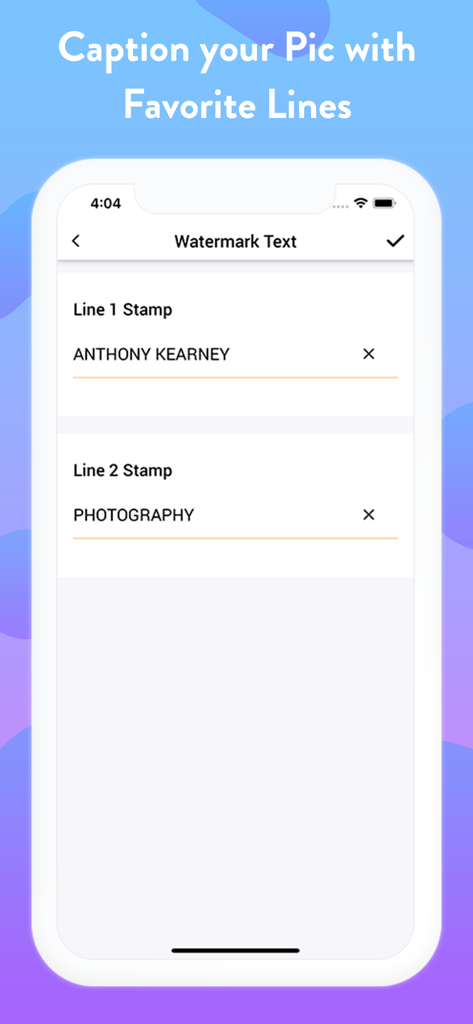
두 줄의 사용자 지정 워터마크 텍스트를 입력하는 필드를 보여주는 모바일 앱 인터페이스.
두 줄의 사용자 지정 워터마크 텍스트를 입력하는 필드를 보여주는 모바일 앱 인터페이스.

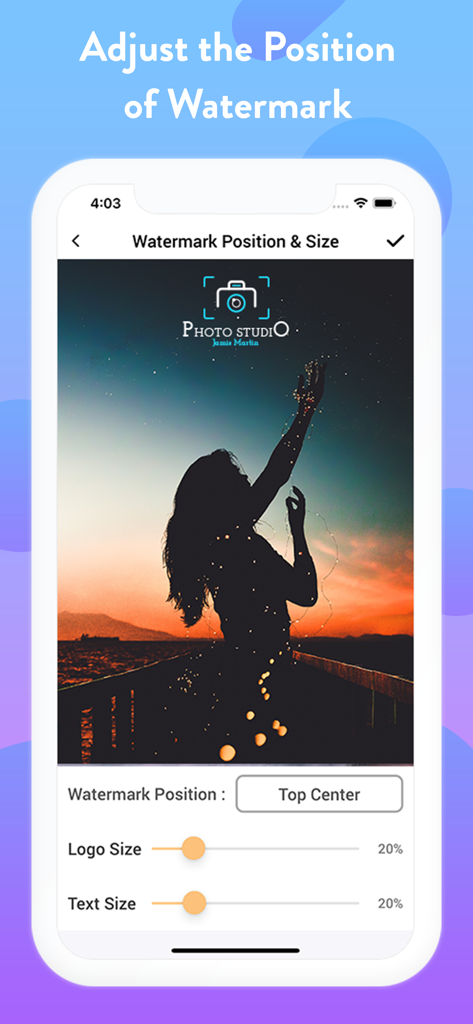
사진에서 로고 위치 및 크기 조정 컨트롤을 보여주는 워터마크 앱 인터페이스

사진에서 로고 위치 및 크기 조정 컨트롤을 보여주는 워터마크 앱 인터페이스

전문 사진 작가 워터마크 로고와 텍스트가 있는 결혼 커플 초상화

전문 사진 작가 워터마크 로고와 텍스트가 있는 결혼 커플 초상화

브랜딩 및 저작권 보호를 위한 다양한 로고 및 텍스트 워터마크를 보여주는 세 개의 사진.

브랜딩 및 저작권 보호를 위한 다양한 로고 및 텍스트 워터마크를 보여주는 세 개의 사진.

작업을 보호하고 브랜드를 구축하세요

이 앱을 돋보이게 하는 도구, 54K+ 명의 사용자가 선택.

자동 설정 및 잊기

한 번의 설정으로 효율성을 극대화하세요. 앱은 모든 새 사진에 자동으로 로고를 스탬핑하므로 비즈니스 성장에 집중할 수 있습니다.

🏷️

이중 레이어 맞춤 브랜딩

시각적 로고와 맞춤 텍스트 핸들을 결합하세요. Etsy 상점, 부동산 매물 또는 소셜 프로필로 트래픽을 유도하는 데 완벽합니다.

🛡️

이미지 도용 즉시 중지

콘텐츠 스크래퍼와 봇을 억제하세요. 전문 워터마크로 지적 재산권을 보호하여 항상 마땅한 인정을 받도록 하세요.

앱 소개

에 대해 알아야 할 모든 것 Add Logo Watermark on Photos.

설명

With this Logo Watermark App, you can Auto Add Logo Copyright on Photos captured using your Phone’s Built-in Camera as well as on your Gallery Photos. This stamping app facilitates you to imprint your Images in two distinct ways. ~ Single Stamp - Add Logo Watermark on Photos ~ Double Stamp - Add Logo and Text on Photos Get the setup done at once & your favorite copyright image is ready to roll out! > How to add watermark to Photos? 1) Just Open this Application 2) Choose if you want to: - Auto Stamp on Camera Photos or, - Add stamps on Photos in your Gallery 2)Turn On the Watermark toggle and Upload/Add Logo, - Adjust its transparency & size 3) Next, you can Copyright with Text (Optional) - Customize it by choosing the Text Toggle accordingly - Set the Text Size (S - XXXL), Text Color, Text Style & Text Position 4) Adjust the Watermark Position Accordingly Bravo! > Stamp LOGO and TEXT on photos: The best part is you can customize Signature text separately, i.e., Line 1 and Line 2 at four different positions around your Watermark Logo. Turn the Toggle On for which you wish to add text; add it with both the line spaces or only with the single one. It is definitely going to make your image look enticing. Taking your stamped images a level up, you can even customize your digital signature watermark with many options like - Adjustable Font Size - Changeable Font Colours - Varieties of Font Style - Flexible Font Position When all the edits and customization is done, if you want to sneak peak about how your watermark photo will look like, you can “Preview” your stamped image before adding it permanently to your pictures. > Why Pick Us? - Twice the benefits of protecting both your CAMERA & GALLERY Pics - Again, Double advantage of adding both LOGO & TEXT to photos - Well! This is the only App here to facilitate Dual Text Alignment - Quick and Handy with Super Flexible Settings - Auto processes after One-Time Setup - Simple and Elegant User-Interface Sounds cool right? NOTE: When you secure images with logo, you can easily identify it. It also answers the ownership of an image for a particular business, person, product or service. You can protect it in many ways such as text & logo copyright on photo, images etc which has distinct shades of lightness and darkness No matter which profession or field you belong to, imprinting your images is the most convenient way to authorize your pictures. As you can easily protect, secure as well as frame up pics elegantly with just a few taps. > Why should you Add Logo Watermark on Photos? We've gathered a tiny catalog of uses making up your work as simple as ABC! Have a look below: > How to Copyright Image? There are numerous ways when to represent your identity on any pic. Imprinting a copyright watermark to your image with this stamping app will make your job easy. > To Enhance your Brand: Another major benefit of stamping photos is "BRANDING"! Photos are usually Watermark stamped with company name behind also for the purpose of creating their brand awareness among everyone. Isn’t it? > To Protect Image Theft: Anything which goes viral online can easily be stolen & used without your permission. To Copyright your photos in this situation, to secure images with logo will be an indirect indication that this photo cannot be used. > Gain Credits: Many times photographers just don’t demand financial recognition, but all they need is appreciation and credits for their work. Watermarking their images with their own copyright logo with signature text can grab the credits they wish. All these features summed up to give you FULL ADVANTAGE in one Install! So if you are looking to markup your photographs elegantly, there can’t be a better Watermarking Application than this photo stamping app for Camera and Gallery both. Don't believe us? Well! Give it a try then! Download NOW to add Logo Watermark Stamp on all of your Favorite photographs and make them look Absolutely Gorgeous!

최신 버전

1.1.6

크기

28.4 MB

출시일

2019년 2월 1일

지금 바로 비즈니스를 보호하고 브랜드를 구축하세요

수동 편집에 시간을 낭비하지 마세요. 50,000명 이상의 기업가가 자동 스탬핑 기술을 사용하여 작업을 보호하고 모든 공유에서 전문적인 모습을 유지하고 있습니다.

다운로드: App Store

App information, icons, screenshots, and descriptions displayed on this page are sourced from the Apple App Store and are the property of their respective developers. Download estimates and rankings are based on MWM's proprietary models and may not reflect actual figures. This page is provided for informational and analytical purposes only.

Believe this page infringes your intellectual property? File a dispute