Add Music to Video :cut editor
다운로드: App Store

이 페이지는 앱이나 개발자의 공식 페이지가 아니며, 정보 제공 및 논평을 목적으로 작성된 독립 편집 간행물입니다. 명시적으로 달리 언급되지 않는 한, 해당 앱이나 개발자는 MWM, Apple, Google Play, 앱 퍼블리셔 또는 앱 개발자와 제휴, 보증, 후원, 승인 또는 공식적으로 연결되어 있지 않으며, 이 페이지의 어떤 내용도 해당 앱이 MWM의 서비스를 사용하여 개발되었음을 의미하지 않습니다. 모든 상표, 로고, 스크린샷 및 기타 콘텐츠는 해당 소유자의 자산입니다.

로고: Add Music to Video :cut editor
다운로드: App Store

Add Music to Video :cut editor

크리에이터와 소규모 비즈니스가 완벽한 사운드트랙, 음성 해설, 커스텀 효과를 추가할 수 있는 가장 쉬운 방법입니다. 복잡한 편집 과정 없이 프로처럼 릴스와 틱톡의 수준을 높여보세요.

주요 수치

다운로드

1M+

사용자 평점

4.4/5

총 평가 수

18K+

개발사

Editr Apps Inc.

카테고리

Photo & Video

지원 언어

10

최신 버전

2.11.0

크기

123.5 MB

출시일

2016년 1월 21일
기능

학습 과정 없이 얻는 전문적인 결과

원본 클립을 고에너지 뮤직 비디오와 소셜 광고로 바꾸는 가장 빠른 방법입니다. 속도와 단순함을 중시하는 크리에이터를 위해 설계되었습니다.

몇 시간이 아닌 몇 분 만에 편집

단 5단계만으로 동영상을 변신시키세요. 직관적인 인터페이스는 효율성을 위해 제작되어 점심시간에도 멋진 콘텐츠를 만들 수 있습니다.

정밀한 오디오 제어

트랙을 쉽게 자르고, 볼륨 레벨을 조정하고, 페이드 효과를 적용하세요. 직접 음성 해설을 추가하거나 분위기에 맞는 완벽한 배경 비트를 선택하세요.

다음 스크린샷과 설명은 앱의 공식 스토어 목록에서 직접 가져온 것이며 앱 개발자의 자산입니다.

앱 스토어

스크린샷
Add Music to Video :cut editor - 300만 회 이상의 다운로드를 보여주는 동영상에 음악 추가 앱의 홍보 그래픽
300만 회 이상의 다운로드를 보여주는 동영상에 음악 추가 앱의 홍보 그래픽

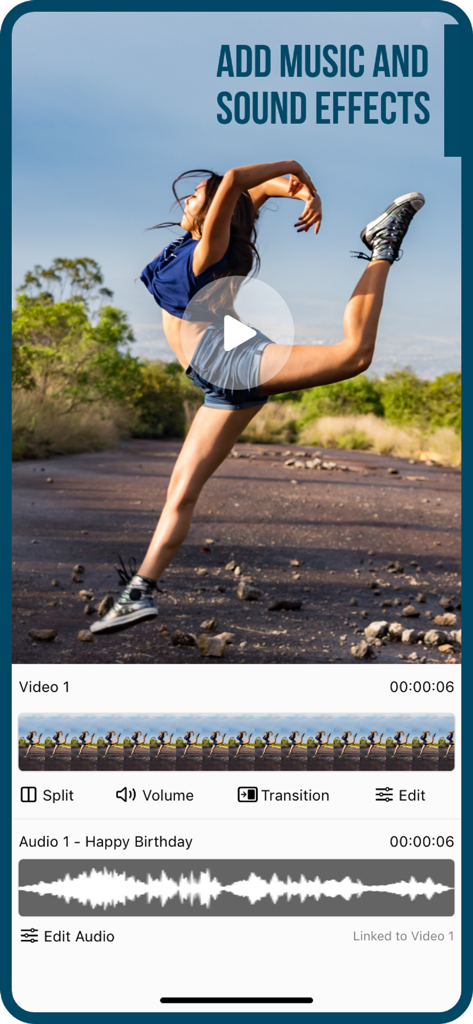
Add Music to Video :cut editor - 비디오 클립에 음악 및 음향 효과를 추가하기 위한 비디오 및 오디오 편집 트랙을 보여주는 모바일 앱 인터페이스
비디오 클립에 음악 및 음향 효과를 추가하기 위한 비디오 및 오디오 편집 트랙을 보여주는 모바일 앱 인터페이스

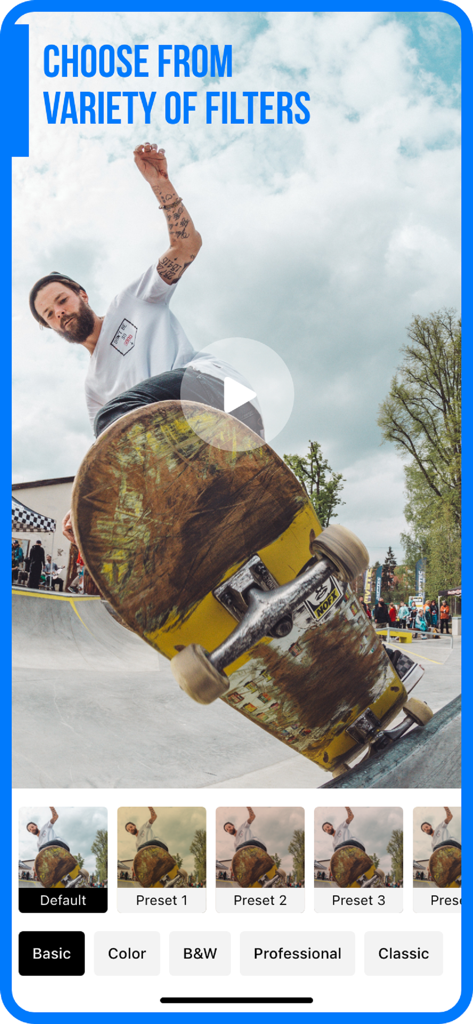
Add Music to Video :cut editor - 스케이트보딩 클립에 대한 다양한 필터 프리셋을 보여주는 모바일 동영상 편집기 인터페이스
스케이트보딩 클립에 대한 다양한 필터 프리셋을 보여주는 모바일 동영상 편집기 인터페이스

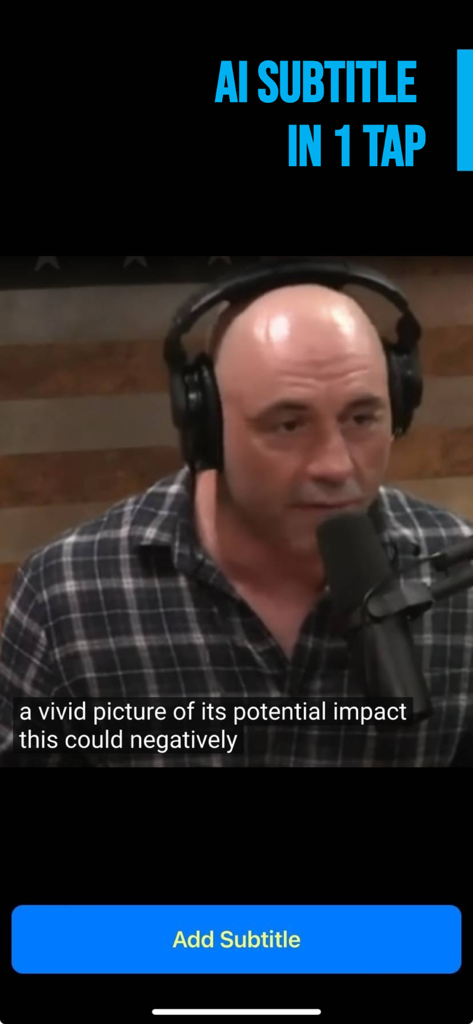
Add Music to Video :cut editor - 자동 AI 자막과 자막 추가 버튼이 있는 동영상을 보여주는 모바일 앱 화면
자동 AI 자막과 자막 추가 버튼이 있는 동영상을 보여주는 모바일 앱 화면

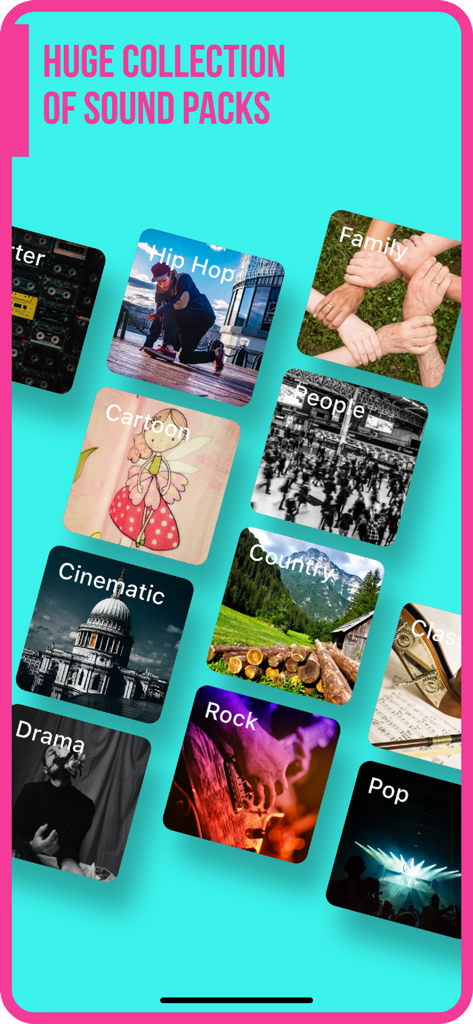
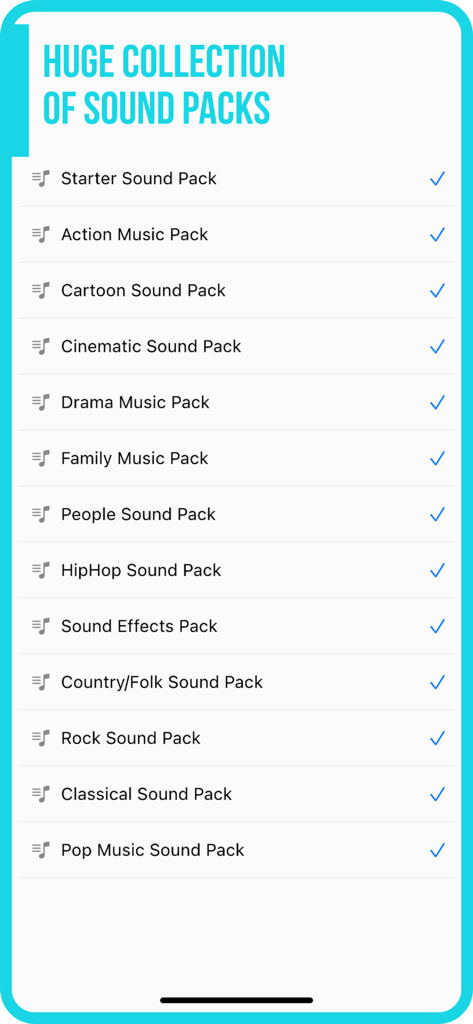
Add Music to Video :cut editor - 힙합, 시네마틱, 팝 등 영상 편집을 위한 다양한 음악 사운드 팩 카테고리 라이브러리
힙합, 시네마틱, 팝 등 영상 편집을 위한 다양한 음악 사운드 팩 카테고리 라이브러리

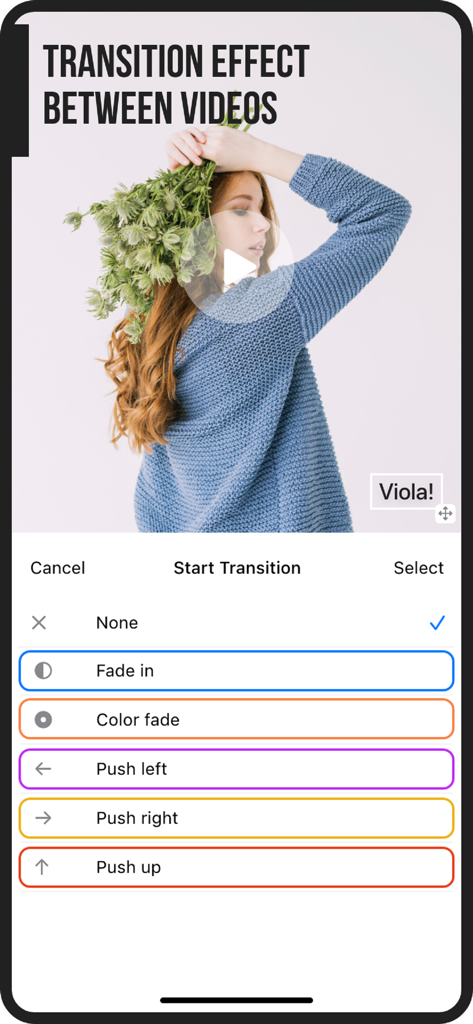
Add Music to Video :cut editor - 페이드 인, 왼쪽으로 밀기 등 전환 효과 선택을 보여주는 동영상 편집기 앱의 인터페이스
페이드 인, 왼쪽으로 밀기 등 전환 효과 선택을 보여주는 동영상 편집기 앱의 인터페이스

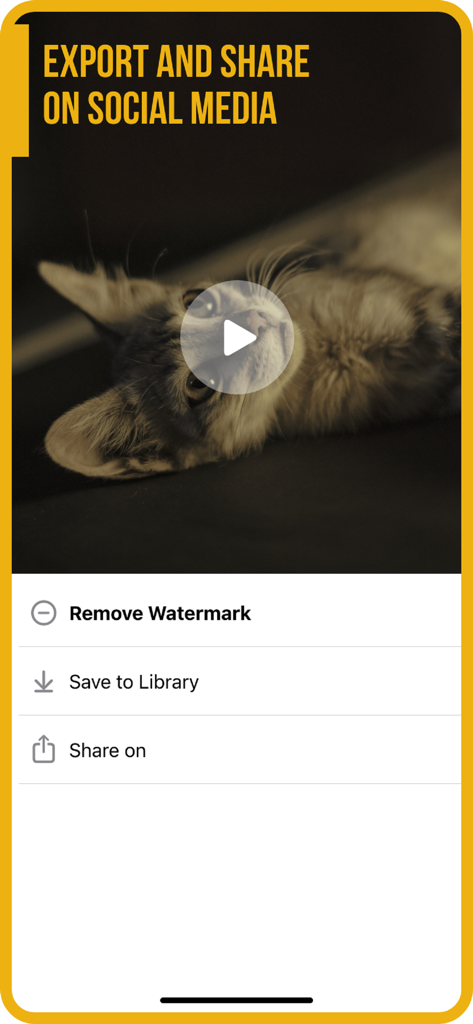
Add Music to Video :cut editor - 라이브러리에 저장하거나 워터마크를 제거하는 옵션이 포함된 소셜 미디어용 뮤직 비디오 내보내기 및 공유 인터페이스
라이브러리에 저장하거나 워터마크를 제거하는 옵션이 포함된 소셜 미디어용 뮤직 비디오 내보내기 및 공유 인터페이스

Add Music to Video :cut editor - 영상 편집을 위한 다양한 음악 및 음향 효과 팩을 보여주는 화면

영상 편집을 위한 다양한 음악 및 음향 효과 팩을 보여주는 화면

설명

Do you want to make your own music video or just want to add music on video? Then look no further! Video Maker with Music is here for iPhone / iPad. Add awesome customized video background music or remix songs in an effortless way without any special training on video editing! For jingle videos or for advertisement movie makers, this app will as a handy trial tool. Check out what some of our users from all over the world are saying about this app: ================================================= "I finally get the appropriate app that I was looking for - Great App" by Jigsaw1800 (AU) "Easy to use, can edit music start which is a plus, as well as where in the song. Cool app. - Swaggy" by Neyachi (US) "Very simple and easy to use. Guides you through steps and easy to pick up. - Great and easy to use" by Bathing monkey (UK) With this music video editor app you will get to add songs or sound effects to your videos from your mobile device. You can post it on Instagram, Vine, and YouTube for sharing with your musical video with online friends and followers. How the app works? ================================================= Video Maker with Music app is really easy to operate to add music to videos. Just follow these 5 steps: • Select source video (camera or videos on your iPhone) to add music to video. • Add video background music from your iPhone, from app's track list, or add video background music by recording your own voice. • This creative video editor let you mark where you want to add music to video: you can trim the part, if you want, to add to the video. • Configure volume of audio or songs added to video. Just tap one button to merge video background music when done. • Now it’s time, you can save it to camera roll like an expert movie maker. • Enjoy your music video, it is now ready to be shared on social networking sites like Instagram, Facebook, Vine, and YouTube or via email. App’s Features: ================================================= Take a quick look at the creative features of the music video editor app before you get engrossed in the process to make your own music video: • User friendly interface no matter if you are beginner movie maker, • You need to tap the music track to trim music, adjust volume, or adding fade effect. • You can do as much adding music to video and voice recording as you want. • Slide the music track to set starting time for adding video background music. • Using feature like "share to Instagram" to let the Music on Video square the final video for you. Download the Video Maker with Music app, and start making your own music video like a pro movie maker! Turn your iOS device into a video editor tool and collect more likes from Instagram or Facebook. Making an own music video is now an easy task and the app Music on Video is completely free to download! Information about the auto-renewable subscription: Subscription name: Subscribe for access Subscription price: $4.99/week or 3 days free then $49.99/year Auto-renew: This is a auto-renewing subscription, read below to know more. – Payment will be charged to iTunes Account at confirmation of purchase – Subscription automatically renews unless auto-renew is turned off at least 24-hours before the end of the current period – Account will be charged for renewal within 24-hours prior to the end of the current period, and identify the cost of the renewal – Subscriptions may be managed by the user and auto-renewal may be turned off by going to the user's Account Settings after purchase - Our Terms of Service: https://editr.app/tos.html – Our Privacy Policy : https://editr.app/privacy-policy.html – Any unused portion of a free trial period, if offered, will be forfeited when the user purchases a subscription to that publication, where applicable

Download

다운로드: App Store

이 페이지는 앱이나 개발자의 공식 페이지가 아니며, 정보 제공 및 논평을 목적으로 작성된 독립 편집 간행물입니다. 명시적으로 달리 언급되지 않는 한, 해당 앱이나 개발자는 MWM, Apple, Google Play, 앱 퍼블리셔 또는 앱 개발자와 제휴, 보증, 후원, 승인 또는 공식적으로 연결되어 있지 않으며, 이 페이지의 어떤 내용도 해당 앱이 MWM의 서비스를 사용하여 개발되었음을 의미하지 않습니다. 모든 상표, 로고, 스크린샷 및 기타 콘텐츠는 해당 소유자의 자산입니다.








