Address Labels & Envelopes
다운로드: App Store

이 페이지는 앱이나 개발자의 공식 페이지가 아니며, 정보 제공 및 논평을 목적으로 작성된 독립 편집 간행물입니다. 명시적으로 달리 언급되지 않는 한, 해당 앱이나 개발자는 MWM, Apple, Google Play, 앱 퍼블리셔 또는 앱 개발자와 제휴, 보증, 후원, 승인 또는 공식적으로 연결되어 있지 않으며, 이 페이지의 어떤 내용도 해당 앱이 MWM의 서비스를 사용하여 개발되었음을 의미하지 않습니다. 모든 상표, 로고, 스크린샷 및 기타 콘텐츠는 해당 소유자의 자산입니다.

로고: Address Labels & Envelopes
다운로드: App Store

Address Labels & Envelopes

정리된 가정을 위한 최고의 iPad 유틸리티로 우편 발송 스트레스를 줄이세요. 연락처를 Avery 라벨에 자동으로 맞추고, 몇 분 안에 전문적인 봉투를 인쇄하고, 목록을 매년 쉽게 관리하세요.

주요 수치

다운로드

50K+

사용자 평점

4.6/5

총 평가 수

3K+

개발사

N Hamilton

카테고리

Utilities

지원 언어

2

최신 버전

7.91

크기

19.0 MB

출시일

2010년 12월 11일
기능

스트레스 없이 우편 발송 목록을 마스터하세요

정렬 및 형식 지정으로 인한 어려움은 이제 그만. 연말연시 카드부터 행사 초대장까지, iPad 및 iPhone에서 직접 전문적인 라벨과 봉투를 쉽게 인쇄할 수 있습니다.

스마트 자동 형식 지정

'프린터 분노'는 잊으세요. 텍스트와 이미지를 모든 라벨 크기에 자동으로 맞춰 Avery, Brother 및 사용자 정의 시트에 완벽하게 정렬해 드립니다.

안정적인 연간 추적

잊지 않는 디지털 롤로덱스. 모든 Apple 기기에서 연락처를 동기화하고 카드 발송 대상, 회신 여부, 필요한 우표 수를 추적하세요.

다음 스크린샷과 설명은 앱의 공식 스토어 목록에서 직접 가져온 것이며 앱 개발자의 자산입니다.

앱 스토어

스크린샷
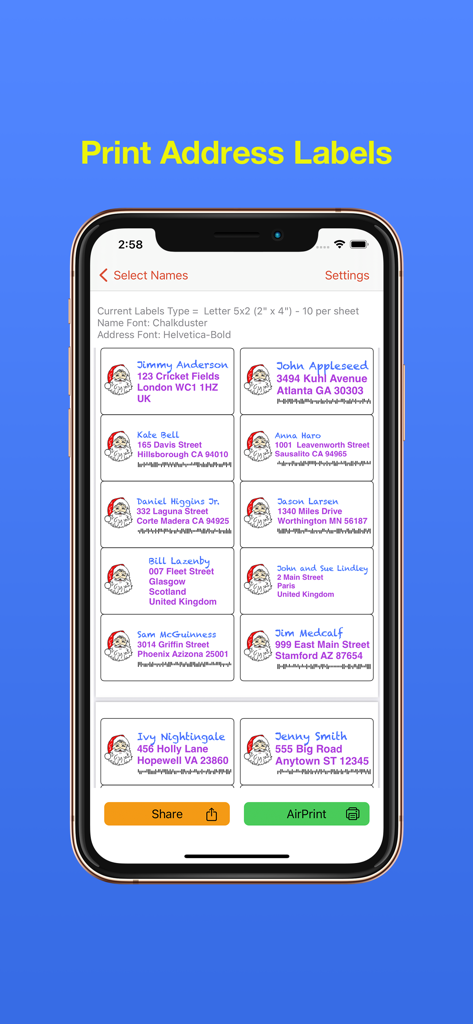
Address Labels & Envelopes - 산타 아이콘과 바코드가 있는 사용자 정의 크리스마스 주소 라벨 격자가 표시된 모바일 앱 인터페이스.
산타 아이콘과 바코드가 있는 사용자 정의 크리스마스 주소 라벨 격자가 표시된 모바일 앱 인터페이스.

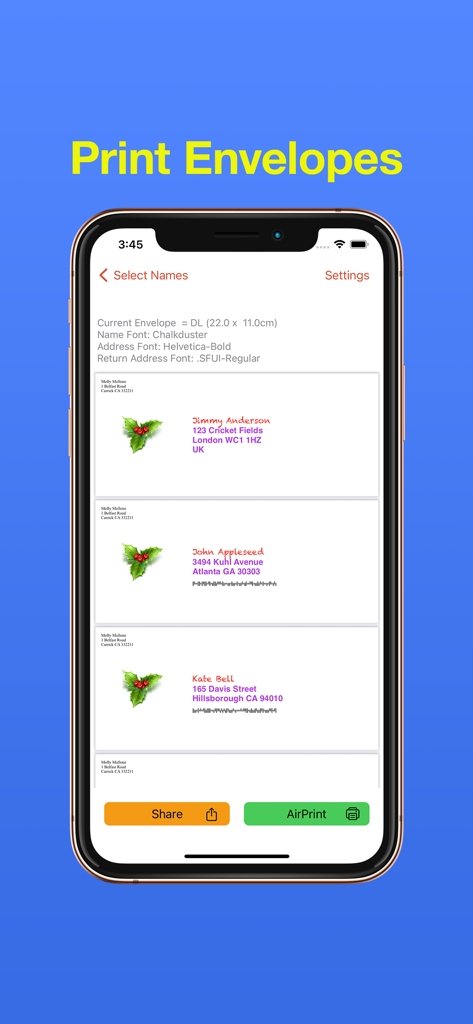
Address Labels & Envelopes - 수신자 주소와 연말연시 아이콘이 있는 개인 맞춤 봉투 디자인을 보여주는 iPhone 앱 화면
수신자 주소와 연말연시 아이콘이 있는 개인 맞춤 봉투 디자인을 보여주는 iPhone 앱 화면

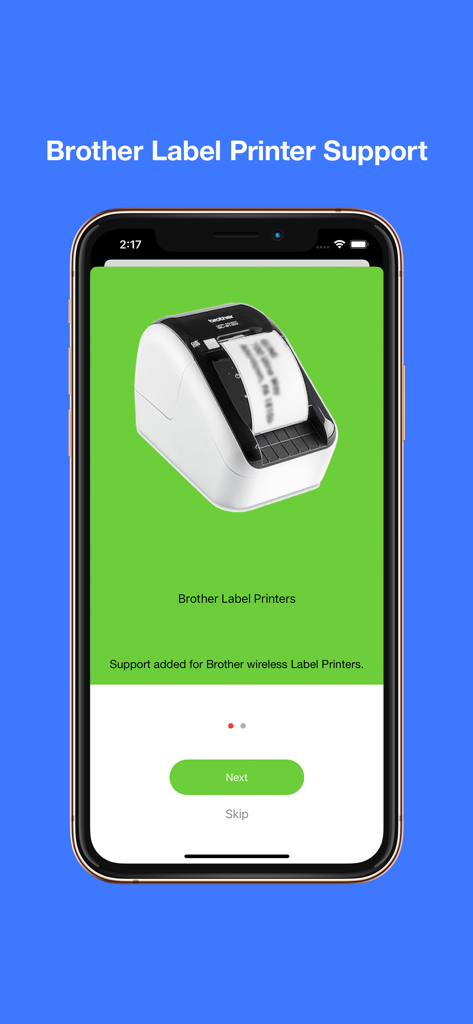
Address Labels & Envelopes - 주소 라벨 앱 화면에 무선 Brother 라벨 프린터 지원이 표시됨
주소 라벨 앱 화면에 무선 Brother 라벨 프린터 지원이 표시됨

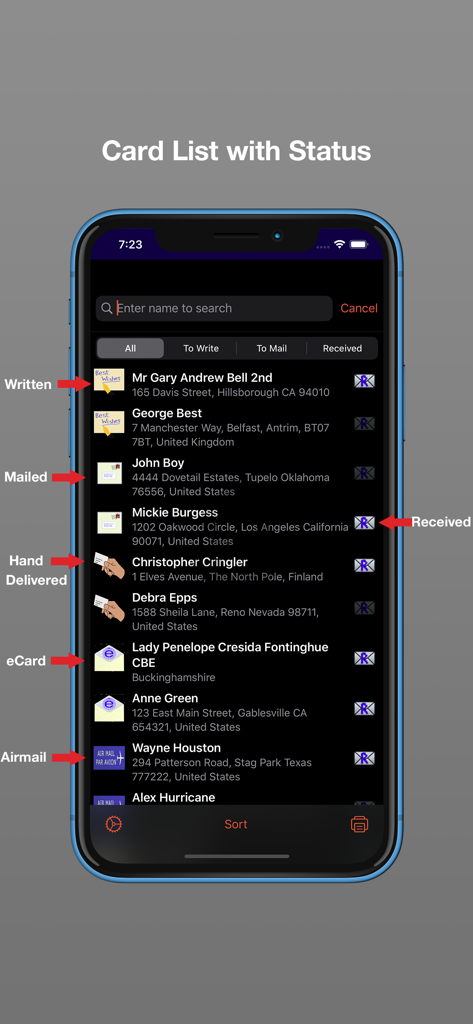
Address Labels & Envelopes - 작성, 발송, 직접 전달, 수신 카드 상태 아이콘이 있는 우편 카드 목록을 보여주는 iPhone 스크린샷
작성, 발송, 직접 전달, 수신 카드 상태 아이콘이 있는 우편 카드 목록을 보여주는 iPhone 스크린샷

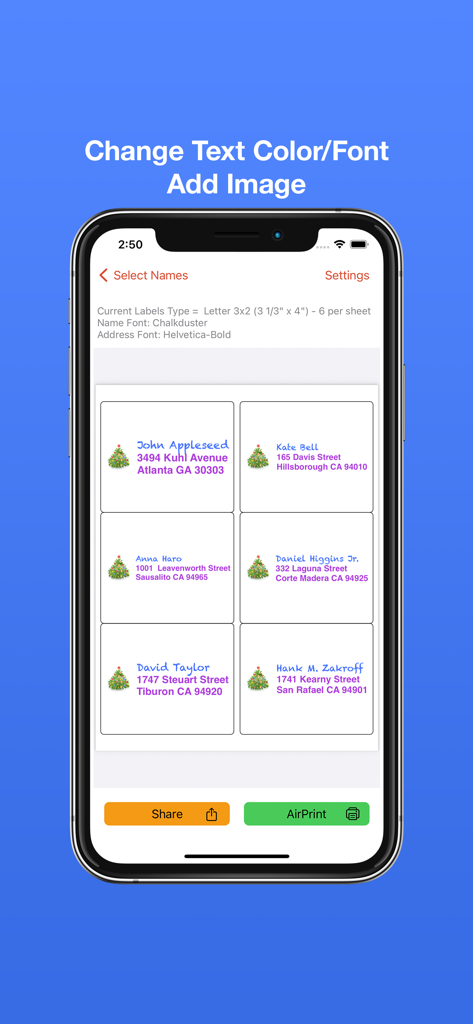
Address Labels & Envelopes - 크리스마스 트리 아이콘과 다채로운 글꼴 선택이 있는 사용자 정의 주소 라벨을 보여주는 모바일 앱 인터페이스
크리스마스 트리 아이콘과 다채로운 글꼴 선택이 있는 사용자 정의 주소 라벨을 보여주는 모바일 앱 인터페이스

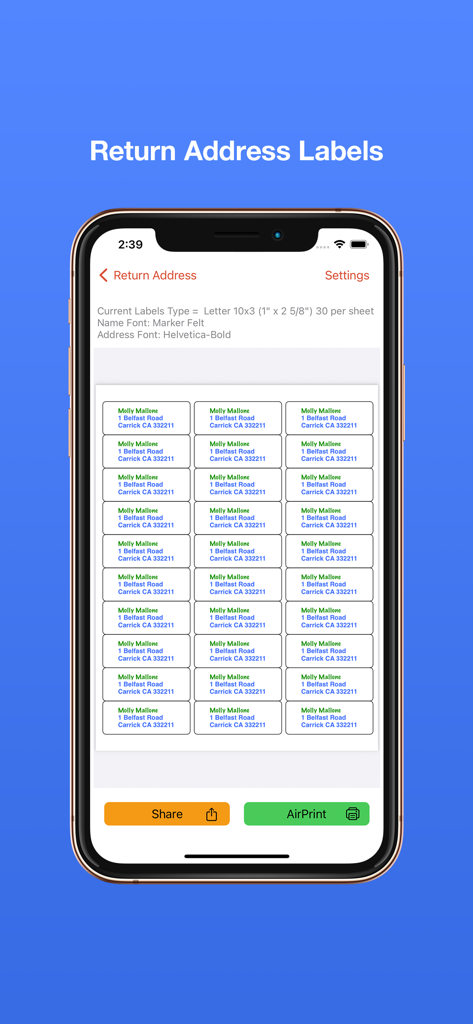
Address Labels & Envelopes - 주소 라벨 및 봉투 앱에서 인쇄 준비가 된 회신 주소 라벨 시트 미리보기
주소 라벨 및 봉투 앱에서 인쇄 준비가 된 회신 주소 라벨 시트 미리보기

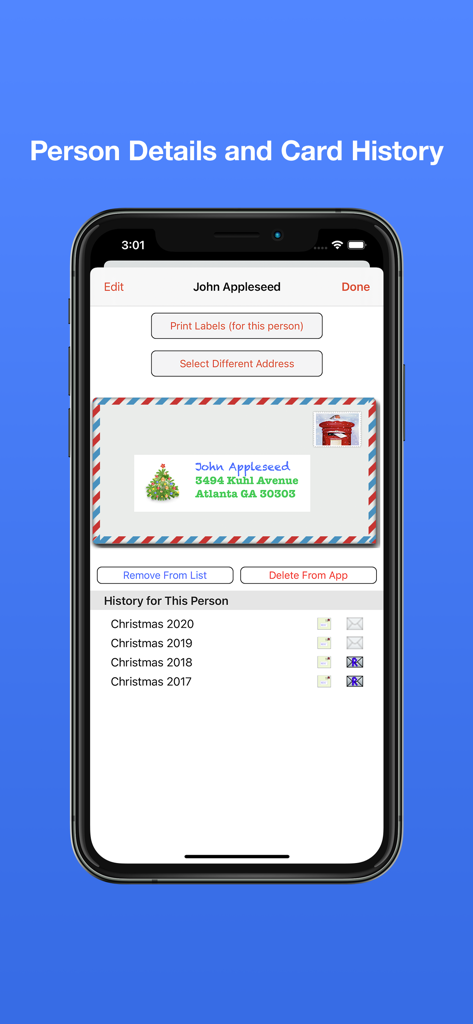
Address Labels & Envelopes - 연락처 세부 정보 및 연말연시 카드 기록 추적기를 보여주는 iPhone 디스플레이.
연락처 세부 정보 및 연말연시 카드 기록 추적기를 보여주는 iPhone 디스플레이.

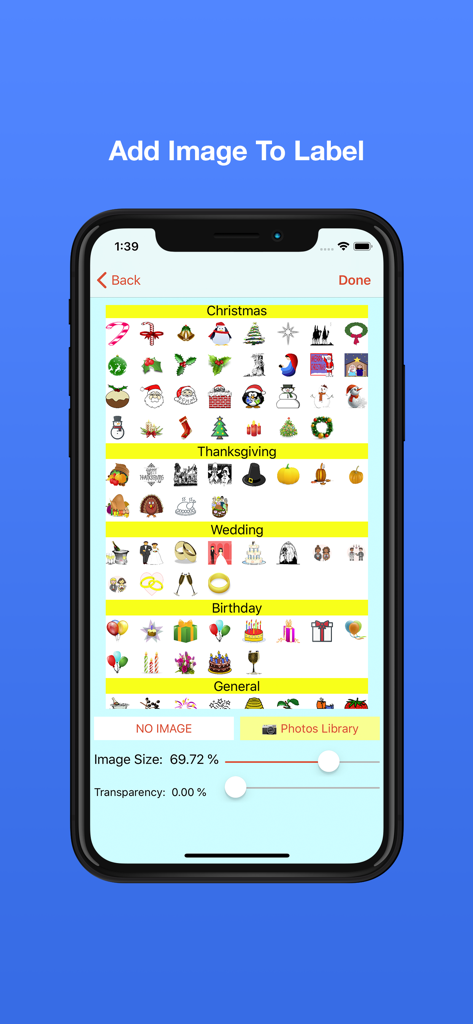
Address Labels & Envelopes - 크리스마스, 추수감사절, 결혼식, 생일 아이콘 선택을 보여주는 주소 라벨 앱의 인터페이스
크리스마스, 추수감사절, 결혼식, 생일 아이콘 선택을 보여주는 주소 라벨 앱의 인터페이스

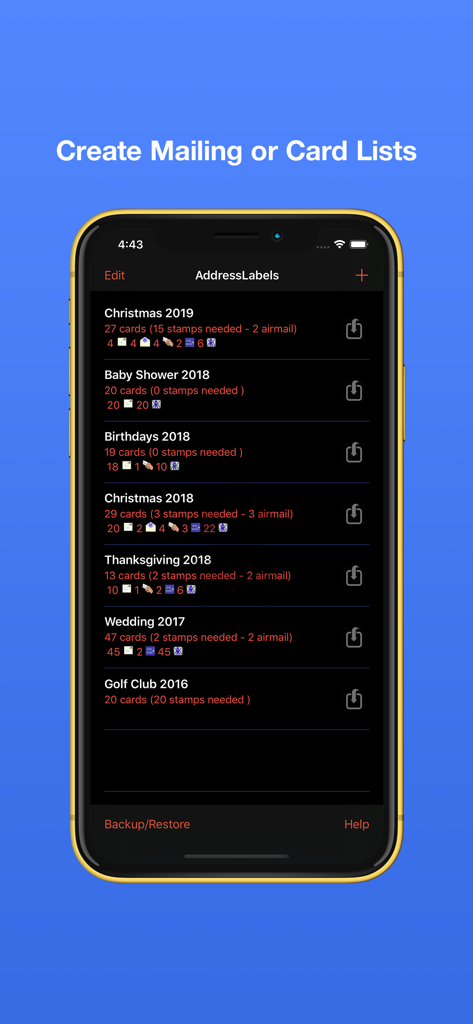
Address Labels & Envelopes - 연말연시 및 행사를 위한 카드 카테고리와 우표 요구 사항을 보여주는 주소 라벨 앱의 우편 목록 관리 화면.
연말연시 및 행사를 위한 카드 카테고리와 우표 요구 사항을 보여주는 주소 라벨 앱의 우편 목록 관리 화면.

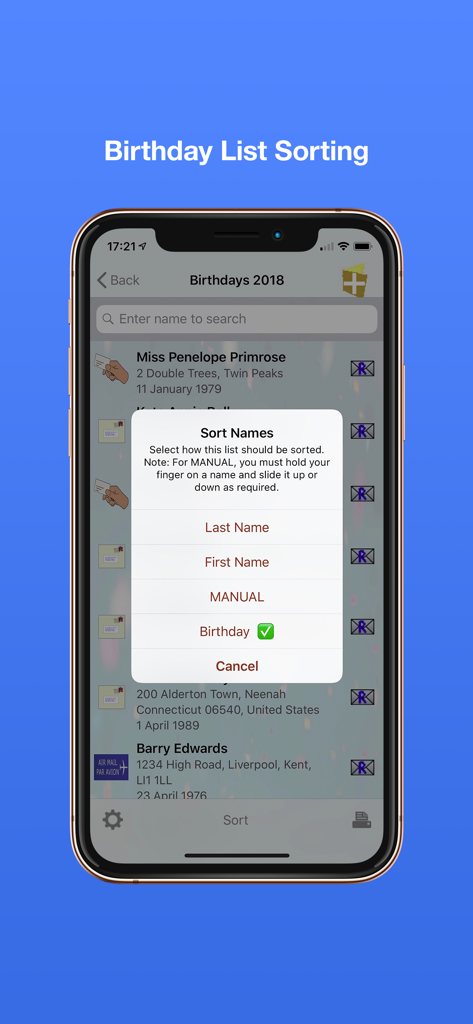
Address Labels & Envelopes - 주소 라벨 앱의 생일 목록 정렬 메뉴를 보여주는 iPhone 화면

주소 라벨 앱의 생일 목록 정렬 메뉴를 보여주는 iPhone 화면

설명

Print your mailing/cards address labels and envelopes in minutes. Address Labels takes care of fitting the text/image to the label size. You just supply the contents and select label type - AddressLabels does the rest. Compatible with the mac app via Cloud syncing. Excellent for organising Christmas card or other mailing lists. No more forgetting to send a card – use your list year after year. No. 1 iPad Utilities App last Christmas on USA and UK stores. Most Avery label sheet types supported. Supports Brother label printers (wifi). Supports some Dymo LabelWriters though also requires 3rd party software (see website). Prints to wide variety of envelopes - even custom sizes. Note: whilst working on most printers, it is not guaranteed to work on all printers. Print USPS IM barcodes for USA addresses. AddressLabels remembers the settings, making the next job even easier. Import names from Contacts, spreadsheet csv files or type manually. Personalize labels with image/photo e.g. Christmas icon Create Return address labels. Sort on First/Last Names, post/zip code, manually or Birthday (really handy for Birthday List) The zip sort lets you target your mailings to specific neighbourhoods and can be especially helpful in the USA allowing you to get the lowest possible postal rates for bulk mail. Create simple Custom labels e.g. for produce labels, storage boxes etc. Record when cards have been written, mailed, hand-delivered or sent as eCards, and number of replies. Number of stamps required displayed. Print directly from your device via Airprint-enabled printer. Share - e.g. email or airdrop list. Export to csv. Store extra info e.g. children names etc. Multiple uses - Christmas, Thanksgiving, Birthdays, Weddings, Baby Showers, storage jars, file labels etc. - use your imagination. Lists sync with other iOS devices and Mac (iOS 13 or later). Check person’s history e.g. to see when they last sent you a card. Use “alias” e.g. import “John Smith” from Contacts, but display and print “The Smiths” etc. Use person's nickname/company for label/envelope **************************************************************** Instructions on using the app at https://ios.addresslabels.app Great support available - support@ios.addresslabels.app *************************************************************** "This app, however, is nothing short of brilliant, easy to use and printing sensible labels." "This app certainly takes the pain out of producing your Christmas and other lists. A lot of thought has gone into this truly excellent product." "This is a superb program and does what it says simply and efficiently. The developer responds promptly to suggestions. Importing Contacts works well and changes are instantly carried through. My cards have never been sent out so early!" "I love how this app has streamlined addressing my Christmas cards!! Thank you!!" "AddressLabels delivers an extremely effective way to manage card lists which means the ability to easily compose lists from your Contacts, get the labels printed, and keep track of cards received and sent! Add the ability to manually enter list members, assign nicknames, select from multiple addresses, intelligent handling the country portion of the address, accommodate a large range of label types, AirPrint directly or produce a PDF of the labels, clone new lists from existing lists, all wrapped in a visually pleasing interface. Winner!" "I hate addressing my Christmas cards. This app made it very easy to make labels. I don't have a printer that works with my iPad yet, so I really appreciated having the capability to send them as a PDF to my email address. The app is awesome..." “Just what you need at this time of year - a reliable self updating list to speed up sending out cards. This is the 3rd or 4th year I've used it and it just gets better and better.” “After years of tearing my hair out trying to get labels out of my iphone/iPad/iMac combo, an app that actually does what it promised!”

Download

다운로드: App Store

이 페이지는 앱이나 개발자의 공식 페이지가 아니며, 정보 제공 및 논평을 목적으로 작성된 독립 편집 간행물입니다. 명시적으로 달리 언급되지 않는 한, 해당 앱이나 개발자는 MWM, Apple, Google Play, 앱 퍼블리셔 또는 앱 개발자와 제휴, 보증, 후원, 승인 또는 공식적으로 연결되어 있지 않으며, 이 페이지의 어떤 내용도 해당 앱이 MWM의 서비스를 사용하여 개발되었음을 의미하지 않습니다. 모든 상표, 로고, 스크린샷 및 기타 콘텐츠는 해당 소유자의 자산입니다.








