Advanced JSON Viewer
다운로드: App Store

이 페이지는 앱이나 개발자의 공식 페이지가 아니며, 정보 제공 및 논평을 목적으로 작성된 독립 편집 간행물입니다. 명시적으로 달리 언급되지 않는 한, 해당 앱이나 개발자는 MWM, Apple, Google Play, 앱 퍼블리셔 또는 앱 개발자와 제휴, 보증, 후원, 승인 또는 공식적으로 연결되어 있지 않으며, 이 페이지의 어떤 내용도 해당 앱이 MWM의 서비스를 사용하여 개발되었음을 의미하지 않습니다. 모든 상표, 로고, 스크린샷 및 기타 콘텐츠는 해당 소유자의 자산입니다.


로고: Advanced JSON Viewer
다운로드: App Store

Advanced JSON Viewer

원시 API 응답을 아름답고 대화형 코드로 변환하세요. Mac, iPhone, iPad 및 Vision Pro 전반에 걸쳐 구문 강조 및 오류 감지를 통해 JSON 파일을 형식화, 편집 및 디버그하세요.

주요 수치

다운로드

2K+

사용자 평점

1.0/5

총 평가 수

0

개발사

Acrogenesis LLC

카테고리

Developer Tools

지원 언어

1

최신 버전

2.2

크기

5.3 MB

출시일

2025년 1월 6일
기능

Apple 워크플로를 위한 전문 JSON 도구

원시 텍스트와의 씨름을 멈추세요. iPhone, iPad, Mac 및 Vision Pro 전반에 걸쳐 JSON 데이터를 보는, 편집하는, 디버깅하는 방식을 전환하세요. 고성능 엔지니어링을 위해 설계된 제품군입니다.

즉각적인 Safari 형식화

브라우저를 벗어나지 않고도 복잡한 API 응답을 깔끔하고 대화형 트리로 자동 변환합니다.

강력한 로컬 편집기

실시간 오류 감지 및 전문 Ace 편집기를 사용하여 이동 중에도 JSON 파일을 열고, 편집하고, 저장합니다.

다음 스크린샷과 설명은 앱의 공식 스토어 목록에서 직접 가져온 것이며 앱 개발자의 자산입니다.

앱 스토어

스크린샷
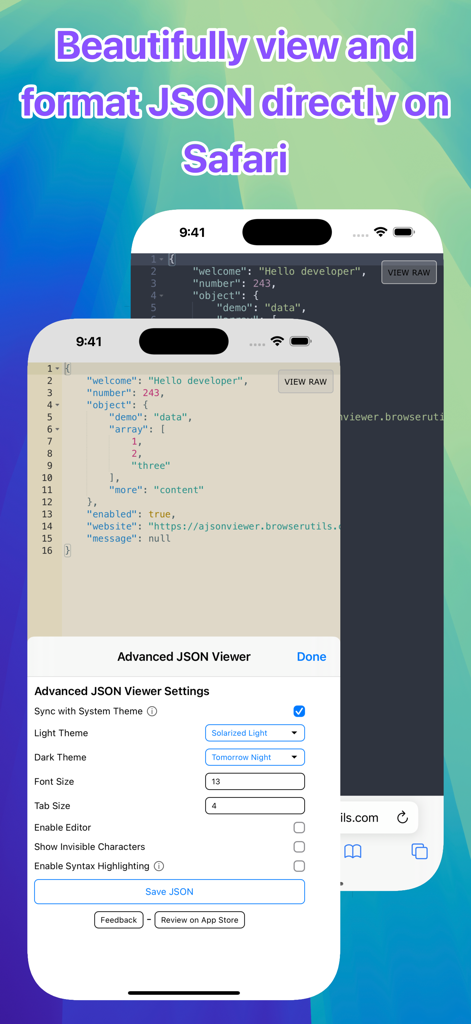
Advanced JSON Viewer - iPhone에서 Advanced JSON Viewer의 인터페이스, 형식화된 JSON 데이터와 테마 및 레이아웃 설정 표시
iPhone에서 Advanced JSON Viewer의 인터페이스, 형식화된 JSON 데이터와 테마 및 레이아웃 설정 표시

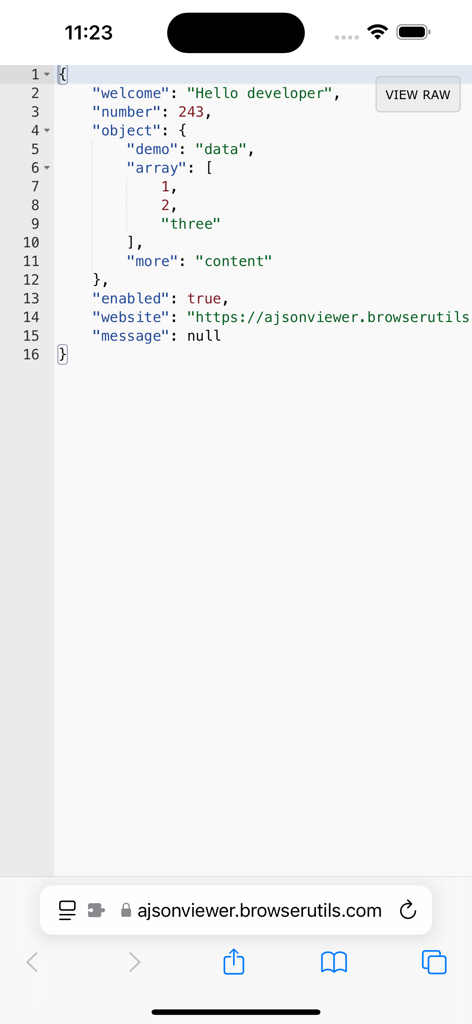
Advanced JSON Viewer - iPhone Safari에서 구문 강조 기능이 적용된 형식화된 JSON을 표시하는 Advanced JSON Viewer 확장 프로그램
iPhone Safari에서 구문 강조 기능이 적용된 형식화된 JSON을 표시하는 Advanced JSON Viewer 확장 프로그램

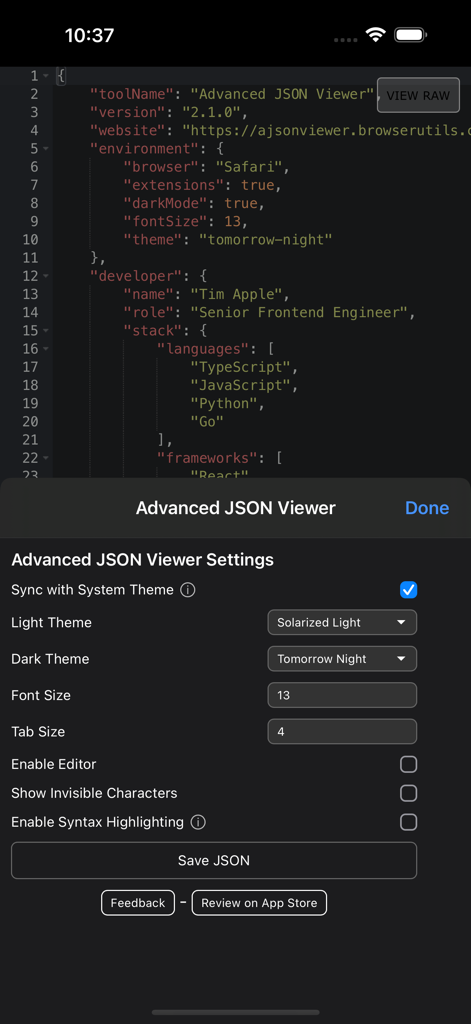
Advanced JSON Viewer - iPhone에서 테마 선택 및 글꼴 사용자 정의 옵션을 보여주는 Advanced JSON Viewer 설정 메뉴
iPhone에서 테마 선택 및 글꼴 사용자 정의 옵션을 보여주는 Advanced JSON Viewer 설정 메뉴

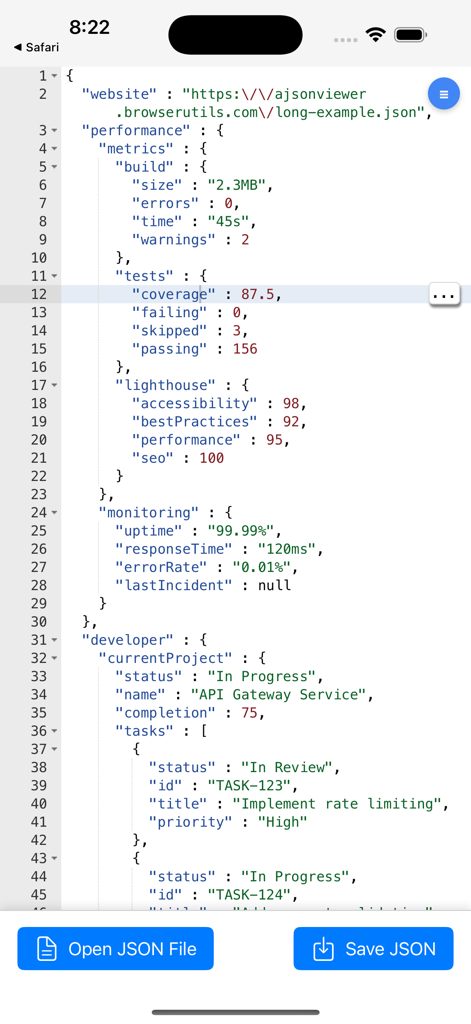
Advanced JSON Viewer - 열기 및 저장 버튼이 있는 형식화된 코드를 표시하는 Advanced JSON Viewer 앱
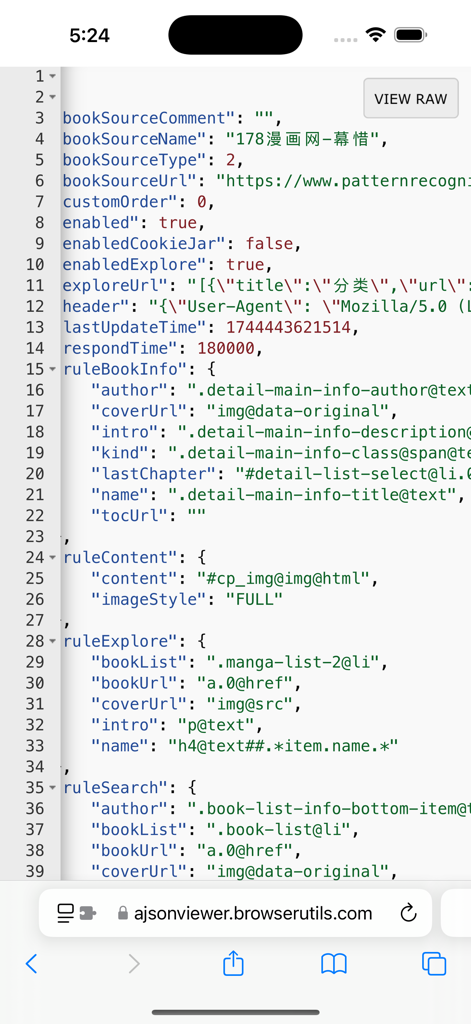
열기 및 저장 버튼이 있는 형식화된 코드를 표시하는 Advanced JSON Viewer 앱

Advanced JSON Viewer - iPhone 화면에 색상으로 구분된 JSON 코드를 표시하는 Advanced JSON Viewer

iPhone 화면에 색상으로 구분된 JSON 코드를 표시하는 Advanced JSON Viewer

설명

Advanced JSON Viewer transforms raw JSON data into an elegant, interactive viewing experience right in Safari and now supports opening and saving JSON files directly from your device. Key Features: • Open JSON Files: Open and view JSON files from your device with powerful formatting • Save JSON Files: Edit and save your JSON data directly to your device • Beautiful JSON Formatting: Instantly transforms unformatted JSON into a clean, readable format • Syntax Highlighting: Makes JSON structure easily readable with color-coded elements • Light & Dark Modes: Automatically switches between themes based on your system preferences • Customizable Themes: Choose from a wide selection of professional color schemes • Interactive Editor: Edit JSON directly in the browser with the powerful Ace editor • Settings Toolbar: Quick access to all viewing preferences in one convenient panel • Adjustable Settings: Customize font size, tab width, and other viewing preferences • Invisible Characters: Option to display invisible characters for precise editing • Fast & Efficient: Works instantly on any JSON page or file without slowing down your experience • Error Detection: Highlights JSON syntax errors as you type • Toggle Views: Switch between raw and formatted views with a single click Perfect for developers, QA engineers, API testers, and anyone who works with JSON data. Advanced JSON Viewer makes reading, editing, and saving JSON in Safari and local files a delightful experience. Built with attention to detail and performance, this app seamlessly enhances your JSON workflow whether you're browsing API responses online or examining and editing local configuration files. Available as a universal purchase - buy once and use it on Mac, iPhone, iPad, and Vision Pro.

Download

다운로드: App Store

이 페이지는 앱이나 개발자의 공식 페이지가 아니며, 정보 제공 및 논평을 목적으로 작성된 독립 편집 간행물입니다. 명시적으로 달리 언급되지 않는 한, 해당 앱이나 개발자는 MWM, Apple, Google Play, 앱 퍼블리셔 또는 앱 개발자와 제휴, 보증, 후원, 승인 또는 공식적으로 연결되어 있지 않으며, 이 페이지의 어떤 내용도 해당 앱이 MWM의 서비스를 사용하여 개발되었음을 의미하지 않습니다. 모든 상표, 로고, 스크린샷 및 기타 콘텐츠는 해당 소유자의 자산입니다.








