
이 페이지는 앱이나 개발자의 공식 페이지가 아니며, 정보 제공 및 논평을 목적으로 작성된 독립 편집 간행물입니다. 명시적으로 달리 언급되지 않는 한, 해당 앱이나 개발자는 MWM, Apple, Google Play, 앱 퍼블리셔 또는 앱 개발자와 제휴, 보증, 후원, 승인 또는 공식적으로 연결되어 있지 않으며, 이 페이지의 어떤 내용도 해당 앱이 MWM의 서비스를 사용하여 개발되었음을 의미하지 않습니다. 모든 상표, 로고, 스크린샷 및 기타 콘텐츠는 해당 소유자의 자산입니다.


AI Photo Editor: Collage Maker
이 앱은 당신의 평범한 사진을 시각적 서사로 변모시킨다. 클릭 몇 번으로 당신의 이야기가 전문가의 손길을 거친 것처럼 펼쳐지는 것을 목격하게 될 것이다.
다운로드
100k+사용자 평점
총 평가 수
184개발사
카테고리
Photo & Video지원 언어
21최신 버전
1.2.3크기
194.7 MB출시일
2024년 9월 26일시각적 콘텐츠 제작에 최적화된 다기능 편집 도구
'AI Photo Editor: Collage Maker' 앱 주요 기능 분석
스토리북 및 다중 페이지 앨범 제작
사용자가 여러 페이지의 콜라주, 사진 및 텍스트를 결합하여 디지털 스토리북을 만들고, 여행이나 특별한 순간을 아름답게 기록하며, PDF 또는 공유 가능한 슬라이드쇼로 내보낼 수 있게 해줍니다.
간편한 소셜 미디어 공유
이 앱은 Instagram, TikTok, Pinterest 등 주요 소셜 미디어 플랫폼에 제작물을 직접 공유할 수 있는 기능을 제공하며, 스토리 콜라주, 릴, 하이라이트 등 소셜 미디어에 최적화된 콘텐츠를 쉽게 만들 수 있게 해줍니다.
다양한 상황을 위한 템플릿
이 도구는 수백 가지의 즉시 사용 가능한 템플릿을 제공하여 사용자가 생일, 결혼식, 여행 콜라주 또는 Instagram 스토리와 같은 다양한 소셜 미디어 레이아웃에 맞춰 사진을 돋보이게 만들고, 초보자도 전문가 수준의 디자인을 쉽게 완성할 수 있게 해줍니다.
창의적인 스티커 및 텍스트 편집
사용자가 다양한 스티커, 이모티콘 및 글꼴로 사진을 풍부하게 만들고, 스타일리시한 글꼴, 색상 및 그림자로 맞춤형 텍스트 오버레이를 추가하며, 곡선 또는 3D 스타일과 같은 동적인 텍스트 효과를 활용하여 개성 있는 디자인을 연출할 수 있게 해줍니다.
강력한 사진 편집 도구
이 앱은 빈티지, 시네마틱, 레트로 등 다양한 필터와 효과를 제공하며, 완벽한 구성을 위한 자르기, 크기 조절, 회전 기능을 갖추고 있어 사용자가 사진의 품질을 향상시키고 창의적인 시각 효과를 만들 수 있게 해줍니다.
재미있고 특별한 기능
이 도구는 밈 콜라주, 생일 카드, 여행 스크랩북, 거울 콜라주 및 애니메이션 슬라이드쇼와 같은 다양한 재미있고 특별한 기능을 제공하여 사용자가 창의적인 프로젝트, 캐주얼한 재미 또는 소셜 미디어 콘텐츠를 제작할 수 있게 해줍니다.
자주 묻는 질문
에 대해 알아야 할 모든 것 AI Photo Editor: Collage Maker
What is the AI Photo Editor: Collage Maker app?
The AI Photo Editor: Collage Maker is an all-in-one app for photo editing and collage creation. It offers professional tools for enhancing photos, designing collages, and creating personalized storybooks with an intuitive interface.
Does the AI Photo Editor: Collage Maker app include templates for collages?
Yes, the AI Photo Editor: Collage Maker app includes hundreds of customizable templates. These are ideal for birthdays, weddings, travel, social media stories, and multi-photo grids, allowing users to resize and reposition elements.
Can users add text and stickers in the AI Photo Editor: Collage Maker?
Yes, users can enhance photos with a variety of stickers, emojis, and fonts. The AI Photo Editor: Collage Maker also supports customizable text overlays with stylish fonts, colors, shadows, and dynamic effects like curved or 3D styles.
Is the AI Photo Editor: Collage Maker app privacy-focused?
Yes, the AI Photo Editor: Collage Maker app prioritizes privacy. It features offline editing to keep photos safe on the device, prevents unauthorized data collection or sharing, and offers optional password or fingerprint protection for albums.
Is the AI Photo Editor: Collage Maker app free to use?
Basic functionality of the AI Photo Editor: Collage Maker app is free. However, saving edited images locally and unlimited Storybook use require a paid subscription. Subscriptions auto-renew and can be managed in App Store settings.
What photo editing tools are available in AI Photo Editor: Collage Maker?
The AI Photo Editor: Collage Maker provides powerful editing tools. These include filters, effects (vintage, cinematic), cropping, resizing, rotating, flipping, photo blending, and overlay options for creative visuals and perfect composition.
Can I share creations from AI Photo Editor: Collage Maker to social media?
Yes, the AI Photo Editor: Collage Maker supports direct sharing to platforms like Instagram, TikTok, Pinterest, Facebook, and WhatsApp. Users can create story collages, reels, highlights, video slideshows, custom wallpapers, and profile pictures.
What is the Storybook feature in AI Photo Editor: Collage Maker?
The Storybook feature allows users to combine multiple pages of collages, photos, and text into digital albums. Users can add captions and narrations, documenting events like trips or birthdays, and export them as PDFs or shareable slideshows.
Does the AI Photo Editor: Collage Maker offer custom backgrounds for collages?
Yes, the AI Photo Editor: Collage Maker offers custom backgrounds for collages. Users can choose from various patterns and colors to enhance their designs and create visually appealing compositions.
다음 스크린샷과 설명은 앱의 공식 스토어 목록에서 직접 가져온 것이며 앱 개발자의 자산입니다.
앱 스토어
스크린샷
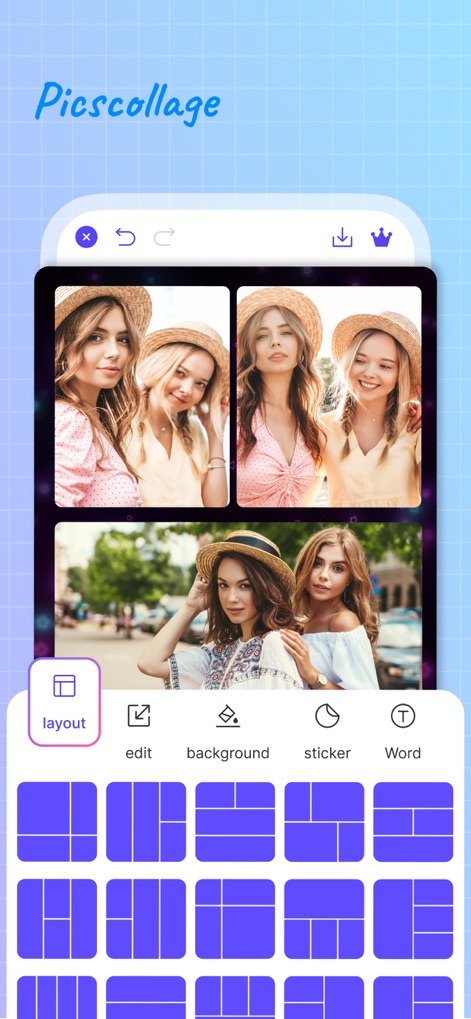
이 앱은 사용자가 다양한 레이아웃 템플릿을 선택하여 여러 장의 사진을 손쉽게 배열하고, 자신만의 독특한 콜라주를 만들 수 있도록 돕습니다.
다양한 콜라주 레이아웃
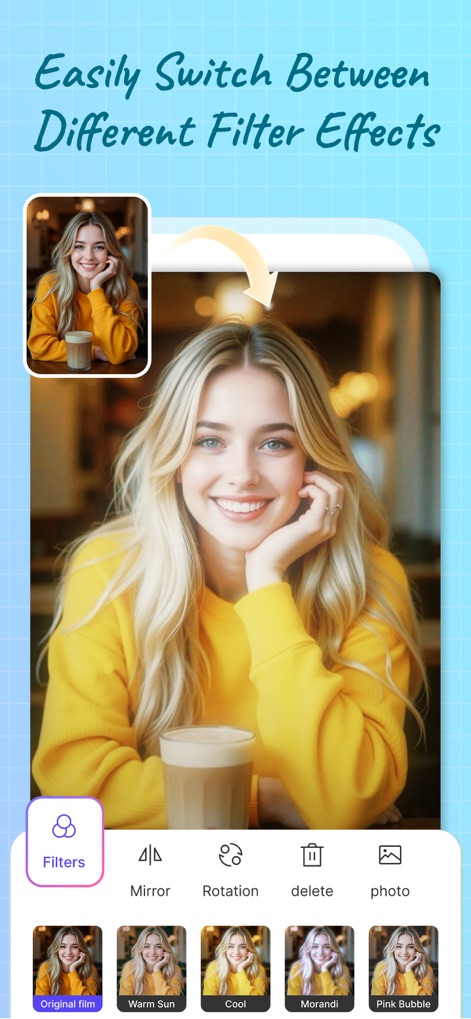
이 도구는 사용자가 다양한 필터 효과를 쉽게 전환하여 사진의 분위기를 바꾸고, 원하는 스타일로 이미지를 즉시 향상시킬 수 있도록 지원합니다.
다채로운 필터 효과
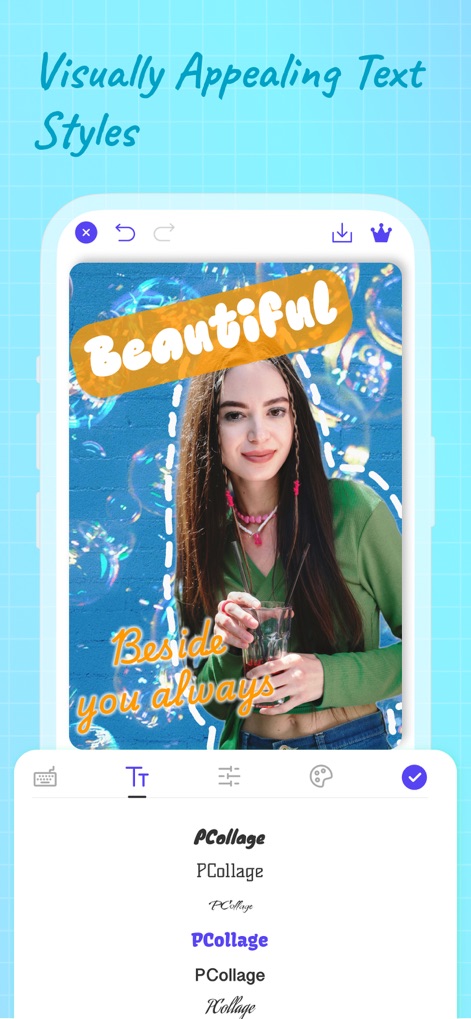
이 앱은 사용자가 다양한 글꼴과 동적인 텍스트 스타일을 활용하여 사진 위에 개성 있는 문구를 추가하고, 창의적인 메시지를 전달할 수 있게 합니다.
개성 넘치는 텍스트
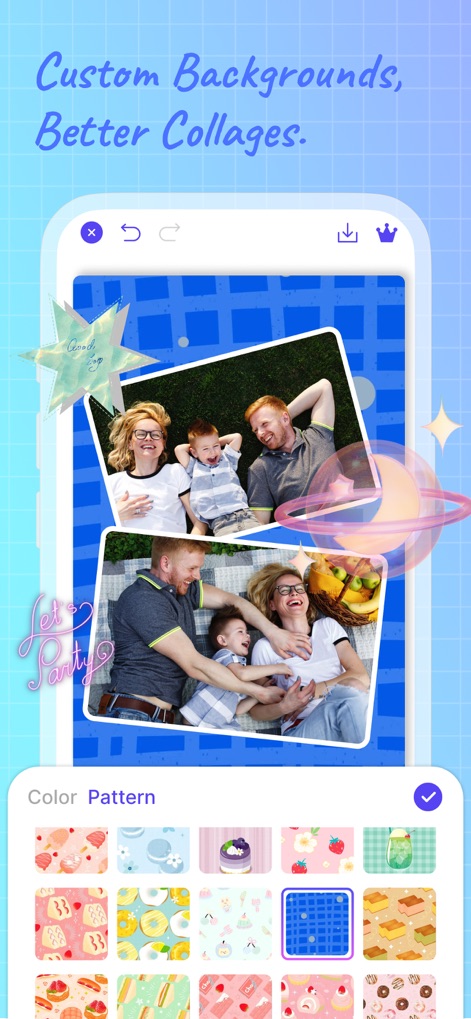
사용자는 다양한 맞춤형 배경과 다채로운 패턴을 적용하여 콜라주 디자인을 더욱 풍부하게 만들고, 시각적인 매력을 더할 수 있습니다.
나만의 배경 선택
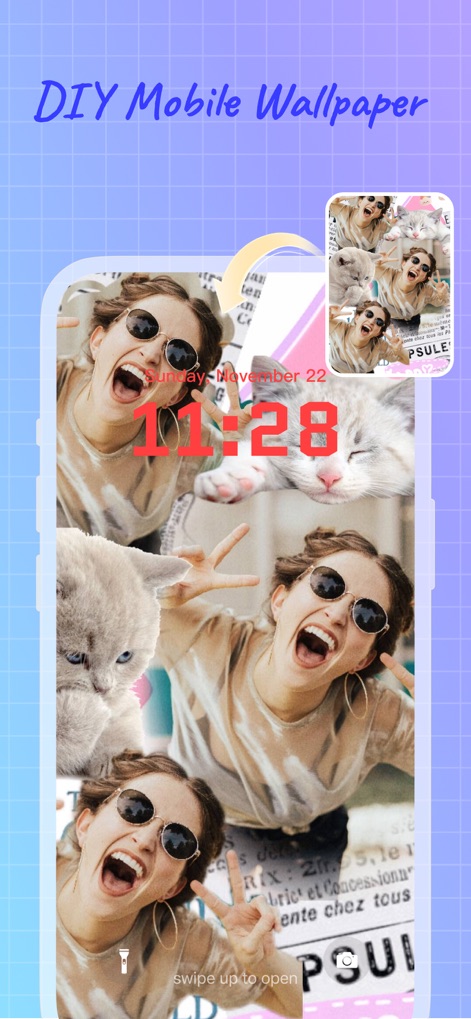
이 도구를 사용하여 여러 장의 사진과 독특한 요소들을 활용하여 맞춤형 모바일 배경화면을 직접 제작하고, 기기에 개성을 불어넣을 수 있습니다.
나만의 배경화면 제작

이 앱은 사용자가 다양한 테마의 템플릿과 무한한 레이아웃 중에서 자유롭게 선택하여 새로운 영감을 얻고, 모든 순간을 위한 맞춤형 디자인을 만들 수 있도록 제공합니다.
자유로운 레이아웃 전환
설명
Download
비슷한 앱
유사한 기능과 사용자 경험을 가진 앱

SCRL: Photo Collage Maker
Appostrophe AB

PhotoGrid: Video Collage Maker
JUPITER PALACE PTE. LTD.

Layout for Instagram: Collage
Shamble, Inc.

Photo Collage Maker: InCollage
SHANTANU PTE. LTD.

TicPic
Zhuhai Kuxiong Network Technology Co., Ltd.

Collage Maker: CollagePlus
Shamble, Inc.

Photo Collage Montage Maker
Honk Honk Punch Pty Ltd

Photo Collage Maker & Creator
Honk Honk Punch Pty Ltd

Photo Collage Montage & Layout
Honk Honk Punch Pty Ltd
이 페이지는 앱이나 개발자의 공식 페이지가 아니며, 정보 제공 및 논평을 목적으로 작성된 독립 편집 간행물입니다. 명시적으로 달리 언급되지 않는 한, 해당 앱이나 개발자는 MWM, Apple, Google Play, 앱 퍼블리셔 또는 앱 개발자와 제휴, 보증, 후원, 승인 또는 공식적으로 연결되어 있지 않으며, 이 페이지의 어떤 내용도 해당 앱이 MWM의 서비스를 사용하여 개발되었음을 의미하지 않습니다. 모든 상표, 로고, 스크린샷 및 기타 콘텐츠는 해당 소유자의 자산입니다.