Air Transfer - File Transfer from/to PC thru WiFi
다운로드: App Store

이 페이지는 앱이나 개발자의 공식 페이지가 아니며, 정보 제공 및 논평을 목적으로 작성된 독립 편집 간행물입니다. 명시적으로 달리 언급되지 않는 한, 해당 앱이나 개발자는 MWM, Apple, Google Play, 앱 퍼블리셔 또는 앱 개발자와 제휴, 보증, 후원, 승인 또는 공식적으로 연결되어 있지 않으며, 이 페이지의 어떤 내용도 해당 앱이 MWM의 서비스를 사용하여 개발되었음을 의미하지 않습니다. 모든 상표, 로고, 스크린샷 및 기타 콘텐츠는 해당 소유자의 자산입니다.


로고: Air Transfer - File Transfer from/to PC thru WiFi
다운로드: App Store

Air Transfer - File Transfer from/to PC thru WiFi

케이블과 iTunes는 잊으세요. WiFi를 통해 사진, 음악, 문서를 즉시 무선으로 끌어다 놓으면 PC와 모바일 세계를 연결하는 다리가 됩니다.

주요 수치

다운로드

818K+

사용자 평점

4.2/5

총 평가 수

3K+

개발사

Junsik Choi

카테고리

Utilities

지원 언어

12

최신 버전

1.4.5

크기

18.6 MB

출시일

2012년 5월 10일
기능

번거로움 없는 원활한 파일 공유

케이블과 복잡한 동기화에서 벗어나세요. Air Transfer는 로컬 WiFi를 컴퓨터와 iOS 장치 간의 고속 다리로 전환하여 파일 관리를 끌어다 놓기만큼 쉽게 만듭니다.

Windows 사용자에게 완벽한 다리

AirDrop이 없어도 괜찮습니다. iTunes나 Finder를 열 필요 없이 모든 PC 브라우저에서 iPhone으로 문서, 사진, 미디어를 직접 전송하세요.

끌어서 놓으면 자동 정리

웹 브라우저에 파일을 놓기만 하면 됩니다. 당사의 스마트 시스템은 음악, 영화, 문서와 같은 7가지 카테고리로 자동 분류하여 즉시 액세스할 수 있도록 합니다.

다음 스크린샷과 설명은 앱의 공식 스토어 목록에서 직접 가져온 것이며 앱 개발자의 자산입니다.

앱 스토어

스크린샷
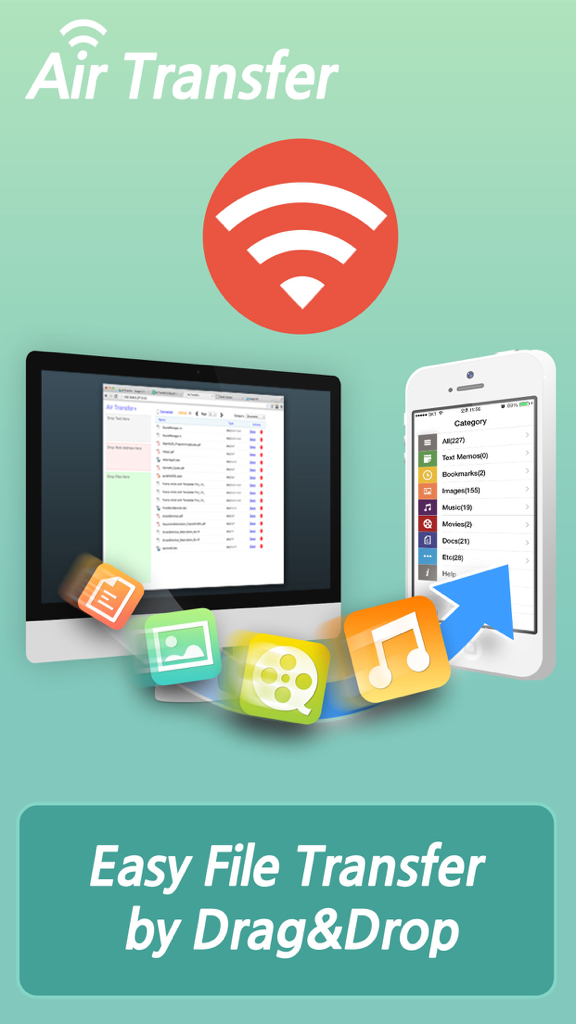
Air Transfer - File Transfer from/to PC thru WiFi - PC에서 iPhone으로 무선 파일 전송을 보여주는 Air Transfer 앱 화면
PC에서 iPhone으로 무선 파일 전송을 보여주는 Air Transfer 앱 화면

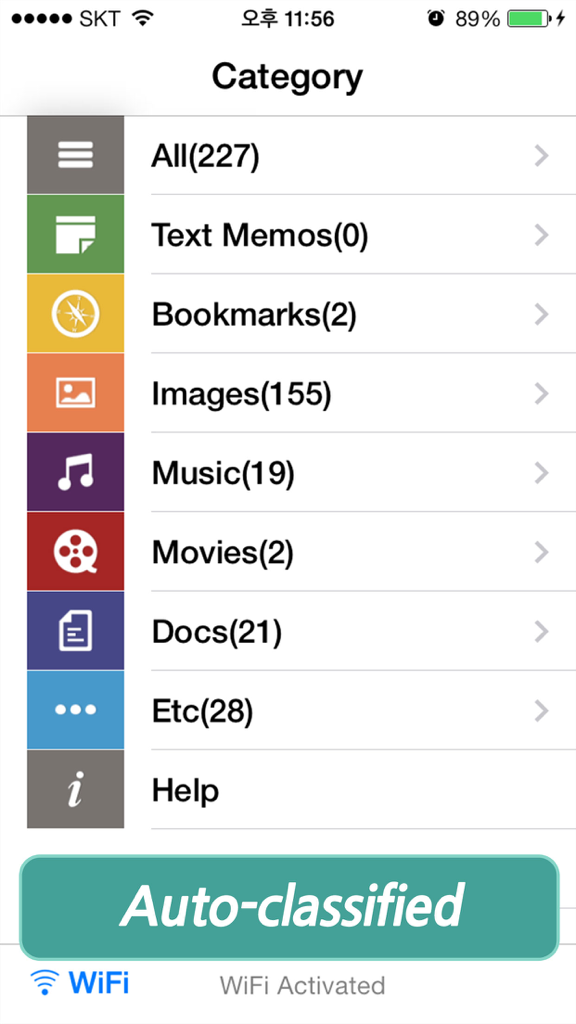
Air Transfer - File Transfer from/to PC thru WiFi - 이미지, 음악, 문서 등 자동 분류된 파일 카테고리를 보여주는 Air Transfer 앱 인터페이스
이미지, 음악, 문서 등 자동 분류된 파일 카테고리를 보여주는 Air Transfer 앱 인터페이스

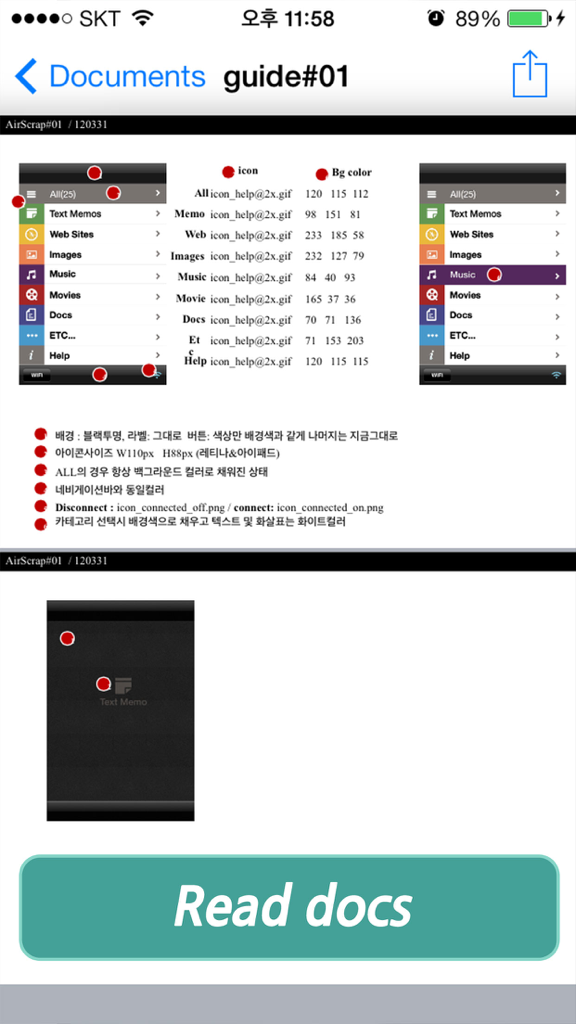
Air Transfer - File Transfer from/to PC thru WiFi - 기술 가이드와 하단의 큰 '문서 읽기' 버튼이 있는 문서 뷰어를 표시하는 Air Transfer 앱 화면

기술 가이드와 하단의 큰 '문서 읽기' 버튼이 있는 문서 뷰어를 표시하는 Air Transfer 앱 화면

Air Transfer - File Transfer from/to PC thru WiFi - 재생 버튼이 있는 동영상 재생 화면을 보여주는 Air Transfer 앱 동영상 플레이어 인터페이스

재생 버튼이 있는 동영상 재생 화면을 보여주는 Air Transfer 앱 동영상 플레이어 인터페이스

Air Transfer - File Transfer from/to PC thru WiFi - 뉴스 기사를 보여주는 Air Transfer 앱 내 통합 웹 브라우저

뉴스 기사를 보여주는 Air Transfer 앱 내 통합 웹 브라우저

설명

* The easiest way to transfer files to PC and backup data from iPhone to PC. * Wirelessly Transfer Media from iPhone to Computer without using iTunes. * Just Drag & Drop your contents and Play: Text, Bookmark, Image and Photo, Music, Movie, Documents and more through wireless connection ! Air Transfer moves what you're seeing or playing on Mac/PC to your iPhone/iPad with just single drag&drop! It moves whatever you want; text memo, website address, photo, music, movie, document and so on. The transferred items are auto-classified into 7-categories according to their type. You can also see or play the items in Air Transfer right away! Air Transfer works even in background mode, you can switch to other apps without stopping current transfer. * Reviews "Witness This App Pull Off Its Automatic Magic Tricks" - AppAdvice.com * Supports both iPhone and iPad. * Built-in Music Player 1) Manage playlist. 2) Playback in background mode. 3) Remote control from control center. 4) Supports MP3, WAV, CAF and other music file formats. * Classification Categories 1) Text Memo, 2) Website, 3) Images, 4) Music, 5) Movies, 6) Documents, 7) Etc... * Show photos and share them directly to SNS. 1) JPEG, PNG, GIF, ...   2) Camera Roll, eMail, SMS, Instagram, Facebook, Twitter. * Play videos directly Air Transfer supports QuickTime Movie(.MOV, .MP4) formats. * Built-in Document Reader(viewer). 4) PDF Docs(.pdf), Text(.txt), RTF(.rtf), MS Word(.doc, .docx), MS Excel (.xls, .xlsx), MS PowerPoint(.ppt, .pptx), Pages(.pages), Numbers(.numbers), Keynote(.keynote), HTML(.html, .htm) and more. * Supported Web Browsers. 1) Safari 2) FireFox 3) Chrome 4) Internet Explorer (File upload is limited in IE). * How to use 1) Make sure that the Desktop and iDevice are connected to the same local area network or the same WiFi network when using Air Transfer. Otherwise, Air Transfer cannot connect to the Desktop. 2) Click WiFi button and input the Device URL in Web Browser on your Desktop. 3) Drop contents on drop areas on the left side in Web Browser. * Air Transfer is also an excellent choice to backup your photos or videos stored Camera Roll. 1) First import photos and videos from Camera Roll to Air Transfer. 2) Backup those imported files to your Desktop PC via Web Browser. * Contact If you have any questions or suggestions, please let us know ! email: master@darinsoft.com

Download

다운로드: App Store

이 페이지는 앱이나 개발자의 공식 페이지가 아니며, 정보 제공 및 논평을 목적으로 작성된 독립 편집 간행물입니다. 명시적으로 달리 언급되지 않는 한, 해당 앱이나 개발자는 MWM, Apple, Google Play, 앱 퍼블리셔 또는 앱 개발자와 제휴, 보증, 후원, 승인 또는 공식적으로 연결되어 있지 않으며, 이 페이지의 어떤 내용도 해당 앱이 MWM의 서비스를 사용하여 개발되었음을 의미하지 않습니다. 모든 상표, 로고, 스크린샷 및 기타 콘텐츠는 해당 소유자의 자산입니다.








