AirMirror - Remote Support
다운로드: App Store

이 페이지는 앱이나 개발자의 공식 페이지가 아니며, 정보 제공 및 논평을 목적으로 작성된 독립 편집 간행물입니다. 명시적으로 달리 언급되지 않는 한, 해당 앱이나 개발자는 MWM, Apple, Google Play, 앱 퍼블리셔 또는 앱 개발자와 제휴, 보증, 후원, 승인 또는 공식적으로 연결되어 있지 않으며, 이 페이지의 어떤 내용도 해당 앱이 MWM의 서비스를 사용하여 개발되었음을 의미하지 않습니다. 모든 상표, 로고, 스크린샷 및 기타 콘텐츠는 해당 소유자의 자산입니다.


로고: AirMirror - Remote Support
다운로드: App Store

AirMirror - Remote Support

전화로 설정을 설명하느라 애쓰지 마세요. 9자리 코드로 즉시 연결하여 실시간으로 상대방의 화면을 보고 몇 분 안에 기술 문제를 해결하세요.

주요 수치

다운로드

63K+

사용자 평점

2.4/5

총 평가 수

200

개발사

SAND STUDIO CORPORATION LIMITED

카테고리

Utilities

지원 언어

10

최신 버전

1.1.4

크기

40.4 MB

출시일

2019년 9월 15일
기능

스트레스 없이 사랑하는 사람을 지원하세요

직접 보지 못하고 문제 해결하느라 애쓰지 마세요. AirMirror는 거리에 상관없이 몇 분 안에 휴대폰 문제를 해결하는 데 필요한 시각적 도구를 제공합니다.

즉각적인 9자리 연결

복잡한 설정은 건너뛰세요. 가족이 간단한 코드를 공유하면 계정을 만들 필요 없이 즉시 연결됩니다.

실시간 화면 미러링

무엇이 잘못되었는지 추측하지 마세요. 고화질로 상대방의 기기 화면을 정확히 보고 문제를 파악하여 몇 초 안에 해결하세요.

다음 스크린샷과 설명은 앱의 공식 스토어 목록에서 직접 가져온 것이며 앱 개발자의 자산입니다.

앱 스토어

스크린샷
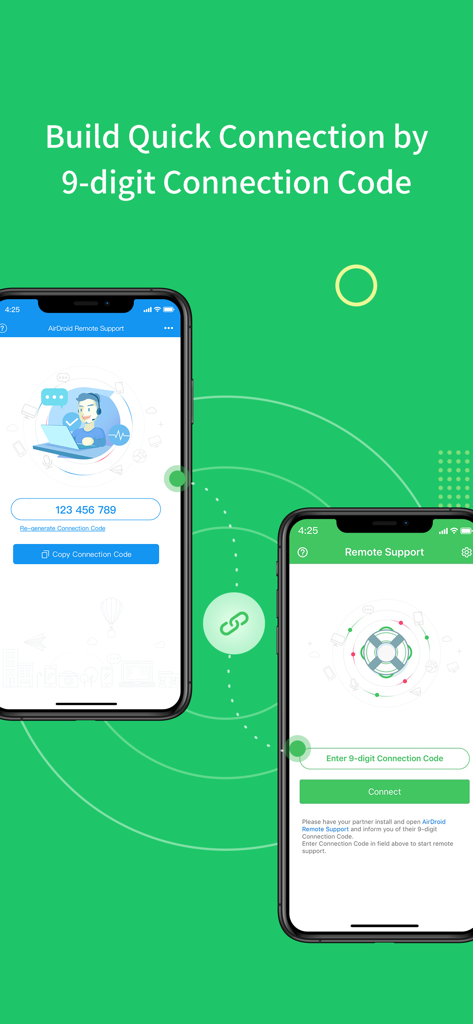
AirMirror - Remote Support - 9자리 코드를 사용하여 원격 지원을 위해 연결 중인 두 개의 스마트폰을 보여주는 인터페이스.
9자리 코드를 사용하여 원격 지원을 위해 연결 중인 두 개의 스마트폰을 보여주는 인터페이스.

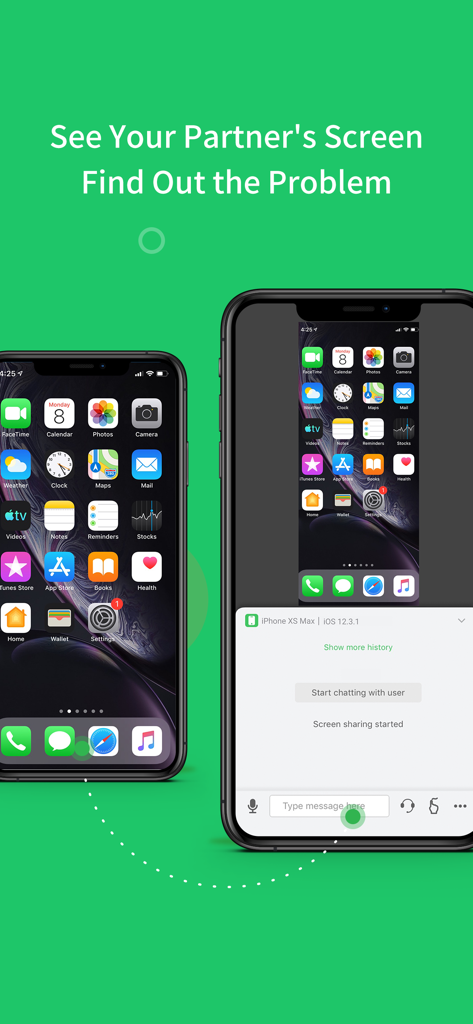
AirMirror - Remote Support - 기술 지원을 위해 AirMirror 앱을 사용하는 두 개의 아이폰 간의 원격 화면 공유.
기술 지원을 위해 AirMirror 앱을 사용하는 두 개의 아이폰 간의 원격 화면 공유.

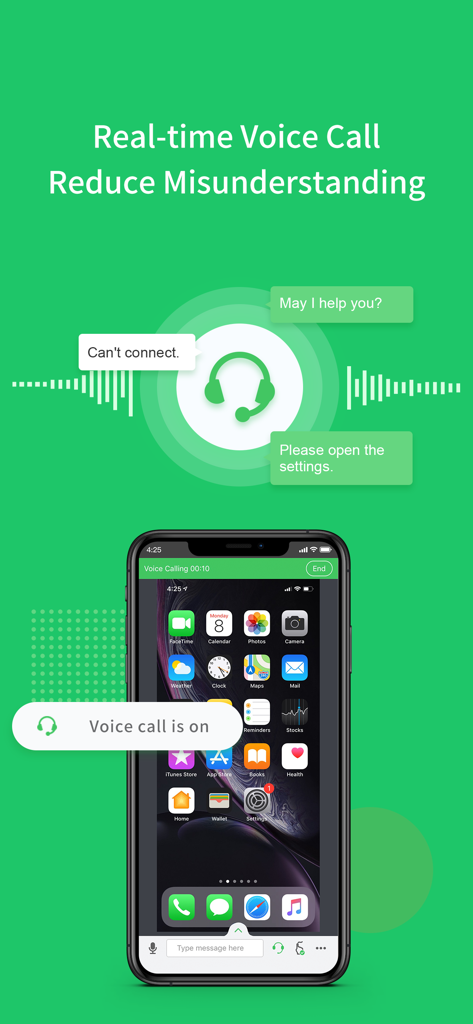
AirMirror - Remote Support - 원격 화면 공유 세션 중 실시간 음성 통화를 보여주는 AirMirror 앱 인터페이스

원격 화면 공유 세션 중 실시간 음성 통화를 보여주는 AirMirror 앱 인터페이스

설명

Have you ever experienced wasting lots of time, trying to explain some simple settings through a phone call, but still failed to solve your parents or friend's phone issue? Frustrated, isn't it? From now on, you can have an easier remote support solution: AirMirror With AirMirror, you can directly see the other phone’s screen on your iOS device while talking to them in real-time, helping you find and solve problems free from the hassle. **Quick Guide** 1. If you are the helper, please install this app: AirMirror. 2. For the person who needs help, please download the controlled end app, AirDroid Remote Support. 3. On AirDroid Remote Support, you can see a 9-digit connection code; enter it on AirMirror and you are in connection. **Features** 1. Quick Connection by 9-digit Connection Code You can connect your friend or family simply by their 9-digit Connection Code. 2. Screen sharing in one tap Once the connection succeeded, tap the button to invite your friend or parents to share their screen, and you can directly view their phone's screen in real-time. 3. Multiple ways to communicate During the whole remote support process, you can text in the chatbox or send voice messages to your family or friend. In addition, you can make a voice call to them to have better communication. **Remote Support Auto-renew Subscriptions** 1. There’re two following types: $2.49/ Month $23.99/ Year 2. Remote Support subscription will be charged to your iTunes account. 3. Subscription will be charged and auto-renewed in 24 hours based on your purchased type. 4. Please cancel the subscription at least 24 hours before the current period ends. 5. Privacy Policy: https://rs.airdroid.info/#/Privacy 6. Payment Terms: https://rs.airdroid.info/#/Payment 7. EULA: https://rs.airdroid.info/#/Eula

Download

다운로드: App Store

이 페이지는 앱이나 개발자의 공식 페이지가 아니며, 정보 제공 및 논평을 목적으로 작성된 독립 편집 간행물입니다. 명시적으로 달리 언급되지 않는 한, 해당 앱이나 개발자는 MWM, Apple, Google Play, 앱 퍼블리셔 또는 앱 개발자와 제휴, 보증, 후원, 승인 또는 공식적으로 연결되어 있지 않으며, 이 페이지의 어떤 내용도 해당 앱이 MWM의 서비스를 사용하여 개발되었음을 의미하지 않습니다. 모든 상표, 로고, 스크린샷 및 기타 콘텐츠는 해당 소유자의 자산입니다.








