Altitude Compass
Altitude Compass
다운로드: App Store

이 페이지는 앱이나 개발자의 공식 페이지가 아니며, 정보 제공 및 논평을 목적으로 작성된 독립 편집 간행물입니다. 명시적으로 달리 언급되지 않는 한, 해당 앱이나 개발자는 MWM, Apple, Google Play, 앱 퍼블리셔 또는 앱 개발자와 제휴, 보증, 후원, 승인 또는 공식적으로 연결되어 있지 않으며, 이 페이지의 어떤 내용도 해당 앱이 MWM의 서비스를 사용하여 개발되었음을 의미하지 않습니다. 모든 상표, 로고, 스크린샷 및 기타 콘텐츠는 해당 소유자의 자산입니다.

로고: Altitude Compass
다운로드: App Store

Altitude Compass

전문적이고 광고 없는 도구 세트로 고도, 대기압 및 좌표를 추적하세요. 속도, 정확성 및 제로 구독을 요구하는 개인 정보를 중시하는 탐험가를 위해 제작되었습니다.

주요 수치

다운로드

26K+

사용자 평점

4.7/5

총 평가 수

300

개발사

锦滔 欧

카테고리

Utilities

지원 언어

2

최신 버전

2.1.2

크기

1.7 MB

출시일

2022년 11월 5일
기능

모든 정상 정복을 위한 정밀 도구

정확한 환경 데이터, 하드웨어 수준의 정밀도 및 완전한 디지털 개인 정보를 요구하는 탐험가를 위한 가볍고 광고 없는 동반자입니다.

전문가 수준의 정확도, 제로 추적

iPhone의 기압 고도계를 활용하여 정확한 고도 및 압력 데이터를 얻으세요. 광고, 구독, 데이터 수집 없이 순수한 경험을 즐기세요.

모험을 기록하세요

실시간 환경 워터마크로 순간을 포착하세요. 정상 등반의 성과를 증명하기 위해 정확한 고도, 좌표 및 타임스탬프를 사진에 오버레이하세요.

다음 스크린샷과 설명은 앱의 공식 스토어 목록에서 직접 가져온 것이며 앱 개발자의 자산입니다.

앱 스토어

스크린샷
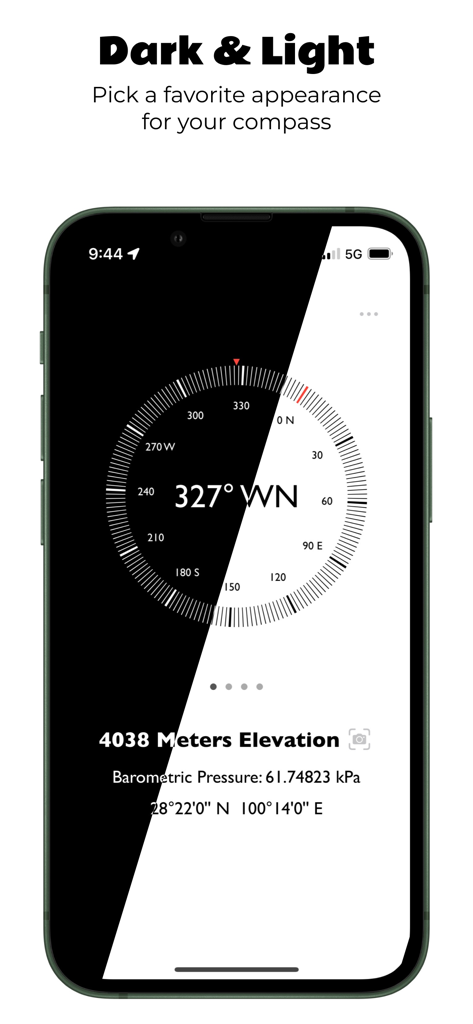
Altitude Compass - 고도 나침반 앱 인터페이스가 iPhone 화면에 다크 모드 및 라이트 모드 사용자 지정 옵션을 보여줍니다.
고도 나침반 앱 인터페이스가 iPhone 화면에 다크 모드 및 라이트 모드 사용자 지정 옵션을 보여줍니다.

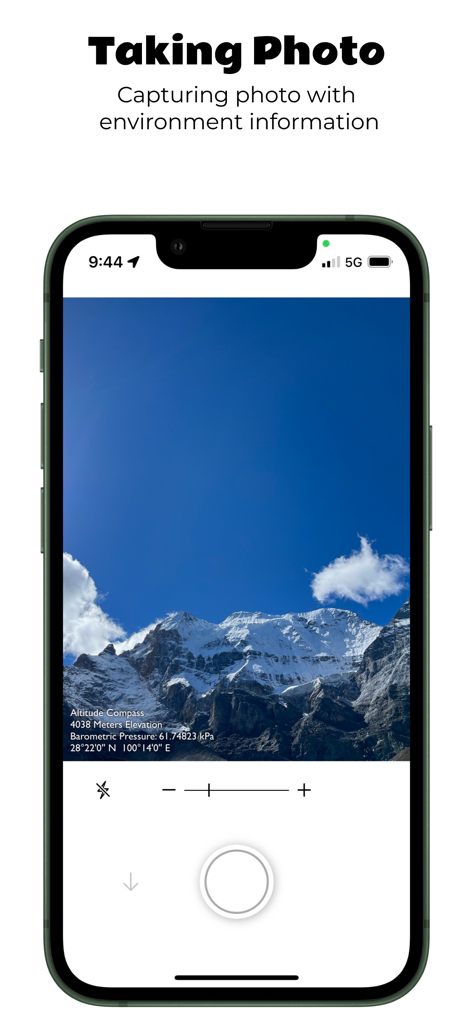
Altitude Compass - 고도 나침반 앱이 고도 및 위치 워터마크가 있는 산 사진을 캡처합니다.
고도 나침반 앱이 고도 및 위치 워터마크가 있는 산 사진을 캡처합니다.

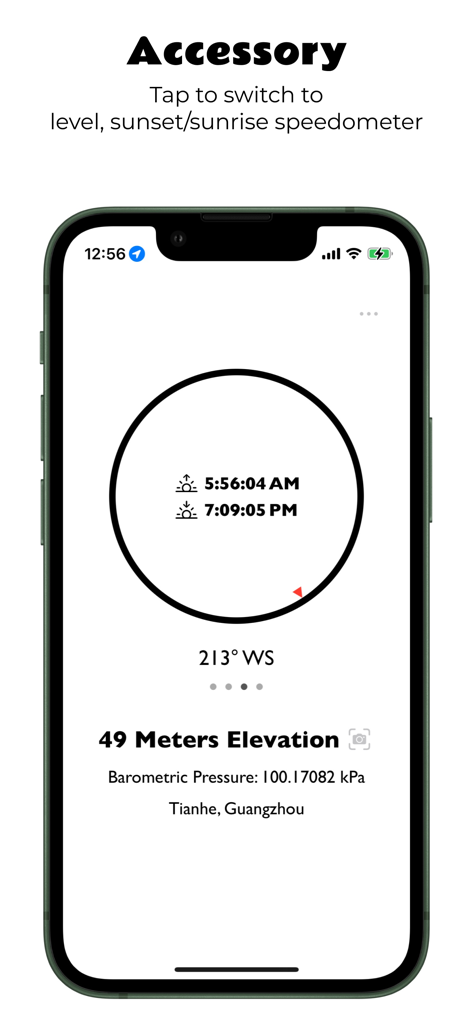
Altitude Compass - 고도 나침반 앱이 iPhone에서 고도 및 해돋이/해넘이 시간을 표시합니다.
고도 나침반 앱이 iPhone에서 고도 및 해돋이/해넘이 시간을 표시합니다.

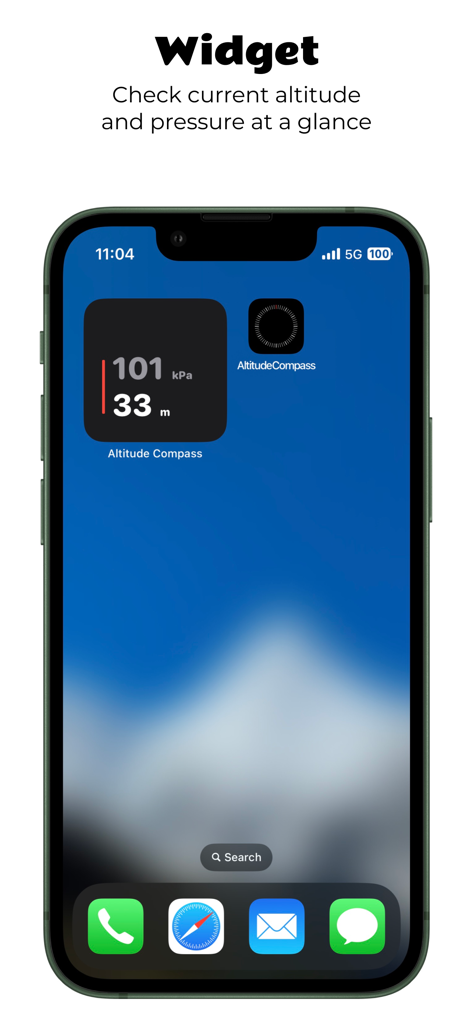
Altitude Compass - 고도 나침반 앱 위젯이 iPhone 홈 화면에 현재 고도 및 대기압을 표시합니다.
고도 나침반 앱 위젯이 iPhone 홈 화면에 현재 고도 및 대기압을 표시합니다.

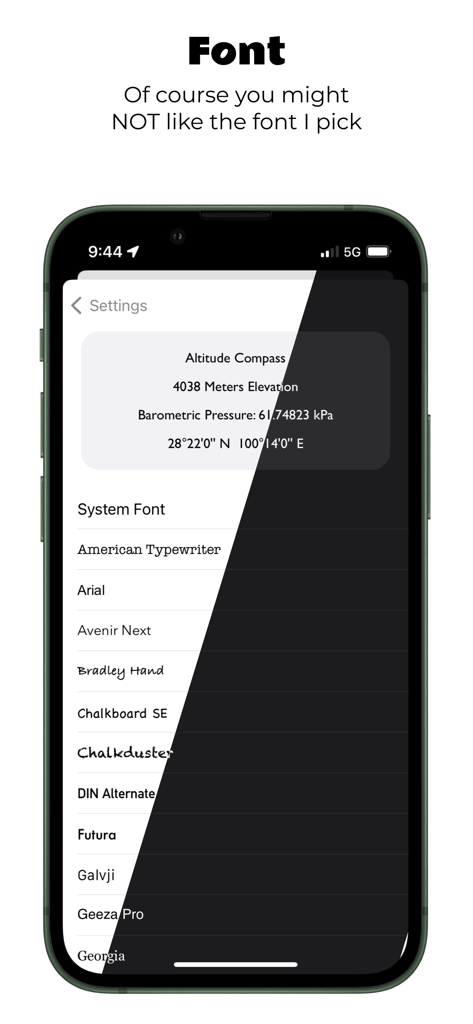
Altitude Compass - 고도 나침반 앱의 사용자 지정 글꼴 선택 화면에 여러 글꼴 옵션과 환경 데이터 미리보기가 표시됩니다.

고도 나침반 앱의 사용자 지정 글꼴 선택 화면에 여러 글꼴 옵션과 환경 데이터 미리보기가 표시됩니다.

설명

"Altitude Compass" - An ad-free compass tool The "Altitude Compass" app is a clean and ad-free compass tool that displays environmental information such as altitude, atmospheric pressure, latitude, and longitude for your current location. It offers the following features: 1. Switchable Data Sources: Choose between GPS information or the device's altimeter as the source for altitude data. Requires iPhone 12 or newer models with iOS 15 or later. 2. Real-time Camera Support: Capture photos with environmental information and date watermarks. (Available on iPhone only) 3. Additional Tools: Access a level gauge, speedometer, and calculate sunrise and sunset times based on your current location. Toggle their display on the compass panel. 4. Customizable UI: Customize the app's appearance with dark and light modes, global font replacement, and more. 5. Display Modes: Easily switch between different display modes for altitude, atmospheric pressure, and location data by tapping on the text at the bottom of the app. 6. Widget Supported: View altitude at home screen, lock screen or standby mode. 7. No Ads, Subscriptions, or Privacy Concerns: Enjoy an ad-free experience without annoying ads, subscription fees, or any privacy concerns. No data collection. 8. Lightweight and Fast: The app has a small file size, fast performance, and minimal resource usage. It can be downloaded, installed, and used without any burden. Permission Requests: 1. Network Access: The app can function without internet access for most features. Network access is used for reverse geocoding (converting coordinates to place names) and loading maps on the last panel. 2. Photo Library Access: The app only requires permission to write to the photo library. Users on iOS 14 and above do not need to manually select photos for the app to access. 3. Location Permission: Precise location permission is necessary to obtain accurate altitude data from GPS. 4. Health and Fitness Permission: Reading atmospheric pressure requires this permission since iOS 17.4

Download

다운로드: App Store

이 페이지는 앱이나 개발자의 공식 페이지가 아니며, 정보 제공 및 논평을 목적으로 작성된 독립 편집 간행물입니다. 명시적으로 달리 언급되지 않는 한, 해당 앱이나 개발자는 MWM, Apple, Google Play, 앱 퍼블리셔 또는 앱 개발자와 제휴, 보증, 후원, 승인 또는 공식적으로 연결되어 있지 않으며, 이 페이지의 어떤 내용도 해당 앱이 MWM의 서비스를 사용하여 개발되었음을 의미하지 않습니다. 모든 상표, 로고, 스크린샷 및 기타 콘텐츠는 해당 소유자의 자산입니다.








