Amber Connect
Amber Connect
다운로드: App Store

이 페이지는 앱이나 개발자의 공식 페이지가 아니며, 정보 제공 및 논평을 목적으로 작성된 독립 편집 간행물입니다. 명시적으로 달리 언급되지 않는 한, 해당 앱이나 개발자는 MWM, Apple, Google Play, 앱 퍼블리셔 또는 앱 개발자와 제휴, 보증, 후원, 승인 또는 공식적으로 연결되어 있지 않으며, 이 페이지의 어떤 내용도 해당 앱이 MWM의 서비스를 사용하여 개발되었음을 의미하지 않습니다. 모든 상표, 로고, 스크린샷 및 기타 콘텐츠는 해당 소유자의 자산입니다.

로고: Amber Connect
다운로드: App Store

Amber Connect

24/7 실시간 추적, 지능형 도난 방지, 그리고 모든 여정에서 사랑하는 사람들의 안전을 지키도록 설계된 자동 긴급 지원으로 궁극적인 마음의 평화를 경험하세요.

주요 수치

다운로드

99K+

사용자 평점

3.8/5

총 평가 수

400

개발사

Amber Connect Limited

카테고리

Navigation

지원 언어

2

최신 버전

5.6

크기

144.5 MB

출시일

2015년 12월 19일
기능

차량 및 가족을 위한 스마트 보호

Amber Connect는 AI 기반 추적, 긴급 대응, 그리고 귀하의 마음의 평화를 위해 맞춤 설계된 종합적인 비용 관리를 통해 귀하의 차량을 스마트하고 안전한 자산으로 전환합니다.

AI 기반 도난 방지

센트리 모드 또는 나이트 가드를 활성화하여 위협을 감지하고 무단 시동을 자동으로 방지하는 AI로 차량을 보호하세요.

실시간 가족 안전

자동 SOS 충돌 알림, 십대 운전자를 위한 지오펜싱, 그리고 완벽한 마음의 평화를 위한 실시간 위치 추적으로 사랑하는 사람들을 보호하세요.

다음 스크린샷과 설명은 앱의 공식 스토어 목록에서 직접 가져온 것이며 앱 개발자의 자산입니다.

앱 스토어

스크린샷
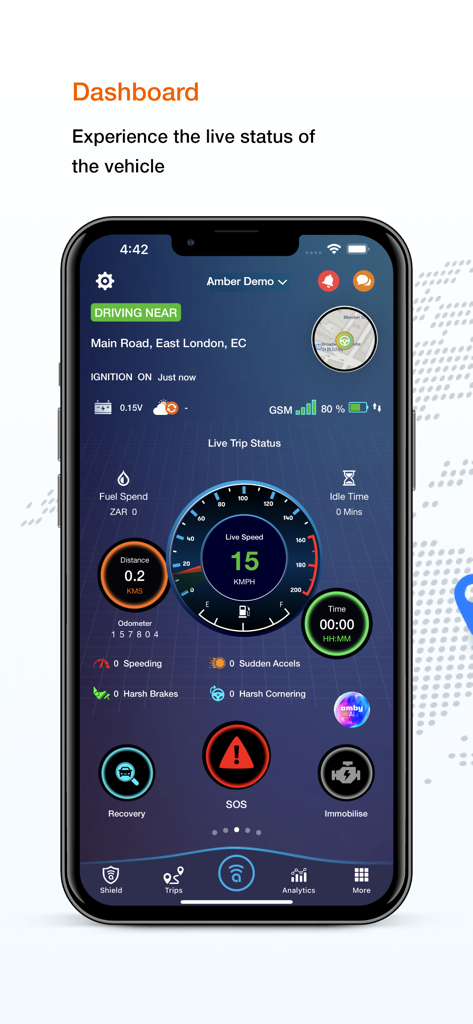
Amber Connect - Amber Connect 앱 대시보드 - 실시간 차량 속도, 위치 및 SOS 안전 버튼 표시
Amber Connect 앱 대시보드 - 실시간 차량 속도, 위치 및 SOS 안전 버튼 표시

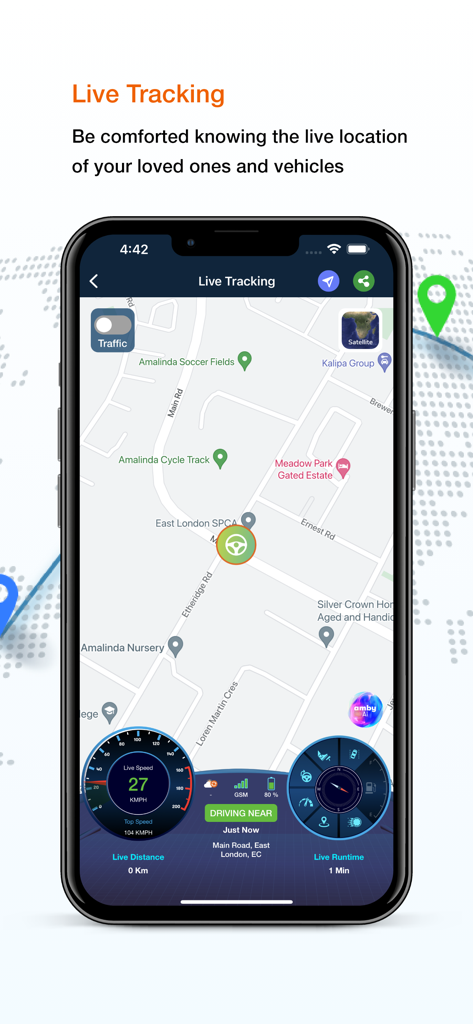
Amber Connect - Amber Connect 앱 인터페이스 - 차량 추적을 위한 실시간 지도와 속도 및 런타임 메트릭 표시 대시보드
Amber Connect 앱 인터페이스 - 차량 추적을 위한 실시간 지도와 속도 및 런타임 메트릭 표시 대시보드

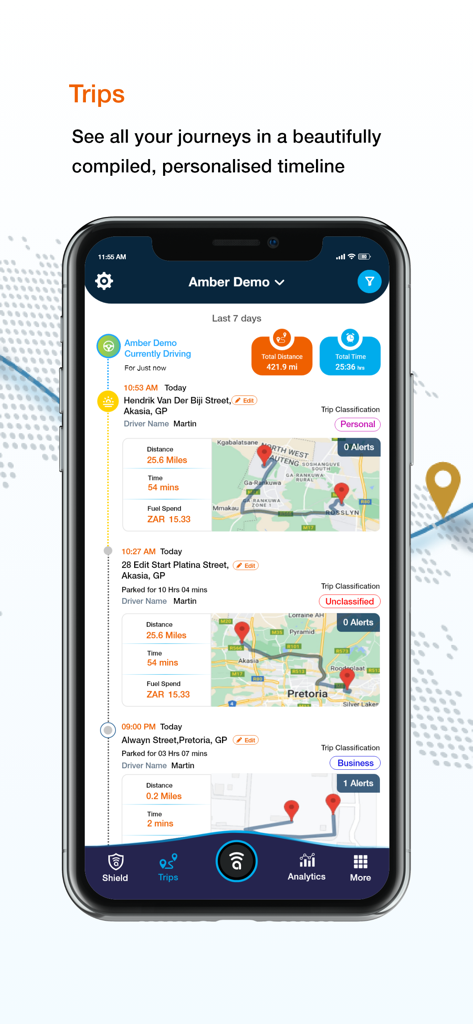
Amber Connect - 스마트폰 화면 - Amber Connect 앱 여행 기록 타임라인, 지도 및 주행 통계 표시
스마트폰 화면 - Amber Connect 앱 여행 기록 타임라인, 지도 및 주행 통계 표시

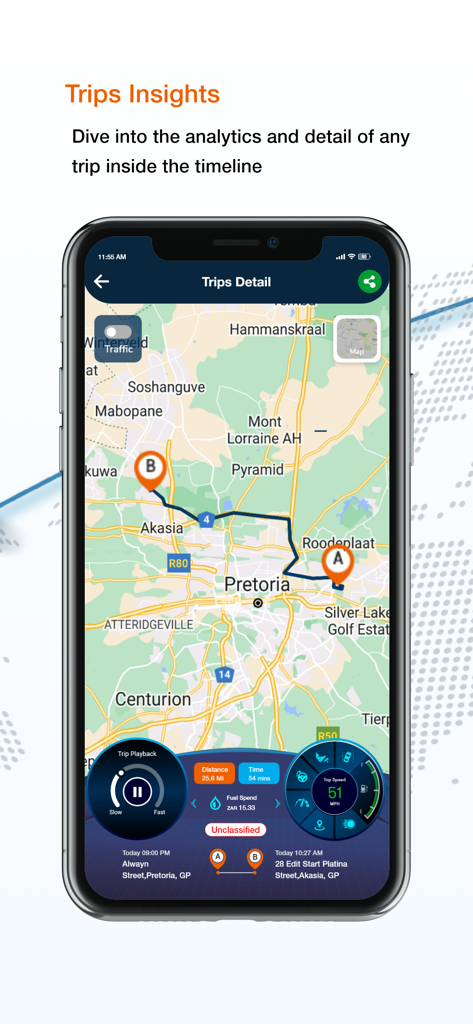
Amber Connect - 스마트폰 화면 - Amber Connect 앱 여행 세부 정보, 지도 경로 및 차량 성능 데이터 표시
스마트폰 화면 - Amber Connect 앱 여행 세부 정보, 지도 경로 및 차량 성능 데이터 표시

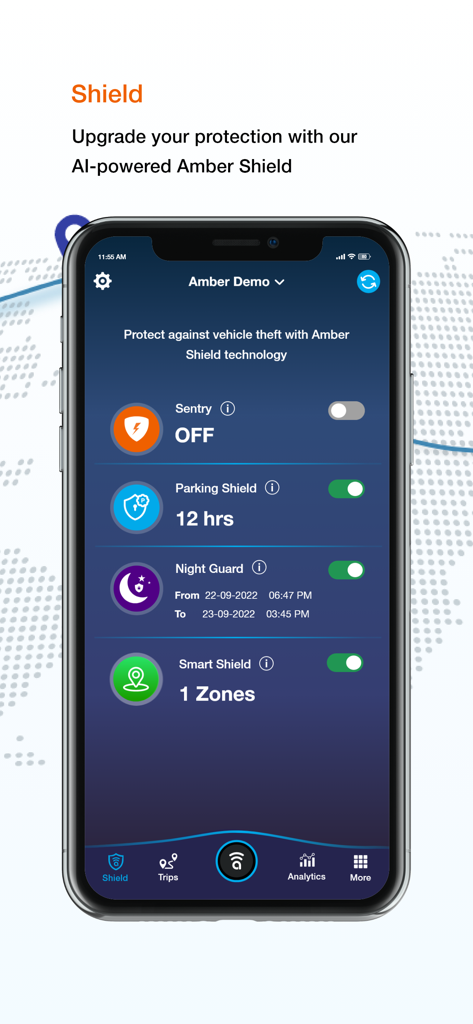
Amber Connect - Amber Connect 앱 화면 - 센트리 모드, 파킹 쉴드, 나이트 가드를 포함한 AI 기반 차량 보안 설정 표시
Amber Connect 앱 화면 - 센트리 모드, 파킹 쉴드, 나이트 가드를 포함한 AI 기반 차량 보안 설정 표시

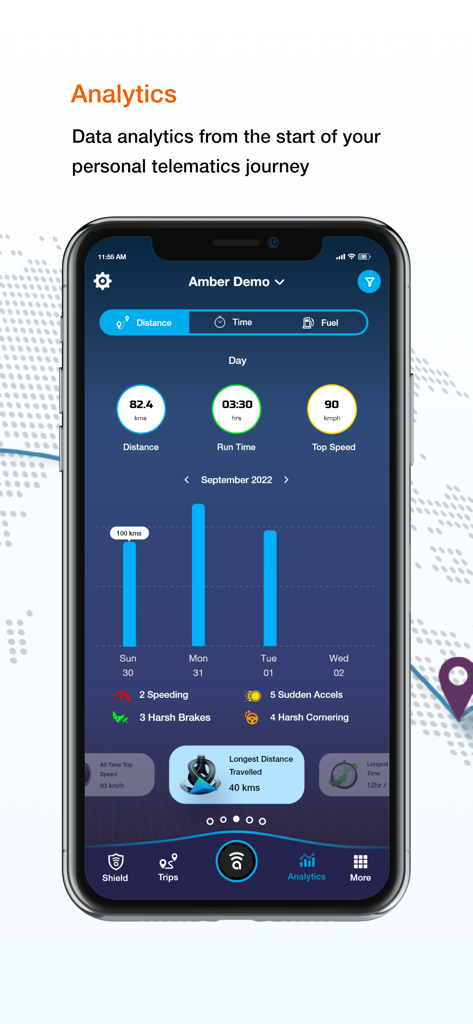
Amber Connect - Amber Connect 앱 인터페이스 - 차량 텔레매틱스 분석 및 주행 행동 데이터 표시
Amber Connect 앱 인터페이스 - 차량 텔레매틱스 분석 및 주행 행동 데이터 표시

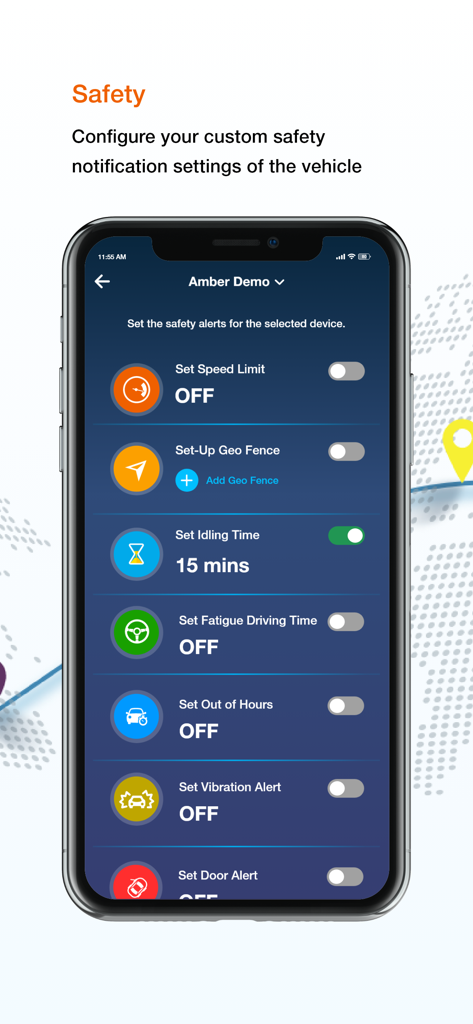
Amber Connect - Amber Connect 앱 - 차량 안전 알림 설정 구성 인터페이스
Amber Connect 앱 - 차량 안전 알림 설정 구성 인터페이스

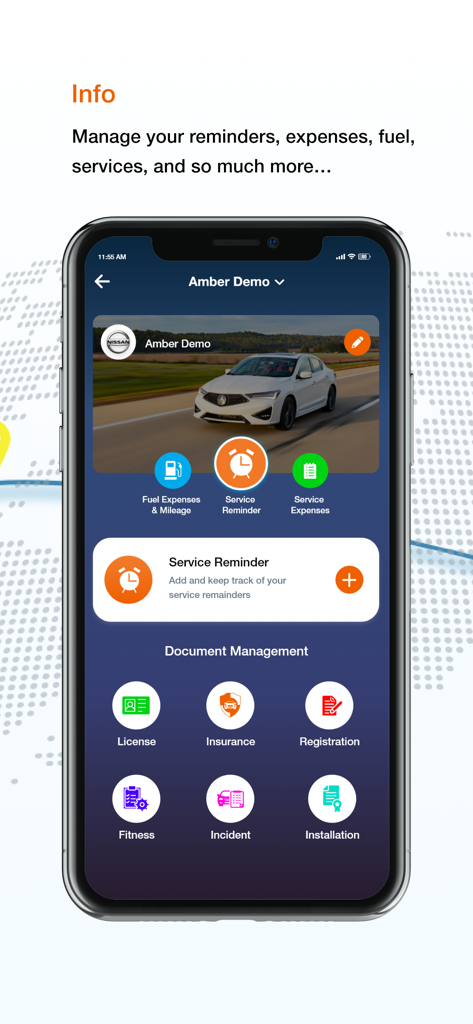
Amber Connect - Amber Connect 앱 인터페이스 - 차량 정보 및 문서 관리 기능, 서비스 알림 및 보험 보관함 표시
Amber Connect 앱 인터페이스 - 차량 정보 및 문서 관리 기능, 서비스 알림 및 보험 보관함 표시

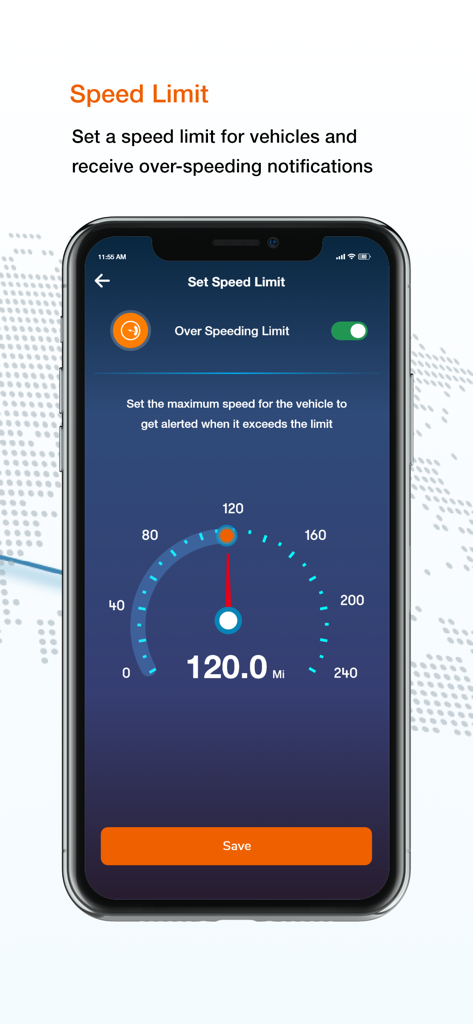
Amber Connect - Amber Connect 앱 인터페이스 - 디지털 속도계와 함께 차량 속도 제한 알림 설정
Amber Connect 앱 인터페이스 - 디지털 속도계와 함께 차량 속도 제한 알림 설정

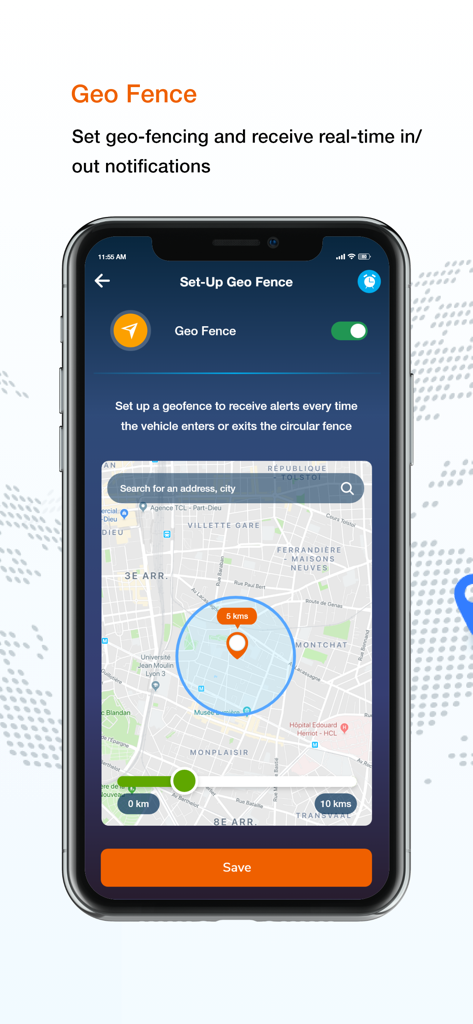
Amber Connect - Amber Connect 앱 인터페이스 - 차량 안전 모니터링을 위한 지도상 원형 지오펜스 반경 설정 표시

Amber Connect 앱 인터페이스 - 차량 안전 모니터링을 위한 지도상 원형 지오펜스 반경 설정 표시

설명

Amber Connect offers you an intelligent, insightful and affordable tracking. The Amber App is packed with features every individual should have and truly connects your Amber Car devices to your digital life, making not only your driving experience safer, easier and less expensive, but also protecting you and your loves ones in case of emergency. Amber Connect App Features: · Find My Ride Always know your vehicle’s location via Smartphone App or web browser 24/7. · Driver Protect Automatic SOS message from the device on a crash or accident, SOS feature in the App to notify for assistance to 3 preset numbers. Safety Alerts Geo Fencing, Idle time notification, speed limit notifications, Ignition on/off notification**, Fatigue driving time notification, Vehicle engine health diagnostics*, Remote Engine cut off** *OBD II devices only, **Not applicable to wireless devices · Trip Metrics Log every trip with comprehensive details of distance, time, speed and fuel spent at close of every trip. Weekly reports. · Vehicle Expense Manager Log fuel and repair expenses and upload and store images of expense receipts. Amber Shield Technology : First Artificial Intelligence in vehicle tracking which makes your vehicle self-respond under security threats. Sentry Mode: When enabled, will sound a distinctive alert on your app, if your vehicle registers activity such as: ignition is turned on, towed, device is tampered or a significant vibration occurs. Parking Shield : When enabled, will sound a distinctive alert on your app and perform engine shut down if any activity is registered. Night Guard: Night Guard allows you to set a timer for over night parking. If the vehicle detects any activity, it will immobilize the engine and sound a distinctive alert on your app. Fuel Meter : A live fuel meter displaying the current fuel levels in your vehicle. Tap on the fuel bar and hit edit. Enter your vehicles fuel tank capacity and slide the fuel bar to the current levels. GSM Signals: We added your device GSM signals on your dashboard. You can see the signal levels here. If your app is not receiving data, your GSM signals will indicate the problem. Live Chat Help Desk: Now talk to us in real time from your Live Help desk menu on the app. You can speak to a live agent from the chat box or using your Twitter or Facebook handle. What's app integration will be added soon. Touch Id: Your privacy ensured! Touch ID is enabled on iOS phones. Go to Settings > Touch ID > Enable. End to End encryption makes your locations and trip history only visible to you. Service Reminders: Create reminders for almost all vehicle services like Oil Change, Oil Filter Change, Tyre Change, Tire Rotation, Battery Change, Wheel Alignment, Air Filter Replacement, Inspection, Spark Plug Replacement, Timing Belt Change, Brake Pad Change, Coolant Change. Schedule reminders based on both Mileage and Dates. Even more, you can create your own customised service reminders.

Download

다운로드: App Store

이 페이지는 앱이나 개발자의 공식 페이지가 아니며, 정보 제공 및 논평을 목적으로 작성된 독립 편집 간행물입니다. 명시적으로 달리 언급되지 않는 한, 해당 앱이나 개발자는 MWM, Apple, Google Play, 앱 퍼블리셔 또는 앱 개발자와 제휴, 보증, 후원, 승인 또는 공식적으로 연결되어 있지 않으며, 이 페이지의 어떤 내용도 해당 앱이 MWM의 서비스를 사용하여 개발되었음을 의미하지 않습니다. 모든 상표, 로고, 스크린샷 및 기타 콘텐츠는 해당 소유자의 자산입니다.








