
이 페이지는 앱이나 개발자의 공식 페이지가 아니며, 정보 제공 및 논평을 목적으로 작성된 독립 편집 간행물입니다. 명시적으로 달리 언급되지 않는 한, 해당 앱이나 개발자는 MWM, Apple, Google Play, 앱 퍼블리셔 또는 앱 개발자와 제휴, 보증, 후원, 승인 또는 공식적으로 연결되어 있지 않으며, 이 페이지의 어떤 내용도 해당 앱이 MWM의 서비스를 사용하여 개발되었음을 의미하지 않습니다. 모든 상표, 로고, 스크린샷 및 기타 콘텐츠는 해당 소유자의 자산입니다.


Ambiente Room Simulator
고급 기하학적 음파 반사를 통해 믹스를 생생하게 만드세요. Logic Pro, AUM 및 Cubasis용 AUv3를 사용하여 사실적인 3D 환경에 SWAM 악기와 녹음된 트랙을 원활하게 통합하세요.
다운로드
2K+사용자 평점
총 평가 수
0개발사
카테고리
Music지원 언어
-최신 버전
1.3.0크기
39.8 MB출시일
2025년 2월 13일스튜디오 수준의 음향 시뮬레이션
세계에서 가장 진보된 룸 시뮬레이터로 모바일 믹스를 향상시키세요. 전문적인 기하학적 반사 기술을 사용하여 악기에 대한 몰입감 있고 자연스러운 공간을 만드세요.
물리 기반 사실감
정적 리버브를 넘어서세요. 당사의 기하학적 엔진은 실제 음파 상호 작용을 시뮬레이션하여 모든 믹스에서 비할 데 없는 깊이, 공기감 및 명료도를 제공합니다.
프로 AUv3 워크플로우
Logic Pro, Cubasis 및 AUM과 완벽하게 통합하세요. 하나의 중앙 집중식 고효율 대시보드에서 공유 가상 공간에 여러 소스를 배치하세요.
다음 스크린샷과 설명은 앱의 공식 스토어 목록에서 직접 가져온 것이며 앱 개발자의 자산입니다.
앱 스토어
스크린샷
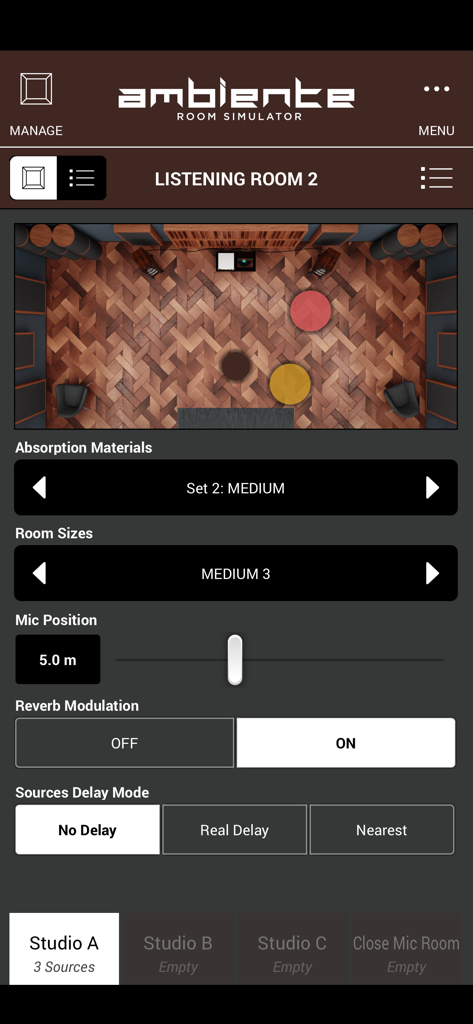
Ambiente 앱의 가상 청취 공간을 위에서 내려다본 모습으로, 음원 배치 및 음향 설정을 보여줍니다.
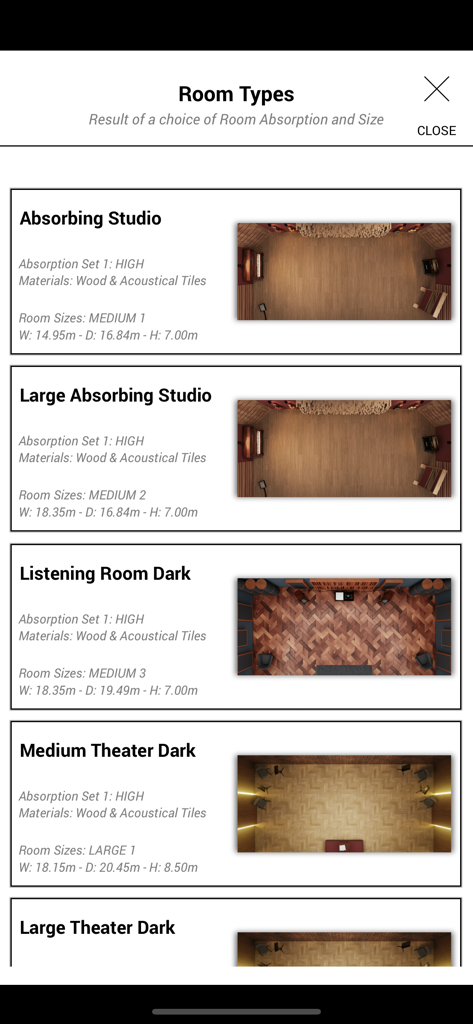
Ambiente 앱의 가상 룸 사전 설정 목록으로, 특정 음향 치수와 재료가 있는 스튜디오 및 극장을 보여줍니다.
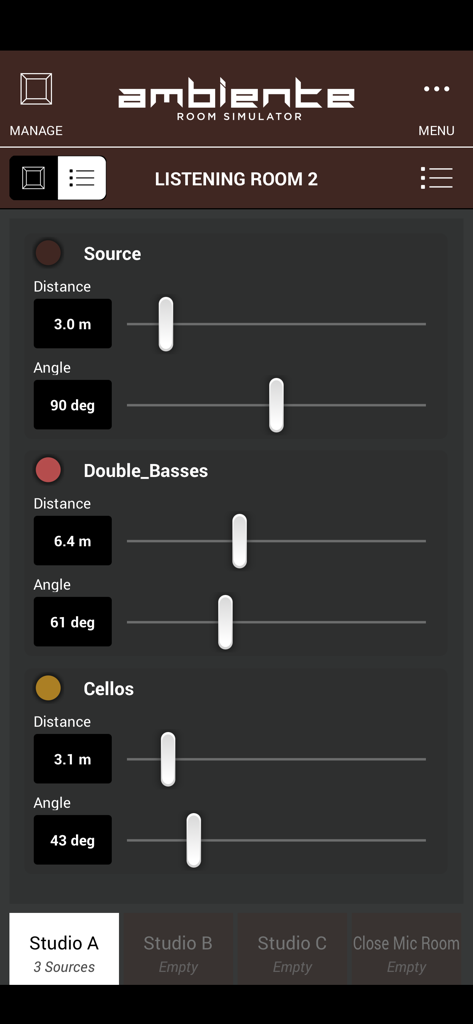
가상 악기의 거리와 각도를 조정하는 슬라이더를 보여주는 Ambiente Room Simulator 인터페이스
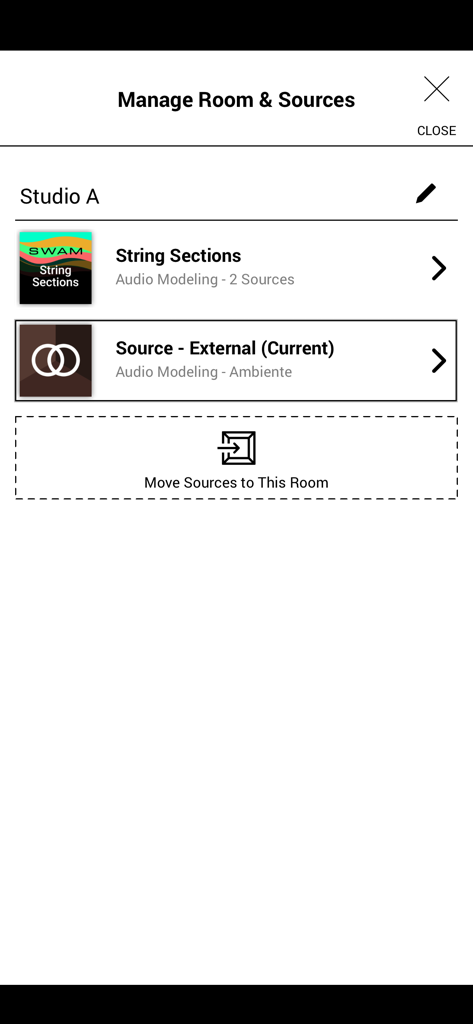
Studio A에 있는 오디오 소스를 보여주는 Ambiente Room Simulator 앱의 Manage Room and Sources 화면
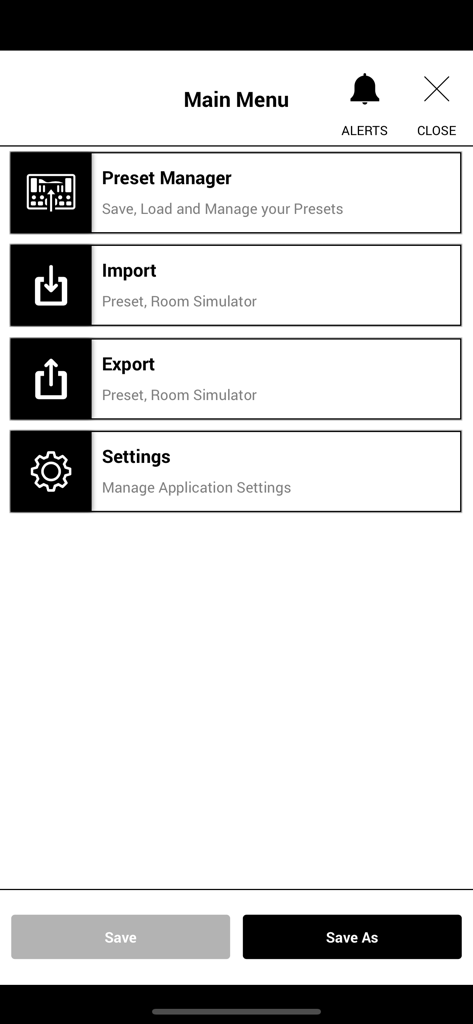
사전 설정 관리자, 가져오기, 내보내기 및 설정 옵션을 보여주는 Ambiente Room Simulator 앱의 메인 메뉴
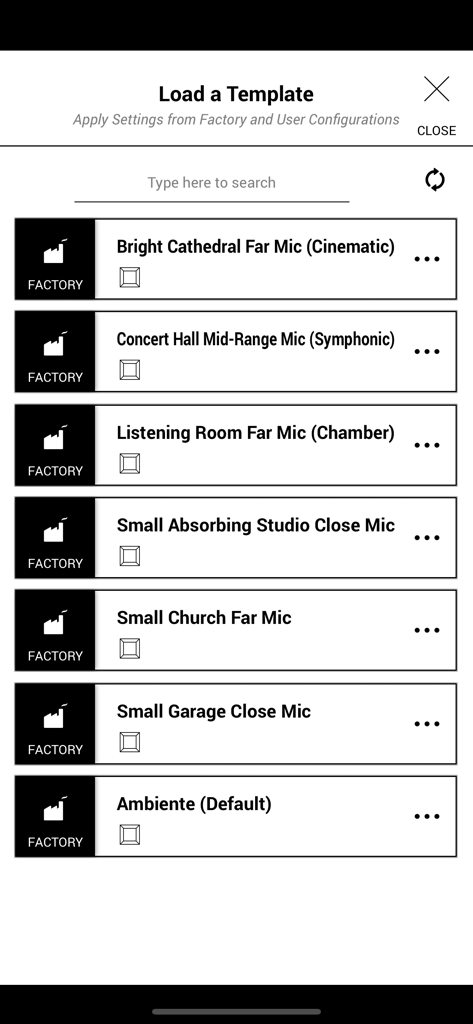
Bright Cathedral 및 Concert Hall과 같은 옵션을 보여주는 Ambiente 앱의 공장 음향 템플릿 목록
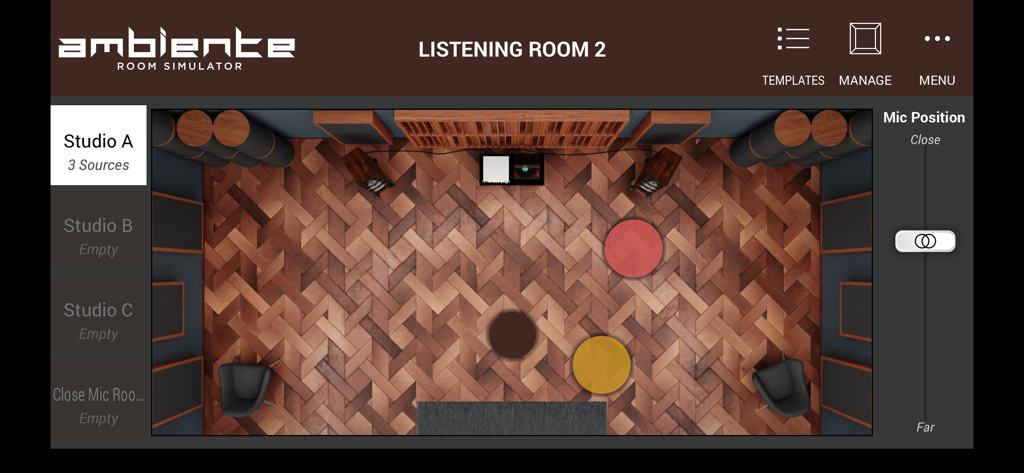
음원 배치 및 마이크 컨트롤이 있는 가상 스튜디오의 위에서 내려다본 모습을 보여주는 Ambiente Room Simulator의 사용자 인터페이스
설명
Download
비슷한 앱
같은 카테고리의 상위 앱

Spotify: Music and Podcasts
Spotify

YouTube Music
Google LLC

Shazam: Find Music & Concerts
Apple Inc.

SoundCloud: The Music You Love
SoundCloud Global Limited & Co KG

Suno - AI Songs & Music
Suno Inc.

QQ音乐 - 听我想听
Tencent Technology (Shenzhen) Company Limited

Audiomack - Play Music Offline
Audiomack, Inc.

GuitarTuna: Tune & Play Guitar
Yousician Ltd

BandLab – Music Maker & Beats
BandLab Singapore Pte Ltd
이 페이지는 앱이나 개발자의 공식 페이지가 아니며, 정보 제공 및 논평을 목적으로 작성된 독립 편집 간행물입니다. 명시적으로 달리 언급되지 않는 한, 해당 앱이나 개발자는 MWM, Apple, Google Play, 앱 퍼블리셔 또는 앱 개발자와 제휴, 보증, 후원, 승인 또는 공식적으로 연결되어 있지 않으며, 이 페이지의 어떤 내용도 해당 앱이 MWM의 서비스를 사용하여 개발되었음을 의미하지 않습니다. 모든 상표, 로고, 스크린샷 및 기타 콘텐츠는 해당 소유자의 자산입니다.