Angle Meter & Cobb Angle Meter
다운로드: App Store

이 페이지는 앱이나 개발자의 공식 페이지가 아니며, 정보 제공 및 논평을 목적으로 작성된 독립 편집 간행물입니다. 명시적으로 달리 언급되지 않는 한, 해당 앱이나 개발자는 MWM, Apple, Google Play, 앱 퍼블리셔 또는 앱 개발자와 제휴, 보증, 후원, 승인 또는 공식적으로 연결되어 있지 않으며, 이 페이지의 어떤 내용도 해당 앱이 MWM의 서비스를 사용하여 개발되었음을 의미하지 않습니다. 모든 상표, 로고, 스크린샷 및 기타 콘텐츠는 해당 소유자의 자산입니다.

로고: Angle Meter & Cobb Angle Meter
다운로드: App Store

Angle Meter & Cobb Angle Meter

카메라나 갤러리에서 실시간으로 코브 각도, 건설 경사, 기하학적 선을 계산하는 올인원 측정 도구. 정밀한 결과를 캡처, 주석 달기, 공유하세요.

주요 수치

다운로드

1K+

사용자 평점

1.0/5

총 평가 수

0

개발사

Ahmad Al Hariri

카테고리

Utilities

지원 언어

1

최신 버전

1.7

크기

1.6 MB

출시일

2024년 1월 29일
기능

모든 각도를 위한 정밀 도구

임상 척추 평가부터 주택 개조 프로젝트까지, 주머니에 쏙 들어가는 측정 도구로 전문가 수준의 정확도를 확보하세요.

특수 코브 각도계

의료 기록을 위해 X-레이 또는 환자 사진에서 직접 변형 각도를 측정하여 척추 측만증 곡률을 정밀하게 추적하세요.

실시간 카메라 측정

기기를 가리키고 실시간으로 각도를 측정하세요. 현장에서의 빠른 견적, 목공, 건축 분석에 완벽합니다.

다음 스크린샷과 설명은 앱의 공식 스토어 목록에서 직접 가져온 것이며 앱 개발자의 자산입니다.

앱 스토어

스크린샷
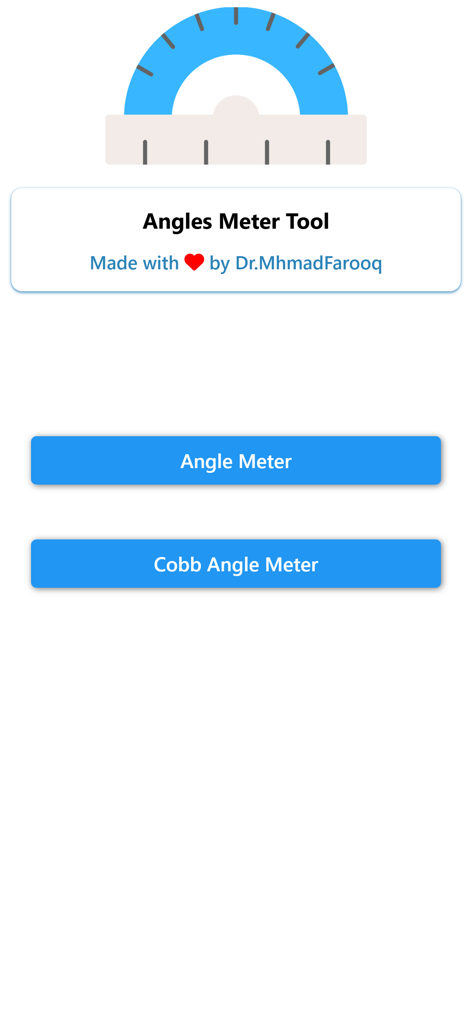
Angle Meter & Cobb Angle Meter - 각도계 및 코브 각도계 앱의 메인 메뉴로 측정 옵션 표시

각도계 및 코브 각도계 앱의 메인 메뉴로 측정 옵션 표시

Angle Meter & Cobb Angle Meter - 각도 측정 앱의 사용자 인터페이스로 이미지 열기 또는 카메라 시작 버튼 표시
각도 측정 앱의 사용자 인터페이스로 이미지 열기 또는 카메라 시작 버튼 표시

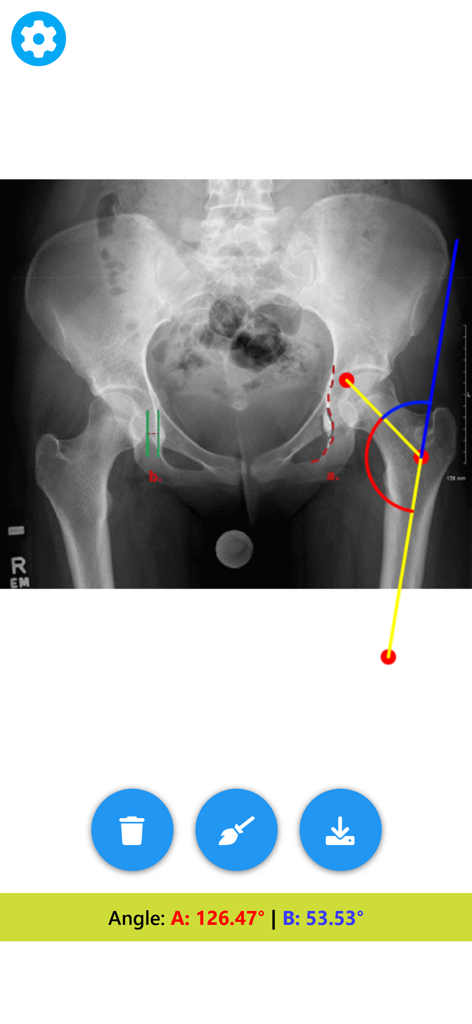
Angle Meter & Cobb Angle Meter - 골반 X-레이에서 각도를 측정하는 의료용 각도계

골반 X-레이에서 각도를 측정하는 의료용 각도계

Angle Meter & Cobb Angle Meter - 각도계 앱의 디지털 각도 측정 도구를 사용하여 측정 중인 고관절 X-레이
각도계 앱의 디지털 각도 측정 도구를 사용하여 측정 중인 고관절 X-레이

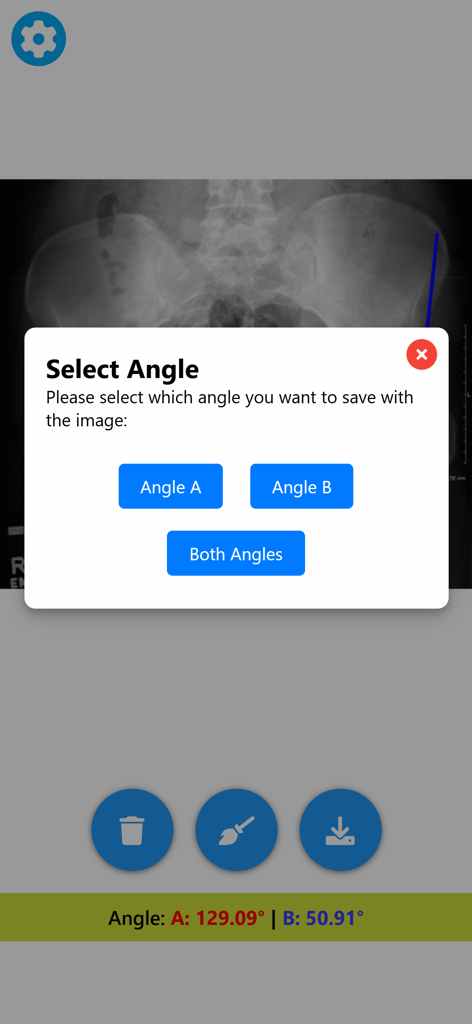
Angle Meter & Cobb Angle Meter - 측정된 각도를 저장하는 옵션과 함께 의료용 X-레이를 보여주는 각도계 앱 인터페이스
측정된 각도를 저장하는 옵션과 함께 의료용 X-레이를 보여주는 각도계 앱 인터페이스

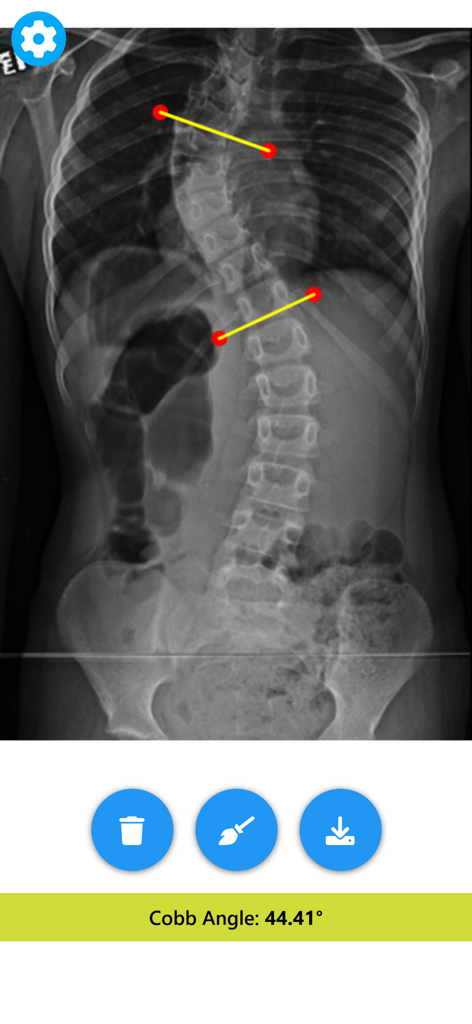
Angle Meter & Cobb Angle Meter - 앱에서 코브 각도 44.41도를 보여주는 척추 측만증 척추 X-레이 측정

앱에서 코브 각도 44.41도를 보여주는 척추 측만증 척추 X-레이 측정

설명

Angle Meter Tool & Cobb Angle Meter - Your Ultimate Angle Measurement Companion! Whether you're a professional, a student, or someone who just needs to measure angles accurately, Angle Meter Tool is the perfect app for you. Designed with precision and ease of use in mind, this app is packed with features that make angle measurement a breeze. Key Features: Precise Angle Measurement: Get accurate angle readings in real-time. Perfect for various applications such as construction, carpentry, education, and more. Cobb angle meter for scoliosis deformity angle measurements. Select Images from Gallery: Easily choose an image with angles to measure from your gallery. Capture Images Directly: Capture images directly within the app and start measuring angles right away. Live Camera Measurement: Measure angles in real-time using your device's camera for on-the-spot measurements. Customizable Appearance: Personalize your experience by adjusting the color and width of the angle lines for better visibility and preference. Save and Share Measurements: Save your images with angle measurements and values printed on them. Perfect for documentation, sharing with colleagues, or keeping records. How It Works: Using Angle Meter Tool is simple and intuitive. Just open the app and choose your preferred method of measurement. Select an image from your gallery, capture a new one, or use the live camera feature. Draw lines along the angles you want to measure, and the app will display the angle measurements instantly. Customize the appearance of your angle lines and save your annotated images for future reference or sharing. Precision and Flexibility: Designed for accuracy, Angle Meter Tool ensures precise readings. Adjust the lines as needed for exact measurements. Edit and Save with Ease: Customize the look of your angle lines and save your images with the measurements and values printed on them. Share your findings or keep them for your records. Download Now: Ready to enhance your angle measurements? Download Angle Meter Tool today for a convenient, accurate, and versatile angle measurement experience. Ideal for professionals, students, DIY enthusiasts, and anyone needing a reliable angle measurement tool. Join the community of satisfied users who trust Angle Meter Tool for their angle measurement needs. Download now and measure angles like a pro!

Download

다운로드: App Store

이 페이지는 앱이나 개발자의 공식 페이지가 아니며, 정보 제공 및 논평을 목적으로 작성된 독립 편집 간행물입니다. 명시적으로 달리 언급되지 않는 한, 해당 앱이나 개발자는 MWM, Apple, Google Play, 앱 퍼블리셔 또는 앱 개발자와 제휴, 보증, 후원, 승인 또는 공식적으로 연결되어 있지 않으며, 이 페이지의 어떤 내용도 해당 앱이 MWM의 서비스를 사용하여 개발되었음을 의미하지 않습니다. 모든 상표, 로고, 스크린샷 및 기타 콘텐츠는 해당 소유자의 자산입니다.