이 페이지는 앱이나 개발자의 공식 페이지가 아니며, 정보 제공 및 논평을 목적으로 작성된 독립 편집 간행물입니다. 명시적으로 달리 언급되지 않는 한, 해당 앱이나 개발자는 MWM, Apple, Google Play, 앱 퍼블리셔 또는 앱 개발자와 제휴, 보증, 후원, 승인 또는 공식적으로 연결되어 있지 않으며, 이 페이지의 어떤 내용도 해당 앱이 MWM의 서비스를 사용하여 개발되었음을 의미하지 않습니다. 모든 상표, 로고, 스크린샷 및 기타 콘텐츠는 해당 소유자의 자산입니다.
Animator Plus
iPad를 강력한 애니메이션 스튜디오로 바꿔보세요. 직관적인 양파 껍질 보기, 무제한 레이어, 차세대 디지털 크리에이터를 위한 4K 내보내기를 통해 셀 애니메이션의 기술을 마스터하세요.
iPad와 Apple Pencil을 위해 설계된 Animator Plus는 크리에이터가 이동 중에도 전문가 수준의 프레임별 애니메이션을 제작할 수 있는 강력하고 직관적인 도구 모음을 제공합니다.
전문가급 드로잉 툴킷
Apple Pencil의 정밀도에 최적화된 사용자 정의 가능한 브러시와 모양으로 부드럽고 필압 감지 기능이 있는 캔버스를 경험하세요.
고급 셀 관리
양파 껍질 보기, 무제한 레이어, 직관적인 타임라인 편집을 통해 움직임을 완벽하게 다듬어 유연하고 생생한 캐릭터 루프를 만드세요.
다음 스크린샷과 설명은 앱의 공식 스토어 목록에서 직접 가져온 것이며 앱 개발자의 자산입니다.
앱 스토어
스크린샷
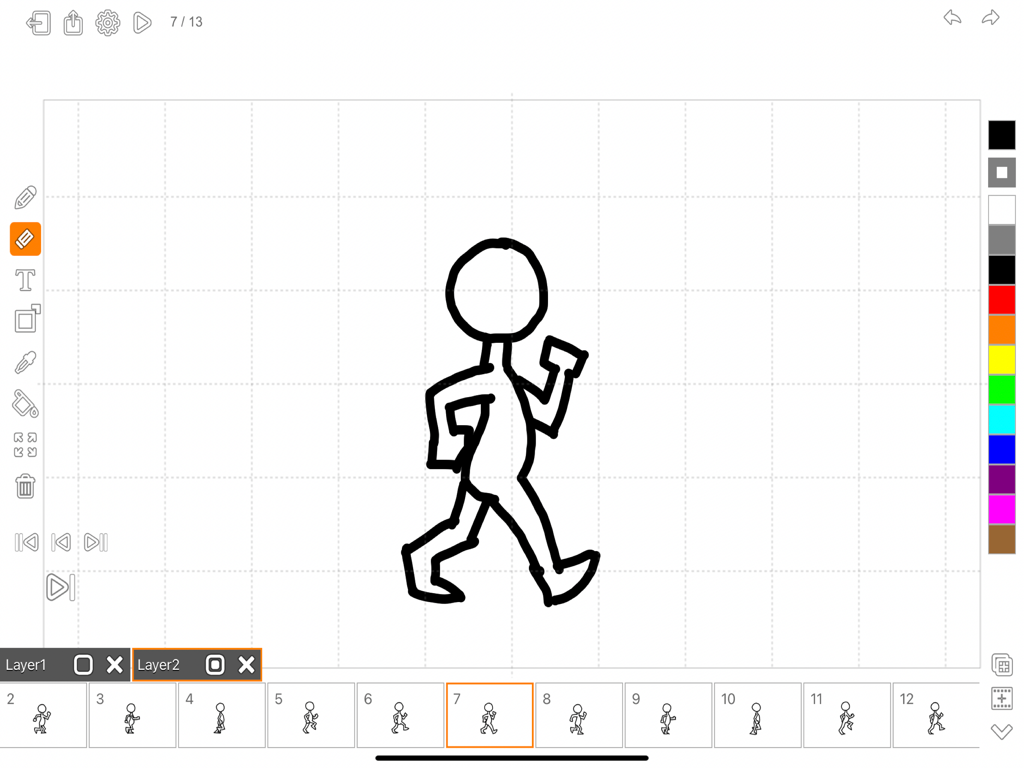
Animator Plus 앱 인터페이스에서 애니메이션 타임라인에 그려진 손으로 그린 걷는 막대기 그림을 보여줍니다.
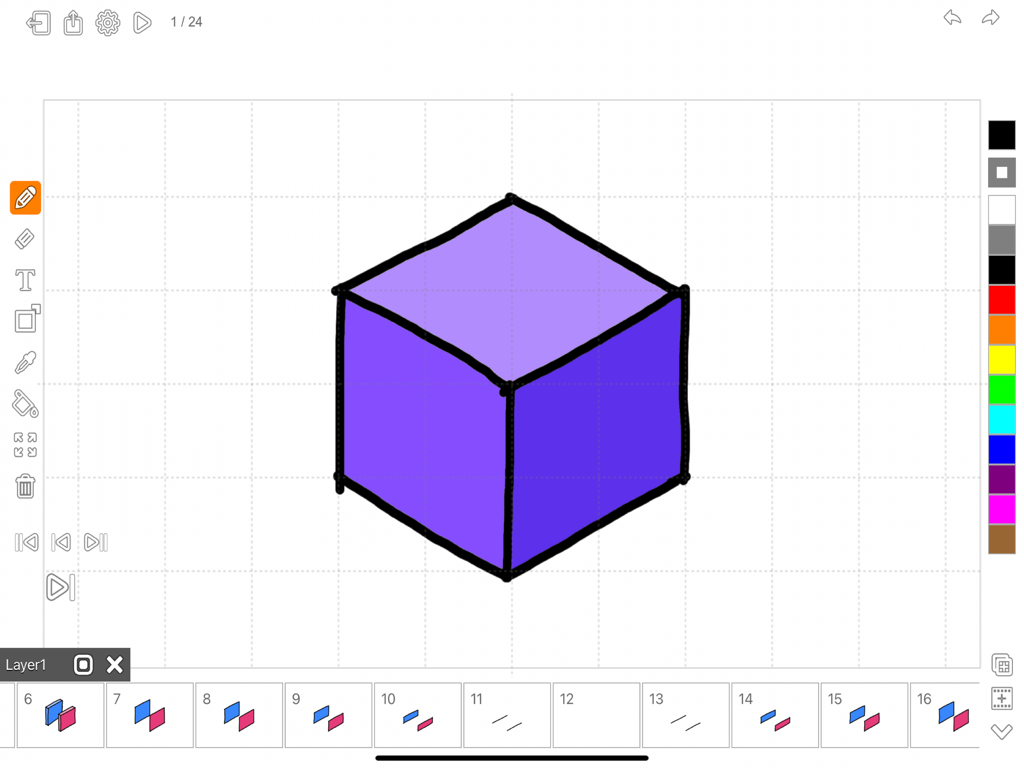
Animator Plus 인터페이스에 프레임별 애니메이션 타임라인과 함께 보라색 큐브 그림이 표시됩니다.
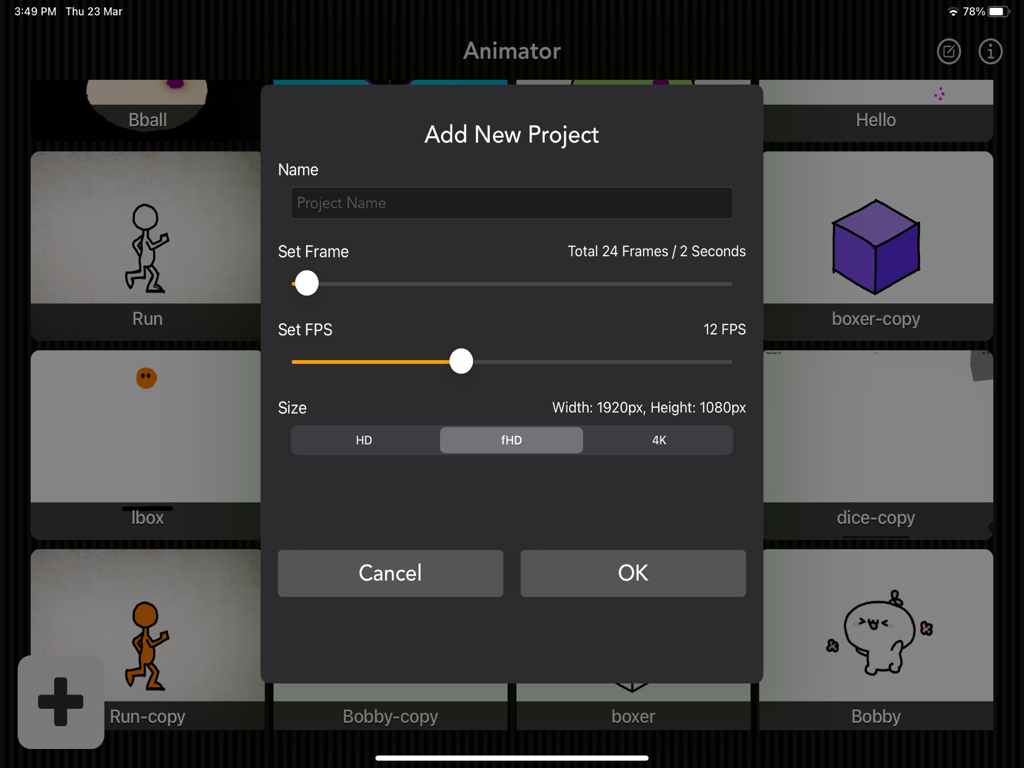
Animator Plus의 새 프로젝트 추가 메뉴에 프레임 속도 및 해상도 설정이 표시됩니다.
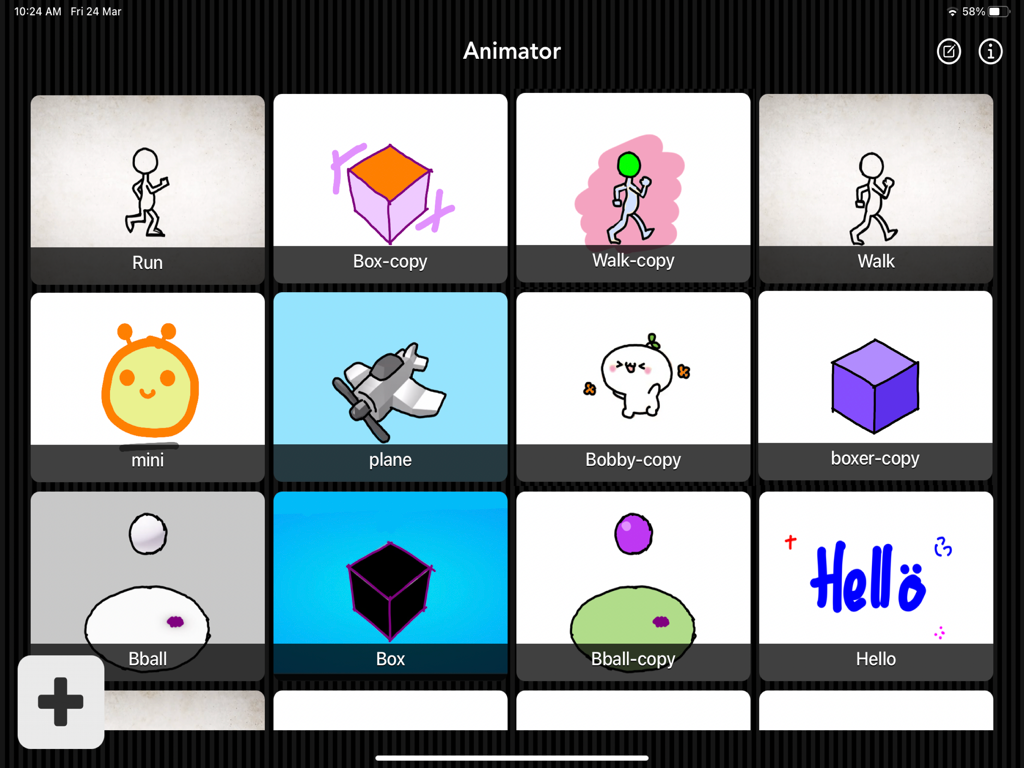
Animator Plus 앱에서 손으로 그린 다양한 캐릭터 스케치와 모양을 보여주는 애니메이션 프로젝트의 그리드 갤러리.
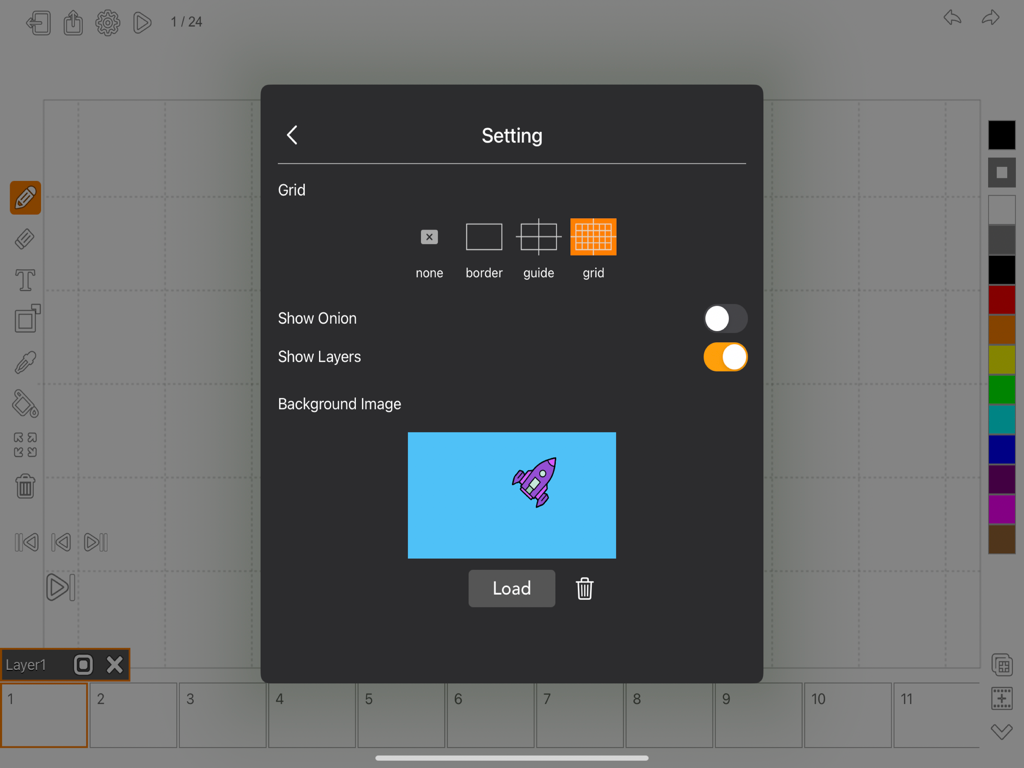
Animator Plus의 설정 메뉴에 애니메이션 프로젝트의 그리드 옵션 및 배경 이미지 선택이 표시됩니다.
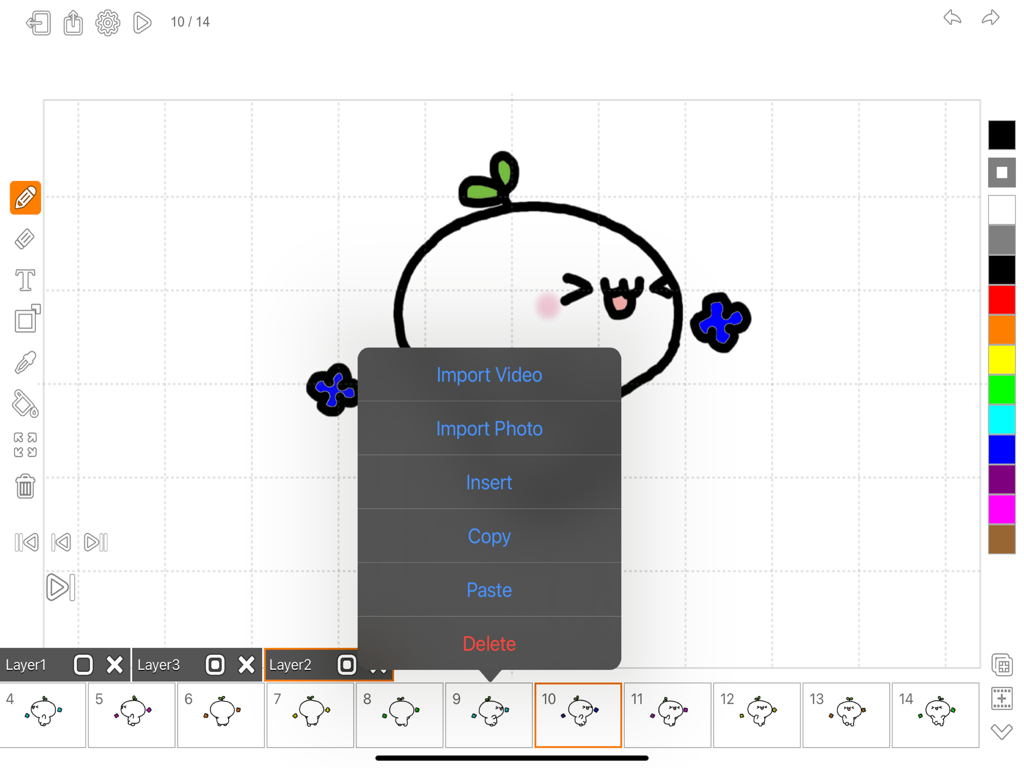
Animator Plus 앱 인터페이스에 손으로 그린 애니메이션 도구 및 프레임이 표시됩니다.
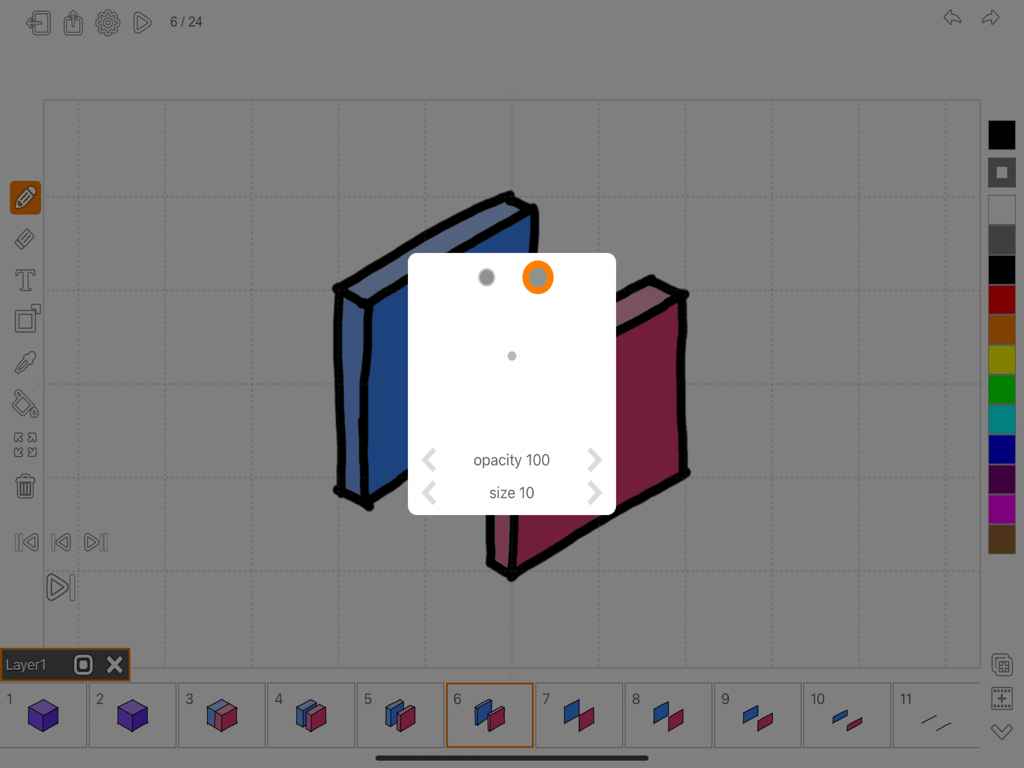
iPad용 Animator Plus 애니메이션 앱 인터페이스에 브러시 설정 및 프레임 타임라인이 표시됩니다.
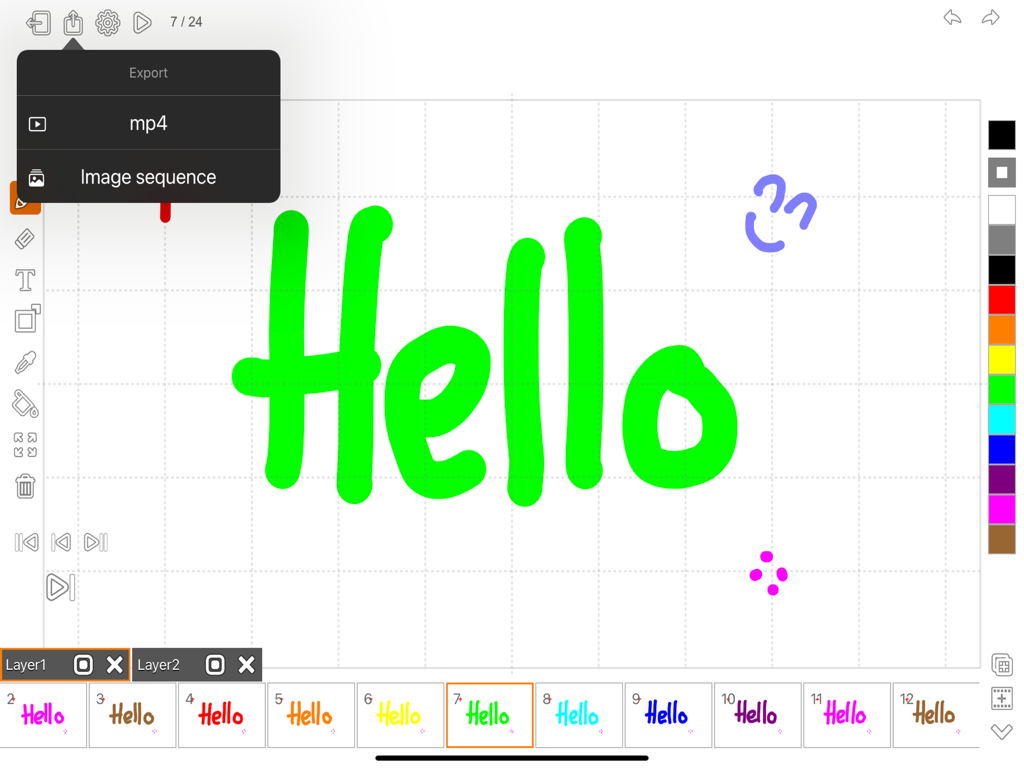
iPad의 Animator Plus 인터페이스에 다채로운 애니메이션 타임라인과 함께 mp4 및 이미지 시퀀스용 내보내기 메뉴가 표시됩니다.
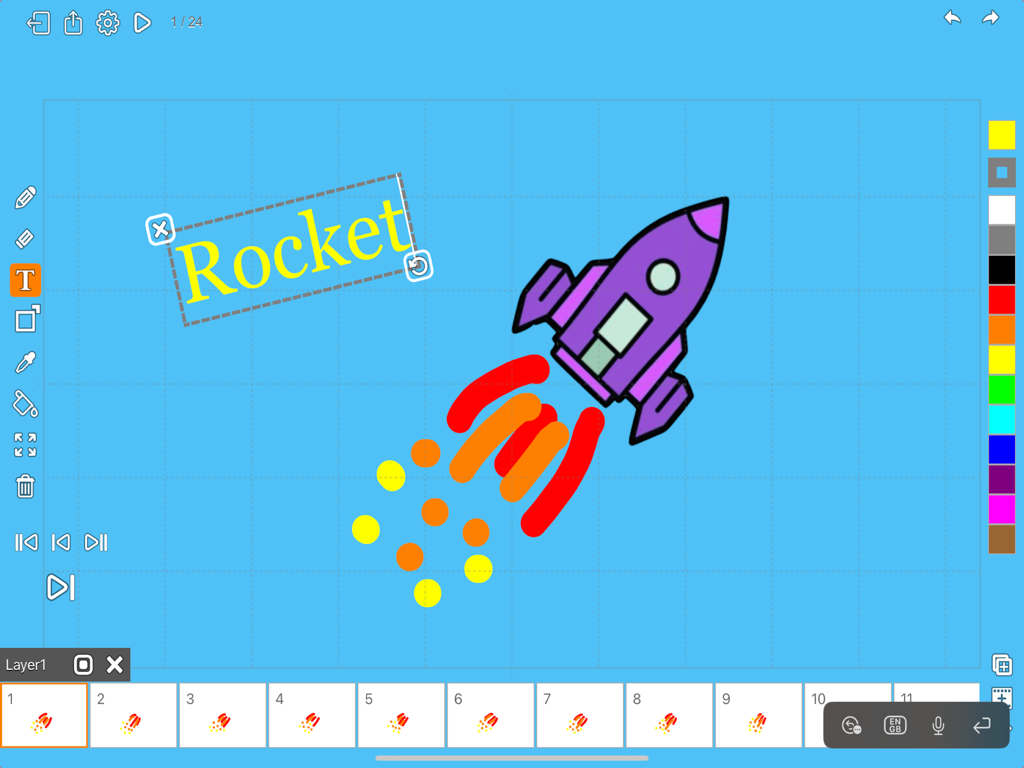
iPad의 Animator Plus 앱 인터페이스에 로켓 그림과 프레임별 애니메이션 타임라인이 표시됩니다.
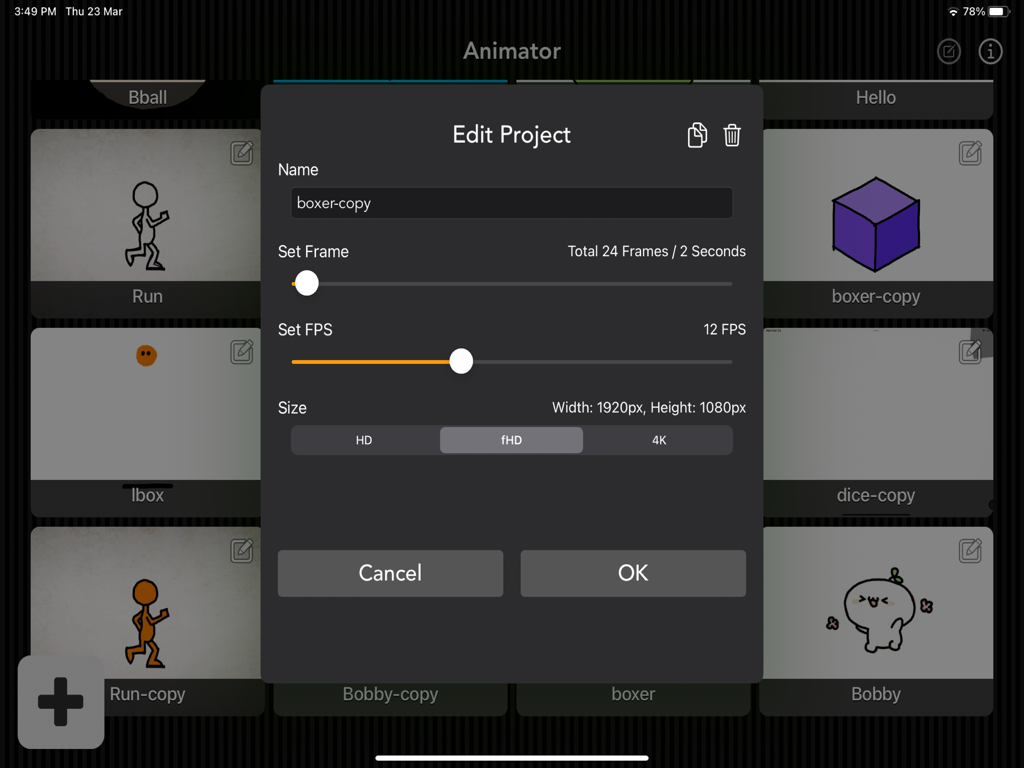
Animator Plus 앱 인터페이스에 iPad에서 프레임 속도 및 해상도에 대한 프로젝트 설정이 표시됩니다.
설명
Looking for a powerful and intuitive animation tool for your iOS device? Look no further than Animator Plus, the ultimate animation app for creative professionals, designers, and hobbyists alike.
With Animator Plus, you can easily create stunning animations using a variety of tools and features, including keyframe animation, timeline editing, drawing tools, and more. Whether you're looking to bring your ideas to life with detailed animations or create simple yet engaging motion graphics, Animator Plus has everything you need to get started.
Designed with usability and flexibility in mind, Animator Plus offers a streamlined interface that makes it easy to create and modify animations on the go. You can export animations in MP4 and PNG, allowing you to share your work with others or use it in your projects.
Easily create awesome animations anytime with this painting and drawing app.
Features:
• Add/Edit/Duplicate/Delete project
• Beautiful, easy-to-use interface
• Create animation project
• Ultra HD 4K, Full HD 1920x1080, HD 1280x720
• Set frame rate, total frames
• Unlimited layers, frames, and animations
• Zooming and panning while drawing
• Preview animation
• Multiple grid options
• Ability to add custom background image
• Undo/Redo
• Export to photo library as video
• Export to photo library as image sequence in PNG format
- Tool Set
• Smooth, high-quality drawing experience
• Paintbrush with various stroke types
• Brush with brush size and opacity adjustment
• Soft Brush and Hard Brush presets
• Eraser with brush size adjustment
• Brush line width selection
• Draw shape with Circle, Rectangle, and Line
• Add text with custom font, size, and rotation
• Fill color mode
• Frame positioning
• Frame rotation
• Frame scale
• Clear canvas
- Layer/Frame Management
• Superior frame management
• Copy/Paste/Insert/Delete frame
• On-the-fly frame rate adjustment
• "Onion skinning" overlay of previous/next frame
• Layers overlay of current frame
• Import background image from photo library
• Import background video from camera
• Layers highly configurable with reordering
Animator Plus makes your creativity come to life on your iPad. With simple and powerful drawing tools, color options, and easy frame management, you can create amazing, lifelike animations with Retina quality and high frame rate playback, limited only by your imagination.
What is cel / traditional animation?
Cel animation, also known as traditional animation, is a method of creating animation by hand-drawing each frame of a sequence on a transparent sheet, known as a cel. This technique was widely used in the early days of animation, before the advent of computer-based animation.
Each cel contains a single drawing, which is then photographed onto a background, frame by frame. The sequence of these frames creates the illusion of motion, as each image is slightly different from the previous one. The process is time-consuming, but it allows for a high degree of control over the final product, and can produce a hand-drawn, traditional look that is still valued in certain contexts today.
While cel animation has largely been replaced by digital animation techniques, many animators still prefer to use this method for its unique visual style and the sense of craftsmanship it embodies.
App design for iPad Pro, iPad Air, iPad and iPad Mini.
So why wait? Download Animator Plus today and start creating amazing animations right from your iOS device!
Thanks for your support and do visit nitrio.com for more apps for your iOS devices.
이 페이지는 앱이나 개발자의 공식 페이지가 아니며, 정보 제공 및 논평을 목적으로 작성된 독립 편집 간행물입니다. 명시적으로 달리 언급되지 않는 한, 해당 앱이나 개발자는 MWM, Apple, Google Play, 앱 퍼블리셔 또는 앱 개발자와 제휴, 보증, 후원, 승인 또는 공식적으로 연결되어 있지 않으며, 이 페이지의 어떤 내용도 해당 앱이 MWM의 서비스를 사용하여 개발되었음을 의미하지 않습니다. 모든 상표, 로고, 스크린샷 및 기타 콘텐츠는 해당 소유자의 자산입니다.