AR Draw Sketch & Trace ©
다운로드: App Store

이 페이지는 앱이나 개발자의 공식 페이지가 아니며, 정보 제공 및 논평을 목적으로 작성된 독립 편집 간행물입니다. 명시적으로 달리 언급되지 않는 한, 해당 앱이나 개발자는 MWM, Apple, Google Play, 앱 퍼블리셔 또는 앱 개발자와 제휴, 보증, 후원, 승인 또는 공식적으로 연결되어 있지 않으며, 이 페이지의 어떤 내용도 해당 앱이 MWM의 서비스를 사용하여 개발되었음을 의미하지 않습니다. 모든 상표, 로고, 스크린샷 및 기타 콘텐츠는 해당 소유자의 자산입니다.

로고: AR Draw Sketch & Trace ©
다운로드: App Store

AR Draw Sketch & Trace ©

증강 현실로 그림 그리기의 기술을 마스터하세요. 템플릿을 종이에 투사하여 애니메이션부터 자연까지 모든 것을 따라 그리고, 창의적인 여정을 기록하여 세상과 공유하세요.

주요 수치

다운로드

163K+

사용자 평점

4.2/5

총 평가 수

4K+

개발사

BSOFT VIET NAM JOINT STOCK COMPANY

카테고리

Utilities

지원 언어

66

최신 버전

2.5.5

크기

204.0 MB

출시일

2024년 4월 12일
기능

AR로 그림 그리기 기술을 마스터하세요

디지털 비전과 물리적 예술 사이의 간극을 메우세요. 당사의 고급 AR 기술은 기술 수준에 관계없이 멋진 걸작을 그리고, 따라 그리고, 만드는 데 도움이 됩니다.

정밀 AR 트레이싱

휴대폰을 전문 라이트박스로 바꾸세요. 모든 이미지를 종이에 투사하여 비율과 복잡한 선을 즉시 마스터하세요.

바이럴 과정 녹화

그림 그리기 진행 상황의 고품질 타임랩스를 캡처하세요. 틱톡 및 인스타그램에서 창의적인 발전을 공유하는 데 완벽합니다.

다음 스크린샷과 설명은 앱의 공식 스토어 목록에서 직접 가져온 것이며 앱 개발자의 자산입니다.

앱 스토어

스크린샷
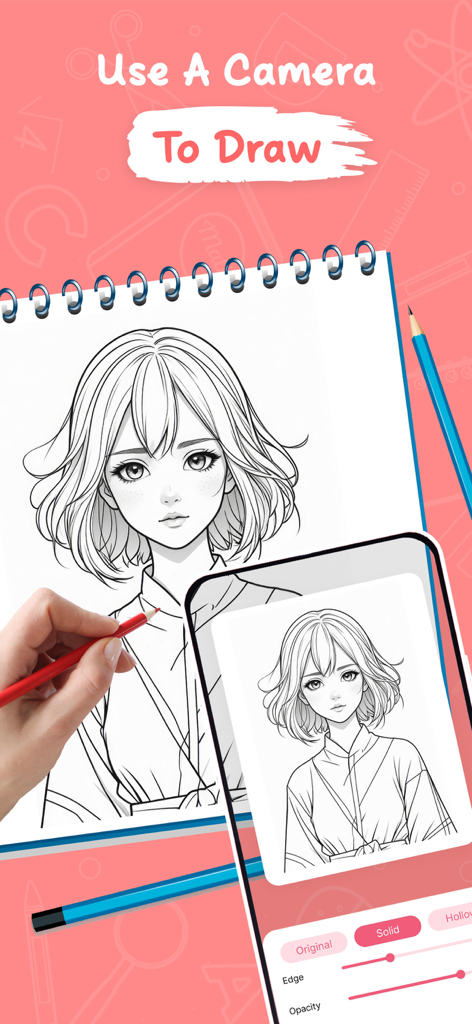
AR Draw Sketch & Trace © - AR 기술을 사용하여 종이에 휴대폰 화면에서 애니메이션 소녀 일러스트를 따라 그리고 있습니다.
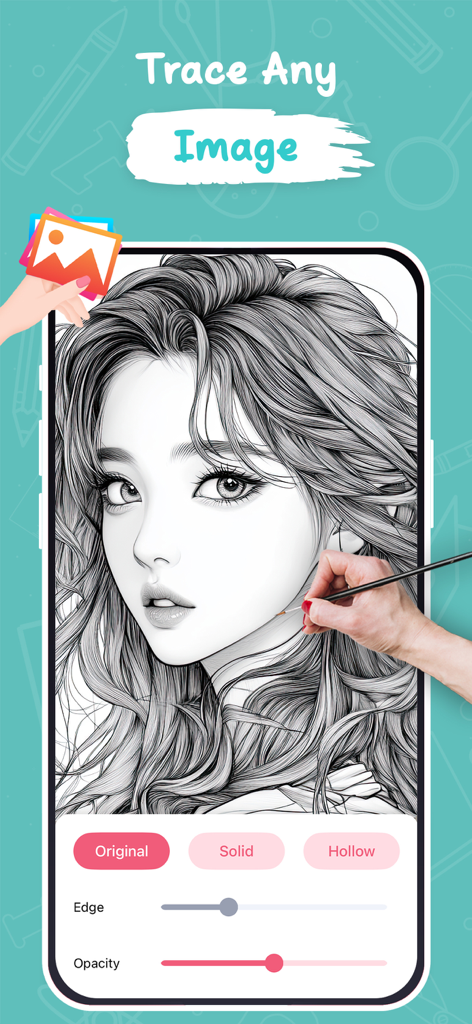
AR 기술을 사용하여 종이에 휴대폰 화면에서 애니메이션 소녀 일러스트를 따라 그리고 있습니다.

AR Draw Sketch & Trace © - AR Draw Sketch 앱의 인터페이스에서 가장자리 및 투명도 컨트롤을 사용하여 스마트폰 화면에서 따라 그리고 있는 상세한 애니메이션 초상화가 표시됩니다.
AR Draw Sketch 앱의 인터페이스에서 가장자리 및 투명도 컨트롤을 사용하여 스마트폰 화면에서 따라 그리고 있는 상세한 애니메이션 초상화가 표시됩니다.

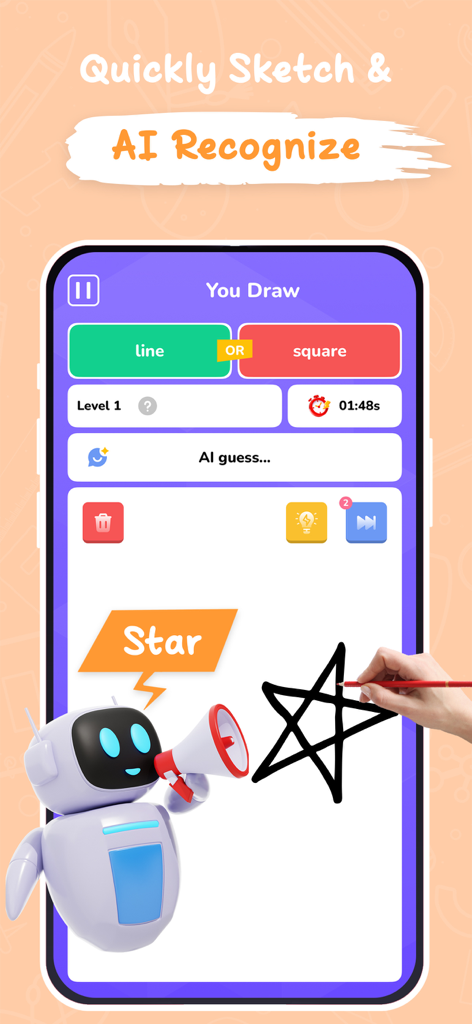
AR Draw Sketch & Trace © - 손이 별을 그리고 AI 로봇 캐릭터가 스케치를 인식하는 것을 보여주는 스마트폰 인터페이스.
손이 별을 그리고 AI 로봇 캐릭터가 스케치를 인식하는 것을 보여주는 스마트폰 인터페이스.

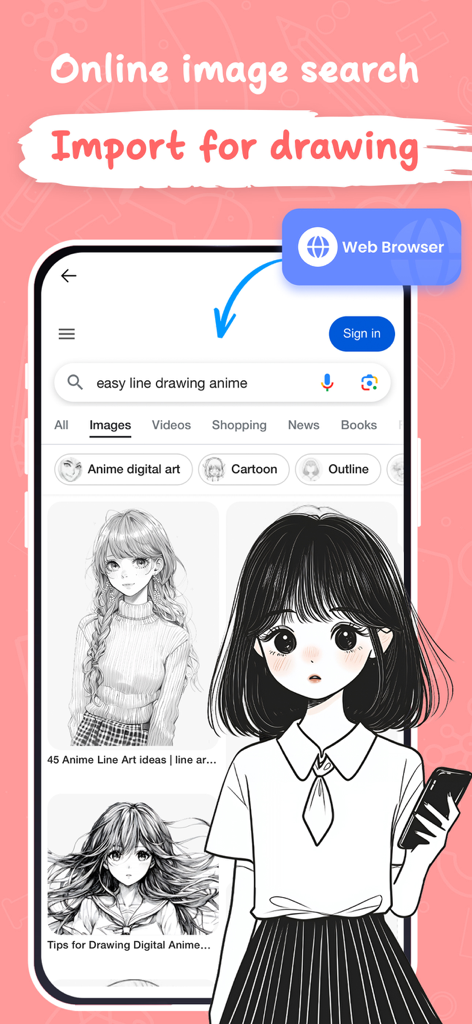
AR Draw Sketch & Trace © - 그리기와 스케치를 위해 쉬운 애니메이션 선화 검색을 보여주는 앱 내 웹 브라우저 인터페이스.
그리기와 스케치를 위해 쉬운 애니메이션 선화 검색을 보여주는 앱 내 웹 브라우저 인터페이스.

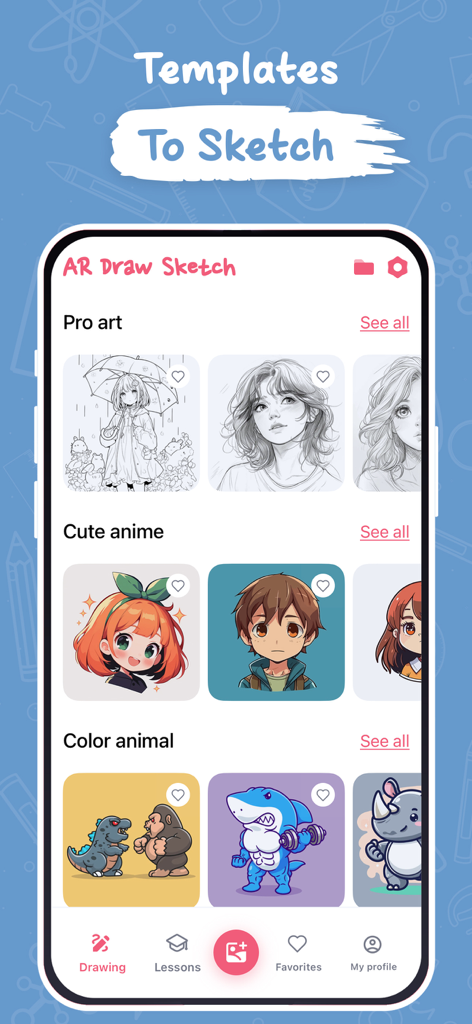
AR Draw Sketch & Trace © - 전문 예술, 귀여운 애니메이션, 색상 동물을 기준으로 분류된 그림 템플릿을 표시하는 앱 인터페이스.
전문 예술, 귀여운 애니메이션, 색상 동물을 기준으로 분류된 그림 템플릿을 표시하는 앱 인터페이스.

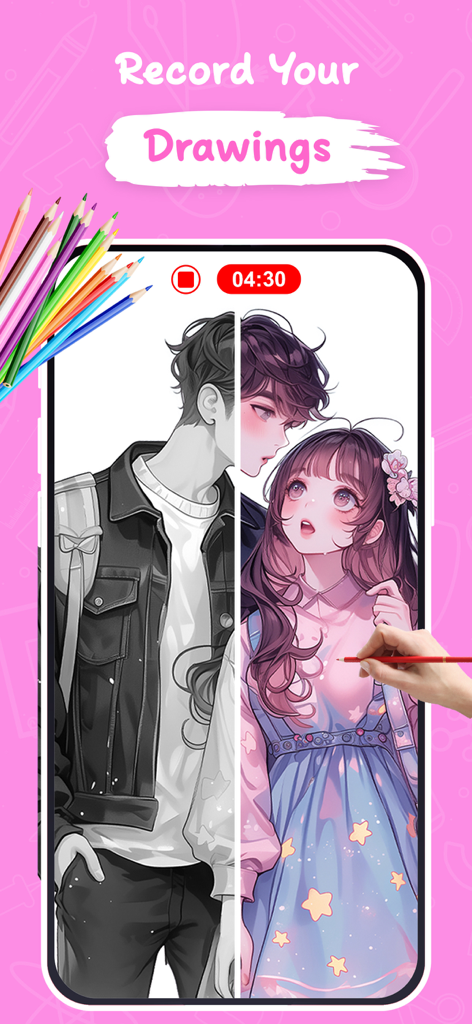
AR Draw Sketch & Trace © - AR Draw Sketch 앱에서 애니메이션 그리기 과정을 녹화하고 있습니다.
AR Draw Sketch 앱에서 애니메이션 그리기 과정을 녹화하고 있습니다.

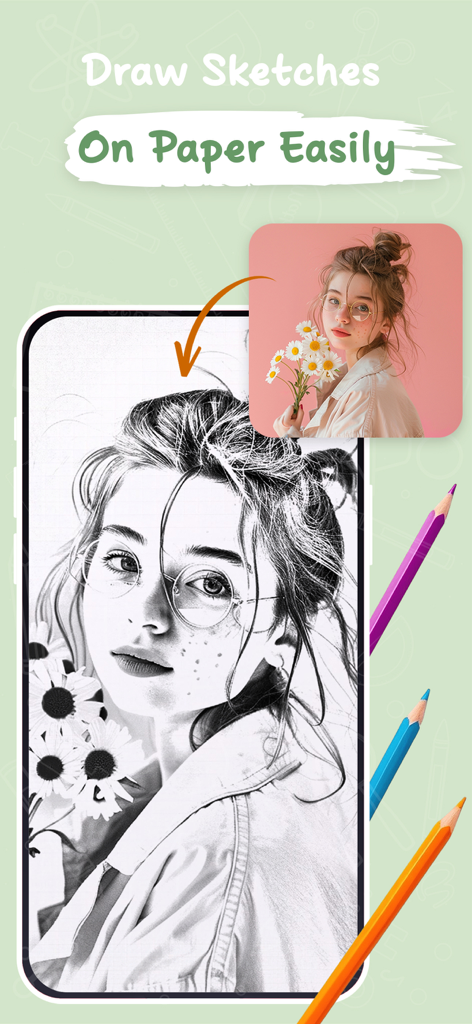
AR Draw Sketch & Trace © - 종이에 그리기 위해 사진이 스케치로 변환되는 것을 보여주는 모바일 앱 인터페이스.
종이에 그리기 위해 사진이 스케치로 변환되는 것을 보여주는 모바일 앱 인터페이스.

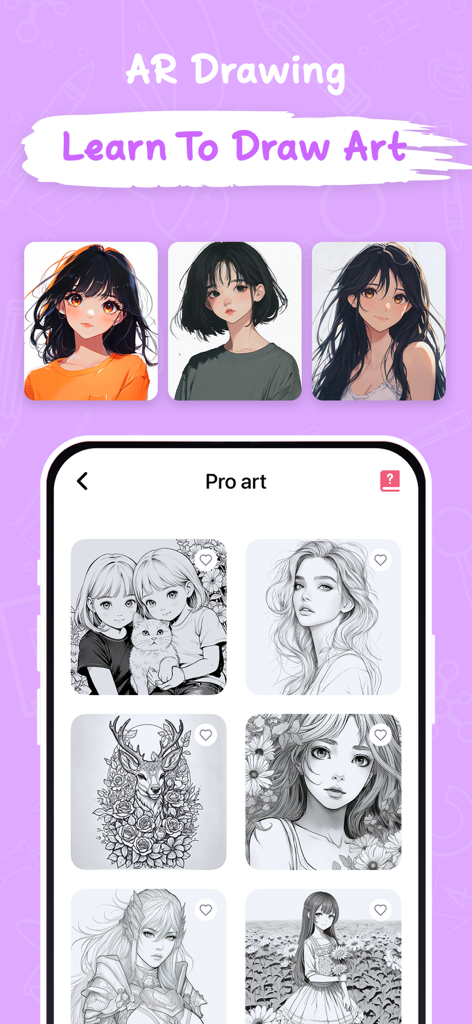
AR Draw Sketch & Trace © - AR Draw Sketch 앱 인터페이스에서 따라 그리기를 위한 애니메이션 및 전문 예술 템플릿을 보여줍니다.

AR Draw Sketch 앱 인터페이스에서 따라 그리기를 위한 애니메이션 및 전문 예술 템플릿을 보여줍니다.

설명

AR Draw Sketch is a creative drawing application for iPhone/iPad devices, using augmented reality (AR) technology to turn your ideas into unique works of art. Convert all beautiful moments into unique works of art with the Draw Sketch app. With AR Draw Sketch, you can express your creativity through various key features: * Sketch: Allows you to draw freely from real images. You can use your phone's camera to create freehand artwork from real-life images. Draw, sketch, and paint, bringing your artistic visions to life like never before. * Draw on paper: Transfer an image into line work from a photo or artwork. You place your tracing paper over it and draw the lines that you see. This feature is very useful for beginners learning to draw, helping them practice basic skills such as line drawing, and perspective,... * Video Recording: Capture your AR artwork in time by capturing snapshots of your creations. Share your unique sketches with friends and social media, showcasing the intersection of your imagination and the real world. * You can learn from AR Draw Sketch to make art an immersive experience with many different drawing objects: + Animals + Anime + Chibi + Doodle + Butterfly + Learn to Draw + For kid + Flowers + Nature + Vehicle And more... Advanced Features: - Edge size: Adjust the edge size to make your strokes thicker - Opacity: Make the drawing template more or less transparent - Start with basic drawing exercises to familiarize yourself with the drawing tools. Experiment with different brushes, colors, and line styles. * Easy to Use: AR Draw Sketch is designed for artists of all levels. The user-friendly interface ensures a seamless experience, allowing you to focus on your creativity without any technical hurdles. AR Draw Sketch is an iOS application suitable for all ages, from beginners to professional artists. -------------Using-------------: 1. Position the phone on a stable stand 2. Open the AR Draw Sketch & Trace app 3. Import or select photos from Art Gallery 4. Convert your photo into a contour sketch 5. Adjust the AR version of the image on canvas or paper 6. Create your own beautiful masterpieces Try AR Draw Sketch today and explore the exciting world of creativity! If you find AR Draw Sketch & Trace helpful, please rate us and share the app with your friends. Thank you! Links to our Terms of Service and Privacy Policy can be found below https://sites.google.com/view/btb-ios-group/ ToS: https://sites.google.com/view/btb-ios-group-tos/

Download

다운로드: App Store

이 페이지는 앱이나 개발자의 공식 페이지가 아니며, 정보 제공 및 논평을 목적으로 작성된 독립 편집 간행물입니다. 명시적으로 달리 언급되지 않는 한, 해당 앱이나 개발자는 MWM, Apple, Google Play, 앱 퍼블리셔 또는 앱 개발자와 제휴, 보증, 후원, 승인 또는 공식적으로 연결되어 있지 않으며, 이 페이지의 어떤 내용도 해당 앱이 MWM의 서비스를 사용하여 개발되었음을 의미하지 않습니다. 모든 상표, 로고, 스크린샷 및 기타 콘텐츠는 해당 소유자의 자산입니다.








