AR Drawing - Sketch Trace Draw
다운로드: App Store

이 페이지는 앱이나 개발자의 공식 페이지가 아니며, 정보 제공 및 논평을 목적으로 작성된 독립 편집 간행물입니다. 명시적으로 달리 언급되지 않는 한, 해당 앱이나 개발자는 MWM, Apple, Google Play, 앱 퍼블리셔 또는 앱 개발자와 제휴, 보증, 후원, 승인 또는 공식적으로 연결되어 있지 않으며, 이 페이지의 어떤 내용도 해당 앱이 MWM의 서비스를 사용하여 개발되었음을 의미하지 않습니다. 모든 상표, 로고, 스크린샷 및 기타 콘텐츠는 해당 소유자의 자산입니다.

로고: AR Drawing - Sketch Trace Draw
다운로드: App Store

AR Drawing - Sketch Trace Draw

비율 때문에 고민하는 것을 멈추고 창작을 시작하세요. 휴대폰을 디지털 라이트박스로 만들어 애니메이션부터 초상화까지 무엇이든 즉시 투사하고, 따라 그리고, 마스터하세요.

주요 수치

다운로드

1K+

사용자 평점

4.6/5

총 평가 수

0

개발사

Darshan Mavani

카테고리

Graphics & Design

지원 언어

20

최신 버전

1.0

크기

92.2 MB

출시일

2025년 12월 18일
기능

몇 초 만에 그림 그리기 기술 마스터하기

휴대폰을 강력한 AR 프로젝터로 바꾸세요. 모든 이미지를 따라 그리고, 단계별 가이드를 따르고, 정식 교육 경험이 전혀 없더라도 멋진 실제 스케치를 만드세요.

마법의 AR 투사

카메라 렌즈를 통해 선택한 이미지가 종이에 떠 있는 것을 보세요. 선을 따라 완벽한 비율을 만드세요.

나만의 세상 추적하기

애완동물, 유행하는 애니메이션 또는 맞춤 문신 아이디어 사진을 가져와 개인 갤러리를 전문가 수준의 스텐실로 만드세요.

다음 스크린샷과 설명은 앱의 공식 스토어 목록에서 직접 가져온 것이며 앱 개발자의 자산입니다.

앱 스토어

스크린샷
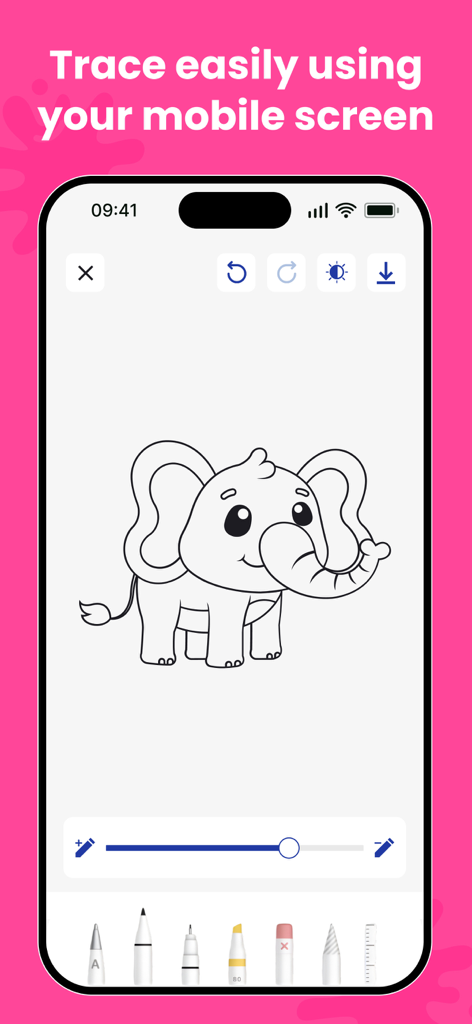
AR Drawing - Sketch Trace Draw - 다양한 디지털 드로잉 도구를 사용하여 추적할 준비가 된 만화 코끼리 스케치를 보여주는 모바일 화면.
다양한 디지털 드로잉 도구를 사용하여 추적할 준비가 된 만화 코끼리 스케치를 보여주는 모바일 화면.

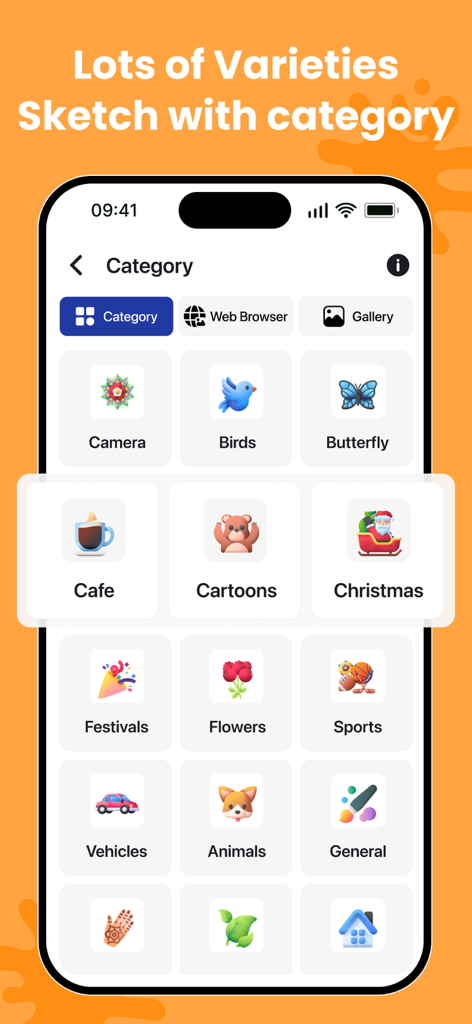
AR Drawing - Sketch Trace Draw - 동물, 새, 만화 등 추적을 위한 다양한 스케치 카테고리를 보여주는 인터페이스
동물, 새, 만화 등 추적을 위한 다양한 스케치 카테고리를 보여주는 인터페이스

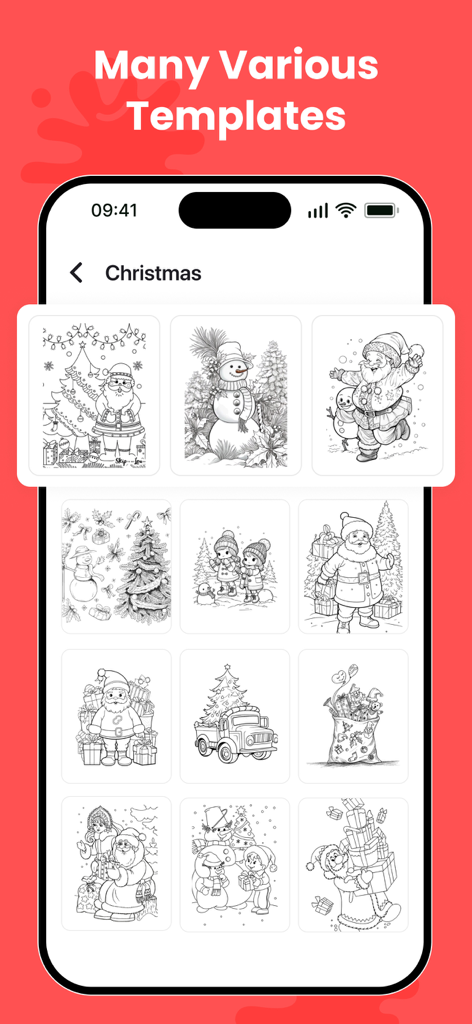
AR Drawing - Sketch Trace Draw - AR 드로잉 앱 내에서 크리스마스 테마의 그림 및 추적 템플릿 갤러리
AR 드로잉 앱 내에서 크리스마스 테마의 그림 및 추적 템플릿 갤러리

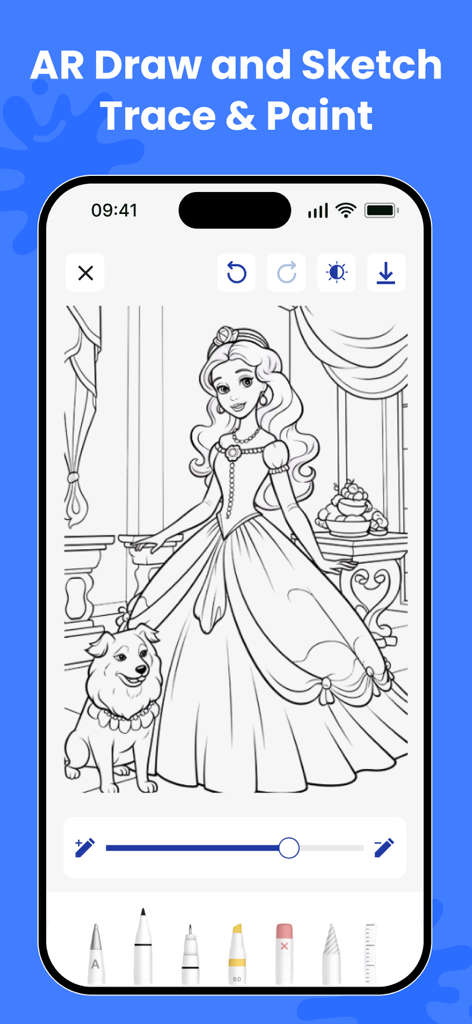
AR Drawing - Sketch Trace Draw - AR 드로잉 앱 화면에 공주와 개 스케치가 있어 추적하고 칠할 준비가 되었습니다.
AR 드로잉 앱 화면에 공주와 개 스케치가 있어 추적하고 칠할 준비가 되었습니다.

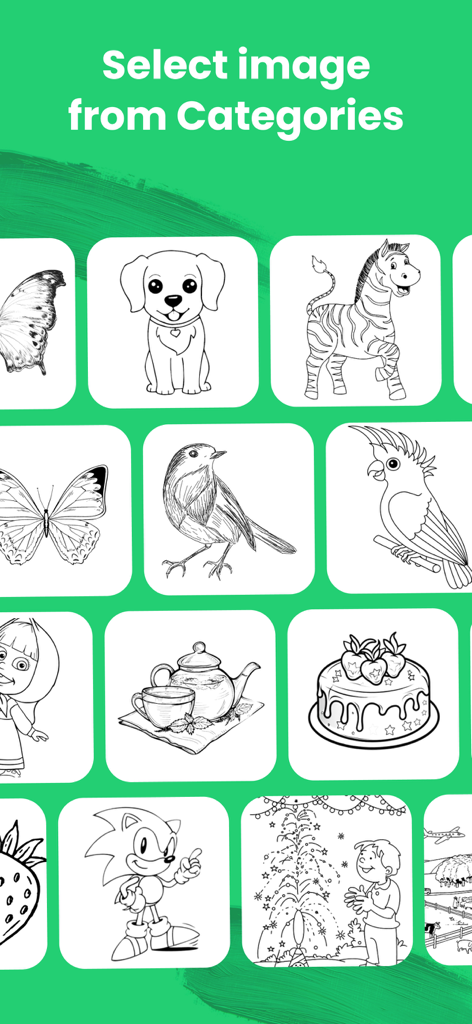
AR Drawing - Sketch Trace Draw - AR 드로잉 앱의 선택 화면에 동물, 음식, 만화 캐릭터를 포함한 다양한 스케치 그리드가 표시됩니다.
AR 드로잉 앱의 선택 화면에 동물, 음식, 만화 캐릭터를 포함한 다양한 스케치 그리드가 표시됩니다.

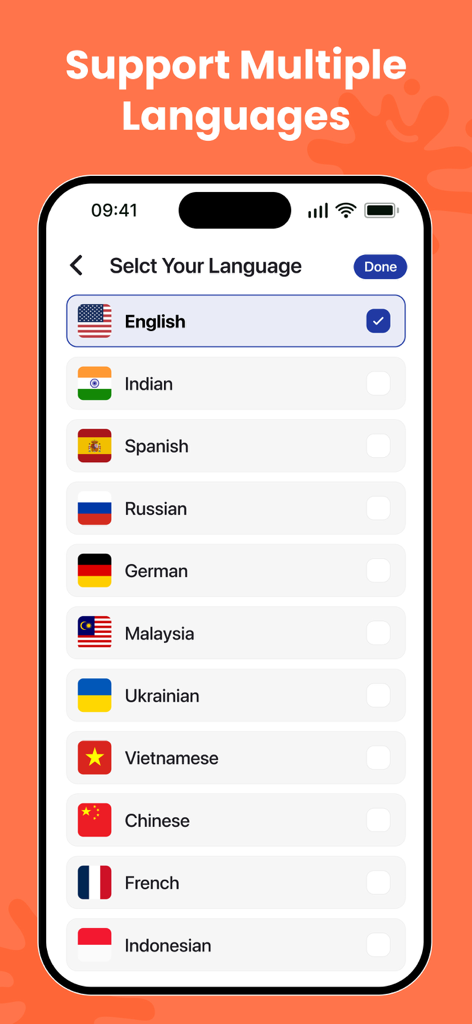
AR Drawing - Sketch Trace Draw - AR 드로잉 앱 내의 화면에 영어, 스페인어, 프랑스어를 포함한 지원 언어 목록이 표시됩니다.
AR 드로잉 앱 내의 화면에 영어, 스페인어, 프랑스어를 포함한 지원 언어 목록이 표시됩니다.

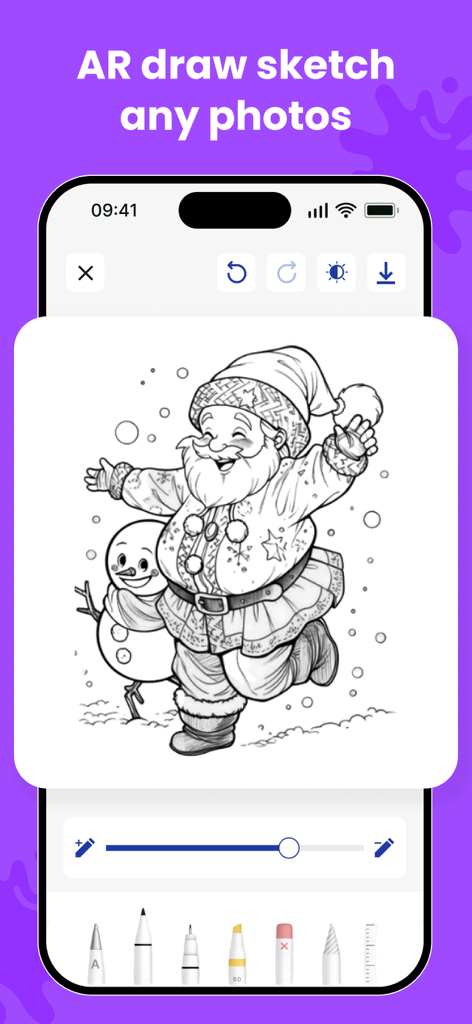
AR Drawing - Sketch Trace Draw - AR 드로잉 앱 화면에 산타클로스와 눈사람의 흑백 스케치가 다양한 디지털 펜 도구로 추적할 준비가 되었습니다.

AR 드로잉 앱 화면에 산타클로스와 눈사람의 흑백 스케치가 다양한 디지털 펜 도구로 추적할 준비가 되었습니다.

설명

Bring your creativity to life with AR Drawing – Sketch Trace Draw, the ultimate tool to Learn to Draw, trace images, and create perfect drawing sketches using Augmented Reality. Whether you’re a beginner or an artist, this app makes drawing easier than ever with step-by-step guides, Easy Draw tools, and powerful tracing features. With advanced AR technology, you can place a virtual image on real paper and draw by trace with accuracy. From portraits to cartoons, from objects to handwritten text drawing, everything becomes easy to sketch and paint. Key Features: AR Drawing – Trace Any Image Use the AR Drawing camera to place an image on your paper and draw trace outlines with perfect alignment. Great for Paper Sketch, portraits, tattoos, and school art. Learn to Draw – Step-by-Step Follow structured drawing lessons designed to help beginners improve quickly. The How to Draw mode simplifies complex images so anyone can learn. Sketch Trace & Sketch Draw Tools Master tracing with tools like: - Sketch Trace - Trace Draw - Sketch Draw - How Draw guides Perfect for creating smooth sketches with pencils, markers, or pens. Import & Trace Any Photo Upload photos from your gallery and convert them into outlines for image to pen edit and trace image drawing styles. Drawing With Pen or Pencil The app works with any medium—drawing with pen, pencil, marker, or brush. Just place your phone above your paper and start tracing. Sketching & Painting Enhance your creativity with built-in sketch & paint tools, helping you turn simple outlines into beautiful artwork. Adjustable Controls - Resize, rotate, or flip images - Change transparency for better visibility - Lock the image for stable tracing Save & Share Save your draw sketch results or share them on Instagram, Facebook, or with friends. Why You’ll Love AR Drawing – Sketch Trace Draw - Makes drawing simple with Easy Draw tools - Best app to Learn Draw and improve sketching skills - Ideal for beginners, kids, students & artists - Helps you practice everyday Drawing, portraits & cartoons - Brings real-time AR technology for perfect tracing - Works for tattoo design drafts, custom art, and calligraphy How to Use 1. Place your phone above your paper 2. Select a picture or import your own 3. Adjust size and transparency 4. Start tracing with ease 5. Finish your paper sketch and share your art Create Your Best Art Today Whether you want to learn to draw, improve your drawing sketch skills, or make professional-level art with draw trace techniques, this app gives you everything in one place. Use the free Video Browser to watch videos directly from the internet. It provides a smooth, fast, and seamless experience while browsing and viewing your favorite content. Privacy Policy: https://darshanmavaniapps.blogspot.com/2025/12/privacy-policy-for-ar-drawing-sketch.html Terms of use: https://darshanmavaniapps.blogspot.com/2025/12/terms-and-conditions-for-ar-drawing.html Download AR Drawing – Sketch Trace Draw and start drawing like a pro!

Download

다운로드: App Store

이 페이지는 앱이나 개발자의 공식 페이지가 아니며, 정보 제공 및 논평을 목적으로 작성된 독립 편집 간행물입니다. 명시적으로 달리 언급되지 않는 한, 해당 앱이나 개발자는 MWM, Apple, Google Play, 앱 퍼블리셔 또는 앱 개발자와 제휴, 보증, 후원, 승인 또는 공식적으로 연결되어 있지 않으며, 이 페이지의 어떤 내용도 해당 앱이 MWM의 서비스를 사용하여 개발되었음을 의미하지 않습니다. 모든 상표, 로고, 스크린샷 및 기타 콘텐츠는 해당 소유자의 자산입니다.







