AR Plan 3D Measure Floor, Room

AR Plan 3D Measure Floor, Room

다운로드: App Store다운로드: Google Play
로고: AR Plan 3D Measure Floor, Room

AR Plan 3D: 몇 초 만에 전문적인 평면도 및 측정

AR 및 LiDAR의 강력한 기능을 활용하여 방을 스캔하고, 3D 레이아웃을 생성하며, 자재 비용을 즉시 추정하세요. 줄자 없이 정확성을 추구하는 주택 소유자, DIY 애호가 및 부동산 전문가를 위한 최고의 도구입니다.

개발사

Grymala sp. z o.o.

카테고리

Utilities

다운로드

188K+

사용자 평점

4.3/5

총 평가 수

300

지원 언어

12

모든 픽셀에 담긴 정확성

이 인터페이스를 사용하는 188K+ 명의 사용자.

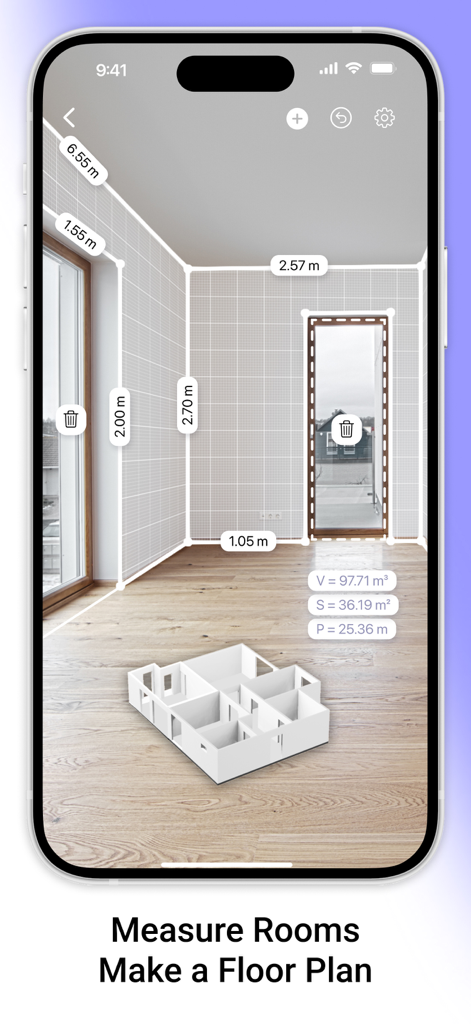
AR Plan 3D 앱 인터페이스가 증강 현실로 방을 측정하고 3D 평면도를 보여줍니다
AR Plan 3D 앱 인터페이스가 증강 현실로 방을 측정하고 3D 평면도를 보여줍니다

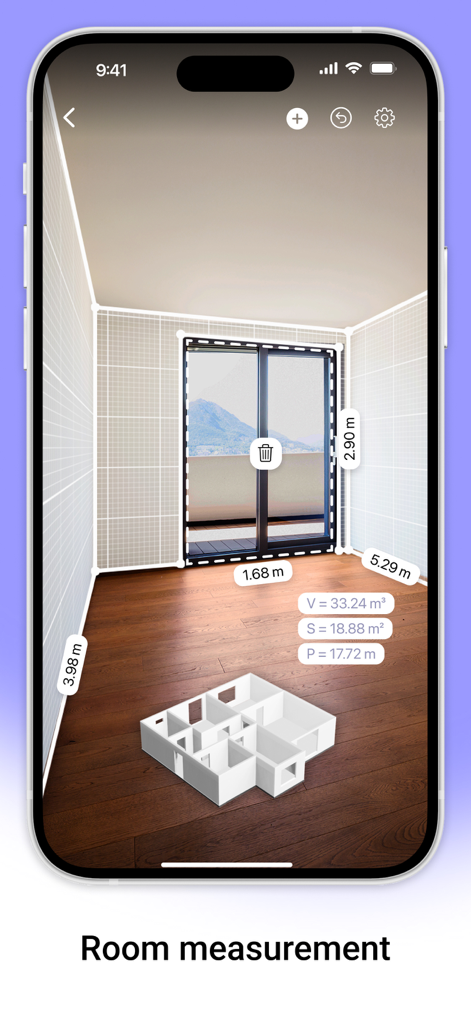
AR Plan 3D 앱 인터페이스가 치수 및 3D 평면도 모델과 함께 증강 현실 공간 측정을 보여줍니다.
AR Plan 3D 앱 인터페이스가 치수 및 3D 평면도 모델과 함께 증강 현실 공간 측정을 보여줍니다.

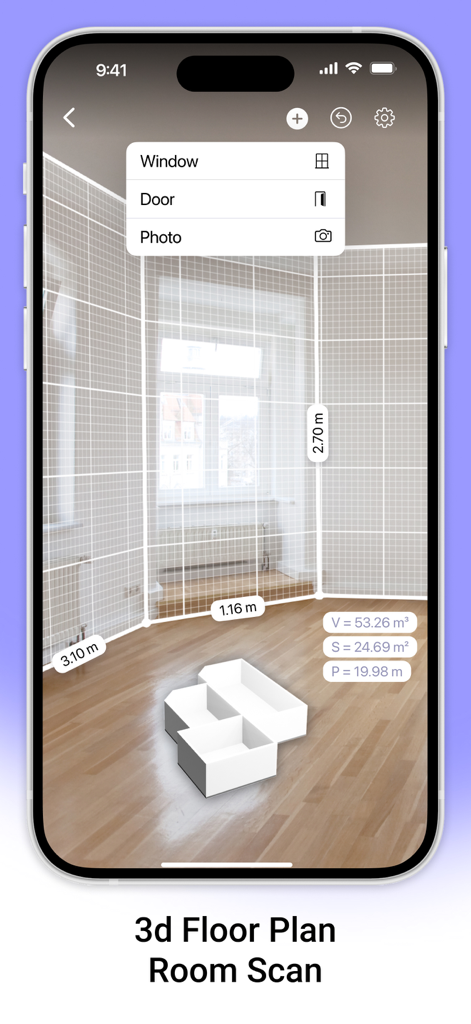
AR Plan 3D 앱 인터페이스가 벽 측정 및 3D 평면도와 함께 증강 현실 공간 스캔을 보여줍니다
AR Plan 3D 앱 인터페이스가 벽 측정 및 3D 평면도와 함께 증강 현실 공간 스캔을 보여줍니다

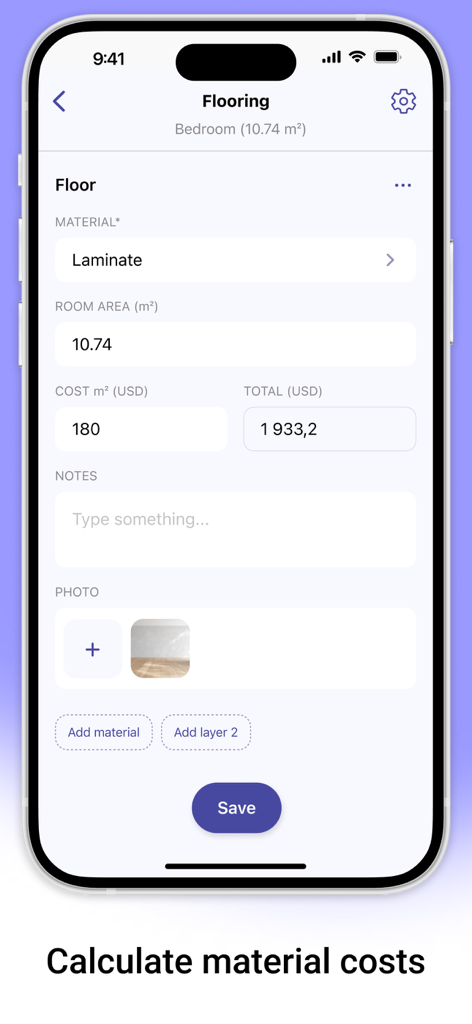
AR Plan 3D 앱 인터페이스가 라미네이트 바닥재 자재 비용 추정치를 보여줍니다
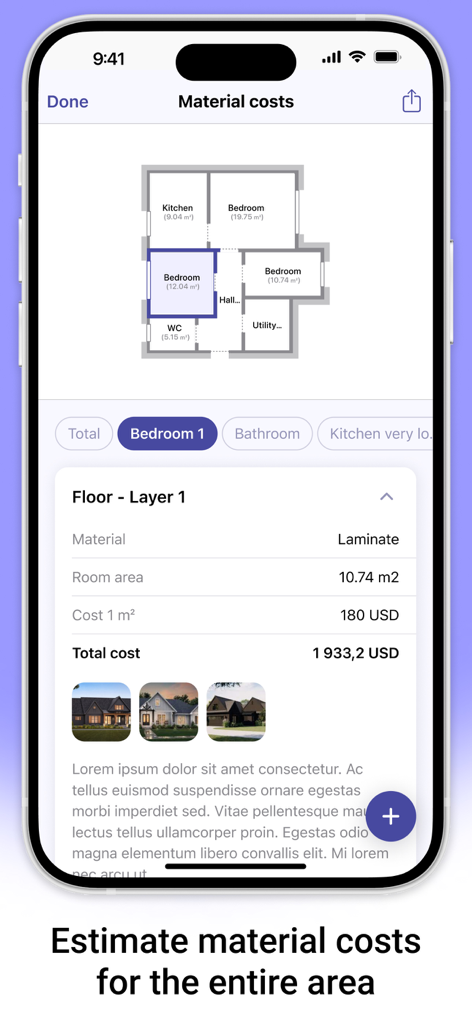
AR Plan 3D 앱 인터페이스가 라미네이트 바닥재 자재 비용 추정치를 보여줍니다

AR Plan 3D 앱 인터페이스가 주택 리노베이션 프로젝트의 자재 비용 추정치 및 평면도를 보여줍니다.
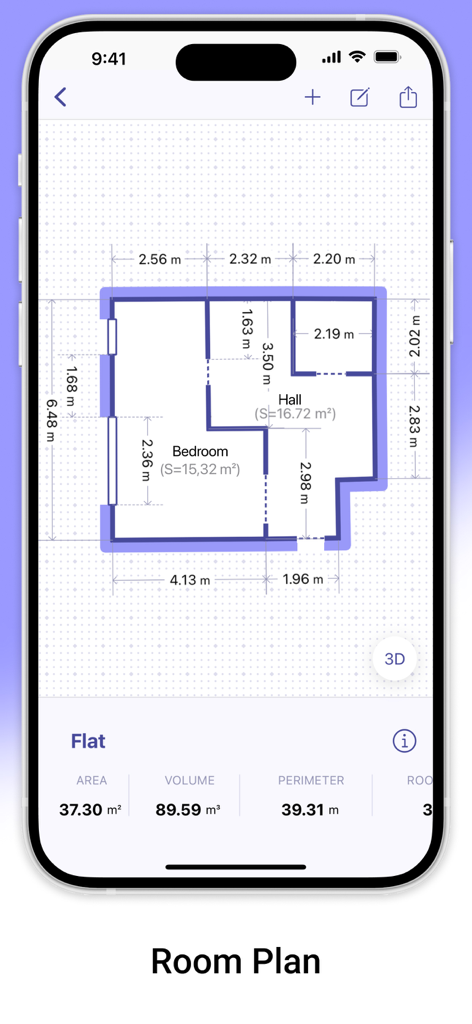
AR Plan 3D 앱 인터페이스가 주택 리노베이션 프로젝트의 자재 비용 추정치 및 평면도를 보여줍니다.

면적 및 둘레 계산이 있는 평면 레이아웃을 보여주는 2D 평면도 측정
면적 및 둘레 계산이 있는 평면 레이아웃을 보여주는 2D 평면도 측정

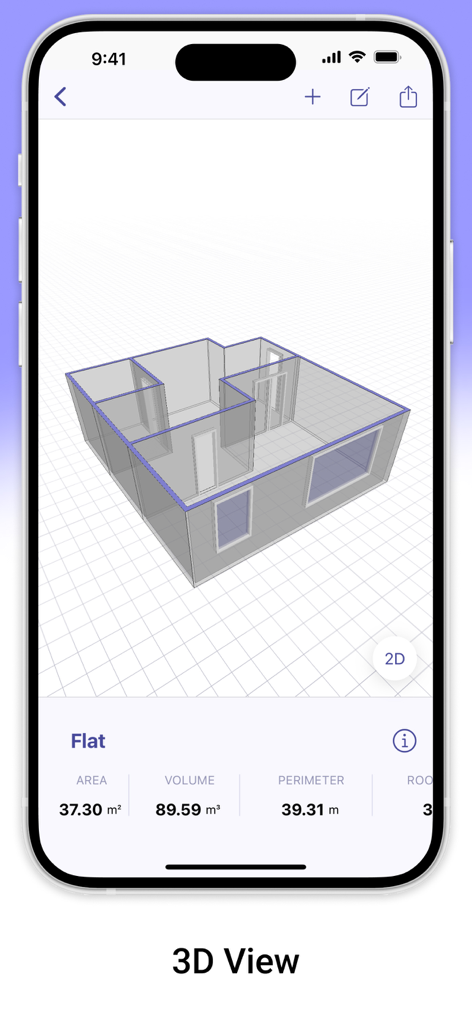
AR Plan 3D 앱에서 면적 및 부피 측정이 있는 3D 평면도 모델
AR Plan 3D 앱에서 면적 및 부피 측정이 있는 3D 평면도 모델

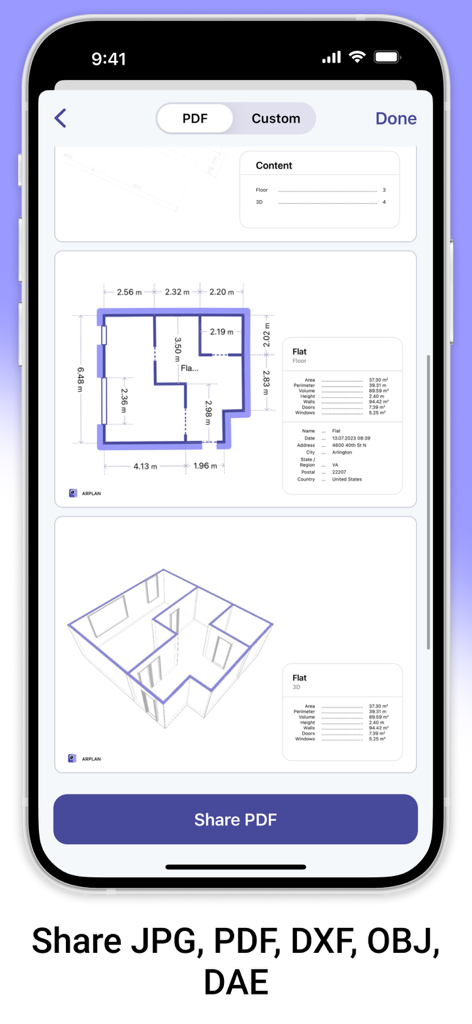
AR Plan 3D 모바일 앱 화면이 부동산 및 DIY 프로젝트를 위해 PDF 형식의 2D 및 3D 평면도 내보내기 옵션을 표시합니다
AR Plan 3D 모바일 앱 화면이 부동산 및 DIY 프로젝트를 위해 PDF 형식의 2D 및 3D 평면도 내보내기 옵션을 표시합니다

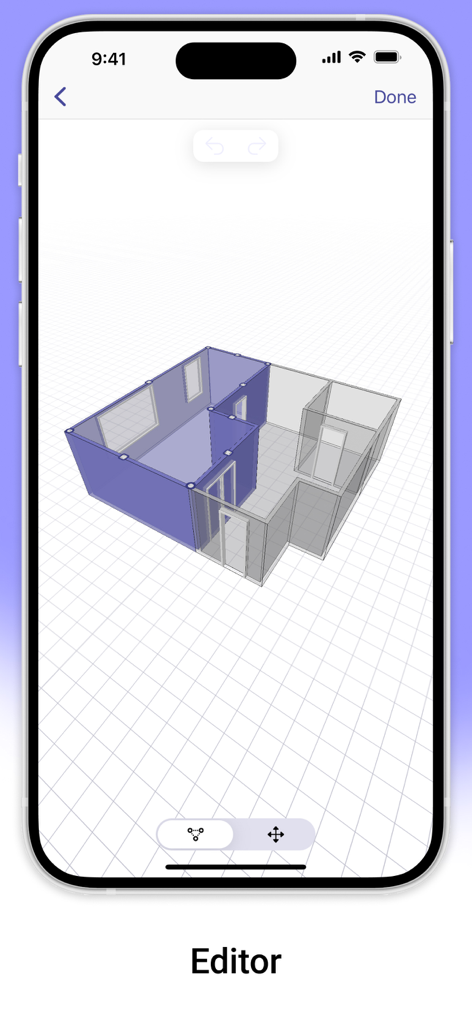
AR Plan 3D 앱 편집기가 모바일 화면에 3D 평면도 레이아웃을 보여줍니다
AR Plan 3D 앱 편집기가 모바일 화면에 3D 평면도 레이아웃을 보여줍니다

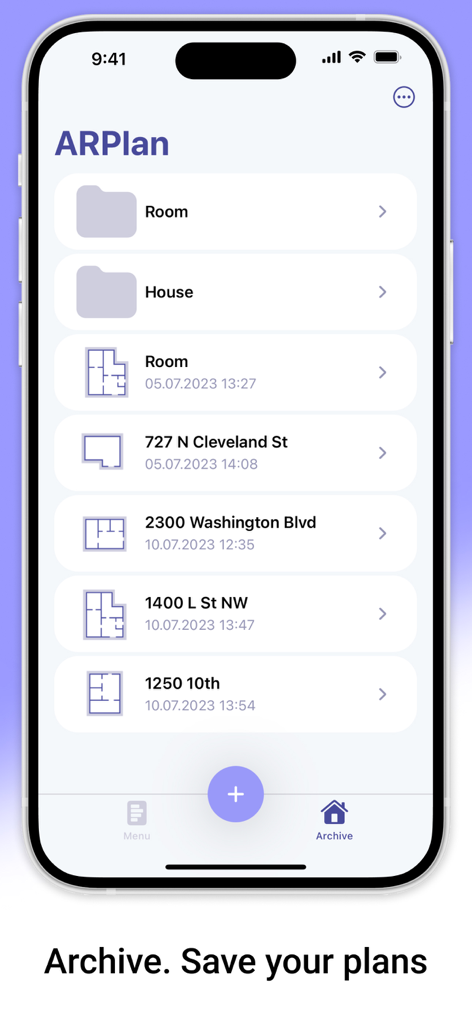
AR Plan 3D 앱 인터페이스가 보관 섹션에 저장된 평면도 목록을 보여줍니다

AR Plan 3D 앱 인터페이스가 보관 섹션에 저장된 평면도 목록을 보여줍니다

전문적인 측정을 쉽게

이 앱을 돋보이게 하는 도구, 188K+ 명의 사용자가 선택.

📱

즉각적인 AI 기반 공간 스캔

수동 줄자는 잊으세요. 고급 LiDAR 및 AR 기술을 사용하여 전문적인 정확도로 몇 초 만에 모든 공간을 매핑하세요.

📐

멋진 3D 및 2D 평면도

공간을 즉시 시각화하세요. 자신감을 가지고 리노베이션 또는 가구 배치를 계획하기 위해 집 전체의 상세한 청사진을 만드세요.

💰

스마트 자재 및 비용 추정기

과도한 공급 비용을 지불하지 마세요. 바닥재 및 페인트 면적을 자동으로 계산하여 즉각적이고 정확한 예산 추정치를 얻으세요.

앱 소개

에 대해 알아야 할 모든 것 AR Plan 3D Measure Floor, Room.

설명

AR Plan 3D is an innovative measurement app that uses augmented reality (AR) for quick room measurement and room scan. AR technology lets you place a virtual plan measurement ruler on real-world surfaces, making measure plans and creating a 3D room floor plan AR LiDAR measurement much faster and easier. With the AR Plan 3D ruler app, you can: 1. Instantly scan your surroundings with the Automatic room scan feature. Create a floor plan measurement of a room in just seconds. 2. Measure rooms by perimeter and height in Metric or Imperial units (cm, m, mm, inch, feet, yard). 3. Measure floor plan details, including doors and windows. 4. Automatically calculate perimeter, floor area, wall area, and other values helpful for construction or renovation planning and home measurements. 5. On LiDAR-enabled devices, easily measure room height with one tap using room scan LiDAR. 6. Use the 3D Floorplanner to create a complete room plan measurement with all dimensions. 7. Try the classic Floorplanner to generate a floor plan measurement in 2D. 8. Use the 2D Side View Floorplanner for wall layouts and side perspectives. 9. Estimate materials and costs based on your room measurement — including flooring, wall coverings, renovation work, and more. 10. In Manual Mode, the “Auto Corners” tool helps you detect and fix room corners directly on the planner room. 11. Create entire apartments with automatic room separation, or manually add spaces using Autoscan for precise room measuring. 12. Save your measure plans in the Floorplanner Archive. 13. Share your home measurements by email, messaging, or social networks. Try AR Plan 3D ruler app today — we’d love to hear your feedback! Customer Support If you have any questions about the AR Plan 3D planner room or need help, feel free to contact us at: support@grymalaltd.com Follow Us: Twitter: https://twitter.com/grymalaofficial Instagram: https://www.instagram.com/grymala_official/ Pinterest: https://www.pinterest.com/grymalaapps/ LinkedIn: https://www.linkedin.com/company/grymala/ Subscription: Premium – 3-day free trial, then Year Premium or Month Premium  • No ads • Unlimited projects • Full access to premium tools Prices may vary by country. You won’t be charged if you cancel at least 24 hours before the end of the free trial. Subscriptions renew automatically unless canceled at least 24 hours before the current period ends. Manage subscriptions in your iTunes account settings. Payment is charged through your iTunes account. --- Terms of Service: https://www.apple.com/legal/internet-services/itunes/dev/stdeula/

최신 버전

2.5.2

크기

246.8 MB

출시일

2019년 5월 2일

정확하게 다음 프로젝트를 시작하세요

188,000명 이상의 주택 소유자 및 전문가와 함께 줄자를 버리고 더 빠르고 스마트한 3D 평면도를 사용하세요. AR Plan 3D를 다운로드하고 몇 초 안에 첫 스캔을 받으세요.

다운로드: App Store다운로드: Google Play

App information, icons, screenshots, and descriptions displayed on this page are sourced from the Apple App Store and are the property of their respective developers. Download estimates and rankings are based on MWM's proprietary models and may not reflect actual figures. This page is provided for informational and analytical purposes only.

Believe this page infringes your intellectual property? File a dispute