Ruler: Measure, Measuring Tape
다운로드: App Store

이 페이지는 앱이나 개발자의 공식 페이지가 아니며, 정보 제공 및 논평을 목적으로 작성된 독립 편집 간행물입니다. 명시적으로 달리 언급되지 않는 한, 해당 앱이나 개발자는 MWM, Apple, Google Play, 앱 퍼블리셔 또는 앱 개발자와 제휴, 보증, 후원, 승인 또는 공식적으로 연결되어 있지 않으며, 이 페이지의 어떤 내용도 해당 앱이 MWM의 서비스를 사용하여 개발되었음을 의미하지 않습니다. 모든 상표, 로고, 스크린샷 및 기타 콘텐츠는 해당 소유자의 자산입니다.


로고: Ruler: Measure, Measuring Tape
다운로드: App Store

Ruler: Measure, Measuring Tape

줄자를 찾느라 시간을 낭비하지 말고 전문가처럼 측정하세요. 집을 리모델링하든, 새 가구를 배치하든, 부동산을 견적하든, AR Ruler는 고급 3D 스캐닝을 사용하여 카메라에서 즉각적이고 정확한 측정을 제공합니다.

주요 수치

다운로드

260K+

사용자 평점

4.6/5

총 평가 수

1K+

개발사

Grymala sp. z o.o.

카테고리

Productivity

지원 언어

12

최신 버전

2.2.8

크기

609.3 MB

출시일

2017년 12월 28일
기능

주머니 속 전문가용 도구

수동 줄자는 잊어버리세요. 고급 AR 기술을 사용하여 iPhone에서 전문적인 정밀도로 치수, 면적 및 부피를 계산하세요.

즉각적인 AR 줄자

카메라를 객체나 표면에 비추기만 하면 길이, 높이, 거리를 즉시 측정하세요.

스마트 룸 매핑

바닥 평면도를 빠르게 생성하고 벽 치수를 측정하여 모든 가구가 공간에 완벽하게 맞는지 확인하세요.

다음 스크린샷과 설명은 앱의 공식 스토어 목록에서 직접 가져온 것이며 앱 개발자의 자산입니다.

앱 스토어

스크린샷
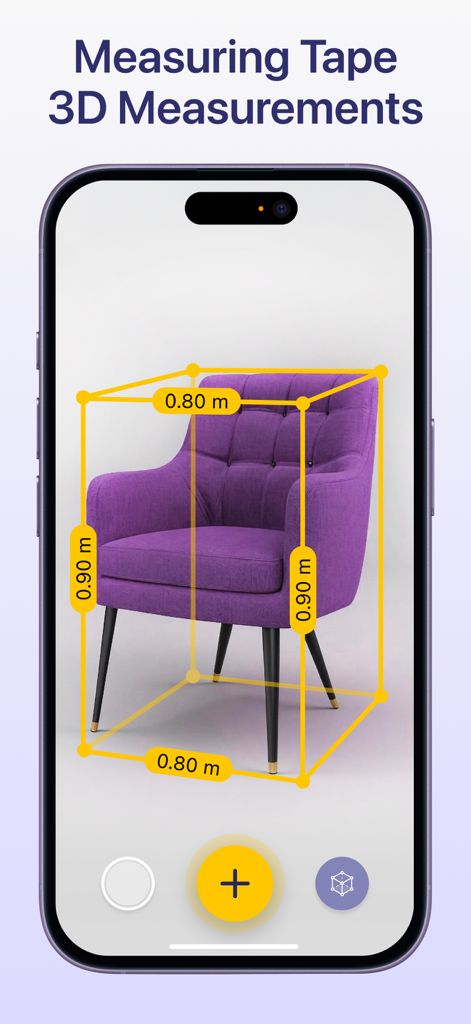
Ruler: Measure, Measuring Tape - AR Ruler 앱이 스마트폰 화면에서 보라색 안락의자의 3D 치수를 보여주는 모습
AR Ruler 앱이 스마트폰 화면에서 보라색 안락의자의 3D 치수를 보여주는 모습

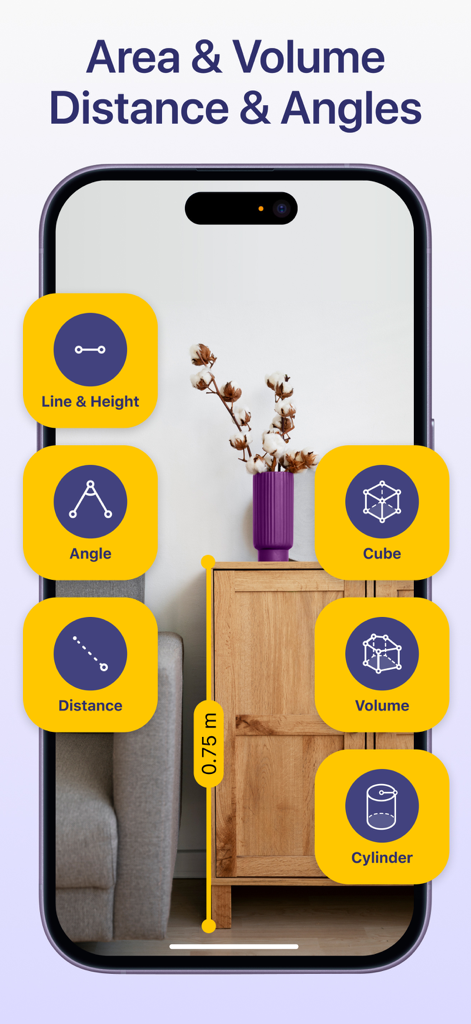
Ruler: Measure, Measuring Tape - AR Ruler 앱 인터페이스가 증강 현실 기술을 사용하여 방 안의 나무 캐비닛 높이를 측정하는 모습
AR Ruler 앱 인터페이스가 증강 현실 기술을 사용하여 방 안의 나무 캐비닛 높이를 측정하는 모습

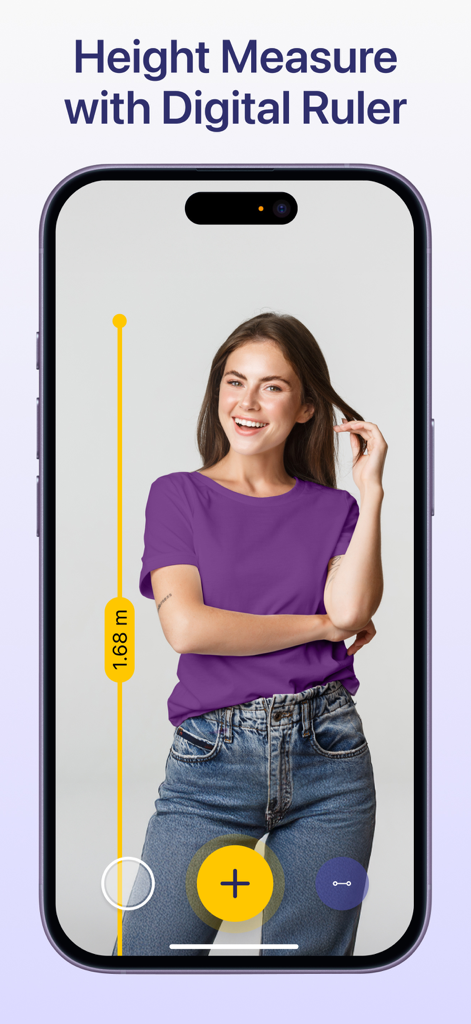
Ruler: Measure, Measuring Tape - iPhone이 AR Ruler 앱을 표시하고 증강 현실 기술을 사용하여 여성의 키를 측정하는 모습
iPhone이 AR Ruler 앱을 표시하고 증강 현실 기술을 사용하여 여성의 키를 측정하는 모습

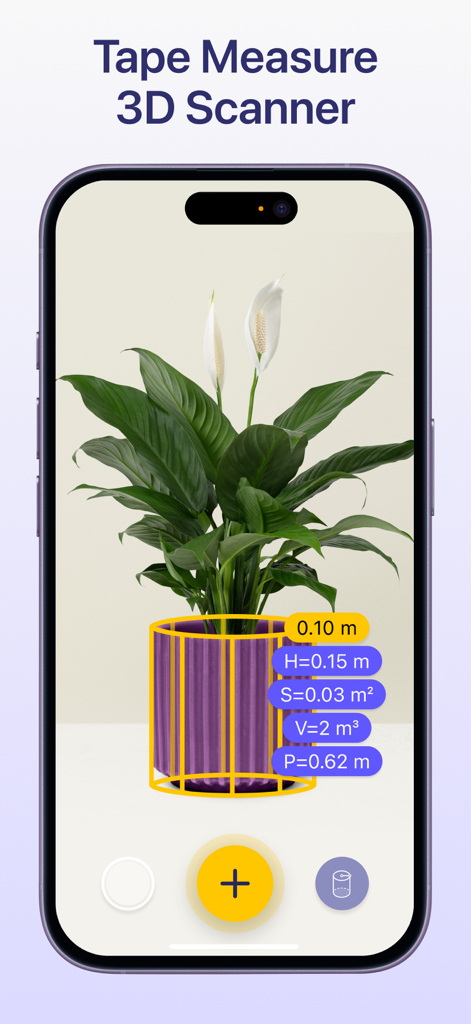
Ruler: Measure, Measuring Tape - 증강 현실 줄자 앱이 3D 스캐닝 도구를 사용하여 화분 식물을 측정하는 모습
증강 현실 줄자 앱이 3D 스캐닝 도구를 사용하여 화분 식물을 측정하는 모습

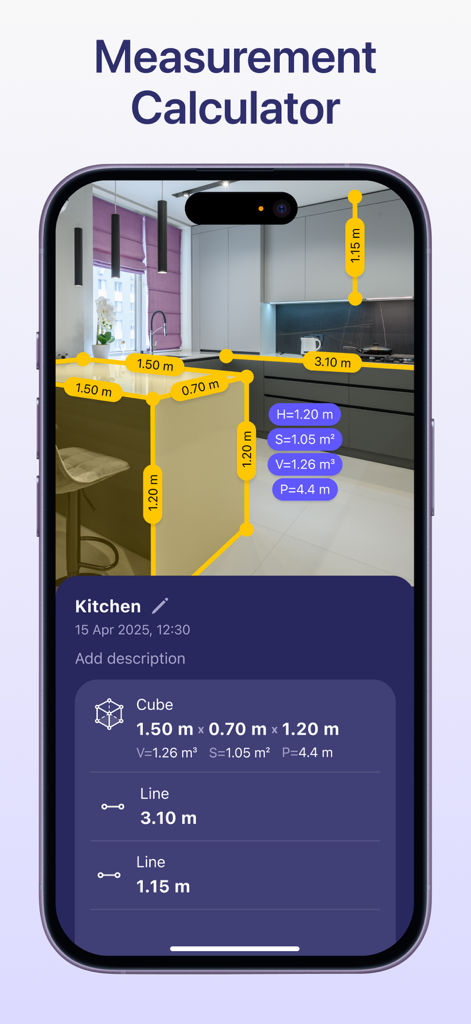
Ruler: Measure, Measuring Tape - AR Ruler 앱 인터페이스가 주방에서 측정 계산기를 보여주는 모습
AR Ruler 앱 인터페이스가 주방에서 측정 계산기를 보여주는 모습

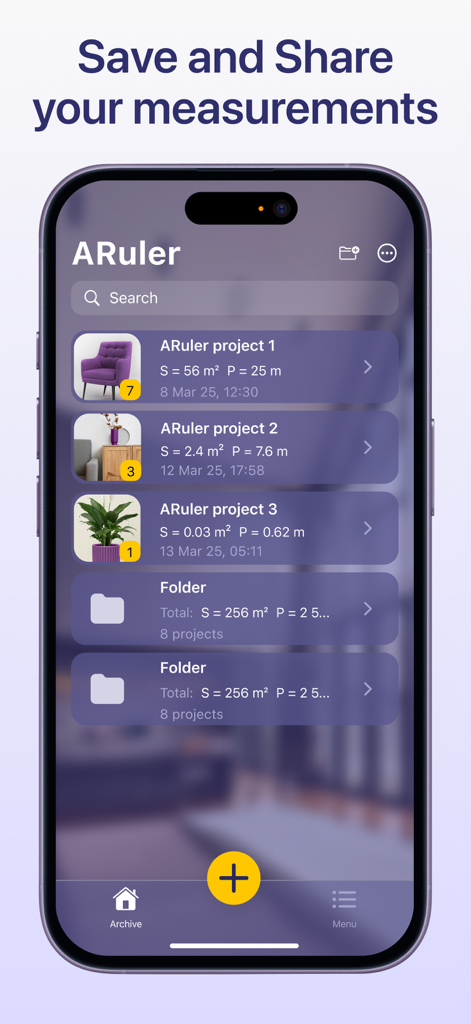
Ruler: Measure, Measuring Tape - 스마트폰 화면에 AR Ruler 앱의 측정 보관함이 표시되며, 가구 및 식물 치수를 포함한 정리된 폴더와 프로젝트가 보입니다.

스마트폰 화면에 AR Ruler 앱의 측정 보관함이 표시되며, 가구 및 식물 치수를 포함한 정리된 폴더와 프로젝트가 보입니다.

설명

AR Ruler: Measuring tape with AR Technology The AR Ruler measurement app with measurement calculator uses advanced AR technology and your phone’s camera measuring tape system to deliver precise measurements of real-world objects. With this digital ruler, you can quickly perform a room measure, check height measure of walls, calculate length measure, and estimate distance, angles, area, volume, and more. Simply point your digital tape measure at any object using your smartphone and begin measuring instantly. The built-in 3D scanner detects surfaces and allows you to activate the AR tape measure tool with ease — making it a complete measurement calculator for both home and professional use. Key Tools Available in the AR Ruler App: Line & Height – Measure the length and height of objects quickly. Distance Meter – Measure distance from the device camera to a point on a 3D surface. Angle Tool – Measure angles directly on real surfaces. Polyline & Polyline Smooth – Calculate the total length of a drawn path. Rectangle Tool – Get length, perimeter, and area of rectangles. Circle Tool – Measure the radius, perimeter, and area of circular objects. Poly & Poly Smooth – Useful for measuring irregular shapes’ area and volume. Volume & Volume Smooth – Determine the volume of 3D structures or piles. Cube & Cylinder Tools – Fast measurement of these shapes’ dimensions. Walls & Curved Wall – Ideal for quick room measure and wall adjustments. Heap & Pit – Tools to measure the volume of material stacks or excavations. Access tools even faster via home screen widgets. Whether you're a DIY user, contractor, or interior designer, the AR Ruler app transforms your smartphone into a powerful camera measuring tape and measurement calculator. Try AR Ruler app now – we’d love to hear your feedback! Customer Support: Should you have any questions about AR Ruler app or need help, please do not hesitate to contact us via developer email: support@grymalaltd.com. Follow us: Twitter: https://twitter.com/grymalaofficial Instagram: https://www.instagram.com/grymala_official/ Pinterest: https://www.pinterest.com/grymalaapps/ LinkedIn: https://www.linkedin.com/company/grymala/ Subscription: --------------- Premium - 3 days free trial • No ads; • Unlimited number of projects; • Unlimited Access to Premium Tools. Price may vary by country. You won’t be charged if you cancel at least 24 hours before the end of trial period. Active subscription will automatically renew unless canceled at least 24 hours before the end of the current active period (year). You can manage subscriptions in your iTunes Account Settings. Subscription is charged to your credit card through your iTunes account. --- Terms of Service: https://www.apple.com/legal/internet-services/itunes/dev/stdeula/

Download

다운로드: App Store

이 페이지는 앱이나 개발자의 공식 페이지가 아니며, 정보 제공 및 논평을 목적으로 작성된 독립 편집 간행물입니다. 명시적으로 달리 언급되지 않는 한, 해당 앱이나 개발자는 MWM, Apple, Google Play, 앱 퍼블리셔 또는 앱 개발자와 제휴, 보증, 후원, 승인 또는 공식적으로 연결되어 있지 않으며, 이 페이지의 어떤 내용도 해당 앱이 MWM의 서비스를 사용하여 개발되었음을 의미하지 않습니다. 모든 상표, 로고, 스크린샷 및 기타 콘텐츠는 해당 소유자의 자산입니다.







