
이 페이지는 앱이나 개발자의 공식 페이지가 아니며, 정보 제공 및 논평을 목적으로 작성된 독립 편집 간행물입니다. 명시적으로 달리 언급되지 않는 한, 해당 앱이나 개발자는 MWM, Apple, Google Play, 앱 퍼블리셔 또는 앱 개발자와 제휴, 보증, 후원, 승인 또는 공식적으로 연결되어 있지 않으며, 이 페이지의 어떤 내용도 해당 앱이 MWM의 서비스를 사용하여 개발되었음을 의미하지 않습니다. 모든 상표, 로고, 스크린샷 및 기타 콘텐츠는 해당 소유자의 자산입니다.


ArcSite: Floor Plans and CAD
현장 전문가를 위해 제작된 정밀 CAD 도구. LiDAR로 스캔하고, 자재 물량 산출을 자동화하며, 현장을 떠나기 전에 고객에게 멋진 견적서를 제공하세요.
다운로드
2M+사용자 평점
총 평가 수
10K+개발사
카테고리
Productivity지원 언어
10최신 버전
5.47.0크기
214.2 MB출시일
2015년 5월 7일한 번의 방문으로 설계, 견적, 계약 체결
ArcSite는 강력한 CAD 스케칭과 즉석 전문가 제안서 생성을 결합하여 현장 조사부터 계약 체결까지 그 어느 때보다 빠르게 진행할 수 있도록 지원합니다.
즉석 CAD 수준의 스케칭
구식 그래프 용지 대신 정밀한 디지털 도면을 사용하세요. LiDAR를 사용하여 즉시 방을 스캔하거나 Apple Pencil로 그려 현장에서 전문가 수준의 정확도를 확보하세요.
자동화된 제안서 및 가격 책정
사무실에서의 밤샘 작업을 멈추세요. 도면이 자동으로 자재 물량을 계산하고 브랜드화된 전문가 견적서를 생성하여 즉시 고객에게 제시합니다.
자주 묻는 질문
에 대해 알아야 할 모든 것 ArcSite: Floor Plans and CAD
ArcSite란 무엇인가요?
ArcSite는 전문적인 평면도, 2D 디자인 및 현장 계획을 만드는 직관적인 CAD 디자인 도구입니다. 사용자는 모든 장치에서 견적을 생성하고, PDF에 마크업하고, 프로젝트 사진을 관리할 수 있습니다.
ArcSite 앱은 누가 사용할 수 있나요?
ArcSite는 영업 팀, 계약자, 디자이너, 건축가 및 창의적인 주택 소유자를 위한 앱입니다. 초보자가 평면도를 스케치하는 것부터 숙련된 전문가가 복잡한 CAD 프로젝트를 수행하는 것까지 모든 사람이 사용할 수 있습니다.
ArcSite는 다른 형식으로 도면을 내보낼 수 있나요?
예, ArcSite는 PNG, PDF, DXF 및 DWG 파일 형식으로 축척된 도면을 내보낼 수 있습니다. 또한 AutoCAD 및 Revit과 같은 데스크톱 CAD 소프트웨어와 호환됩니다.
ArcSite로 제안서 및 견적을 만들 수 있나요?
예, ArcSite는 도면에서 직접 전문적인 견적 및 제안서를 생성합니다. 이 기능을 통해 사용자는 상세한 가격 정보를 효율적으로 고객에게 제시할 수 있습니다.
ArcSite는 데이터 저장에 안전한가요?
예, ArcSite는 SOC 2 Type II 규정을 준수하고 ISO/IEC 27001 인증을 받았습니다. 모든 도면, LiDAR 스캔 및 제안서를 클라우드에 안전하게 저장합니다.
구독 전에 ArcSite를 사용해 볼 수 있나요?
예, ArcSite는 모든 플랜에 대해 14일 무료 체험판을 제공합니다. 체험 기간이 끝나면 사용자는 월별 또는 연간 구독 플랜을 구매하여 서비스를 계속 사용할 수 있습니다.
ArcSite의 구독 옵션은 무엇인가요?
ArcSite는 월별 또는 연간 구독 플랜을 제공합니다: Draw Basic, Draw Pro, Takeoff 또는 Estimate. 각 계층은 다른 기능을 제공하며, 자세한 내용은 앱에서 확인할 수 있습니다.
마크업을 위해 기존 PDF를 ArcSite로 가져올 수 있나요?
예, ArcSite를 사용하면 PDF를 가져오고 마크업할 수 있습니다. 또한 처음부터 새 도면을 그리거나 배경 사진을 사용하여 시작할 수 있습니다.
ArcSite는 협업 및 클라우드 저장을 허용하나요?
예, ArcSite를 사용하면 도면을 클라우드에 업로드하고, 동료와 공유하고, 공동 편집할 수 있습니다. 모든 파일은 안전하게 저장되며 팀의 모든 장치에서 액세스할 수 있습니다.
ArcSite의 도면에 사진을 추가할 수 있나요?
예, ArcSite를 사용하면 도면 내에 사진을 포함할 수 있습니다. 사용자는 향상된 시각 정보를 위해 중요한 사진을 도면 내에 직접 캡처하고 저장할 수 있습니다.
다음 스크린샷과 설명은 앱의 공식 스토어 목록에서 직접 가져온 것이며 앱 개발자의 자산입니다.
앱 스토어
스크린샷
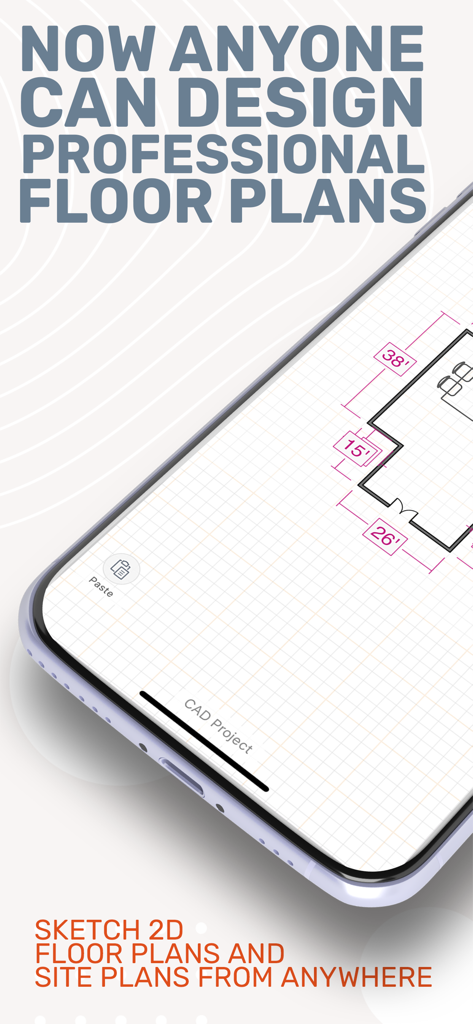
ArcSite로 디자인된 전문가 수준의 평면도를 보여주는 스마트폰 화면
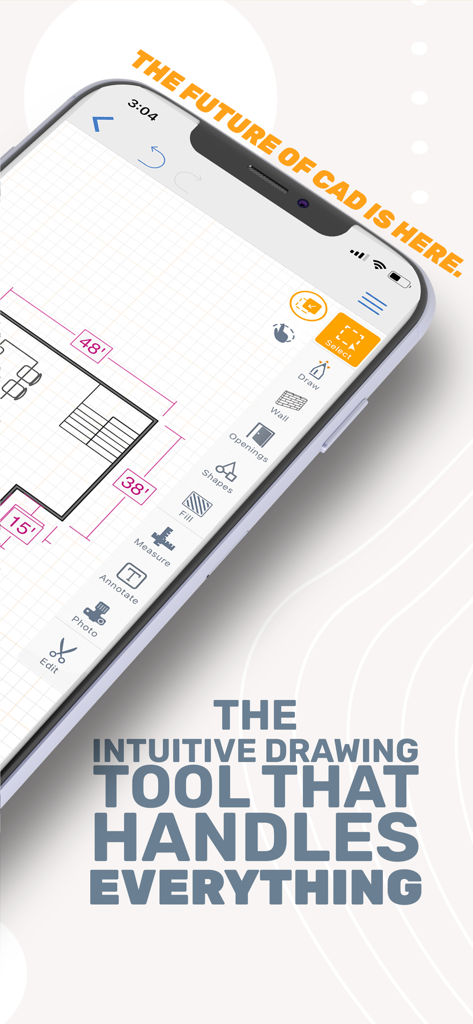
상세한 CAD 평면도와 전문가 수준의 그리기 도구가 있는 ArcSite 앱 인터페이스를 표시하는 스마트폰
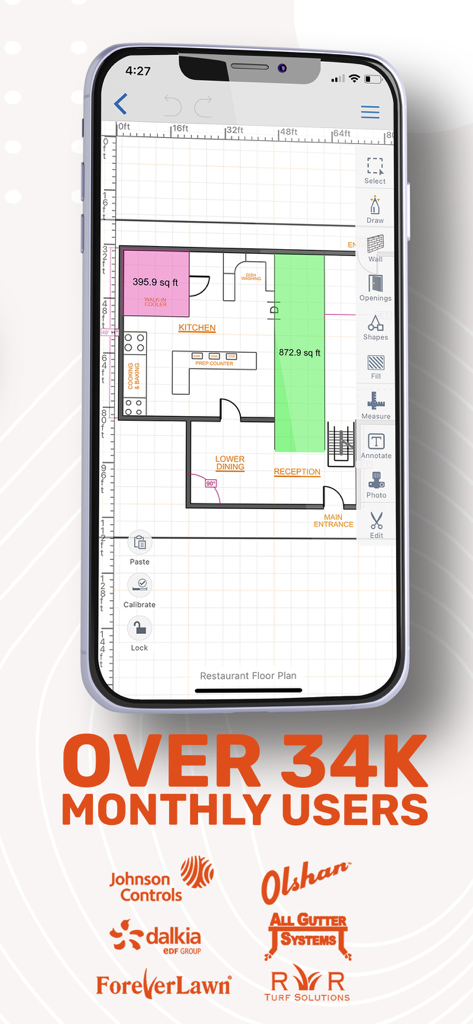
34,000명의 월간 사용자 및 파트너 로고를 언급하는 오버레이와 함께 ArcSite 앱에서 생성된 상세한 레스토랑 평면도를 표시하는 스마트폰
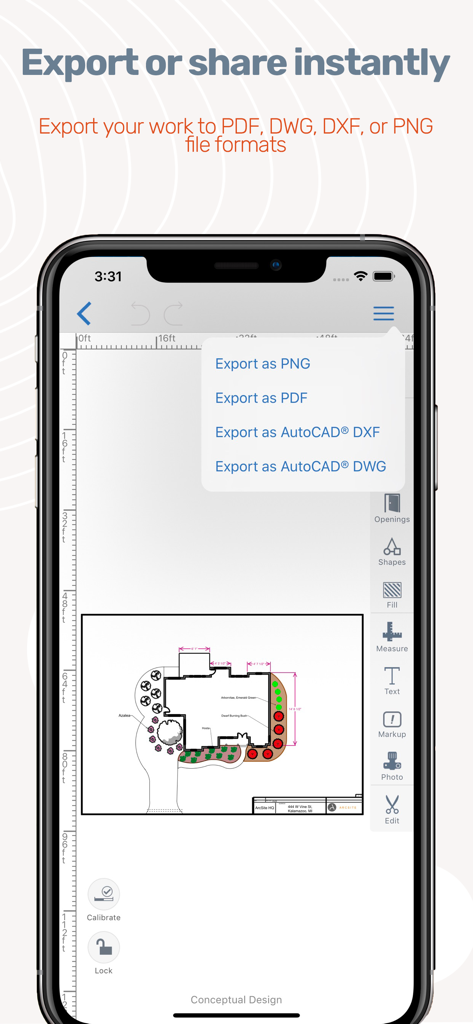
PDF 및 CAD 형식의 평면도 내보내기 옵션을 보여주는 ArcSite 앱 인터페이스
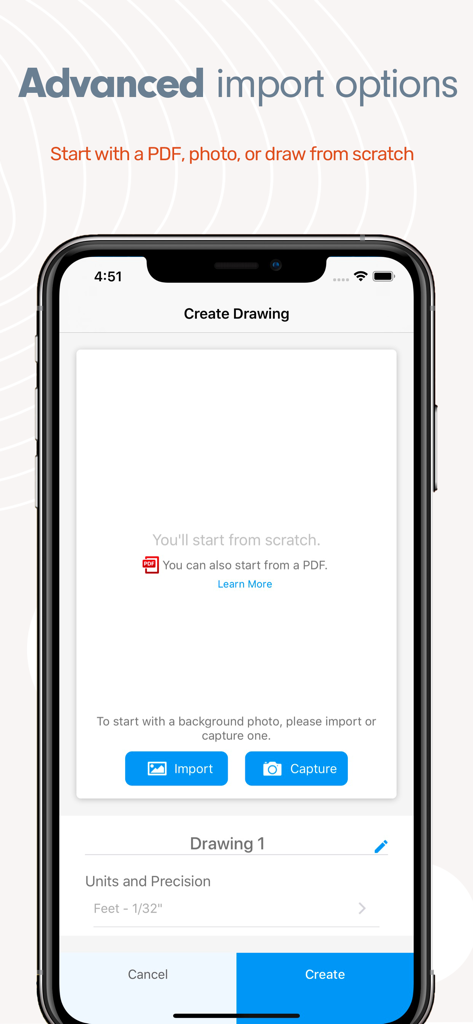
PDF 가져오기, 사진 캡처 또는 처음부터 시작 옵션이 있는 ArcSite의 새 그림 만들기 인터페이스
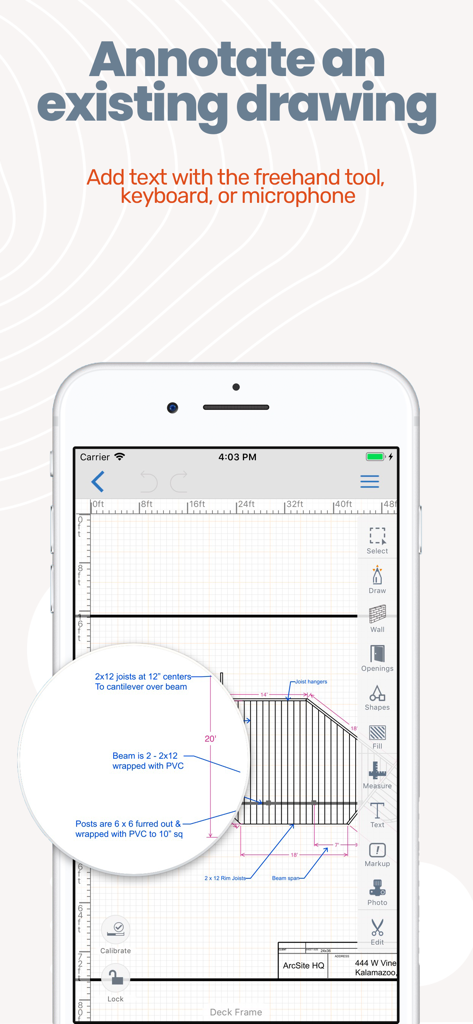
스마트폰 화면에서 데크 프레임 평면도에 대한 상세한 텍스트 주석을 보여주는 ArcSite 앱 인터페이스
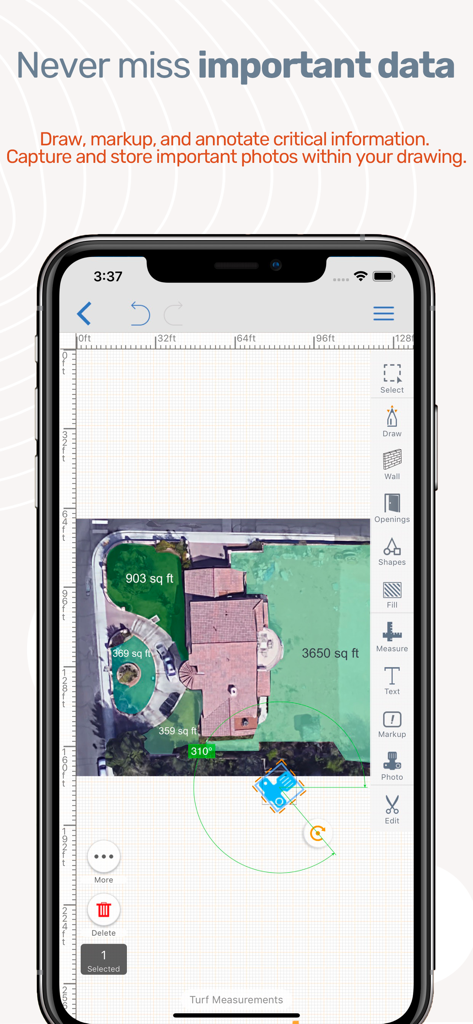
스마트폰 화면에서 면적 측정 및 주석이 있는 항공 부동산 도면을 보여주는 ArcSite 앱 인터페이스
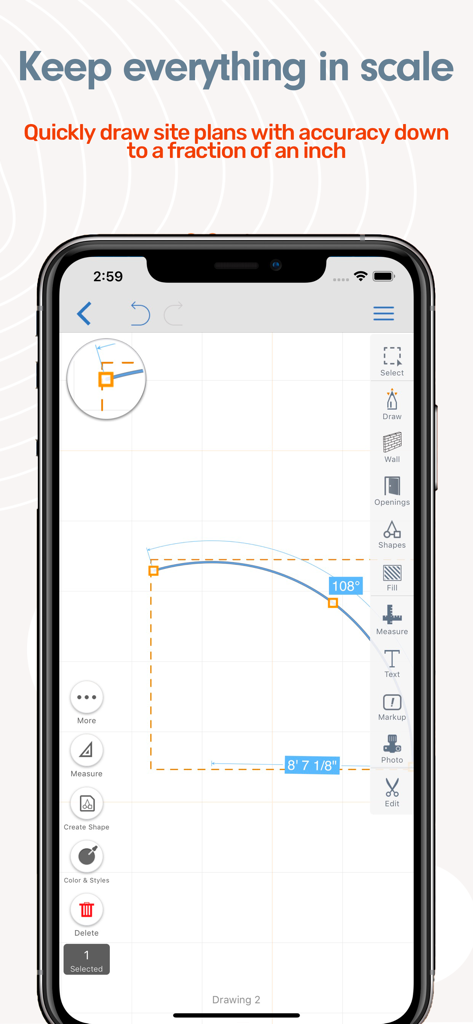
축척에 맞는 측정값과 각도가 있는 정밀한 현장 계획 도면을 보여주는 ArcSite 모바일 앱 인터페이스
설명
Download
비슷한 앱
유사한 기능과 사용자 경험을 가진 앱

Floor Plan & AI Home - CamPlan
CamPlan AI Ltd

SketchUp - 3D Modeling
Trimble Inc.

Morpholio Trace - Sketch CAD
Morpholio LLC

Keyplan 3D Lite - Home design
Quasarts LLC

Smart Home Design 3D
Sebastian Kemper

Keyplan 3D - Home design
Quasarts LLC

Home Design 3D: Draw & Plan
Anuman

Homestyler-3D Home Decor
Homestyler (Shanghai) Technology Co., Ltd.
Sweet Home 3D: Plan Your House
AI Photo Editor Lab SRL
이 페이지는 앱이나 개발자의 공식 페이지가 아니며, 정보 제공 및 논평을 목적으로 작성된 독립 편집 간행물입니다. 명시적으로 달리 언급되지 않는 한, 해당 앱이나 개발자는 MWM, Apple, Google Play, 앱 퍼블리셔 또는 앱 개발자와 제휴, 보증, 후원, 승인 또는 공식적으로 연결되어 있지 않으며, 이 페이지의 어떤 내용도 해당 앱이 MWM의 서비스를 사용하여 개발되었음을 의미하지 않습니다. 모든 상표, 로고, 스크린샷 및 기타 콘텐츠는 해당 소유자의 자산입니다.