SketchUp - 3D Modeling

SketchUp - 3D Modeling

다운로드: App Store다운로드: Google Play
로고: SketchUp - 3D Modeling

SketchUp: 세상을 3D로 만들고, 시각화하고, 구축하세요

건축가, 디자이너, DIY 애호가를 위한 가장 직관적인 3D 디자인 플랫폼. 실제 공간을 스캔하고, 생성 AI를 활용하고, 증강 현실로 비전을 제시하세요 — 언제 어디서든.

개발사

Trimble Inc.

카테고리

Graphics & Design

다운로드

8M+

사용자 평점

4.6/5

총 평가 수

85K+

지원 언어

15

당신의 비전, 시각화되다

이 인터페이스를 사용하는 8M+ 명의 사용자.

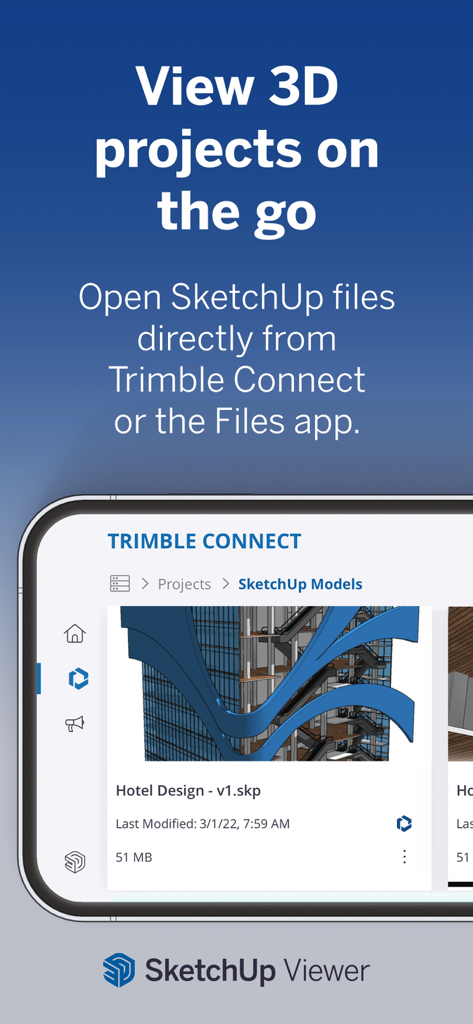
SketchUp Viewer 앱을 보여주는 스마트폰 인터페이스, Trimble Connect에서 열린 3D 호텔 디자인 프로젝트.
SketchUp Viewer 앱을 보여주는 스마트폰 인터페이스, Trimble Connect에서 열린 3D 호텔 디자인 프로젝트.

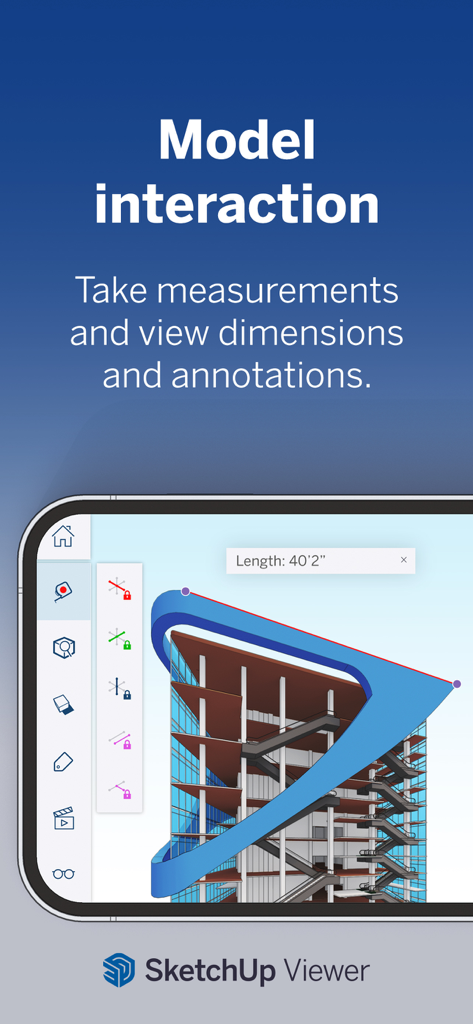
SketchUp Viewer 앱 인터페이스, 3D 건축 모델 측정 및 주석 표시.
SketchUp Viewer 앱 인터페이스, 3D 건축 모델 측정 및 주석 표시.

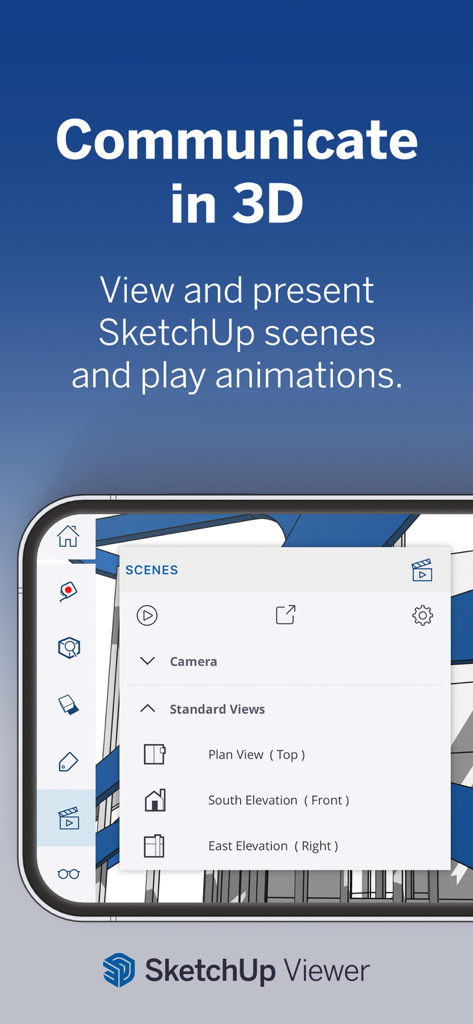
SketchUp Viewer 인터페이스, 모바일 장치에서 3D 장면 프레젠테이션 및 카메라 보기 옵션.
SketchUp Viewer 인터페이스, 모바일 장치에서 3D 장면 프레젠테이션 및 카메라 보기 옵션.

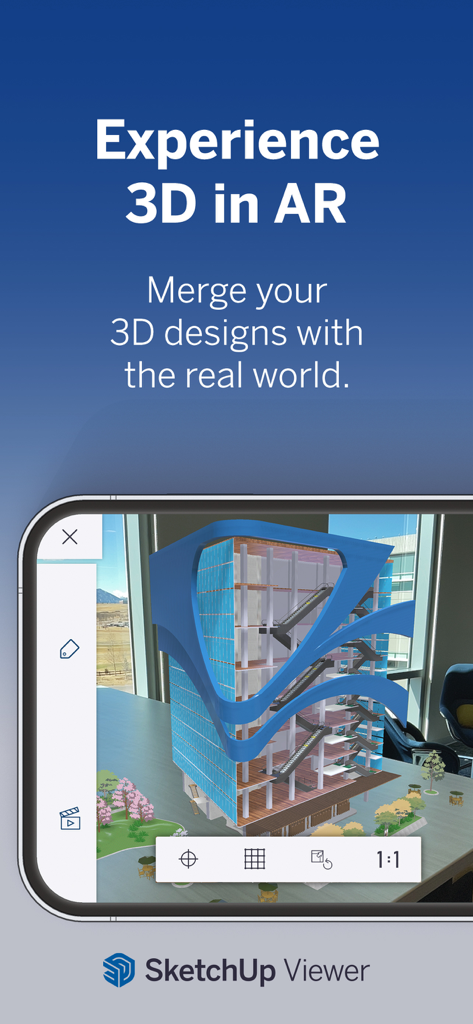
SketchUp을 사용하여 사무실 환경 내 증강 현실로 표시되는 3D 건물 모델

SketchUp을 사용하여 사무실 환경 내 증강 현실로 표시되는 3D 건물 모델

어디에서든 가능한 전문 3D 디자인

이 앱을 돋보이게 하는 도구, 8M+ 명의 사용자가 선택.

📱

즉각적인 공간 스캔

수동 측정을 건너뛰세요. LiDAR 기술을 사용하여 실제 공간을 캡처하고 몇 초 안에 편집 가능한 3D 모델로 변환하세요.

🕶️

증강 현실 미리 보기

건축 전에 디자인을 미리 둘러보세요. 3D 모델을 물리적 환경에 오버레이하여 완벽한 핏을 시각화하고 거래를 더 빠르게 성사시키세요.

AI 기반 창의성

생성 AI로 디자인 프로세스에 활력을 불어넣으세요. 놀랍고 사실적인 비주얼을 만들고 인공 지능의 힘으로 끝없는 레이아웃 옵션을 탐색하세요.

전 세계 사용자들에게 사랑받는 앱

Trusted by 8M+ 명이 이 앱을 사랑합니다.

"

"Scan-to-Design 기능은 제 워크플로우에 정말 혁신적인 변화를 가져왔습니다. 고객의 공간을 캡처하여 iPad에서 몇 분 안에 3D 모델로 만들 수 있습니다. AR로 최종 디자인을 보여주는 것이 그 어느 때보다 빠르게 거래를 성사시키는 데 도움이 됩니다."

David R., 종합 건설업자
"

"SketchUp을 사용하여 주방 개조를 계획했는데, 수많은 비싼 실수를 피할 수 있었습니다. 생성 AI 도구는 마감재에 대한 놀라운 영감을 주었고, Apple Pencil 지원 덕분에 디자인 프로세스가 마치 종이에 스케치하는 것처럼 느껴집니다."

Elena S., DIY 주택 개조업자

리뷰 분석

사용자 리뷰 인사이트.

감정 점수

32%
부정적

요약

This app receives mixed feedback, with many users appreciating its professional capabilities, intuitive interface, and suitability for design work, particularly when making adjustments comfortably on an iPad. However, the overall sentiment leans heavily negative due to several critical issues. Primary concerns include the high and often non-transparent subscription pricing model, lack of a free trial, and absence of a one-time purchase option. Users frequently encounter severe bugs and instability, such as app crashes, freezing, core functionality failures like inability to start or open projects, and persistent login and connectivity problems that render the app unusable for many.

주요 테마

Pricing & Subscription Model(11)
Overall Positive Experience(8)
Bugs & Instability(7)
Core Functionality Issues(7)
Login & Security Challenges(5)
Missing Advanced Features(5)
Professional Workflow & Ease of Use(4)

앱 소개

에 대해 알아야 할 모든 것 SketchUp - 3D Modeling.

설명

Experience the world's leading 3D design platform with a free 7-day Go trial! Without a subscription, you can still view 3D projects for free. Go offers essential 3D design tools, including SketchUp for iPad and SketchUp for Web. Created for design enthusiasts, architects, interior designers, contractors, home remodelers, construction professionals, and set designers, our intuitive tools streamline the creative process, allowing you to effortlessly craft 3D models and visualize concepts. Whether you're planning a home renovation, designing interiors, or creating a detailed architectural model, SketchUp helps bring your visions to life through 3D design. Go Features: - Work seamlessly across devices: Create 3D models on your iPad and computer using SketchUp.com. - Generative AI Designs: Harness the power of AI to create stunning visuals for architectural and home designs. Generate images that inspire your creative process and support your design narrative. - Room Planner & Space Design: Experiment with different layouts and design options to find the perfect fit for your space. Model your space with designer fixtures and furniture. - Real-time, realistic visuals: Create stunning photorealistic visuals by integrating environments and customizable real-world materials. - Scan-to-Design: Use our 3D scanning feature to capture real-world spaces, which AI intelligently transforms and organizes into editable 3D models. - Augmented Reality (AR): Visualize your designs in the real world with our AR capabilities. - DWG Compatibility: Import and export DWG files seamlessly, ensuring compatibility with other CAD software. - Import real-world information: Import images to textures, satellite imagery, 3D terrain, 3D buildings, and location information to power your designs with real-world context. Why Go? - Architects & Contractors: Transform your architectural visions into reality with intuitive 3D modeling tools. Quickly visualize and iterate design concepts and present ideas to clients and stakeholders. - Interior Designers & Home Remodelers: Visualize your ideas in 3D and AR, ensuring your designs meet expectations. Use AI image generation to inspire additional finishes and layouts. - Landscape Designer: Plan and visualize outdoor spaces, from planters to parks, with our 3D landscape tools, like real-time shadow studies, geo-locating satellite imagery, and 3D terrain. - DIYer: Whether you're planning a small remodel or a complete home renovation, SketchUp provides the tools you need to design and execute your projects with confidence. Without a subscription: - Switch between perspective and orthographic camera views. - Control the visibility of parts of your model. - Adjust the look and feel of your model by controlling Edge and Face styles, Shadows, Hidden Geometry, Section Planes, and Section Cuts. - Take measurements and get information about edge lengths, the area of faces, the volume of solids, and component and group definitions. - View models in augmented reality. IMPORT/EXPORT -Import: SKP, SKE, SKM, HDR, EXR, PNG, JPG, PDF, DWG, DXF, STL -Export: Images (PNG), Animations (MP4), SKP, USDz, PDF, DWG, DXF, OBJ, STL, MP4 REQUIREMENTS Requires iOS 17 or higher with a minimum of 1024Mb of RAM. For additional info, please visit help.sketchup.com. The AR model viewing feature uses ARKit and is compatible with iPhone 6s and newer, iPad Pro, or any 2017 iPad or newer. SUBSCRIPTION DETAILS Create 3D designs with a free 7-day Go trial. Payment will be charged to your Apple Account on confirmation of purchase. Your subscription will automatically renew unless auto-renew is turned off at least 24 hours before your subscription expiration date. Your account will be charged for renewal within 24 hours before your subscription expiration date. After completing your initial purchase, you can manage your subscription and/or turn off auto-renew by visiting your Apple Account Settings.

최신 버전

8.1.0

크기

634.6 MB

출시일

2014년 4월 14일

비전을 현실로 만들 준비가 되셨나요?

8백만 명 이상의 크리에이터와 함께하세요. 7일 무료 체험을 시작하여 어디서든 3D로 프로젝트를 스캔, 디자인, 시각화하세요.

다운로드: App Store다운로드: Google Play
FAQ

자주 묻는 질문

에 대해 알아야 할 모든 것 SketchUp - 3D Modeling

SketchUp의 3D 디자인 기능을 어떻게 사용해 볼 수 있나요?

7일 무료 체험판으로 SketchUp의 Go 기능을 사용해 볼 수 있습니다. 이 체험판은 제한된 기간 동안 필수 3D 디자인 도구에 액세스할 수 있도록 제공합니다.

구독 없이 SketchUp에서 3D 프로젝트를 볼 수 있나요?

예, 활성 구독 없이도 SketchUp에서 3D 프로젝트를 무료로 볼 수 있습니다. 이 앱을 사용하면 모델과 상호 작용하고 측정을 수행할 수 있습니다.

SketchUp - 3D 모델링은 AI 기반 디자인 기능을 포함하나요?

예, SketchUp - 3D 모델링은 생성형 AI 디자인을 제공합니다. 이 기능은 건축 및 주택 디자인을 위한 멋진 시각 자료를 만드는 데 도움이 되어 창의적인 과정을 영감을 줍니다.

SketchUp - 3D 모델링은 증강 현실을 지원하나요?

예, SketchUp - 3D 모델링은 증강 현실(AR)을 지원합니다. 구독 없이도 앱의 AR 기능을 사용하여 실제 세계에서 3D 디자인을 시각화할 수 있습니다.

SketchUp - 3D 모델링은 DWG 파일과 호환되나요?

예, SketchUp - 3D 모델링은 DWG 호환성을 제공합니다. DWG 파일을 원활하게 가져오고 내보낼 수 있어 다른 CAD 소프트웨어와의 상호 운용성을 보장합니다.

SketchUp - 3D 모델링은 어떤 종류의 파일을 가져올 수 있나요?

SketchUp - 3D 모델링은 SKP, SKE, SKM, HDR, EXR, PNG, JPG, PDF, DWG, DXF, STL을 포함한 다양한 파일 형식을 가져올 수 있습니다. 또한 위성 이미지와 같은 실제 정보를 가져옵니다.

SketchUp - 3D 모델링은 어떤 파일 형식을 내보낼 수 있나요?

SketchUp - 3D 모델링은 이미지(PNG), 애니메이션(MP4), SKP, USDz, PDF, DWG, DXF, OBJ, STL 및 MP4 파일을 내보낼 수 있습니다. 이를 통해 디자인 공유를 위한 광범위한 호환성을 보장합니다.

SketchUp - 3D 모델링의 최소 iOS 요구 사항은 무엇인가요?

SketchUp - 3D 모델링은 iOS 17 이상 및 최소 1024MB의 RAM이 필요합니다. AR 모델 보기 기능에는 ARKit 호환 장치가 필요합니다.

SketchUp - 3D 모델링은 누구를 위해 설계되었나요?

SketchUp - 3D 모델링은 디자인 애호가, 건축가, 인테리어 디자이너, 계약업체, 주택 개조업자, 건설 전문가, 세트 디자이너 및 DIY어를 위해 설계되었습니다.

구독 없이 SketchUp 앱 내에서 측정을 할 수 있나요?

예, 구독 없이도 SketchUp 앱 내에서 측정하고 모서리 길이, 면적, 볼륨에 대한 정보를 얻을 수 있습니다.

SketchUp의 구독 갱신은 어떻게 작동하나요?

만료 24시간 전까지 자동 갱신을 해제하지 않으면 SketchUp 구독은 자동으로 갱신됩니다. 만료일 24시간 이내에 Apple 계정으로 갱신 비용이 청구됩니다.

SketchUp - 3D 모델링은 방 계획 도구를 제공하나요?

예, SketchUp - 3D 모델링에는 방 계획 및 공간 디자인 기능이 포함되어 있습니다. 사용자는 레이아웃과 디자인 옵션을 실험하고 디자이너 비품과 가구로 공간을 모델링할 수 있습니다.