ARki: Building + Room Planner
다운로드: App Store

이 페이지는 앱이나 개발자의 공식 페이지가 아니며, 정보 제공 및 논평을 목적으로 작성된 독립 편집 간행물입니다. 명시적으로 달리 언급되지 않는 한, 해당 앱이나 개발자는 MWM, Apple, Google Play, 앱 퍼블리셔 또는 앱 개발자와 제휴, 보증, 후원, 승인 또는 공식적으로 연결되어 있지 않으며, 이 페이지의 어떤 내용도 해당 앱이 MWM의 서비스를 사용하여 개발되었음을 의미하지 않습니다. 모든 상표, 로고, 스크린샷 및 기타 콘텐츠는 해당 소유자의 자산입니다.


로고: ARki: Building + Room Planner
다운로드: App Store

ARki: Building + Room Planner

LiDAR 공간 스캔부터 전문 3D 모델링까지, 여러분의 비전을 현실로 만드세요. 개조를 시작하기 전에 증강 현실에서 미래의 집을 계획하고, 꾸미고, 걸어보세요.

주요 수치

다운로드

467K+

사용자 평점

4.5/5

총 평가 수

1K+

개발사

Darf Design LTD

카테고리

Graphics & Design

지원 언어

1

최신 버전

12.19

크기

267.8 MB

출시일

2013년 9월 14일
기능

완벽한 정확성으로 여러분의 비전을 시각화하세요

주택 개조의 추측을 없애세요. ARki는 LiDAR 스캐닝과 몰입형 AR을 결합하여 꿈꾸던 공간을 1:1 실물 크기로 디자인하고, 둘러보고, 완성하는 데 도움을 줍니다.

즉석 LiDAR 평면도 작성

줄자는 잊으세요. iPhone 또는 iPad Pro를 사용하여 모든 공간을 스캔하고 몇 초 만에 정확한 3D 레이아웃과 평면도를 생성하세요.

몰입형 실물 크기 워크스루

돈을 쓰기 전에 디자인을 경험하세요. 증강 현실을 사용하여 3D 모델을 실물 크기로 걸어보며 완벽한 공간 흐름을 확인하세요.

다음 스크린샷과 설명은 앱의 공식 스토어 목록에서 직접 가져온 것이며 앱 개발자의 자산입니다.

앱 스토어

스크린샷
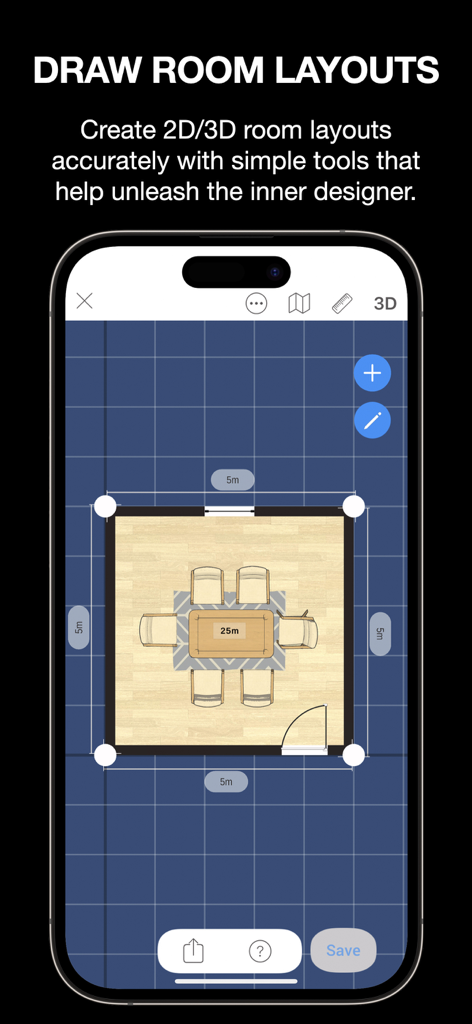
ARki: Building + Room Planner - ARki 앱의 2D 평면 레이아웃으로, 식탁과 의자 6개가 있는 식당이 격자 배경에 표시됩니다.
ARki 앱의 2D 평면 레이아웃으로, 식탁과 의자 6개가 있는 식당이 격자 배경에 표시됩니다.

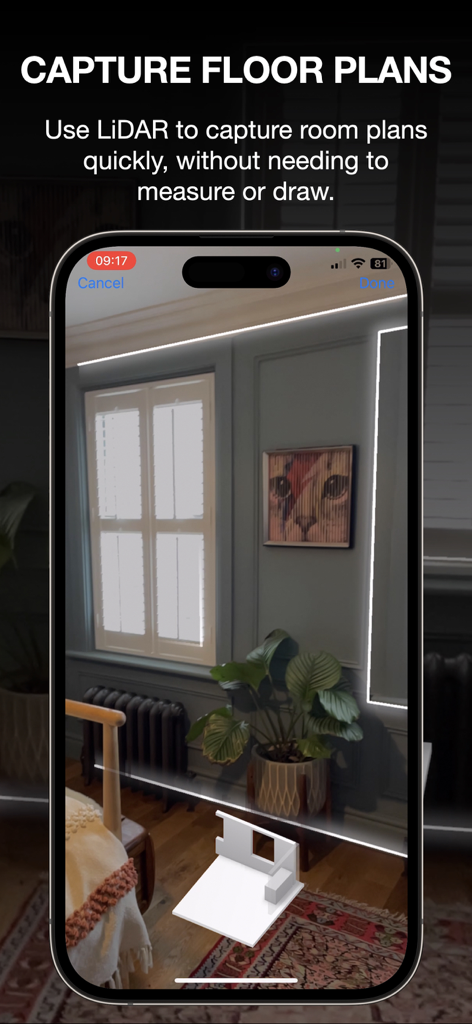
ARki: Building + Room Planner - iPhone에서 3D 평면도를 캡처하는 LiDAR 기술을 보여주는 ARki 앱 인터페이스.
iPhone에서 3D 평면도를 캡처하는 LiDAR 기술을 보여주는 ARki 앱 인터페이스.

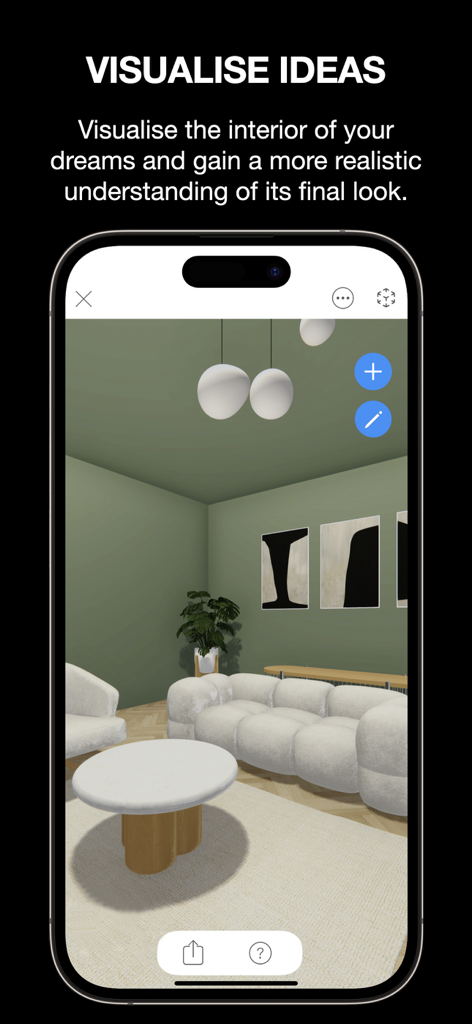
ARki: Building + Room Planner - 흰색 가구와 녹색 벽이 있는 현대적인 거실을 3D 렌더링한 ARki 앱 인터페이스.
흰색 가구와 녹색 벽이 있는 현대적인 거실을 3D 렌더링한 ARki 앱 인터페이스.

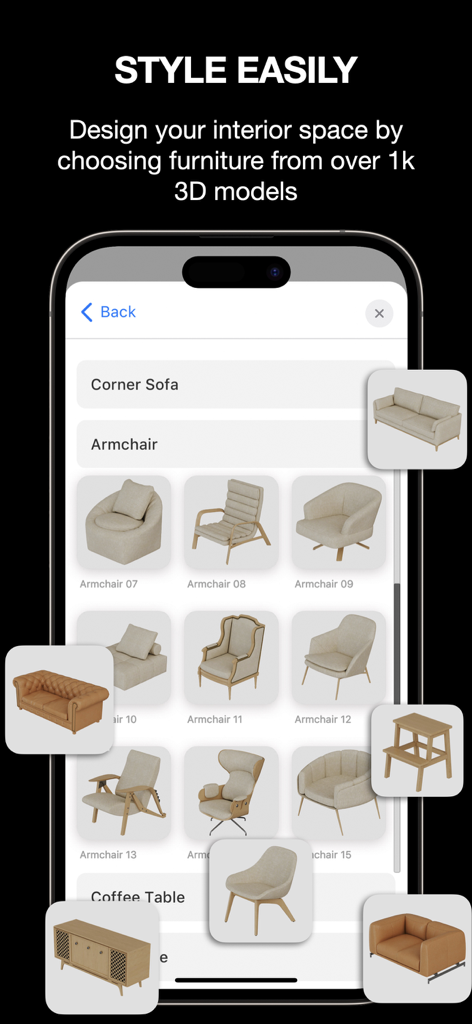
ARki: Building + Room Planner - ARki 모바일 앱 인터페이스에는 인테리어 디자인을 위한 안락의자와 소파를 포함한 3D 가구 모델 카탈로그가 표시됩니다.
ARki 모바일 앱 인터페이스에는 인테리어 디자인을 위한 안락의자와 소파를 포함한 3D 가구 모델 카탈로그가 표시됩니다.

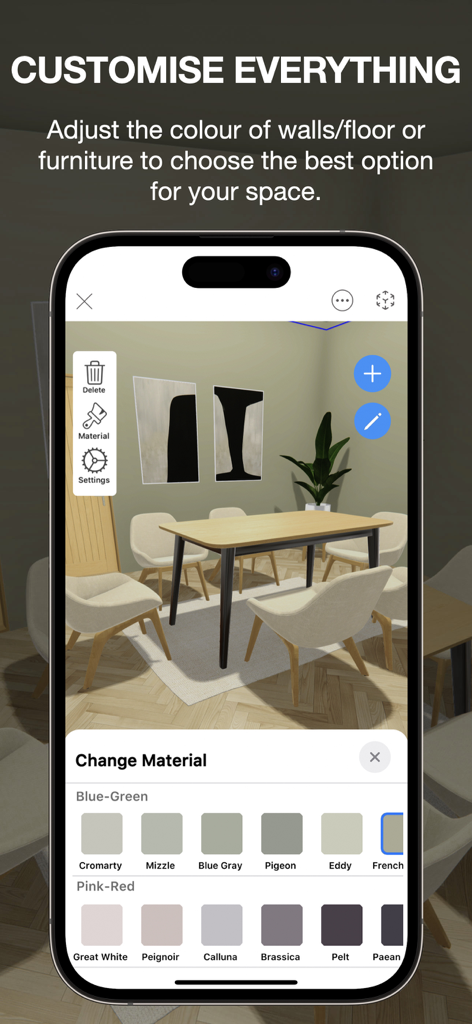
ARki: Building + Room Planner - 벽 및 가구 재질을 변경하는 메뉴가 있는 3D 식당 장면을 보여주는 ARki 앱 인터페이스.
벽 및 가구 재질을 변경하는 메뉴가 있는 3D 식당 장면을 보여주는 ARki 앱 인터페이스.

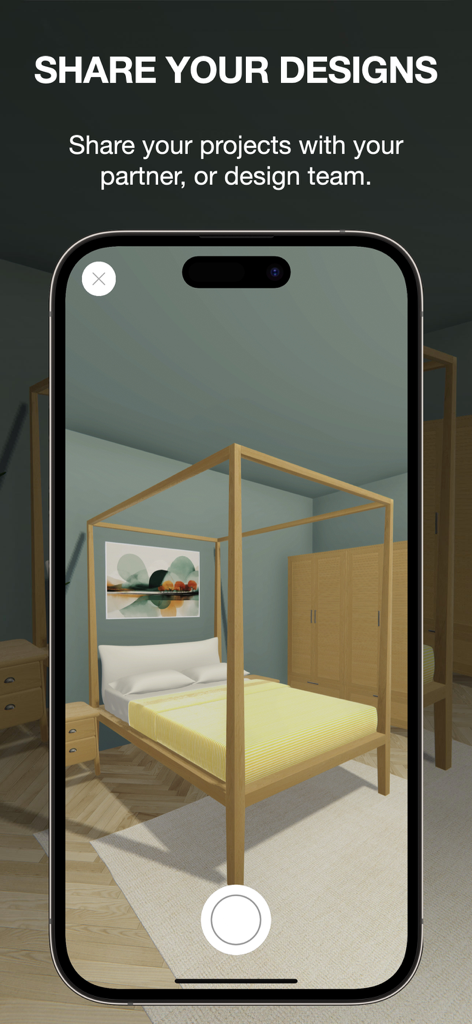
ARki: Building + Room Planner - ARki 앱을 사용하여 스마트폰에서 3D 침실 인테리어 디자인 시각화.
ARki 앱을 사용하여 스마트폰에서 3D 침실 인테리어 디자인 시각화.

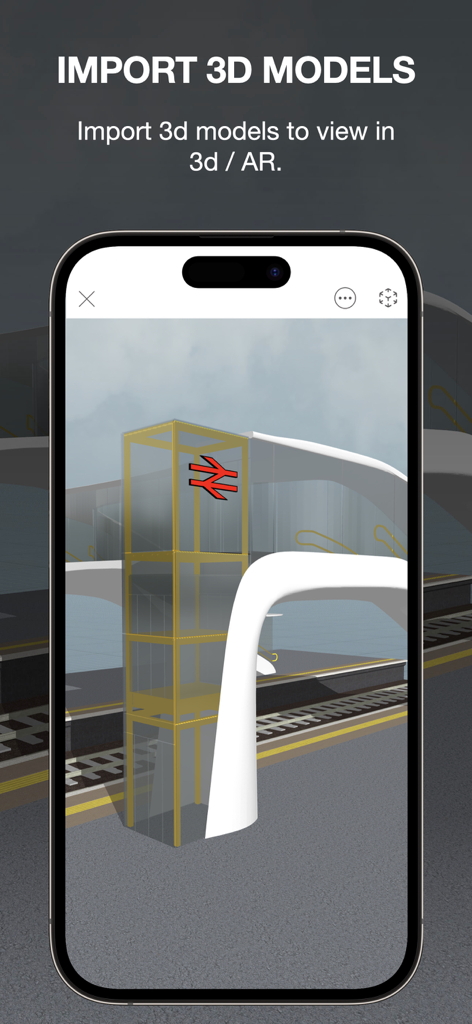
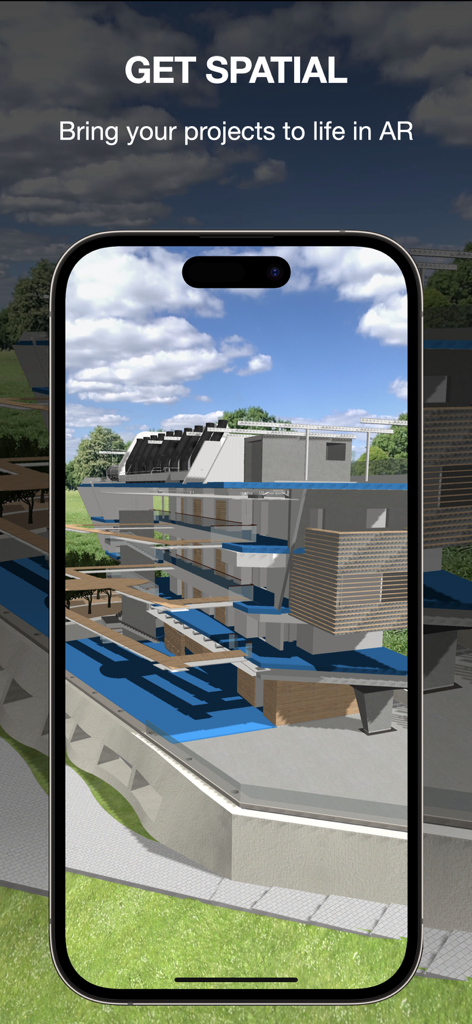
ARki: Building + Room Planner - 스마트폰 화면의 증강 현실로 표시되는 3D 건축 건물 모델.

스마트폰 화면의 증강 현실로 표시되는 3D 건축 건물 모델.

ARki: Building + Room Planner - iPhone의 ARki 앱에서 가져온 3D 건축 모델 보기.

iPhone의 ARki 앱에서 가져온 3D 건축 모델 보기.

설명

Bring your dream spaces to life with ARki, the ultimate 3D Home Design & Room Planner App that blends simplicity with professional-grade power. Whether you’re a DIYer refreshing a bedroom, a homeowner planning a renovation, or an architect crafting a client’s vision, ARki makes interior design, house design, and architecture drawing accessible, fun, and precise. Design My Room in Minutes - No Expertise Required! ARki’s Smart Draw tools and LiDAR scanning let you create room layouts effortlessly. Skip the tape measure - capture room dimensions instantly or sketch floor plans freehand. Dive into a library of 1,000+ 3D furniture models to design homes or decorate house spaces with confidence. Test paint colors, swap flooring textures, and experiment with home decor styles in real time. Visualize every detail in stunning 3D or step into life-sized AR to “walk through” your 3D house design before making real-world changes. Homeowner-Friendly Features: - Instant Floor Plan Creator: Generate accurate room layouts with LiDAR or manual input. - 3D Room Planner Library: Choose sofas, lighting, rugs, and decor to design room spaces that reflect your style. - AR Visualization: See furniture scale and home decor choices in augmented reality - no guesswork! - Sync & Share: Collaborate with partners or contractors via 2D snapshots, videos, or interactive plans. - Drag-and-Drop Simplicity: Rearrange furniture, adjust wall colors, and test layouts in seconds. For Architects & Design Pros: Precision Meets Creativity ARki Pro elevates architecture design and interior decorating with tools tailored for professionals: - Import 3D Models: Use FBX/GLB files from SketchUp, Revit, Blender, 3Dsmax or AutoCAD to build layered projects. - Mixed Reality Mode: Overlay 3D house designs onto real-world sites for immersive client presentations. - 1:1 Scale Accuracy: Position objects, apply real-time shadows, and animate models for flawless architectural drawing. - Material Palettes & Explode Tool: Showcase texture options and deconstruct designs to highlight details. - Unlimited Projects: Save, edit, and share unlimited architectural projects. Why ARki Wins Over Home Lovers - Room Designer Made Easy: Just intuitive tools to decorate house spaces like a pro. - Budget-Smart Planning: Test bold room decor ideas risk-free. Love that emerald green wall? Preview it in AR first. - Flexible Home Planner: Perfect for studio apartments, sprawling homes, or virtual staging. - Cross-Device Freedom: Start on your iPhone, refine on your iPad, and present on your Mac - seamlessly. Transform Your Space Today ARki isn’t just a floor plan creator—it’s your partner in fearless design. Redesign a single room or reimagine an entire property with tools that empower everyone, from interior decorating novices to architecture design experts. Perfect For: - Homeowners craving a home design 3D makeover. - Renters wanting to visualize room decor before moving in. - Pros presenting 3D house designs or buildings in jaw-dropping AR. - Compatibility: For floor scanning use LiDAR-enabled iOS devices Unlock ARki Personal subscription to gain access to the full catalogue of 3d interior models, as well as accurate edit and draw features, which help you create designs faster. Upgrade to ARki Professional Subscription to explore the full toolkit for professional designers. Explore tutorials and inspiration: http://www.darfdesign.com/arki.html Subscription Prices are set by Apple's App Store Matrix in $USD. Subscriptions are charged to your iTunes account at purchase and renewal. Free trials auto-renew to paid plans unless cancelled 24 hours before expiry in iTunes settings. Cancellations take effect after the current period, downgrading to free. Unused trial time is forfeited if you subscribe before it ends. Privacy Policy: https://www.darfdesign.com/privacypolicy.html Terms of Use: https://www.darfdesign.com/termsofuse.html

Download

다운로드: App Store

이 페이지는 앱이나 개발자의 공식 페이지가 아니며, 정보 제공 및 논평을 목적으로 작성된 독립 편집 간행물입니다. 명시적으로 달리 언급되지 않는 한, 해당 앱이나 개발자는 MWM, Apple, Google Play, 앱 퍼블리셔 또는 앱 개발자와 제휴, 보증, 후원, 승인 또는 공식적으로 연결되어 있지 않으며, 이 페이지의 어떤 내용도 해당 앱이 MWM의 서비스를 사용하여 개발되었음을 의미하지 않습니다. 모든 상표, 로고, 스크린샷 및 기타 콘텐츠는 해당 소유자의 자산입니다.