ArmME Security App
ArmME Security App
다운로드: App Store

이 페이지는 앱이나 개발자의 공식 페이지가 아니며, 정보 제공 및 논평을 목적으로 작성된 독립 편집 간행물입니다. 명시적으로 달리 언급되지 않는 한, 해당 앱이나 개발자는 MWM, Apple, Google Play, 앱 퍼블리셔 또는 앱 개발자와 제휴, 보증, 후원, 승인 또는 공식적으로 연결되어 있지 않으며, 이 페이지의 어떤 내용도 해당 앱이 MWM의 서비스를 사용하여 개발되었음을 의미하지 않습니다. 모든 상표, 로고, 스크린샷 및 기타 콘텐츠는 해당 소유자의 자산입니다.
로고: ArmME Security App
다운로드: App Store

ArmME Security App

전문 알람 시스템을 스마트 보안 허브로 변신시키세요. 신뢰성을 중시하는 주택 및 사업주를 위한 원격 경계 설정, 즉각적인 침입 알림 및 부동산 자동화 기능을 제공합니다.

주요 수치

다운로드

52K+

사용자 평점

4.2/5

총 평가 수

1K+

개발사

Amecor (Pty) Ltd

카테고리

Utilities

지원 언어

1

최신 버전

5.2.6

크기

87.5 MB

출시일

2015년 11월 9일
기능

전문 보안을 위한 스마트 제어

원활한 모바일 통합, 실시간 알림 및 완벽한 홈 오토메이션으로 기존 알람 시스템을 현대화하세요.

원격 경계 설정 및 해제

어디서나 보안 시스템을 완벽하게 제어하세요. 스마트폰 터치 한 번으로 특정 파티션을 관리하거나 구역을 우회할 수 있습니다.

실시간 전원 및 상태

침입 및 정전에 대한 즉각적인 알림을 받아 사무실에 있든 휴가 중이든 안심할 수 있습니다.

다음 스크린샷과 설명은 앱의 공식 스토어 목록에서 직접 가져온 것이며 앱 개발자의 자산입니다.

앱 스토어

스크린샷
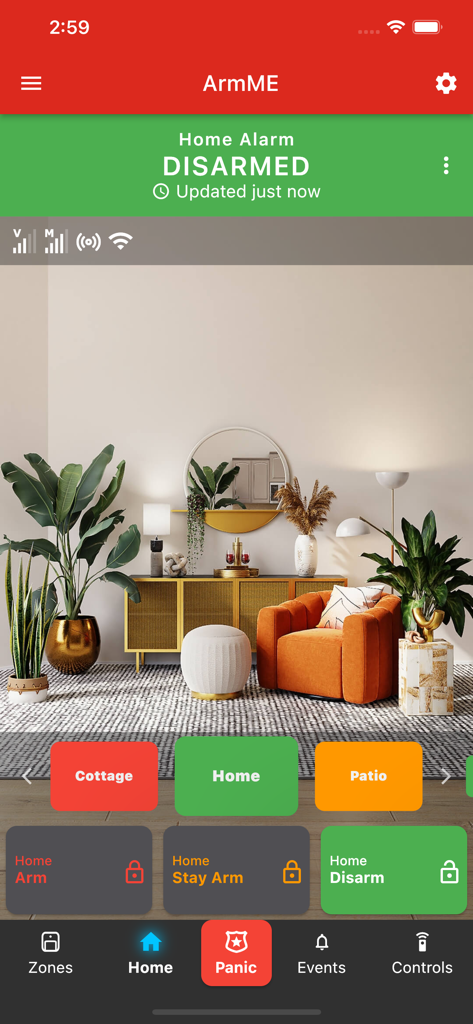
ArmME Security App - 경계 해제된 알람 상태와 파티션 관리를 표시하는 ArmME 보안 앱 홈 화면
경계 해제된 알람 상태와 파티션 관리를 표시하는 ArmME 보안 앱 홈 화면

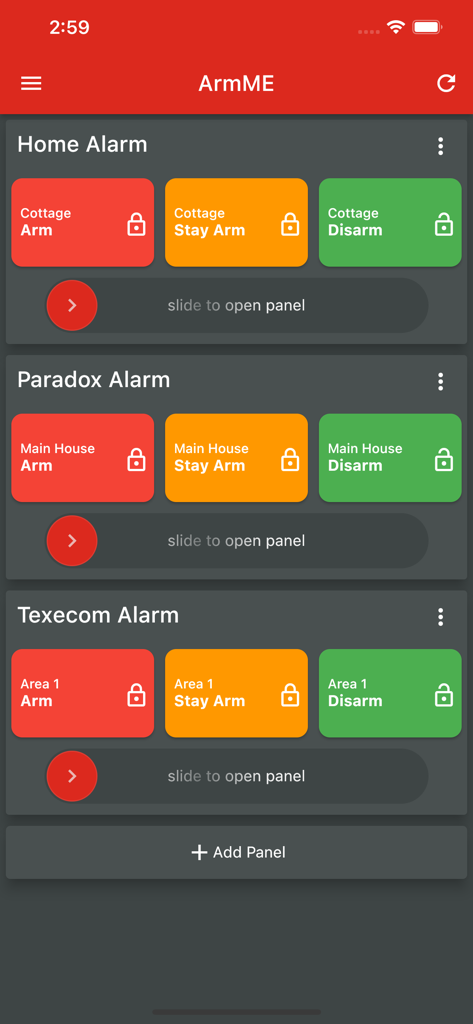
ArmME Security App - 다양한 알람 구역의 경계 설정 및 해제 버튼을 보여주는 ArmME 보안 앱 인터페이스
다양한 알람 구역의 경계 설정 및 해제 버튼을 보여주는 ArmME 보안 앱 인터페이스

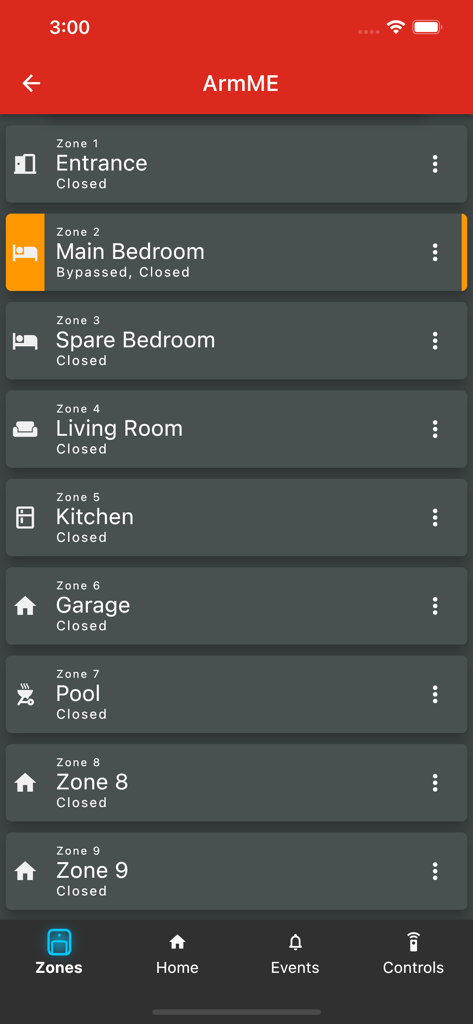
ArmME Security App - 입구, 침실 및 거실 상태를 보여주는 ArmME 보안 앱 구역 화면
입구, 침실 및 거실 상태를 보여주는 ArmME 보안 앱 구역 화면

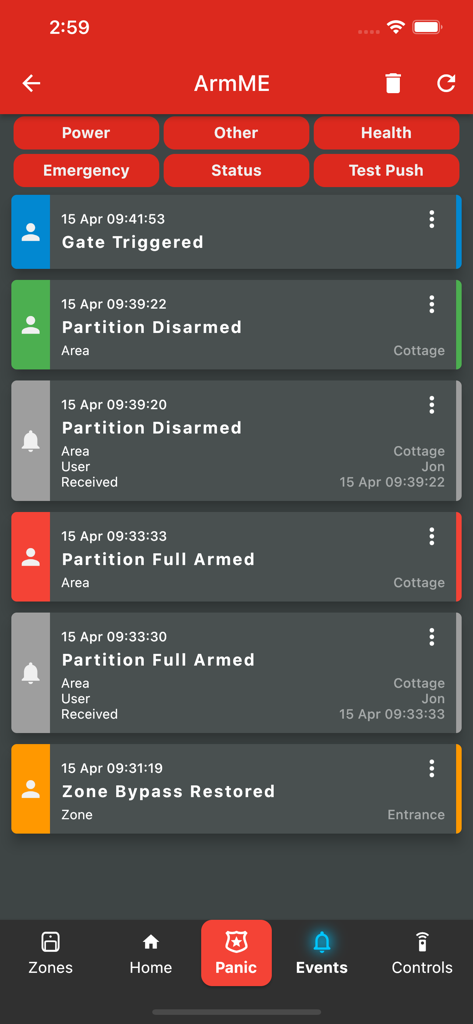
ArmME Security App - 시스템 활동 및 상태 업데이트를 보여주는 ArmME 보안 앱 이벤트 로그
시스템 활동 및 상태 업데이트를 보여주는 ArmME 보안 앱 이벤트 로그

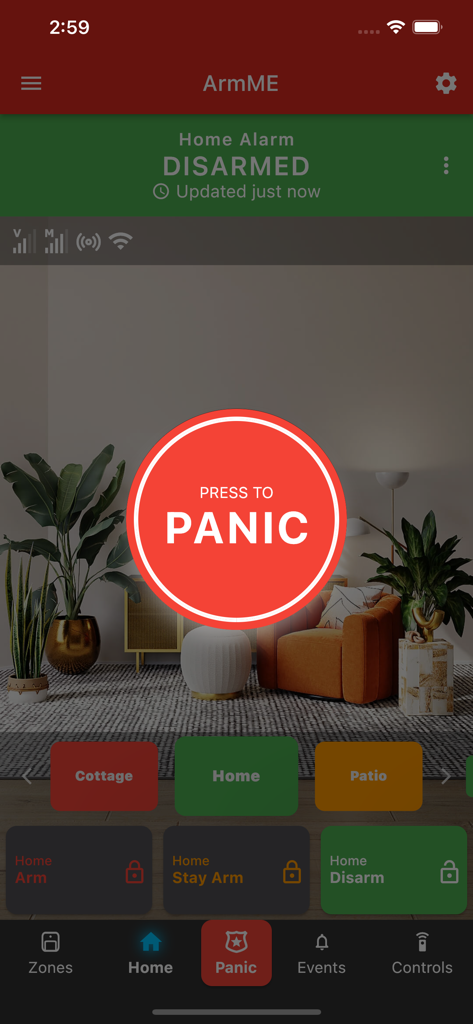
ArmME Security App - 비상시 가정용 알람 활성화를 위한 대형 빨간색 패닉 버튼이 있는 ArmME 보안 앱 인터페이스
비상시 가정용 알람 활성화를 위한 대형 빨간색 패닉 버튼이 있는 ArmME 보안 앱 인터페이스

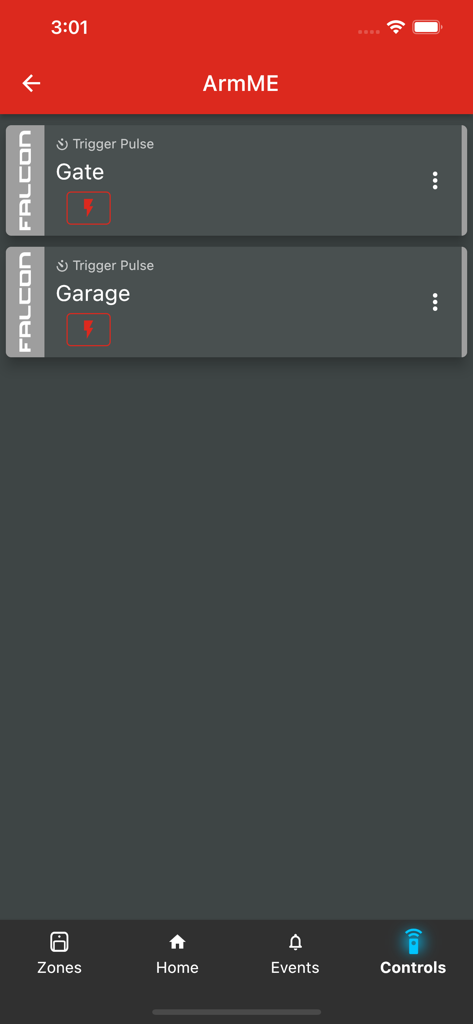
ArmME Security App - 게이트 및 차고 원격 제어를 보여주는 ArmME 앱 화면

게이트 및 차고 원격 제어를 보여주는 ArmME 앱 화면

설명

Monitor and control your alarm system from anywhere in the world when using a Rhino alarm panel or a Falcon communicator with selected third-party alarm panels. The ArmME app allows you to be in control and aware of whatever is happening at your home or business even when you’re not there. With the ArmME app, you are easily able to: - Arm, disarm or stay arm different areas of your home as set up by the technician - Receive alerts when the alarm is triggered and know where on your property the intrusion occurred - Check whether your alarm system is armed or not - Open or close your gate or garage door and switch your lights, sprinklers and pool pump on or off - See if there is AC power or not at your place - Identify the different areas or partitions of your home by uploading photos and customising area and zone names - Access a history of events via the event log - Bypass specific zones, when in use, to prevent triggering an alarm PLEASE NOTE: To access the above features and more you have to be using a Rhino 68, 816, 232 or 832 alarm panel or a Falcon communicator which is connected via the serial port to one of these third-party panels: - IDS X-Series & IDS805 - Texecom Premier 412, 816 & 832 - Paradox MG & SP series - DSC PowerSeries and PowerSeries Neo - Risco LightSYS 2 - Orisec ZP-10, 20, 40, & 100 - Hikvision AX Pro Terms & Conditions apply.

Download

다운로드: App Store

이 페이지는 앱이나 개발자의 공식 페이지가 아니며, 정보 제공 및 논평을 목적으로 작성된 독립 편집 간행물입니다. 명시적으로 달리 언급되지 않는 한, 해당 앱이나 개발자는 MWM, Apple, Google Play, 앱 퍼블리셔 또는 앱 개발자와 제휴, 보증, 후원, 승인 또는 공식적으로 연결되어 있지 않으며, 이 페이지의 어떤 내용도 해당 앱이 MWM의 서비스를 사용하여 개발되었음을 의미하지 않습니다. 모든 상표, 로고, 스크린샷 및 기타 콘텐츠는 해당 소유자의 자산입니다.









