ArtLoop: Ar Drawing Lessons
다운로드: App Store

이 페이지는 앱이나 개발자의 공식 페이지가 아니며, 정보 제공 및 논평을 목적으로 작성된 독립 편집 간행물입니다. 명시적으로 달리 언급되지 않는 한, 해당 앱이나 개발자는 MWM, Apple, Google Play, 앱 퍼블리셔 또는 앱 개발자와 제휴, 보증, 후원, 승인 또는 공식적으로 연결되어 있지 않으며, 이 페이지의 어떤 내용도 해당 앱이 MWM의 서비스를 사용하여 개발되었음을 의미하지 않습니다. 모든 상표, 로고, 스크린샷 및 기타 콘텐츠는 해당 소유자의 자산입니다.
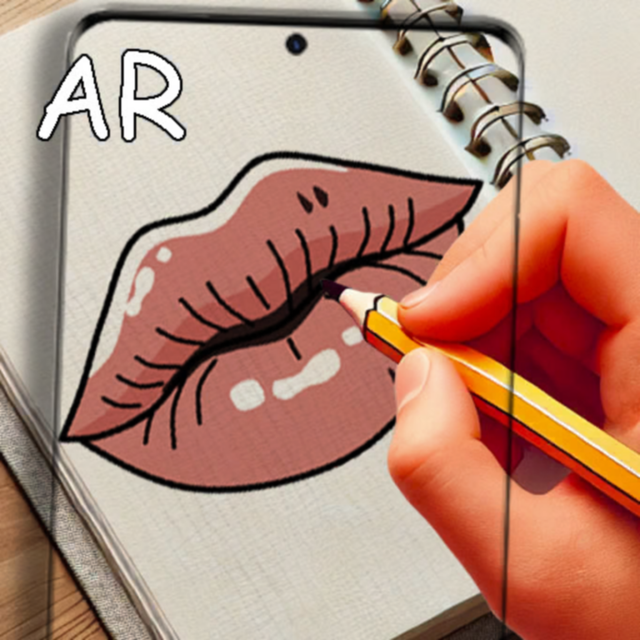

로고: ArtLoop: Ar Drawing Lessons
다운로드: App Store

ArtLoop: Ar Drawing Lessons

야심 찬 아티스트를 위한 궁극의 지름길. 증강 현실을 사용하여 멋진 애니메이션, 카와이 캐릭터, 풍경을 따라 그리고, 창작 과정을 녹화하여 소셜 미디어에 공유하세요.

주요 수치

다운로드

13K+

사용자 평점

1.0/5

총 평가 수

0

개발사

Anhelina Denezhko

카테고리

Graphics & Design

지원 언어

1

최신 버전

1.2.1

크기

105.2 MB

출시일

2025년 5월 1일
기능

AR 마법으로 스케치 기술 마스터하기

빈 페이지에 대한 두려움을 멈추세요. ArtLoop는 증강 현실을 사용하여 손을 안내하여 첫 세션부터 전문가 수준의 예술 작품을 만들 수 있도록 돕습니다.

정밀 AR 트레이싱

카메라를 사용하여 모든 디자인을 스케치북에 투사하세요. 실시간으로 디지털 가이드를 따라 그리면서 비율과 복잡한 윤곽을 즉시 마스터하세요.

인기 강좌 라이브러리

애니메이션, 카와이 캐릭터, 미학적 캘리그라피에 대한 단계별 튜토리얼에 액세스하세요. 오늘날 소셜 미디어에서 유행하는 스타일을 배우세요.

다음 스크린샷과 설명은 앱의 공식 스토어 목록에서 직접 가져온 것이며 앱 개발자의 자산입니다.

앱 스토어

스크린샷
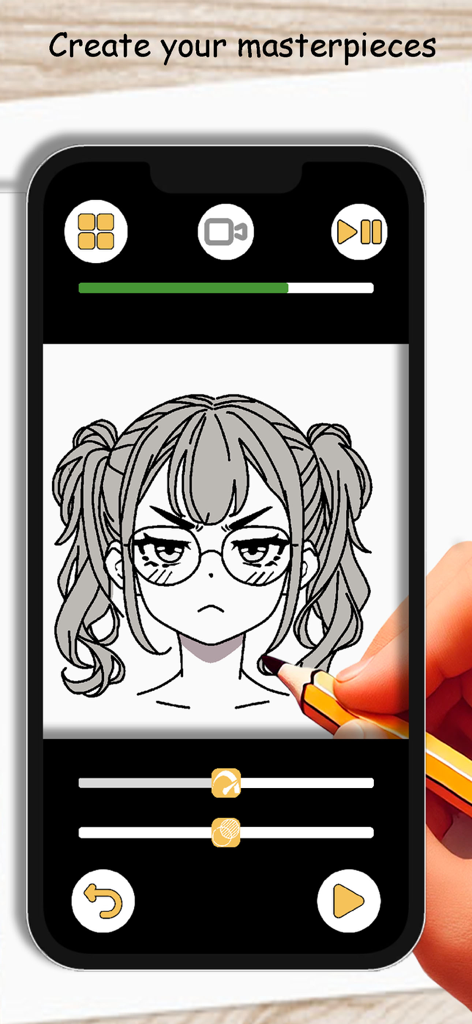
ArtLoop: Ar Drawing Lessons - 한 사람이 ArtLoop AR 그림 앱을 사용하여 스마트폰 화면에서 애니메이션 소녀 캐릭터를 따라 그리기 위해 연필을 사용하고 있습니다.
한 사람이 ArtLoop AR 그림 앱을 사용하여 스마트폰 화면에서 애니메이션 소녀 캐릭터를 따라 그리기 위해 연필을 사용하고 있습니다.

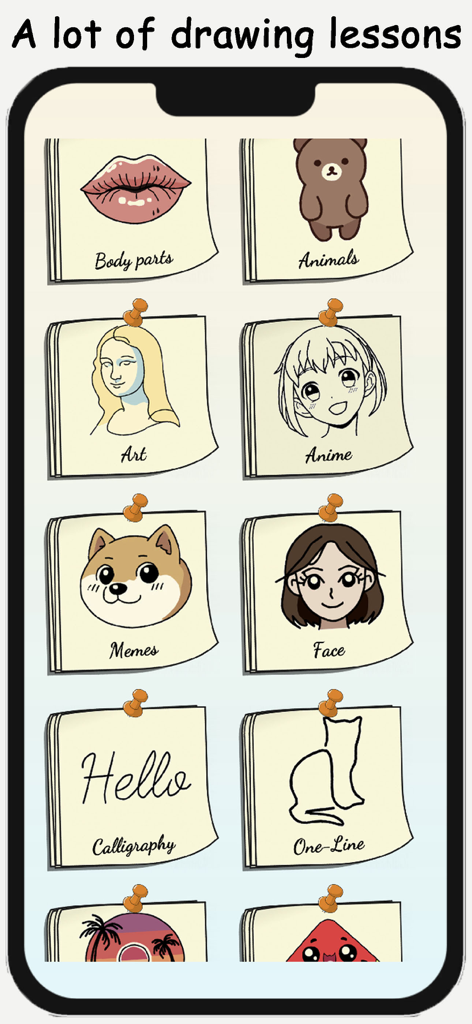
ArtLoop: Ar Drawing Lessons - ArtLoop 앱에서 애니메이션, 밈, 캘리그라피와 같은 다양한 그림 강좌 카테고리를 보여주는 화면.
ArtLoop 앱에서 애니메이션, 밈, 캘리그라피와 같은 다양한 그림 강좌 카테고리를 보여주는 화면.

ArtLoop: Ar Drawing Lessons - ArtLoop AR 기술을 사용하여 스마트폰으로 스케치북에 입술 그림을 따라 그리고 있습니다.
ArtLoop AR 기술을 사용하여 스마트폰으로 스케치북에 입술 그림을 따라 그리고 있습니다.

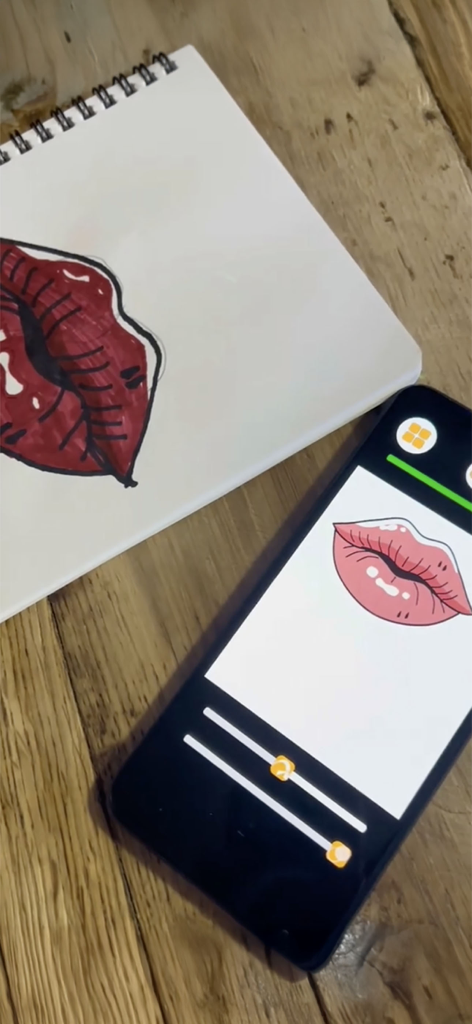
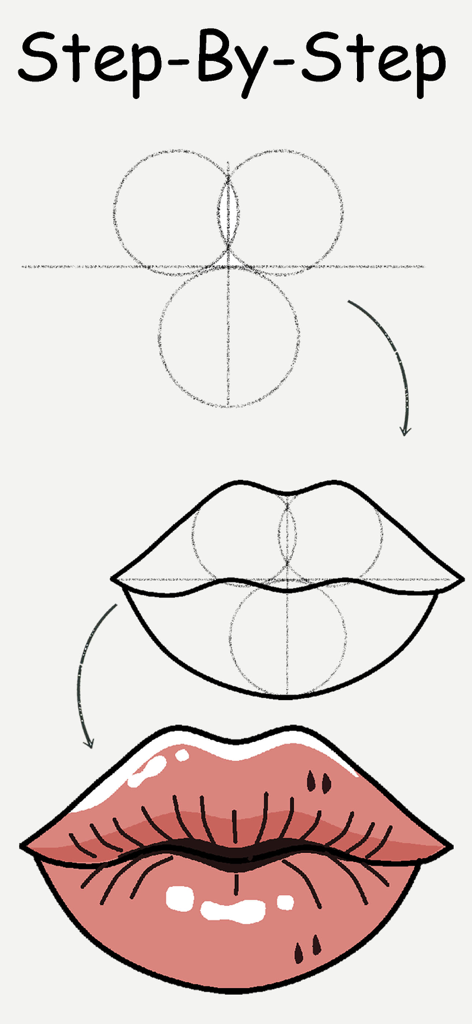
ArtLoop: Ar Drawing Lessons - ArtLoop 앱으로 입술을 그리는 단계별 튜토리얼.

ArtLoop 앱으로 입술을 그리는 단계별 튜토리얼.

설명

Unleash your inner artist with AR Drawing Lessons: Sketch Art! This innovative app combines the magic of Augmented Reality with step-by-step tutorials to help you learn to sketch like a pro. Perfect for beginners and seasoned sketch artists alike, this app provides an easy and fun learning experience that will spark your creativity and enhance your artistic skills. Key Features: Step-by-Step Tutorials: Learn how to create art through detailed lessons that guide you from start to finish. Whether you want to sketch animals, anime, kawaii characters, or fantastic landscapes, we have tutorials that fit your style. Creative Templates: Get inspired with our diverse collection of creative templates. Use these designs as a base for your creations or practice your skills as you learn to paint and illustrate. Augmented Reality Projection: Experience your artworks in a whole new dimension! Use our AR projector feature to visualize your creations in real-world settings. The augmented reality capability enhances your artistic process and helps you understand proportions better. Video Recording: Capture your artistic journey! Record your progress as you improve your techniques, so you can revisit your process and share your achievements with friends and family. Save and Share Drawings: Love your artwork? Save your creations effortlessly and share them on social media with just a few taps. Show the world your talent and inspire other budding artists! Intuitive Interface: Designed for users of all ages, our intuitive interface makes it easy to navigate. Just select a lesson, trace the outlines, and learn to create at your own pace. Regular Updates: Stay inspired with regular updates that introduce new tutorials and templates. Our dedicated team is committed to bringing fresh content to help you enhance your artistic skills continuously. Artistic Exploration: From one-line sketches to complex fantasy creatures, the AR Drawing Lessons app encourages you to explore new styles and techniques. Let your creativity flow and experiment with different forms of art. Additional Features: Artistic Helper: Your ultimate assistant to make learning easy and enjoyable. Practice on Any Surface: Use your tablet or any drawing pad to trace and create stunning artworks. Calligraphy Lessons: Explore the elegance of calligraphy with step-by-step guides. Proportions Made Easy: Master proportions and details with the AR tracer feature, perfect for beginners. Realistic Eye Sketches: Learn to illustrate expressive eyes and enhance your skills with detailed tutorials. Picture Gallery: Save all your sketches in one place and easily organize your artistic journey. Whether you're a kid, an adult, or a seasoned artist looking for a portable drawing helper, this app is suitable for everyone aged 10 to 50. Get started today and discover how easy it is to sketch with AR Drawing Lessons: Sketch Art. Join a community of creative individuals and elevate your skills. Download AR Drawing Lessons: Sketch Art now and start your artistic journey today! Create, learn, tracing, and explore – the world of art awaits you.

Download

다운로드: App Store

이 페이지는 앱이나 개발자의 공식 페이지가 아니며, 정보 제공 및 논평을 목적으로 작성된 독립 편집 간행물입니다. 명시적으로 달리 언급되지 않는 한, 해당 앱이나 개발자는 MWM, Apple, Google Play, 앱 퍼블리셔 또는 앱 개발자와 제휴, 보증, 후원, 승인 또는 공식적으로 연결되어 있지 않으며, 이 페이지의 어떤 내용도 해당 앱이 MWM의 서비스를 사용하여 개발되었음을 의미하지 않습니다. 모든 상표, 로고, 스크린샷 및 기타 콘텐츠는 해당 소유자의 자산입니다.







