이 페이지는 앱이나 개발자의 공식 페이지가 아니며, 정보 제공 및 논평을 목적으로 작성된 독립 편집 간행물입니다. 명시적으로 달리 언급되지 않는 한, 해당 앱이나 개발자는 MWM, Apple, Google Play, 앱 퍼블리셔 또는 앱 개발자와 제휴, 보증, 후원, 승인 또는 공식적으로 연결되어 있지 않으며, 이 페이지의 어떤 내용도 해당 앱이 MWM의 서비스를 사용하여 개발되었음을 의미하지 않습니다. 모든 상표, 로고, 스크린샷 및 기타 콘텐츠는 해당 소유자의 자산입니다.
Audio Editor ~ MP3 Converter
크리에이터와 음악 애호가를 위한 궁극의 툴킷. 클립을 자르고, 비디오에서 오디오를 추출하고, AI를 사용하여 보컬이나 배경 소음을 제거하세요. 이 모든 것을 손 안에서 할 수 있습니다.
크리에이터와 음악 애호가를 위한 궁극의 모바일 스튜디오. AI 기반 보컬 제거부터 배치 변환까지, 하나의 강력한 앱에서 모든 오디오 요구 사항을 관리하세요.
AI 기반 보컬 분리
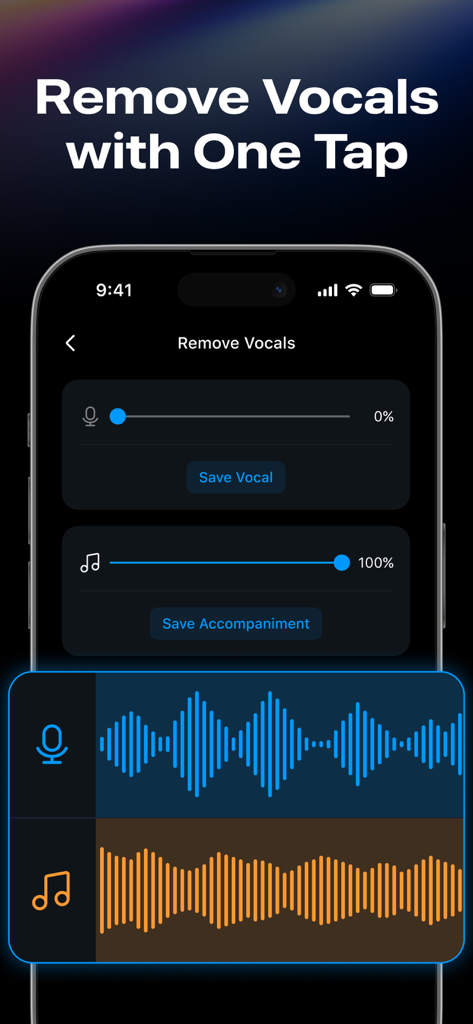
완벽한 믹스 또는 노래방 세션을 위해 고급 로컬 AI를 사용하여 모든 트랙에서 보컬을 제거하거나 배경 소음을 즉시 정리하세요.
즉각적인 비디오 추출
한 번의 탭으로 모든 비디오를 고품질 MP3로 변환하세요. TikTok 트렌드 사운드를 가져오거나 강의를 팟캐스트로 만드는 데 완벽합니다.
다음 스크린샷과 설명은 앱의 공식 스토어 목록에서 직접 가져온 것이며 앱 개발자의 자산입니다.
앱 스토어
스크린샷
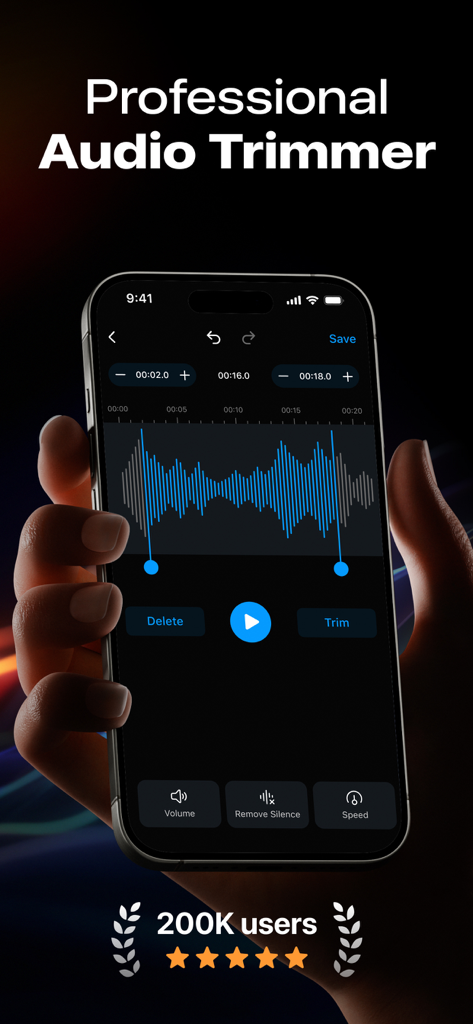
파란색 사운드 파형과 편집 도구가 있는 전문 오디오 트리머 인터페이스를 표시하는 iPhone을 들고 있는 사람.
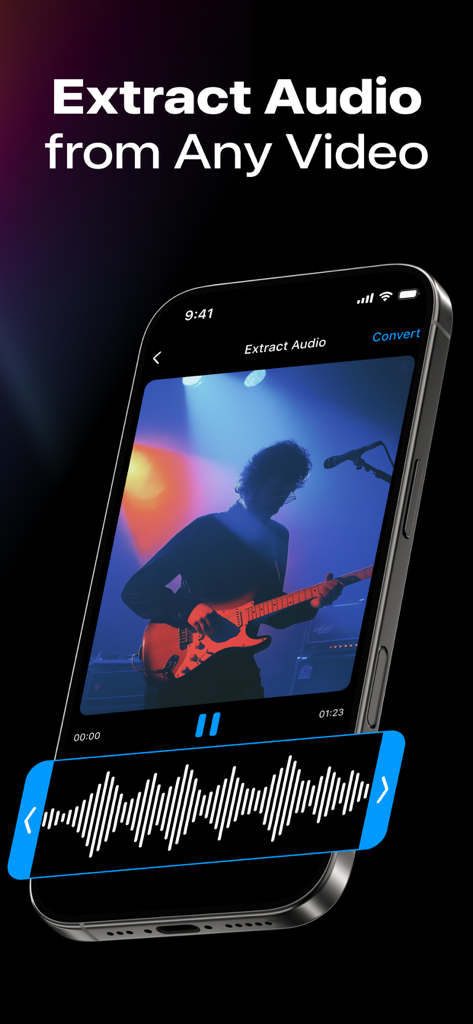
기타리스트 비디오에서 오디오를 추출하는 방법을 보여주는 스마트폰 화면
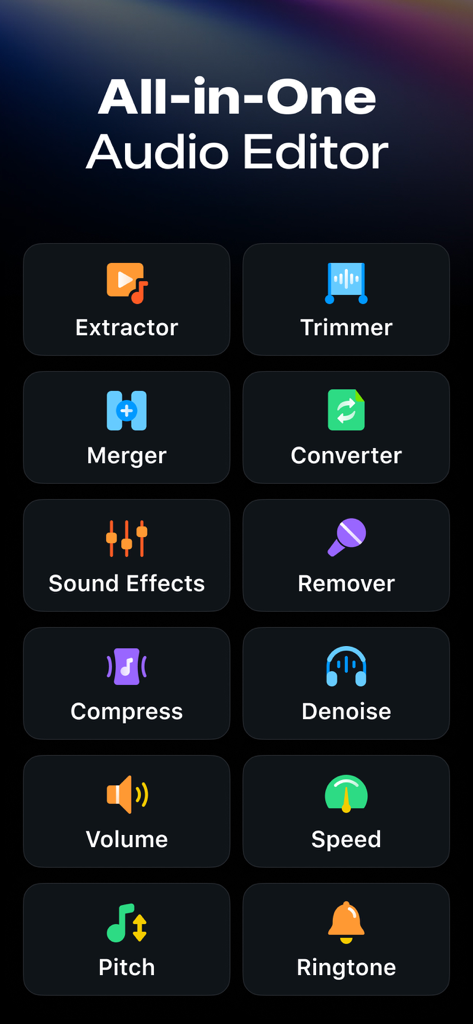
추출기, 트리머, 변환기와 같은 다양한 도구를 보여주는 오디오 에디터 앱의 인터페이스
보컬 및 반주 슬라이더가 있는 보컬 제거 기능을 보여주는 오디오 에디터 앱의 인터페이스
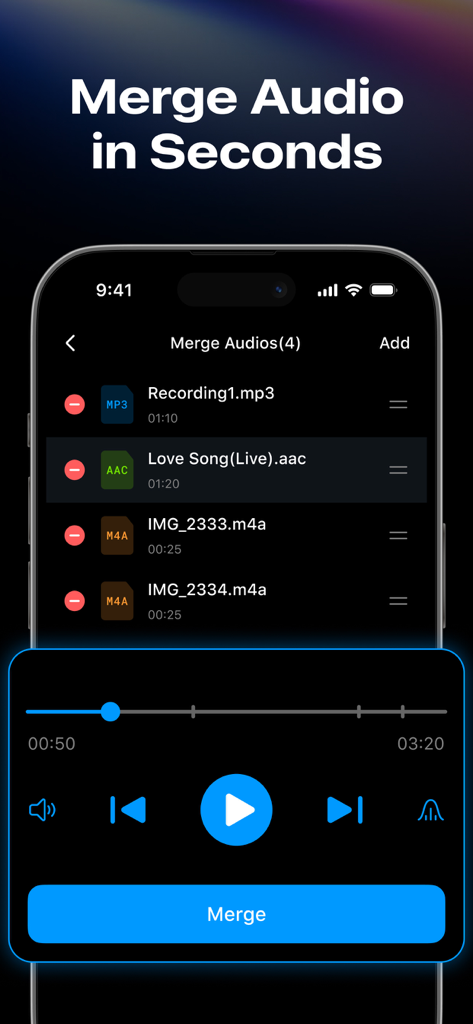
결합할 MP3 및 AAC 파일 목록을 표시하는 오디오 병합 기능을 보여주는 스마트폰 화면.
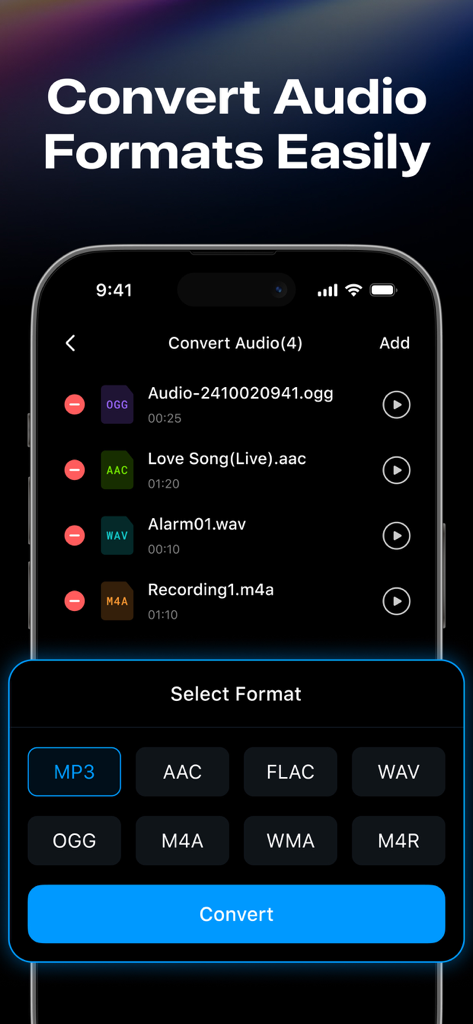
MP3 및 AAC와 같은 다양한 형식 변환 옵션과 파일 목록을 보여주는 오디오 에디터 앱의 인터페이스.
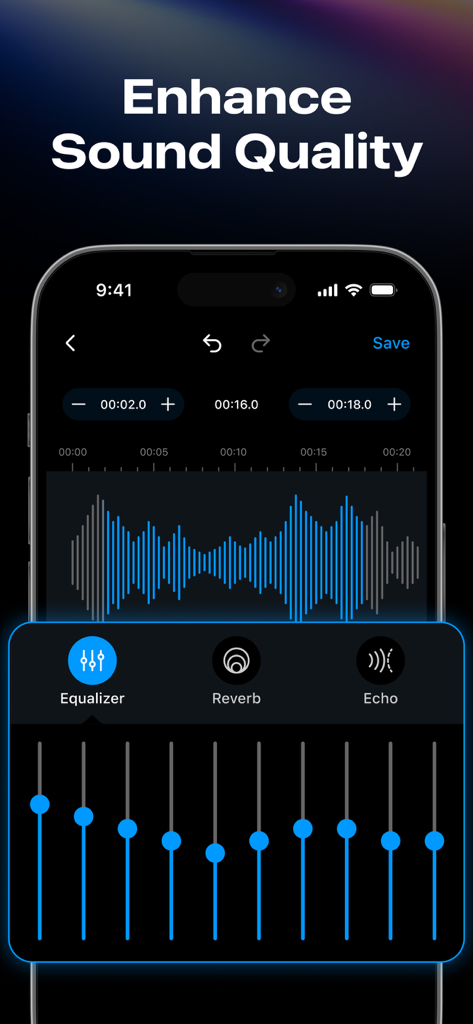
10밴 그래픽 이퀄라이저 및 파형 편집기를 포함한 오디오 향상 도구를 보여주는 모바일 앱 인터페이스.
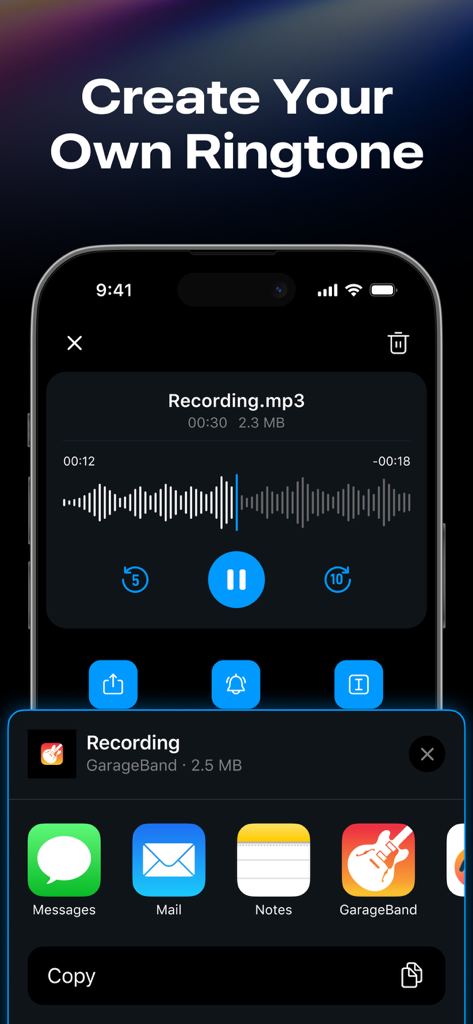
오디오 파일에서 맞춤 iPhone 벨소리를 만들고 내보내는 방법을 보여주는 모바일 인터페이스.
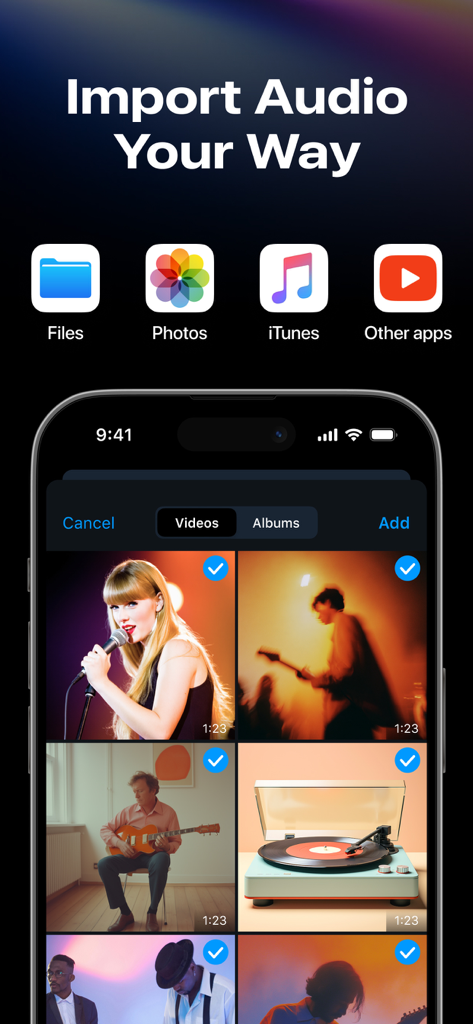
비디오 갤러리 보기와 함께 파일, 사진, iTunes 및 기타 앱을 포함한 여러 오디오 가져오기 옵션을 보여주는 iPhone 화면
설명
Edit, convert, and enhance your audio — all in one powerful audio editor.
This powerful audio editor lets you trim MP3 files, merge clips, convert formats, remove vocals, create iPhone ringtones, and more.
Whether you're a music editor, voice editor, podcaster or musician, this sound editor is built for you.
Audio Editor Features
- Audio Extractor: Convert videos into audio in various formats. Supports batch audio extraction for faster processing.
- Audio Trimmer: Precisely trim audio clips with this built-in MP3 cutter. Adjust playback speed, volume, and apply fade-in/fade-ou while editing music.
- Remove Audio Silence: Automatically detect and remove silent parts to streamline your song editing process.
- Audio Merger: Merge multiple audio files into one with this smart audio joiner — supports all major formats.
- Ringtone Maker: Quickly turn your favorite audio or video files into free iPhone ringtones.
Audio Converter Tools
- Audio Converter: Supports format conversion between MP3, AAC, FLAC, WAV, OGG, M4A, WMA, M4R, and more.
- Video to Audio: Extract audio from any video file in just one tap.
- Batch Audio Processing: Add and convert multiple audio files at once with background support for seamless editing.
- Easy Audio Import: Add audio from files, photos, Apple Music, airdrop, other apps, or via Wi-Fi transfer.
Audio Editor Toolbox:
- Remove vocals:Separate vocals and accompaniment from any song using AI, running locally without uploading.
- Audio Effects:Supports equalizer, reverb, echo adjustment, and multiple presets.
- Background Noise Remover: Remove background noise with smart one-tap filters.
- More Audio Tools: Amplify vocals, compress audio, loudness normalization (LUFS) and use the song editor like a pro.
Why you'll love this audio editor?
- All-in-one audio editing solution for iPhone
- Beginner-friendly, pro-level audio tools
- Fast, smooth, and reliable performance
- Ideal for music creators, MP3 editors, and audio lovers
Ready to master your audio?
Try our audio maker! Edit audio your way with a powerful audio editor — professionally, efficiently, and effortlessly.
Download this free audio editor tool now and start editing music like a pro.
Note: If you subscribe through Apple, payment will be charged to your App Store account at confirmation of purchase. Subscription automatically renews unless auto-renew is turned off at least 24 hours before the end of the current period. The account will be charged for renewal at the selected plan rate within 24 hours before the end of the current period. Subscriptions and auto-renewal can be managed after purchase by going to your App Store account settings.
Feedback
—If you like Audio Editor - MP3 Converter, please rate it 5 stars and give us a good review.
—If you have any suggestions or usage questions, please email changshashenguangyuan@gmail.com.
Privacy policy: https://audio.musicstateforspotify.com/privacy.html
Terms of services: https://audio.musicstateforspotify.com/terms.html
이 페이지는 앱이나 개발자의 공식 페이지가 아니며, 정보 제공 및 논평을 목적으로 작성된 독립 편집 간행물입니다. 명시적으로 달리 언급되지 않는 한, 해당 앱이나 개발자는 MWM, Apple, Google Play, 앱 퍼블리셔 또는 앱 개발자와 제휴, 보증, 후원, 승인 또는 공식적으로 연결되어 있지 않으며, 이 페이지의 어떤 내용도 해당 앱이 MWM의 서비스를 사용하여 개발되었음을 의미하지 않습니다. 모든 상표, 로고, 스크린샷 및 기타 콘텐츠는 해당 소유자의 자산입니다.