Audio Editor: Recording Studio
다운로드: App Store

이 페이지는 앱이나 개발자의 공식 페이지가 아니며, 정보 제공 및 논평을 목적으로 작성된 독립 편집 간행물입니다. 명시적으로 달리 언급되지 않는 한, 해당 앱이나 개발자는 MWM, Apple, Google Play, 앱 퍼블리셔 또는 앱 개발자와 제휴, 보증, 후원, 승인 또는 공식적으로 연결되어 있지 않으며, 이 페이지의 어떤 내용도 해당 앱이 MWM의 서비스를 사용하여 개발되었음을 의미하지 않습니다. 모든 상표, 로고, 스크린샷 및 기타 콘텐츠는 해당 소유자의 자산입니다.

로고: Audio Editor: Recording Studio
다운로드: App Store

Audio Editor: Recording Studio

스튜디오 품질의 녹음 및 직관적인 편집 도구로 팟캐스트, 음악 및 소셜 콘텐츠를 향상시키세요. 휴대폰에서 바로 전문가 수준의 오디오를 녹음, 믹싱, 공유할 수 있습니다.

주요 수치

다운로드

973K+

사용자 평점

4.3/5

총 평가 수

11K+

개발사

Giant Brains LLC

카테고리

Utilities

지원 언어

1

최신 버전

7.3

크기

148.0 MB

출시일

2019년 11월 12일
기능

주머니 속의 전문 스튜디오 파워

바이럴 TikTok부터 차트 역주행 팟캐스트까지, 현대 크리에이터를 위해 디자인된 직관적인 도구로 아이디어를 고품질 오디오 걸작으로 바꾸세요.

손쉬운 정밀 편집

간단한 탭으로 자르고, 붙이고, 다듬으세요. 복잡한 데스크톱 소프트웨어의 가파른 학습 곡선 없이도 완벽한 전환 및 루프를 만드세요.

스튜디오급 모바일 녹음

어디서든 깨끗한 오디오를 녹음하세요. 전문적인 효과 및 필터를 적용하여 보이스오버와 음악을 다듬어 고급 스튜디오 제작 사운드를 만드세요.

다음 스크린샷과 설명은 앱의 공식 스토어 목록에서 직접 가져온 것이며 앱 개발자의 자산입니다.

앱 스토어

스크린샷
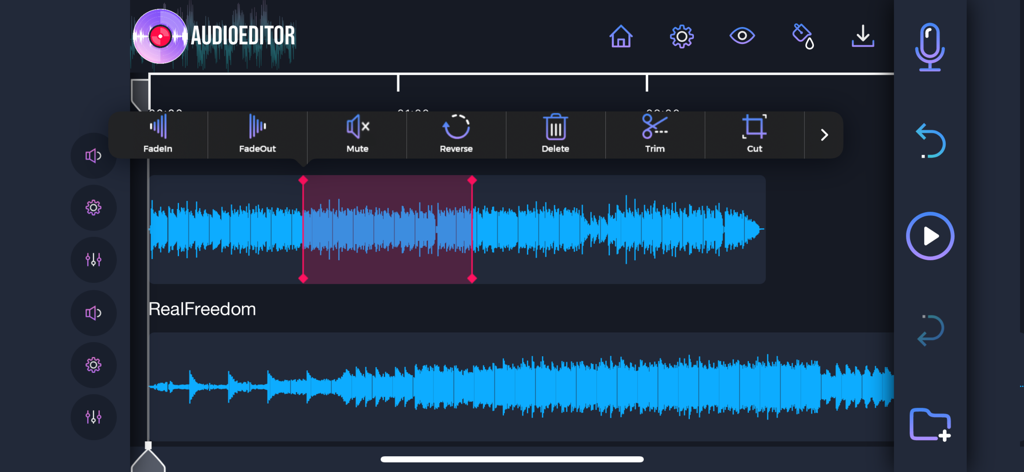
Audio Editor: Recording Studio - 파형과 트리밍, 자르기, 효과 추가 도구가 있는 멀티트랙 오디오 편집 인터페이스.
파형과 트리밍, 자르기, 효과 추가 도구가 있는 멀티트랙 오디오 편집 인터페이스.

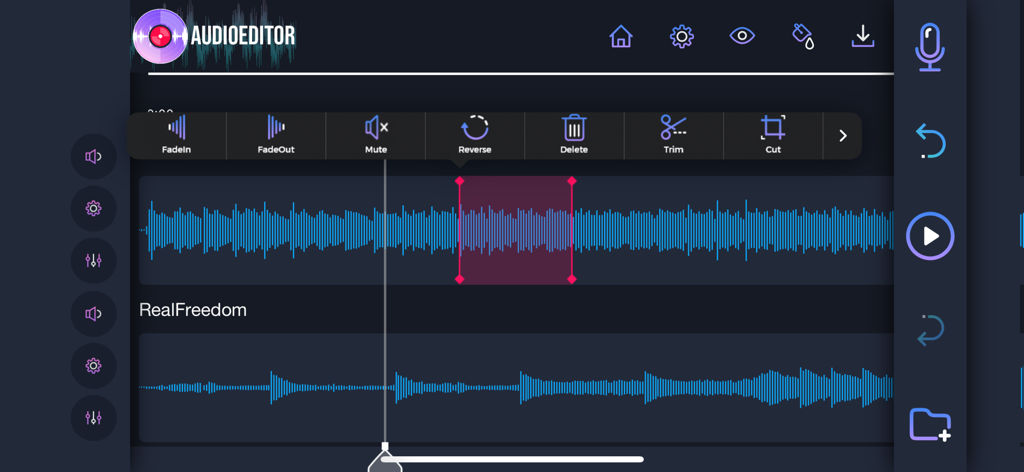
Audio Editor: Recording Studio - 트림 자르기 및 뒤집기와 같은 도구를 사용하여 멀티트랙 파형 편집을 보여주는 모바일 오디오 편집기 인터페이스
트림 자르기 및 뒤집기와 같은 도구를 사용하여 멀티트랙 파형 편집을 보여주는 모바일 오디오 편집기 인터페이스

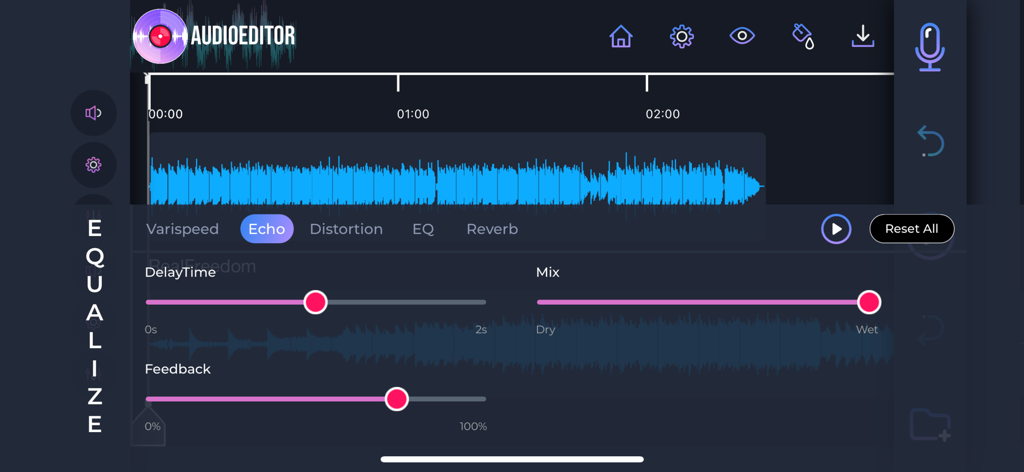
Audio Editor: Recording Studio - Audio Editor 앱의 인터페이스에서 에코 효과 컨트롤 및 파형 표시.
Audio Editor 앱의 인터페이스에서 에코 효과 컨트롤 및 파형 표시.

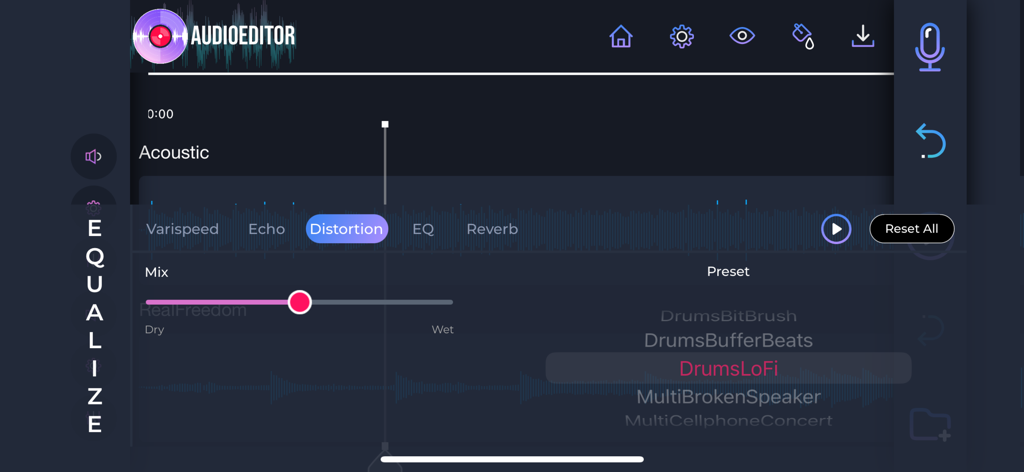
Audio Editor: Recording Studio - Audio Editor 모바일 앱의 왜곡 효과 및 믹싱 인터페이스.

Audio Editor 모바일 앱의 왜곡 효과 및 믹싱 인터페이스.

설명

Edit your favorite songs, change the way you send voice notes, record audios in a professional way, and edit any audio in your device, with an easy to use-yet powerful tool that will make your audios more stunning than ever before. • Editing your audios is just as easy as cutting, pasting, and using your creativity to create amazing masterpieces. • Record audio directly from the app, and add them to your favorite songs with just a tap on the screen. • Add music effects to your recordings, and edit your audios like a professional. • Save your mixes directly in the app, or download them to your phone, and use it whenever necessary. • Change the quality of your recordings, and give a professional style to your music. • Share your creations with your friends, and let them know your musical ability. • Import and export sound from your phone, and make your creations as complete as you want. Easily edit your audio files with the most professional style. Take your favorite songs to the next level, and create your favorite mixes with nothing but your imagination! Your passion for music, and the professional tools that Audio Editor brings directly to the palm of your hand. 1. Title of publication or service: Audio Editor PRO. 2. Length of subscription & Price of subscription, and price per unit if appropriate: - Monthly (First 3 day free trial) 3. Price of subscription: - 3 day free trial then $9.99 per month - 3 day free trial then $49.99 per year 4. Payment will be charged to iTunes Account at confirmation of purchase 5. Subscription automatically renews unless auto-renew is turned off at least 24-hours before the end of the current period. You can turn of the auto-renew subscription from iPhone setting 6. Account will be charged for renewal within 24-hours prior to the end of the current period, and identify the cost of the renewal 7. Subscriptions may be managed by the user and auto-renewal may be turned off by going to the user's Account Settings after purchase. 8. Privacy Policy: https://giantbrainsllc.wordpress.com/privacy-policy/ 9. Terms of use: https://giantbrainsllc.wordpress.com/terms-of-use/ 10. Any unused portion of a free trial period, if offered, will be forfeited when the user purchases a subscription to that publication where applicable 11. Audio Editor adds new features above and are available through an auto-renewing subscription. Subscriptions will be charged to your credit card through your iTunes account. Your subscription will automatically renew unless cancelled at least 24 hours before the end of your current subscription, and you can cancel anytime a subscription during the active period. You can manage your subscription, either by viewing your account in iTunes from your Mac or PC, or Account Settings on your device after purchase.

Download

다운로드: App Store

이 페이지는 앱이나 개발자의 공식 페이지가 아니며, 정보 제공 및 논평을 목적으로 작성된 독립 편집 간행물입니다. 명시적으로 달리 언급되지 않는 한, 해당 앱이나 개발자는 MWM, Apple, Google Play, 앱 퍼블리셔 또는 앱 개발자와 제휴, 보증, 후원, 승인 또는 공식적으로 연결되어 있지 않으며, 이 페이지의 어떤 내용도 해당 앱이 MWM의 서비스를 사용하여 개발되었음을 의미하지 않습니다. 모든 상표, 로고, 스크린샷 및 기타 콘텐츠는 해당 소유자의 자산입니다.








