Audio Recorder with Trigger
다운로드: App Store

이 페이지는 앱이나 개발자의 공식 페이지가 아니며, 정보 제공 및 논평을 목적으로 작성된 독립 편집 간행물입니다. 명시적으로 달리 언급되지 않는 한, 해당 앱이나 개발자는 MWM, Apple, Google Play, 앱 퍼블리셔 또는 앱 개발자와 제휴, 보증, 후원, 승인 또는 공식적으로 연결되어 있지 않으며, 이 페이지의 어떤 내용도 해당 앱이 MWM의 서비스를 사용하여 개발되었음을 의미하지 않습니다. 모든 상표, 로고, 스크린샷 및 기타 콘텐츠는 해당 소유자의 자산입니다.

로고: Audio Recorder with Trigger
다운로드: App Store

Audio Recorder with Trigger

사운드 레벨 트리거 및 위치 정보 태깅으로 녹음을 자동화하세요. 저널리스트, 학생, 전문가가 끊김 없이 고품질 오디오를 녹음, 지도화, 정리할 수 있는 최고의 도구입니다.

주요 수치

다운로드

200

사용자 평점

1.0/5

총 평가 수

0

개발사

Philip Braham

카테고리

Utilities

지원 언어

1

최신 버전

8.3

크기

1.3 MB

출시일

2024년 1월 23일
기능

중요한 것만 녹음하세요

무음 구간으로 시간을 낭비하지 마세요. 당사의 지능형 사운드 트리거 기술과 위치 정보 태그가 지정된 정리는 더 스마트한 오디오 녹음이 필요한 전문가와 학생을 위해 설계되었습니다.

스마트 사운드 트리거

무음 구간을 건너뛰고 저장 공간을 절약하세요. 사용자 지정 사운드 임계값을 설정하여 앱이 동작이 있을 때만 자동으로 녹음하도록 하세요. 강의나 수면 추적에 완벽합니다.

위치 정보가 포함된 컨텍스트

모든 녹음은 자동으로 지도에 고정됩니다. 현장 저널리스트이든 현장 연구원이든 각 클립이 캡처된 정확한 위치를 항상 알 수 있습니다.

다음 스크린샷과 설명은 앱의 공식 스토어 목록에서 직접 가져온 것이며 앱 개발자의 자산입니다.

앱 스토어

스크린샷
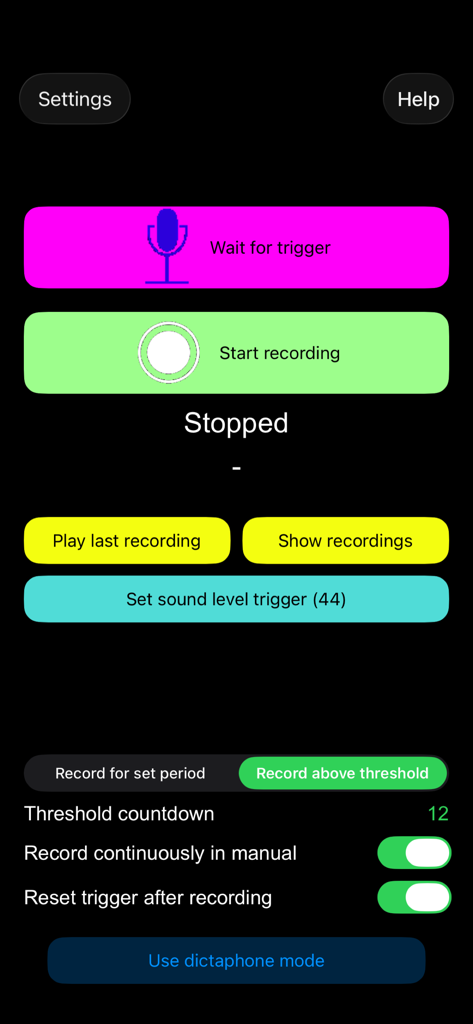
Audio Recorder with Trigger - 녹음 및 트리거 설정을 보여주는 사운드 트리거 오디오 레코더 앱 인터페이스
녹음 및 트리거 설정을 보여주는 사운드 트리거 오디오 레코더 앱 인터페이스

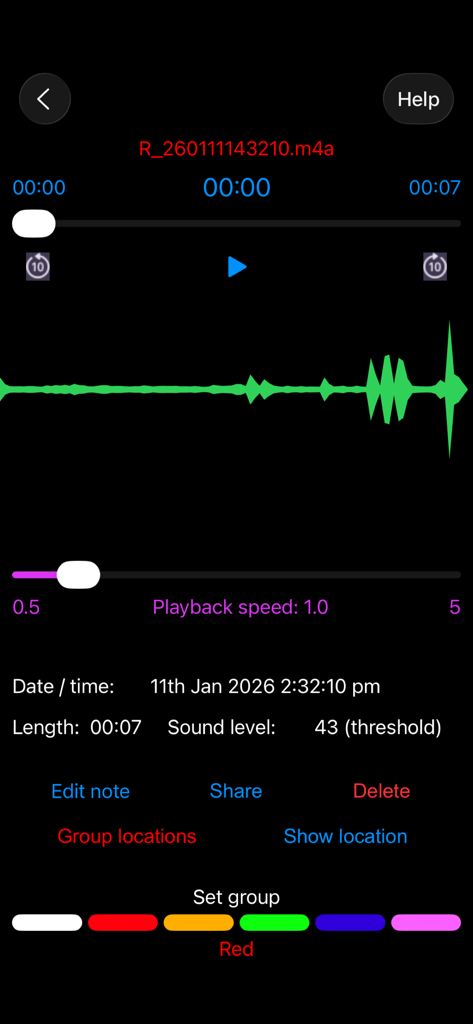
Audio Recorder with Trigger - 파형 및 녹음 메타데이터를 보여주는 사운드 트리거 오디오 레코더 앱의 재생 인터페이스
파형 및 녹음 메타데이터를 보여주는 사운드 트리거 오디오 레코더 앱의 재생 인터페이스

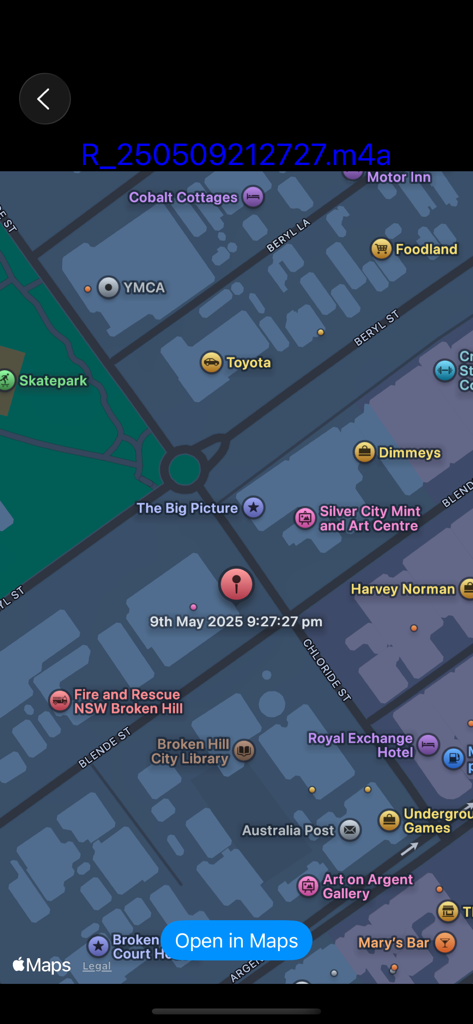
Audio Recorder with Trigger - 위치 정보 태그가 지정된 오디오 녹음의 위치 및 타임스탬프를 보여주는 지도
위치 정보 태그가 지정된 오디오 녹음의 위치 및 타임스탬프를 보여주는 지도

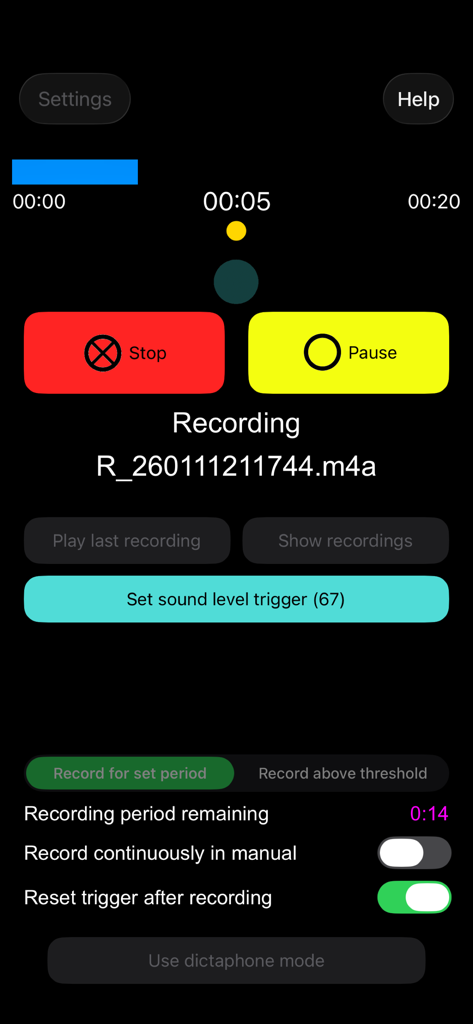
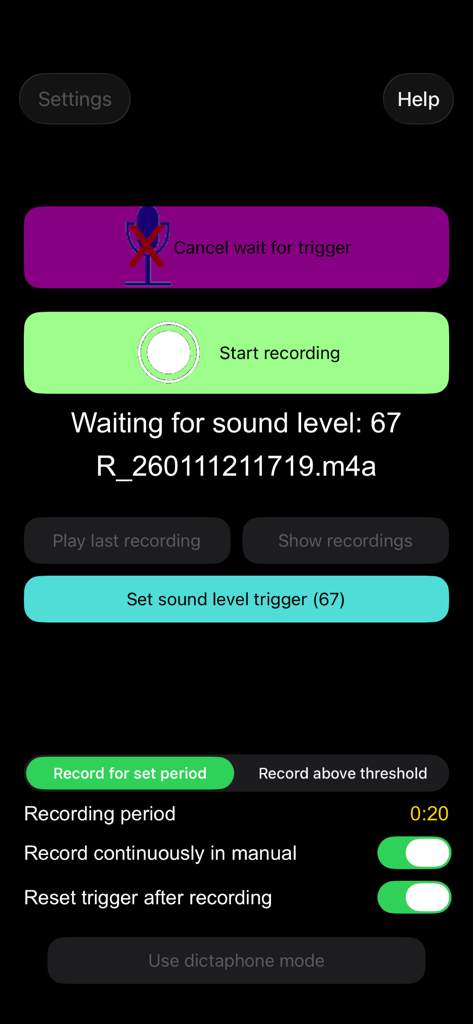
Audio Recorder with Trigger - 사운드 레벨 트리거 설정 및 녹음 버튼을 보여주는 앱의 메인 화면

사운드 레벨 트리거 설정 및 녹음 버튼을 보여주는 앱의 메인 화면

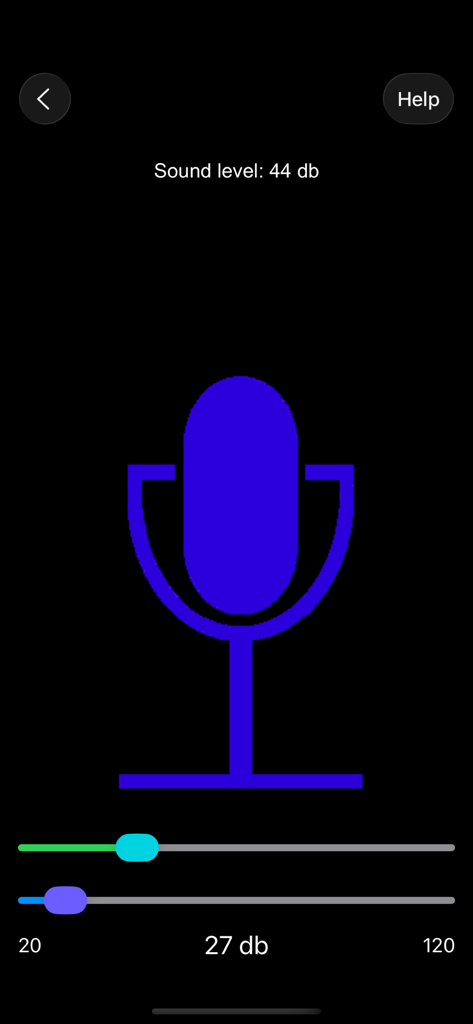
Audio Recorder with Trigger - 사운드 레벨 설정이 특징인 사운드 트리거 오디오 레코더 앱의 녹음 화면
사운드 레벨 설정이 특징인 사운드 트리거 오디오 레코더 앱의 녹음 화면

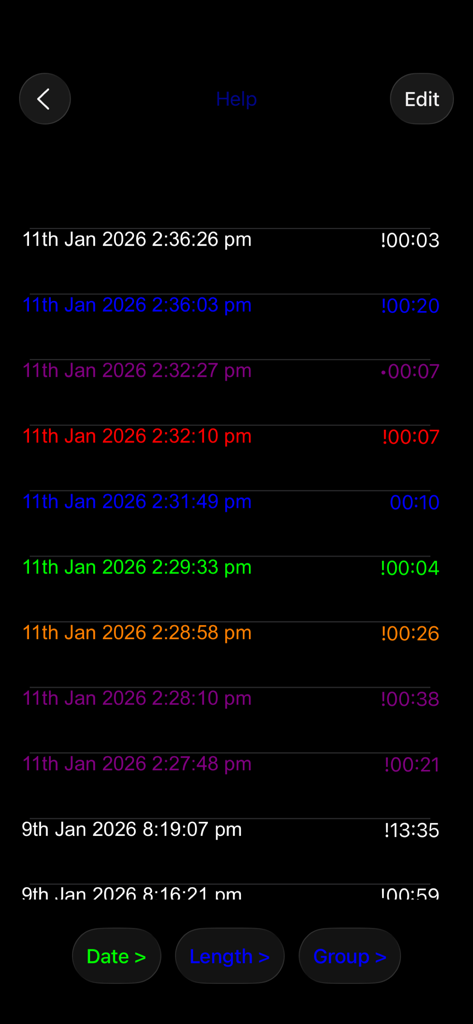
Audio Recorder with Trigger - 색상 그룹으로 구성된 오디오 녹음 목록

색상 그룹으로 구성된 오디오 녹음 목록

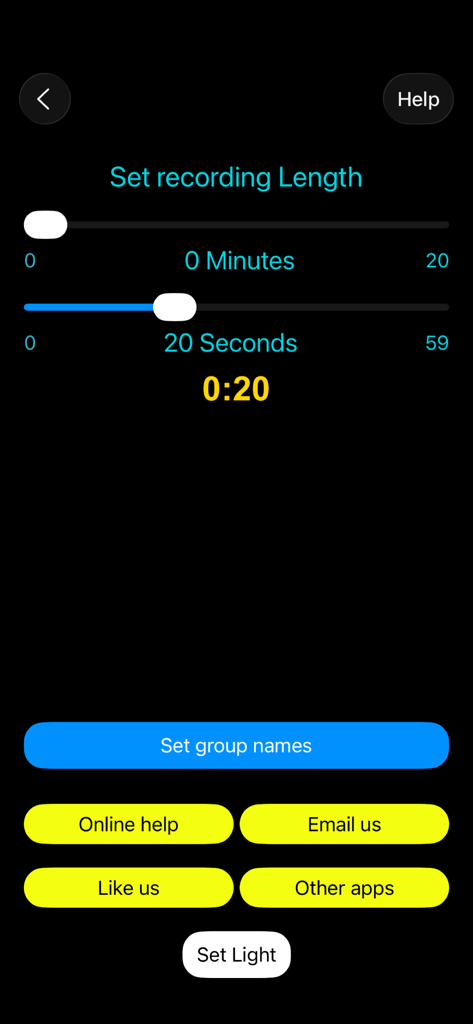
Audio Recorder with Trigger - 분 및 초 슬라이더로 녹음 길이를 설정하는 화면

분 및 초 슬라이더로 녹음 길이를 설정하는 화면

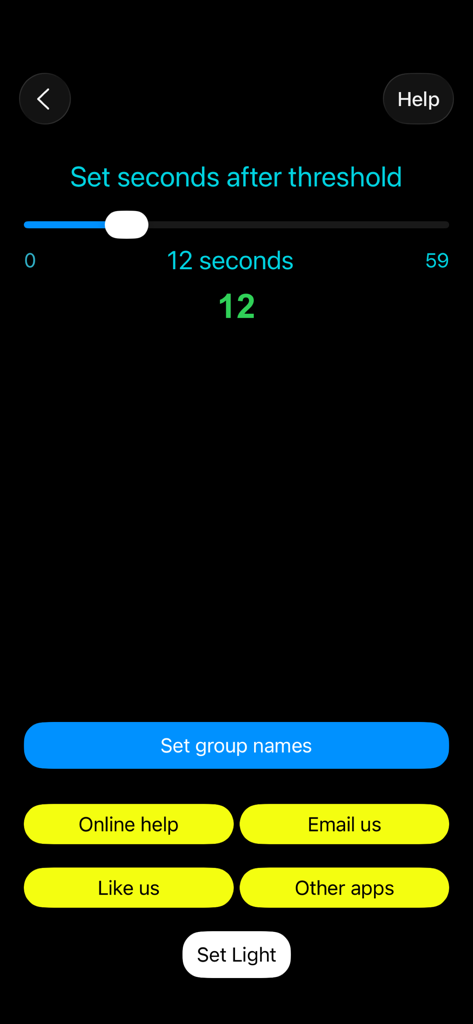
Audio Recorder with Trigger - 트리거 후 초를 설정하는 슬라이더와 메뉴 버튼이 있는 사운드 트리거 오디오 레코더 앱의 설정 화면
트리거 후 초를 설정하는 슬라이더와 메뉴 버튼이 있는 사운드 트리거 오디오 레코더 앱의 설정 화면

Audio Recorder with Trigger - 사운드 레벨 모니터링 및 오디오 녹음 트리거 설정을 위한 모바일 앱 인터페이스
사운드 레벨 모니터링 및 오디오 녹음 트리거 설정을 위한 모바일 앱 인터페이스

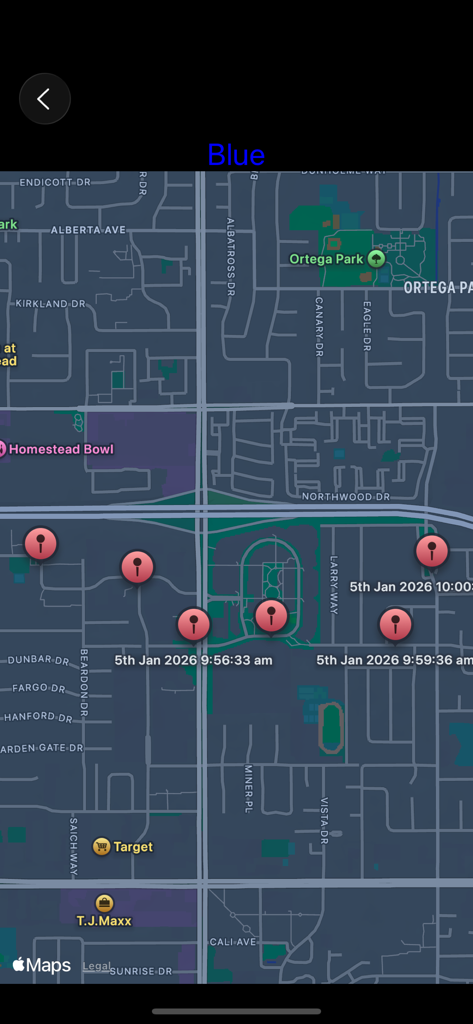
Audio Recorder with Trigger - 여러 위치 정보 태그가 지정된 오디오 녹음의 위치 및 타임스탬프를 보여주는 지도 보기 인터페이스

여러 위치 정보 태그가 지정된 오디오 녹음의 위치 및 타임스탬프를 보여주는 지도 보기 인터페이스

설명

Recorder with trigger is the ultimate recording app. It will start recording when a trigger level of sound is reached (or just start it manually) or in Dictaphone mode recording takes place as long as the record button is held down. Recordings are geo-tagged so the location of the recording can be seen on a map. Put the recordings into colour groups and show all their locations. Add notes to a recording. Share the recordings. KEY FEATURES: - HD Audio recorder - High quality voice recording. - Record immediately or wait for trigger - Record for a certain time, until the ambient sound drops or until stopped manually - Dictaphone note-taking mode - View waveform of recording - Record songs, lectures, speeches etc.  - Best quality - Play, pause, stop audio files. - Send / Share your recording. - Delete or upload your recording right from the app. - Add notes to your recordings. - Save / pause / resume / abort the recording process control - Background recording (full app only) - A timer to keep track of your recording time. - Smart recorder, automatic recording ADVANCED FEATURES: Voice Recorder - Audio Recorder Audio Recorder - Mostly known as professional, and easy voice recorder. Use it for record voice memos, talks, podcasts, music and songs in high quality. Designed for everybody, especially students, journalists and musicians. Never miss important information during a meeting or at the lecture. Geo-tagged Recordings: Recordings are geo-tagged so the location of the recording can be seen on a map. Every recording automatically includes your location. This makes it ideal for journalists, travellers, and professionals who want detailed location context for every sound clip. Recorder with Trigger: Set trigger level to record high quality voice recordings. Recording starts when a trigger level of sound is reached. Say goodbye to missed moments! Set a trigger threshold, and Recorder with Trigger will automatically begin recording whenever the surrounding sound exceeds that level and can stop when the level drops. Dictaphone Recordings: In Dictaphone mode recording takes place as long as the record button is held down. This audio recording app allows you to easily capture notes and memos by voice, as well as record meetings, lectures, interviews, and everyday sounds. Instead of writing notes by hand, simply record everything you need, from quick to-do lists to important memos using speech. Colour Group recordings Put the recordings into colour groups and show all their locations. Add notes to a recording. Group all your vocal recordings into defined categories. Mark your favourite talks and memos. Place recordings, choose colours and folders. Achieve clear and sharp sound. Map View of Recordings See all your geo-tagged recordings displayed on an interactive map, either on its own or the whole group. Tap any pin to instantly see the notes. Recordings can also be shown on the Maps app. Share Recordings Easily Share your recordings quickly through email, or social apps. Export them for transcription, editing, or storage — all in a few taps. Why Choose Recorder with Trigger? Voice Recorder Audio Memos is more than just a simple recorder, it’s a powerful, automatic voice recorder with sound timer & trigger, location tagging, and intuitive organisation. Capture everything that matters automatically, efficiently, and in quality sound. Record your sleep talk! Download and enjoy much more!

Download

다운로드: App Store

이 페이지는 앱이나 개발자의 공식 페이지가 아니며, 정보 제공 및 논평을 목적으로 작성된 독립 편집 간행물입니다. 명시적으로 달리 언급되지 않는 한, 해당 앱이나 개발자는 MWM, Apple, Google Play, 앱 퍼블리셔 또는 앱 개발자와 제휴, 보증, 후원, 승인 또는 공식적으로 연결되어 있지 않으며, 이 페이지의 어떤 내용도 해당 앱이 MWM의 서비스를 사용하여 개발되었음을 의미하지 않습니다. 모든 상표, 로고, 스크린샷 및 기타 콘텐츠는 해당 소유자의 자산입니다.