Audio Trimmer And Audio Joiner
다운로드: App Store

이 페이지는 앱이나 개발자의 공식 페이지가 아니며, 정보 제공 및 논평을 목적으로 작성된 독립 편집 간행물입니다. 명시적으로 달리 언급되지 않는 한, 해당 앱이나 개발자는 MWM, Apple, Google Play, 앱 퍼블리셔 또는 앱 개발자와 제휴, 보증, 후원, 승인 또는 공식적으로 연결되어 있지 않으며, 이 페이지의 어떤 내용도 해당 앱이 MWM의 서비스를 사용하여 개발되었음을 의미하지 않습니다. 모든 상표, 로고, 스크린샷 및 기타 콘텐츠는 해당 소유자의 자산입니다.


로고: Audio Trimmer And Audio Joiner
다운로드: App Store

Audio Trimmer And Audio Joiner

제작자와 학생을 위한 올인원 모바일 도구. 전문가 수준의 제어 기능과 번개처럼 빠른 일괄 처리를 통해 동영상을 오디오로 손쉽게 자르고, 합치고, 변환하세요.

주요 수치

다운로드

0

사용자 평점

1.0/5

총 평가 수

0

개발사

Shadat Tonmoy

카테고리

Utilities

지원 언어

1

최신 버전

1.0

크기

51.1 MB

출시일

2025년 5월 8일
기능

주머니 속 전문가 수준의 오디오 도구

속도와 정확성을 위해 설계되었습니다. 콘텐츠 제작자, 학생 또는 전문가이든, iPhone에서 벗어나지 않고 몇 초 안에 모든 오디오 처리 요구 사항을 관리할 수 있습니다.

빠른 일괄 처리

한 번에 여러 파일을 자르거나 변환하여 시간을 절약하세요. 긴 강의, 인터뷰 및 콘텐츠 시리즈를 위한 최고의 효율성 도구입니다.

즉각적인 동영상-오디오 변환

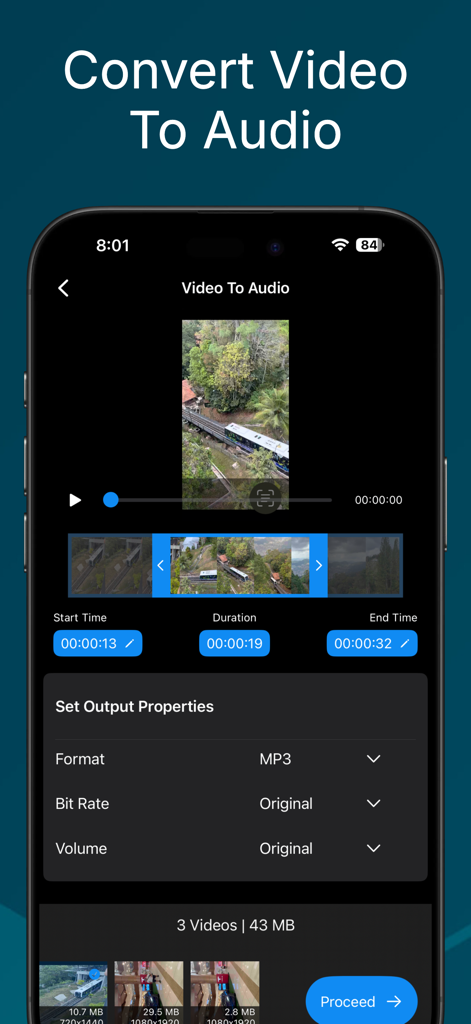
한 번의 탭으로 동영상에서 고품질 사운드트랙을 추출하세요. 클립을 팟캐스트, 소셜 미디어 릴 또는 사용자 지정 벨소리를 위한 MP3로 변환하세요.

다음 스크린샷과 설명은 앱의 공식 스토어 목록에서 직접 가져온 것이며 앱 개발자의 자산입니다.

앱 스토어

스크린샷
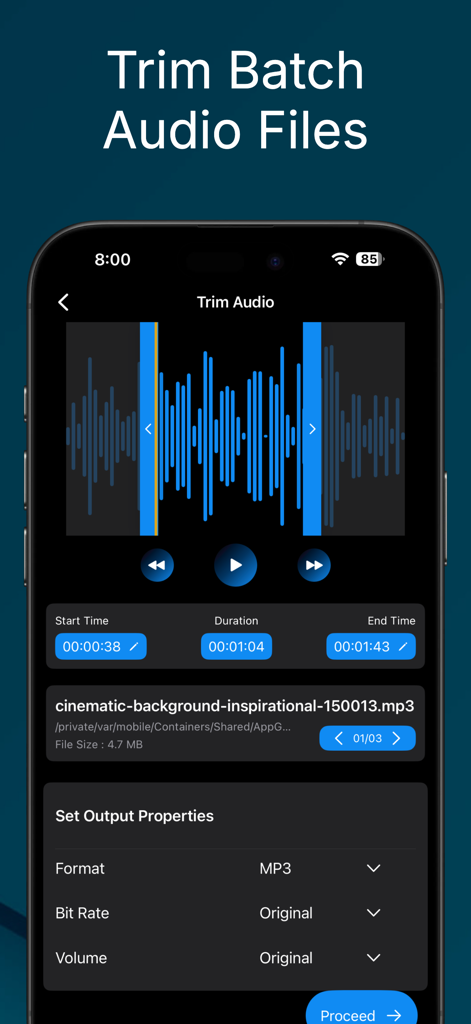
Audio Trimmer And Audio Joiner - 일괄 모드에서 여러 오디오 파일을 자르는 모바일 앱 인터페이스

일괄 모드에서 여러 오디오 파일을 자르는 모바일 앱 인터페이스

Audio Trimmer And Audio Joiner - 일괄 처리 및 출력 속성 설정을 갖춘 동영상-오디오 변환 기능을 보여주는 스마트폰 화면
일괄 처리 및 출력 속성 설정을 갖춘 동영상-오디오 변환 기능을 보여주는 스마트폰 화면

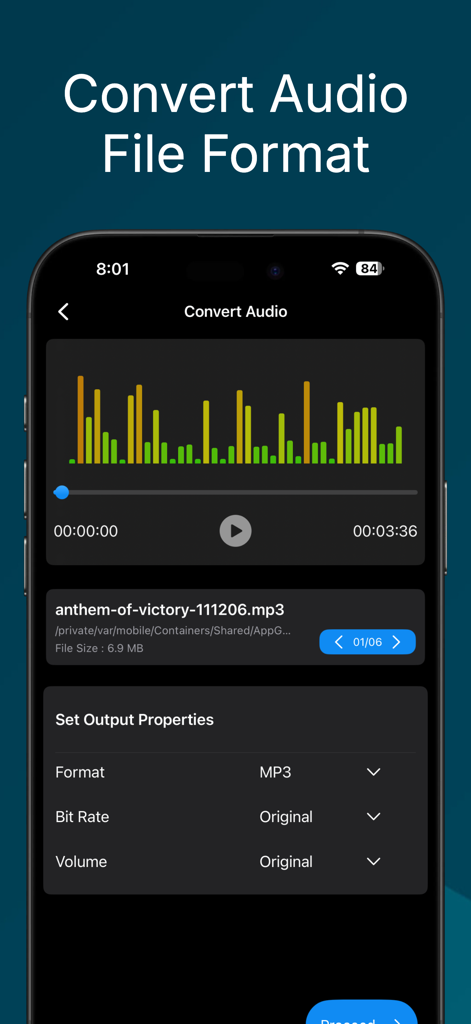
Audio Trimmer And Audio Joiner - 출력 속성 설정을 사용하여 오디오 파일 형식을 변환하는 앱 인터페이스
출력 속성 설정을 사용하여 오디오 파일 형식을 변환하는 앱 인터페이스

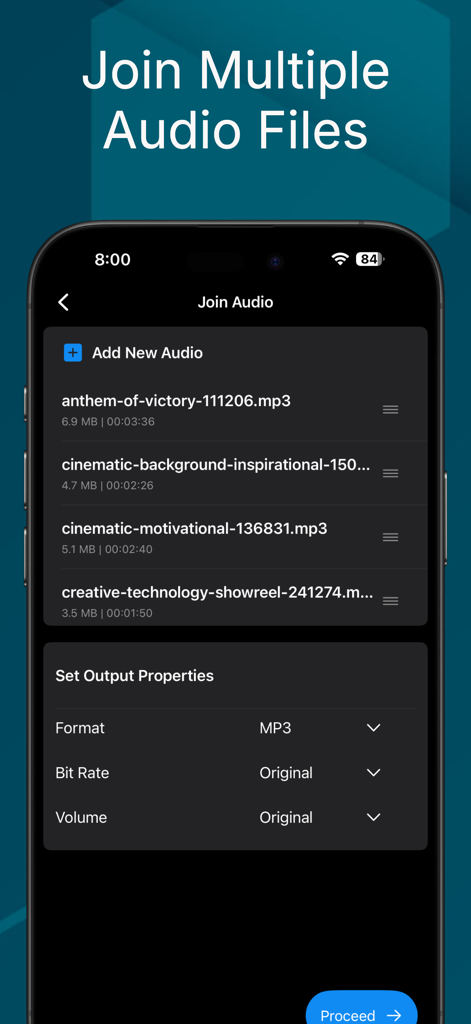
Audio Trimmer And Audio Joiner - 사용자 지정 가능한 출력 속성을 사용하여 여러 오디오 파일을 병합하는 인터페이스
사용자 지정 가능한 출력 속성을 사용하여 여러 오디오 파일을 병합하는 인터페이스

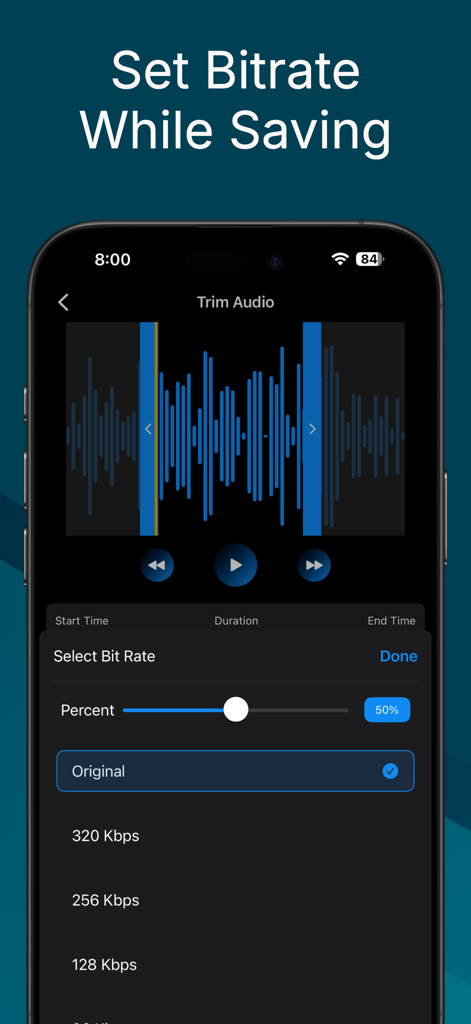
Audio Trimmer And Audio Joiner - Audio Trimmer and Joiner 앱의 비트 전송률 선택 메뉴를 표시하는 스마트폰 화면
Audio Trimmer and Joiner 앱의 비트 전송률 선택 메뉴를 표시하는 스마트폰 화면

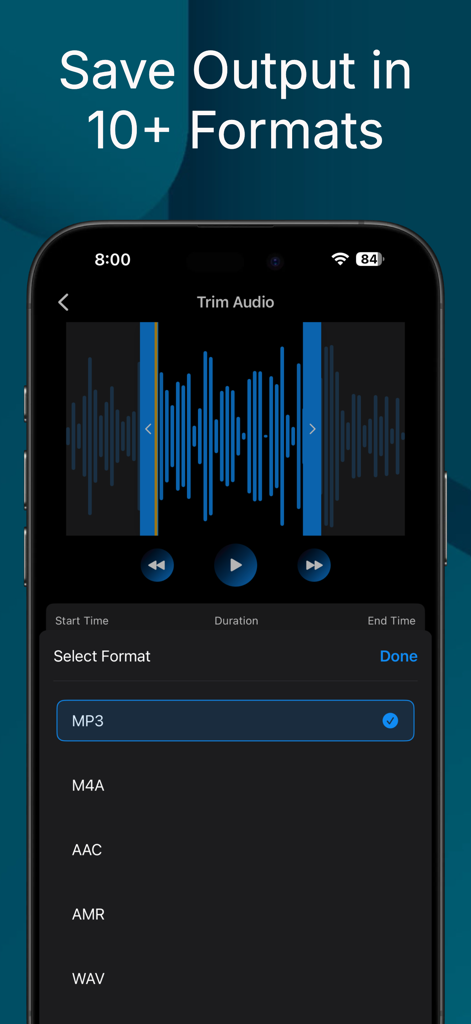
Audio Trimmer And Audio Joiner - MP3 M4A 및 WAV와 같은 출력 형식 목록과 함께 오디오 자르기를 보여주는 모바일 앱 인터페이스
MP3 M4A 및 WAV와 같은 출력 형식 목록과 함께 오디오 자르기를 보여주는 모바일 앱 인터페이스

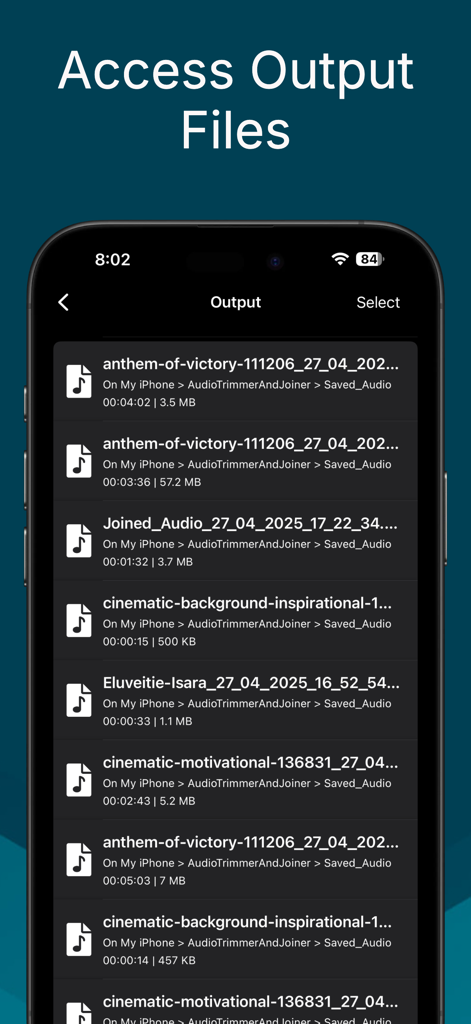
Audio Trimmer And Audio Joiner - 파일 이름, 기간 및 크기와 함께 처리되고 저장된 오디오 파일 목록을 표시하는 화면

파일 이름, 기간 및 크기와 함께 처리되고 저장된 오디오 파일 목록을 표시하는 화면

설명

Audio trimmer and joiner app for iOS with which user can easily trim batch audio files, convert format of audio files, convert video to audio. Audio trimmer and joiner app provides an easy and convenient way to perform common audio editing operation like trim or cut audio files, set the volume of audio, join multiple audio files into single audio file, convert video files to audio file etc. You can perform all these operations within finger tips. Just choose any audio file from your iPhone or iCloud and with the help of this simple audio converter app do the following operation at your ease - Trim Batch Audio Files to make a clip out of a long audio files and save them as popular audio formats like MP3, AAC, WAV etc. - Join multiple audio files into a single audio to create a long audio files from multiple audio clips. - Convert formats of audio to different popular formats like MP3, AAC, WAV, AMR from any formats. - Convert video from your phone or iCloud to audio files and save them with various formats like MP3, AAC, AMR, M4A etc. - Manage and access all the saved audio files with in the app so that you can play, share and delete the saved files directly from the app. The app also supports batch mode while processing audio files. In batch mode you can choose multiple audio files to trim or convert and multiple video files while converting video to audio file. Usually you can choose up to three audio/video files for processing with the free version of the app. But with the premium version you can choose any number of audio/video files for processing. This app is free to download and most of the features of the app is freely accessible with some restrictions. For free user the batch operation is limited to three files and user can save in default frame rate, bit rate and only in MP3 format. But with premium version user can do batch audio trimming, batch video to audio conversion with unlimited number of files. User can also save audio file in various bit rate, frame rate and file format. The app comes with multiple options for premium version which includes subscription and lifetime purchase. There are a couple of subscription option ranging from 1 months to 1 year which allows user to access premium features for the subscription period. Apart from the premium option the app has an initial try out feature which allows user to use the audio trimmer app with a premium like experience for a limited time. User will be restricted from using premium features only after the ends of this limited time. Audio trimmer and joiner app can help you in many ways when you are looking for a proper solution to your audio files to be edited. Hope you will like this app. If you have any query feel free to reach us at stappsbd@gmail.com You can also find us at stcodesapp.com

Download

다운로드: App Store

이 페이지는 앱이나 개발자의 공식 페이지가 아니며, 정보 제공 및 논평을 목적으로 작성된 독립 편집 간행물입니다. 명시적으로 달리 언급되지 않는 한, 해당 앱이나 개발자는 MWM, Apple, Google Play, 앱 퍼블리셔 또는 앱 개발자와 제휴, 보증, 후원, 승인 또는 공식적으로 연결되어 있지 않으며, 이 페이지의 어떤 내용도 해당 앱이 MWM의 서비스를 사용하여 개발되었음을 의미하지 않습니다. 모든 상표, 로고, 스크린샷 및 기타 콘텐츠는 해당 소유자의 자산입니다.