Authenticator App - Official ™

Authenticator App - Official ™

다운로드: App Store
로고: Authenticator App - Official ™

Authenticator App - 공식 ™: 디지털 신원 보호

iPhone 사용자를 위한 최고의 2FA 및 MFA 솔루션입니다. 암호화된 클라우드 백업과 원활한 원탭 인증으로 은행, 직장 및 소셜 미디어 계정을 보호하세요.

다운로드: App Store

개발사

TRIPLE IT LTD

카테고리

Utilities

다운로드

100

사용자 평점

1.0/5

총 평가 수

0

지원 언어

1

한눈에 보는 보안

이 인터페이스를 사용하는 100 명의 사용자.

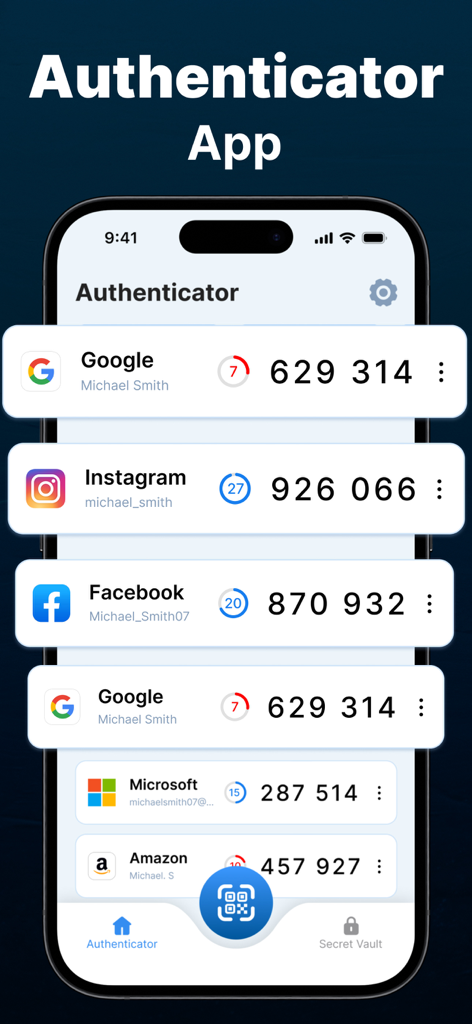
iPhone에서 다양한 온라인 계정에 대한 2단계 인증 코드를 보여주는 Authenticator 앱 인터페이스
iPhone에서 다양한 온라인 계정에 대한 2단계 인증 코드를 보여주는 Authenticator 앱 인터페이스

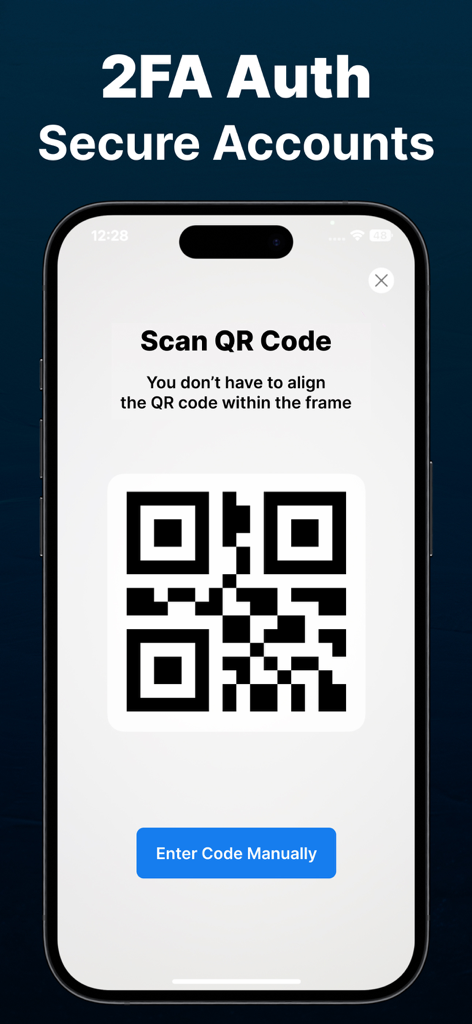
안전한 2FA 계정 설정을 위한 QR 코드 스캐너 인터페이스를 보여주는 iPhone 화면
안전한 2FA 계정 설정을 위한 QR 코드 스캐너 인터페이스를 보여주는 iPhone 화면

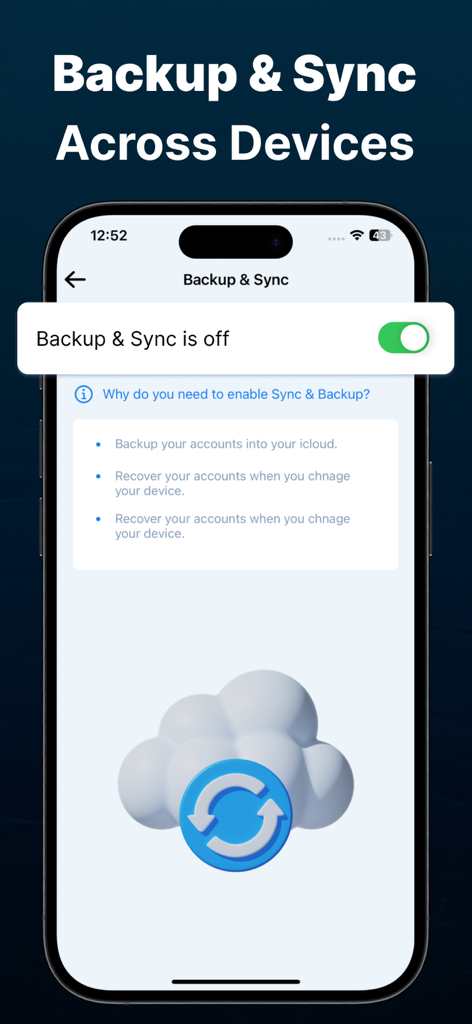
안전한 클라우드 계정 복구를 위한 백업 및 동기화 설정을 보여주는 Authenticator 앱 화면
안전한 클라우드 계정 복구를 위한 백업 및 동기화 설정을 보여주는 Authenticator 앱 화면

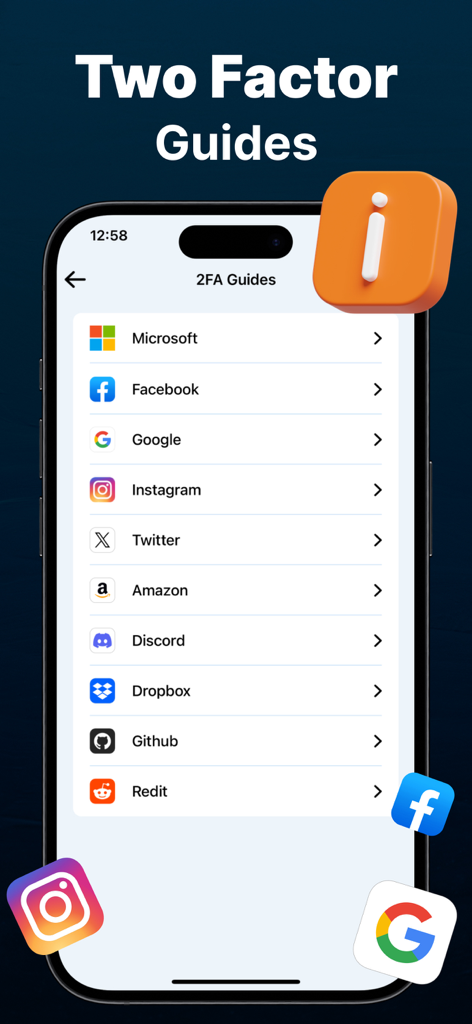
Microsoft Google 및 Facebook과 같은 인기 서비스에 대한 2단계 인증 설정 가이드 목록을 표시하는 iPhone 화면

Microsoft Google 및 Facebook과 같은 인기 서비스에 대한 2단계 인증 설정 가이드 목록을 표시하는 iPhone 화면

디지털 세계를 위한 철통같은 보안

이 앱을 돋보이게 하는 도구, 100 명의 사용자가 선택.

☁️

안전한 클라우드 백업

다시는 잠겨버릴까 걱정하지 마세요. 암호화하여 코드를 클라우드에 안전하게 저장하고, 기기를 변경하거나 분실할 경우 쉽게 복구할 수 있습니다.

📲

보편적인 원탭 설정

Google, Facebook부터 Salesforce, LinkedIn까지 모든 것을 통합하세요. QR 코드를 스캔하기만 하면 모든 보안 로그인을 하나의 앱으로 통합할 수 있습니다.

🛡️

은행급 암호화

귀하의 보안이 최우선입니다. 민감한 데이터가 기기를 벗어나지 않도록 보장하는 업계 최고의 암호화로 오프라인에서 코드를 생성하세요.

앱 소개

에 대해 알아야 할 모든 것 Authenticator App - Official ™.

설명

Authenticator App is the ultimate 2FA (Two-Factor Authentication) solution for you, ensuring an extra layer of security to protect your sensitive data. Whether you’re securing your email, banking apps, social media, or work accounts, our powerful Authenticator provides the best MFA (Multi-Factor Authentication) experience for iPhone users. Why Choose Our Authenticator App? Seamless 2FA & MFA Protection: Strengthen your online security by adding an extra verification step for your logins. With our Authenticator App, hackers can’t access your accounts even if they steal your password. One-Tap Authentication: Easily generate Time-Based One-Time Passwords (TOTP) for quick and secure logins. Offline Authentication: No internet? No problem! Our Authenticator App works offline, allowing you to retrieve codes anytime, anywhere. Secure Cloud Backup: Never lose access to your accounts! Securely store your authentication codes with encrypted cloud backup. QR Code Scanner: Quickly add new accounts by scanning QR codes from supported websites and apps. Premium features: Free app users can add limited auth codes and accounts while premium subscription app users will get access to all unlimited features including adding unlimited accounts. How Our Authenticator App Works? Enable 2FA on Your Accounts: Activate Two-Factor Authentication (2FA) on your email, social media, banking, or any supported account. Scan QR Code: Use our built-in scanner to quickly add your account to the Authenticator App. Generate Secure Codes: Get a unique TOTP (Time-Based One-Time Password) every few seconds. Login Securely: Enter the generated Auth code during login for an additional layer of security. Our Authenticator App supports major services like: Google Authenticator, Facebook, Instagram, Salesforce Authenticator, Twitter, LinkedIn, Snapchat, Microsoft Authenticator. Who Needs an Authenticator App? Individuals: Secure your personal online accounts with strong 2FA authentication. Encrypted Cloud Backup: Restore your authentication codes if you switch devices. Device Encryption: Your Auth codes are stored securely using industry-leading encryption. Multiple Token Formats: Supports TOTP, HOTP, and SHA-1, SHA-256, SHA-512 algorithms for maximum compatibility. Easy Migration & Backup Moving to a new iPhone? Our Authenticator App makes transferring accounts simple and hassle-free with secure cloud backup and one-tap restore functionality. Simple, Fast, and Secure 2FA Authentication Whether you need a Two-Factor Authentication (2FA) App for personal use, work, or high-security applications, our Authenticator is the ultimate solution. Say goodbye to security threats and safeguard your digital world with the best MFA Authenticator App for iPhone! Download the Best Authenticator App Today! Don’t wait until it’s too late! Protect your online identity, secure your accounts, and enjoy hassle-free 2FA authentication with the most powerful Authenticator App on the App Store. Download now and experience the best in Two-Factor Authentication (2FA) and Multi-Factor Authentication (MFA) security! QR Reader App's Subscription Terms - Subscriptions with a free trial will automatically convert to a paid subscription. - Payment will be deducted from your iTunes Account upon purchase confirmation. - Subscriptions automatically renew unless auto-renewal is disabled 24 hours prior to the current period's end. - Users can manage subscriptions and turn off auto-renewal in Account Settings post-purchase. To avoid charges, cancel a free trial or subscription by disabling auto-renewal in iTunes account settings at least 24 hours before the trial or subscription ends. The cancellation will activate the day after the current subscription period ends, reverting to the free service. Privacy Policy and Terms of Use of QR Scanner App: Privacy Policy: https://tripleit.ltd/app-privacy-policy.html Terms of Use: https://tripleit.ltd/app-eula.html

최신 버전

1.0

크기

13.4 MB

출시일

2025년 2월 24일

원탭으로 디지털 신원 보호

암호화된 클라우드 백업과 전문가 수준의 MFA로 최고의 마음의 평화를 경험하세요. 지금 공식 Authenticator를 다운로드하고 다시는 계정 액세스 권한을 잃어버릴까 걱정하지 마세요.

다운로드: App Store
FAQ

자주 묻는 질문

에 대해 알아야 할 모든 것 Authenticator App - Official ™

인증 앱이란 무엇인가요?

인증 앱은 중요한 데이터에 대한 추가 보안 계층을 제공하는 2단계 인증(2FA) 솔루션입니다. iPhone 사용자에게 최고의 다단계 인증(MFA) 경험을 제공합니다.

인증 앱은 오프라인 사용을 지원하나요?

네, 인증 앱은 오프라인 인증을 지원합니다. 인터넷 연결 없이도 작동하므로 사용자는 언제 어디서든 코드를 검색할 수 있습니다.

인증 앱은 사용자 계정을 어떻게 보호하나요?

인증 앱은 로그인 시 추가 확인 단계를 추가하여 온라인 보안을 강화합니다. 시간 기반 일회용 비밀번호(TOTP)를 생성하고 저장된 코드에 대해 업계 최고의 장치 암호화를 사용합니다.

인증 앱 사용자는 인증 코드를 백업할 수 있나요?

네, 인증 앱 사용자는 인증 코드를 안전하게 백업할 수 있습니다. 이 앱은 암호화된 클라우드 백업을 제공하여 사용자가 계정에 대한 액세스를 잃지 않도록 보장합니다.

인증 앱의 프리미엄 기능은 무엇인가요?

인증 앱의 프리미엄 기능에는 모든 무제한 기능에 대한 액세스가 포함됩니다. 무료 앱 사용자는 제한된 수의 인증 코드와 계정을 추가할 수 있습니다.

사용자는 인증 앱에 새 계정을 어떻게 추가할 수 있나요?

사용자는 지원되는 웹사이트 및 앱에서 QR 코드를 스캔하여 인증 앱에 새 계정을 추가할 수 있습니다. 또한 수동 코드 입력을 지원합니다.

인증 앱은 어떤 서비스에 대해 2단계 인증을 지원하나요?

인증 앱은 Google, Facebook, Instagram, Twitter, Microsoft와 같은 주요 서비스를 지원합니다. 또한 Amazon 및 Discord를 포함한 다양한 플랫폼에 대한 특정 2FA 가이드를 제공합니다.

인증 앱 사용자는 새 iPhone으로 계정을 이전할 수 있나요?

네, 사용자는 새 iPhone으로 계정을 쉽게 이전할 수 있습니다. 인증 앱은 안전한 클라우드 백업과 원탭 복원 기능을 통해 이를 용이하게 합니다.

인증 앱은 프리미엄 기능에 대한 무료 평가판을 제공하나요?

네, 인증 앱은 무료 평가판이 포함된 구독을 제공합니다. 이 평가판은 만료 최소 24시간 전에 취소하지 않으면 자동으로 유료 구독으로 전환됩니다.

인증 앱은 어떤 암호화 방법을 사용하나요?

인증 앱은 업계 최고의 장치 암호화를 사용하여 인증 코드를 안전하게 저장합니다. 또한 TOTP, HOTP, SHA-1, SHA-256 및 SHA-512 알고리즘을 포함한 여러 토큰 형식을 지원합니다.

App information, icons, screenshots, and descriptions displayed on this page are sourced from the Apple App Store and are the property of their respective developers. Download estimates and rankings are based on MWM's proprietary models and may not reflect actual figures. This page is provided for informational and analytical purposes only.

Believe this page infringes your intellectual property? File a dispute