Authenticator App ∙

Authenticator App ∙

다운로드: App Store
로고: Authenticator App ∙

Authenticator App ∙: 디지털 세상을 위한 완벽한 보안

간단한 2FA를 넘어서세요. 계정을 보호하고, 민감한 파일을 암호화하며, 앱 프라이버시를 감사하세요. 안심을 위한 올인원 보안 스위트입니다.

개발사

INIS TECHNOLOGY LIMITED

카테고리

Productivity

다운로드

12K+

사용자 평점

4.3/5

총 평가 수

100

지원 언어

34

완벽한 보호 미리 보기

이 인터페이스를 사용하는 12K+ 명의 사용자.

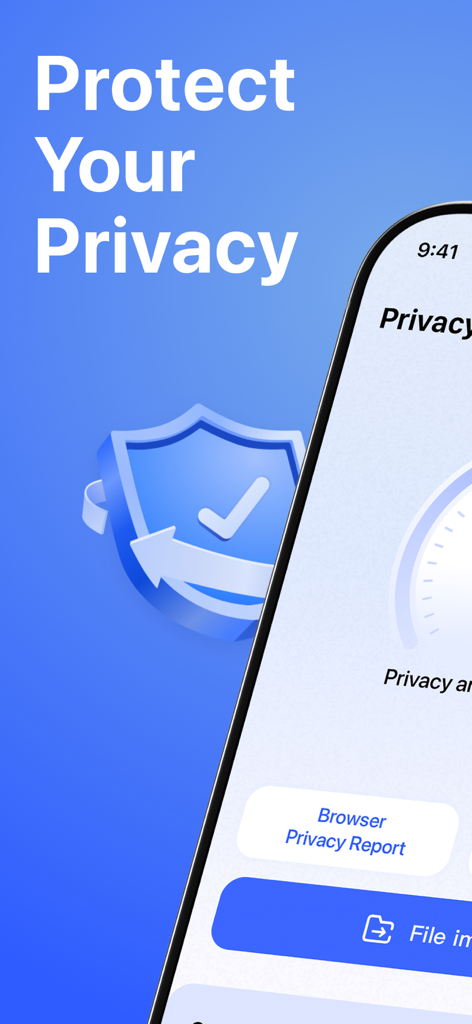
프라이버시 보호 기능과 스마트 프라이버시 보고서 옵션을 표시하는 모바일 앱 인터페이스.

프라이버시 보호 기능과 스마트 프라이버시 보고서 옵션을 표시하는 모바일 앱 인터페이스.

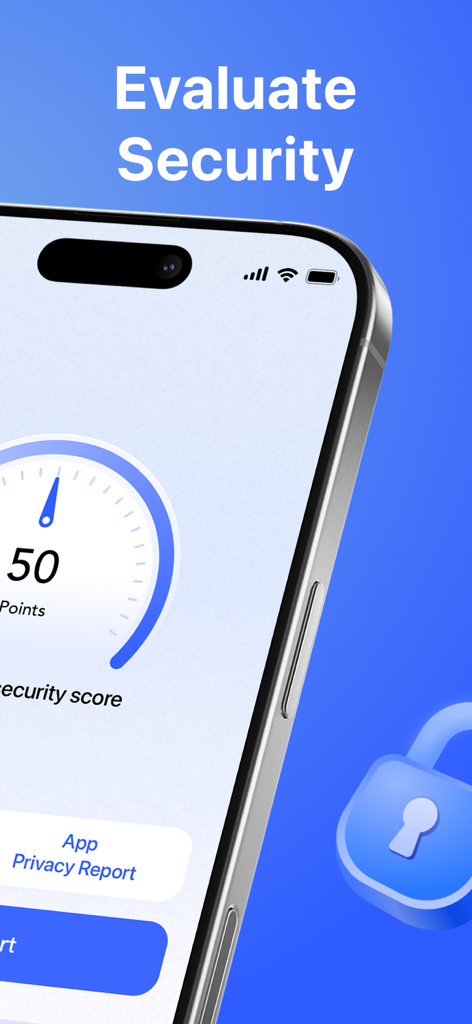
보안 점수 게이지와 앱 프라이버시 보고서 버튼을 표시하는 스마트폰 화면

보안 점수 게이지와 앱 프라이버시 보고서 버튼을 표시하는 스마트폰 화면

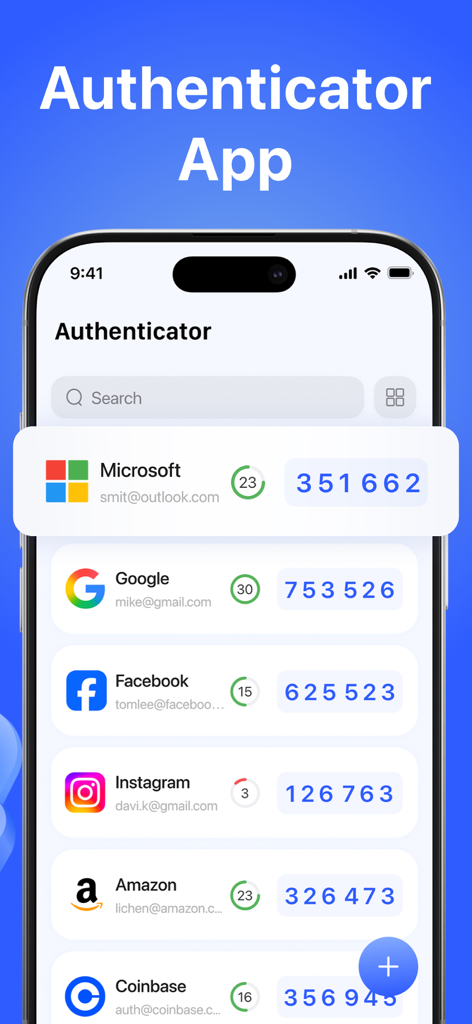
Google 및 Microsoft와 같은 여러 계정에 대한 2단계 인증 코드를 표시하는 Authenticator App 인터페이스

Google 및 Microsoft와 같은 여러 계정에 대한 2단계 인증 코드를 표시하는 Authenticator App 인터페이스

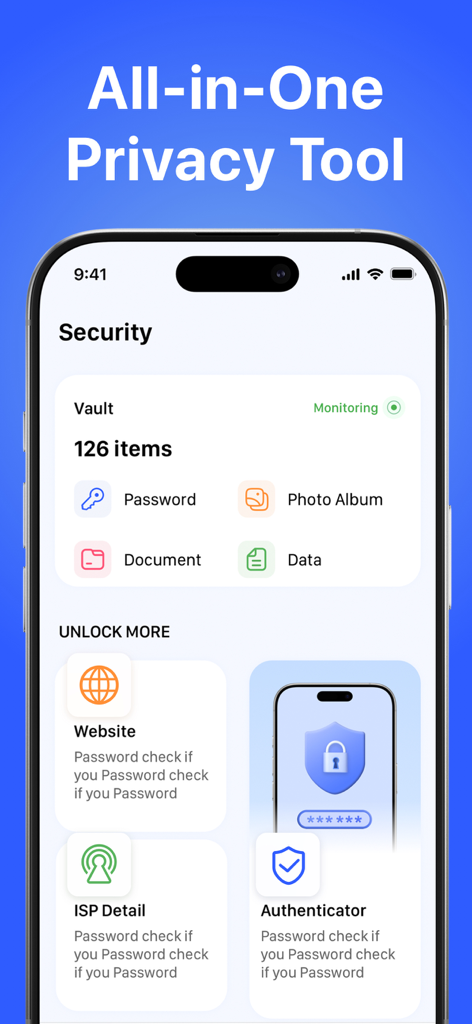
보관함 항목 및 프라이버시 도구를 보여주는 Authenticator App의 보안 대시보드.

보관함 항목 및 프라이버시 도구를 보여주는 Authenticator App의 보안 대시보드.

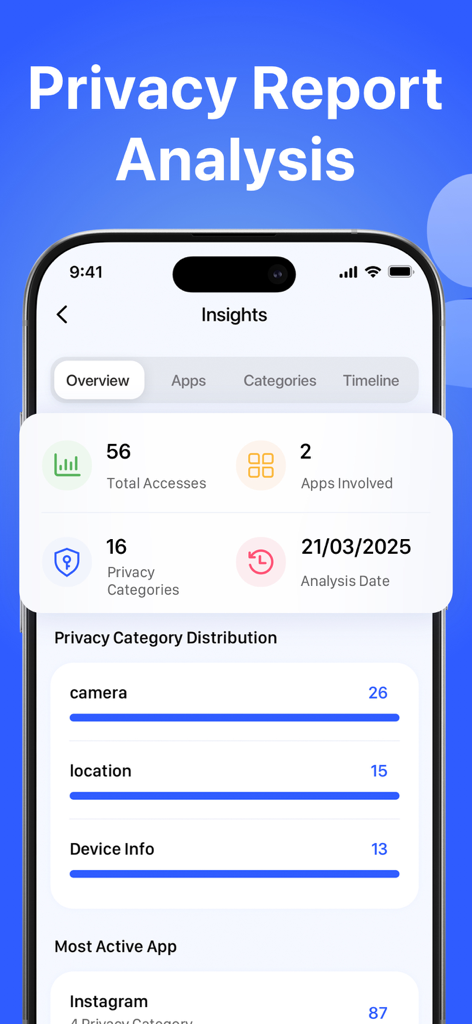
카메라 및 위치에 대한 프라이버시 인사이트 및 앱 데이터 액세스 기록을 보여주는 모바일 대시보드.

카메라 및 위치에 대한 프라이버시 인사이트 및 앱 데이터 액세스 기록을 보여주는 모바일 대시보드.

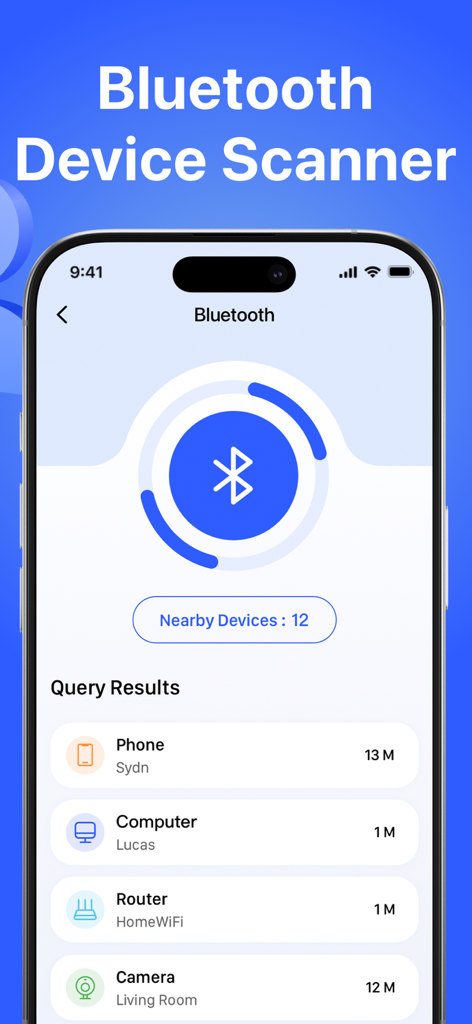
근처에 감지된 전화 및 컴퓨터와 같은 장치 목록을 보여주는 블루투스 장치 스캐너 기능의 인터페이스

근처에 감지된 전화 및 컴퓨터와 같은 장치 목록을 보여주는 블루투스 장치 스캐너 기능의 인터페이스

프로급 디지털 보호

이 앱을 돋보이게 하는 도구, 12K+ 명의 사용자가 선택.

🛡️

암호화된 2FA 보안

군사 등급 암호화 및 생체 인식 액세스로 계정을 잠금 처리하여 코드를 비공개 및 로컬로 유지합니다.

🕵️

스마트 프라이버시 인텔리전스

AI 기반 위험 보고서 및 권장 사항으로 카메라 또는 마이크를 몰래 사용하는 앱을 자동으로 감지합니다.

🛰️

실시간 위협 모니터링

숨겨진 블루투스 추적기를 스캔하고 피싱 및 악성 코드를 방지하기 위해 링크를 확인하여 안심하고 여행하세요.

앱 소개

에 대해 알아야 할 모든 것 Authenticator App ∙.

설명

Take full control of your digital security with our powerful Authenticator App. Secure your accounts with encrypted 2FA codes, analyze your device privacy with Smart Privacy Report, scan for threats, and monitor suspicious app behavior—all in one lightweight, secure app. Whether you're online or offline, your authentication and digital safety are always protected. Features: - Authenticator Add secure two-factor authentication (TOTP) to your accounts for enhanced protection. All codes are encrypted and stored locally on your device. Even if your password is compromised, 2FA ensures only you can access your accounts. Supports standard OTP protocols, biometric unlock, and encrypted backups. - Smart Privacy Report Analysis Understand which apps are accessing your location, photo album, microphone, or contacts in the background. AI-powered privacy analysis intelligently generates risk reports and provides personalized privacy protection recommendations, allowing you to easily manage your data usage. - File Vault Access encrypted photos, videos, and documents with a passcode or biometrics. Even if you lose your phone, your sensitive files remain locked and inaccessible. - ISP Checker View your IP address, internet service provider (ISP), and location data. This gives you insight into your network connection, which is especially useful while traveling or using public networks. - Bluetooth Scanner Detect nearby Bluetooth devices and hidden connections. Protect yourself from unwanted pairing, tracking, or eavesdropping. - Website Checker Instantly scan any URL for phishing, malware, or blacklisted content. Avoid risky links from QR codes, emails, or unknown sources. About Subscriptions - Auto-renew subscriptions unlock all features. You can cancel your subscription at any time through your iTunes account settings. - Payment will be charged to your iTunes account upon confirmation. - Subscriptions automatically renew unless canceled at least 24 hours before the end of the period. - Free trials (if applicable) will convert to paid subscriptions unless canceled before the end of the trial period. Terms of Use: https://auth.inismobile.com/terms Privacy Policy: https://auth.inismobile.com/privacy

최신 버전

1.2

크기

24.6 MB

출시일

2025년 8월 9일

한 번의 탭으로 디지털 세상을 안전하게

보안에 민감한 수천 명의 전문가와 함께하세요. 지금 바로 암호화된 2FA, AI 기반 프라이버시 감사, 로컬 파일 보관 기능으로 궁극의 보호 스택을 경험하세요.

다운로드: App Store
FAQ

자주 묻는 질문

에 대해 알아야 할 모든 것 Authenticator App ∙

Authenticator 앱의 주요 기능은 무엇인가요?

Authenticator 앱은 암호화된 2단계 인증(2FA) 코드로 계정을 안전하게 보호합니다. 표준 OTP 프로토콜, 생체 인식 잠금 해제, 암호화된 백업을 지원하여 디지털 보호를 강화합니다.

비밀번호가 유출되었을 때 Authenticator 앱이 제 계정을 보호해 주나요?

네, 비밀번호가 유출되었더라도 Authenticator 앱이 계정을 보호합니다. 2FA 기능은 오직 사용자 본인만이 계정에 액세스할 수 있도록 하여 필수적인 보안 계층을 추가합니다.

Authenticator 앱은 기기 개인 정보 보호 분석에 어떻게 도움이 되나요?

Authenticator 앱은 스마트 개인 정보 보호 보고서 분석 기능을 제공합니다. 백그라운드에서 위치, 사진, 마이크 또는 연락처에 액세스하는 앱을 식별하여 위험 보고서와 맞춤형 보호 권장 사항을 생성합니다.

Authenticator 앱으로 민감한 파일을 보호할 수 있나요?

네, Authenticator 앱에는 파일 금고 기능이 포함되어 있습니다. 이를 통해 암호화된 사진, 동영상 및 문서를 암호 또는 생체 인식을 사용하여 액세스할 수 있으며, 휴대폰을 분실하더라도 민감한 파일은 잠겨서 액세스할 수 없게 됩니다.

Authenticator 앱의 ISP 검사기 기능은 어떤 정보를 제공하나요?

Authenticator 앱의 ISP 검사기 기능은 네트워크 연결에 대한 통찰력을 제공합니다. IP 주소, 인터넷 서비스 공급자(ISP), 위치 데이터를 표시합니다.

Authenticator 앱의 블루투스 스캐너 기능은 어떻게 작동하나요?

Authenticator 앱의 블루투스 스캐너는 주변 블루투스 장치 및 숨겨진 연결을 감지합니다. 이 기능은 잠재적인 위험을 식별하여 원치 않는 페어링, 추적 또는 도청으로부터 사용자를 보호하는 데 도움이 됩니다.

Authenticator 앱이 웹사이트의 위협을 검사하나요?

네, Authenticator 앱에는 웹사이트 검사기 기능이 있습니다. QR 코드, 이메일 또는 알 수 없는 소스의 위험한 링크를 피하는 데 도움이 되도록 피싱, 악성 코드 또는 블랙리스트에 포함된 콘텐츠에 대해 모든 URL을 즉시 검사합니다.

Authenticator 앱 구독을 어떻게 취소하나요?

iTunes 계정 설정을 통해 언제든지 Authenticator 앱 구독을 취소할 수 있습니다. 구독은 기간 종료 24시간 전에 취소하지 않는 한 자동으로 갱신됩니다.

Authenticator 앱 구독에 대한 요금은 언제 청구되나요?

Authenticator 앱 구독에 대한 요금은 확인 시 iTunes 계정으로 청구됩니다. 구독은 기간 종료 24시간 전에 취소하지 않는 한 자동으로 갱신됩니다.

Authenticator 앱 무료 체험 기간이 끝나면 어떻게 되나요?

해당되는 경우 Authenticator 앱 무료 체험은 유료 구독으로 전환됩니다. 요금이 청구되지 않도록 하려면 체험 기간이 종료되기 전에 취소해야 합니다.

App information, icons, screenshots, and descriptions displayed on this page are sourced from the Apple App Store and are the property of their respective developers. Download estimates and rankings are based on MWM's proprietary models and may not reflect actual figures. This page is provided for informational and analytical purposes only.

Believe this page infringes your intellectual property? File a dispute