
이 페이지는 앱이나 개발자의 공식 페이지가 아니며, 정보 제공 및 논평을 목적으로 작성된 독립 편집 간행물입니다. 명시적으로 달리 언급되지 않는 한, 해당 앱이나 개발자는 MWM, Apple, Google Play, 앱 퍼블리셔 또는 앱 개발자와 제휴, 보증, 후원, 승인 또는 공식적으로 연결되어 있지 않으며, 이 페이지의 어떤 내용도 해당 앱이 MWM의 서비스를 사용하여 개발되었음을 의미하지 않습니다. 모든 상표, 로고, 스크린샷 및 기타 콘텐츠는 해당 소유자의 자산입니다.

Gmail - Email by Google
이메일 난장판 속에서, 이 앱은 사용자에게 절대적인 통제권을 부여합니다. AI는 당신의 수신함을 침범자로부터 보호하고, 모든 소통을 완벽하게 지휘하도록 설계되었습니다.
다운로드
500M+사용자 평점
총 평가 수
8.1M개발사
카테고리
Productivity지원 언어
58최신 버전
6.0.260323크기
745.5 MB출시일
2011년 11월 2일'Gmail - Email by Google' 앱 기능 분석
생산성, 보안 및 통합 커뮤니케이션을 위한 핵심 기능 평가
Gemini AI 기반 스마트 비서
이 도구는 Gemini AI를 활용하여 이메일을 요약하고, 답장을 작성하거나 다듬으며, 수신함을 검색하여 사용자가 원하는 정보를 빠르게 찾을 수 있도록 지원함으로써 업무 효율성을 극대화합니다.
강력한 보안 위협 차단
이 앱은 99.9% 이상의 스팸, 피싱, 악성코드 및 위험한 링크가 수신함에 도달하는 것을 자동으로 차단하여 사용자의 보안을 강화하고 불필요한 메일 처리 시간을 절약하게 해줍니다.
통합 커뮤니케이션 및 협업
이 앱은 Google Chat 및 Google Meet과의 통합을 통해 사용자가 Gmail을 벗어나지 않고도 동료와 연결하고, 그룹으로 협업하며, 고품질의 화상 통화를 즐길 수 있도록 합니다.
빠르고 정확한 메일 검색
이 도구는 실시간 결과, 입력 중 예측, 철자 제안 기능을 통해 사용자가 모든 메일함에서 필요한 정보를 더 빠르고 정확하게 찾아 시간을 절약할 수 있도록 돕습니다.
다중 계정 관리
사용자는 여러 Gmail 계정을 손쉽게 추가하고 전환할 수 있어, 개인 및 업무 계정을 하나의 앱에서 효율적으로 관리할 수 있습니다.
AI 기반 스마트 답장 및 작성
이 앱은 스마트 답장 제안 및 스마트 작성 기능을 제공하여 사용자가 이메일에 신속하게 응답하고 효율적으로 메시지를 작성할 수 있도록 지원합니다.
캘린더 초대 통합 응답
사용자는 앱 내에서 직접 Google 캘린더 초대에 응답할 수 있어, 일정 관리 워크플로우를 간소화하고 시간을 절약할 수 있습니다.
전송 취소 (실수 방지)
사용자는 이메일 전송을 취소할 수 있어 당황스러운 실수를 방지하고 메시지 발신에 대한 확신을 높일 수 있습니다.
자주 묻는 질문
에 대해 알아야 할 모든 것 Gmail - Email by Google
Is the Gmail app secure against spam and phishing?
Yes, the Gmail app provides robust security features. It automatically blocks over 99.9% of spam, phishing, malware, and dangerous links from reaching your inbox, ensuring user protection.
Can I undo sending an email in the Gmail app?
Yes, the Gmail app offers an "Undo Send" feature. This allows users to prevent embarrassing mistakes by recalling an email shortly after it has been sent.
Does the Gmail app support multiple email accounts?
Yes, the Gmail app supports multiple email accounts. Users can switch between Gmail, Google, iCloud, Outlook, Hotmail, Live, Office365, Yahoo, and other IMAP accounts within the app.
Can I use Gemini with the Gmail app?
Yes, the Gmail app integrates Gemini for advanced email assistance. Gemini can summarize emails, craft or refine responses, and search your inbox to find specific information.
What are the requirements for using Gemini in the Gmail app?
To use Gemini features within the Gmail app, a Google One AI Premium subscription is required. An active internet connection is also necessary for Gemini's functionality.
What collaboration features are available in the Gmail app?
The Gmail app facilitates collaboration through integrated Google Chat, Spaces, and Google Meet. Users can connect with colleagues, collaborate in dedicated Spaces, and conduct high-quality video calls directly.
Does the Gmail app provide Smart Reply functionality?
Yes, the Gmail app offers Smart Reply suggestions. These provide quick, context-aware response options that enable users to reply to emails efficiently without typing full messages.
Does the Gmail app have powerful search functionality?
Yes, the Gmail app features powerful search capabilities. It provides instant results, predictions as you type, and spelling suggestions to help users quickly find any email across their entire mail.
Can I set Gmail as my default email app on iOS?
Yes, users can make the Gmail app their default email application on iOS. This allows all email links and actions to open directly within the Gmail app.
How does the Gmail app help organize emails?
The Gmail app helps organize mail through labeling, starring, deleting, and reporting spam. Users can also quickly clear their inbox by using the swipe-to-archive/delete feature.
다음 스크린샷과 설명은 앱의 공식 스토어 목록에서 직접 가져온 것이며 앱 개발자의 자산입니다.
앱 스토어
스크린샷
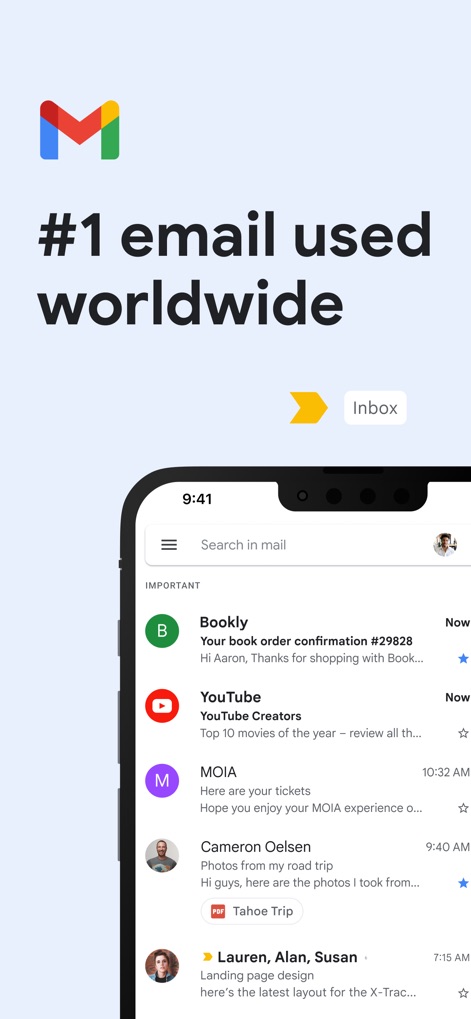
글로벌 이메일 허브
이 앱은 중요한 이메일을 상단에 표시하고, 직관적인 검색 바와 발신자 아바타를 통해 사용자가 메일을 빠르게 파악할 수 있도록 돕습니다.
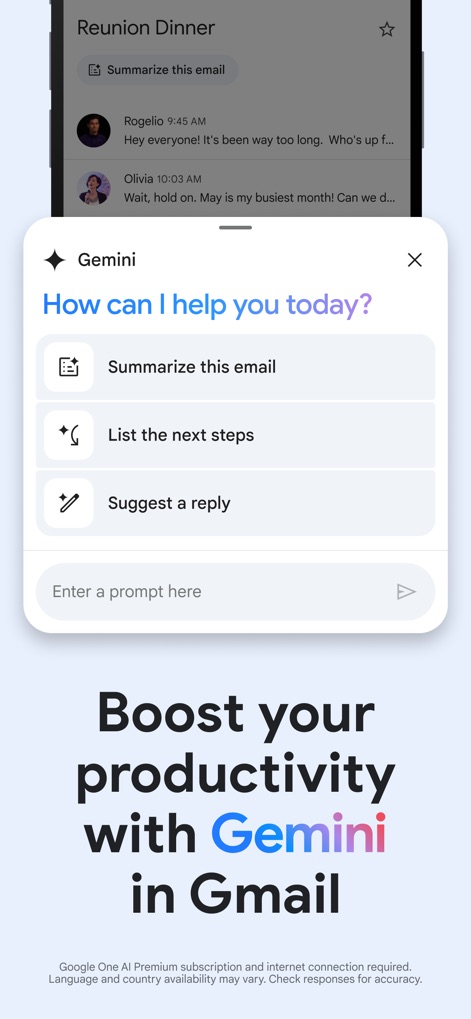
Gemini AI 비서
이 앱은 Gemini AI를 활용하여 이메일 내용을 요약하고, 다음 단계를 제안하거나 맞춤형 답장을 생성하는 기능을 제공하여 사용자의 생산성을 높입니다.
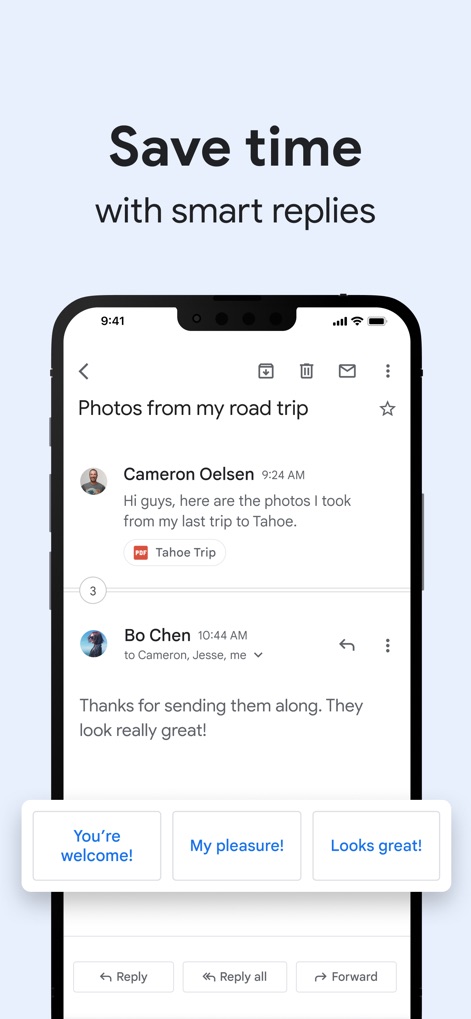
스마트 답장으로 시간 절약
이메일 하단에 표시되는 스마트 답장 버튼을 통해 사용자는 "You're welcome!"이나 "My pleasure!"와 같은 문구로 빠르게 회신하여 시간을 절약할 수 있습니다.
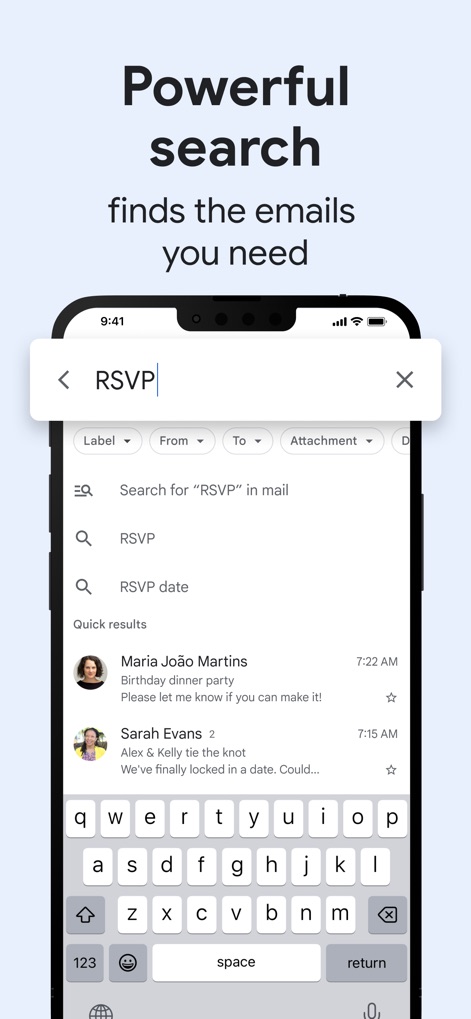
강력한 이메일 검색
이 앱은 "Label", "From"과 같은 고급 검색 필터를 제공하며, 실시간 검색 결과 예측을 통해 사용자가 필요한 이메일을 신속하게 찾을 수 있도록 합니다.
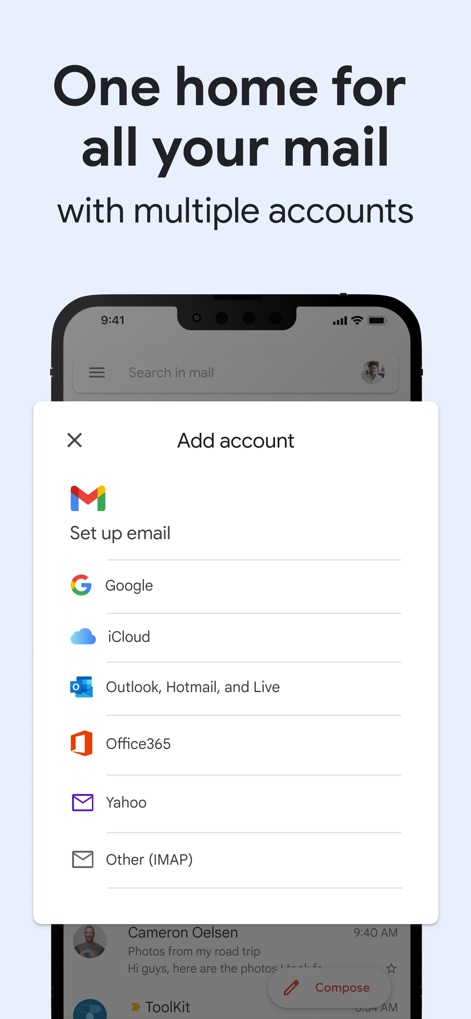
다중 계정 통합
이 앱은 Google, iCloud, Outlook 등 다양한 이메일 계정을 하나의 앱에서 추가하고 관리할 수 있도록 지원하여 사용자의 이메일 환경을 통합합니다.
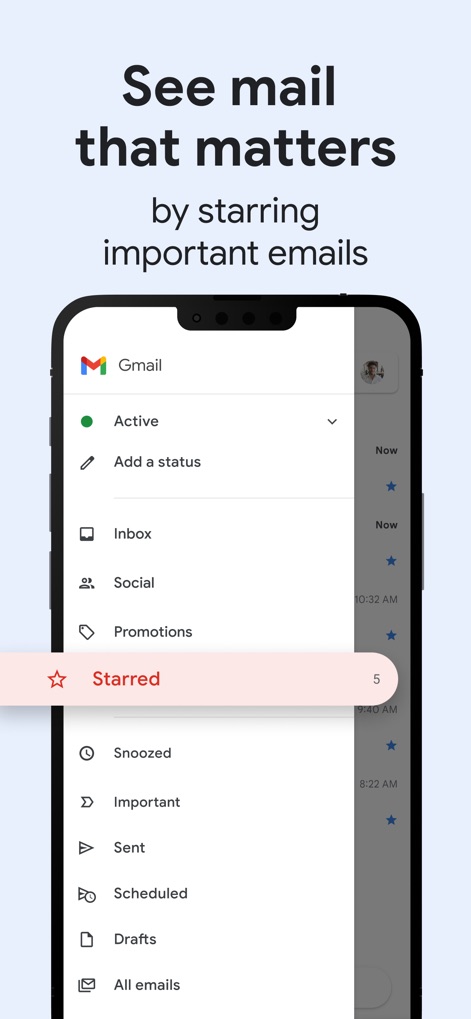
중요한 메일 하이라이트
사용자는 별표 표시 기능을 통해 중요한 이메일을 쉽게 구분할 수 있으며, 측면 메뉴에서 '별표 메일' 항목을 선택하여 중요 메일을 한눈에 확인할 수 있습니다.
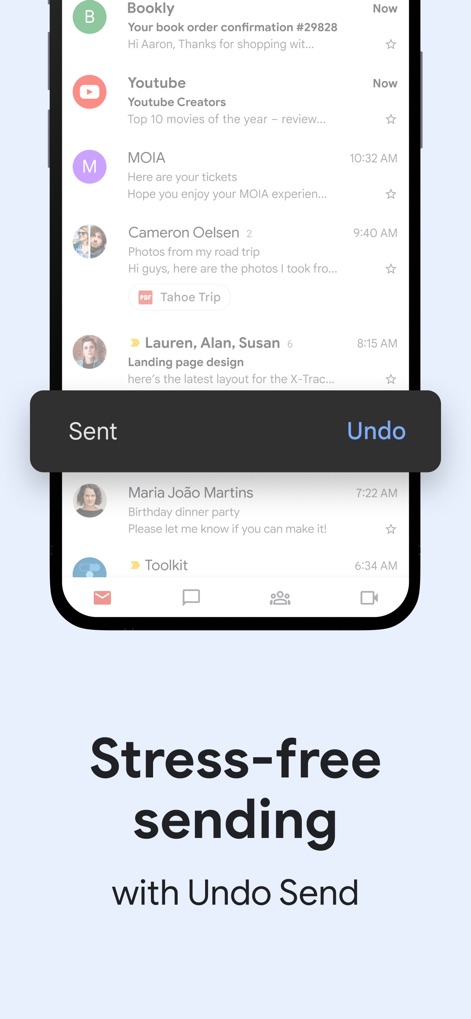
안심하고 보내기
이 앱은 이메일 발송 직후 '보냄' 메시지와 함께 '보내기 취소' 기능을 제공하여, 사용자가 실수로 보낸 이메일을 되돌릴 수 있도록 돕습니다.
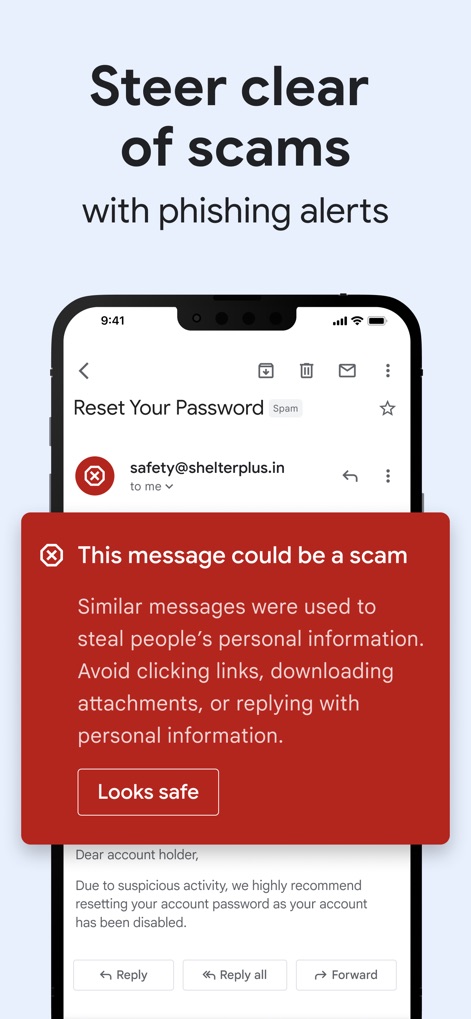
피싱 경고 시스템
이 앱은 "This message could be a scam"이라는 피싱 경고 배너를 통해 사용자에게 잠재적인 위험을 알리고, 의심스러운 메시지로부터 개인 정보를 보호합니다.
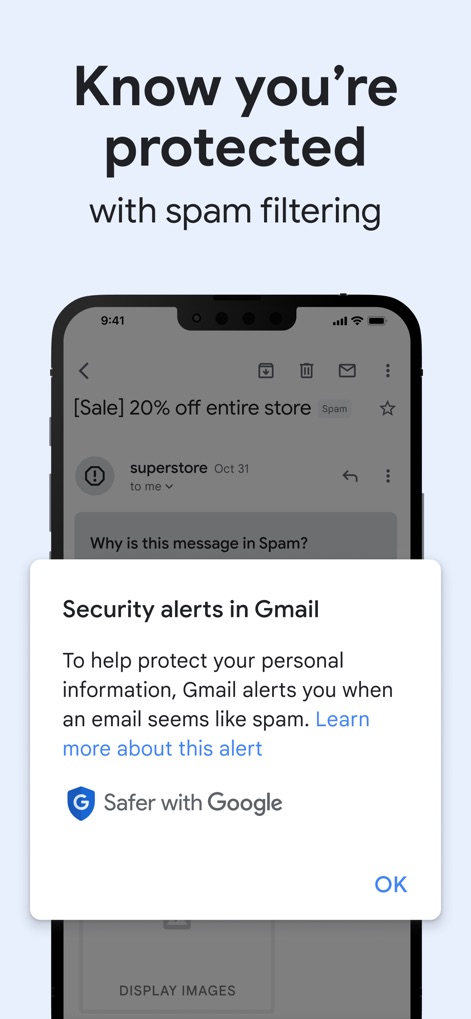
강력한 스팸 보호
이 앱은 "Security alerts in Gmail" 팝업을 통해 스팸 필터링의 중요성을 설명하고, "Safer with Google" 배지로 Google의 강력한 보안 기능을 강조하여 사용자를 보호합니다.
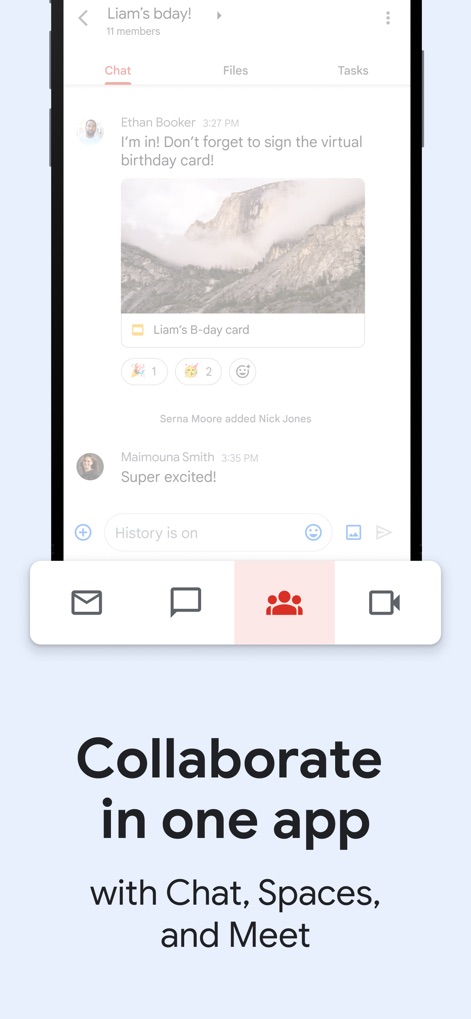
올인원 협업 도구
이 앱은 채팅 인터페이스 내에서 파일을 공유하고 작업을 관리할 수 있도록 지원하며, 하단에 위치한 Spaces 및 Meet 버튼을 통해 다양한 협업 도구를 통합 제공합니다.
설명
Download
비슷한 앱
유사한 기능과 사용자 경험을 가진 앱

Microsoft Outlook
Microsoft Corporation

Mail: Email, Cloud, Calendar
V Kontakte OOO

Yandex Mail: Email & Cloud
DIRECT CURSUS COMPUTER SYSTEMS TRADING LLC

Yahoo Mail
Yahoo Inc.

Proton Mail - Encrypted Email
Proton AG

Email - Edison Mail
Edison Software Inc.

Zoho Mail - Email and Calendar
Zoho Corporation

GMX - Mail & Cloud
1&1 Mail & Media GmbH

AOL Mail, News, Weather
AOL Media LLC
이 페이지는 앱이나 개발자의 공식 페이지가 아니며, 정보 제공 및 논평을 목적으로 작성된 독립 편집 간행물입니다. 명시적으로 달리 언급되지 않는 한, 해당 앱이나 개발자는 MWM, Apple, Google Play, 앱 퍼블리셔 또는 앱 개발자와 제휴, 보증, 후원, 승인 또는 공식적으로 연결되어 있지 않으며, 이 페이지의 어떤 내용도 해당 앱이 MWM의 서비스를 사용하여 개발되었음을 의미하지 않습니다. 모든 상표, 로고, 스크린샷 및 기타 콘텐츠는 해당 소유자의 자산입니다.