
이 페이지는 앱이나 개발자의 공식 페이지가 아니며, 정보 제공 및 논평을 목적으로 작성된 독립 편집 간행물입니다. 명시적으로 달리 언급되지 않는 한, 해당 앱이나 개발자는 MWM, Apple, Google Play, 앱 퍼블리셔 또는 앱 개발자와 제휴, 보증, 후원, 승인 또는 공식적으로 연결되어 있지 않으며, 이 페이지의 어떤 내용도 해당 앱이 MWM의 서비스를 사용하여 개발되었음을 의미하지 않습니다. 모든 상표, 로고, 스크린샷 및 기타 콘텐츠는 해당 소유자의 자산입니다.


Auto Captions: Video Subtitles
대부분의 영상은 대화가 곧 전부다. 'Auto Captions'는 그 대화를 정확히 포착하고, 보기 좋게 다듬는 능력을 사용자에게 부여한다. 이 앱은 당신의 영상이 메시지를 명확히 전달하고, 어떤 플랫폼에서도 존재감을 드러내도록 만든다.
다운로드
5M+사용자 평점
총 평가 수
22.6K개발사
카테고리
Photo & Video지원 언어
1최신 버전
3.8.3크기
107.4 MB출시일
2013년 6월 5일디지털 콘텐츠 제작자를 위한 주요 기능 평가
'Auto Captions: Video Subtitles' 앱 심층 분석
다국어 지원
이 도구는 사용자가 여러 언어로 자막을 생성하여 글로벌 잠재 고객에게 도달하고 다국어 콘텐츠를 제공할 수 있도록 돕습니다.
자동 자막 생성
이 앱은 동영상의 오디오를 텍스트로 변환하여 자막을 자동으로 생성함으로써 사용자의 시간과 노력을 절약해줍니다.
워터마크 없음
이 도구는 사용자가 워터마크 없이 동영상을 편집하고 공유하여 콘텐츠의 전문성을 유지할 수 있도록 보장합니다.
사용자 정의 자막 스타일
이 도구는 다양한 글꼴, 색상, 배경 및 텍스트 크기를 제공하여 사용자가 자막을 개인화하고 동영상 톤에 맞게 스타일을 지정할 수 있게 해줍니다.
직관적인 사용자 인터페이스
이 앱은 직관적인 인터페이스를 제공하여 초보자와 전문가 모두 몇 단계만으로 세련된 자막 동영상을 제작할 수 있게 합니다.
자막 텍스트 편집
이 앱은 사용자가 자막의 타이밍, 위치, 글꼴 크기를 쉽게 조정하여 세부 사항을 미세 조정할 수 있도록 지원합니다.
자주 묻는 질문
에 대해 알아야 할 모든 것 Auto Captions: Video Subtitles
What is Auto Captions: Video Subtitles?
Auto Captions: Video Subtitles is a smart video editing app that automatically generates accurate subtitles for videos. It allows users to customize caption styles, edit text, and supports multiple languages.
Does Auto Captions: Video Subtitles automatically generate captions?
Yes, Auto Captions: Video Subtitles automatically generates captions by transcribing audio to text. This feature saves time and makes video content instantly accessible.
Can I customize the style of captions in Auto Captions: Video Subtitles?
Yes, Auto Captions: Video Subtitles allows extensive customization of caption styles. Users can personalize captions with various fonts, colors, backgrounds, and text sizes.
Does Auto Captions: Video Subtitles support multiple languages?
Yes, Auto Captions: Video Subtitles supports multiple languages for caption creation. This feature enables users to reach a global audience with multilingual subtitles.
Is there a watermark on videos edited with Auto Captions: Video Subtitles?
No, Auto Captions: Video Subtitles allows users to edit and share their videos without watermarks. Content remains clean and professional, free from distractions.
What is the price of Captions Pro in Auto Captions: Video Subtitles?
Captions Pro, the auto-renewing subscription for Auto Captions: Video Subtitles, costs $29.99 per year. This subscription offers unlimited file conversions.
How do I manage my Captions Pro subscription in Auto Captions: Video Subtitles?
Subscriptions for Auto Captions: Video Subtitles can be managed, and auto-renewal turned off, in Account Settings after purchase. Auto-renewal must be off 24-hours before the current period ends.
Does Auto Captions: Video Subtitles offer video editing features beyond captions?
Yes, Auto Captions: Video Subtitles provides additional video editing features. These include adding text, video stickers, splitting, cropping, slow motion, and green screen effects.
다음 스크린샷과 설명은 앱의 공식 스토어 목록에서 직접 가져온 것이며 앱 개발자의 자산입니다.
앱 스토어
스크린샷
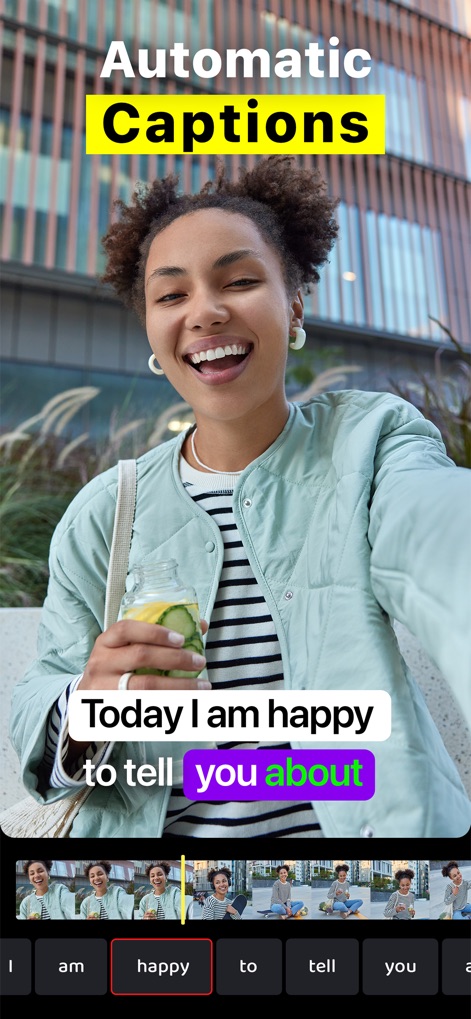
이 앱은 오디오를 텍스트로 자동 변환하여 시간을 절약하며, 타임라인에서 개별 단어를 편집하고 "you"와 같은 특정 단어를 강조할 수 있습니다.
자동 캡션 생성

다양한 영상 미리보기로 매력적인 자막 스타일을 탐색하고, "GADGETS"처럼 특정 단어를 강조하여 시각적 효과를 높일 수 있습니다.
맞춤형 자막 스타일
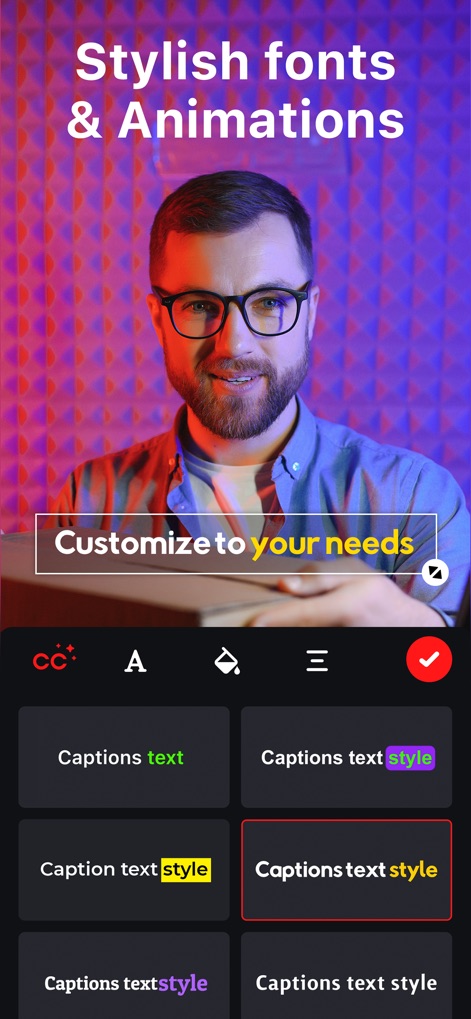
사용자는 다양한 폰트와 스타일 옵션으로 자막을 맞춤 설정하며, "your needs"와 같은 중요 문구를 강조하고 여러 스타일 프리셋을 미리 볼 수 있습니다.
세련된 폰트 및 애니메이션
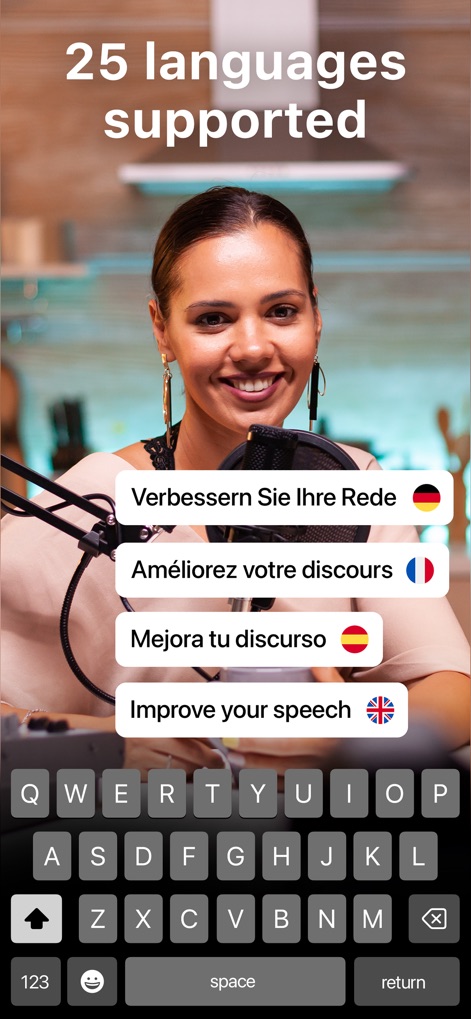
이 도구는 "Improve your speech"와 같은 문구를 독일어 및 프랑스어를 포함한 여러 언어로 번역하여 전 세계 시청자에게 콘텐츠를 제공합니다.
25개 언어 지원
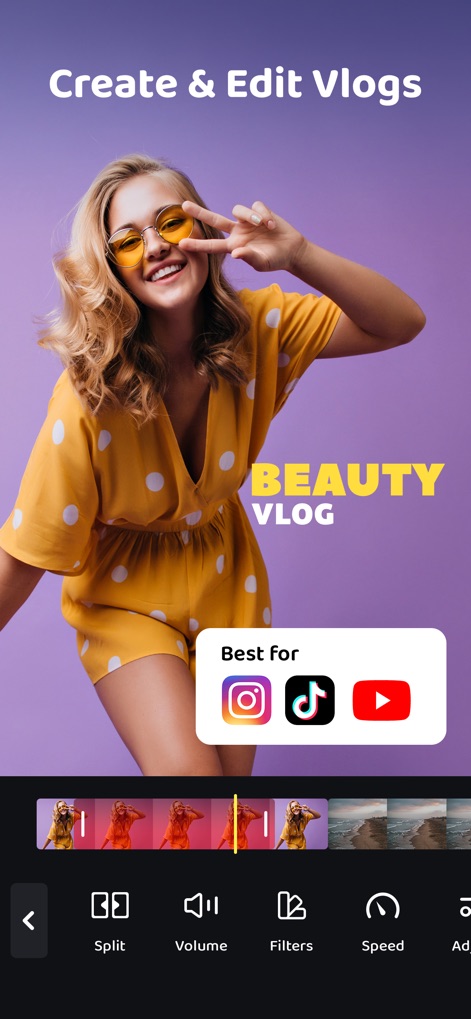
사용자는 매력적인 브이로그를 제작하고 편집하며, 이 앱은 "Instagram" 및 "TikTok" 아이콘으로 표시된 주요 소셜 미디어 플랫폼에 최적화된 콘텐츠를 만들 수 있도록 돕습니다.
브이로그 제작 및 편집

이 앱은 "Slow Motion" 효과를 적용하여 영상의 특정 순간을 강조하고, "Speed" 조절 기능을 통해 영상 재생 속도를 정밀하게 제어할 수 있습니다.
다이내믹 슬로우 모션

사용자는 영상에 "Keep it FUN"과 같은 맞춤형 텍스트를 추가하여 메시지를 전달하며, 하단 편집 바에서 텍스트 레이어를 쉽게 "Edit"하고 "Delete"할 수 있습니다.
영상에 텍스트 추가

이 도구는 "SUBSCRIBE" 및 "THANK YOU 1000 LIKES"와 같은 매력적인 스티커를 영상에 추가하여 시청자의 참여를 유도하며, 스티커를 손쉽게 "Duplicate"하거나 "Delete"할 수 있습니다.
시선을 끄는 비디오 스티커

사용자는 그리드 오버레이를 사용하여 영상의 특정 부분을 정밀하게 "Crop"할 수 있으며, "Fill" 또는 "Fit" 옵션을 선택하여 영상 비율을 완벽하게 조절합니다.
영상 분할 및 자르기

이 앱은 "Green Screen" 기능을 제공하여 복잡한 배경 제거를 지원하며, 사용자는 "Subscribe" 버튼과 같은 추가 요소를 합성하여 전문적인 영상을 만들 수 있습니다.
강력한 그린 스크린
설명
Download
비슷한 앱
유사한 기능과 사용자 경험을 가진 앱

Vrew
VoyagerX, Inc.

Captions for Videos - SubMe AI
Polina Kravchenko

Capzy: AI Caption
unitedreams inc.

Auto Caption Video Subtitles
Take Agency, LLC

AI Captions for Videos: VidCap
Fadel.io OU

Subcap: Captions AI, Subtitles
RATEL BILISIM HIZMETLERI LTD STI

Captions & Filters – GARMASH
Top G Team FZ-LLC

Capti AI. Captions for videos.
Capti AI FZ-LLC
MixCaptions: Video Captions
Mixcord Inc.
이 페이지는 앱이나 개발자의 공식 페이지가 아니며, 정보 제공 및 논평을 목적으로 작성된 독립 편집 간행물입니다. 명시적으로 달리 언급되지 않는 한, 해당 앱이나 개발자는 MWM, Apple, Google Play, 앱 퍼블리셔 또는 앱 개발자와 제휴, 보증, 후원, 승인 또는 공식적으로 연결되어 있지 않으며, 이 페이지의 어떤 내용도 해당 앱이 MWM의 서비스를 사용하여 개발되었음을 의미하지 않습니다. 모든 상표, 로고, 스크린샷 및 기타 콘텐츠는 해당 소유자의 자산입니다.