
이 페이지는 앱이나 개발자의 공식 페이지가 아니며, 정보 제공 및 논평을 목적으로 작성된 독립 편집 간행물입니다. 명시적으로 달리 언급되지 않는 한, 해당 앱이나 개발자는 MWM, Apple, Google Play, 앱 퍼블리셔 또는 앱 개발자와 제휴, 보증, 후원, 승인 또는 공식적으로 연결되어 있지 않으며, 이 페이지의 어떤 내용도 해당 앱이 MWM의 서비스를 사용하여 개발되었음을 의미하지 않습니다. 모든 상표, 로고, 스크린샷 및 기타 콘텐츠는 해당 소유자의 자산입니다.


다운로드
250k+사용자 평점
총 평가 수
1.9K개발사
카테고리
Productivity지원 언어
1최신 버전
1.0.5크기
126.1 MB출시일
2025년 11월 19일정밀한 자동화 및 개인 정보 보호를 위한 핵심 기능 평가
Auto Tapper Assistant App 기술 분석
자동 탭 및 멀티 탭 기능
이 앱은 반복적인 작업을 위한 단일 지점 탭 또는 복잡한 워크플로우를 위한 다중 대상 경로를 생성합니다. 사용자는 간격, 누름 지속 시간 및 반복 횟수를 조정할 수 있으며, 설정된 프로필을 저장하고 재사용하여 시간과 노력을 절약합니다.
고급 제어 및 맞춤 설정
이 도구는 병렬 탭을 위한 여러 커서, 초당 클릭 속도, 탭 사이의 정교한 간격 조절 등 자동 태핑 방식을 사용자 정의할 수 있도록 지원합니다. 사용자는 다양한 앱이나 워크플로우에 맞춰 사전 설정을 저장하고 빠르게 전환할 수 있습니다.
스마트 탭 모드 (접근성 기반)
iOS 접근성 기능을 활용하여 지원되는 앱 내에서 정밀하고 신뢰할 수 있는 탭 시퀀스를 실행합니다. 이 기능은 안내된 설정을 통해 권한 부여, 터치 지점 보정 및 타이밍 조정을 지원하여 일관된 정확성을 보장합니다.
프라이빗 브라우저
이 앱은 개인 정보 보호를 위해 내장된 프라이빗 브라우저를 제공합니다. 계정, 동기화, 기록 없이 앱 내에서 완전히 탐색할 수 있으며, 한 번의 단계로 쿠키 및 사이트 데이터를 지울 수 있어 개인 정보 제어 및 마음의 평화를 제공합니다.
프로필 저장 및 재사용
이 앱은 사용자가 한 번 설정한 자동 클릭 프로필을 저장하고 필요할 때마다 재사용할 수 있도록 지원합니다. 이 기능은 반복적인 설정 시간을 절약하고 다양한 작업에 걸쳐 일관된 자동화 환경을 제공합니다.
유연한 제어 패널
이 도구는 플로팅 패널을 통해 자동 클릭 루틴을 시작/중지하고, 길게 눌러 일시 중지할 수 있는 기능을 제공합니다. 또한 단계별 지연 및 전역 루프 카운트를 지원하여 정밀한 자동 클릭 제어를 가능하게 합니다.
자주 묻는 질문
에 대해 알아야 할 모든 것 Auto Tapper Assistant App
What is the Auto Tapper Assistant App?
The Auto Tapper Assistant App is an iOS precision tap assistant. It automates repetitive tap actions in apps or websites, saving time and performing with human-like timing.
Does Auto Tapper Assistant App support single and multi-click actions?
Yes, the Auto Tapper Assistant App supports both single-point taps for simple tasks and multi-target paths for complex, intricate tap flows.
How can I customize the Auto Tapper Assistant App's auto-clicker?
Users can customize the Auto Tapper Assistant App by choosing the number of cursors, setting clicks per second, and fine-tuning the interval between taps. These settings can be saved as reusable profiles.
Does Auto Tapper Assistant App require iOS Accessibility?
Yes, the Auto Tapper Assistant App's Smart Tap Mode requires enabling iOS Accessibility to run precise tap sequences in supported applications, ensuring predictable behavior and consistent accuracy.
Does Auto Tapper Assistant App include a private browser?
Yes, the Auto Tapper Assistant App includes a built-in private browser. It offers no account, no sync, and no history, allowing users to browse privately within the app and clear data.
How do I control the Auto Tapper Assistant App's autoclicker?
The Auto Tapper Assistant App features a floating panel to start/stop with a long-press pause. It also offers per-step delays and global loop counts for precise control over autoclicker routines.
Is Auto Tapper Assistant App safe for third-party apps and games?
Yes, the Auto Tapper Assistant App does not modify or interfere with any third-party apps, games, or accounts, ensuring safe and non-intrusive use.
Can I save click settings in Auto Tapper Assistant App?
Yes, the Auto Tapper Assistant App allows users to configure intervals, hold durations, and repeat counts, then save these settings as reusable profiles for future use.
다음 스크린샷과 설명은 앱의 공식 스토어 목록에서 직접 가져온 것이며 앱 개발자의 자산입니다.
앱 스토어
스크린샷
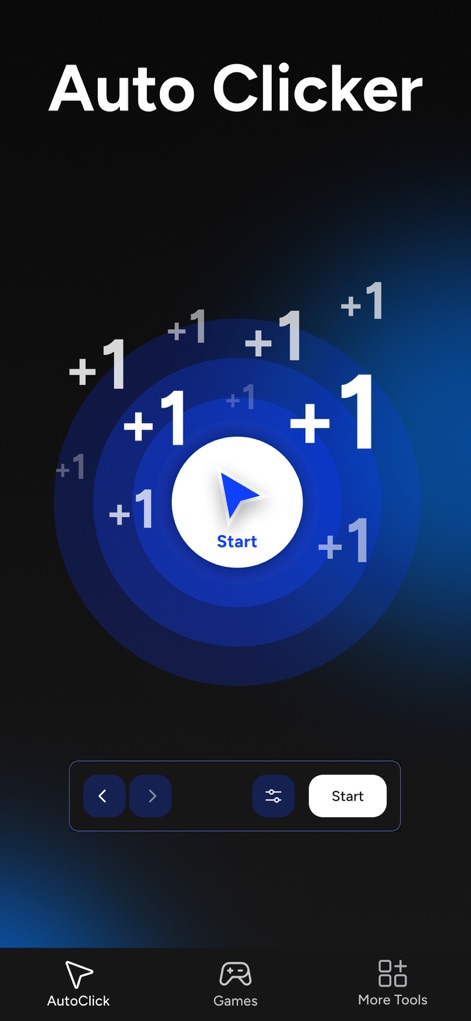
역동적인 푸른색 원형 탭 애니메이션과 중앙의 '시작' 버튼을 통해 사용자는 즉시 자동 탭 루틴을 시작할 수 있으며, 하단에 위치한 '오토클릭'과 '게임' 내비게이션 아이콘으로 주요 기능에 빠르게 접근할 수 있습니다.
자동 탭 시작
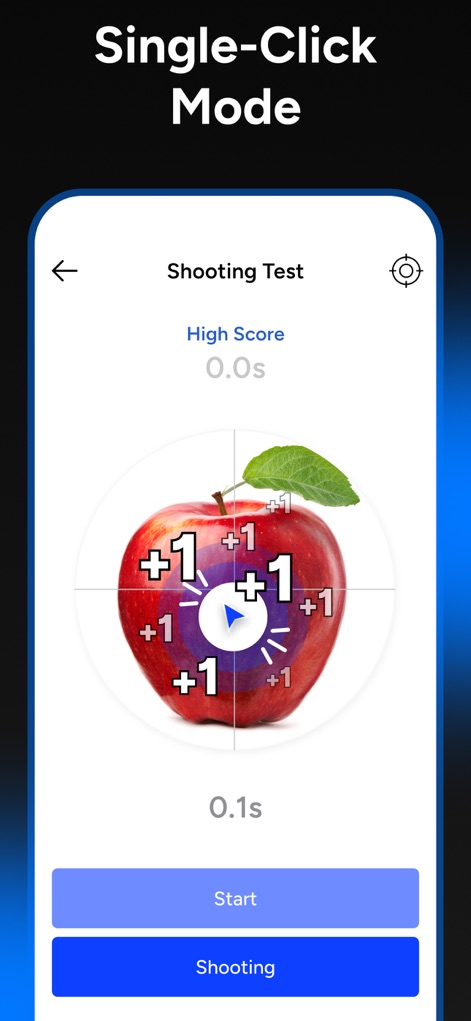
사과 이미지 위의 명확한 조준점과 '+1' 점수 표시를 통해 사용자는 단일 탭 모드의 작동 방식을 시각적으로 이해할 수 있으며, 하단에 위치한 '시작' 및 '슈팅' 버튼으로 기능을 실행하거나 테스트할 수 있습니다.
단일 탭 모드
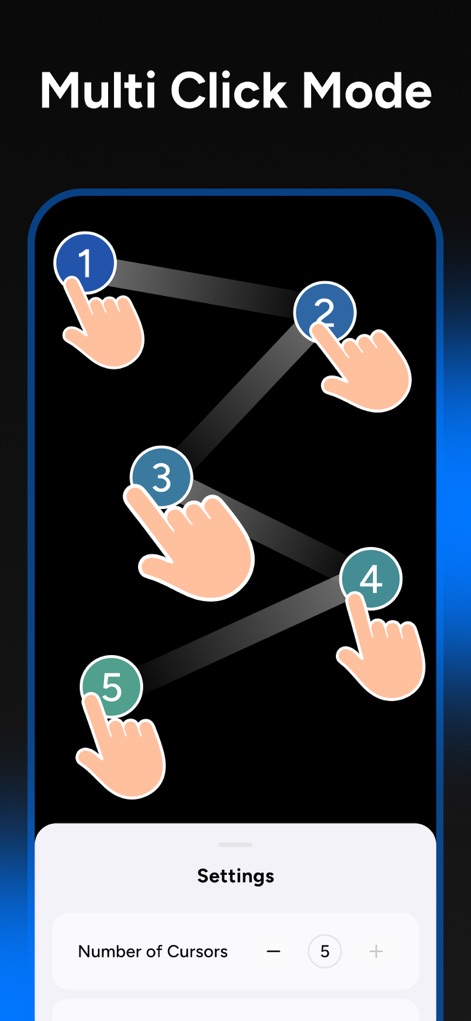
이 도구는 숫자가 매겨진 손가락 아이콘으로 다중 탭 경로를 시각적으로 보여주어 복잡한 자동화 흐름을 쉽게 설정할 수 있으며, 하단의 '커서 수' 설정을 통해 동시 탭 수를 조절할 수 있습니다.
다중 탭 설정
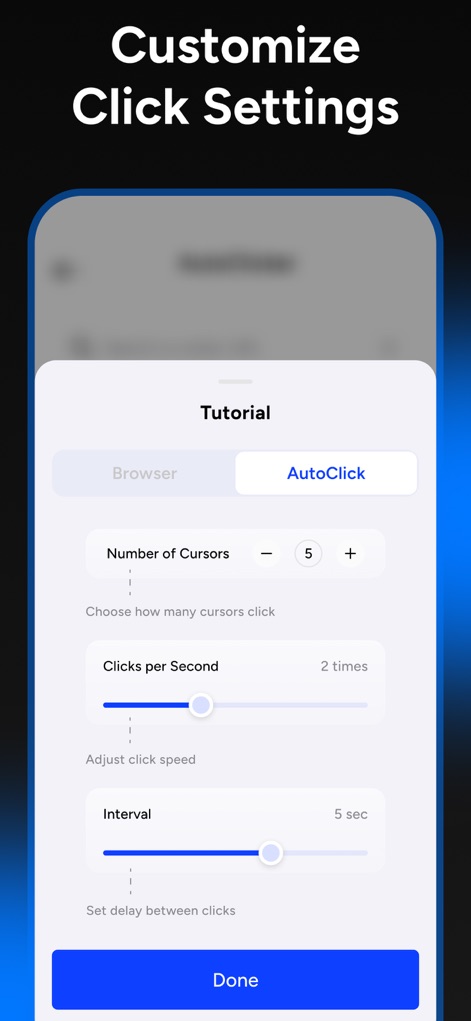
'자동 클릭' 탭이 활성화된 튜토리얼 모달에서 사용자는 '초당 클릭 수' 조절 슬라이더와 '간격' 설정 슬라이더를 통해 자동 탭의 속도와 타이밍을 정밀하게 맞출 수 있습니다.
정교한 클릭 설정
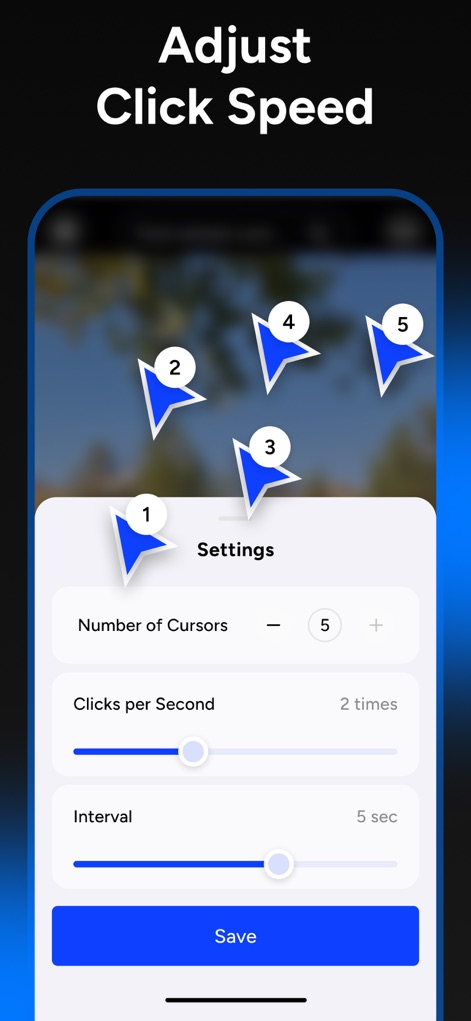
배경 이미지 위에 표시된 여러 개의 번호 매겨진 커서들은 다중 지점 탭을 시각화하며, '초당 클릭 수' 및 '간격' 슬라이더를 통해 사용자는 자동 탭 속도와 탭 간 지연 시간을 세밀하게 조정할 수 있습니다.
속도 및 간격 조절
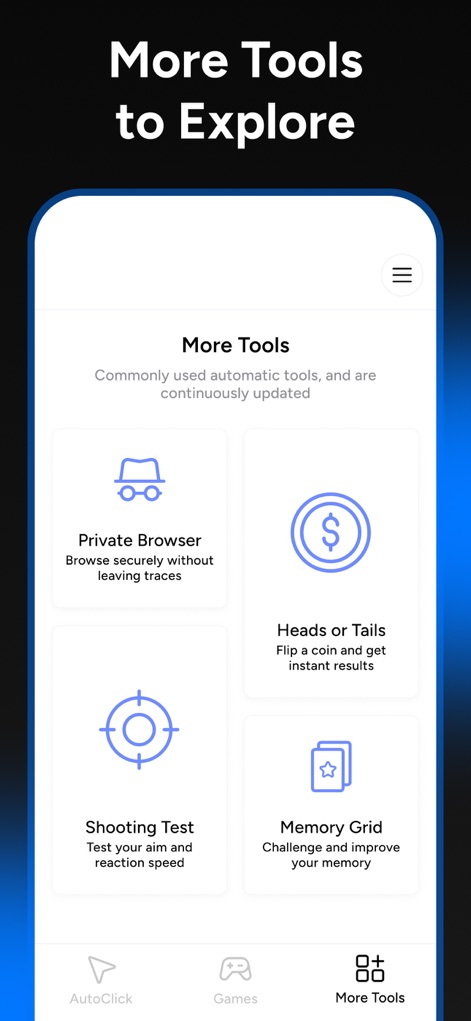
이 앱은 '프라이빗 브라우저'와 같은 보안 기능을 포함한 유용한 도구들과 '슈팅 테스트'와 같은 엔터테인먼트 요소를 격자 형태로 제시하여 사용자의 다양한 요구를 충족시킵니다.
유용한 추가 도구
설명
Download
비슷한 앱
유사한 기능과 사용자 경험을 가진 앱









이 페이지는 앱이나 개발자의 공식 페이지가 아니며, 정보 제공 및 논평을 목적으로 작성된 독립 편집 간행물입니다. 명시적으로 달리 언급되지 않는 한, 해당 앱이나 개발자는 MWM, Apple, Google Play, 앱 퍼블리셔 또는 앱 개발자와 제휴, 보증, 후원, 승인 또는 공식적으로 연결되어 있지 않으며, 이 페이지의 어떤 내용도 해당 앱이 MWM의 서비스를 사용하여 개발되었음을 의미하지 않습니다. 모든 상표, 로고, 스크린샷 및 기타 콘텐츠는 해당 소유자의 자산입니다.