AutoCAD

AutoCAD

다운로드: App Store
로고: AutoCAD

어디서든 작업하세요: AutoCAD, 정밀 드래프팅 및 DWG 설계

업계 표준의 강력함을 현장에서 활용하세요. 모바일에서 도면을 보고, 편집하고, 주석을 달아 원활한 클라우드 통합 및 오프라인 접속으로 사무실과 현장 사이의 격차를 해소하세요.

개발사

Autodesk

카테고리

Productivity

다운로드

10M+

사용자 평점

4.2/5

총 평가 수

61K+

지원 언어

12

손안의 정밀함

이 인터페이스를 사용하는 10M+ 명의 사용자.

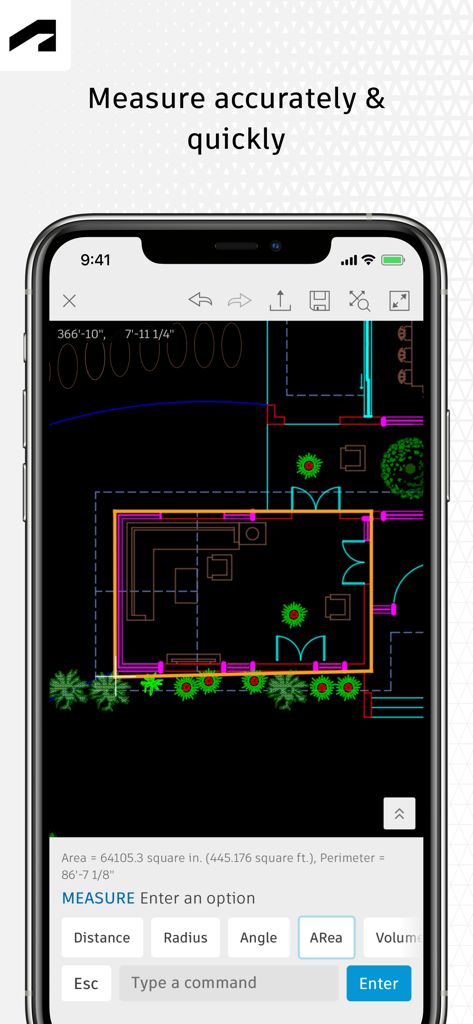
AutoCAD 모바일 앱 인터페이스에 스마트폰 화면에 측정 도구가 활성화된 2D 평면도가 표시됩니다.
AutoCAD 모바일 앱 인터페이스에 스마트폰 화면에 측정 도구가 활성화된 2D 평면도가 표시됩니다.

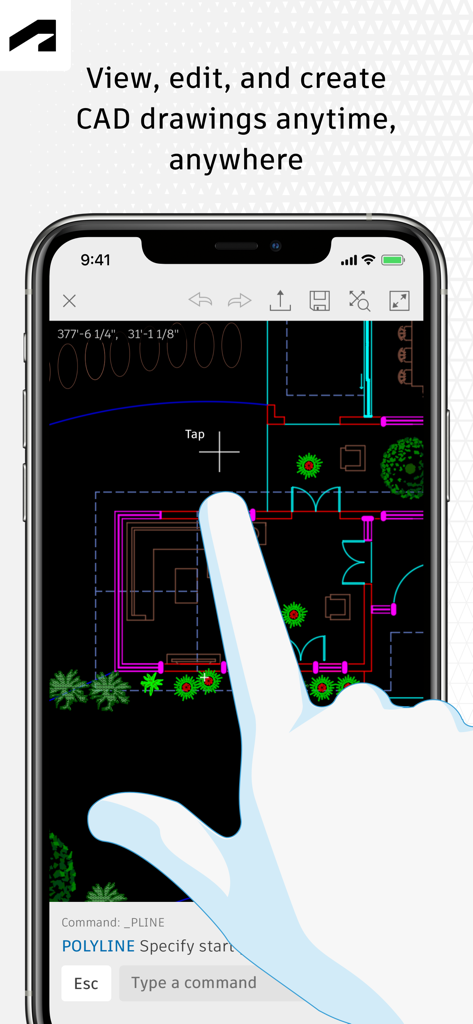
AutoCAD 모바일 앱의 사용자 인터페이스로 스마트폰에서 편집 중인 2D 평면도를 보여줍니다.
AutoCAD 모바일 앱의 사용자 인터페이스로 스마트폰에서 편집 중인 2D 평면도를 보여줍니다.

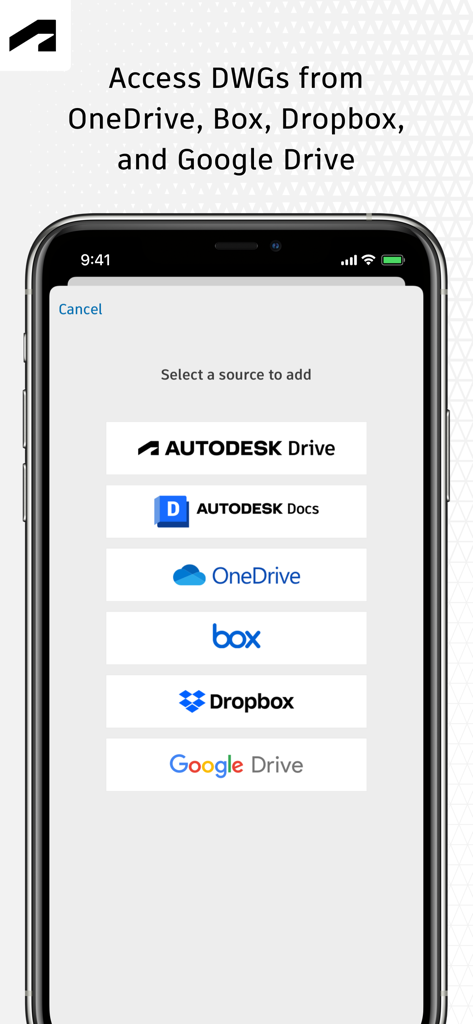
AutoCAD 모바일 앱 화면에 OneDrive, Dropbox, Google Drive와 같은 클라우드 서비스에서 DWG 파일에 액세스하는 옵션이 표시됩니다.
AutoCAD 모바일 앱 화면에 OneDrive, Dropbox, Google Drive와 같은 클라우드 서비스에서 DWG 파일에 액세스하는 옵션이 표시됩니다.

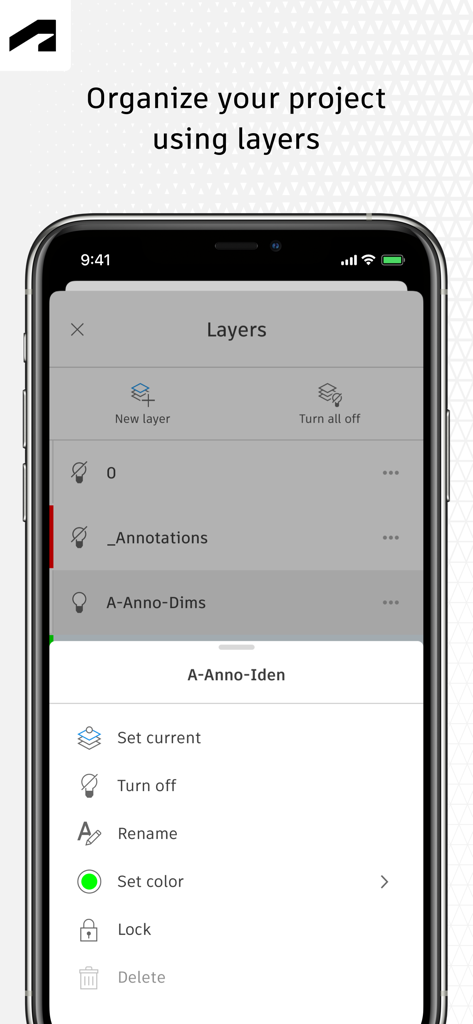
AutoCAD 모바일 앱 인터페이스에 프로젝트 레이어 구성 및 관리 도구가 표시됩니다.
AutoCAD 모바일 앱 인터페이스에 프로젝트 레이어 구성 및 관리 도구가 표시됩니다.

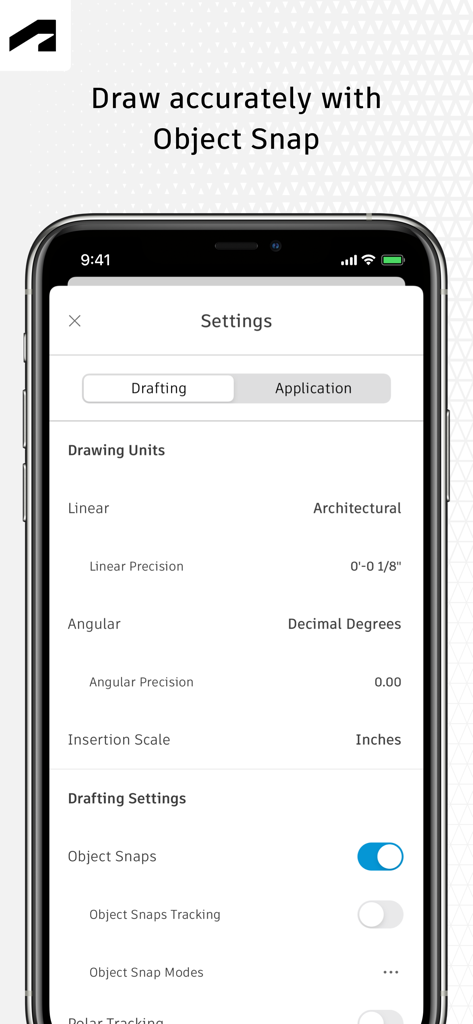
AutoCAD 모바일 앱 설정 화면에 정밀한 그림을 위한 드래프팅 단위 및 객체 스냅 옵션이 표시됩니다.
AutoCAD 모바일 앱 설정 화면에 정밀한 그림을 위한 드래프팅 단위 및 객체 스냅 옵션이 표시됩니다.

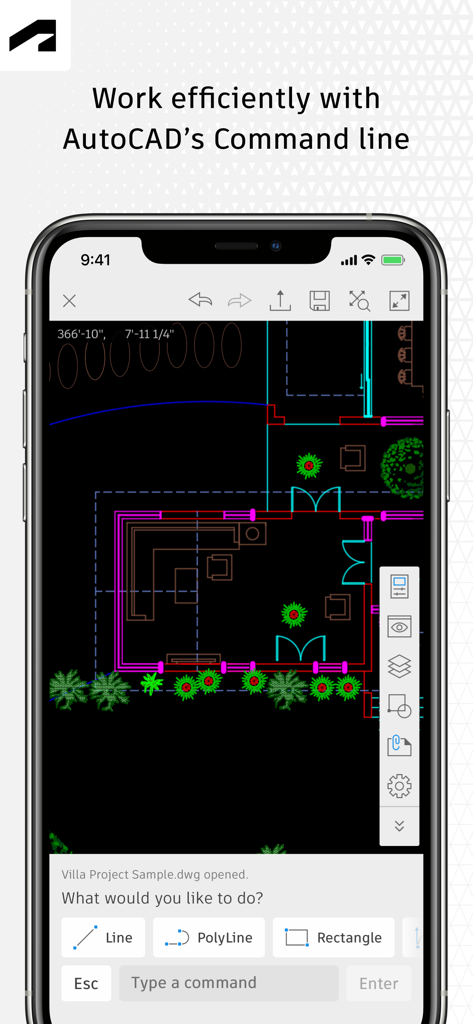
AutoCAD 모바일 앱의 건축 평면도 및 명령줄 도구
AutoCAD 모바일 앱의 건축 평면도 및 명령줄 도구

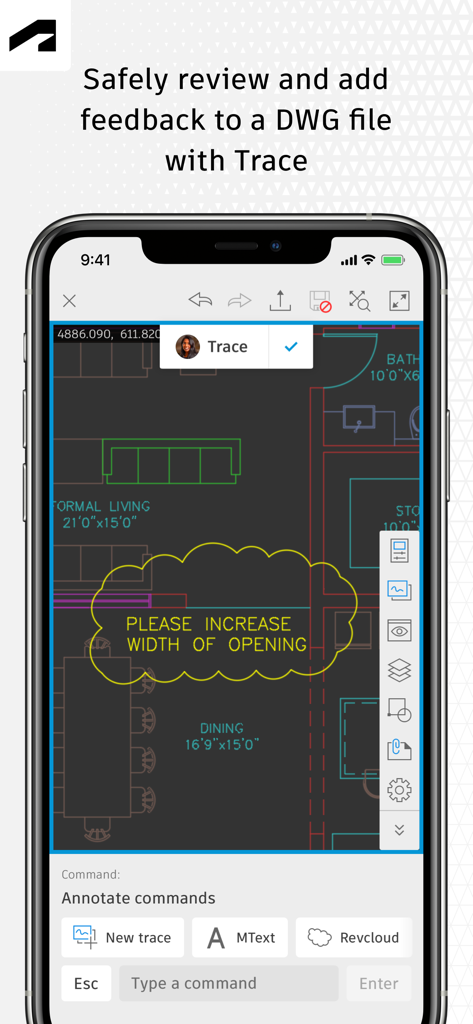
AutoCAD 모바일 앱 추적 기능으로 DWG 도면을 검토하고 마크업합니다.
AutoCAD 모바일 앱 추적 기능으로 DWG 도면을 검토하고 마크업합니다.

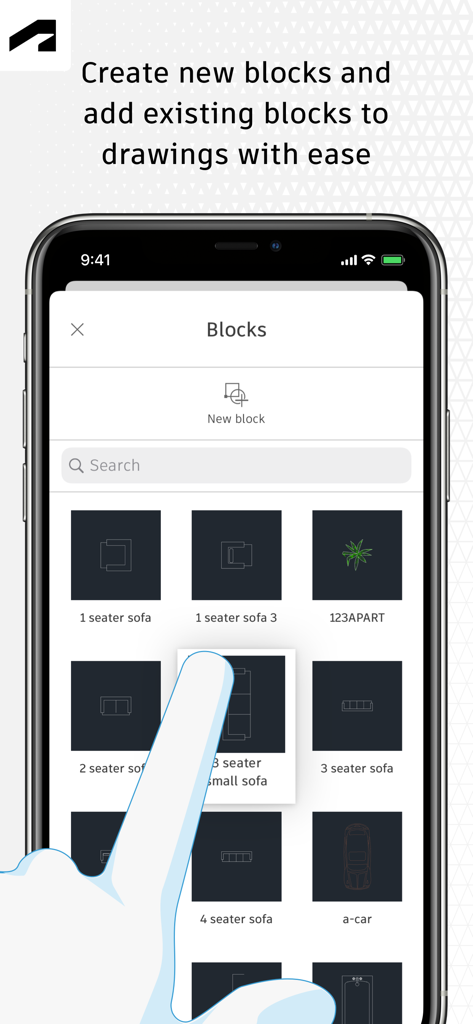
AutoCAD 모바일 앱 인터페이스에 가구 및 자동차 아이콘이 있는 블록 라이브러리가 표시됩니다.

AutoCAD 모바일 앱 인터페이스에 가구 및 자동차 아이콘이 있는 블록 라이브러리가 표시됩니다.

현장을 위해 재해석된 전문가 스튜디오

이 앱을 돋보이게 하는 도구, 10M+ 명의 사용자가 선택.

🏗️

청사진은 잊으세요

무거운 종이 롤 없이 전체 DWG 라이브러리에 액세스하세요. 외딴 지역에서 오프라인으로 작업하고 온라인에 다시 접속하면 변경 사항이 자동으로 동기화됩니다.

📏

고정밀 드래프팅

친숙한 AutoCAD 도구로 전문 표준을 유지하세요. 픽셀 단위의 정확도로 형상을 만들고, 편집하고, 측정하여 시공 전에 모든 치수가 올바른지 확인하세요.

☁️

원활한 클라우드 협업

Autodesk Drive, OneDrive 또는 Dropbox에 직접 연결하세요. 팀과 실시간 마크업 및 주석을 공유하여 오류를 줄이고 프로젝트 수명을 가속화하세요.

전 세계 사용자들에게 사랑받는 앱

Trusted by 10M+ 명이 이 앱을 사랑합니다.

"

"스튜디오와 고객 미팅을 계속 오가는 건축가로서 이 앱은 판도를 바꿉니다. Apple Pencil을 사용하여 iPad Pro에서 사용하면 자연스럽고 정확하게 느껴집니다. DWG 파일에 대한 빠른 편집을 하거나 무거운 청사진 롤을 들고 다니지 않고 고객에게 디자인을 보여줄 수 있습니다. Google Drive와의 원활한 통합 덕분에 항상 최신 버전으로 작업할 수 있습니다."

Sarah Jensen
"

"현장의 모든 프로젝트 관리자에게 필수적인 도구입니다. 저는 종종 휴대폰 서비스가 전혀 없는 지하실이나 외딴 현장에서 작업하기 때문에 오프라인 모드가 생명의 은인입니다. 현장에서 거리를 측정하고, 변경 사항을 마크업하고, 온라인에 다시 접속하면 모든 것을 동기화할 수 있습니다. 현장과 드래프팅 팀 간의 통신 오류를 크게 줄였습니다."

Marcus Rivera

리뷰 분석

사용자 리뷰 인사이트.

감정 점수

20%
부정적

요약

The AutoCAD mobile app receives largely negative feedback from users, primarily due to persistent issues with login and frequent crashes, especially when opening DWG files or after recent updates. Many users find the application frustratingly slow and report significant battery drain on various devices, including newer models like the iPhone 13 Pro and iPad Pro. Furthermore, critical functionalities expected from a CAD software, such as robust offline capabilities, a comprehensive copy-paste feature, and full 3D viewing, are noted as missing or severely limited, pushing some users to seek alternatives. Several version-specific bugs are also reported, including the app not opening on iOS 15.8 and login keyboard issues on iOS 18.5.

주요 테마

Missing/Limited Features(19)
Login & Account Creation(12)
App Stability & Crashes(8)
Cost & Subscription Model(7)
iPad/Mobile Optimization(4)
Performance & Battery Drain(2)
Offline Capability(2)

앱 소개

에 대해 알아야 할 모든 것 AutoCAD.

설명

The official AutoCAD app. View & edit CAD drawings anytime, anywhere! Essential drafting and design capabilities for your everyday needs: Autodesk® AutoCAD® Web on mobile is a trusted solution that gives you access to the core AutoCAD commands that you need for light editing and generating fundamental designs, all at an attractive price. AutoCAD Web subscription plans are available in the following options: • Monthly for $9.99 • Yearly for $99.99 • Included free with AutoCAD and AutoCAD LT subscriptions Use familiar AutoCAD drafting tools on your mobile device in a simplified interface, allowing you to access, create, and update DWG™ files anytime, anywhere. 30 day trial: Enjoy a fully functional free trial of AutoCAD Web for 30 days. After the trial is completed, you can access limited read-only functionality without a paid subscription. Current AutoCAD or AutoCAD LT desktop subscribers: Sign in with your Autodesk account to access AutoCAD Web on mobile. Key Benefits: • Work offline on your projects without an Internet connection and sync later • Safeguard drawings in your Autodesk account or with your own external accounts • Collaborate in real time with team members and reduce mistakes • Replace blueprints at job sites with drawings on mobile • Simplify workflows by opening DWG files directly from Autodesk Drive, Autodesk Docs, Microsoft OneDrive, Box, Dropbox, or Google Drive. Features: • 2D file viewing • Create, edit, and share 2D drawings • Work offline and sync your changes once back online • Insert blocks from your DWG drawing • Manage layers and layer visibility • Drafting and geometry editing tools • Annotation and markup tools • Measure distance, angle, area, and radius • View and edit DWG files from your internal storage, email, or from the cloud • View coordinates and properties All new users have access to a free trial of AutoCAD Web for 30 days. Subscriptions will be charged to your credit card through your Apple ID. Subscriptions are automatically renewed unless cancelled at least 24-hours before the end of the current period. You will not be able to cancel a subscription during the active period. Manage your subscriptions in Account Settings after purchase. *Free products and services are subject to the Autodesk Terms of Use at https://www.autodesk.com/company/terms-of-use/en/general-terms Learn more: Autodesk Website: https://www.autodesk.com/products/autocad-web Term of Use: https://www.autodesk.com/company/legal-notices-trademarks/terms-of-service-autodesk360-web-services/autodesk-autocad-mobile-terms-of-service AutoCAD Service is not provided to children under the age of 14, and users under 14 cannot use this Service.

최신 버전

6.20.1

크기

522.1 MB

출시일

2010년 9월 29일

종이가 아닌 프로젝트를 휴대하세요

이동이 잦은 전문가를 위한 공식 AutoCAD 앱. 신뢰할 수 있는 정확도로 DWG 파일을 오프라인에서 보고, 편집하고, 마크업하세요. 지금 30일 무료 체험을 시작하세요.

다운로드: App Store
FAQ

자주 묻는 질문

에 대해 알아야 할 모든 것 AutoCAD

AutoCAD 모바일 앱이란 무엇인가요?

AutoCAD 앱은 Autodesk에서 제공하는 공식 솔루션으로, 모바일 장치에서 CAD 도면을 보고, 편집하고, 생성할 수 있습니다. DWG™ 파일을 지원하며 필수적인 드래프팅 및 디자인 기능을 제공합니다.

AutoCAD 앱에서 무료 평가판을 제공하나요?

네, 신규 사용자는 AutoCAD Web의 모든 기능을 갖춘 30일 무료 평가판을 이용할 수 있습니다. 평가판 기간이 종료된 후에는 유료 구독 없이 제한적인 읽기 전용 기능이 제공됩니다.

AutoCAD Web 구독 비용은 얼마인가요?

AutoCAD Web 월간 구독 비용은 $9.99이며, 연간 구독 비용은 $99.99입니다. 또한 기존 AutoCAD 및 AutoCAD LT 데스크톱 구독에 이 서비스가 무료로 포함됩니다.

AutoCAD 모바일 앱을 오프라인으로 사용할 수 있나요?

네, AutoCAD 앱을 사용하면 인터넷 연결 없이 프로젝트에서 오프라인으로 작업할 수 있습니다. 오프라인에서 변경된 내용은 나중에 장치가 다시 온라인 상태가 되면 동기화됩니다.

AutoCAD 앱은 어떤 클라우드 스토리지 서비스와 통합되나요?

AutoCAD 앱은 Autodesk Drive, Autodesk Docs, Microsoft OneDrive, Box, Dropbox, Google Drive에서 DWG 파일을 직접 열어 워크플로우를 간소화합니다.

AutoCAD 모바일 앱에서 객체를 측정할 수 있나요?

네, AutoCAD 앱에는 다양한 측정 도구가 포함되어 있습니다. 사용자는 도면 내에서 거리, 각도, 면적, 반지름을 직접 측정할 수 있습니다.

AutoCAD 앱은 도면 구성을 위한 도면층을 지원하나요?

네, AutoCAD 앱은 도면층 관리를 지원합니다. 사용자는 애플리케이션 내에서 도면층을 관리하고 가시성을 제어하여 프로젝트를 구성할 수 있습니다.

AutoCAD Web 구독은 갱신 및 취소는 어떻게 처리되나요?

AutoCAD Web 구독은 현재 기간이 종료되기 최소 24시간 전에 취소하지 않는 한 자동으로 갱신됩니다. 활성 구독 기간 중에는 취소가 불가능합니다.

AutoCAD 서비스 사용에 연령 제한이 있나요?

아니요, AutoCAD 서비스는 14세 미만 아동에게는 제공되지 않습니다. 14세 미만 사용자는 이 서비스를 사용할 수 없습니다.