ZWCAD Mobile - Mobile CAD
다운로드: App Store

이 페이지는 앱이나 개발자의 공식 페이지가 아니며, 정보 제공 및 논평을 목적으로 작성된 독립 편집 간행물입니다. 명시적으로 달리 언급되지 않는 한, 해당 앱이나 개발자는 MWM, Apple, Google Play, 앱 퍼블리셔 또는 앱 개발자와 제휴, 보증, 후원, 승인 또는 공식적으로 연결되어 있지 않으며, 이 페이지의 어떤 내용도 해당 앱이 MWM의 서비스를 사용하여 개발되었음을 의미하지 않습니다. 모든 상표, 로고, 스크린샷 및 기타 콘텐츠는 해당 소유자의 자산입니다.

로고: ZWCAD Mobile - Mobile CAD
다운로드: App Store

ZWCAD Mobile - Mobile CAD

1천만 명 이상의 건축가와 엔지니어가 신뢰합니다. 8자리 정밀도로 DWG 파일을 보고, 편집하고, 주석을 달아 사무실과 건설 현장 간의 격차를 해소하세요.

주요 수치

다운로드

1M+

사용자 평점

4.7/5

총 평가 수

6K+

개발사

ZWCAD Software Co.,Ltd.

카테고리

Productivity

지원 언어

15

최신 버전

5.6.7

크기

105.8 MB

출시일

2012년 8월 2일
기능

데스크톱급 정밀도로 현장 작업을 강화하세요

ZWCAD Mobile은 주머니 속에 강력한 DWG 편집 및 고정밀 측정을 제공하여 이동 중인 전문가들을 위해 사무실과 현장 간의 격차를 해소합니다.

모든 픽셀에서 비교할 수 없는 정밀도

8자리 10진수 정밀도로 측정하세요. 모든 인치 단위가 중요한 현장 조사 및 엔지니어링 작업을 위한 전문가 수준의 도구를 신뢰하세요.

이동 중에도 원활한 DWG 편집

iPad 또는 iPhone에서 직접 레이어를 수정, 주석 달기 및 관리하세요. DWG, DXF 및 PDF 지원을 통해 노트북 없이도 전체 프로젝트 라이브러리에 항상 액세스할 수 있습니다.

다음 스크린샷과 설명은 앱의 공식 스토어 목록에서 직접 가져온 것이며 앱 개발자의 자산입니다.

앱 스토어

스크린샷
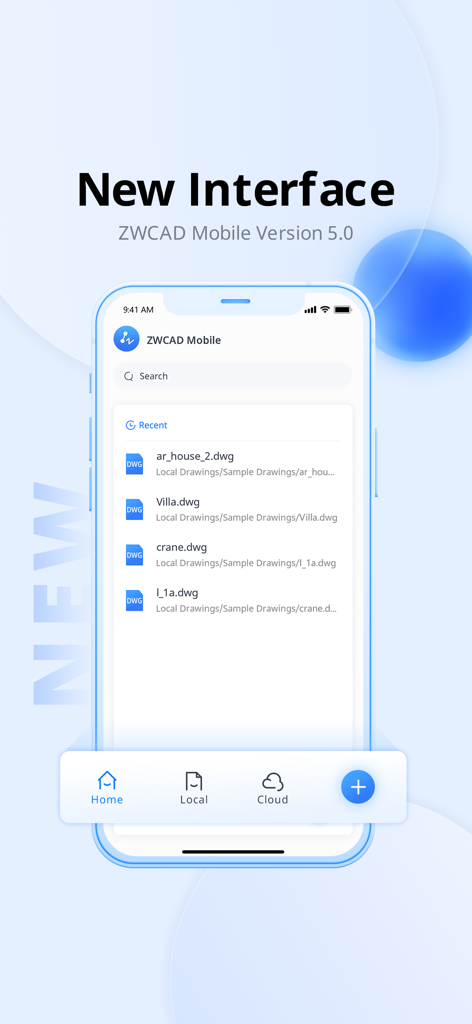
ZWCAD Mobile - Mobile CAD - ZWCAD Mobile 버전 5 인터페이스에 DWG 도면 목록 표시
ZWCAD Mobile 버전 5 인터페이스에 DWG 도면 목록 표시

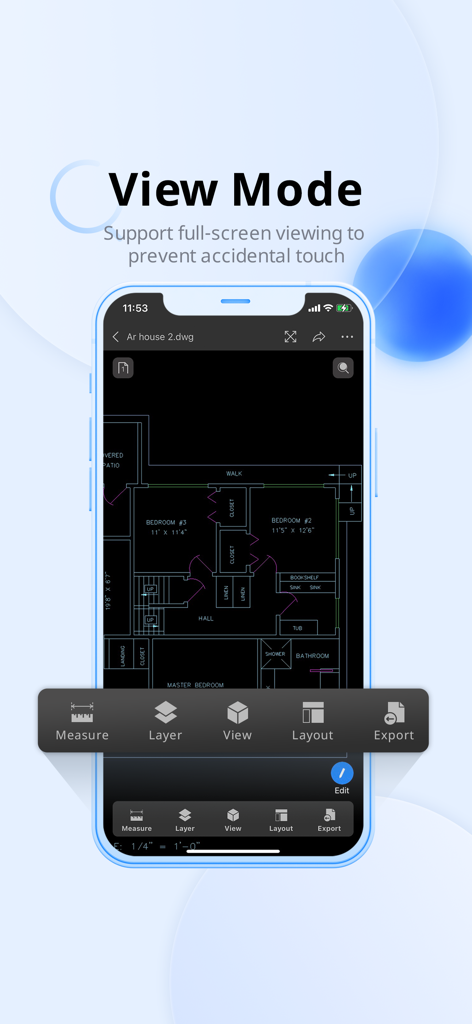
ZWCAD Mobile - Mobile CAD - ZWCAD Mobile 앱에 스마트폰에서 전체 화면 보기 모드로 표시된 상세한 주택 평면도
ZWCAD Mobile 앱에 스마트폰에서 전체 화면 보기 모드로 표시된 상세한 주택 평면도

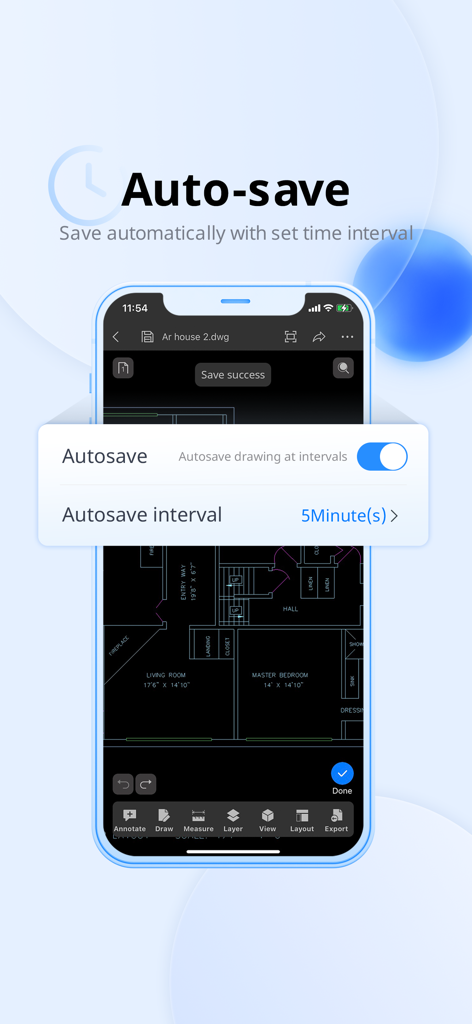
ZWCAD Mobile - Mobile CAD - ZWCAD Mobile 앱 자동 저장 설정 인터페이스에 CAD 평면도 위에 시간 간격 옵션 표시
ZWCAD Mobile 앱 자동 저장 설정 인터페이스에 CAD 평면도 위에 시간 간격 옵션 표시

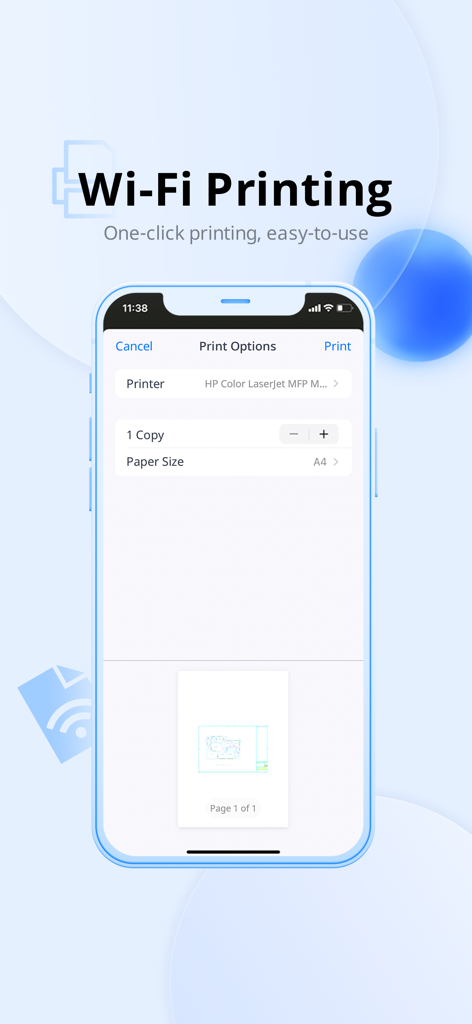
ZWCAD Mobile - Mobile CAD - ZWCAD Mobile에서 CAD 도면에 대한 Wi-Fi 인쇄 옵션을 보여주는 스마트폰 화면
ZWCAD Mobile에서 CAD 도면에 대한 Wi-Fi 인쇄 옵션을 보여주는 스마트폰 화면

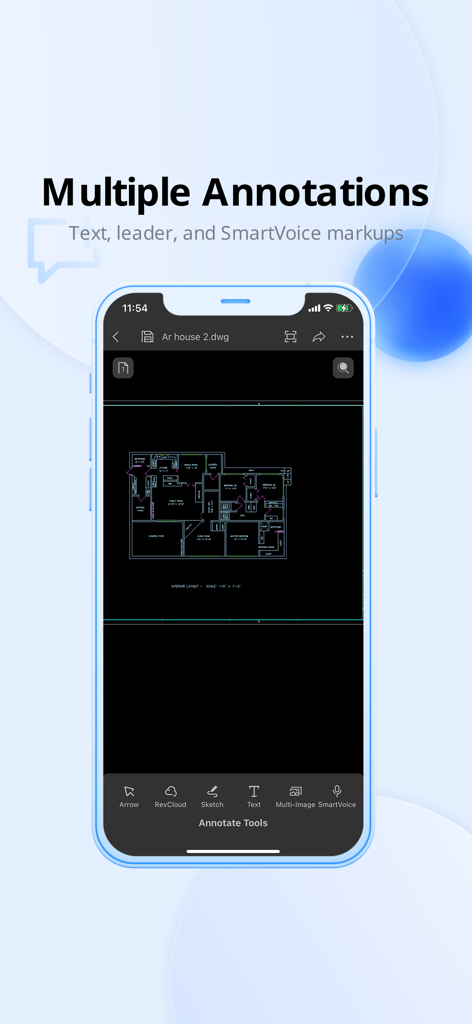
ZWCAD Mobile - Mobile CAD - ZWCAD Mobile 앱 인터페이스에 평면도 주석 및 마크업 도구 표시

ZWCAD Mobile 앱 인터페이스에 평면도 주석 및 마크업 도구 표시

설명

*ZWCAD Mobile is a free CAD viewing, drawing and sharing app developed by ZWSOFT. It integrates multiple functions including fast viewing and editing of DWG files, precise measurement, annotation, and printing. ZWCAD Mobile has been developed for nearly ten years. It enables you to view, edit and export drawings of multiple formats such as DWG, DWF, DXF and PDF. Plus, it has an abundant TTF font library, supports precise measurement (accuracy: 8 digits after the decimal point), and provides more than 100 functions, such as annotating, editing, snapping, layer layout and cloud drawing management. *Trusted by 10 million users, including architects, engineers, construction professionals, field technicians and contractors. Whether it is mechanical drawing, electrical drawing, engineering construction, site survey or interior design, ZWCAD Mobile can handle all tasks easily. --------View and Edit-------- ZWCAD Mobile supports editing DWG files and viewing DWF, DXF and PDF files. Editing Tools: Move, Copy, Rotate, Scale, Erase, Mirror, Align, Edit Text, Grip Edit, Block Attribute Edit. Drawing Tools: Circle, Polyline, Line, Rectangle, Arc, Text, Insert Block, Smartpen, Image. Measuring Tools: Aligned Dimension, Radial Dimension, Angular Dimension, Linear Dimension, Arc Length Dimension, Coordinate Dimension, Perimeter and Area, Distance, Coordinate Query. View Mode: 2D and 3D views, Regen, Change Background Color. Annotating Tools: Revision Cloud, Brush, Text, Multi-image, SmartVoice. Exporting Tools: Export JPEG, PDF or DWF. Text Search: Search for text to quickly find the location. Modeling Tools: Switch between the Model space and any other Layout space that are included in your drawing. Layering Tools: Create, Rename, Change, Turn On/Off, Delete. Coloring Tools: Change the color of the object in the drawing. Contact us: tech@zwsoft.com

Download

다운로드: App Store

이 페이지는 앱이나 개발자의 공식 페이지가 아니며, 정보 제공 및 논평을 목적으로 작성된 독립 편집 간행물입니다. 명시적으로 달리 언급되지 않는 한, 해당 앱이나 개발자는 MWM, Apple, Google Play, 앱 퍼블리셔 또는 앱 개발자와 제휴, 보증, 후원, 승인 또는 공식적으로 연결되어 있지 않으며, 이 페이지의 어떤 내용도 해당 앱이 MWM의 서비스를 사용하여 개발되었음을 의미하지 않습니다. 모든 상표, 로고, 스크린샷 및 기타 콘텐츠는 해당 소유자의 자산입니다.







