Avira Password Manager

Avira Password Manager

다운로드: App Store
로고: Avira Password Manager

Avira 비밀번호 관리자: 독일의 우수성으로 디지털 세상을 안전하게 보호하세요

비밀번호 혼돈은 이제 그만. 모든 기기에서 로그인 정보, 신용카드, 2단계 인증 코드를 동기화하는 무적의 금고로 최고의 마음의 평화를 경험하세요. 모두 최고의 개인 정보 보호 표준으로 보호됩니다.

다운로드: App Store

개발사

Avira Holding GmbH & Co. KG

카테고리

Productivity

다운로드

71K+

사용자 평점

4.4/5

총 평가 수

5K+

지원 언어

14

한눈에 보는 보안

이 인터페이스를 사용하는 71K+ 명의 사용자.

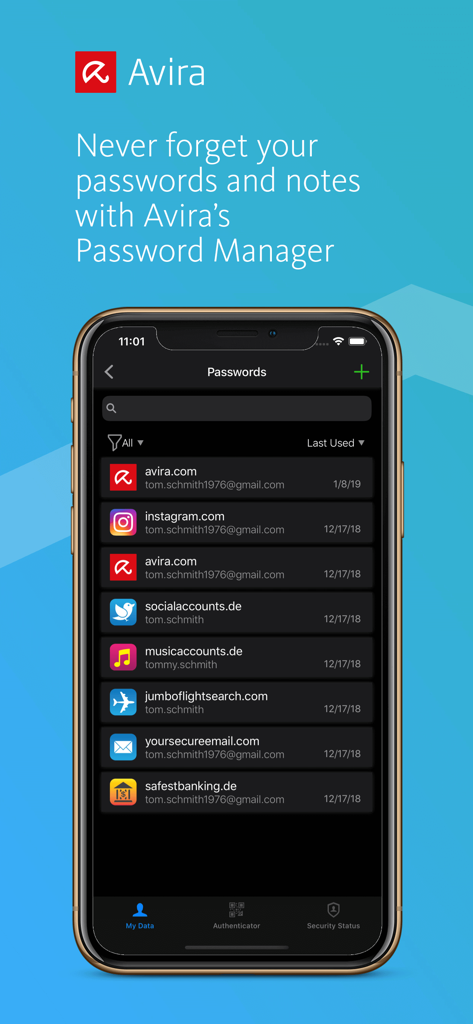
Avira 비밀번호 관리자 앱 인터페이스에 스마트폰에 저장된 계정 자격 증명의 목록이 표시됨

Avira 비밀번호 관리자 앱 인터페이스에 스마트폰에 저장된 계정 자격 증명의 목록이 표시됨

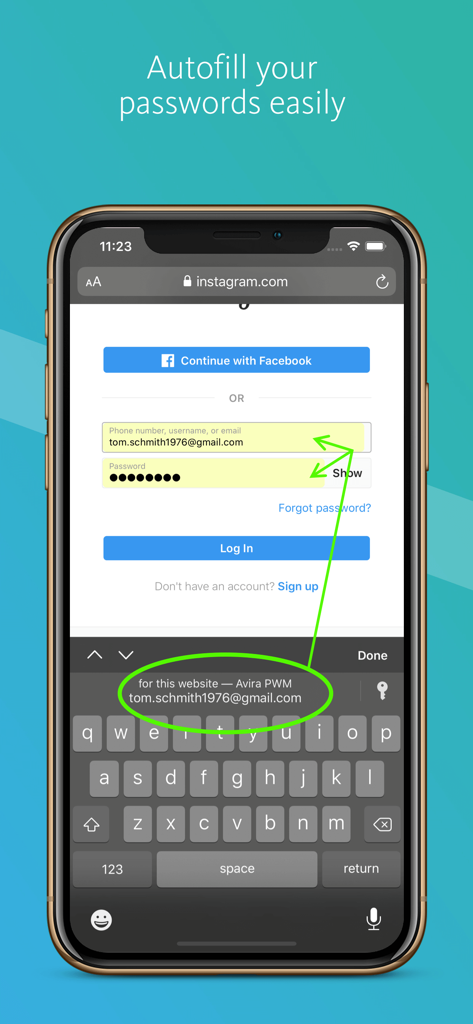
Avira 비밀번호 관리자가 iPhone에서 로그인 자격 증명을 자동 채우는 기능

Avira 비밀번호 관리자가 iPhone에서 로그인 자격 증명을 자동 채우는 기능

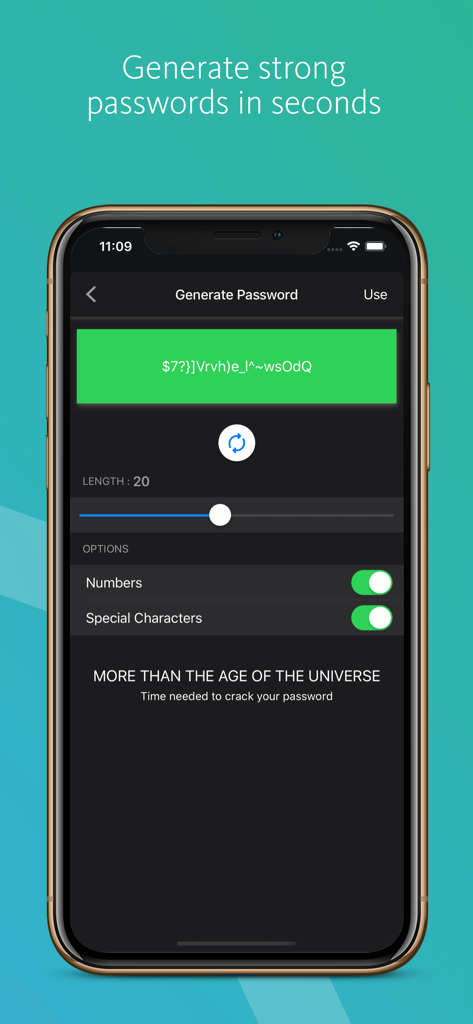
Avira 비밀번호 관리자 앱 인터페이스에 안전한 비밀번호 생성 기능이 표시됨

Avira 비밀번호 관리자 앱 인터페이스에 안전한 비밀번호 생성 기능이 표시됨

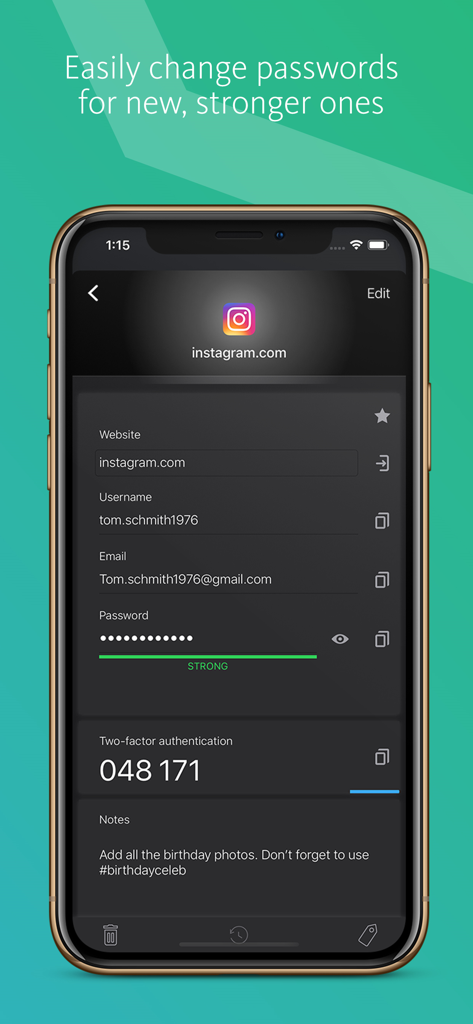
Avira 비밀번호 관리자 앱 화면에 저장된 로그인 자격 증명과 계정에 대한 2단계 인증 코드가 표시됨.

Avira 비밀번호 관리자 앱 화면에 저장된 로그인 자격 증명과 계정에 대한 2단계 인증 코드가 표시됨.

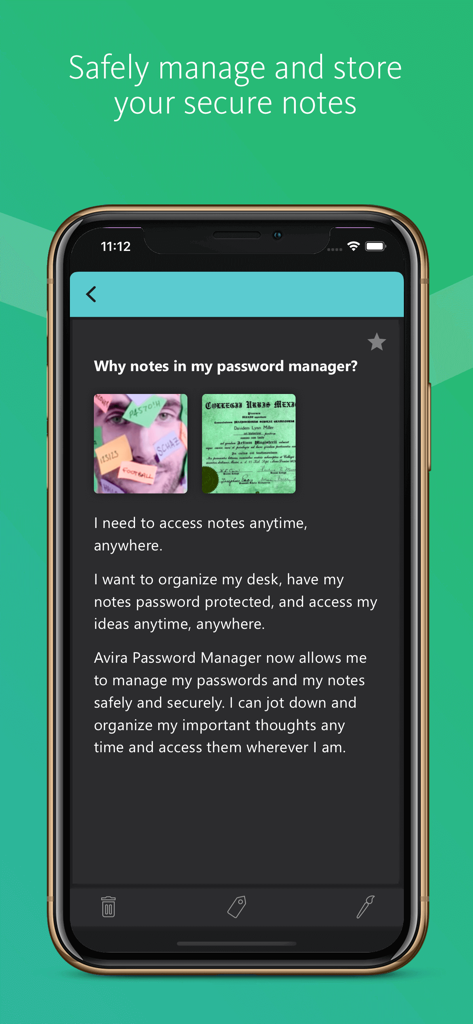
사용자가 개인 정보를 저장하고 보호할 수 있도록 하는 Avira 비밀번호 관리자 앱의 안전한 메모 기능이 표시되는 모바일 화면

사용자가 개인 정보를 저장하고 보호할 수 있도록 하는 Avira 비밀번호 관리자 앱의 안전한 메모 기능이 표시되는 모바일 화면

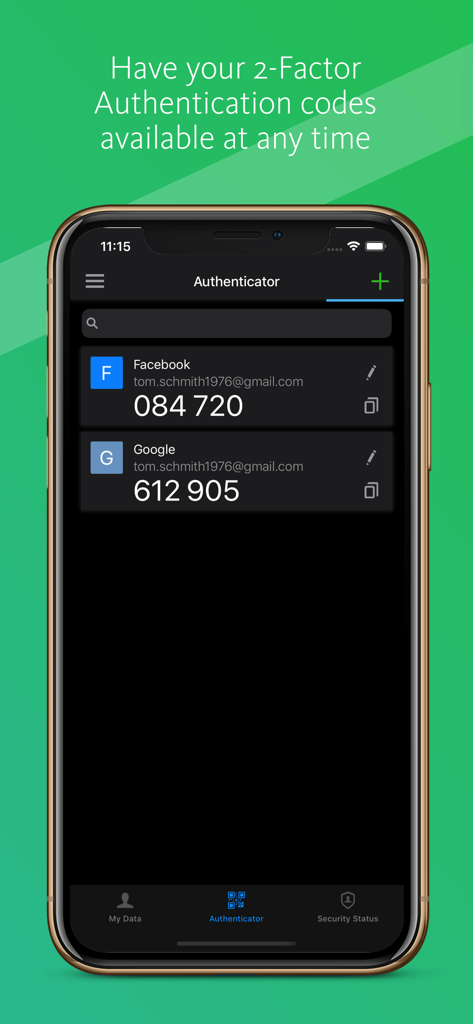
Avira 비밀번호 관리자 앱에 Facebook 및 Google에 대한 2단계 인증 코드가 표시됨

Avira 비밀번호 관리자 앱에 Facebook 및 Google에 대한 2단계 인증 코드가 표시됨

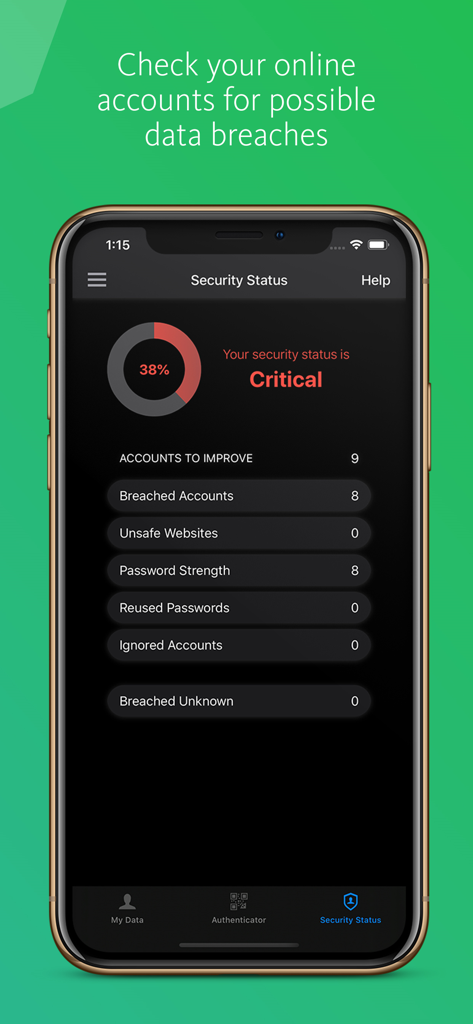
Avira 비밀번호 관리자 앱에 iPhone에서 데이터 유출 경고 및 비밀번호 강도 분석이 포함된 보안 상태 대시보드가 표시됨.

Avira 비밀번호 관리자 앱에 iPhone에서 데이터 유출 경고 및 비밀번호 강도 분석이 포함된 보안 상태 대시보드가 표시됨.

디지털 세상을 위한 타협 없는 보안

이 앱을 돋보이게 하는 도구, 71K+ 명의 사용자가 선택.

🛡️

독일 수준의 보호

AES-256 암호화와 독일 보안 표준으로 귀하의 데이터는 비공개로 유지됩니다. 이는 데이터 개인 정보 보호 및 주권에 대한 세계 최고 수준입니다.

원활한 원탭 로그인

잊어버린 비밀번호의 악순환을 끝내세요. 좋아하는 모든 앱과 웹사이트에서 즉시 자격 증명 및 신용카드를 자동 채우세요.

🔍

사전 유출 모니터링

데이터가 유출된 경우 알려주고 앱에서 직접 2단계 인증 코드를 생성하는 내장된 보안 상태로 해커보다 앞서 나가세요.

앱 소개

에 대해 알아야 할 모든 것 Avira Password Manager.

설명

Avira Password Manager lets you create and manage all your passwords, credit cards, and notes anytime, anywhere. Say goodbye to handwritten notes creating chaos on your desk. The times are over when you had to jot down every password and idea. Plus, there'll be no more struggling to create new passwords or reset old ones. This password organizer makes it a breeze to bring order to your work and personal life. And the best thing: Avira, the German security and protection specialist, makes sure your data is encrypted and stays in Germany where data protection and privacy standards are second to none. Avira Password Manager works across multiple devices and operating systems. ◆ ONE PASSWORD FOR ALL DEVICES ◆ With Avira Password Manager you only need to remember one single password – the master password. It's like the key to an uncrackable password vault, in which your logins are safely stored. Simply login with this master password and enjoy access to all your accounts and notes on all your devices. ◆ AUTO-FILL LOGIN FORMS ◆ Easy, convenient, time-saving: Avira Password Manager auto-fills your logins across all your favorite websites and apps. ◆ INSTANT PASSWORD GENERATOR ◆ Most internet users use simple and common passwords for all their accounts, making them easy to crack. Avira Password Manager makes it effortless to set strong, unique passwords to give you the best protection against identity theft. ◆ DIGITAL WALLET ◆ You can add your credit cards to your secure digital wallet just by scanning them with your camera. Details like your credit card number and its expiration date will be instantly captured. Your saved credit cards will be available across all your devices. ◆ AVAILABILITY ◆ Avira Password Manager is available as a web dashboard (including browser extension) and as a mobile app. And best of all: Any change you make is synchronized automatically and available on all your other devices. ◆ SECURITY◆ The new Security Status feature shows you at a glance how secure your passwords, accounts, and listed websites are, and whether any of your credentials have already been compromised. You can then take immediate action to improve your online security. Your passwords, credit cards, and notes are protected using 256-bit AES encryption – the most secure standard out there. Think of it as your own personal armored password safe. Thanks to your master password only you and you alone have access to them – not even Avira can access your data. For extra security you can use your fingerprint or face ID to unlock Avira Password Manager on Apple devices. ◆ TWO-FACTOR-AUTHENTICATOR◆ We now released a new section for your Two-Factor Authentication codes ("2FA codes"). Avira Password manager now has an in-built authenticator that generates the 2FA codes which means that you don't have to obtain these additional login codes via text-message or via a separate authenticator app. Avira Password Manager Pro: Security Status on all platforms, Premium Support. Length of subscription: 1 month or 1 year. Payment will be charged to iTunes Account at confirmation of purchase. Subscription automatically renews unless auto-renew is turned off at least 24-hours before the end of the current period. Account will be charged for renewal within 24-hours prior to the end of the current period. Subscriptions may be managed by the user and auto-renewal may be turned off by going to the user's Account Settings after purchase. Any unused portion of a free trial period, if offered, will be forfeited when the user purchases a subscription to that publication, where applicable. Privacy Policy available at https://www.avira.com/en/general-privacy Terms and Conditions available at https://www.avira.com/en/legal-terms

최신 버전

2.29.5

크기

108.9 MB

출시일

2016년 12월 8일

독일의 정밀함으로 디지털 세상을 안전하게 보호하세요

수십만 명의 사용자와 함께 비밀번호 피로를 끝내세요. 지금 Avira 비밀번호 관리자를 다운로드하여 전문적인 암호화로 신원을 보호하고 디지털 생활을 단순화하세요.

다운로드: App Store

App information, icons, screenshots, and descriptions displayed on this page are sourced from the Apple App Store and are the property of their respective developers. Download estimates and rankings are based on MWM's proprietary models and may not reflect actual figures. This page is provided for informational and analytical purposes only.

Believe this page infringes your intellectual property? File a dispute