BE WAVE
BE WAVE
다운로드: App Store

이 페이지는 앱이나 개발자의 공식 페이지가 아니며, 정보 제공 및 논평을 목적으로 작성된 독립 편집 간행물입니다. 명시적으로 달리 언급되지 않는 한, 해당 앱이나 개발자는 MWM, Apple, Google Play, 앱 퍼블리셔 또는 앱 개발자와 제휴, 보증, 후원, 승인 또는 공식적으로 연결되어 있지 않으며, 이 페이지의 어떤 내용도 해당 앱이 MWM의 서비스를 사용하여 개발되었음을 의미하지 않습니다. 모든 상표, 로고, 스크린샷 및 기타 콘텐츠는 해당 소유자의 자산입니다.


로고: BE WAVE
다운로드: App Store

BE WAVE

전문적인 보안, 지능형 자동화, 데이터 기반 에너지 관리를 통해 귀하의 부동산을 완벽하게 제어하세요. 공기질을 모니터링하고, 여행 중에도 실시간으로 존재감을 시뮬레이션하며, 현대적인 주택 소유자를 위해 설계된 직관적인 대시보드를 통해 여러 시스템을 관리하세요.

주요 수치

다운로드

100

사용자 평점

4.8/5

총 평가 수

0

개발사

Satel sp. z. o.o

카테고리

Utilities

지원 언어

1

최신 버전

1.1.5

크기

116.1 MB

출시일

2024년 6월 7일
기능

지능형 공간에 대한 완벽한 제어

BE WAVE는 현대 부동산 소유자를 위해 설계된 단일 고성능 생태계에 전문적인 보안, 기후 모니터링 및 에너지 관리를 원활하게 통합합니다.

엘리트 보안 및 존재감 시뮬레이션

지능형 조명 루틴으로 침입자를 막고 전문 모니터링 및 실시간 카메라 피드를 통해 연결 상태를 유지하세요.

다중 부동산 제어 센터

간편한 전환을 위해 설계된 단일 인터페이스로 주 거주지, 휴가 별장 및 사무실을 동시에 관리하세요.

다음 스크린샷과 설명은 앱의 공식 스토어 목록에서 직접 가져온 것이며 앱 개발자의 자산입니다.

앱 스토어

스크린샷
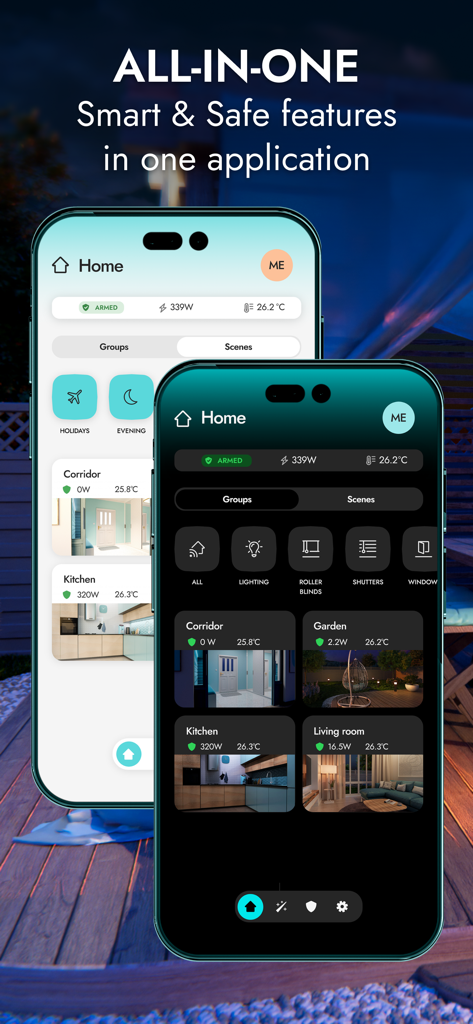
BE WAVE - BE WAVE 앱 인터페이스가 두 개의 스마트폰에 표시되며, 스마트 홈 대시보드의 밝고 어두운 모드와 보안 및 자동화 컨트롤을 보여줍니다.
BE WAVE 앱 인터페이스가 두 개의 스마트폰에 표시되며, 스마트 홈 대시보드의 밝고 어두운 모드와 보안 및 자동화 컨트롤을 보여줍니다.

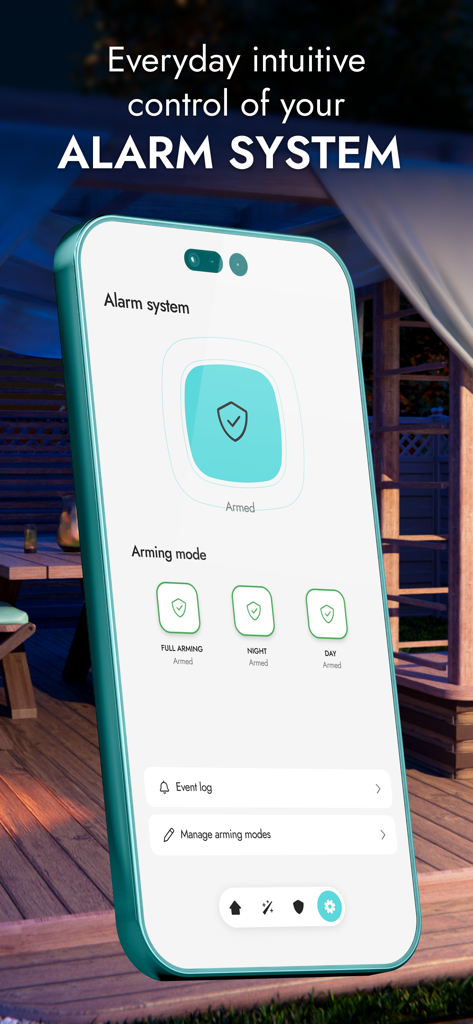
BE WAVE - BE WAVE 스마트폰 앱 인터페이스로 홈 알람 무장 모드를 관리합니다.
BE WAVE 스마트폰 앱 인터페이스로 홈 알람 무장 모드를 관리합니다.

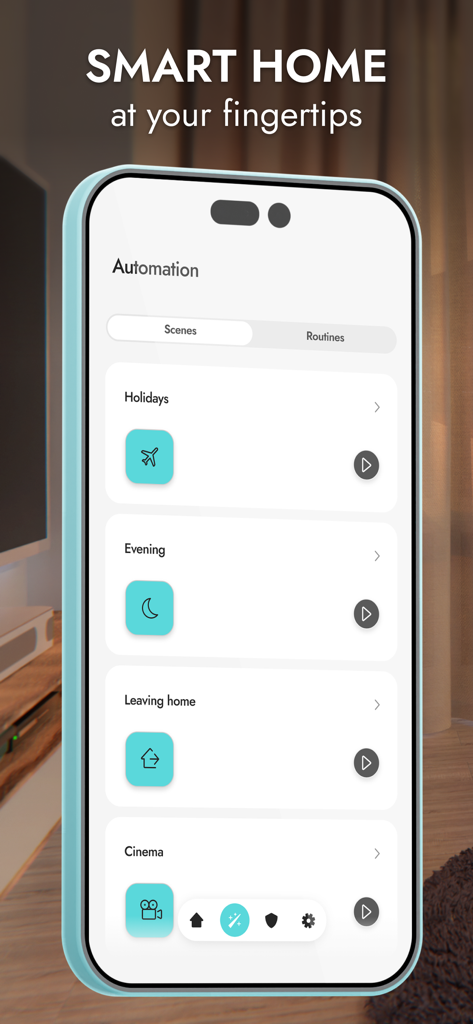
BE WAVE - 스마트폰 화면에 휴일 및 홈 설정을 위한 BE WAVE 앱 자동화 장면이 표시됩니다.
스마트폰 화면에 휴일 및 홈 설정을 위한 BE WAVE 앱 자동화 장면이 표시됩니다.

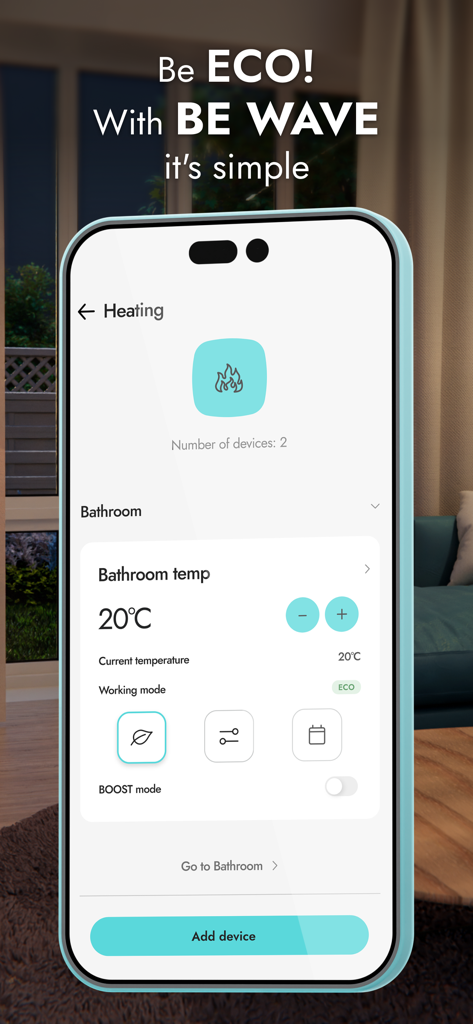
BE WAVE - BE WAVE 스마트폰 화면에 욕실용 ECO 모드가 활성화된 스마트 난방 제어 인터페이스가 표시됩니다.
BE WAVE 스마트폰 화면에 욕실용 ECO 모드가 활성화된 스마트 난방 제어 인터페이스가 표시됩니다.

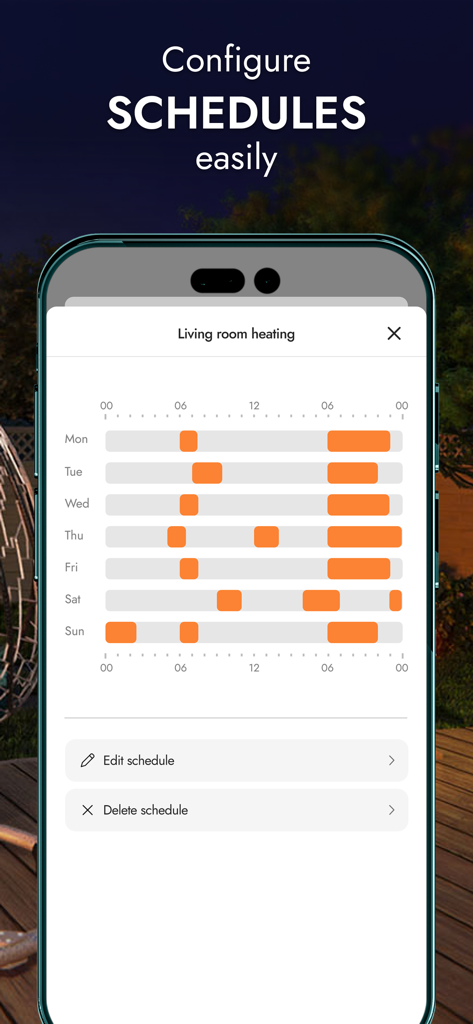
BE WAVE - BE WAVE의 모바일 앱 인터페이스에 거실에 대한 주간 난방 일정 구성이 표시됩니다.
BE WAVE의 모바일 앱 인터페이스에 거실에 대한 주간 난방 일정 구성이 표시됩니다.

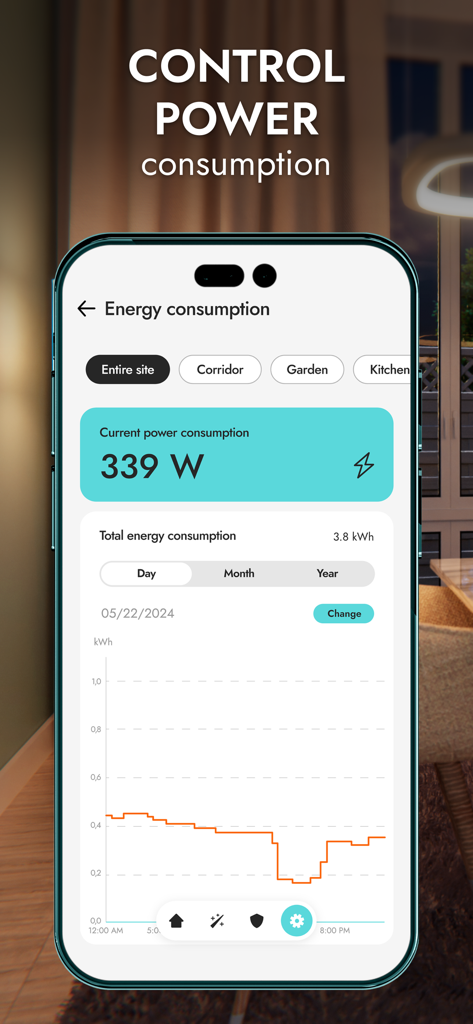
BE WAVE - BE WAVE 앱 에너지 소비 대시보드에 실시간 전력 사용량과 일일 통계 차트가 표시됩니다.
BE WAVE 앱 에너지 소비 대시보드에 실시간 전력 사용량과 일일 통계 차트가 표시됩니다.

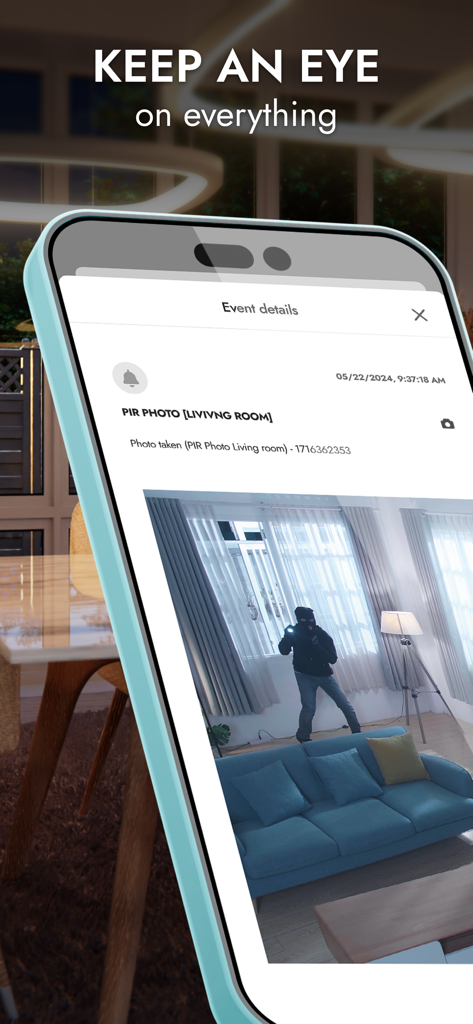
BE WAVE - BE WAVE 앱에 침입자의 거실 보안 사진이 표시됩니다.

BE WAVE 앱에 침입자의 거실 보안 사진이 표시됩니다.
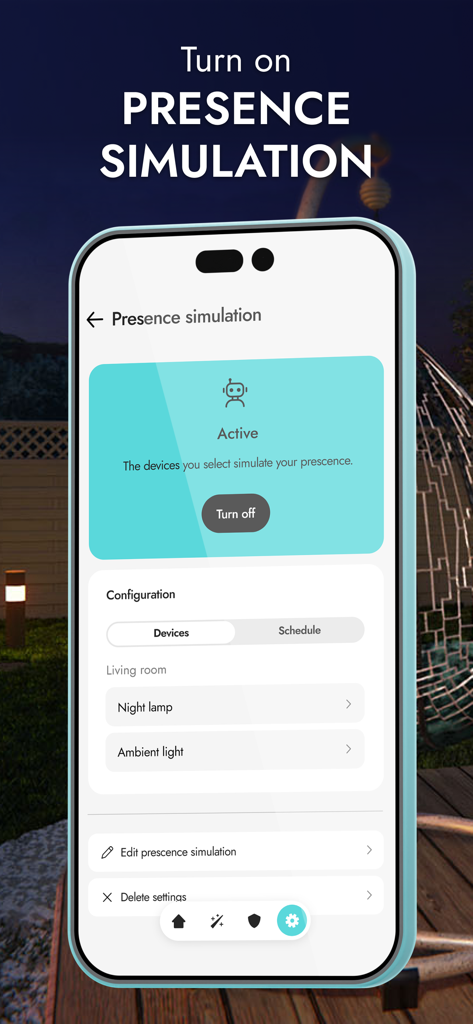
BE WAVE - BE WAVE 앱 인터페이스에 홈 보안 관리를 위한 활성 존재감 시뮬레이션 기능이 표시됩니다.

BE WAVE 앱 인터페이스에 홈 보안 관리를 위한 활성 존재감 시뮬레이션 기능이 표시됩니다.

설명

All-in-one – smart & safe functions in one application The application is used to both configure and operate your BE WAVE system. With its help, you can manage the comfort and protection functions of your home or office, even when you are on the other side of the world. Creating the system and configuring it is quick and very intuitive. Quick system startup Easily create an object. Then add devices and configure them according to your requirements. Give them names, assign them to rooms and groups - so that system management is transparent and intuitive. You can also conveniently add additional objects. Intuitive daily protection management For your convenience, BE WAVE allows you to create different standby modes, e.g. night, day, etc. You can have up to 9 of them to choose the one that works best in a given situation. On the dashboard you can quickly check the current status of the system and its protection. Smart Home in your hands In BE WAVE, you immediately get the ability to control selected devices and whole groups. You can also create tailor-made scenes and routines involving selected installations in your home. Configuring automation is easier than ever. Be ECO - it's easy with BE WAVE automation Manage energy efficiency with the BE WAVE application - adjust the system's operation to turn off unnecessary electrical devices. Also check the current power consumption of connected devices and analyze archived data in charts – this will help to reduce energy consumption. View the current temperature in the rooms. See also how it has changed over time, and adjust the heating to your needs for optimal heat management. Temperature, humidity, pressure - air quality Monitor air parameters in your home - in the BE WAVE application you can check measurement results and view charts including daily, monthly and annual statistics. Keep an eye on everything View images from cameras and photos from Motion Detector Cam sensors. You can see what is happening in your home and its surroundings at any time. If an alarm occurs, make sure whether it was actually triggered after detecting an intruder, or whether the system reacted to a curious animal. Intelligent presence simulation In the application, you will configure and enable the presence simulation function, which will randomly turn on and off selected home installations in a given time period. These may include, among others: lights, sprinklers, electronics as well as blinds and curtains. By creating the illusion of the presence of household members, your home will be safe even when you are not there. Monitoring – under the watchful eye of the patrol You can connect the BE WAVE system with a chosen security agency that will receive selected events reporting about what is happening in the system. Ask your installer to configure the monitoring settings in the app. The quick response of services to dangerous events minimizes possible damage. Set up the BE WAVE app as you wish On the dashboard, you can rearrange rooms and groups to quickly find the functions you mostly use. Each household member can individually set the appearance of the main screen. You can also assign your own photo to individual rooms. You will receive push notifications immediately after an event occurs in your system or after starting automation tasks. It's up to you what information you receive. Set everything according to your preferences and stay on track. In the event log, you can filter the list by event type, which will allow you to quickly find the data you are looking for. Quickly switch between different systems Are there several Smart HUB devices added in your application, e.g. the one at home, at a summer estate or in your office? You don't have to log out of one and register in the other - just a few clicks and you can control another system.

Download

다운로드: App Store

이 페이지는 앱이나 개발자의 공식 페이지가 아니며, 정보 제공 및 논평을 목적으로 작성된 독립 편집 간행물입니다. 명시적으로 달리 언급되지 않는 한, 해당 앱이나 개발자는 MWM, Apple, Google Play, 앱 퍼블리셔 또는 앱 개발자와 제휴, 보증, 후원, 승인 또는 공식적으로 연결되어 있지 않으며, 이 페이지의 어떤 내용도 해당 앱이 MWM의 서비스를 사용하여 개발되었음을 의미하지 않습니다. 모든 상표, 로고, 스크린샷 및 기타 콘텐츠는 해당 소유자의 자산입니다.








