BeadHub
BeadHub
다운로드: App Store

이 페이지는 앱이나 개발자의 공식 페이지가 아니며, 정보 제공 및 논평을 목적으로 작성된 독립 편집 간행물입니다. 명시적으로 달리 언급되지 않는 한, 해당 앱이나 개발자는 MWM, Apple, Google Play, 앱 퍼블리셔 또는 앱 개발자와 제휴, 보증, 후원, 승인 또는 공식적으로 연결되어 있지 않으며, 이 페이지의 어떤 내용도 해당 앱이 MWM의 서비스를 사용하여 개발되었음을 의미하지 않습니다. 모든 상표, 로고, 스크린샷 및 기타 콘텐츠는 해당 소유자의 자산입니다.


로고: BeadHub
다운로드: App Store

BeadHub

수천 명의 크리에이터와 함께 픽셀을 걸작으로 바꾸세요. 게임 스프라이트, 펄러비즈 패턴, 레트로 디지털 아트를 디자인하든, 직관적인 도구와 활기찬 커뮤니티가 여러분의 비전을 쉽게 현실로 만들어 드립니다.

주요 수치

다운로드

2K+

사용자 평점

4.7/5

총 평가 수

100

개발사

世英 王

카테고리

Graphics & Design

지원 언어

3

최신 버전

2.5.2

크기

42.0 MB

출시일

2025년 8월 9일
기능

모든 픽셀을 걸작으로

아늑한 디지털 일러스트부터 실제 펄러비즈 패턴까지, BeadHub는 픽셀 아트를 손쉽게 만들고, 변환하고, 공유할 수 있는 전문적인 도구를 제공합니다.

정밀 크리에이티브 스튜디오

원형 및 사각형 옵션을 갖춘 직관적인 편집기로 모든 픽셀을 마스터하세요. 레트로 게임 스프라이트부터 섬세한 십자수 청사진까지 모든 것을 디자인하는 데 완벽합니다.

즉각적인 사진-픽셀 변환 마법

좋아하는 사진을 즉시 픽셀 아트로 변환하거나 방대한 커뮤니티 템플릿 라이브러리를 탐색하여 다음 DIY 공예 프로젝트를 쉽게 시작하세요.

다음 스크린샷과 설명은 앱의 공식 스토어 목록에서 직접 가져온 것이며 앱 개발자의 자산입니다.

앱 스토어

스크린샷
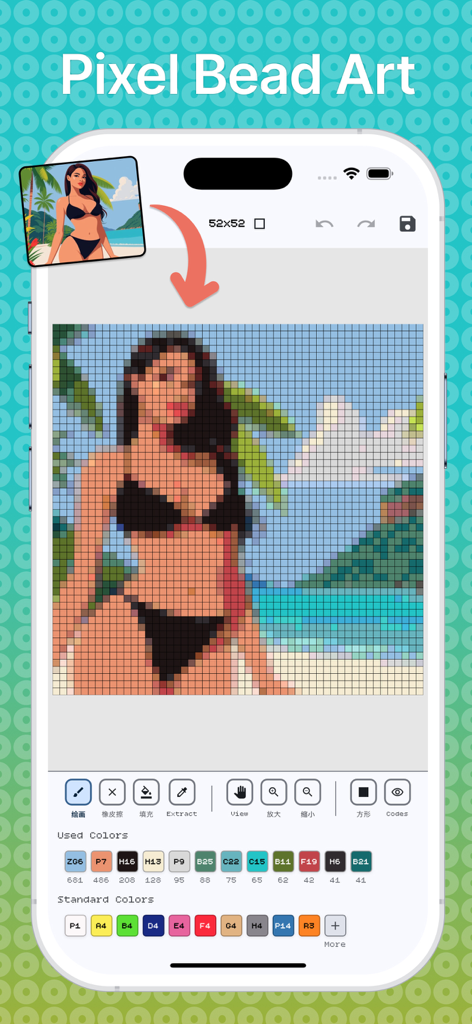
BeadHub - BeadHub 앱 인터페이스가 색상 팔레트 및 편집 도구와 함께 초상화를 픽셀 아트 패턴으로 변환하는 것을 보여줌
BeadHub 앱 인터페이스가 색상 팔레트 및 편집 도구와 함께 초상화를 픽셀 아트 패턴으로 변환하는 것을 보여줌

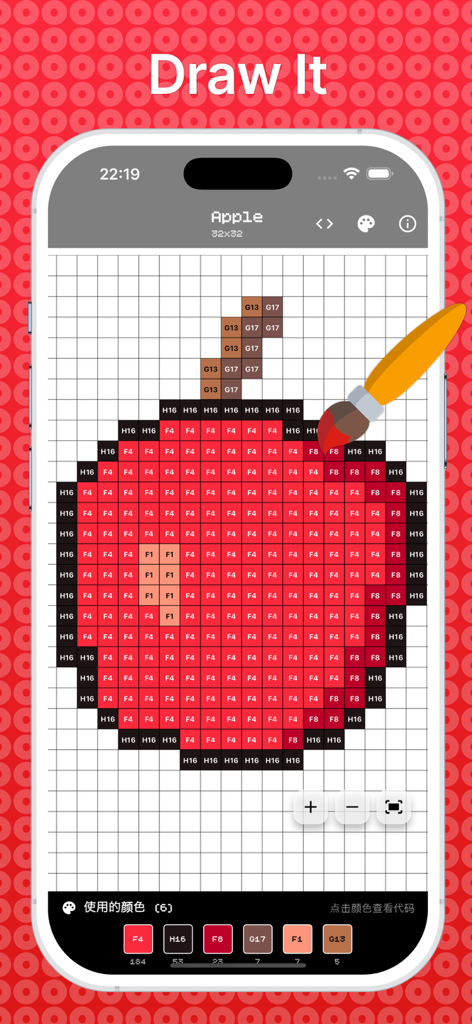
BeadHub - BeadHub 앱 인터페이스에 격자에 색상 코드가 있는 사과 픽셀 아트 그림 표시
BeadHub 앱 인터페이스에 격자에 색상 코드가 있는 사과 픽셀 아트 그림 표시

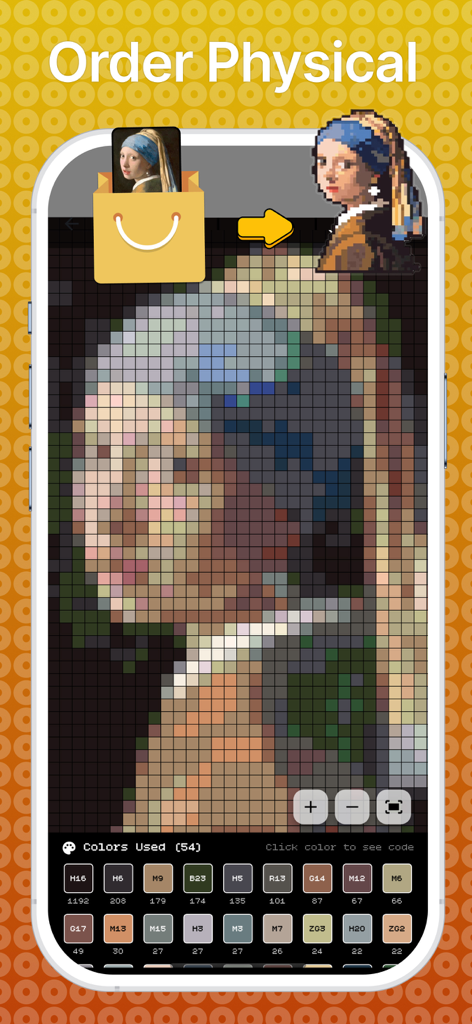
BeadHub - BeadHub 앱 인터페이스가 고전 명화를 실제 공예품용 픽셀 아트 패턴으로 변환
BeadHub 앱 인터페이스가 고전 명화를 실제 공예품용 픽셀 아트 패턴으로 변환

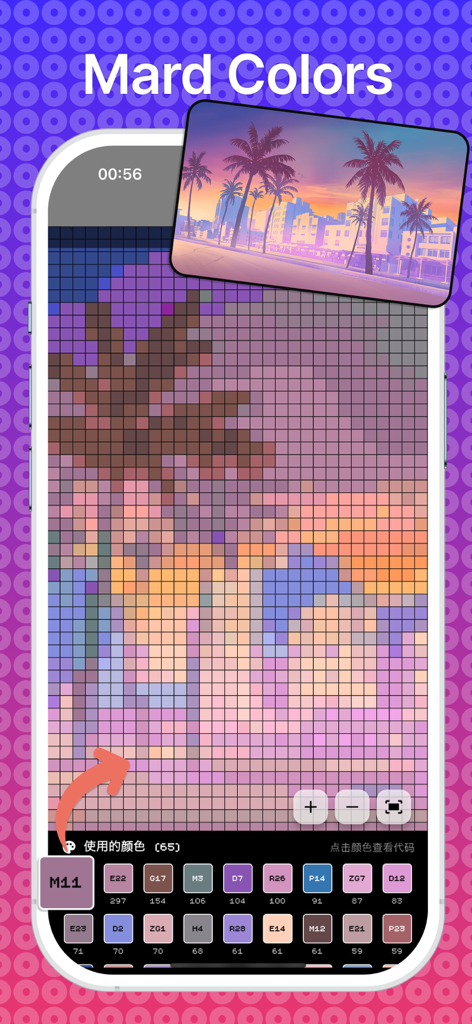
BeadHub - BeadHub 앱 인터페이스가 일몰 사진을 DIY 공예품용 색상 코드가 있는 픽셀 아트 패턴으로 변환하는 스마트폰
BeadHub 앱 인터페이스가 일몰 사진을 DIY 공예품용 색상 코드가 있는 픽셀 아트 패턴으로 변환하는 스마트폰

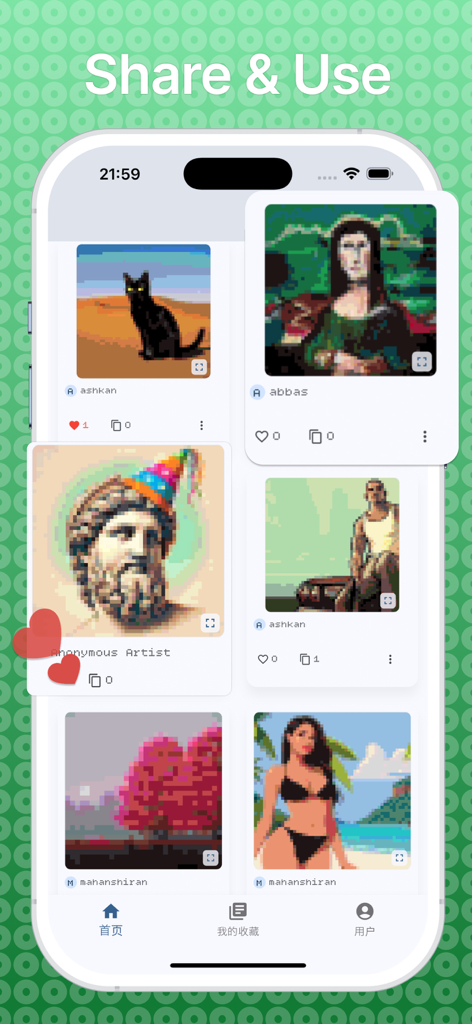
BeadHub - BeadHub 앱의 커뮤니티 갤러리가 검은 고양이와 모나리자를 포함한 다양한 사용자 생성 픽셀 아트 작품을 보여줌

BeadHub 앱의 커뮤니티 갤러리가 검은 고양이와 모나리자를 포함한 다양한 사용자 생성 픽셀 아트 작품을 보여줌

설명

DIY Pixel Generator - Create & Share Pixel Art Transform your creativity into stunning pixel art masterpieces! DIY Pixel Generator is the ultimate pixel art creation app that combines powerful editing tools with a vibrant community platform. Whether you're a beginner or a seasoned pixel artist, our app provides everything you need to bring your digital art to life. Key Features: Creative Tools: Intuitive pixel-by-pixel editor with precise control Multiple canvas sizes to fit your vision Circular and square pixel options for unique styles Advanced color palette with unlimited possibilities Zoom and pan functionality for detailed work Undo/redo support for worry-free editing Template Library: Extensive collection of pre-made templates Import images and convert them to pixel art Start from scratch or use community creations Save and organize your projects in personal library Favorites system to bookmark inspiring artworks Social Community: Share your creations with pixel art enthusiasts worldwide Discover trending pixel art from talented artists Use community templates as starting points Interactive engagement with likes and usage tracking User profiles with customizable avatars Personal Experience: Create and customize your profile Upload profile pictures and personalize your presence Track your creative journey and achievements Manage your favorite artworks and templates Seamless login system with persistent sessions Export & Share: High-quality PNG export with customizable resolution Share directly to social media platforms Save to device gallery Share with the in-app community Multiple sharing options for maximum reach Perfect For: Digital artists and illustrators Game developers creating sprites and assets Hobbyists exploring pixel art as a creative outlet Students learning digital art fundamentals Anyone wanting to create retro-style artwork Why Choose DIY Pixel Generator: User-Friendly: Clean, intuitive interface designed for creators of all skill levels Community-Driven: Connect with fellow artists and share inspiration Feature-Rich: Professional tools without the complexity Cross-Platform: Consistent experience across all devices Regular Updates: Continuously improved with new features and templates Getting Started: Download and create your account Explore templates or start with a blank canvas Use our powerful editing tools to create your masterpiece Share with the community and get inspired by others Build your collection and grow as a pixel artist Download DIY Pixel Generator today and join thousands of creators turning pixels into art! Perfect for creating game sprites, digital art, retro graphics, NFT artwork, social media content, and more. Whether you're designing characters, landscapes, or abstract art, DIY Pixel Generator has the tools you need. Privacy Policy: https://shiranmahan.wixsite.com/website-1/about-us Terms of use: https://www.apple.com/legal/internet-services/itunes/dev/stdeula

Download

다운로드: App Store

이 페이지는 앱이나 개발자의 공식 페이지가 아니며, 정보 제공 및 논평을 목적으로 작성된 독립 편집 간행물입니다. 명시적으로 달리 언급되지 않는 한, 해당 앱이나 개발자는 MWM, Apple, Google Play, 앱 퍼블리셔 또는 앱 개발자와 제휴, 보증, 후원, 승인 또는 공식적으로 연결되어 있지 않으며, 이 페이지의 어떤 내용도 해당 앱이 MWM의 서비스를 사용하여 개발되었음을 의미하지 않습니다. 모든 상표, 로고, 스크린샷 및 기타 콘텐츠는 해당 소유자의 자산입니다.







