BeadPatternCreator
BeadPatternCreator
다운로드: App Store

이 페이지는 앱이나 개발자의 공식 페이지가 아니며, 정보 제공 및 논평을 목적으로 작성된 독립 편집 간행물입니다. 명시적으로 달리 언급되지 않는 한, 해당 앱이나 개발자는 MWM, Apple, Google Play, 앱 퍼블리셔 또는 앱 개발자와 제휴, 보증, 후원, 승인 또는 공식적으로 연결되어 있지 않으며, 이 페이지의 어떤 내용도 해당 앱이 MWM의 서비스를 사용하여 개발되었음을 의미하지 않습니다. 모든 상표, 로고, 스크린샷 및 기타 콘텐츠는 해당 소유자의 자산입니다.

로고: BeadPatternCreator
다운로드: App Store

BeadPatternCreator

주얼리 제작자를 위한 궁극의 디지털 베틀. 사진을 복잡한 비즈 차트로 쉽게 변환하고, 150개 이상의 스탬프로 사용자 정의하고, 다음 수제 걸작을 위해 디자인을 인쇄하세요.

주요 수치

다운로드

6K+

사용자 평점

1.0/5

총 평가 수

0

개발사

Sand Castle Designs, Inc

카테고리

Graphics & Design

지원 언어

1

최신 버전

10

크기

13.7 MB

출시일

2023년 5월 2일
기능

다음 비즈 걸작 디자인하기

크리에이터를 위한 전문가용 디지털 베틀. 복잡한 스티치를 마스터하고, 사진을 패턴으로 변환하고, 정밀 도구로 주얼리 비전을 현실로 만드세요.

정통 스티치 레이아웃

그래프 용지와의 씨름은 이제 그만. 실제 공예와 일치하는 그리드를 사용하여 페요테, 브릭, 직각 위빙용으로 특별히 디자인하세요.

즉석 사진 변환

소중한 사진이나 풍경을 자동으로 상세한 비즈 차트로 변환하세요. 독특하고 개인화된 선물이나 초상화를 만드는 데 적합합니다.

다음 스크린샷과 설명은 앱의 공식 스토어 목록에서 직접 가져온 것이며 앱 개발자의 자산입니다.

앱 스토어

스크린샷
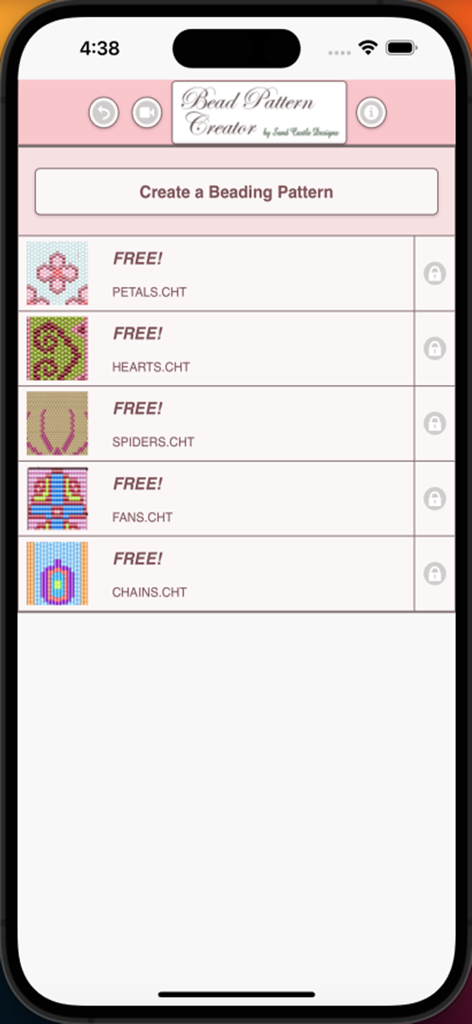
BeadPatternCreator - 비즈 패턴 크리에이터 앱 홈 화면에 꽃잎, 하트, 거미를 포함한 무료 비즈 디자인 목록이 표시됩니다.
비즈 패턴 크리에이터 앱 홈 화면에 꽃잎, 하트, 거미를 포함한 무료 비즈 디자인 목록이 표시됩니다.

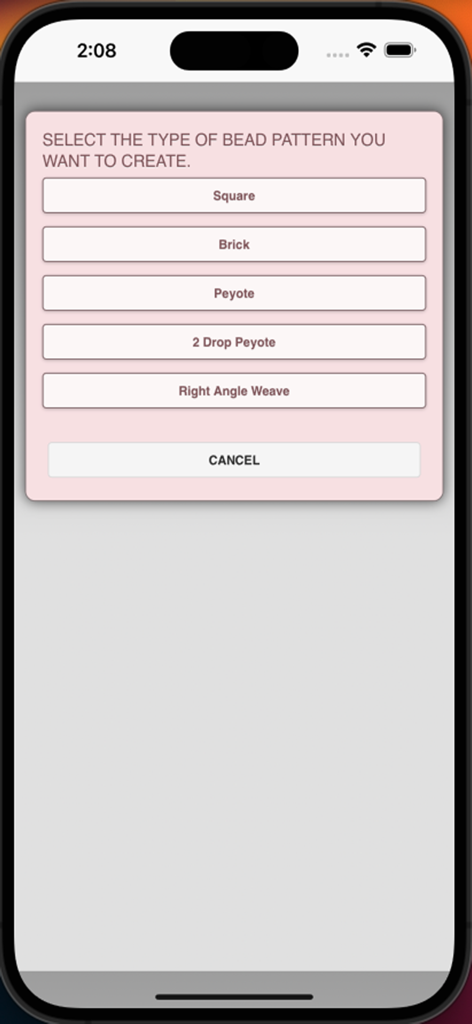
BeadPatternCreator - 비즈 패턴 크리에이터 앱의 메뉴 화면으로 스퀘어, 브릭, 페요테 스티치 유형을 선택합니다.
비즈 패턴 크리에이터 앱의 메뉴 화면으로 스퀘어, 브릭, 페요테 스티치 유형을 선택합니다.

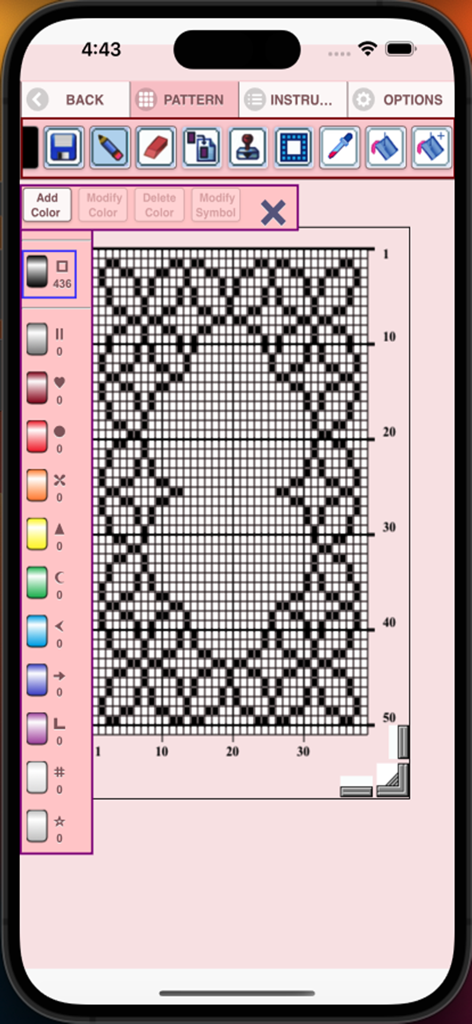
BeadPatternCreator - 비즈 패턴 크리에이터 인터페이스에 그리드 패턴과 디자인 도구가 표시됩니다.
비즈 패턴 크리에이터 인터페이스에 그리드 패턴과 디자인 도구가 표시됩니다.

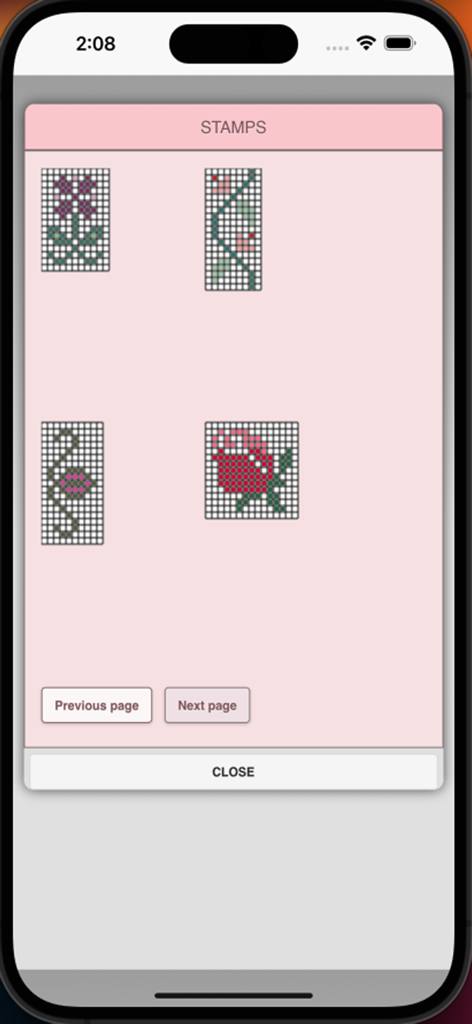
BeadPatternCreator - 꽃 및 꽃 무늬 디자인과 같은 다양한 비즈 패턴 스탬프를 보여주는 메뉴 화면입니다.
꽃 및 꽃 무늬 디자인과 같은 다양한 비즈 패턴 스탬프를 보여주는 메뉴 화면입니다.

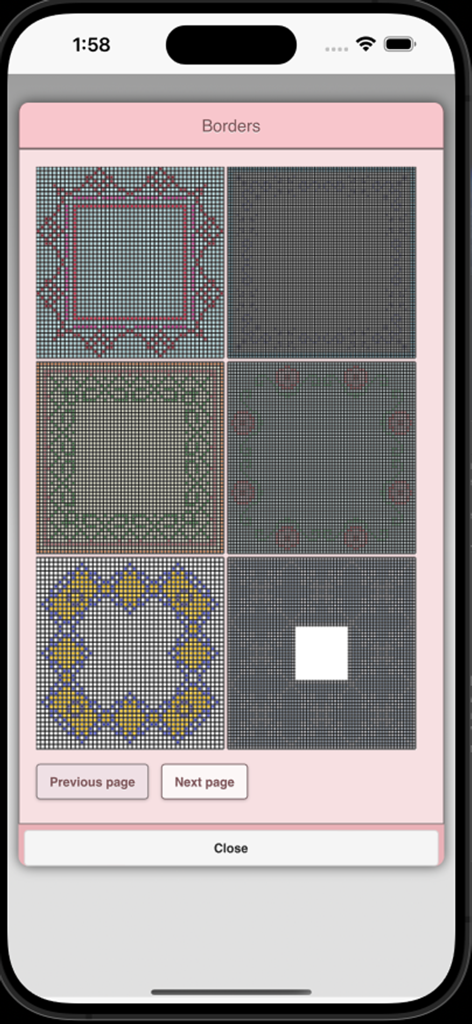
BeadPatternCreator - 비즈 패턴 크리에이터 앱의 메뉴에 다양한 비즈 테두리 디자인이 표시됩니다.
비즈 패턴 크리에이터 앱의 메뉴에 다양한 비즈 테두리 디자인이 표시됩니다.

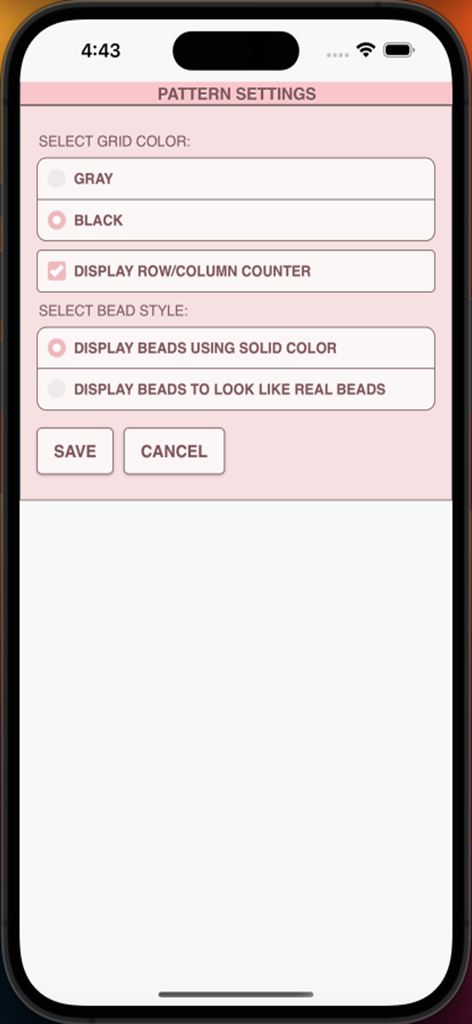
BeadPatternCreator - 비즈 패턴 크리에이터 앱의 패턴 설정 화면으로 그리드 색상, 행 및 열 카운터, 비즈 표시 스타일 옵션이 표시됩니다.
비즈 패턴 크리에이터 앱의 패턴 설정 화면으로 그리드 색상, 행 및 열 카운터, 비즈 표시 스타일 옵션이 표시됩니다.

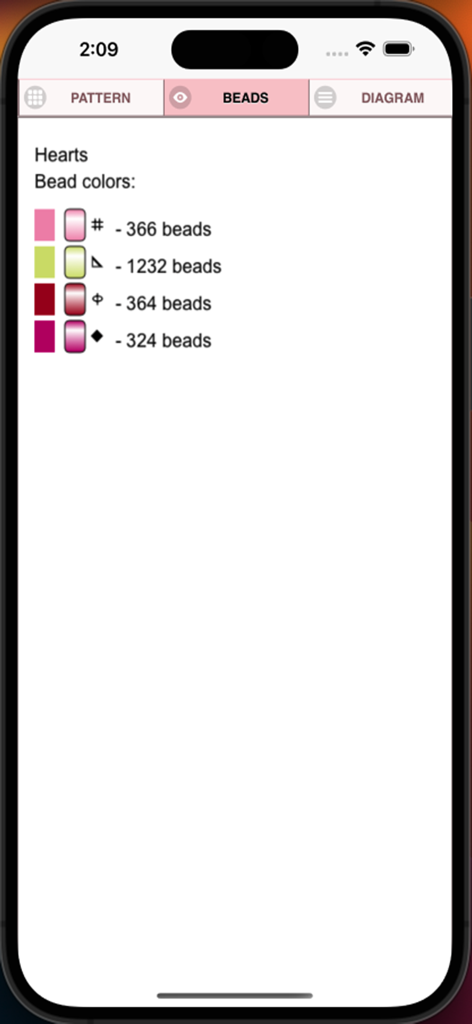
BeadPatternCreator - 하트라는 이름의 패턴에 대한 비즈 색상, 고유 기호 및 비즈 개수 목록을 보여주는 스크린샷입니다.
하트라는 이름의 패턴에 대한 비즈 색상, 고유 기호 및 비즈 개수 목록을 보여주는 스크린샷입니다.

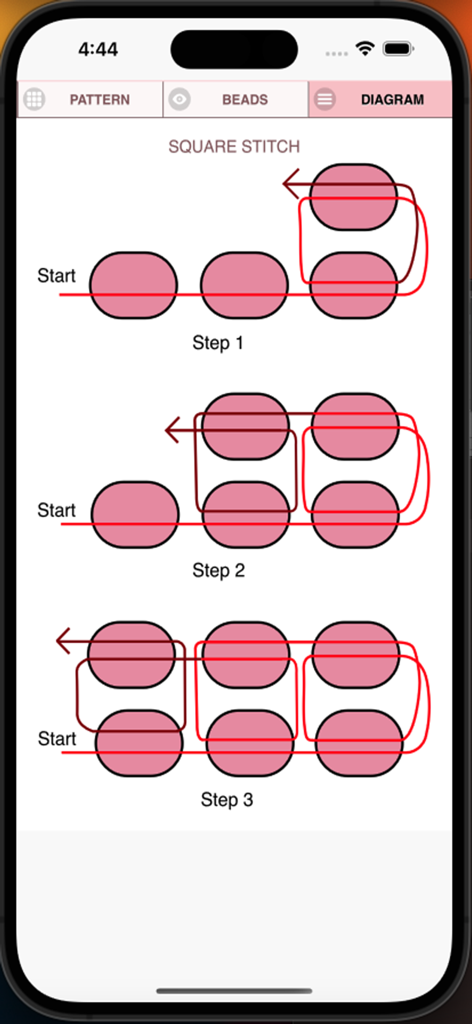
BeadPatternCreator - 스퀘어 스티치 비즈 공정의 세 단계를 보여주는 기술 다이어그램입니다.
스퀘어 스티치 비즈 공정의 세 단계를 보여주는 기술 다이어그램입니다.

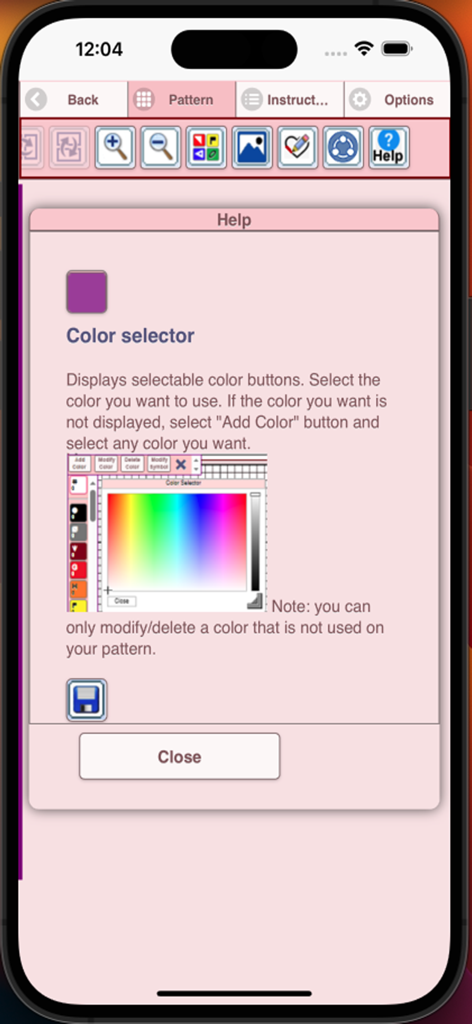
BeadPatternCreator - 비즈 패턴 크리에이터 앱 내의 도움말 화면으로 색상 선택 도구를 설명합니다.

비즈 패턴 크리에이터 앱 내의 도움말 화면으로 색상 선택 도구를 설명합니다.

설명

Bead Pattern Creator for your mobile device. Comes with 5 free bead patterns. Download is free. To activate creation is $2.99. Create bead patterns for Square Stitch, Brick Stitch, Peyote Stitch, 2 drop Peyote Stitch and Right Angle Weave. To create bead patterns, select Create a Beading Pattern button. The Bead Pattern Editor will appear. Fill in the squares with beads of any color. To get started - Use the pencil to add beads to your bead pattern. Use the Eraser to remove beads from your bead pattern. You also can select from over 150 stamps and borders to apply to your bead pattern. Icons from left to right in the icon bar are: Color button - Use to add new beads with different colors to your bead list. Save button - Use to save your bead pattern. Pencil button - Use to add beads to your bead pattern. Eraser button - Use to remove beads from your bead pattern. Trim button- Remove squares from your bead pattern. Stamps button - Selectable little stamps (little bead designs) to add to your bead pattern. Borders button - Selectable borders to add to your pattern. Borders automatically wrap around your bead pattern. Dropper button -Lets you extract a bead color from your pattern and add more of that bead to your bead pattern. Bucket button- Use to fill selected area with beads of the current color. Bucket+ button - Used to change the color of all beads of the same color to a different color. Undo button- Undo each last change you made to the bead pattern. Redo button- Redo each change you undid. Selection button - Select an area of the pattern, you want to Cut, Copy, Paste. Cut button- Remove some beads from the pattern. Copy button- Copy some beads from the pattern. Paste button- Paste copied beads to the pattern. Resize button - Resize your pattern. Rotate button - Rotated a select area of the bead pattern. Flip right/left button - Flip a selected area of the bead pattern. Flip top/bottom button - Flip a selected area of the bead pattern. Zoom in button- Magnify the bead pattern. Zoom out button- Minify the bead pattern. Print button - Print your bead pattern. Symbols button- Display a unique symbol on the bead to indicate its color value. Picture button- Select a picture from your device and convert to a pattern. Social media button- Use social media to share your pattern (email, text etc.). Help button- Learn how to use all the tools in the button bar. Resize bars - Resize bars are display at the bottom right corner of your pattern. Drag them to resize your bead pattern.

Download

다운로드: App Store

이 페이지는 앱이나 개발자의 공식 페이지가 아니며, 정보 제공 및 논평을 목적으로 작성된 독립 편집 간행물입니다. 명시적으로 달리 언급되지 않는 한, 해당 앱이나 개발자는 MWM, Apple, Google Play, 앱 퍼블리셔 또는 앱 개발자와 제휴, 보증, 후원, 승인 또는 공식적으로 연결되어 있지 않으며, 이 페이지의 어떤 내용도 해당 앱이 MWM의 서비스를 사용하여 개발되었음을 의미하지 않습니다. 모든 상표, 로고, 스크린샷 및 기타 콘텐츠는 해당 소유자의 자산입니다.







