이 페이지는 앱이나 개발자의 공식 페이지가 아니며, 정보 제공 및 논평을 목적으로 작성된 독립 편집 간행물입니다. 명시적으로 달리 언급되지 않는 한, 해당 앱이나 개발자는 MWM, Apple, Google Play, 앱 퍼블리셔 또는 앱 개발자와 제휴, 보증, 후원, 승인 또는 공식적으로 연결되어 있지 않으며, 이 페이지의 어떤 내용도 해당 앱이 MWM의 서비스를 사용하여 개발되었음을 의미하지 않습니다. 모든 상표, 로고, 스크린샷 및 기타 콘텐츠는 해당 소유자의 자산입니다.
Beastcam - Pro Camera
10비트 ProRes, 고비트 전송률 녹화 및 가장 까다로운 전문가급 워크플로를 위해 설계된 고급 영화 제작 도구를 통해 iPhone의 모든 잠재력을 발휘하세요.
전문가급 수동 제어, 고품질 비트 전송률 및 원활한 하드웨어 통합을 요구하는 크리에이터를 위한 가장 진보된 카메라 앱
완벽한 수동 정밀도
전문 모바일 영화 제작자를 위해 설계된 직관적인 인터페이스를 사용하여 ISO, 셔터 속도 및 포커스 피킹에 대한 세밀한 제어로 모든 샷을 마스터하세요.
시네마틱 이미지 품질
최대의 생산 유연성을 위해 아나모픽 렌즈 및 직접 SSD 녹화에 대한 전체 지원과 함께 10비트 ProRes 및 Apple Log 녹화를 잠금 해제하세요.
다음 스크린샷과 설명은 앱의 공식 스토어 목록에서 직접 가져온 것이며 앱 개발자의 자산입니다.
앱 스토어
스크린샷
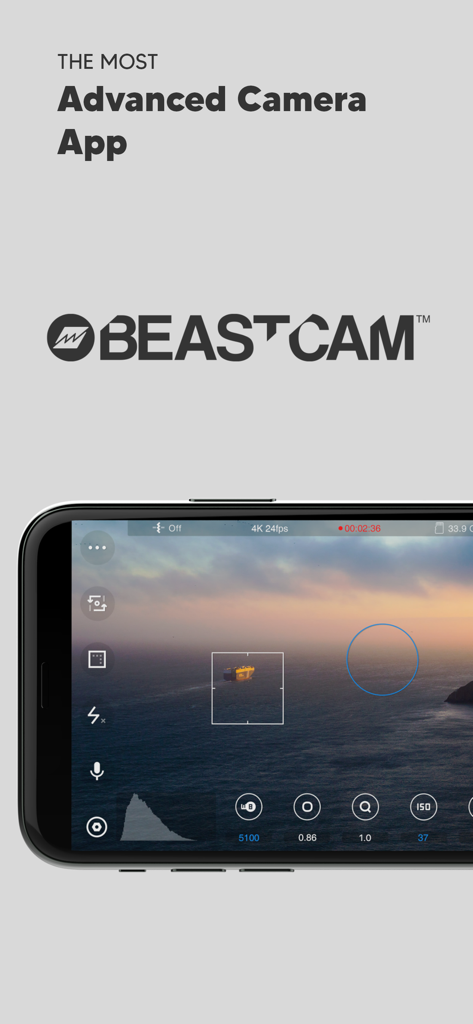
수동 영화 촬영 제어 및 시네마틱 석양 보기를 보여주는 iPhone의 Beastcam Pro Camera 앱 인터페이스
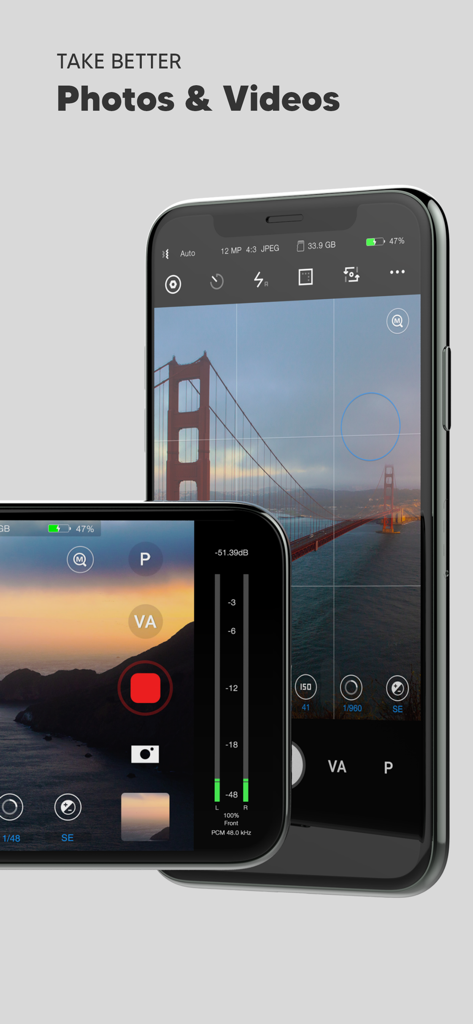
전문 사진 및 비디오 촬영을 위한 수동 제어를 보여주는 iPhone의 Beastcam Pro Camera 앱 인터페이스
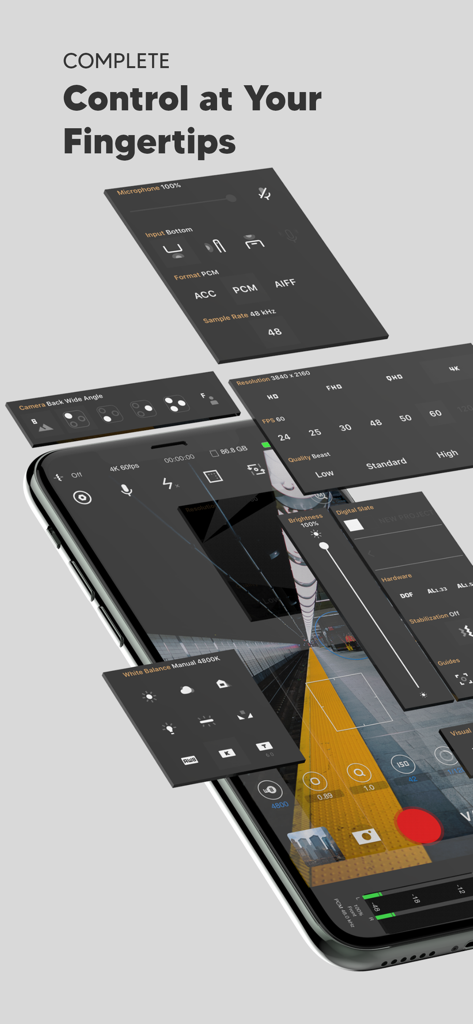
전문 카메라 및 오디오 제어 패널을 보여주는 Beastcam 앱 인터페이스의 등각 보기
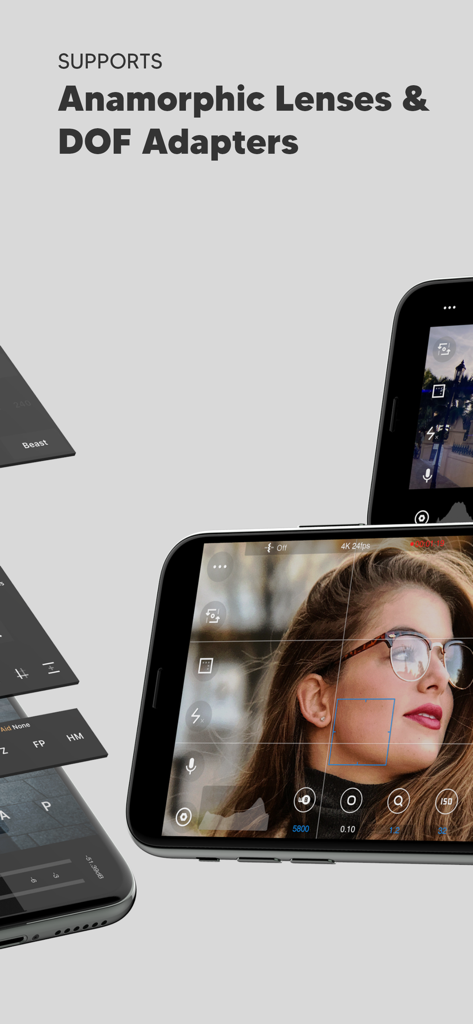
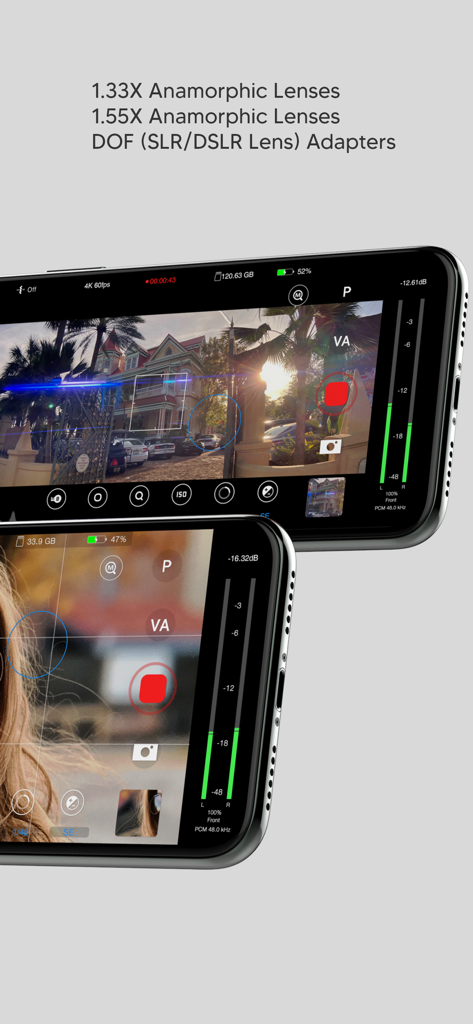
수동 카메라 제어 기능이 있는 아나모픽 렌즈 및 DOF 어댑터 지원을 강조하는 Beastcam 앱 화면
수동 프로 카메라 제어 기능이 있는 아나모픽 렌즈 및 DOF 어댑터 지원을 강조하는 Beastcam 앱 인터페이스
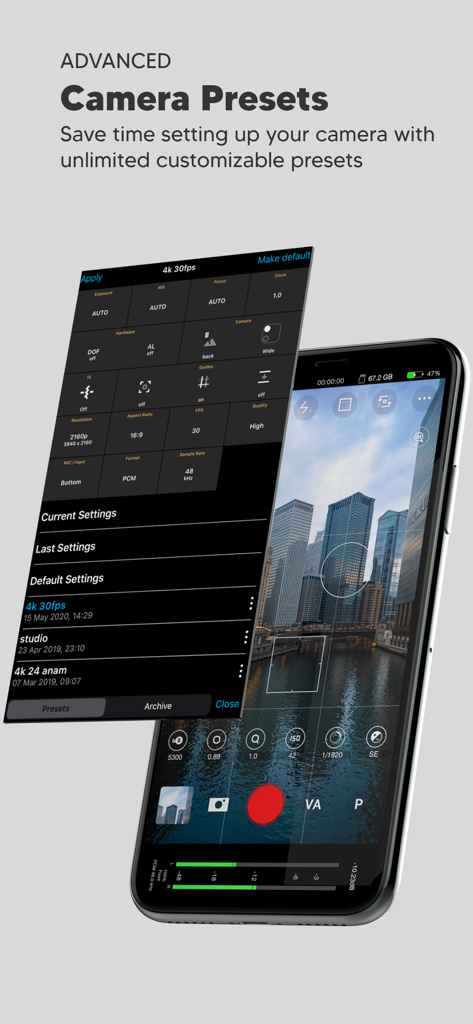
도시 스카이라인 보기를 겹쳐 보여주는 사용자 정의 가능한 카메라 사전 설정 메뉴가 있는 Beastcam 앱 인터페이스를 보여주는 스마트폰 화면
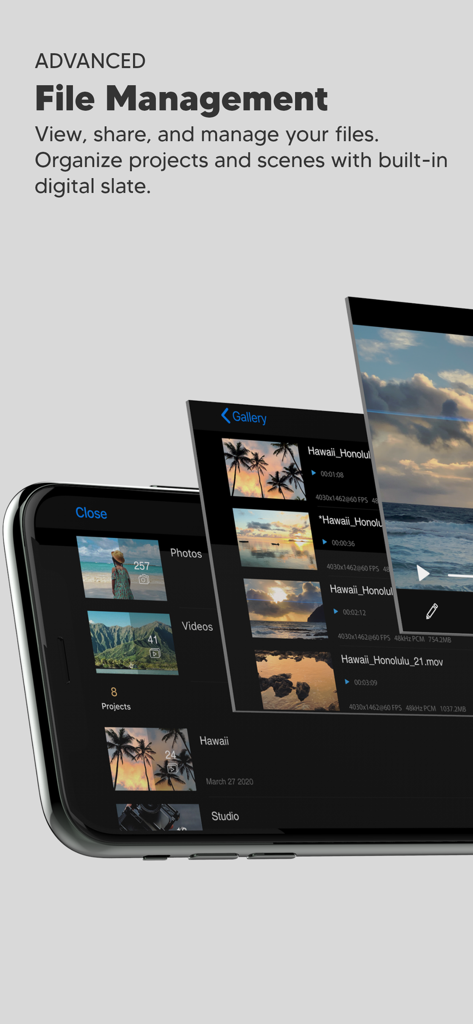
정리된 비디오 프로젝트 및 장면을 위한 고급 파일 관리 갤러리를 보여주는 Beastcam Pro Camera 앱 인터페이스
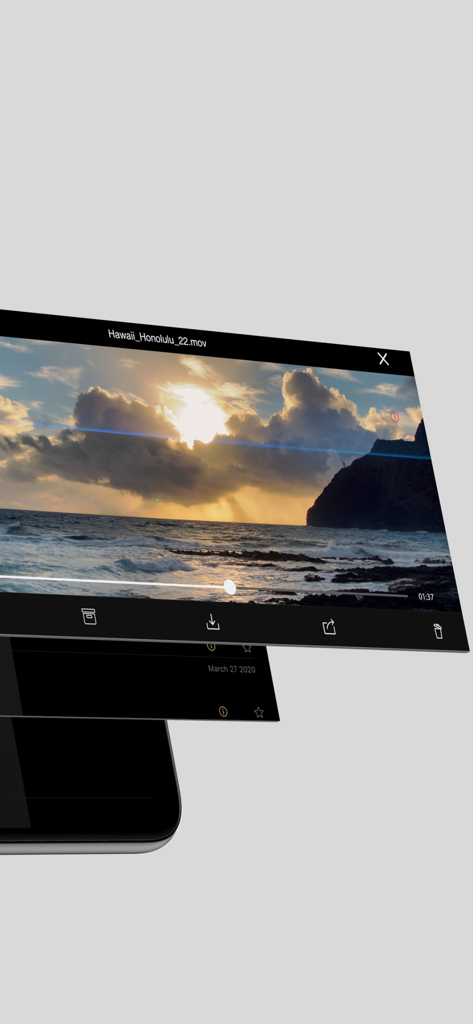
정리된 영화 제작 워크플로를 위한 비디오 재생 및 파일 관리 옵션을 표시하는 Beastcam 앱 인터페이스
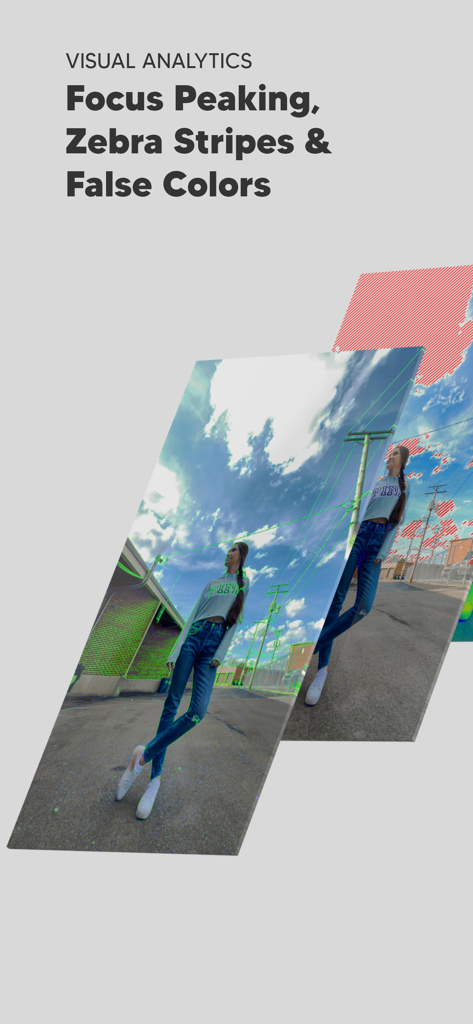
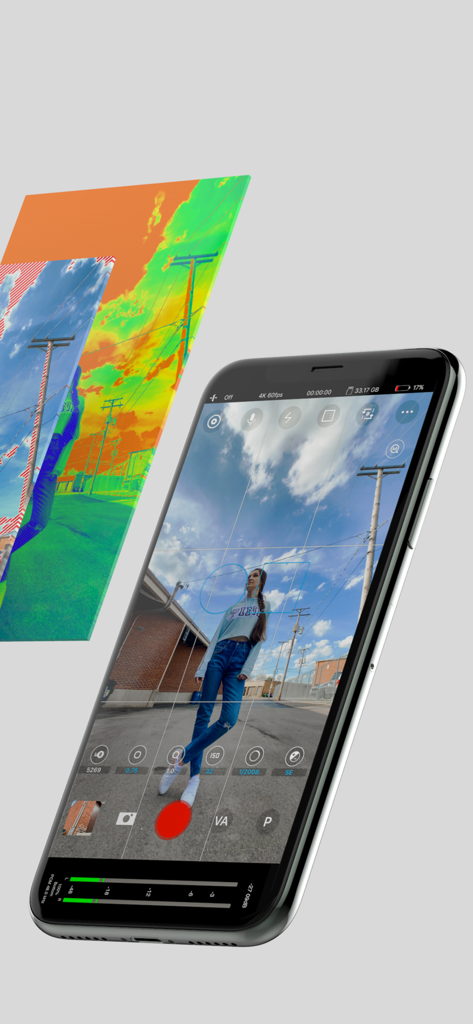
Beastcam 앱의 포커스 피킹 및 제브라 스트라이프와 같은 전문 시각 분석 도구
전문 노출 도구 및 수동 카메라 제어를 보여주는 iPhone의 Beastcam 앱 인터페이스
설명
Beastcam makes it easier than ever to capture the best possible photos and videos on your iPhone. It’s fast and easy-to-use, but powerful and customizable as a professional camera when you need it.
We believe Beastcam is the most intuitive and advanced camera app ever created for capturing life’s special moments, expanding the capabilities of your iPhone camera to its fullest potential, and taking your #iPhoneography to the next level!
*Complete control
Easily set, fine-tune, and lock the most important settings you need in seconds, such as focus, exposure, zoom, white balance, and more using Beastcam’s intuitive design, quick-access buttons, precise value sliders, focus, and exposure reticles. All are available with a single tap on the home screen.
*Hardware support
Enhance your creativity with built-in support for DOF adapters, 1.33X & 1.55X anamorphic lenses in both photo and video mode. Improve your sound quality with external microphones and dial in the perfect settings for your environment, such as gain, audio format, sample rates.
*Advanced presets
Speed up and organize your workflow with shareable presets for every available setting.
Save time setting up your camera with unlimited customizable presets for all available settings that can be applied at any time. Perfect for multi-phone setups, DOF Adapters, 1.33X & 1.55X anamorphic lenses, and other commonly used settings like frame rate, resolution, etc.
*File management
Save time finding your files by creating projects and scenes that auto-generate readable file names based on the project name, scene name and take # and prioritize your best footage (or delete your worst) with a single tap as soon as you’ve finished recording, or later in the built-in gallery. Conveniently manage and share all of your organized photos and videos with the built-in gallery.
-SSD recording support on iPhone 15 and 16 Pro Series
# Features
- Set and lock focus and exposure with reticles
- Precisely adjust white balance, focus, zoom, and exposure settings right from the home screen
- Analyze your shots accurately focus peaking, false colors, zebras, and histogram
- Take steadier shots with standard or cinematic image stabilization
- De-squeeze footage to 2.39:1 for 1.33X anamorphic lenses and 2.76:1 for 1.55X anamorphic lenses
- Rotate orientation for DOF lens adapters
- quick zoom, perfect for manual focus
- Switch between any of your iPhone cameras
- Monitor audio levels, microphone type, format, and sample rate right on the home screen
- Compose your shots with 1:1, 2.39:1, and 2.76:1 aspect ratio guides and grids
- Show/hide all of the menus from your home screen
- Built-in flash/torch control
- Create projects and scenes that auto-generate easy to read folder and file names based on the project name, scene name, take #
- Prioritize your best footage (or delete your worst) with a single tap as soon as you’ve finished recording or later in the gallery
- View, rename, move, share or delete files with the built-in gallery
- Custom local presets for white balance, zoom, focus
- Create sharable global presets for all available settings (video mode only)
- Custom settings/rules for a fresh start
- Easily adjust exposure, focus, zoom with gesture controls
# Video
- 4K 3840x2160, QHD 2560x1440, FHD 1920x1080 or HD 1280x720 resolutions
- 24, 25, 30, 48, 50, 60, 120, or 240 FPS options
- Bit rates: Low, Standard, High, Beast (up to 160 Mbit/s)
- 10-bit Dolby Vision HDR
- 10-bit SDR
- ProRes (+Apple Log on iPhone 15 and 16 Pro Series)
Note: Some resolution and FPS options are not available on older iPhone models. The bit rate may vary depending on the resolution, FPS, and scene of your video
# Audio
- ACC, PCM, AIFF audio formats
- 44.1kHz and 48kHz audio sample rates (device-dependent)
- Supports built-in and external microphones
- Control gain for external microphones
#Photo
- JPEG, HEIF, RAW, file formats
- 1:1 , 4:3, 3:2, and 16:9 aspect ratios
이 페이지는 앱이나 개발자의 공식 페이지가 아니며, 정보 제공 및 논평을 목적으로 작성된 독립 편집 간행물입니다. 명시적으로 달리 언급되지 않는 한, 해당 앱이나 개발자는 MWM, Apple, Google Play, 앱 퍼블리셔 또는 앱 개발자와 제휴, 보증, 후원, 승인 또는 공식적으로 연결되어 있지 않으며, 이 페이지의 어떤 내용도 해당 앱이 MWM의 서비스를 사용하여 개발되었음을 의미하지 않습니다. 모든 상표, 로고, 스크린샷 및 기타 콘텐츠는 해당 소유자의 자산입니다.