Between Dates Calendar Math
다운로드: App Store

이 페이지는 앱이나 개발자의 공식 페이지가 아니며, 정보 제공 및 논평을 목적으로 작성된 독립 편집 간행물입니다. 명시적으로 달리 언급되지 않는 한, 해당 앱이나 개발자는 MWM, Apple, Google Play, 앱 퍼블리셔 또는 앱 개발자와 제휴, 보증, 후원, 승인 또는 공식적으로 연결되어 있지 않으며, 이 페이지의 어떤 내용도 해당 앱이 MWM의 서비스를 사용하여 개발되었음을 의미하지 않습니다. 모든 상표, 로고, 스크린샷 및 기타 콘텐츠는 해당 소유자의 자산입니다.

로고: Between Dates Calendar Math
다운로드: App Store

Between Dates Calendar Math

전문가와 기획자를 위한 필수 유틸리티. 간격을 계산하고, 미래 날짜를 예측하고, 가장 중요한 계산을 몇 초 만에 저장하세요.

주요 수치

다운로드

1K+

사용자 평점

4.7/5

총 평가 수

0

개발사

Ducky Planet LLC

카테고리

Utilities

지원 언어

1

최신 버전

6.6

크기

1.3 MB

출시일

2011년 6월 10일
기능

일정 로직 간소화

수동으로 날짜를 세는 것을 중단하세요. 정확성을 위해 설계된 미니멀리스트 도구로 마감일, 계약 및 인생 이벤트를 위한 정확한 계산을 얻으세요.

즉각적인 간격 계산

두 날짜 사이의 총 일수를 빠르게 결정하여 추측 없이 프로젝트와 계획을 순조롭게 진행하세요.

강력한 날짜 오프셋

시작점에서 날짜를 더하거나 빼서 미래 마감일 또는 과거 마일스톤을 즉시 계산하세요.

다음 스크린샷과 설명은 앱의 공식 스토어 목록에서 직접 가져온 것이며 앱 개발자의 자산입니다.

앱 스토어

스크린샷
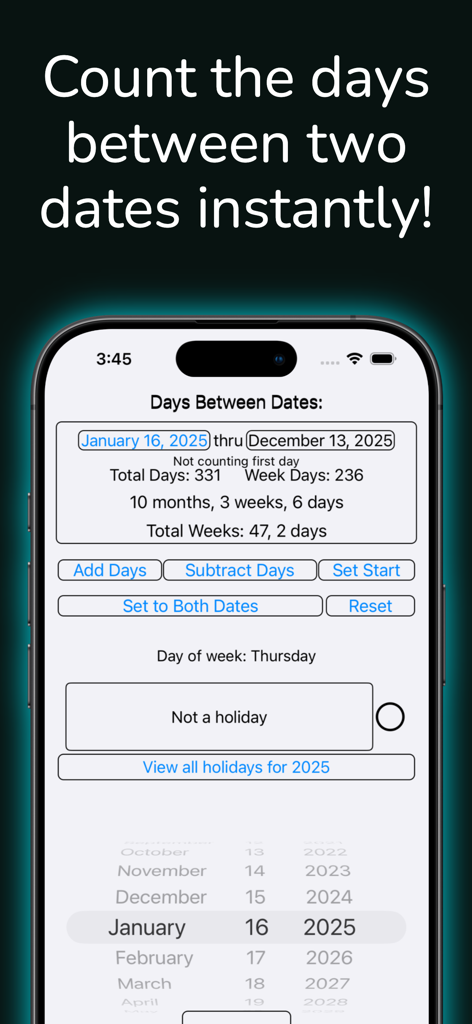
Between Dates Calendar Math - Between Dates Calendar Math 앱 인터페이스가 iPhone에서 두 날짜 간의 계산된 날짜를 보여줍니다.
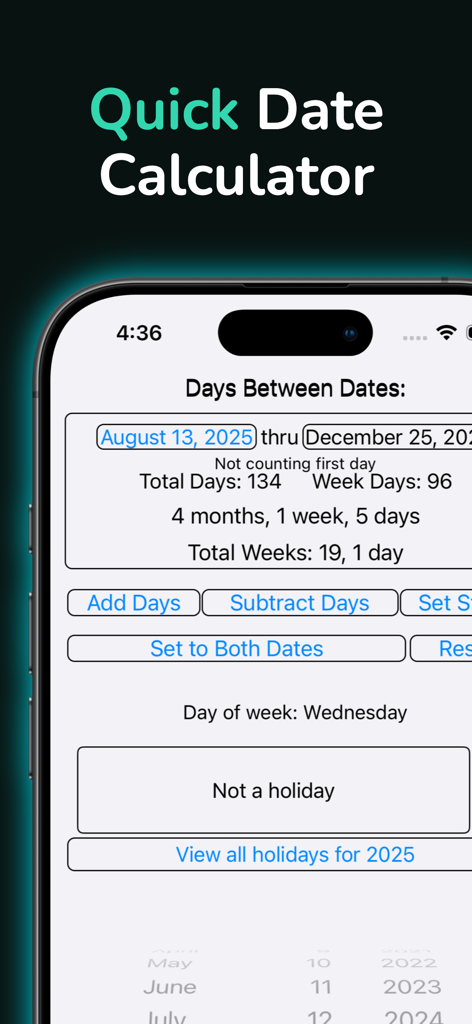
Between Dates Calendar Math 앱 인터페이스가 iPhone에서 두 날짜 간의 계산된 날짜를 보여줍니다.

Between Dates Calendar Math - Between Dates Calendar Math 앱이 선택한 두 날짜 간의 총 일수와 주를 보여줍니다.
Between Dates Calendar Math 앱이 선택한 두 날짜 간의 총 일수와 주를 보여줍니다.

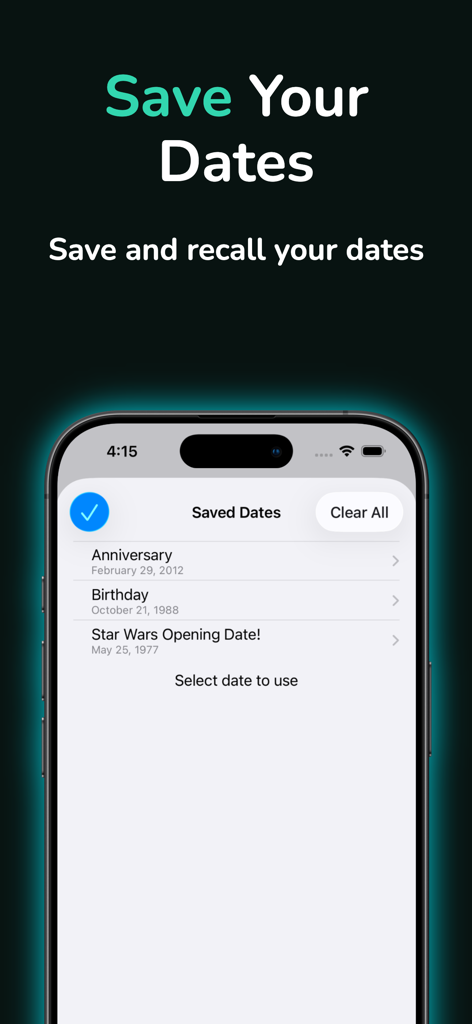
Between Dates Calendar Math - Between Dates 앱의 인터페이스가 빠른 조회를 위해 기념일 및 생일을 포함한 저장된 날짜 목록을 보여줍니다.
Between Dates 앱의 인터페이스가 빠른 조회를 위해 기념일 및 생일을 포함한 저장된 날짜 목록을 보여줍니다.

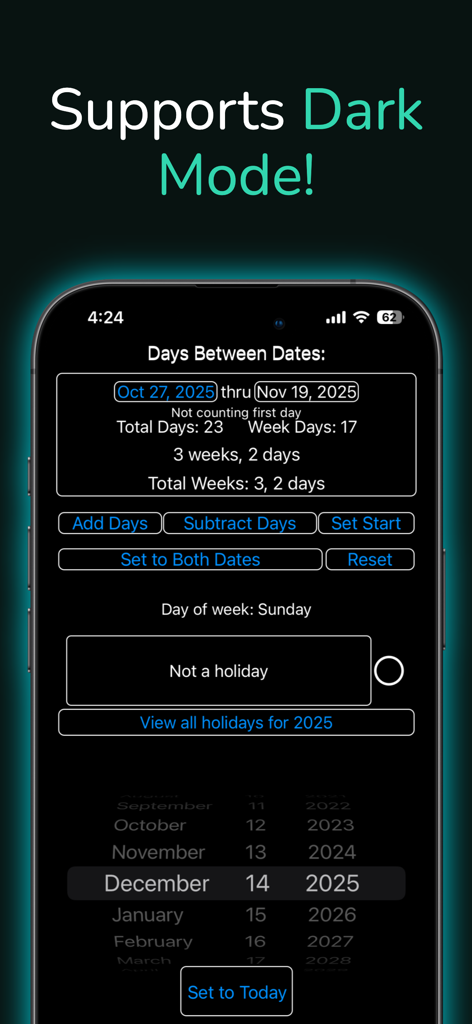
Between Dates Calendar Math - Between Dates Calendar Math 앱 스크린샷이 다크 모드와 날짜 차이 계산을 특징으로 합니다.
Between Dates Calendar Math 앱 스크린샷이 다크 모드와 날짜 차이 계산을 특징으로 합니다.

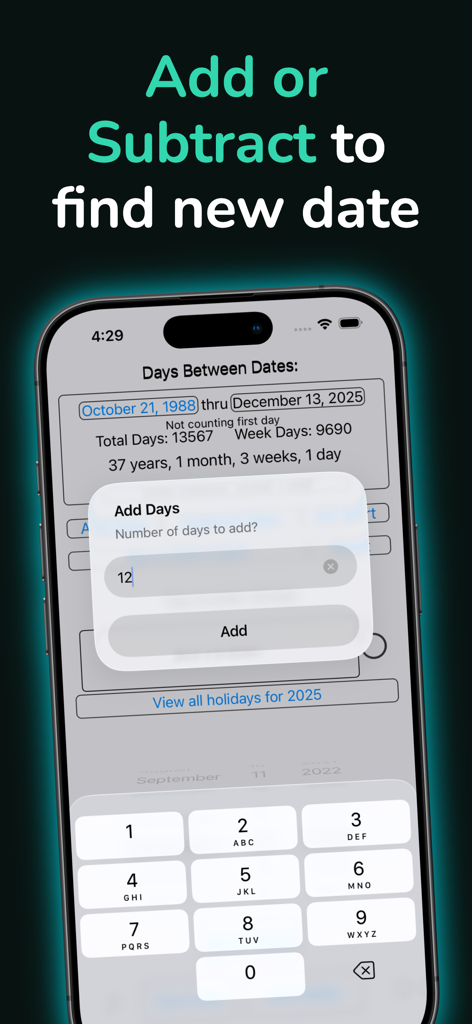
Between Dates Calendar Math - Between Dates Calendar Math 앱의 날짜 추가 계산 기능을 보여주는 스마트폰 화면
Between Dates Calendar Math 앱의 날짜 추가 계산 기능을 보여주는 스마트폰 화면

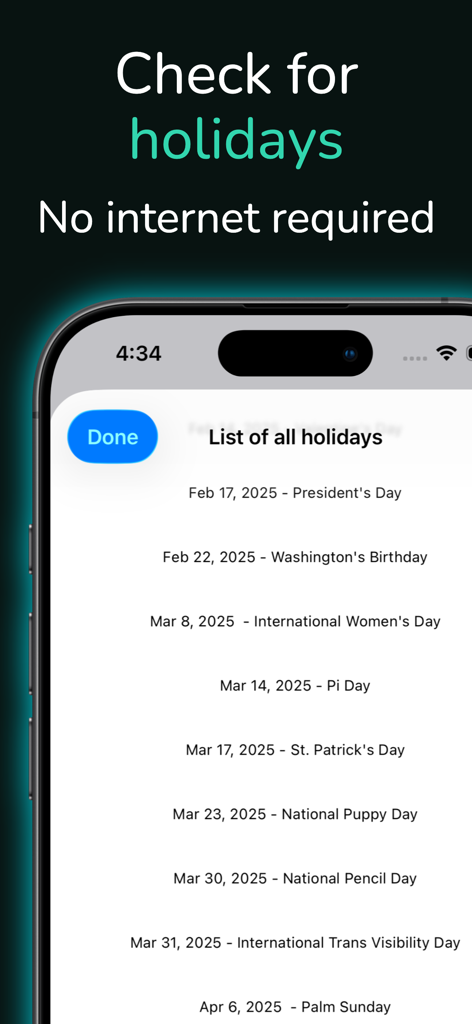
Between Dates Calendar Math - Between Dates Calendar Math 앱에 표시되는 예정된 휴일 목록으로 대통령의 날 및 파이 데이와 같은 날짜를 보여줍니다.
Between Dates Calendar Math 앱에 표시되는 예정된 휴일 목록으로 대통령의 날 및 파이 데이와 같은 날짜를 보여줍니다.

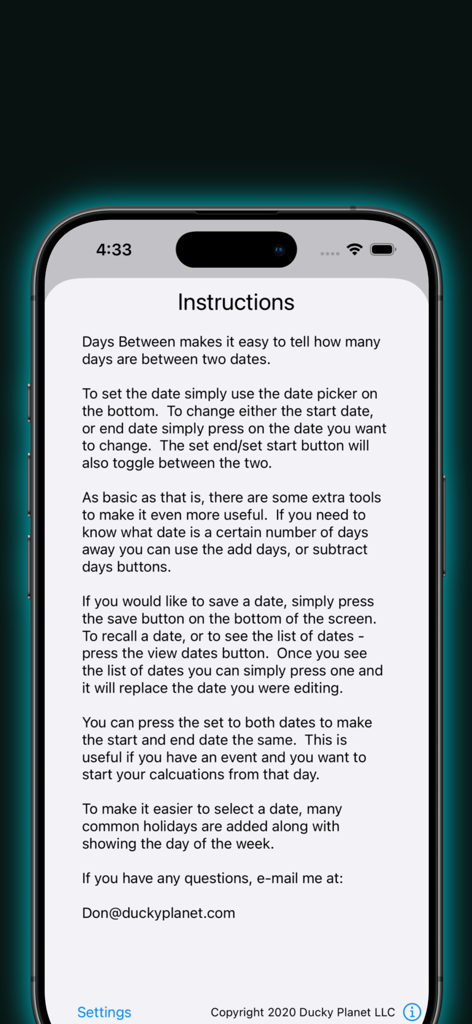
Between Dates Calendar Math - Between Dates Calendar Math 앱의 지침 화면으로 두 날짜 간의 일수를 계산하는 방법을 설명합니다.

Between Dates Calendar Math 앱의 지침 화면으로 두 날짜 간의 일수를 계산하는 방법을 설명합니다.

설명

Between Days was written to quickly tell how many days are between two dates. It uses a simple interface to get these answers in the quickest way possible. Underneath the simplicity, Between Days is one of the most feature rich date apps in the app store. Don’t let the simple interface fool you, this app does show a lot of information in a clean and easy to use format. To use the app simply set the start date and end date and it will display the number of days between those two dates. To select which date to edit you can either touch the date you want to change, or press the setting start date/ setting end date button. The selector will automatically change to display the date selected. It will also display the current day of the week showing on the calendar selector. If you would like to save the date for later, simply press the save button on the bottom. To recall a date, or to view saved dates press the view dates button on the bottom. Once you are at the list of dates you can sort or remove them. You can also press on a date to use it as the current date, or press done to return to your previous dates. There is also a subtract/add days button shown depending on the date you are modifying. This is useful if you need to find what the date is after a certain number of days. Just a note you can only add to the end date or subtract from the start date. The copy to end date/copy to start date button will set both the start date and end date to the selected date. The reset button will set the beginning and end date to the current date, but will leave your saved dates alone. I hope you enjoy this app and find it useful! If you have any questions or comments send me an e-mail at Don.Espe@gmail.com Please rate this app so I know if there is enough interest to develop new features for it.

Download

다운로드: App Store

이 페이지는 앱이나 개발자의 공식 페이지가 아니며, 정보 제공 및 논평을 목적으로 작성된 독립 편집 간행물입니다. 명시적으로 달리 언급되지 않는 한, 해당 앱이나 개발자는 MWM, Apple, Google Play, 앱 퍼블리셔 또는 앱 개발자와 제휴, 보증, 후원, 승인 또는 공식적으로 연결되어 있지 않으며, 이 페이지의 어떤 내용도 해당 앱이 MWM의 서비스를 사용하여 개발되었음을 의미하지 않습니다. 모든 상표, 로고, 스크린샷 및 기타 콘텐츠는 해당 소유자의 자산입니다.








