Blackout Lighting Console
다운로드: App Store

이 페이지는 앱이나 개발자의 공식 페이지가 아니며, 정보 제공 및 논평을 목적으로 작성된 독립 편집 간행물입니다. 명시적으로 달리 언급되지 않는 한, 해당 앱이나 개발자는 MWM, Apple, Google Play, 앱 퍼블리셔 또는 앱 개발자와 제휴, 보증, 후원, 승인 또는 공식적으로 연결되어 있지 않으며, 이 페이지의 어떤 내용도 해당 앱이 MWM의 서비스를 사용하여 개발되었음을 의미하지 않습니다. 모든 상표, 로고, 스크린샷 및 기타 콘텐츠는 해당 소유자의 자산입니다.


로고: Blackout Lighting Console
다운로드: App Store

Blackout Lighting Console

iPad에서 업계 표준 Art-Net/sACN 콘솔의 강력한 성능을 활용하세요. 게퍼 및 디자이너에게 신뢰성과 이동성이 필요한 44,000개 이상의 조명기구 프로필과 고성능 효과 엔진에 액세스하세요.

주요 수치

다운로드

3K+

사용자 평점

4.7/5

총 평가 수

100

개발사

Blackout Lighting Console LLC

카테고리

Productivity

지원 언어

1

최신 버전

2.4.9

크기

275.8 MB

출시일

2019년 11월 23일
기능

현대 프로덕션 전문가를 위해 제작됨

Blackout은 iPad에 엘리트 DMX 제어를 제공하여 게퍼 및 LD가 복잡한 룩을 실시간으로 설계, 패치 및 실행할 수 있는 민첩성을 제공합니다.

44,000개 이상의 조명기구 프로필

업계 최고의 Carallon 데이터베이스에 액세스하여 트럭에 있는 모든 전문 조명을 즉시 정확하게 제어하세요.

동적 효과 엔진

거대한 콘솔의 오버헤드나 설정 시간 없이 즉석에서 복잡한 강도 체이스와 색상 루프를 구축하세요.

다음 스크린샷과 설명은 앱의 공식 스토어 목록에서 직접 가져온 것이며 앱 개발자의 자산입니다.

앱 스토어

스크린샷
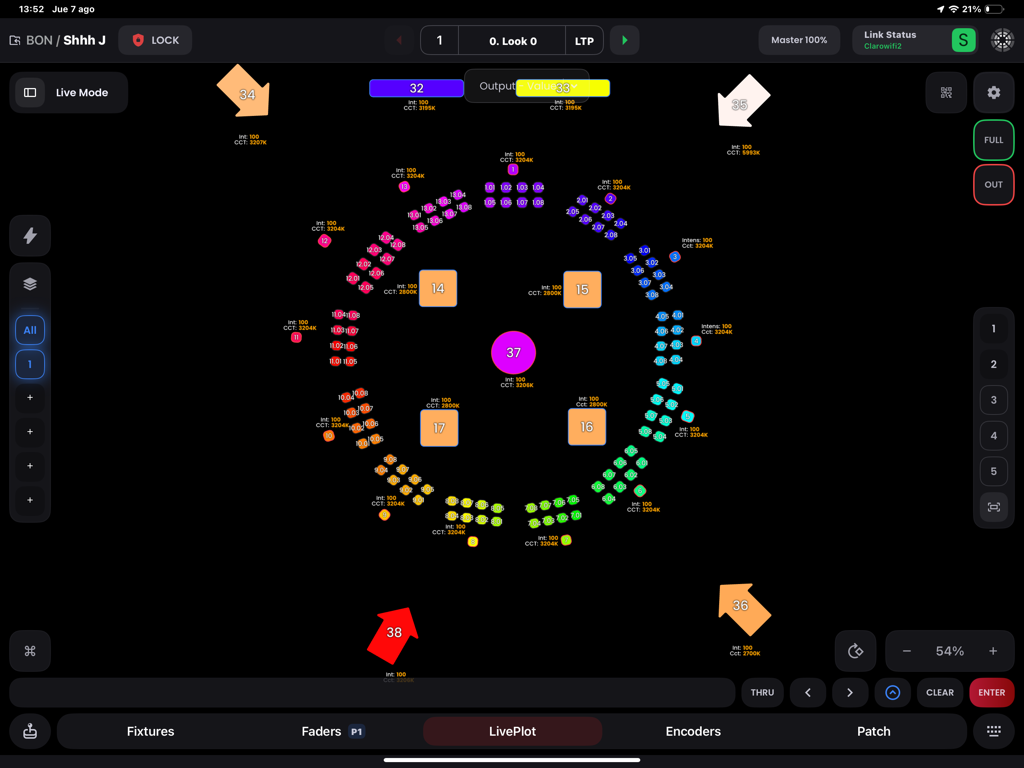
Blackout Lighting Console - Blackout 조명 콘솔 앱의 LivePlot 인터페이스에 조명기구의 시각적 배열이 표시됨
Blackout 조명 콘솔 앱의 LivePlot 인터페이스에 조명기구의 시각적 배열이 표시됨

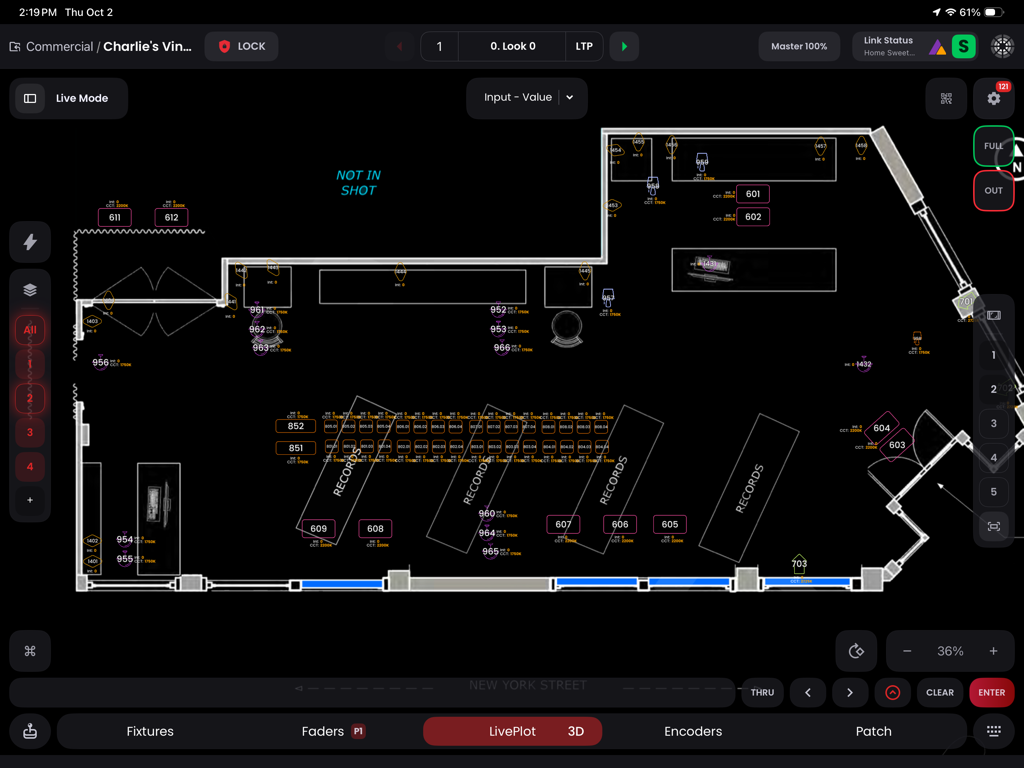
Blackout Lighting Console - 세트장의 조명기구 배치 및 ID를 보여주는 Blackout 조명 콘솔 앱의 전문가용 2D 평면도 보기.
세트장의 조명기구 배치 및 ID를 보여주는 Blackout 조명 콘솔 앱의 전문가용 2D 평면도 보기.

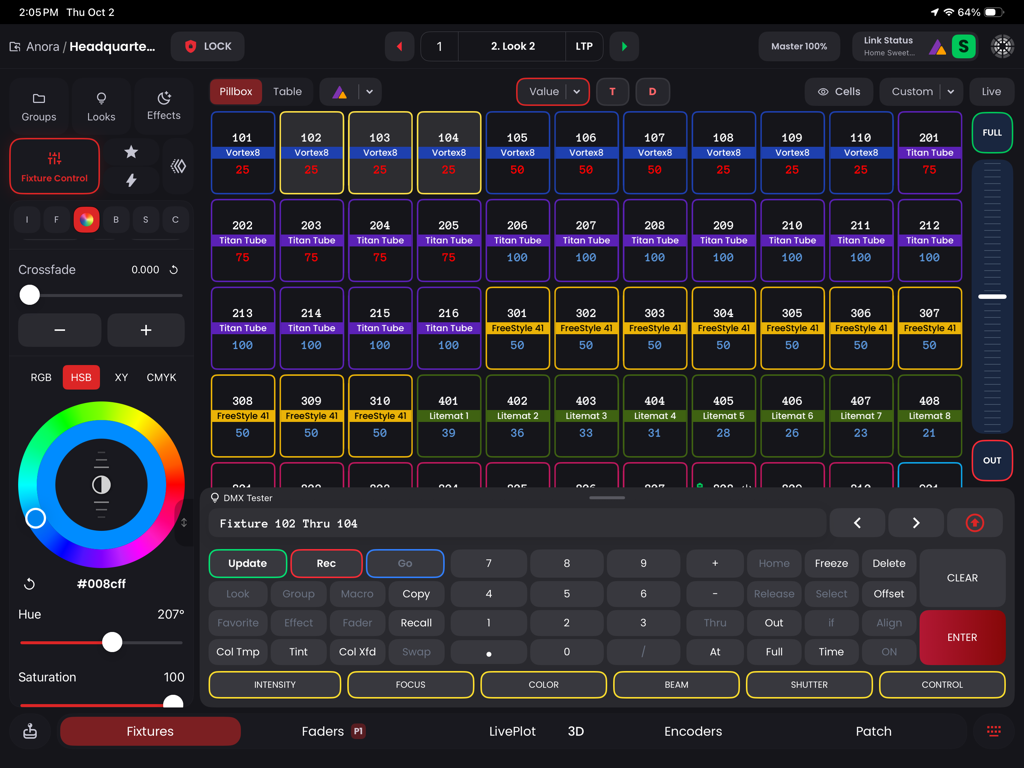
Blackout Lighting Console - 조명기구 그리드 및 색상 선택기가 있는 Blackout 조명 콘솔 DMX 제어 인터페이스
조명기구 그리드 및 색상 선택기가 있는 Blackout 조명 콘솔 DMX 제어 인터페이스

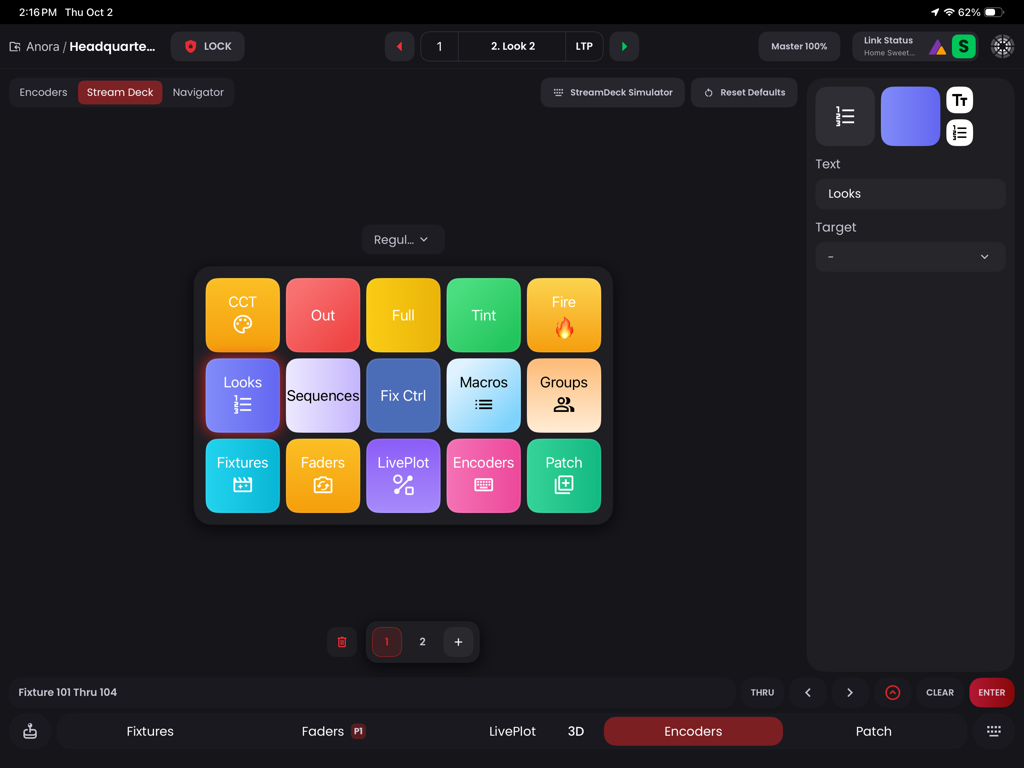
Blackout Lighting Console - iPad에 조명 제어 바로 가기 버튼 그리드를 보여주는 Stream Deck 시뮬레이터
iPad에 조명 제어 바로 가기 버튼 그리드를 보여주는 Stream Deck 시뮬레이터

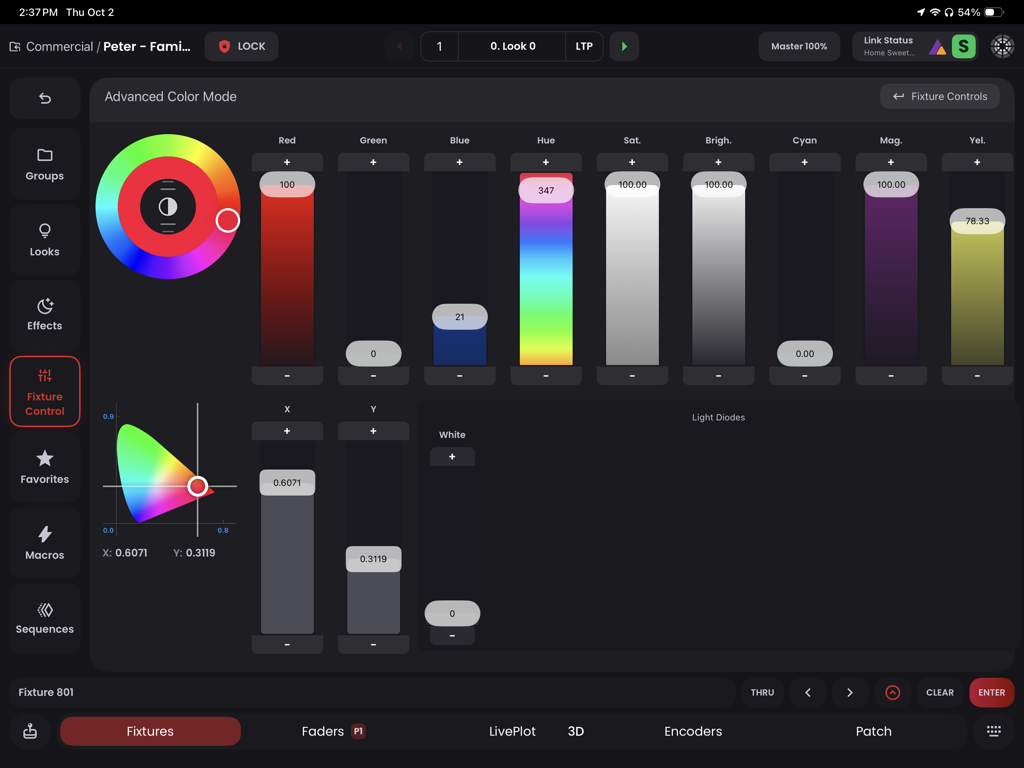
Blackout Lighting Console - 전문 조명기구를 위한 색상 휠 및 슬라이더를 보여주는 Blackout 조명 콘솔의 고급 색상 제어 인터페이스
전문 조명기구를 위한 색상 휠 및 슬라이더를 보여주는 Blackout 조명 콘솔의 고급 색상 제어 인터페이스

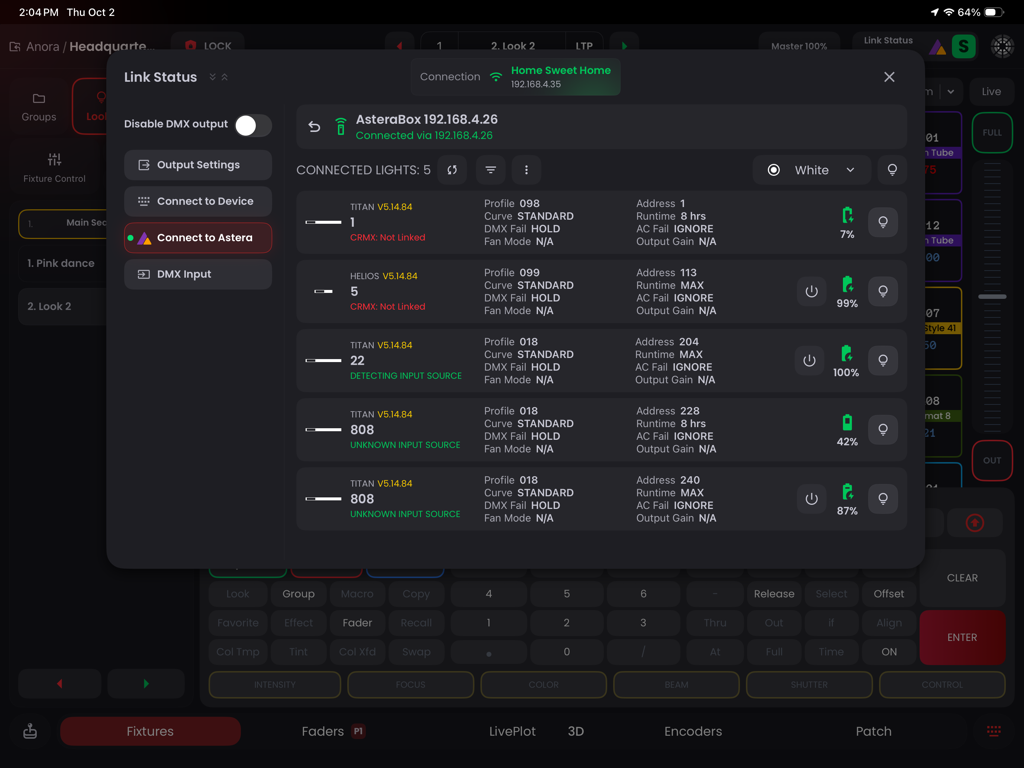
Blackout Lighting Console - 연결된 Astera 조명기구 및 배터리 수준을 모니터링하는 Blackout 앱 링크 상태 화면.
연결된 Astera 조명기구 및 배터리 수준을 모니터링하는 Blackout 앱 링크 상태 화면.

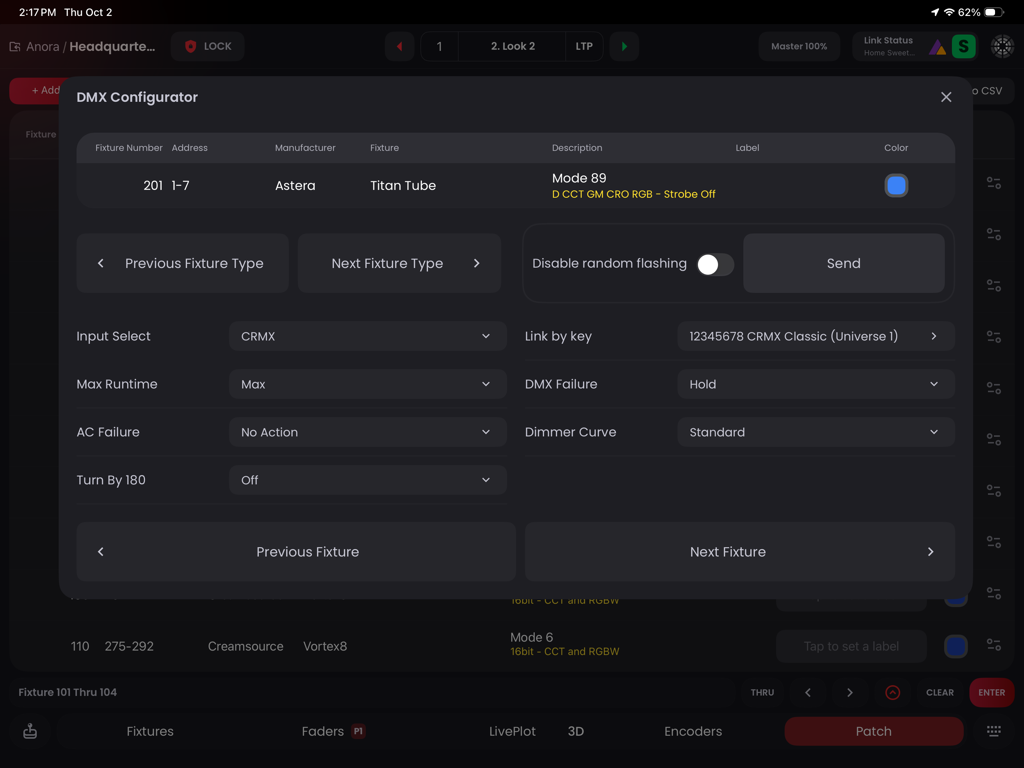
Blackout Lighting Console - iPad에서 Astera Titan Tube 조명기구 설정을 보여주는 Blackout 조명 콘솔 DMX 설정 프로그램 인터페이스
iPad에서 Astera Titan Tube 조명기구 설정을 보여주는 Blackout 조명 콘솔 DMX 설정 프로그램 인터페이스

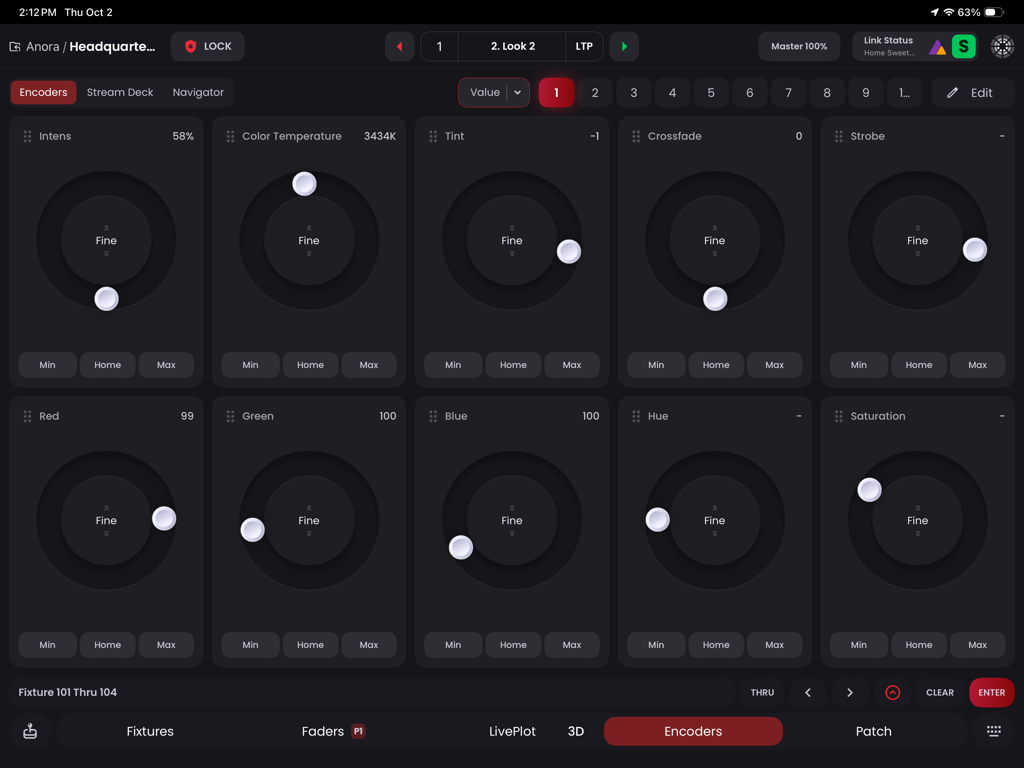
Blackout Lighting Console - 전문 조명기구 제어를 위한 원형 인코더 다이얼이 있는 iPad의 Blackout 조명 콘솔 앱 인터페이스
전문 조명기구 제어를 위한 원형 인코더 다이얼이 있는 iPad의 Blackout 조명 콘솔 앱 인터페이스

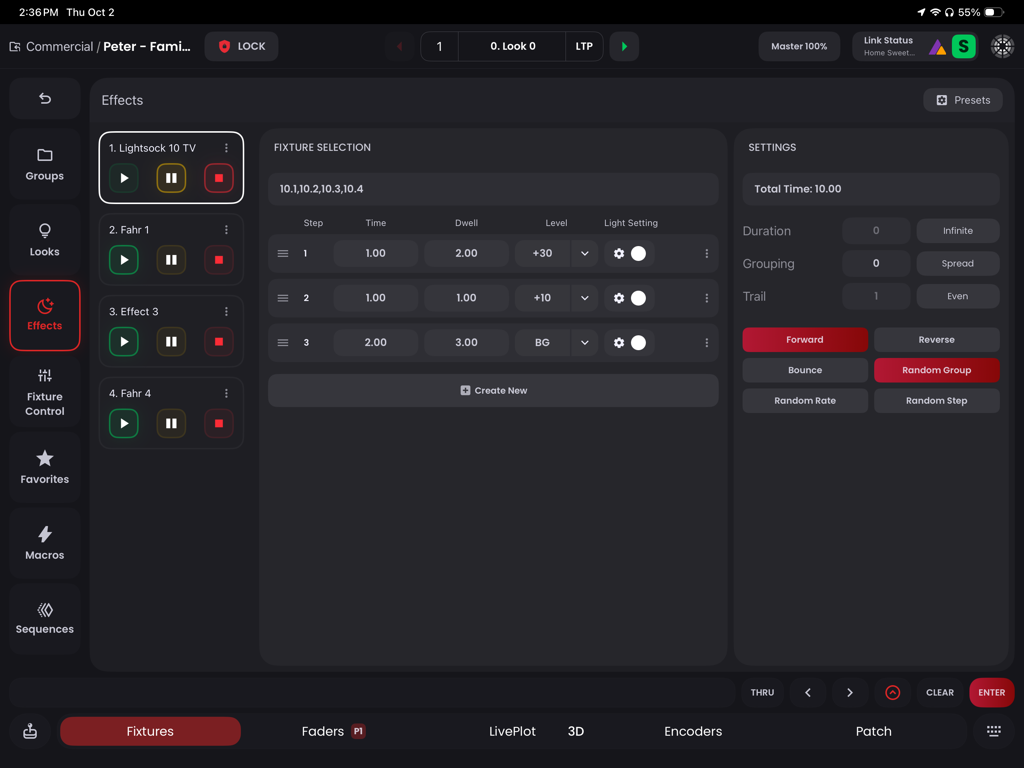
Blackout Lighting Console - 단계별 조명 제어 및 조명기구 설정을 보여주는 Blackout 조명 콘솔 앱의 효과 프로그래밍 인터페이스
단계별 조명 제어 및 조명기구 설정을 보여주는 Blackout 조명 콘솔 앱의 효과 프로그래밍 인터페이스

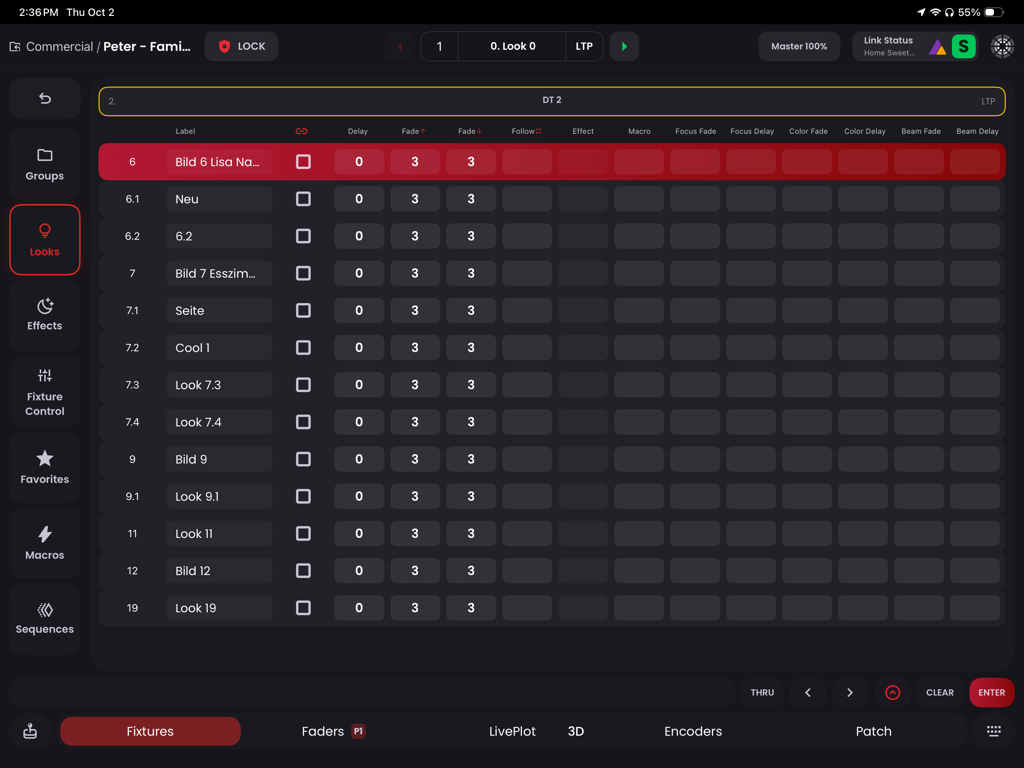
Blackout Lighting Console - 타이밍 및 페이드 매개변수가 있는 저장된 조명 룩 시퀀스를 표시하는 iPad의 전문 조명 콘솔 인터페이스.

타이밍 및 페이드 매개변수가 있는 저장된 조명 룩 시퀀스를 표시하는 iPad의 전문 조명 콘솔 인터페이스.

설명

Blackout is a revolutionary professional Art-Net/sACN DMX Lighting Console app for the iPad. Redefine your lighting with our incredibly intuitive interface and powerful effects engine. Features: - Cloud Fixture Database: Access over 44,000 fixture profiles licensed from Carallon, the leader in fixture profile services. - Create Custom Fixtures: Utilize our Fixture Creation Wizard to design your own profiles, perfectly matching your specific lighting needs. - Fixture Patching Made Simple: Effortlessly categorize and label LED fixtures with a streamlined Patch interface, ideal for batch management. - Intuitive Fixture Controls: Adjust parameters with ease in Fixture Controls and experience our NEW multi-dimensional color picker. - Robust Multi-Cuelist Platform: Organize and save lighting looks within Sequences, complete with customizable fade times, delays, and links. - Presets for Quick Access: Save and recall fixture parameters instantly, streamlining batch changes across multiple fixtures through our Favorites. - Dynamic Effects Engine: Explore limitless creative possibilities with our advanced Effects Engine, featuring intensity chases, color loops, and more. - Macro Functionality: Simplify complex lighting tasks into single-button actions for maximum efficiency. - Enhanced Data Visibility: Experience our reworked UI with new view states for displaying data in various formats, aiding quicker analysis and decision-making. - Advanced MIDI Support (Input & Output): Gain tactile control over your lighting with MIDI compatibility, suitable for both wired and wireless controllers.

Download

다운로드: App Store

이 페이지는 앱이나 개발자의 공식 페이지가 아니며, 정보 제공 및 논평을 목적으로 작성된 독립 편집 간행물입니다. 명시적으로 달리 언급되지 않는 한, 해당 앱이나 개발자는 MWM, Apple, Google Play, 앱 퍼블리셔 또는 앱 개발자와 제휴, 보증, 후원, 승인 또는 공식적으로 연결되어 있지 않으며, 이 페이지의 어떤 내용도 해당 앱이 MWM의 서비스를 사용하여 개발되었음을 의미하지 않습니다. 모든 상표, 로고, 스크린샷 및 기타 콘텐츠는 해당 소유자의 자산입니다.