
이 페이지는 앱이나 개발자의 공식 페이지가 아니며, 정보 제공 및 논평을 목적으로 작성된 독립 편집 간행물입니다. 명시적으로 달리 언급되지 않는 한, 해당 앱이나 개발자는 MWM, Apple, Google Play, 앱 퍼블리셔 또는 앱 개발자와 제휴, 보증, 후원, 승인 또는 공식적으로 연결되어 있지 않으며, 이 페이지의 어떤 내용도 해당 앱이 MWM의 서비스를 사용하여 개발되었음을 의미하지 않습니다. 모든 상표, 로고, 스크린샷 및 기타 콘텐츠는 해당 소유자의 자산입니다.

Logic Remote
스튜디오 어디에서든 녹음, 믹싱 및 연주의 자유를 경험하세요. iPad 또는 iPhone을 Mac의 강력한 Multi-Touch 확장 기능으로 전환하세요.
다운로드
2M+사용자 평점
총 평가 수
11K+개발사
카테고리
Music지원 언어
31최신 버전
1.5.6크기
311.6 MB출시일
2013년 7월 16일책상에 묶이지 않고 스튜디오를 마스터하세요
iPad 또는 iPhone을 Logic Pro 및 GarageBand의 무선 확장 기능으로 전환하세요. Logic Remote는 디지털 정밀성과 촉각적 창의성 간의 격차를 해소하여 방 어디에서든 녹음, 믹싱 및 연주의 자유를 제공합니다.
원활한 원격 녹음
'1인 밴드'의 어려움에서 벗어나세요. Mac으로 돌아가지 않고도 보컬 부스나 드럼 키트에서 테이크를 시작, 중지 및 녹음하세요.
촉각 Multi-Touch 믹싱
마우스를 버리고 손으로 믹싱하세요. 전문 페이더, 패닝 컨트롤 및 시각적 EQ를 사용하여 물리적 콘솔의 속도와 느낌으로 사운드를 만드세요.
자주 묻는 질문
에 대해 알아야 할 모든 것 Logic Remote
Logic Remote는 무엇인가요?
Logic Remote는 Mac용 Logic Pro 및 GarageBand의 창의적인 기능을 확장하는 동반 앱입니다. iPad 또는 iPhone을 음악 제작을 위한 믹서, 전송 컨트롤, 유연한 터치 악기로 변환합니다.
Logic Remote를 GarageBand와 함께 사용할 수 있나요?
예, Logic Remote는 Mac용 Logic Pro 및 GarageBand와 모두 작동하도록 설계된 동반 앱입니다. iPad 또는 iPhone에서 GarageBand 프로젝트를 제어하고 상호 작용할 수 있습니다.
Logic Remote를 사용하여 악기를 어떻게 연주할 수 있나요?
Logic Remote를 사용하면 익숙한 피아노 건반, 기타 프렛보드 또는 드럼 패드를 사용하여 모든 Logic 악기를 연주할 수 있습니다. 또한 드럼 키트를 탭하여 비트를 만들고, 스텝 시퀀서를 프로그래밍하고, 리믹스 FX를 연주할 수 있습니다.
Logic Remote는 어떤 믹싱 컨트롤을 제공하나요?
Logic Remote는 Multi-Touch 제스처를 사용하여 믹서 볼륨, 팬, 솔로 및 음소거 컨트롤을 조정합니다. 레벨 미터, 자동화 모드, Visual EQ 기능을 제공하여 트랙 톤을 조절합니다.
Logic Remote로 Logic Pro 전송 기능을 원격으로 제어할 수 있나요?
예, Logic Remote는 Mac용 Logic Pro에 대한 시작, 중지, 녹음, 사이클과 같은 기본 전송 컨트롤을 제공합니다. LCD 또는 바 눈금을 스와이프하고 마커로 이동하여 프로젝트를 탐색할 수도 있습니다.
Logic Remote에는 iPad 전용 기능이 있나요?
예, Smart Controls, Sound Library 탐색, Smart Help, 전체 믹서 및 플러그인 컨트롤 액세스는 Logic Remote를 iPad에서 사용할 때 독점적으로 사용할 수 있습니다. 이러한 기능은 iPhone에서는 사용할 수 없습니다.
Logic Remote는 Live Loops 제어를 지원하나요?
예, Logic Remote는 Live Loops 제어를 지원합니다. 사용자는 개별 셀을 트리거하거나 장면 간을 전환하여 iPad 또는 iPhone에서 직접 작곡을 조작할 수 있습니다.
Logic Remote와 함께 스텝 시퀀서를 사용할 수 있나요?
예, Logic Remote에는 스텝 시퀀서 기능이 포함되어 있습니다. 이를 통해 장치에서 직접 비트, 베이스 라인 및 멜로디 파트를 프로그래밍할 수 있습니다.
Logic Remote와 함께 사용자 지정 키 명령을 사용할 수 있나요?
예, Logic Remote를 사용하면 사용자 지정 가능한 버튼을 사용하여 Logic 키 명령을 원격으로 트리거할 수 있습니다. 이 기능은 컨트롤을 개인화하여 워크플로 효율성을 향상시킵니다.
다음 스크린샷과 설명은 앱의 공식 스토어 목록에서 직접 가져온 것이며 앱 개발자의 자산입니다.
앱 스토어
스크린샷
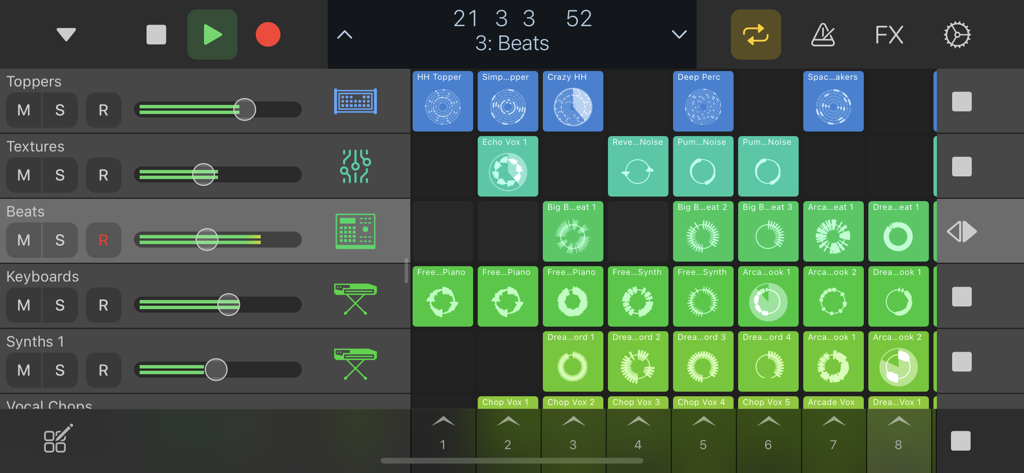
Logic Remote 앱 인터페이스는 라이브 루프 그리드와 믹서 트랙 컨트롤을 보여줍니다
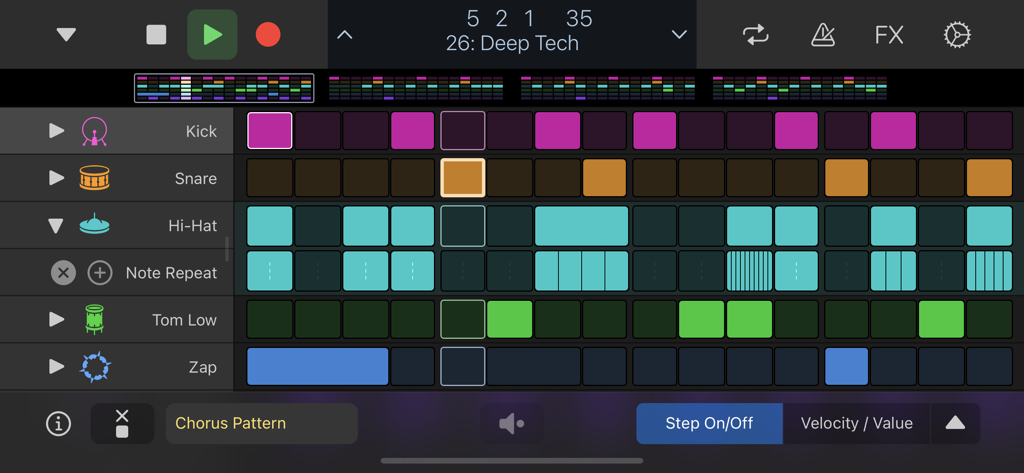
Logic Remote 스텝 시퀀서 인터페이스는 딥 테크 음악을 위한 드럼 패턴을 표시합니다
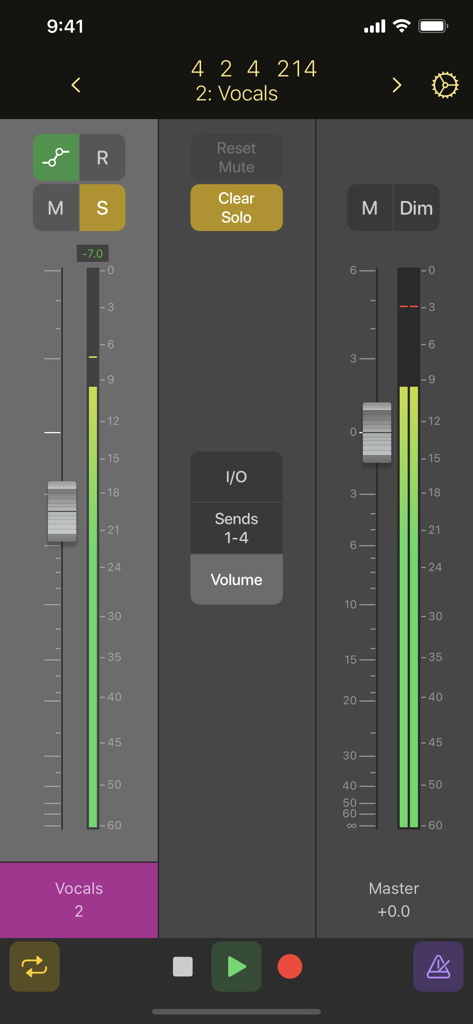
Logic Remote 모바일 앱은 iPhone 화면에서 보컬 및 마스터 채널 페이더가 있는 디지털 오디오 믹서를 보여줍니다
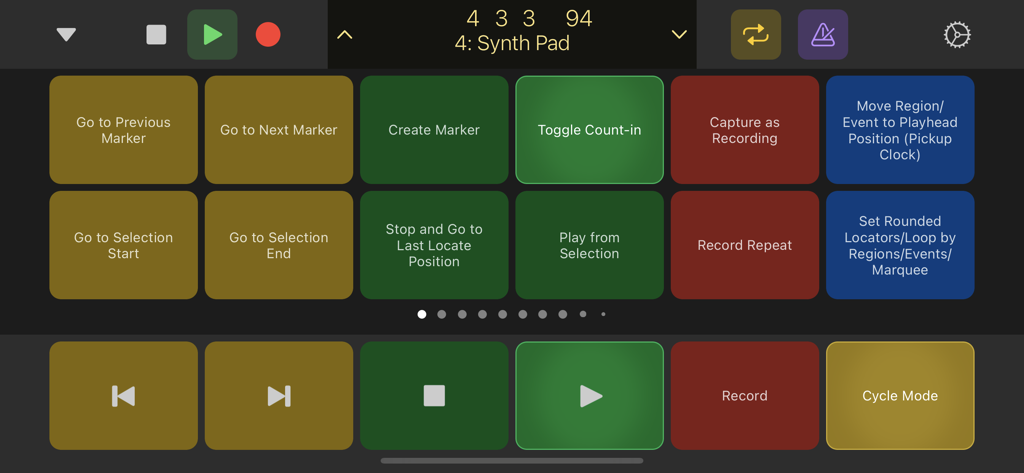
Logic Remote 앱 인터페이스는 음악 제작을 위한 전송 컨트롤 및 사용자 정의 가능한 키 명령 버튼을 보여줍니다
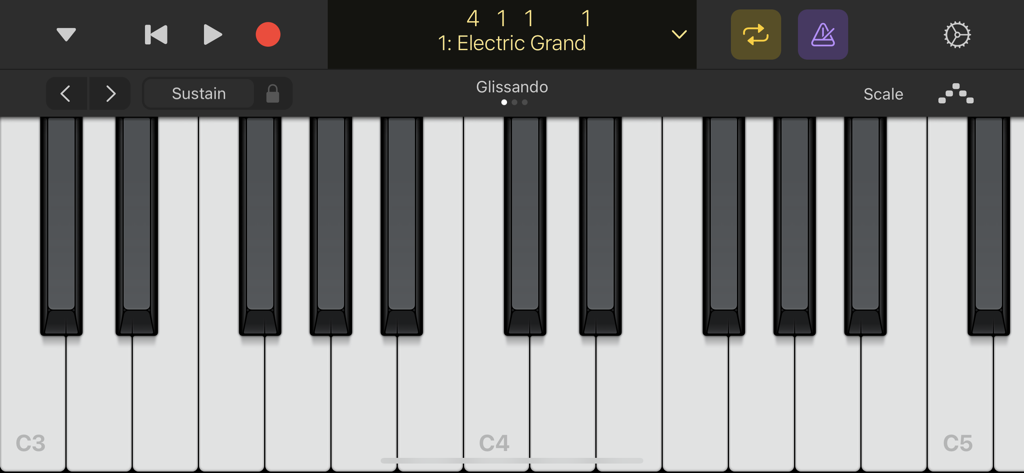
Electric Grand 악기를 연주하기 위한 Logic Remote 앱의 가상 피아노 키보드 인터페이스.
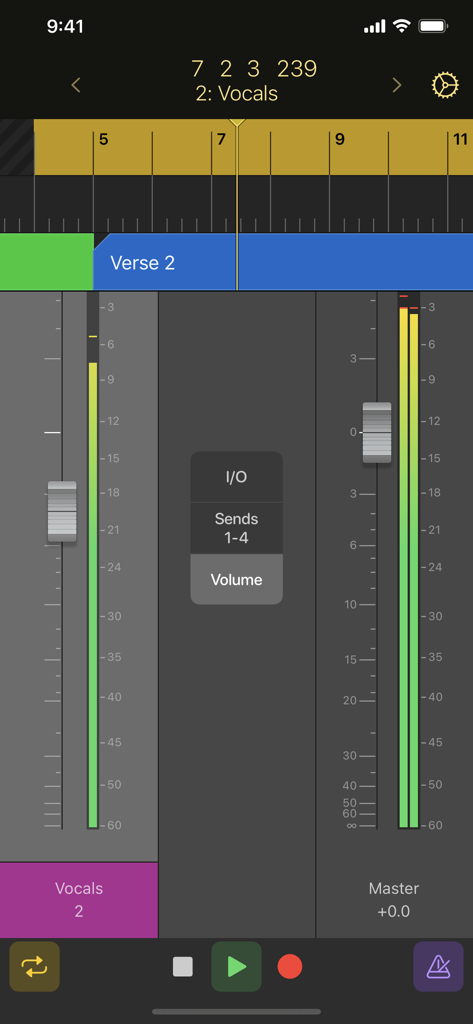
Logic Remote 앱이 iPhone에서 전송 컨트롤이 있는 보컬 및 마스터 트랙의 믹서 페이더를 표시합니다
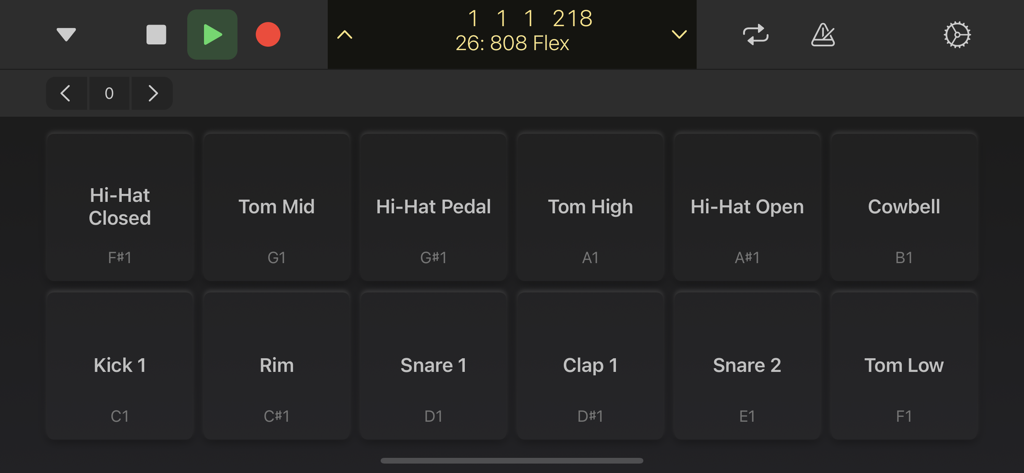
Logic Remote 모바일 앱 인터페이스는 음악 제작을 위한 디지털 드럼 패드를 보여줍니다
설명
Download
비슷한 앱
유사한 기능과 사용자 경험을 가진 앱

TouchOSC
Hexler LLC

MixEffect (Trial & Pro Unlock)
Adam Tow

Blackout Lighting Console
Blackout Lighting Console LLC

LK - Ableton & Midi Controller
Imaginando Lda

Eos Remote
Trent Barclay

Mixing Station
Mixing Station GmbH

TouchOSC Mk1
Hexler LLC

MIDI Guitar
Jam Origin ApS
QLab Remote
Figure 53, LLC
이 페이지는 앱이나 개발자의 공식 페이지가 아니며, 정보 제공 및 논평을 목적으로 작성된 독립 편집 간행물입니다. 명시적으로 달리 언급되지 않는 한, 해당 앱이나 개발자는 MWM, Apple, Google Play, 앱 퍼블리셔 또는 앱 개발자와 제휴, 보증, 후원, 승인 또는 공식적으로 연결되어 있지 않으며, 이 페이지의 어떤 내용도 해당 앱이 MWM의 서비스를 사용하여 개발되었음을 의미하지 않습니다. 모든 상표, 로고, 스크린샷 및 기타 콘텐츠는 해당 소유자의 자산입니다.